7 min read
IT Trends 2021: What Changed in Hardware and Software
IT trends 2021: the year's main developments in software and infrastructure, what happened with PCs and servers, and useful conclusions for planning.
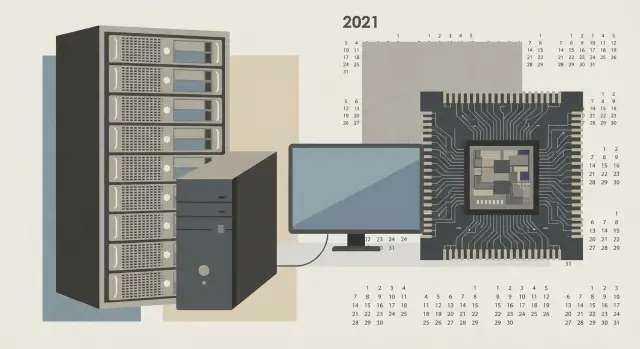
Why 2021 was memorable and what we'll cover
2021 became a point where several factors hit IT at once: demand for devices and remote work increased, hardware deliveries became unpredictable, and security requirements tightened. So the IT trends of 2021 were not only about new products but also about how companies plan purchases, build infrastructure and protect data.
It's important to agree on what counts as "new" here. It's not only high-profile releases and fresh CPU models. "New" in 2021 are practices that suddenly became the norm (for example, stricter baseline security settings), new types of attacks and market changes: delivery times, prices and component availability.
This material is aimed at those responsible for computers, servers and user support: businesses, government, education, healthcare and financial organizations. Requirements differ, but pain points in 2021 often overlapped: predictability in hardware, service stability and clear security rules were needed.
If you are planning purchases, start with shortages and supply chains. If you are updating a PC fleet, move to the section on workstations and OS requirements. Server and data center teams should read the section on server hardware 2021. And if your main risks are downtime and leaks, you need the cybersecurity 2021 section.
How work and expectations from IT changed
Hybrid work in 2021 became not a temporary measure but a regular format. This quickly revealed weak spots: home internet, overloaded VPNs, insufficient office bandwidth and higher support requests. IT teams became responsible not only for the "office" but for employees' ability to work reliably from any location.
Video communication and collaboration grew in importance. Where it used to be enough that "the PC just turns on," in 2021 camera quality, microphone, headset and even lighting became part of productivity. Users noticed delays, audio noise and freezes during screen sharing, which translated into real time losses in meetings.
What users began to take for granted
Expectations tightened. People want things to work immediately without fiddling with settings, and IT should be visible only when it helps. In practice this boiled down to a few basics: fast login and access to files, stable call and chat connections, support with clear response times, data protection without constant blocking "at every step," and a consistent experience at home, in the office and on the road.
Interest in clouds and managed services increased in parallel. Companies wanted less dependence on a single office and a single set of servers. In 2021 logic this meant shifting from "fix locally" to "ensure availability and control."
A simple example: a school or hospital buys new workstations and realizes some staff regularly work remotely. Then it's important not only to choose computers, but also to plan support, device tracking, updates and security requirements in advance.
Semiconductor shortage and supply chains
The semiconductor shortage of 2021 became one of the main reasons IT refreshes unexpectedly turned into waiting games. Chip fabs couldn't keep up with demand: remote work grew, mass purchases of laptops and communication gear followed, and the automotive and consumer electronics industries consumed the same production capacities.
The problem was worsened by logistics disruptions and shortages of components around the chips themselves: power controllers, network chips, memory and PCBs. As a result, even when a CPU was available, "small parts" were missing and a server or PC couldn't be assembled.
This hit prices and lead times the hardest. GPUs, power supplies, SSDs, network cards and also ready-made workstations and servers went up in price. Delivery dates became unreliable because suppliers stopped promising exact dates: a shipment could be delayed in production, at customs or simply jump the queue due to higher-priority contracts.
For model selection this meant an uncomfortable trade-off: you planned a specific configuration, but only a close variant was available. For example, instead of a server with the needed RAM and two network adapters you had to accept a model with a different CPU, swap drives or accept less expansion headroom. Many revised requirements: what is critical and what can be bought later.
A practical takeaway from 2021 is simple: plan procurement as a project with time buffers and alternatives. A typical workflow includes:
- extra time for delivery and separate time for commissioning;
- 1–2 pre-agreed equivalent configurations to avoid stopping a tender or purchase;
- fixed critical parameters (for example, memory size, number of disks, support requirements) and keep secondary items flexible;
- a minimal reserve of key parts: drives, power supplies, network cards.
A regional lesson: the more transparent the supply chain and the closer the manufacturing and service, the easier such years are to survive. That's why local assembly and support attracted more interest in Kazakhstan and Central Asia.
PCs and workstations: what was new in 2021
One notable user-side trend was a focus on energy efficiency. People worked from home and office interchangeably, and the value of a quiet, cool and economical PC increased. The market settled on the idea that not only peak performance matters but how the system behaves all day, especially during video conferences and multitasking.
Hybrid CPUs and interest in ARM
In 2021 the move to hybrid architectures in mainstream PCs became loud: some cores aimed at high performance, others at background tasks. For users this meant less heat, lower noise under light loads and, for laptops, longer battery life.
Interest in ARM in consumer devices also grew. After ARM platform successes, many reconsidered software, driver and peripheral compatibility. In office reality this usually meant: before procurement, check which applications and devices will certainly work without surprises.
DDR5 and PCIe 5.0: useful but not for everyone yet
Early steps toward DDR5 and PCIe 5.0 were visible, but for most companies these remained "for the future." Real benefits appeared in narrow scenarios, while cost and availability made early migration not always sensible.
A simple check helps before choosing: are you already limited by memory or storage, how important is identical configuration across the fleet, and are you ready for pricier components amid unstable supply?
Separately, the trend toward compact workspaces strengthened: all-in-ones, thin clients and docking stations for laptops. For example, when switching to hot-desking in a sales department, all-in-ones are convenient (fewer cables, easier maintenance), while some staff can stay on laptops with docks.
Servers and data centers: main shifts of the year
Server hardware in 2021 was remembered not only for the "speed race" but for a more down-to-earth question: how to get more power in the same racks without drowning in electricity and cooling costs. Many companies for the first time seriously counted not just "performance" but "performance per watt."
Performance per watt and density
The focus shifted to how much useful work a server delivers under real data center constraints. In 2021 it became clear that rack space, power and heat limits are as important resources as budget.
In practice this led to denser configurations, careful CPU selection for specific tasks and attention to power profiles. In integration projects it was often better to choose one "right" node for a workload than several universal but inefficient ones.
PCIe 4.0, accelerators, networks and storage
PCIe 4.0 adoption became noticeable because it provided more bandwidth for NVMe drives and accelerators. Many planned capacity for future growth so new servers wouldn't be bottlenecked by old drives or network cards.
GPUs and other accelerators became necessary where they bring real benefit: data analytics, machine learning, VDI for demanding users, video and image processing, and sometimes security monitoring. For ordinary file services or classic accounting systems accelerators usually don't yield a tangible effect.
Fast networks and storage in 2021 stopped being fashionable and became tools to solve concrete bottlenecks. They are typically needed when a database is hitting disk latency, many parallel VDI users overload storage, backups don't fit the night window, a virtualization cluster has network "traffic jams," or data is actively moved between servers and storage.
If these symptoms are absent, it's wiser to invest in reliability, monitoring and a clear growth plan.
Windows 11 and device security requirements
Windows 11 in 2021 was notable not for a new Start menu but for changing the rules for corporate PCs. Microsoft raised minimum requirements: a 64-bit CPU from more recent generations, enough RAM and disk, and — importantly — the mandatory combination of UEFI + Secure Boot and TPM 2.0.
The logic was clear: reduce the share of devices where protection depends solely on user caution. TPM stores keys and helps encryption, while Secure Boot blocks a tampered bootloader. Against a background of rising ransomware and credential theft, this was a way to make baseline security "on by default," not optional.
For companies the key question was not "whether to install Windows 11" but "what portion of the fleet is ready." Windows 10 did not disappear: its support was planned until October 2025, so many chose a calm transition via pilot and planned device replacement.
A practical approach: inventory first, then a decision. It's useful to collect at least:
- CPU model and generation, RAM and storage size;
- presence of TPM 2.0 and whether it can be enabled in BIOS/UEFI;
- whether UEFI and Secure Boot are enabled;
- critical applications, drivers, printers and scanners;
- remote work scenarios (VPN, VDI, MDM).
Then issues often surface that are not OS-related but detail-oriented: old accounting modules, specific USB dongles, outdated drivers. A convenient scheme is to select 5–10% of users for testing, check compatibility and then decide what to upgrade and what to replace.
Cybersecurity: what intensified in 2021
Cybersecurity in 2021 ceased to be a "separate project." It became day-to-day work: otherwise the business simply stops. So alongside discussions about new devices and services, topics like patching, recovery and access control were heard more frequently.
The most painful story of the year was ransomware. Attacks hit not only large corporations but ordinary organizations: schools, hospitals, regional companies. The scenario repeated: attackers encrypt data, paralyze operations and demand ransom. Remote work and haste worsened the problem: weak passwords were left in place or access was opened without proper protection.
Another lesson of 2021 was vulnerabilities in widely used components. The Log4j incident showed how a single flaw in a commonly used library can affect thousands of systems. The takeaway is simple: it's not enough to "just apply a patch." You need clear response rules and responsible owners.
The minimum many companies implemented:
- a list of critical systems and owners;
- a quick search for where a vulnerable component is used;
- a window for emergency updates and verification afterwards;
- an action log: what was done and what remains.
Against this background Zero Trust began to be understood in plain terms: trust no one by default. Access is granted only to those who need it, only to needed resources, and identity and device are always verified.
Finally, backups. The 3-2-1 rule is simple: 3 copies of data, 2 different media, 1 copy off-site. In 2021 many realized the key nuance: it's not enough to make backups — you must regularly verify restores. For example, once a month spin up a test copy of the accounting database on a separate machine and ensure it actually opens and works.
Clouds and platforms: what solidified in 2021
2021 trends made clouds part of regular infrastructure rather than an experiment. Companies stopped arguing whether to use the cloud and more often discussed which systems to keep on-premises, which to move to public cloud and how to manage this without chaos.
One noticeable shift is that containers and Kubernetes became standard for deploying new services. For business this is less about development speed and more about uniform deployment rules, fast rollbacks and less manual "magic" that depends on a single person.
Demand for hybrid schemes also grew for practical reasons: data regulations, hardware delivery times, seasonal load peaks and the need to launch services quickly. Often critical systems and databases stayed on-premises while web front ends, analytics or burst capacity went to the cloud.
Observability (metrics, logs and tracing) also became established: it's needed not for pretty graphs but to quickly understand what failed and how much it costs per day. With many services, the question "why is it slow" without observability turns into long guesswork.
Finally, many encountered unexpected cloud bills and FinOps stopped being a buzzword. Practical measures that helped included assigning cost owners, setting budgets and alerts for overruns, scheduling shutdowns or downsizing of unused resources, and regularly reviewing storage, backups and network traffic.
A typical scenario: a company moves some services to public cloud but keeps accounting and file storage on-premises. Without observability problem diagnosis time grows, and without FinOps costs quietly spread. 2021 showed that platform choice matters, but discipline in management matters more.
How to apply 2021 lessons: a step-by-step IT refresh plan
2021 showed one simple thing: winners are those whose IT is clearly documented, measured and able to change quickly. Below is an order of actions that helps build an update plan without unnecessary fuss and taking into account 2021 risks: supply shortages, rising attacks and tighter device requirements.
Practical order of actions
Start with what is important for the business, not with hardware models. First record what must always work and what can be recovered later.
- Describe critical services (mail, accounting, EDMS, telephony, POS) and availability requirements: how much downtime is allowed and which data cannot be lost.
- Conduct an inventory: PCs and laptops, servers, storage, network, Wi‑Fi, UPS, licenses and support end dates.
- Assess risks: vulnerabilities and protection level, probability of supply disruption, vendor lock-in and who can actually support the system.
- Choose a target architecture: on-prem, cloud or hybrid. Decide in advance where data will reside and how you will protect and restore it.
- Create a procurement plan: timelines, compatibility, alternates by models and suppliers, stock of key items (drives, memory, network equipment).
After procurement, plan operations: monitoring, backups with regular restore verification, update plans, clear user instructions and short phishing awareness training. This often yields more effect than a point replacement of the "oldest server."
30-day example
A small organization (for example, a clinic or a college) can create a baseline in a month: in week one describe 5–7 critical services and downtime rules; week two gather inventory and dependency maps; week three assess risks and choose a target scheme (part on-prem, part in cloud); week four approve purchases and a support plan.
If predictable supply and local service matter in your region, consider solutions with production and support closer to the customer.
Common mistakes revealed in 2021
2021 showed that IT is not only about new gear. Teams tried to chase so-called "trends" but often stumbled on basics: capacity planning, security, delivery times and recovery.
The first mistake is chasing "the newest" without clear benefit. Organizations bought more powerful and expensive gear without calculating what would actually speed up: office apps, CAD, analytics or virtualization. Budget was spent on features no one used while key bottlenecks (network, drives, licenses, training) remained.
The second mistake is underestimating device-level security requirements. With Windows 11 the questions of TPM, Secure Boot, regular updates and access rights came to the fore. In some companies devices formally "worked" but didn't meet security policy, and admin account tracking was done "by memory." This later hurts during audits and incidents.
The third mistake is buying "however it comes." In 2021 delivery times and compatibility became critical: one component arrived, another didn't, and support wasn't planned. A good practice is to keep a few standard configurations and know in advance how to replace parts if a model is unavailable.
Finally, weak backups. Copies "exist somewhere," but restores were never tested. A healthy rhythm includes:
- monthly test restore of one server or service;
- quarterly test restore of a key database;
- recording recovery time and what failed along the way;
- separate access rights for backup storage.
2021 revealed a simple truth: winners are not those who bought the newest first, but those who planned standards, security, support and a plan B for shortages.
Quick checks, example and next steps
If you compress 2021 experience into one question it is: how ready is your infrastructure for surprises, from vulnerabilities to supply disruptions. Below are checks you can do quickly to get a task list without extra theory.
Mini checklist for security and access:
- MFA enabled for email, VPN and admin accounts; old accounts disabled.
- Backups run automatically and restores are checked at least quarterly.
- OS and critical software updates are scheduled, not done "when there is time."
- VPN is configured to allow access only to necessary systems, not the whole network.
- Login and event logs are stored and periodically reviewed.
Now about hardware: 2021 showed that compatibility and support matter as much as "top specs." Quick checks for PCs and servers:
- compliance with security requirements (for example, for new OS versions) and driver compatibility;
- clear support and repair scheme, availability of service in your city;
- availability of spare parts and the ability to keep identical configurations for scaling;
- replacement plan: which models to replace first and why.
Example: an organization updates 150 workstations and a couple of servers but deliveries arrive in batches. A common solution is to approve 2–3 standard configurations (office, heavy tasks, server), pre-agree alternates and keep a small stock of critical parts (drives, PSUs, network adapters). Projects then don't stall because "one part didn't arrive."
Next, appoint an audit owner (IT manager or responsible admin), compile a 1–2 page asset and risk list and choose a partner who can not only supply equipment but also support it in operation.
If you like the idea of local delivery and unified support in Kazakhstan, look at GSE.kz: the company offers L200 desktop lines, M200 all-in-ones and S200 servers, plus system integration and 24/7 technical support. This is especially convenient when predictable batches and on-site service matter.
Frequently asked questions
Where to start an IT refresh after the lessons of 2021?
Start by fixing the business requirements: which services must always be available and how much downtime is acceptable. Then inventory your assets (PCs, servers, network, licenses, support windows) and only after that choose models. Practical items to include: - extra time for delivery and deployment; - 1–2 pre-agreed equivalent configurations; - a list of "hard" requirements (memory, drives, support) and keep the rest flexible.
Why did hardware delivery times become so unpredictable in 2021?
Because disruptions were not only in the chips themselves but in the surrounding components — memory, controllers, network chips, boards and logistics. As a result, having a processor available did not guarantee you could assemble the desired configuration. The best approach is to plan procurement as a project: alternatives by model, reserves for critical components and clear deployment timelines.
What should IT teams prioritize for hybrid work?
Minimum set for hybrid work: - reliable remote access (VPN/VDI) with extra bandwidth; - managed devices (inventory, updates, security policies); - standardized workstations (so support doesn't drown in a zoo of configurations); - decent peripherals for meetings (camera/headset) and tested video-conferencing scenarios. The main goal is the same user experience at home and in the office, not heroic manual setups.
Which Windows 11 requirements in 2021 proved most critical for companies?
Key requirements that often break older fleets: - UEFI with Secure Boot enabled; - TPM 2.0 (sometimes present but disabled in BIOS/UEFI); - a sufficiently recent 64-bit CPU, RAM and disk. A practical path is not to start with a mass OS upgrade: first do an inventory and a pilot on 5–10% of users to catch driver, printer, USB key and legacy software issues.
Why are TPM 2.0 and Secure Boot needed if systems already "work"?
TPM helps store keys and supports disk encryption, while Secure Boot reduces the risk of a compromised bootloader. Together they make basic protection the default rather than an option. In practice it's important to: - check for TPM 2.0 and whether it can be enabled; - record where disk encryption is required; - limit admin rights and control boot configuration changes.
Why did everyone talk about "performance per watt" for servers in 2021?
Because often the constraint is not budget but power, cooling and rack space. The winner is the one who delivers more useful work under the real limits of a data center. Practical steps: - choose CPUs and configurations for specific tasks instead of a "most universal" option; - calculate power consumption and heat generation in advance; - invest in reliability and monitoring if there are no clear performance bottlenecks.
When are PCIe 4.0, fast NVMe and new networks really needed, and when are they overkill?
PCIe 4.0 provides more bandwidth for NVMe drives and accelerators, but it's not necessary for everyone. It's justified when you have symptoms such as: - databases hitting disk latency limits; - VDI or many parallel users stressing storage; - backups that don't fit the window; - a virtualization cluster constrained by network/storage. If there are no such symptoms — better invest in fault tolerance, spare parts and a clear growth plan.
Should everyone have added GPU accelerators to servers in 2021?
GPUs are useful where they bring direct benefit: - data analytics and machine learning; - video/image processing; - VDI for demanding users. For classic file services and standard accounting systems accelerators rarely provide a noticeable effect. It's better to measure the bottleneck (CPU, disk, network, RAM) first and then buy "hardware for a reason."
Which minimum cybersecurity measures became mandatory after the 2021 spike in attacks?
The basic minimum that really reduces downtime risk: - enable MFA for email, VPN and admin accounts; - keep a list of critical systems and owners; - have a window for emergency updates and verify after patches; - restrict VPN access to only necessary resources; - store backups following the 3-2-1 rule and regularly test restores. Testing restores is key: a backup "exists" until you actually spin up a test copy and confirm it works.
How to reduce the risk of project delays due to shortages and simplify fleet support?
Standardization usually gives quick wins for shortages and support scalability: - 2–3 typical configurations (office, "heavy" tasks, server); - pre-agreed alternates in case a model is unavailable; - a small stock of critical parts (drives, PSUs, network adapters). If predictable batches and local support matter, it's easier to work with a supplier that has manufacturing and service nearby. For Kazakhstan this can be GSE.kz: PC lines L200, M200 all-in-ones and S200 servers, plus system integration and 24/7 support.
