8 min read
IT Infrastructure for Medical Facilities: Key Pillars
IT infrastructure for medical facilities: how to plan network segmentation, availability, data protection and resilient workstations under high load.
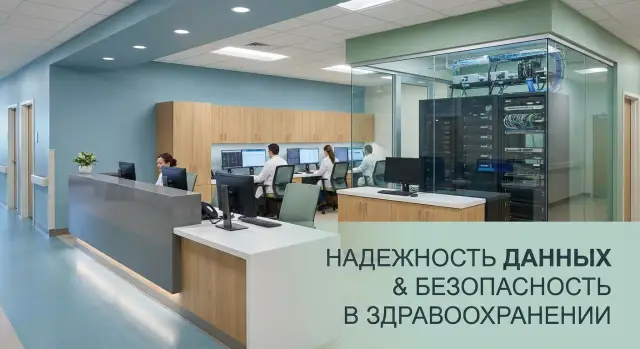
Where hospital and clinic IT problems start
The first IT failures in healthcare are almost never noticed in the server room but in the corridor: the queue grows, the reception can't open a chart, the doctor can't see results, the cashier or insurer verification freezes. Even a short outage quickly turns into delayed appointments and extra repeat visits.
A common cause is that all systems are treated as equally important. In practice there are critical chains without which work stops (EMR, reception, lab, diagnostics, patient routing) and secondary services (guest Wi‑Fi, some office tasks, training resources). When they share the same network and the same bottlenecks, overload or a failure affects everyone.
High load in a clinic typically looks like this: in the morning there are appointments, registrations, printing of referrals, bookings, call center calls, lab uploads and transfer of images all at once. If a heavy flow (for example, sending large files) saturates the link or a server at that moment, users experience it as "everything is down."
Simple steps often have a quick effect: separate critical and non‑critical devices into zones with access rules, remove single points of failure (power, switches, a single server for everything), standardize workstations and upgrade weak PCs in the busiest places, and enable basic monitoring to detect problems before complaints.
A reliable IT infrastructure for medical facilities starts like this: protect what matters most first and remove the main causes of queues, then gradually complicate the architecture.
Which systems and data to protect first
In healthcare, the priority is understanding what cannot be lost and what cannot stop. IT infrastructure for medical facilities relies on several nodes, and failure in any of them quickly becomes a queue at reception and delays in treatment.
Start with an inventory of key systems and their dependencies. Typically critical are MIS (appointments, intake, orders, results), PACS and image archives (X‑ray, CT, MRI), the laboratory system (tests and exchange with MIS), pharmacy and medication accounting, as well as accounting and HR systems.
Then classify data into clear categories: patient personal data, medical data (diagnoses, images, orders) and operational data (accounts, settings, logs). Protection differs by category, but medical and personal data usually require the strictest access control and mandatory audit.
Record who connects from where: doctors' offices, reception, ward stations, patient rooms, diagnostic devices, and sometimes remote work by administrators or on‑call specialists. This immediately shows where risks are higher.
To set priorities, agree in advance on acceptable downtime. A useful scale:
- “Zero downtime”: intake, reception, access to charts and orders
- “Minutes”: laboratory and result exchange
- “Hours”: archives, reports, some integrations
- “Up to a day”: accounting and scheduled exports
If MIS access fails during peak hours, clinicians start writing on paper and later enter data manually. That's a risk of errors and leaks. So prioritize continuity and access for systems that directly affect treatment right now.
Network segmentation without complexity: a clear zone scheme
If everyone shares one network, any problem quickly becomes hospital‑wide: a virus from guest Wi‑Fi, a misconfigured printer or a camera update can affect MIS and clinicians' workstations. Simple segmentation reduces risk and makes IT infrastructure for medical facilities predictable.
A basic scheme usually fits into several zones:
- Clinical zone: MIS, clinicians' workstations, reception
- Administrative zone: accounting, HR, office services
- Guest zone: Wi‑Fi for visitors and contractors
- Equipment and IoT zone: medical devices, terminals, “smart” devices
- Video surveillance: cameras, recorders, security post
Access logic decides the rest. You don’t need to lock everything down identically. The key is to separate critical from secondary and allow only necessary routes between zones.
For example, clinical computers should see MIS and printers but don’t need direct access to cameras/recorders. Guest network should have internet only. For medical equipment and IoT it's sensible to restrict outgoing connections: allow communication with specific servers (for example, MIS or update servers) and block the rest.
A set of rules that usually works painlessly:
- MIS access only from the clinical zone and by role
- printing allowed from clinical and administrative zones but via dedicated servers/queues
- guest Wi‑Fi cannot see internal addresses
- video surveillance accessible only to security and authorized staff
Segmentation localizes infections and misconfigurations: the problem stays in its zone and does not "take down" intake and diagnostics.
24/7 availability: network, power and fault tolerance
For a clinic, a 10‑minute IT outage can mean missed appointments, delayed lab work and queues at reception. For IT infrastructure in medical facilities it’s important to answer one question in advance: what must keep working through any failure?
Start with connectivity. A single provider and a single route to the internet or colo is a typical point of failure. It's more practical to have two independent providers and automatic failover. For critical services (MIS, PACS, telephony, access to government systems) plan a backup channel so that in an outage it is not consumed by guest Wi‑Fi or updates.
Inside the building, “single points” are vulnerable: one router, one floor switch, a single link to the server room. Fault tolerance here is often achieved without complex architecture: pair critical devices, provide two paths to the server room and a clear priority scheme that favors critical segments.
Power is the other half of availability. UPS systems should support the server room and network long enough to gracefully ride out a drop and wait for generator start or switching to a second input. Separate circuits for the server room, network equipment and workstations reduce the risk that one breaker trips everything.
To prevent an outage becoming chaos, prepare a short plan: who decides to switch, who notifies departments, which services are restored first and in what order, where credentials, diagrams and provider contacts are stored (including offline copies), and acceptable downtime minutes for each critical system.
A practical example: if the main internet in the admissions area fails, with proper failover reception continues via the second channel and clinicians keep access to MIS and test results.
Data protection: backups, access control and audit
In healthcare data matters more than hardware. A permissions mistake or a corrupt backup often becomes visible at the worst time: during intake when the patient chart won't open.
Start backup planning by asking what must be recoverable within an hour and what can wait until evening. Priorities usually include MIS databases, image files, directory services, email, and key network/server configs. Backup frequency depends on criticality: frequent for databases, less often for archives.
A practical minimum is the 3‑2‑1 rule: three copies, on two different media, one copy offsite. But a rule without checks is useless. Perform a test restore on a bench monthly and record how long it actually takes to bring systems back.
For investigation and control, it's not enough to "have logs"—you must know which events to look for. Agree in advance on a minimal set: system logins and failed attempts, privilege grants and changes, access to sensitive records and exports, and administrative actions on servers and workstations.
Access should be role‑based: doctor, receptionist, lab tech, accounting, IT. Grant rights on a “need to work” basis, not “just in case.” Retention periods for medical data and logs should follow regulators and internal rules. Separately define who may delete data and who approves deletions.
If you refresh PCs and servers (for MIS and archives), check support for disk encryption, centralized access policies and audit collection ahead of purchase. It's easier to include these requirements at procurement than to retro‑fit them later.
Cybersecurity in practice: the absolute minimum
In a medical facility cybersecurity must function every day without drama. The most common failure is when measures exist only on paper or are circumvented because they are inconvenient: no disk encryption on laptops, admins log in without MFA, updates are postponed for months.
Enable encryption where device or disk loss is plausible: clinicians' workstations, laptops, removable media, server volumes with sensitive data. This reduces damage if a PC is taken from a room or a drive leaves with decommissioned equipment. Verify compatibility with applications and availability of recovery keys.
A minimum set that yields noticeable protection:
- MFA for remote access (VPN, RDP) and all admin accounts, including service accounts
- scheduled patch management: monthly update window and a separate process for critical patches
- test updates on 1–2 representative PCs and one server before mass rollout
- antivirus and EDR with a centralized console, prevention of user disabling and clear exceptions (minimal, by agreement)
- logging and alerts: admin logins, remote sessions, protection disabling, suspicious process launches
If a clinician's PC freezes during peak hours you cannot "disable protection for speed." It's simpler and safer to have preconfigured exceptions for medical apps and a standardized workstation image so support can quickly restore the system without losing control.
Resilient workstations under high load
Queues at reception and disrupted appointments are not caused by "big servers" but by small issues at the workstation: a frozen PC, a missing printer, corrupted settings, or an unreadable scanner. For IT infrastructure in medical facilities this is critical because downtime immediately disrupts schedules and creates conflicts with patients.
Basic steps: choose stable workstations and all‑in‑ones sized for the real workload. Reception needs fast boot, quiet operation, a comfortable screen and reliable ports for peripherals. Clinicians often need a second monitor or a larger display to see the chart, orders and results simultaneously.
To avoid dependence on a single device maintain a spare pool and a clear replacement process. A few identical workstations (or at least identical system images) are enough to replace a failed PC in 10–15 minutes.
A useful minimum: centralized user profiles, unified templates and policies (shortcuts, printers, rights), spare PCs or all‑in‑ones per floor/department, and a short “rapid replacement” checklist for the engineer on duty.
Most downtimes relate to printing, scanning and electronic signatures. Check driver compatibility, print queue configuration, and spare consumables. For e‑signatures, predefine who manages certificates and the process if a token is not detected. If you purchase workstations and servers from a local manufacturer like GSE.kz, request typical configurations for reception and exam rooms—this simplifies standardization and maintenance of the estate.
Performance: how not to hit the ceiling
Performance problems rarely look like "everything broke." More often it's a slow patient chart, delays printing referrals or hiccups loading images. For IT infrastructure it's important to agree on what is considered normal and measure it regularly.
Metrics that are easiest to monitor and present to management:
- MIS response time for typical actions (search, appointment, discharge)
- speed of opening and scrolling images (PACS/archive)
- printing delay in reception and clinics
- channel utilization and network latency during peak hours
- disk queues and storage response times
Plan capacity not by feeling but with a 12–24 month buffer. Growth often comes not from more PCs but from new MIS modules, more concurrent users per shift, larger image volumes and heavier analytics.
A practical approach: record CPU and RAM peaks on application and DB servers, separately monitor disk load (IOPS) and storage latency, check network bottlenecks (between buildings, to the server room, to Wi‑Fi), and plan redundancy so failure of one node does not bring down a service.
For image storage IOPS and reliability matter. Often it helps to separate image archive into its own pool with its own backup rules and retention so heavy data doesn't throttle MIS.
Separate server resources are needed when AI analytics, recognition, batch image processing or nightly reports consume capacity. In such cases assign a dedicated server contour (for example, on powerful nodes like GSE S200) and avoid mixing it with clinical services.
Monitoring and procedures: so IT works without heroics
When there's a queue at reception and a doctor is seeing patients, there's no time for manual checks. For IT infrastructure the two most important things are seeing problems early and acting by clear rules.
A single monitoring dashboard should show not only "hardware" but services. It's useful when the same view shows network (latency, packet loss), servers (CPU, RAM, disks), virtualization, DB status and availability of key applications (MIS, lab, PACS).
Alerts work only if tuned by role and schedule. A practical minimum:
- critical/urgent: MIS or DB unavailable, switch down in intake zone, log/image storage running out of space
- important but tolerable: rising disk errors, link degradation, overheating in the server room
- informational: successful backups, completed updates, scheduled reboots
Then define short procedures that are actually followed: backup schedules with recovery checks, maintenance windows, access issuance/revocation process, account management and change logging (who did what).
And test failover. Quarterly, intentionally disable one node, the primary channel or power in a rack and verify that failover actually occurs and staff know who to call and what to do.
Step‑by‑step modernization without stopping operations
Modernizing IT infrastructure in medical facilities is almost always done on a living organism: reception, lab, admission and inpatient care cannot wait. The plan must be phased, with clear rollback points and short change windows.
Start by getting an accurate picture of what exists and dependencies: which services hold appointment data, test results, access to PACS and RIS, printing of referrals, telephony, and guest Wi‑Fi. Often a small service or an old server affects half the processes.
A convenient sequence of work:
- inventory: equipment, software versions, links, accounts, power schemes and bottlenecks
- zone and access model on a “least necessary” basis: doctors, medical equipment, admin, guests, contractors
- criticality levels and target availability: what must always work and what can be restored in 2–4 hours
- pilot in one department or building: access rules, printing, speed, nightly jobs, then scale up
- staff training and documented procedures: how to open tickets, what to do during an outage, who decides during an incident
Example: in a clinic the peak is 8:00–10:00. Plan network updates and service migrations after 20:00, assign responsible persons in advance and prepare a rollback plan (for example, revert VLANs and rules). Next day measure results: clinician login time to MIS, print speed, image access, workstation stability.
Common mistakes and traps
Many IT problems in medical facilities are caused not by bad technology but by rushed small decisions. They remain unnoticed for a long time and then surface on the busiest day.
A frequent trap is segmentation that exists only on paper. Zones are defined, but rules are not enforced, exceptions are given verbally and changes are uncontrolled. As a result medical devices, workstations and guest Wi‑Fi end up in one logical heap.
Another problem is a single point of failure: one switch in the node, one server for critical services, one power source. While everything works, the savings look reasonable. Any failure becomes a stop in intake.
Backups "for show" are another trap. Copies exist but have never been restored—so during an incident you may find archives incomplete or encrypted along with the rest of the infrastructure.
Remote access is often configured hastily without MFA and without logging. This increases the risk of leakage and complicates investigation.
Reception is often underestimated. Weak PCs at the busiest desk create queues, freezes and input errors. In a real clinic this looks like a frozen booking during peak, the operator reboots, and the ticket system accumulates people. A precomputed workstation standard and a performance margin help—modern desktops and servers like GSE L200 and S200, plus clear update procedures.
Quick pre‑launch and check checklist
Before acceptance and inspections run a short preflight list. It helps catch issues that later become reception downtime, queues and urgent calls to the duty IT.
Check the basics:
- network divided into clear zones (workstations, medical equipment, guests, server room), inter‑zone access closed by default and opened only on request
- redundancy at critical points: second link or a plan if it fails, UPS for communication nodes, spare power capacity for the server room
- backups are not just configured: recovery has been tested, there are responsible people and instructions
- access granted by role, privileged accounts are tracked and controlled (no shared "admin")
- monitoring configured so alerts are clear: what happened, where, who to call and the first action
Separately verify workstation resilience. Keep 1–2 spare PCs in key zones (admissions, reception) and a simple replacement process: who issues, where the image is, how quickly a clinician can return to work.
When procuring equipment evaluate not only price but service: how fast are repairs and how available is on‑site support?
Example: a clinic at peak and step‑by‑step actions
Monday, 08:30. Queue at reception, clinicians open MIS, a nurse prints referrals. Suddenly printing stalls, patient charts take 20–30 seconds to open, and a treatment room loses access to lab results. This is a typical situation: load spikes and the weak point shows instantly.
To quickly find the bottleneck follow a simple fact‑gathering scheme:
- network: uplink utilization, port errors, latency to the MIS server
- MIS server: CPU and RAM, request queues, error events
- storage: disk latency, fullness, read/write speed
- printing: where the queue is (PC, print server, driver, network)
- workstations: memory, disk fullness, background updates
Short‑term measures for 1–2 weeks often include: stop unnecessary background tasks on PCs, move heavy printing to a separate server, replace an overloaded switch or uplink, add RAM to the MIS server. A sustainable solution usually requires a project: split network zones, implement fault tolerance, upgrade workstations and servers.
To show management results, record simple metrics: patient chart open time during peak, referral print time and print error rate, MIS availability during working hours and at night, incident count per shift and mean time to recovery, and key node loads (network, CPU, disks) during the peak two hours.
Next steps: organizing the project and procurement
Start with a short requirements gathering while stakeholders are available. IT will talk about network, servers and support; the chief physician about intake risks; reception about peak queues; diagnostics about heavy workstations and stable image transfer.
Agree on service criticality and acceptable downtime. For reception and systems like ЕМИАС this is often minutes; for some reporting systems hours. Management approval of these numbers is important; otherwise procurement will follow a "whatever comes up" approach.
To keep the project from expanding, create a 6–12 month roadmap with phases and control points: inventory and load measurement (users, traffic, storage), target network and zone scheme, server and backup upgrades, workstation and peripheral standardization, security measures and staff training.
If your team lacks experience in designing fault tolerance and security, engage a systems integrator. A good sign is starting with assessment and a pilot in one department rather than immediately proposing maximum procurement.
When buying, choose not only by price but by service availability and repair times. For clinics in Kazakhstan it often helps to standardize on locally produced PCs and servers with in‑country support. As an option consider solutions and service from GSE.kz to simplify delivery, warranty service and unified support approaches.
Frequently asked questions
Where should I begin if “everything is slow” and queues are growing?
Start with a map of critical chains: **reception → MIS/EMR → laboratory/diagnostics → printing/signature**. Then: - separate critical services and devices into their own zone - remove single points of failure (power, a single switch/link, a single server) - standardize workstations in the busiest areas - enable monitoring to see degradation before complaints appear
Which systems and data should a clinic protect first?
Typically prioritize: - **MIS/EMR** (appointments, intake, orders, results) - **PACS/image archive** (CT/MRI/X-ray) - **Laboratory system** and its exchange with MIS - **Identity services** (AD/domains), without which users cannot log in - **Network and server configurations**, so access can be restored quickly Then define acceptable downtime for each node (minutes/hours/days) and design redundancy and backups accordingly.
How to implement network segmentation without complex architecture?
A simple model of 4–6 zones is usually enough: - clinical (workstations for doctors/nurses, reception) - server/colo (MIS, databases, PACS) - administrative (accounting, HR) - medical equipment and IoT - video surveillance - guest Wi‑Fi Default rule: **inter-zone access is closed**, and only required paths are opened (for example, clinical zone → MIS/print server).
What is needed for 24/7 availability besides “good servers”?
Minimum items that actually improve availability: - **Two independent providers** with automatic failover - redundancy of key nodes inside the building (paired switches/routers, two paths to the server room) - **UPS** sized for realistic runtime (not just "until we manage"), plus a clear procedure for starting generators/secondary power - traffic prioritization: critical services above guest Wi‑Fi and background tasks Also have a short plan: who decides, what is brought up first, and where contacts and diagrams (including offline copies) are stored.
How to organize backups so they actually help?
Working minimum: - the **3-2-1 rule** (3 copies, 2 different media, 1 copy offsite) - priority backups: MIS databases, PACS/images, AD/accounts, network configs, key servers - **monthly test restores** on a test bench or separate site - set recovery targets: what must be restored within an hour and what can wait until evening Backups without restore tests are often discovered to be unusable at the worst moment.
What is the cyber security minimum required for a medical facility?
Apply basic measures that don't block work: - **MFA** for remote access and admin accounts - scheduled patch management plus a separate process for critical fixes - antivirus/EDR with centralized management and prevention of user disabling - disk encryption for laptops and workstations at risk of theft/removal - logging: admin logins, privilege assignments, remote sessions, and protection disable events If a medical app conflicts with security, create agreed exceptions and a standardized image rather than disabling protection during a peak.
How to make workstations resilient so appointments are not disrupted?
Focus on reception and high-load clinical desks: - standardized PC/All-in-One configurations and drivers - 1–2 **spare** workstations in key areas (reception, intake) - centralized user profiles, policies, printers and shortcuts - a fast replacement checklist: who issues the spare, how to deploy the image, how to restore access Most incidents are caused by printing, scanning or e-signature failures—keep spare consumables and designate who manages certificates and tokens.
How to tell if you've hit a performance ceiling and where to look?
Set measurable norms and monitor them: - MIS response time for typical actions (search, appointment, discharge) - speed of opening and scrolling images (PACS) - printing delay at reception - network load and latency during peak hours - IOPS/storage latency and disk queues Act on data: find whether the bottleneck is network, DB, storage, printing, or weak PCs. Plan capacity with a 12–24 month buffer, especially for image volume.
What monitoring and procedures are needed so operations don't rely on “heroics”?
Enough to avoid constant firefighting: - monitoring for both hardware and services (MIS, DB, PACS, lab) - clear alert levels (critical/important/informational) - procedures: updates, backups, issuing/revoking accesses, change logging - routine failover tests (quarterly: shut down a node or channel per plan) Alerts must answer three questions immediately: what happened, where, and what is the first action.
How to modernize infrastructure step by step without stopping clinic operations?
Practical sequence: - inventory (hardware, software, dependencies, power, links) - define criticality levels and acceptable downtime per system - zone model and access rules: "least privilege" only - pilot in one department/campus, then scale - schedule changes at night with a rollback plan Choose equipment and services that make it easy to standardize the estate and repair quickly. In Kazakhstan, standardizing on locally supported PCs and servers is often helpful—buying from a local vendor like GSE.kz can simplify configuration and on-site support.
