6 min read
IT Hardware Supply Chain Transparency: Verification
IT hardware supply chain transparency: practical steps to reduce substitution risk during acceptance, verify serial numbers, seals and warranty.
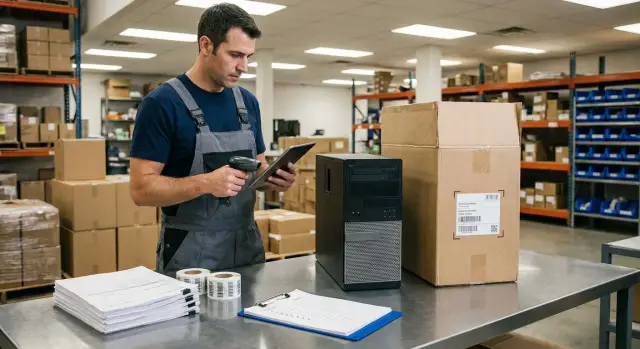
Where substitutions occur and why it matters
Substitution in IT hardware deliveries is when a different model or configuration arrives than agreed: outwardly similar but with different components, origin or support conditions. This doesn't always stem from malice. Common causes are simpler: stock mix-ups, replacement due to shortages, labeling errors, or assembling a batch from multiple sources.
Consequences usually show up later and are costly to fix. Risks touch security (unknown component origin), compatibility (drivers, firmware, peripherals), downtime (configuration can't handle the load) and support: service may refuse help if a serial number doesn't check out or warranty wasn't processed as in the contract. In large organizations one "wrong" server or PC can cascade into project-level incidents.
Control gaps most often appear at responsibility handoffs: between specification agreement and actual shipment configuration, when distributors or carriers consolidate batches, during repackaging or "completion," and at rushed acceptance when teams check only boxes. Another vulnerability is storage before commissioning without recording who accessed the goods and when.
Supply chain transparency relies on facts, not promises. "They said everything is original" won't help when you need to prove a mismatch later. Only what you can show matters: photos of packaging and seals, matching serial numbers to documents, completeness notes, and clear warranty terms.
A simple example: the acceptance report lists one configuration, but the internal memory is different. If that isn’t recorded at acceptance, a dispute quickly becomes "it was like that," and responsibility blurs.
Who is responsible for checks and what to prepare in advance
Substitution checks should not fall on a single person. When roles are unclear, steps get skipped and then teams argue who "should have noticed." For transparency, assign responsibilities in advance and capture them in a short procedure or order.
In practice you typically need five functions (not necessarily five people):
- Purchases: record what was ordered and what counts as an "unchanged" delivery.
- IT: verify models, configurations, compatibility and kit completeness.
- InfoSec: set integrity requirements (seals, batch controls, prohibition on opening).
- Warehouse/logistics: manage acceptance, storage and photo evidence.
- Accounting: control documents, dates, payment terms and warranty obligations.
Before shipment, assemble a package so acceptance isn't spent searching for "what to compare to." Sufficient items are the specification with exact part numbers and configuration, warranty terms, templates for reports (acceptance, discrepancies, opening if allowed) and rules for serial numbers: whether they are provided in advance, when and in what format.
Also agree on evidence format: which photos are mandatory (e.g., overall pallet view, close-ups of seals, box markings, device nameplate), how files are named (date, delivery note number, serial), where they are stored and who signs the reports.
Strictness depends on device type. Servers and workstations for critical systems need maximum recording (batch, serials, seals, storage chain). For typical office PCs you can use a simplified process but still require quantity, model and packaging condition checks. If the supplier is a local manufacturer/integrator like GSE.kz, confirm in advance which factory seals and markings are standard to avoid mistaking normal practice for risk.
Pre-shipment checks: documents and detail agreement
While equipment is still at the supplier's warehouse, you have the best chance to catch discrepancies without disputes and downtime. At this stage you lock in what you should receive.
Ask for confirmations by specific batch, not general materials. Ideally, model, configuration, quantity and dates should match exactly.
A minimal set to request before shipment:
- the delivery specification;
- a list of serial numbers per device (or a clear rule on when they are provided);
- batch number;
- warranty terms as a separate document or letter;
- contact of the person responsible for shipment.
Then check documents by detail, not by family name: CPU, memory size, drives, network cards, presence of OS, chassis type, and included cables and fasteners. The contract must have an unambiguous interpretation, with no phrasing like "no worse than."
Also fix replacement and return conditions: timeframes, who covers logistics, what counts as defect or mismatch, and whether you can refuse part of a delivery. If the supplier claims 24/7 support and a service network (as GSE.kz does), ask in advance to describe the support path so you don't lose time after delivery.
If serial numbers will be provided only after shipment, agree a compromise: numbers are sent before arrival (after packing) or acceptance is done only after on-site verification, with the right not to sign the report until conformity is confirmed.
Packaging and seals: what to inspect first
Before a box is opened it’s easier to spot tampering and record where it might have happened. Check and document the condition of goods immediately upon receipt, still at the ramp or carrier’s warehouse.
Start with the external appearance. Warning signs include mixed tape on the same box, relabeled stickers, cuts, heavy corner dents, rewrapped stretch film over old traces. Verify the number of packages matches the delivery note, and watch for "extra" unmarked boxes.
How to document seals and packaging
To make evidence useful, record it the same way every time:
- note the seal number (if present) and its location;
- take a close photo of the seal and a photo of the whole box to show context;
- mark the condition: intact, cracked, shifted, glue traces around it;
- check that the seal is not covered by ordinary tape;
- compare whether seals are the same type across a batch.
Box markings should logically match expectations: model, quantity, sometimes serial numbers or batch identifiers. If a serial number is on the box, log it before opening, and after opening compare it to the device and documents.
When to halt acceptance
Pause opening and record discrepancies if you see clear signs of repacking, torn seals, mismatched markings (model, batch, factory code) or if the box feels "suspiciously light" for the declared kit.
Example: a server box looks new but a second layer of tape is visible on the seam and the barcode is smeared. In such a case, take photos, invite the carrier or supplier for a joint inspection and note: "opening suspended pending verification." This reduces conflict risk and helps clarify the issue while events are fresh.
Serial numbers: verification, registry and batch control
A serial number is the quickest way to catch substitution even when boxes look the same. Important: verify serials not "by eye" but against agreed documents.
Start with two sources: the packing/shipping list and what’s recorded in the contract/specification. If documents lack serials, request a list per batch before delivery. Otherwise at acceptance you'll only compare quantities, not specific items.
A simple registry is enough. For each unit and kit (e.g., server + rails, all-in-one + accessories) record model, serial number, acceptance date, who checked it and where evidence (photos/scans) is stored.
Typical red flags:
- different serial formats for identical devices in one batch;
- a serial sticker that looks re-applied;
- serial on the chassis not matching the one on the box or in BIOS/UEFI;
- documents stating one revision/model while the device marking shows another;
- a "mixed" batch with noticeably different manufacture dates without explanation.
Scanning can be organized without complex systems: a smartphone and a spreadsheet. Take 2–3 photos per device: the label in context, a close-up of the serial, and the serial on the system screen if accessible. Name files consistently (date_batch_position_serial) for quick retrieval.
Example: at acceptance of 20 workstations one box’s serial matched the box but the chassis had a different number and the sticker looked "fresh." This isn't necessarily conflict, but it’s reason to halt acceptance of that unit, log photos and request document confirmation.
Warranty terms: how not to be left without support
Warranty is not only for repairs. It reduces substitution risk because support is usually tied to a specific unit. Without that linkage it’s hard to prove you received what was agreed.
Check basics: period, what counts as a warranty case and how to make a claim. Documents should include clear contact channels, operating hours and accountability: who decides on repairs (manufacturer, service partner or supplier).
A frequent problem is a warranty "for the batch" without clear unit linkage. Ask that warranty terms and shipping documents link the warranty to each unit by serial number. You should keep a registry: model, serial, handover date, warranty period, and contact for claims.
Before the first delivery clarify where service is located and whether there’s a nationwide network, typical diagnostics and repair timelines, what’s needed to make a claim (serial, reports, photos of seals) and who pays for transport to the service center and back.
Avoid vague phrases that later turn into disputes: "warranty from shipment date," "supplier may refuse without factory packaging," "serial number may differ," "equivalent allowed without agreement." Replace them with clear rules and agreed procedures.
Example: an organization accepted 20 PCs but serials in the warranty document did not match those on the chassis. A month later one PC failed and support refused service. The issue was resolved when the acceptance report with photos of serials was produced and the registry corrected. If you work with a local manufacturer with its own service network and 24/7 support, like GSE.kz, confirm that claims are handled per unit serial number.
Step-by-step acceptance: from gate to report signing
Acceptance is where the supply chain is checked with facts. The rule is simple: first record the shipment condition, then open, and only after verification sign documents.
Start at the gate: confirm the arriving consignment is yours and photograph pallets, boxes and transport labels. This takes a few minutes but helps resolve disputes later.
Then follow a short sequence:
- Compare delivery notes and specification with what’s visible externally: package count, models, markings.
- Inspect packaging and seals and record condition before opening.
- Open boxes with a notation in the log (or video) and immediately check completeness against the checklist.
- Verify serials and configurations: nameplates, BIOS/UEFI, visible markings.
- Finalize: acceptance/discrepancy report, photos, signatures and a separate storage area until commissioning.
Example: workstations arrived. Documents matched, but two boxes had different seal types. Serial checks revealed two devices from a different batch. The team did not sign the report immediately, noted discrepancies and moved questionable units to separate storage until clarified.
If you buy from a local manufacturer with clear support and a service network (for example, GSE.kz), confirm in advance which seals and markings are factory-standard and what a correct warranty document looks like. This reduces the risk of signing acceptance and later being left with a problem.
Common mistakes that let substitutions slip through
First cause — hurry. Goods arrive, paperwork must close quickly, and the report is signed before serials and completeness are checked. Later some items don’t match the order and it’s hard to prove otherwise.
Second — lack of evidence. Boxes are checked by eye but packaging and seals aren’t photographed, remarks aren’t recorded and defects aren’t noted immediately. In a dispute, all that remains is staff memory.
Third — loss of traceability in the warehouse. Batches are mixed, serials aren’t tied to delivery notes, and devices are issued without control. Transparency breaks down at internal accounting.
Fourth — selective checks that become a formality. A few boxes are inspected, everything is declared fine and the whole shipment is accepted. If substitution is isolated, it often ends up in the uninspected part.
Fifth — tacit acceptance of replacements. The supplier delivers an "equivalent" PSU or a different brand of memory and the acceptor judges it noncritical. Without written agreement this can lead to support refusal and compatibility disputes later.
A practical minimum to avoid these traps: sign reports only after serial and kit checks, photograph before opening, store batches separately, maintain a serial↔document↔date registry and confirm any replacements in writing, including warranty terms.
Example: a server batch arrived and one box had no seal. The acceptor immediately noted this, photographed it and requested a separate content check. A mismatch was found without conflict because the fact was recorded before signing documents.
Short checklist for acceptance and completeness recording
The simpler and more repeatable the acceptance process, the more resilient it is.
Before opening record the shipment condition: photos of the pallet (if present), exterior packaging from all sides, labels, barcodes and seals. If multiple boxes exist, take an overall photo to show the package count.
Then:
- Before opening: check package count and markings on boxes against the delivery note and order.
- Opening: document seals and the initial internal packaging appearance.
- Verification: match model and serial on the chassis, box and documents; enter into the registry.
- Completeness: check PSU, cables, fasteners, rails (for servers), documentation and paid options.
- Completion: note date and acceptance responsible person and record storage location.
If you find discrepancies, keep questionable units separate and create a discrepancy report with photos and a list of mismatches until the supplier resolves them.
For InfoSec it’s important that assets don’t "get lost" between the warehouse and commissioning: assign an inventory number and link it to the serial in records. This helps with warranty claims as well.
Practical example: resolving a mismatch without conflict
An organization receives 30 office PCs and 2 servers. Documents show identical configurations and 36-month warranty; delivery is a single batch.
At acceptance the inspector did more than count boxes. They compared the delivery note to the serial registry and inspected packaging. On two boxes seals looked re-applied and one chassis serial didn’t match the documentation. Another issue: the warranty document listed a different part number than the specification.
The team didn’t argue on site and took simple steps: they held acceptance only for the problematic units and accepted the rest; documented discrepancies with photos and copies of documents; created a discrepancy report and the same day notified the supplier requesting replacement or official confirmation.
Phrasing was neutral: not "substitution" but "a discrepancy was found, please clarify and resolve." That tone usually lowers tensions and speeds resolution.
To prevent recurrence they added requirements for the next delivery: a serial registry before shipment, a unified warranty document format, seals with identifiers and a rule to retain evidence (photos and reports) for at least the warranty period.
Next steps: make transparency permanent
One-off checks catch problems now and then. Sustainable results come when control becomes routine: clear, repeatable and identical for all deliveries.
It’s easier to control the chain when there are fewer gray zones between production, delivery and support, and responsibility isn’t split among many contractors. In sensitive sectors (public sector, finance, healthcare) it’s reasonable to pre-qualify suppliers who can prove batch provenance and take clear responsibility for support.
Before the first delivery ask concrete questions: where is the equipment made and how is origin confirmed, how are serials recorded and transferred, who is responsible for warranty and where to file incidents, who is accountable for seal and packaging preservation and what happens if a discrepancy is discovered at acceptance.
Inside the organization establish a realistic minimum to follow every time: a short acceptance procedure with roles, report templates with fields for serials and photo evidence, brief warehouse and IT training, and a single asset registry (serial, date, warranty, installation location).
If confirmed provenance, local manufacturing and a single support contour matter to you, consider GSE.kz (gse.kz) as a manufacturer and system integrator in Kazakhstan: the company offers its own line of PCs and servers plus 24/7 support and a nationwide service network.
Frequently asked questions
What exactly counts as a "substitution" in an IT hardware delivery?
Substitution is when a different model or configuration arrives than the one agreed: a different CPU/memory/storage, another batch source, or different warranty conditions. The danger is that issues often appear later: driver/firmware incompatibility, degraded performance under load, disputes over warranty service, and security risks related to unknown component provenance.
At which stages of the supply chain do substitutions most often occur and why?
Most often at responsibility handoffs: - specification agreement ↔ actual configuration at shipment; - consolidation of batches at a distributor/carrier; - repackaging or "completion" of shipments; - acceptance by "boxes only" without serial number checks; - storage before commissioning with no access control. The fewer facts are recorded (photos, serial numbers, reports), the higher the chance a discrepancy will go unnoticed.
Who should be responsible for substitution checks inside the organization?
The minimum is to appoint roles in advance, even if it’s just 2–3 people: - Purchases: records what was ordered and which deviations are unacceptable. - IT: checks model/configuration/kit completeness. - Warehouse/logistics: photo evidence, acceptance, storage and batch separation. - InfoSec (if present): requirements for seals, prohibition of opening without a report, storage chain rules. - Accounting: documents, dates, payment terms and warranty obligations. This prevents the situation where everyone assumes someone else will check.
Which documents and materials should be prepared before shipment?
Request from the supplier and prepare internally: - a specification with exact part numbers and configuration (no "no worse than" phrasing); - warranty terms as a separate document or in the contract; - rules for serial numbers: when and in what format they are provided; - templates for reports: acceptance, discrepancies, opening (if allowed); - a checklist for completeness by device type. At acceptance you must have something to compare against, not hunt for emails and spec versions.
What should be inspected in packaging and seals first?
Minimum checks: - photo of pallet/consignment and transport labels; - a close photo of each seal and a photo of the whole box (to show context); - record the seal number and location (if present); - note signs of interference: second layer of tape, relabeled stickers, cuts, smeared barcodes. If packaging looks suspicious, pause opening and record a remark — this greatly simplifies incident handling.
How to properly verify serial numbers and keep a batch registry?
The serial number is the fastest way to catch substitution, even when boxes look identical. Practical steps: - request the list of serial numbers for the batch **before delivery** (or agree on a rule for transfer); - at acceptance compare the serial on the box, the device plate and (if possible) in BIOS/UEFI; - maintain a registry: model, serial, acceptance date, who checked, and where photos/scans are stored. Red flags: a sticker that looks re-applied, different serial formats within one batch, mismatches between box/device/BIOS.
When should you stop acceptance and not sign the documents?
Do not sign the acceptance report in advance. Stop or partially halt acceptance when: - seals are torn/damaged or there are signs of repackaging; - markings don’t match the order (model, batch, factory code); - serials don’t match between documents and the device; - the box feels suspiciously light for the claimed contents. A practical approach is to accept the clean portion of the batch and isolate questionable units in a separate storage area, documenting discrepancies with photos.
How does warranty help reduce substitution risk and what to check in it?
Because warranty is often tied to a specific unit by serial number. If that link is missing or data mismatches, you may get denied repair or face a long dispute. Check: - the warranty period and its start date (preferably from transfer/acceptance, not ambiguous wording); - who handles claims (manufacturer, service partner or supplier); - what’s required for a claim (serial, reports, photos of seals); - who pays for transport to/from service. Ask that warranty documents and shipping papers unequivocally link the warranty to each serial number.
Which mistakes most often lead to substitutions going unnoticed?
Common mistakes: - signing the report before checking serials and completeness; - not photographing packaging and seals before opening; - checking only a few boxes and accepting the whole shipment; - mixing batches in the warehouse and losing the serial ↔ delivery note link; - silently accepting a replacement part as an "equivalent" without written consent. Simple countermeasures: a checklist, a serial registry, photo evidence and a rule that any replacement must be documented in writing.
What to clarify with a local manufacturer/integrator before the first delivery?
Before the first delivery, request: - which factory seals and markings are considered standard; - how serial numbers are provided per batch and what a correct warranty document looks like; - the support path (contacts, hours, response times); - whether there is a nationwide service network and who performs repairs. If you work with a local manufacturer/integrator, for example GSE.kz, these points can usually be codified in an acceptance procedure so warehouse and IT staff check consistently on each delivery.
