8 min read
IT documentation for audits: readiness assessment and update procedures
IT documentation for audits: which diagrams, acceptance reports and logs you need, and how to manage versions and keep records current without manual busywork.
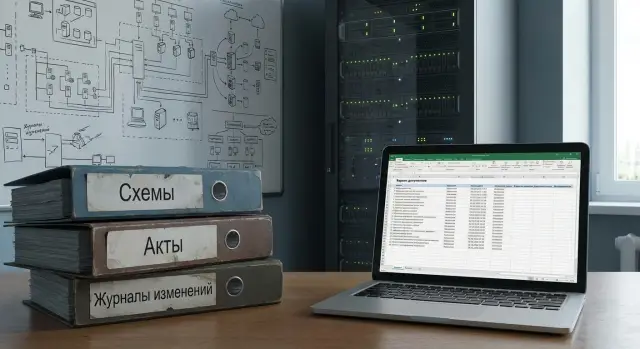
What auditors actually check and why documents decide the outcome
Audits are rarely about how "strong" your team is. They are about IT governance: who is responsible for what, how decisions are made, how changes are recorded and what happens during incidents. That is why documentation often matters more than verbal explanations.
The most common types of checks
Organizations typically face several types of audits. Formally they differ, but the evidence requested is similar.
- Internal audits (internal control, risk management)
- Government audits and procurement checks (formal requirements, deadlines, signatures)
- Information security audits (policy compliance, access control, incidents)
- Industry audits and certifications (finance, healthcare, education, critical infrastructure)
What auditors usually look for
Auditors care less about "nice folders" and more about a chain of confirmations. If that chain is missing, the conclusion is often: the process is uncontrolled.
- Responsibility: system owners, administrators and approvers are assigned
- Manageability: there are procedures and clear rules for access, backups and incident response
- Change control: what changed, when, why, who approved it, how the result was verified
- Reproducibility: any fact is supported by a document, not just words
- Maintenance traces: tickets, work performed, test results, remediation of findings
Knowing something "by word of mouth" doesn't work — words don't protect you in disputes. Without documents you increase the risk of fines, work stoppages, conflicts with contractors and contested incidents (for example, who authorized access or who approved an update after which a system failed).
Documents also connect departments. Audits involve IT and InfoSec (content and facts), legal (phrasing and obligations), accounting (acts, asset records), procurement (procedures and confirmations), and sometimes business owners. If each group has its own version of "how it works", auditors will notice quickly.
Minimal set of IT documents: where to start
Start not with "pretty folders" but with a simple answer: what you have and who is responsible. Without that, preparation becomes chaotic file gathering where important items are easily missed.
The first step is a single inventory of IT assets. One table or register is enough if it lives in one place and follows common rules. Include not only hardware, but often-forgotten items: virtual resources, cloud services, key business services and critical software.
A register typically includes servers (physical and virtual), storage and network; workstations and laptops (by process-criticality); OS, business applications and licenses; networks, segments, communication channels and VPNs; services like mail, file shares, 1C/ERP, telephony and security systems.
Second step — assign owners. An "owner" is not necessarily the person who fixes things. It’s the person or role that makes decisions: what to change, who approves, where documentation is stored, how work from a contractor is accepted. For each system record at minimum: owner (business or IT), administrator, support contact, escalation procedure and maintenance window.
Then define the mandatory minimum that almost every organization needs: an asset register; a list of information systems and their purpose; basic network and infrastructure diagrams "as of" the current date; acceptance/commissioning reports for key systems; access rules; a change log for critical components; and a backup and recovery procedure (at least 1–2 pages).
To avoid drowning, set priorities. First prepare what affects security and continuity: asset records, access rules, backups, change records and documents for critical services. Detailed instructions and extended logs for secondary systems come next.
Practical example: if you have 200 workstations and 15 servers, don't try to document every mouse in a week. First make an accurate list of servers, core network, domain, mail, key business systems and links, assign owners and collect acceptance reports. That already reduces the risk of unpleasant questions.
Diagrams and architecture: what should be drawn and signed
Auditors need to understand infrastructure layout quickly, where responsibilities lie and what will happen in a failure. A good diagram doesn't need to be pretty — it must be unambiguous and verifiable.
Network diagram: show flows and boundaries
On a network diagram auditors look for segmentation, critical nodes and entry points. If the drawing doesn't show where the internet comes in, where the firewall sits and where data ends up, the diagram will be treated as formal.
It's useful to show main segments (user, server, DMZ, Wi‑Fi/guest) and separation rules; critical nodes (routers, firewalls, VPN, domain controllers) and access points; communication channels and redundancy (providers, MPLS/VPN, primary and backup links); placement of key services (on-site or cloud) and site boundaries; and labels on lines (channel type, bandwidth, where encryption is applied).
Server rooms, racks and power: make it verifiable
Audits often fail on small details: a diagram lists a server that is no longer in the rack. Create diagrams at a level that can be checked visually: rack, units, PDU, UPS, A/B power feeds, cross-connects and main switches. If you use standard rack servers (for example, model S200), specify the model in the rack layout and link it to the serial number in the inventory.
Service architecture and data flows: who talks to whom
Provide a separate diagram showing system integrations and where data resides: application, database, file storage, bus/queue, external APIs. Label exchange points (what is transferred) and indicate data storage locations and data owners.
Backup and recovery: more than where backups are stored
Backup diagrams must answer two questions: where copies are written to, and how restores are verified. Mark backup types, storage locations (local, remote, offline), retention periods and verification checks.
To be considered current, each diagram page should have a consistent header: document code, version, date, author, scope (which sites/segments), change number (ticket) and responsible signatures. Usually IT, InfoSec and the process owner sign — that is sufficient for critical contours.
Acts, contracts and orders: documents that prove facts
If diagrams and procedures show how things are arranged, acts, contracts and orders prove that actions were performed, accepted and assigned. During audits these papers often resolve disputes because they contain dates, signatures and specific items.
An acceptance report documents when a system or equipment started to be used. It normally states the delivered items, installation location, test results, date and responsible parties. At minimum it should be signed by an IT/operations representative, the business service owner and the contractor's representative if present. For servers, workstations and network devices the report should reference exact units: model, inventory number, serial number.
Keep related acceptance documents close: transfer acts, delivery notes, passports and inventory cards. A typical problem is an act saying "a server was delivered" without specifying which one and where it is now. Rule: no act without a link to an inventory object (inventory card, asset register entry, license record).
Support contracts and SLAs matter not as formality but as proof that critical services are covered. Auditors look at response and recovery times, contact channels, support hours, responsibility boundaries (what the contractor does vs. what you do), escalation and reporting procedures. If an integrator maintains your infrastructure, keep the latest signed contract and appendices listing specific systems.
Orders and regulations settle "who is responsible." Assign administrators and system owners, set procedures for granting and revoking access, remote access rules, and privileged account handling.
Practical storage rules:
- Originals in one place (archive/records), scans in a single electronic repository.
- Unified numbering and templates so documents look consistent.
- Every document includes a reference to the object: inventory number, serial number, system ID, contract number.
- Fast search by three fields: "object", "date", "responsible".
- No personal folders: access by role, not by personal connections.
Example: if you bought a batch of workstations or servers (for example, from a local vendor and integrator GSE.kz), link the acceptance report, delivery note and list of serial numbers to the asset register entry. Then you can show the history from delivery to operation and support during the audit.
Change and maintenance logs: how to keep them so people trust them
Auditors rarely trust verbal reports, but they usually trust a tidy history: what changed, who approved it and how it ended. Logs often become the main source of "truth" because they demonstrate manageability.
A change log is needed not only for big projects. A change is anything that can affect a service, security or support: configuration edits (firewall rules, policies, DB parameters), OS/hypervisor/application updates, hardware replacements (disks, PSUs, network modules), access operations, route switches, VLAN/DNS/certificate changes.
To make entries look honest and verifiable, a uniform format matters more than bells and whistles. A useful minimal set of fields:
- date/time and affected object (server, service, network segment)
- initiator and executor, link to the ticket or incident
- approval (who gave permission and when)
- rollback plan and maintenance window
- result: what happened, tests run, what failed (if anything)
The key to trust is linking entries to tickets and incidents. If a change was done because of a failure, the log should reference the incident and provide a short explanation. If it was a planned improvement, include the request and approvals. That way every action is explainable and doesn't look like random admin activity.
The maintenance log complements the picture: it shows you don't just "fix" things but also regularly check them. Typical entries include preventive work, scheduled replacements, UPS checks, backup restore tests, disk health and free space checks.
Example: on Monday night you updated a server RAID firmware and replaced a disk. The change log records the firmware update and replacement with a rollback plan and boot test. The maintenance log notes that after 24 hours SMART was checked and after a week a recovery test was performed.
How to make history hard to alter retroactively? Basic discipline: restrict edit rights, keep previous versions, timestamp edits and who made them, and avoid editing closed entries — append comments instead. If the log lives in a system with action auditing and immutable entries, trust increases noticeably.
How to organize updates: a step-by-step process without heroics
Documentation updates usually fail not from laziness but from a lack of clear rules. You need a simple rhythm: where the "truth" lives, who owns it and when documents are reviewed.
Start with a document register. It can be a table or a simple database, but each document should record: owner, status (current, under review, obsolete), last update date and next review date. The register quickly shows what is urgent and answers "where is it stored".
Then standardize templates and naming rules. A consistent format is easier to read and compare. For example, include object, document type and date in file names: "Network_officeA_diagram_2026-01-10". Inside the template have required fields: version, author, approvers, what changed.
5-step update process
- Add the document to the register: owner, storage location, review date.
- Update on triggers: network change, equipment purchase, OS update or critical patch.
- Approve through a short route: technical review (admin), then sign-off (IT or InfoSec manager).
- Publish only in one place and mark the version: "v1.7, effective from ...".
- Close the change with an entry in the change log: what was done, who did it, which document was affected.
The one-source-of-truth rule works. The current version lives in one approved repository with clear access controls. Drafts and email threads can be anywhere but the "official" document is only there.
Example: you replaced part of the PC fleet and added new workstations in accounting. The trigger is procurement and commissioning: update the layout diagram, the acceptance report, the asset list and add an entry to the change log. This takes 30–60 minutes if roles and approval routes are defined.
How to remove manual routine: inventory, versions, permissions and reminders
Routine appears where documents live separately from the actual IT environment. Start with a simple rule: each document is tied to a specific asset or service and every change leaves a trace.
The "document–asset" link works when the document header or card includes key fields: inventory number, serial number, site (office, DC, branch), owner and related service (mail, 1C, CCTV). Then the diagram, act or procedure immediately shows what it concerns.
Automation doesn't start with complex tools but by stopping manual duplication. If you already use ITSM/Service Desk, CMDB, accounting inventory or a tidy spreadsheet, make documents pull key data from there: system name and owner from the service catalog, serial numbers from the asset register, maintenance dates from closed tickets and acceptance acts.
To keep versions consistent, adopt simple rules:
- One "live" document version and a clear change history (who, when, what was edited).
- Naming template: document type + system/object + site + version date.
- Statuses: draft, under review, approved, archived.
- Edits only by responsible persons, read access for those who need it.
- Approval recorded: date, position, name, justification (order/regulation).
Access rights matter as much as content. A typical matrix is enough: who edits, who approves, who reads. Minimum roles: system owner (business), IT (operations), InfoSec (controls and risks), records management (format and storage). Add procurement or contract owner for deliveries and warranties.
To avoid missed reviews, set review intervals and reminders. Often it's enough to review diagrams and procedures every 6–12 months, and after major changes immediately within 5–10 business days. Link reminders to calendar tasks, Service Desk tickets or events: "change request closed" → "create task to update diagram/act/log".
Example: you deployed new workstations and servers on a site. If equipment is tracked by serial and inventory numbers, the acceptance report is generated from asset cards and the change log is updated when the ticket closes. People then only verify facts and approve, not retype the same data in three places.
Example scenario: prepare in 30 days without panic
Situation: a company (for example, a branch network with a small server room) has an audit in a month. Internal review reveals network diagrams are outdated, acceptance reports are scattered in email, and the change log is sporadic. There isn't time to "rewrite everything" from scratch.
30-day rule: restore not perfect documentation but a clear, verifiable picture of what exists now. Divide documents into three levels: critical (without them facts are disputed), important (prove controls), useful (improve quality but can wait).
4-week plan
In the first 5–7 days collect inventory and points of truth. One table is enough: asset, location, owner, serial number, role, commissioning date, reference to contract or act (if any). At the same time record the "as-is" network and server connections: what's connected to what and who administers it.
In week two tidy diagrams. They don't need to be pretty, only readable and labeled: network boundaries, internet exit, segments, critical services, backup points. Put date, author and "current as of ..." on diagrams. If something is unknown, state it and close the gap later.
In week three close holes with acts and logs without rewriting history. Use simplified forms: acceptance report (what was accepted, where, who signed, start date), change act (what changed and why), log entry (who, what, when, risk, rollback). Signatures from responsible parties are important, not just "for show".
In week four prepare a folder for the auditor and rehearse: one person asks questions, another shows documents in 2–3 minutes per question.
Priority rules help:
- Start with the 10–20 most critical systems and nodes, rest later.
- First prove facts (acts, contracts, orders), then add details.
- One change — one entry; avoid "we worked on everything all month" entries.
- Every diagram and procedure has an owner and a review date.
The auditor folder usually contains: asset register, diagrams (network and key services), orders and appointments of responsible persons, acceptance and change acts for the period, change and maintenance logs, backup regulation and proof of its execution. Keep a status sheet on the cover with last update dates.
Sufficient result for the first successful audit: for each critical service it's clear where it runs, who owns it, what changes were made, how backups are handled and where this is proven in documents. If you work with an integrator or vendor (for example, GSE.kz for supply and implementation), request copies of acceptance reports, specifications and delivery diagrams in advance — this quickly closes many questions.
Common mistakes that fail audits
Problems arise when documents exist but don't reflect reality. Auditors quickly find discrepancies between diagrams, paperwork and what's physically in the rack or running.
First trap — outdated diagrams and descriptions. Documentation lists a server and roles, but in reality it was replaced, services moved or network segmentation changed. Old VLANs, IP ranges or attachment points on diagrams look like lack of control.
Second mistake — no document owner. When a diagram, act or procedure has no responsible person, updates happen "sometime." During an audit the hunt begins: who confirms currency, who edited, who approved?
Third problem — mixed versions. Drafts sit next to final files, dates don't match, and the "latest version" is a filename like final_final2. Without a change history it's hard to prove systematic record-keeping.
Fourth — acts and facts not linked. Acts, delivery notes, contracts and orders may be correct but not tied to a specific object: missing serial or inventory numbers, system name, installation location, responsible unit.
Fifth and most toxic — logs filled in retroactively. When change or maintenance logs are written after an incident or just before an audit, it's visible from uniform style, missing original tickets, identical dates and an "ideal" picture without errors.
Five self-check questions suffice:
- Does documentation match the current infrastructure at least for key nodes and addressing?
- Is a document owner assigned and is the review date clear?
- Is there a single "source of truth" and statuses (draft, under review, approved)?
- Can you locate specific hardware or system from an acceptance report?
- Can a log entry be backed by a ticket, email, incident or work report?
If you answer "no" to at least two, the audit will likely challenge document trust rather than technology.
Quick checklist before an audit and next steps
If time is short, check not "all documentation" but the supporting items auditors request in the first hours. Documents must be not only present but dated, versioned and owned.
Quick checklist that covers main risks:
- An up-to-date asset list (hardware, key services, licenses) with owners assigned.
- Updated diagrams for network and critical services, with date, version and approver.
- Acceptance reports and support contracts for critical systems (or proof who and how supports them).
- A change log for the last 3–6 months: what changed, why, who performed the work and the assessed risk.
- Evidence of approvals and post-work checks for changes.
If something is "probably exists" but you can't show it in 5 minutes, assume it does not exist for audit purposes.
Next steps to take immediately:
- Assign document owners: specific people, not just a department.
- Approve simple templates (acts, diagrams, change log) and a naming convention.
- Schedule regular reviews: e.g., quarterly for diagrams and monthly for asset lists.
- Link document updates to change events: no change — no ticket closure.
- If you lack resources or need an independent inventory, involve a systems integrator. GSE.kz, as a vendor and integrator, can help with infrastructure inventory, documentation and 24/7 support organization so order doesn't end with the project.
Frequently asked questions
Why is documentation more important than verbal explanations during an audit?
Auditors need a **chain of evidence**, not confident verbal explanations. If a fact cannot be supported by a document (an act, an order, a log entry, a diagram with version and signature), the usual conclusion is: the process is uncontrolled. So it's better to collect the minimum set of documents for critical systems in advance than to try to "explain it verbally" during the audit.
What is the minimum set of IT documents almost every organization needs?
Start with a **register of assets** and assigning responsible persons. Then assemble the minimal set most audits request: - a list of information systems and their purpose; - basic network and core infrastructure diagrams dated "as of" today; - acceptance/commissioning reports for critical systems; - access rules and administrator assignments; - a change log for critical components; - a backup and recovery procedure (even a 1–2 page summary).
How do I quickly compile an asset register that helps during an audit?
One table is enough if it's kept in one place and follows common rules. Minimum fields: - object (server/service/software/connection) and location; - owner (decision-maker) and administrator (executor); - inventory and/or serial number (for hardware), system ID (for services); - criticality and maintenance window; - links to acceptance reports, support contracts, tickets/incidents. This lets you answer "what is it", "who is responsible" and "on what basis it is used" quickly.
What must be on a network diagram for it to be taken seriously?
A diagram must contain what can be **verified unambiguously**: - segments and boundaries (user, server, DMZ, Wi‑Fi/guest); - entry points (internet, VPN) and firewalls; - critical nodes (routers, core switches, domain controllers); - communication channels and redundancy (primary/backup links); - placement of key services (on-site/cloud) and site boundaries. Also include a header: version, date, author, scope, change number and responsible sign-offs.
Why document racks, power and server placement separately?
Because audits often fail on such mismatches. Make diagrams verifiable at a physical level: - rack, units, PDUs, UPS, A/B power feeds; - cross-connects and main switches; - link each server in the rack to its inventory record (model and serial number). For equipment documentation, model and serial number are essential so the report matches reality.
How to prepare an acceptance report so auditors accept it?
Make it a rule: **no acceptance report without a link to an inventory object**. The report should include: - exact itemization (what was accepted); - installation location; - start of operation date; - basic verification results; - signatures of responsible parties (IT/operations, service owner, contractor if any); - model, inventory number and serial number for each unit. This proves the item was delivered, accepted and put into production.
How to keep a change log that auditors will trust?
Record not only "what changed" but how the change was managed. Minimum fields: - date/time and affected object; - initiator and executor; - link to the ticket/incident; - who approved and when; - maintenance window and rollback plan; - outcome and short post-change tests. The key is linking changes to tickets and incidents so entries look honest and verifiable.
How is a maintenance log different from a change log and what should it contain?
Keep the maintenance log simple and regular. Typical entries include: - preventive maintenance and scheduled checks; - replacements per schedule (drives, PSUs, network modules); - updates performed as maintenance; - UPS checks; - backup recovery tests; - disk health and storage space checks. Rule of thumb: change log records "what was changed", maintenance log records "what was checked and verified".
How to organize document updates so they don't depend on one person?
Use a steady rhythm and a single source of truth: - a document registry: owner, status, last updated, next review date; - templates and consistent file names; - updates triggered by changes (purchases, network changes, patches, migrations); - a short approval route (technical check → approval); - publish only in one approved repository. Practice: close a change ticket only after related diagrams/reports/registry entries are updated.
What common mistakes ruin the impression at an audit and how to avoid them?
Audits usually fail on trust, not on technology. Typical mistakes: - outdated diagrams (VLANs/IPs/nodes don't match reality); - no document owner or review dates; - mixed versions (drafts next to the final file, names like "final_final2"); - acts and contracts not tied to specific objects (missing serial/inventory numbers); - logs written retroactively without tickets or evidence. Before an audit check: can you show the required document within 2–5 minutes and link it to the object and ticket?
