8 min read
IPAM as a Single Source of Truth: Choosing and Deploying Without DHCP/DNS Downtime
IPAM as a single source of truth: how to choose Infoblox, BlueCat or NetBox, which fields to create and how to deploy IPAM without DHCP/DNS downtime.
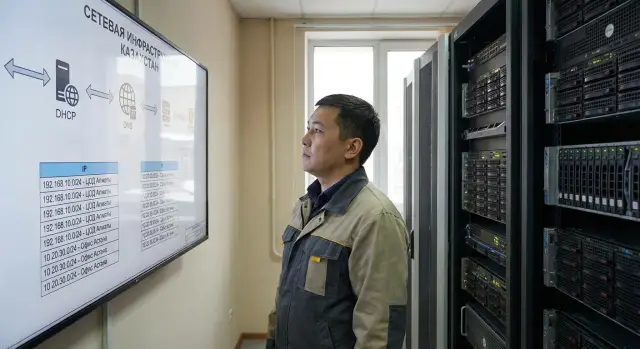
Why you need IPAM as a "single source of truth"
When a company lacks a unified address registry, the network is kept "in memory" and scattered spreadsheets. IP conflicts appear, addresses suddenly become "in use", subnets are known only to a few engineers, and manual edits go unrecorded. The worst part is the problem grows gradually: first isolated incidents, then a constant background noise.
IPAM as a source of truth solves the basic question: "what is this address and who is responsible for it?"—without calls, searching chats or comparing multiple files. In a working model, the IP plan, DHCP and DNS should converge in one place. Otherwise discrepancies are inevitable: an address was handed out by DHCP, DNS still has an old record, and someone reserved the same IP in a spreadsheet for a printer.
Order is needed not only by the network team. Usually addressing involves network engineers, system admins, security and the service desk: some need to allocate addresses quickly, others need to know where services "live", investigators need transparency, and support needs to answer users without guessing.
Typical symptoms that it's time to organize things:
- rising complaints of "it works sometimes, then not", especially after changes;
- DNS records drift from reality and "ghost" names appear;
- new sites and segments are launched via manual lists and conversations;
- any audit of the address plan turns into a weeks‑long project;
- security incidents stall on the question "whose IP is this?".
For example, in an organization with several sites (office, warehouse, branches) the same range may be partly static, partly DHCP, and partly "reserved for future use." Without a single source of truth these decisions quickly stop matching and the network breaks in unexpected places.
Basic terms: IPAM, DDI and "single source of truth"
IPAM (IP Address Management) — a system for tracking the address plan. It records subnets and individual IPs, their status (free, used, reserved), purpose (server, printer, camera, VPN), owner or responsible team, and comments: where the device is located, which ticket issued the address, when it will be decommissioned. In short, IPAM answers: "what address is used where and why."
DDI — the combination of DNS + DHCP + IPAM under one management. The value is that changes don't live in three different places. If you hand out an address via DHCP you immediately see it in IPAM and know which DNS names should appear. Or if you plan a static address for a server in IPAM, you then create the DNS record and the DHCP exclusion according to the process. Less manual work means fewer discrepancies.
"Single source of truth" — not only a database but rules: who can change records, how changes are made and how it's verified that the actual network matches what is recorded. IPAM becomes a source of truth when any addressing change goes through a clear process, deviations are visible and fixable quickly.
Typical minimal project goals:
- tidy up subnets and address assignments;
- speed up routine changes (new VLAN, new pool, new service);
- reduce downtime risk from IP conflicts, duplicate DNS records and "forgotten" reservations;
- make responsibility transparent: who owns a segment and who approves changes.
If these terms and goals are fixed up front, it's easier to compare solutions and plan an implementation without gaps between DNS, DHCP and the real network.
Infoblox, BlueCat, NetBox: how they differ in approach
These three solutions are often discussed together, but they have different philosophies. The choice usually depends not on the UI but on how you plan to manage DHCP, DNS and the address plan — and who will own data quality.
Infoblox is often chosen when a mature DDI is needed: many sites, many changes, strict access and audit requirements. It works well when DHCP and DNS live in one management domain with IPAM and changes follow rules and are logged.
BlueCat often shines in corporate environments where DNS processes matter: approvals, change control, role separation and predictable workflows. If DNS is the "heart" of your infrastructure and there are many zone owners, this approach is immediately valuable.
NetBox is usually chosen when flexibility and integrations are important: you can add custom fields, adapt the data model to reality, and link to CMDB, inventory and automation. The trade‑off is time and discipline: you need resources for maintenance, updates, customizations and consistent data entry.
The key question is where the data master will be — the authoritative source. To avoid getting "two truths" decide in advance:
- which system creates subnets, ranges and records (and which systems only read them);
- who approves changes and by what simple rules;
- how DHCP/DNS and inventory synchronize, and which wins in a conflict;
- which fields are mandatory so a record is considered valid.
A practical rule: if addressing is maintained in spreadsheets and DNS is edited manually on servers, first choose the master for subnets and names. Only after that migrate control — otherwise you'll just move chaos into a new system.
Selection criteria for your organization
Choosing a platform starts not with a brand but with what role IPAM will play in your network. If it is only a subnet catalog, requirements are light. If it controls address issuance, DNS changes and permissions, requirements become stricter.
First evaluate scale: how many sites, subnets, VLANs, DHCP ranges and DNS zones you have — and how fast this grows. What works comfortably for 200 subnets may be unusable at 2,000, especially if search, reporting and role‑based access matter.
Next check availability requirements. Define in advance: what happens if the system is unavailable for 10 minutes? In many organizations IPAM must be reachable to administrators but should not block DHCP/DNS itself. This impacts architecture: where the database lives, whether there is redundancy, and how updates are handled.
Integrations are a separate block. Ask which systems must receive events and data from IPAM and where unified authentication should be. Typical integrations include AD/LDAP (auth and roles), SIEM (change audit), CMDB (linking addresses to assets), ITSM (approvals), and APIs/automation (scripts and DevOps/NetOps processes).
Finally, constraints: budget, timelines, security and procurement rules, and hosting (cloud or on‑prem). For government bodies local deployment and supply transparency may be critical; for banks, auditability and field‑level change control are often essential.
Which fields are needed to bring order to addressing
For IPAM to truly act as a source of truth it's important not to "collect everything", but to agree on a minimal set of fields that are always filled. Then the address plan reads like a map: where it is, why, who owns it and what breaks when it changes.
The minimal set — the items that cause disputes if missing
On the subnet level record the purpose and location. The same /24 can be called "VLAN 120" and a year later nobody remembers what that meant.
- Subnet: purpose (office, server, Wi‑Fi, DMZ), site/building, VLAN ID, VRF or routing domain, owner (department).
- IP address: status (free, used, reserved, exclusion), device, interface/port, service or team owner.
- DNS record: FQDN, zone, record type (A/AAAA/CNAME), TTL, linked IP and aliases (if any).
- DHCP: pool/range, exclusions, reservations (MAC → IP), classes/policies, key options (gateway, DNS, NTP).
If you enforce these fields, typical problems disappear: "whose IP is this", "why DNS and DHCP disagree", "who allocated a /27 for testing and forgot it".
Fields that keep order over time
Add metadata that ties records to change processes. This is crucial when the network grows and changes frequently.
- tags: criticality (prod/test), segment type, security requirements;
- change rules: who can change, who approves, maintenance window;
- ticket/change request number and a short comment "why";
- revision date and the person responsible for the review;
- expiration for temporary assignments (so addresses return to pools).
Example: a subnet was allocated for video surveillance. If the record contains "site", "role", "VLAN", "service owner" and "ticket number", then changing engineers later won't turn every action into an investigation.
Processes and rules: without them IPAM won’t be a source of truth
Even a good tool won’t become a source of truth if anyone can write anything into it. Then IPAM becomes another table that is out of date in a week.
Start with a simple distribution of responsibilities. Typically there are three groups:
- address plan owners (approve subnets and major changes);
- operators (issue addresses, create records, maintain reservations);
- DNS/DHCP administrators (manage zones, pools and policies).
It is important not just who may change things but who must update the record after a change.
Naming must be consistent, otherwise searching and incident analysis becomes a lottery. Fix naming rules for subnets, VLANs, DHCP pools, hostnames and zones. A good check: a name answers three questions — where, why and who.
Statuses and lifecycle
Make statuses actionable, not decorative. A minimal lifecycle can be: "planned" (ticket and owner exist), "active" (address issuance allowed), "decommissioning" (no new allocations, migration in progress), "archived" (read‑only). Transitions should require a clear action: who approved, when and why.
Audit and logging
To investigate incidents without guessing, agree in advance what is always logged:
- who created or changed a subnet, pool, DNS record or DHCP reservation;
- what changed (old and new values of key fields);
- reason for change (ticket number or short comment);
- date and time and environment (test or production);
- who approved the change if approval is required.
Practical example: an operator assigned a static IP manually but didn’t update IPAM. A month later DHCP gave the same IP to another device and conflicts started. If the process requires "assign IP — immediately link to device, set status, add comment" and the audit shows where the step was skipped, such cases quickly diminish.
Preparing for deployment: inventory and data cleanup
Before making IPAM the source of truth, clean up existing data. Importing old mistakes will make IPAM just another spreadsheet instead of a real inventory.
Start by gathering facts from different places because addressing usually lives in several "truths": DHCP, DNS, device configs, Excel and people’s heads. Collect not only exports but reality checks: what actually responds on the network and which names resolve.
Practical minimum to prepare:
- DHCP scope and reservation exports (with MAC, hostname, lease time);
- DNS zones (A/AAAA, CNAME, PTR) and update rules;
- list of subnets/VLANs and their purpose (users, servers, printers, Wi‑Fi);
- scan results and ARP/MAC tables from key switches/routers;
- existing "rules" of addressing, even if unofficial.
Then clean up. Biggest issues are duplicates (one IP in two places), stale records (name exists but the host is gone), "no‑owner" addresses (in use but owner unknown), and name conflicts (one name pointing to different IPs in different zones). A good practice is to mark questionable records as "requires confirmation" instead of deleting them right away: some will turn out to be critical.
Next map fields: which columns and values from old sources will move into the IPAM model. For example, an "Department" column in Excel often maps better to "Service Owner" (not "Accounting" but "1C", "VDI", "Access Control"), and a single "Responsible" column is split into "Technical Owner" and "Business Owner" to keep context.
To avoid risking the whole network, choose a pilot zone: one office, one VLAN or one type of services (e.g., printers and Wi‑Fi). In the pilot verify the data model is clear, statuses work (free/reserved/allocated/disputed), and the team fills fields consistently. If you still argue about how to name an owner in the pilot, in production this will quickly become chaos.
Migration without DHCP/DNS downtime: step‑by‑step plan
The migration goal is simple: clients keep getting DHCP addresses and DNS names resolve as before. So IPAM first becomes a "view" of data and only later becomes the control point.
Steps before the first switch
Deploy IPAM and build the basic network model: sites, VRFs (if any), VLANs, subnets and roles (user, server, guest, management). The more accurate the structure, the fewer manual fixes later.
Import current DHCP ranges and DNS zones in read‑only mode. At this stage IPAM must not change production. It should show how the network looks now, including overlapping subnets, duplicate addresses and disputed records.
Short plan:
- deploy IPAM and create the structure (sites, VRF, VLAN, subnets, roles);
- load DHCP scopes and DNS zones as read‑only data;
- run reconciliations and find discrepancies on a small test segment.
Moving control in phases
When the test segment matches reality, shift change processes: new requests (address allocations, reservations, new DNS records) must be created through IPAM. Old records remain in place for now so you don't break existing dependencies.
Then migrate segments one by one. Keep the old DHCP/DNS active until you are sure allocations are correct, there are no conflicts, and critical names (AD, mail, apps) resolve as before. This piece‑by‑piece approach minimizes risk.
- make IPAM the single entry point for new changes (no manual edits on servers);
- migrate segments sequentially, checking DHCP issuance and DNS resolution;
- for each step specify a rollback point and a clear rollback procedure (what to revert and who does it).
If something goes wrong, rollback should take minutes: restore the previous DHCP/DNS source, stop automatic synchronizations and record the issue as an incident rather than attempting ad‑hoc fixes.
Common mistakes and pitfalls during the transition to IPAM
People often change tools but keep old habits. A source of truth works only when all address, DNS and DHCP changes go through one place and follow clear rules.
Most common pitfalls:
- edits live in two worlds: some changes are made in legacy DNS/DHCP consoles, others in IPAM — after a week data diverges;
- addresses have no owner or status: everything looks occupied but it's unclear what can be freed;
- weak naming rules: different spellings, random suffixes and similar names make search ineffective;
- underestimating DHCP options and segment differences: gateways, DNS servers, PXE, NTP, domain suffixes, client classes and lease policies often differ even in similar VLANs;
- no rollback plan: at the first problem the team starts fixing "live" and loses control.
Typical scenario: you imported the plan into IPAM, but the on‑call engineer added a DHCP reservation in the old console out of habit because "it’s faster." The next day another engineer checks IPAM and assigns the same IP statically. The conflict isn’t caused by IPAM but by two sources of edits.
To avoid these issues agree on a minimal set of rules in advance:
- assign owners for zones, subnets and pools and use clear statuses (free, reserved, allocated, retiring);
- standardize naming (templates for servers, workstations, network devices) and eliminate manual variants;
- capture and compare actual DHCP options per segment, not just "typical" ones;
- define the switch point and rollback procedure (who does it, how long, what checks to run);
- lock old consoles for changes or make them strictly read‑only during migration.
Quick checklist before switching a segment
Before switching a segment to the new source of truth ensure data matches reality and changes follow rules. This usually takes less than an hour and saves days of troubleshooting.
Check five things:
- subnets are fully entered in IPAM: purpose, site, owner and an escalation contact;
- DHCP for the segment matches current state: issuance ranges, exclusions, MAC reservations and key options (gateway, DNS, search domain, NTP, PXE if present);
- DNS records are reconciled with IPs: no duplicates or stale A and PTR records, and it’s clear what updates automatically and what is static;
- the place for making changes is defined: who creates subnets or pools, who approves and which channel is used for urgent edits — there must be no parallel edits in old and new places;
- run a short test on a real client: obtain an address, update DNS, reboot the device and check access to key services of the segment (domain auth, file shares, printing or a sector‑specific app).
Practical example: when switching an office VLAN where accounting sits, verify reservations for network printers and terminals. They often exist for years and are forgotten; after migration they may get new addresses and disappear from workstations.
Example scenario: bringing order to a multi‑site network
Imagine an organization with three sites: headquarters, a branch and a separate facility. Each has office Wi‑Fi, a server segment and isolated networks for sensitive systems (e.g., healthcare or finance) where mixing up addresses and access is especially risky.
Over time familiar symptoms emerge: IP conflicts (two devices with the same IP), dead DNS records and the perpetual question of where free addresses actually are. In this environment even equipment replacement or service migration becomes risky.
To make IPAM a source of truth the team starts with a pilot on the least critical site. The logic is simple: first clean the data, then migrate control in parts without breaking DHCP/DNS everywhere at once.
How it looks step by step
- Deploy IPAM and enter current subnets for the pilot site, marking DHCP pool boundaries and static IPs.
- Reconcile DNS: remove stale records and fix naming rules.
- Migrate one DHCP pool and one or two DNS zones, observe for a week and close remaining issues.
- Repeat for the next segment (e.g., server segment), then for the branch and the third site.
Which fields actually keep order
The most effective fields are managerial attributes: service owner (who is responsible), criticality (what cannot be touched without a maintenance window), ticket/change number (why the address was given) and revision date (when it was last checked). These help distinguish an address "in use intentionally" from a "forgotten tail."
Success is measured practically: fewer emergency edits, faster address allocation, and readable reports that show which subnets are full, where reserves exist and which records need review.
Next steps: from selection to production launch
For IPAM to become a true source of truth you must not only install a product but also lock in rules and responsibilities. Then the rollout proceeds calmly without endless manual edits and arguments about what is correct.
First define success after 1–3 months:
- which data should be accurate (subnets, static IPs, DHCP reservations, DNS records, segment owners);
- which operations should be controlled (address issuance, creating new VLANs/subnets, service migrations);
- how progress is measured (percentage of mandatory fields filled, number of IP conflicts, time to approve changes).
Choose a product based on requirements, not name. If you need an out‑of‑the‑box DDI with strong DHCP/DNS control and roles, consider Infoblox or BlueCat. If flexibility, custom fields and integrations matter more, choose NetBox and budget for ongoing support.
Agree the data model and change rules with network owners, DNS/DHCP and operations before installation: who can create a subnet, who approves, which fields are mandatory and what to do if data is missing.
Plan infrastructure for the service: hosting, redundancy, backups and admin access. Even a "small" IPAM quickly becomes critical if address issuance and tracking depend on it.
If you lack time or expertise, engaging a system integrator is sensible: they speed up inventory, migration and training, and can design the deployment infrastructure. For example, GSE.kz (gse.kz) can support such integration projects.
Final pre‑production step: pick one segment for the pilot, run a full change cycle under the new rules, then expand across sites. This way you cement the process, not just install another tool.
Frequently asked questions
What is IPAM and why do I need it?
IPAM is a single registry of addresses, subnets and assignments where you can see who owns an IP, what it is used for and what its status is. It helps stop keeping the network "in people’s heads" and saves time spent searching spreadsheets and chat logs.
What does "IPAM as a single source of truth" mean — is it just a database?
"Single source of truth" means IPAM is treated as the authoritative place for correct data and the real network is checked against it. This only works together with rules: who may edit records, how reasons are recorded, and how discrepancies are found and corrected.
How is IPAM different from DDI and when do you need DDI?
DDI combines DNS, DHCP and IPAM so changes don’t live in separate systems. That reduces manual edits and common mistakes like IP conflicts caused by DHCP, DNS and inventory being managed separately.
How to quickly decide between Infoblox, BlueCat and NetBox?
If you have many sites and frequent changes and need tight control over permissions, audits and predictable DHCP/DNS management, mature DDI solutions are usually chosen. If you need flexibility in the data model and deep integrations, NetBox is often preferred, but plan time for support and discipline in filling fields.
What symptoms indicate you can’t do without IPAM?
The clearest signs are IP conflicts, "ghost" DNS names, manual address assignments via chats, and inability to answer "who owns this IP" quickly. If any audit of the address plan takes weeks, centralized management is overdue.
Which IPAM fields are mandatory to really bring order?
At minimum, you need context and purpose: for a subnet — site and role; for an IP — status and link to a device or service; for DNS — the name and its linked address; for DHCP — the pool and key options. Making these fields mandatory greatly reduces disputes about ownership and purpose.
Why is tool deployment alone not enough and processes required?
Because without rules IPAM becomes just another spreadsheet that quickly goes out of sync. You need clear roles (who approves, who updates, who manages DNS/DHCP), naming conventions and mandatory recording of the reason for changes, otherwise the data will diverge again.
How to deploy IPAM without causing DHCP/DNS downtime?
The safest path is to make IPAM a read‑only mirror first, reconcile data and fix discrepancies, then start making changes through it. Migrate segments one by one and have a rollback plan so you can revert the source of DHCP/DNS in minutes if needed.
What mistakes most often break an IPAM project?
The main trap is having two editing places: some changes are made in old DNS/DHCP consoles, some in IPAM, and after a week the data diverges. Another common mistake is underestimating DHCP options and differences between segments, which leads to clients receiving incorrect parameters after migration.
Is an integrator needed for IPAM deployment and when is it justified?
Technically you can start small, but if there are no data owners or time to maintain order the system will rapidly degrade. An integrator often helps: they speed up inventory, migration, role setup and training, and can select infrastructure for deployment — for example, GSE.kz (gse.kz) can support such DDI/IPAM integration projects.
