8 min read
Intel or AMD in enterprise servers: a comparison for Kazakhstan
Intel or AMD in enterprise servers: how to compare software licensing, power consumption, total cost of ownership and component availability in Kazakhstan.
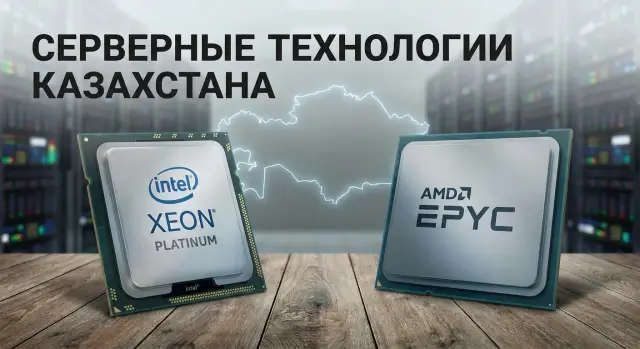
Where platform choice begins and common mistakes
The Intel vs AMD debate for enterprise servers is rarely decided by a single performance number. In real procurement the winner is often the option that is cheaper to own and easier to maintain for 3–5 years, without surprises in delivery or compatibility.
A common first mistake is comparing only the server price and core count. Later it may turn out that the budget was eaten by virtualization or database licenses, or the rack fails on power and heat.
At the start it's useful to model not an abstract “server” but a concrete scenario: how many virtual machines do you plan, which roles will run on the host (virtualization, DB, VDI, file services), what is the depreciation horizon, and what SLA do you need for downtime.
People often forget to check four things: how software is licensed (by cores, sockets, hosts or VMs), the real power draw under load, the availability of components in Kazakhstan at the exact SKU level, and the service terms (including response times and spare parts).
In Kazakhstan platform choice is frequently influenced by public procurement and compliance requirements (government), predictability of supply (banks), continuity needs (healthcare) and limited budgets with large fleets (education). So the “fastest” configuration can lose to an option that is easier to document, quicker to source modules for, and faster to recover after a failure.
If you select a platform without checking availability and service, the usual outcome is the same: downtime due to a single memory stick or controller can cost more than the entire CPU price difference. In such projects it's helpful to prearrange support and spare parts with an integrator that has a local service network, as is often done when supplying and supporting through GSE.kz.
Questions to ask before comparing Intel and AMD
Start comparing Intel and AMD in enterprise servers not from processor models, but from the tasks. The same server may be great for virtualization and unsuitable for databases because of licensing, memory, or power limits.
Step one — describe the load in plain words and numbers: how many VMs, growth over 2–3 years, how many VDI users, which databases and their sizes, whether there are AI tasks or only classic services (files, mail, accounting systems, etc.). Without this it's easy to buy the "most powerful" hardware and then overpay for licenses or electricity.
Then fix the criteria you'll use to compare options. If the budget is tight but downtime is unacceptable, "initial price" should not be the only metric.
A practical set of questions that quickly filters out irrelevant options:
- Which 2–3 workloads are primary and which are secondary?
- What matters more: minimal TCO, maximum VMs per host, or predictable resilience?
- Are there strict limits on rack units, power and cooling?
- What delivery times are acceptable and what happens if some components are delayed?
- Do you need a single platform standard across the fleet or can you mix generations and vendors?
After that choose 2–4 KPIs you can actually calculate. Usually enough: cost of hypervisor/DB licenses, watts per useful load, virtualization density (VMs per host) and headroom for memory/slots for growth.
Example: a hospital plans two servers for virtualization and VDI but has rack power limits and no time for long deliveries. Here CPU comparison starts with licensing (per‑core or per‑socket) and which configurations can be quickly assembled from locally available modules in Kazakhstan. In such cases it's sensible to involve an integrator with a local service network, for example GSE.kz, to check not only the numbers but the realism of delivery and support.
Licensing: how cores and sockets change the budget
When people compare Intel and AMD in enterprise servers, many look at hardware price and forget that licenses often cost more. This is especially visible when a platform provides more cores per socket: you gain density but may dramatically increase your software bill if licensing is per‑core.
Critical examples: Windows Server (depending on edition and virtualization scenario), Microsoft SQL Server, and some enterprise products that count physical cores. Two servers with similar purchase prices can differ greatly in total cost of ownership because licenses are tied to core counts and minimum thresholds.
It's better to calculate from the physical hardware, not marketing numbers. Take the real number of physical cores per socket, multiply by sockets, then apply the product rules: minimums per server, licensing increments (often sold in packs), and virtualization host rules. For example, in a two‑host cluster each host may need full licensing even if the load is unevenly distributed.
Before buying, confirm with your software vendor and integrator:
- What unit is licensed: cores, sockets, server, or VM.
- Minimums and purchase increments (e.g. packs of N cores).
- Rules for virtualization and migration between hosts.
- Whether you must cover a DR site and how (cold, hot, DR testing).
- Whether active support or Software Assurance is needed for your scenarios.
Practical example: choosing two hosts for SQL in VMs. A higher‑core option may host more VMs per host, but per‑core SQL licensing can grow so much that the "cheaper hardware" argument disappears. So fix the licensing model first, then compare platforms.
Power consumption: from datasheet numbers to real costs
When comparing Intel and AMD in enterprise servers people often look only at TDP. TDP is not "what the server draws from the outlet" but a guideline for cooling and heat estimates. It's useful for initial filtering, but real numbers depend on clock speeds under load, BIOS settings, memory, drives and even the number of fans.
For budgeting the wall power measured at the PDU or UPS matters: it directly becomes money in a data center — you pay for electricity and for cooling.
A basic annual calculation:
kW × hours per year × tariff (KZT/kWh).
Example: a server averages 450 W and runs 24/7. 0.45 kW × 8760 = 3942 kWh per year. At 35 KZT/kWh this is about 138,000 KZT per year for power alone. If cooling costs are comparable, the total easily doubles. So even a difference of 80–120 W per server becomes noticeable when many nodes are involved.
Actual consumption depends heavily on the workload profile. For steady 24/7 loads (virtualization, databases) you need stable frequencies under sustained load and power limits. If peaks are rare (reporting, nightly batches), power‑saving modes and proper power profiles yield more benefit.
What to check in the spec
Before purchase look beyond the CPU. Secondary items often determine final watts and heat:
- Power supplies and their efficiency (80 PLUS). Prefer units with headroom and high efficiency at 30–60% load.
- Number of fans and their RPM range (affects noise and extra watts).
- Acceptable inlet temperature (a higher allowed temp reduces the risk of ramping up fans in warm rooms).
- Support for CPU power limits and power profiles in BIOS.
- Configuration: memory, drives, accelerators, NICs — these often make a bigger difference than choosing between two CPUs.
A practical test: request measured power for the selected configuration in two modes (idle and typical load) and convert to KZT per year for your rack.
Performance without complex benchmarks: what to compare
Comparing Intel and AMD by clock speed and core count is convenient but often misleading. Some workloads require single‑thread performance and low latency (parts of OLTP and some accounting systems), others scale by cores (virtualization, analytics, batch jobs), and some are not CPU bound at all.
Bottlenecks often live around CPU: memory, storage, network, PCIe. So start by asking what will limit you in reality — compute, I/O or network.
What to check in the platform besides the CPU
To avoid finding "why the server is slow" after deployment, look at the ecosystem:
- Memory: number of channels, supported frequencies, maximum capacity, and how many DIMMs are required for full speed.
- PCIe: how many lanes and which version are actually available for NVMe, NICs and accelerators.
- Storage subsystem: SATA or NVMe, RAID controller or software RAID, cache, number of bays.
- Network: 10/25/40/100G availability and compatibility with your switches.
- Thermal and power behavior: can the platform sustain advertised frequencies under long load without throttling.
This is especially important for virtualization hosts: you can buy many cores but lose performance due to lack of memory for VMs or slow storage.
How to read tests without self‑deception
If you rely on tests, equalize conditions: same memory layout and size (same number of modules per socket), same power limits, same storage and NICs, same hypervisor versions and settings. Otherwise you compare configuration differences rather than CPUs.
A rough rule: more cores win where many parallel tasks exist: many VMs, multiple services on a host, builds, rendering, analytics. Frequency and latency matter where transactional single‑threaded performance is critical or where extra cores don't yield benefits because of licensing.
If you pick a platform (for example rack servers like the GSE S200 Series), this approach helps identify where Intel or AMD will give you a real advantage for your workload, not just on someone else's chart.
Component availability in Kazakhstan and downtime risk
Even if Intel vs AMD looks clear on performance and price, projects typically fail because of delivery times. A typical showstopper is a specific SKU without which the server can't be assembled or commissioned: the exact CPU, memory modules with the right frequency and rank, NICs with required speed and drivers, RAID controller or HBA for your drive cage.
Check availability not by brand but by exact part numbers. The same server model can be delayed by a small mismatch: memory exists but not on the compatibility list, and then rare errors begin occurring that are hard to debug.
Quick ways to assess downtime risk before procurement:
- Confirm what is actually in stock in Kazakhstan and what is on order, with delivery dates written down.
- Verify 1–2 alternatives for each critical module (CPU, RAM, NIC, controller) that do not change the platform entirely.
- Cross‑check chosen modules against the official compatibility list, not just "fits the slot."
- Estimate the failure scenario: is there a next‑day replacement or a weeks‑long wait?
Compatibility almost always matters more than saving on a single item. A cheaper NIC may lack offload features or stable hypervisor support, costing more in the long run.
To lower downtime risk decide in advance which spares to keep. Usually a small kit is enough, but it must match your configuration:
- 1–2 identical DIMMs (same model or batch number)
- a spare drive of the same type/capacity (or compatible hot‑swap)
- a spare power supply
- a spare fan or fan kit for the specific chassis
- a spare RAID/HBA or at least a fallback replacement plan
For critical infrastructure it's useful to pick a supplier with local manufacturing and service. GSE.kz, for example, has production facilities in Kazakhstan and 24/7 national support, which simplifies planning for parts replacement and repairs when downtime counts in hours.
Step‑by‑step comparison plan: a TCO table in one evening
To avoid turning the Intel vs AMD question into a matter of taste, reduce the choice to a simple 3–5 year TCO table. One evening is enough if you decide in advance what to compare.
First fix inputs: not a "server for everything" but 2–3 typical scenarios and what's most important in them. Usually this includes license costs, virtualization density, storage latency and headroom for growth.
Then follow these steps:
- Describe 2–3 workload scenarios (e.g. 40 VMs, a database, backup) and rank priorities: CPU, memory, disk, network, resilience.
- Build 2–3 comparable configurations: same CPU class, RAM size, type/number of disks, network ports, RAID/HBA. The goal is not the "most powerful" but comparable constraints.
- Calculate licenses and support for each option. Record the licensing metric (cores, sockets, hosts, VMs) and minimum rules.
- Estimate power and cooling based on planned load (e.g. 50–70%), not peak nameplate values, and apply your tariff. Add rack and UPS costs if they hit power limits.
- Check availability of key modules in Kazakhstan: RAM capacity, drives, PSUs, fans, NICs, rails. Know not only delivery times but whether quick replacements exist.
Now put everything into one table and calculate a 3–5 year total. Add a "downtime risk" column: if a platform uses rare modules or long lead times, treat that as a separate cost even if hard to quantify.
TCO (3-5 лет) = железо + лицензии + поддержка + энергия/охлаждение + запасные части + риск простоя
Two virtualization hosts can look identical on purchase price but a higher‑core option will increase VM density and increase license costs. Conversely, cheaper hardware per compute unit can end up more expensive due to licensing. If you buy servers and service in Kazakhstan through an integrator with local production and support like GSE.kz, add a line verifying which spares and lead times are realistically guaranteed for your SLA.
Typical traps when choosing Intel or AMD
The most common mistake is deciding by a single appealing benchmark or CPU price. In enterprise the important things are total cost of ownership, support and predictable supply.
Money‑draining traps
You should only compare Intel and AMD within the same class of solutions: number of sockets, generation, thermal envelope, memory capacity and storage type. Otherwise you pick a false winner.
What usually drives costs up:
- Looking at server price but forgetting licenses, support, spares and electricity.
- Choosing minimal memory and disk "for start" and then overpaying for expansion and downtime during upgrades.
- Not verifying memory and drive compatibility specifically with the chosen board and controller.
- Delaying BIOS, firmware and driver updates and then encountering odd errors under load.
- Ignoring the service model: who will come on site, replacement times, and whether loan equipment is available.
How to neutralize these risks quickly
Compare two configurations as "ready working nodes" for 3–5 years, not as "CPU + chassis." For example, in a bank's virtualization pair: if licensing is per‑core, a cheaper CPU with many cores can suddenly make the project more expensive. And if DIMMs or SSDs are hard to find locally, an initial price win becomes downtime.
In Kazakhstan it's crucial to confirm module availability and service replacement times in advance. Working via an integrator with local production and a service network (e.g. GSE.kz for S200 servers) typically reduces the risk of "server exists but no spare parts" and speeds recovery during incidents.
Short checklist before procurement
Before you send a server request, go through a short checklist. It helps catch the things that are costliest to fix later: licenses, power, expandability and delivery times.
- Licensing: confirm what is counted (cores, sockets, minimums). Note the config as "2 CPUs × N cores" and check how this changes software and support costs. For virtualization, clarify rules for hosts and migration.
- Power and rack: compare actual rack/PDU power limits with expected server consumption under load. Leave headroom for growth (more drives, memory, faster NICs). If the data center has strict W/unit limits, know them before platform choice.
- Memory: check not only total capacity but used slots. Decide if you need growth in 2–3 years without replacing DIMMs. A common mistake is filling capacity with large DIMMs and losing expansion flexibility.
- Network and disks: confirm required ports and controllers are available without rare options. If you need 25GbE, FC or a specific RAID/HBA, ensure these are not long‑lead items.
- Delivery and service in Kazakhstan: confirm delivery times for CPU, DIMMs, NICs and drives, and spare parts availability. Record SLA items: response time, who goes on site, presence of engineers and local stock.
A simple self‑check: if one of the two virtualization servers fails, how many days can you survive on the second, and what parts are needed to recover. When answers are written down, Intel vs AMD becomes a calculation, not a risk.
If you work through a local manufacturer and integrator like GSE.kz, agree not only the configuration but also the support plan: which spares to hold and how on‑site coverage will be organized nationwide.
Case study: choosing a platform for two virtualization hosts
A regional bank office in Kazakhstan plans two virtualization hosts (they won’t run a 2+1 cluster, but surviving the failure of one server is important). They will run office services, several business apps and infrastructure (AD, file services, monitoring) — roughly 40–60 VMs with growth.
The team chooses between Intel and AMD not by "who is faster" but by license budget, electricity bill and how quickly a module can be replaced.
Two typical options
Option A: fewer cores, higher frequency. Often attractive when licensing is core‑based and applications value single‑thread performance. With the same RAM it’s easier to keep license costs predictable and leave room for growth by adding memory (or a second CPU where supported).
Option B: more cores, higher VM density. This packs more VMs on one host and leaves more CPU headroom for failover, but per‑core licenses for hypervisor, OS or specific enterprise products can sharply raise the bill. The paradox: hardware can be cheaper per compute unit yet the project becomes more expensive due to licensing.
How to decide in 1–2 hours
Build a mini‑TCO for 3 years and compare equivalent resilience (if one host fails the second must handle critical VMs):
- Licenses: model (per‑core or per‑socket), minimums and virtualization expansion rules.
- Power and cooling: estimate at expected load (usually 30–60%), not peak TDP.
- Growth: how many VMs in the next 12–36 months and which resource will bottleneck (cores, memory, slots).
- Downtime risk: cost per hour of downtime and how quickly you can get replacement parts.
Also verify you won't end up with enough cores but insufficient memory, NICs or disks for the load.
What to request from a Kazakh supplier
To avoid being blocked by a memory stick, ask in advance for:
- confirmation of availability of critical modules (RAM, SSD/HDD, PSUs, fans, RAID/HBA, NIC) with part numbers;
- a delivery plan for the project with dates and alternatives if chosen items are unavailable;
- replacement conditions and service response times (important for banks);
- a list of what is actually stocked in RK.
If you work with an integrator like GSE.kz, it’s convenient to tie the configuration to local support and component availability. That significantly reduces the risk of long downtime during repairs.
Next steps: how to reach a decision quickly and safely
If the Intel vs AMD debate drags on, turn it into a short action plan: get comparable options, calculate money and proactively remove downtime risk due to unavailable parts.
What input is needed for a fair comparison
Put five items on one page: which workloads will run (virtualization, DB, VDI), the required resilience level (single host or cluster), commissioning dates, power and cooling limits in the rack, and any vendor or standard constraints.
Keep 2–3 typical scenarios (e.g. “40 medium VMs” and “1–2 critical services with high availability”).
Then request 2–3 class‑equivalent configurations on different platforms: one Intel, one AMD, and optionally a third compromise. Ask for transparent specs: CPU model, RAM type/amount, disks, RAID/controller, NICs, power supplies, warranty.
At the same time verify practical availability in Kazakhstan: memory, drives, controllers and NICs — the items that most often delay launch or complicate repair.
- What is in stock and what is only made to order.
- Delivery times and fallback alternatives.
- Spare parts plan: what to keep and where.
- Who performs diagnostics and replacements, and in how many hours.
Record licensing and TCO calculations as procurement justification: how much software will cost at the chosen core/socket count, what power you realistically budget, and annual energy/support costs.
If you need help with selection and supply, GSE.kz can provide comparable configurations and integration, including the S200 Series servers and 24/7 nationwide support.
Frequently asked questions
How should I begin choosing between Intel and AMD for an enterprise server?
Start by describing the scenario: which services will run on the host, how many VMs/users, expected growth in 2–3 years, and how much downtime you can tolerate. Then record rack constraints (power and cooling), acceptable delivery times and the required service model, and only after that compare specific Intel and AMD configurations.
Why can't I compare platforms only by server price and core count?
Because total cost is often driven by software licenses and operations. Two servers with similar purchase prices can diverge in budget due to per‑core licensing, actual power draw under load, and downtime risks if rare components take long to arrive.
How can I quickly understand how licenses will affect CPU choice?
First, clarify the licensing rules for your software: is it counted by physical cores, sockets, hosts or virtual machines. If licensing is per‑core, a high core count per socket can sharply increase costs even if the hardware looks cheaper.
Can I rely on TDP to estimate electricity costs?
TDP is a guideline for cooling, not the actual wall power draw. For budgeting use wall power: ask for measurements of the chosen configuration at idle and under typical load, then convert to your electricity rates for 24/7 operation.
What performance metrics should I compare if I don't have time for deep benchmarks?
Look at what your workload is limited by: compute, memory, storage I/O, or network. Often the winning choice is not the "fastest CPU" but a balanced platform with enough memory, proper NVMe/RAID and suitable network adapters that do not throttle under sustained load.
How not to be misled when reading third‑party Intel vs AMD tests?
Only compare tests run under identical conditions: the same memory configuration (same number of modules per socket), the same power limits, the same storage and network devices, and the same hypervisor versions and settings (NUMA, power profile). Otherwise you compare configuration differences rather than CPUs.
Why is component availability in Kazakhstan so important to verify before purchase?
Check availability at the exact SKU level, not just "memory is available." DIMMs, RAID/HBA, NICs and specific SSD models are critical. If they are not stocked in country or lack quick replacements, downtime caused by one missing part can outweigh any CPU cost savings.
Which spare parts should I keep to avoid downtime?
The minimal spare set depends on your configuration, but the principle is simple: keep the parts that are most likely to stop the node and take the longest to source. Agree with your integrator which parts will be kept as spares for your specification and how quickly they can be delivered or replaced.
What should I check in SLA and service to reduce downtime risk?
Record response time, recovery time, who performs on‑site work and where spare parts are held. For critical systems, the process matters more than the paper warranty: diagnostics, swap, spare delivery and 24/7 support availability.
How can I calculate TCO and decide on a platform in one evening?
Create a simple 3–5 year table: hardware, licenses, support, energy and cooling, spare parts and downtime risk. In Kazakhstan, also factor in public procurement/compliance requirements and the realism of deliveries; if you work through a local manufacturer and integrator with a service network like GSE.kz, verify that spare parts and lead times match your SLA.
