7 min read
Integrations for e‑procurement platforms: what is often missed
Integrations for e‑procurement platforms: which connectors to ERP, EDO and archive you need to eliminate manual entry, duplicates and errors in procurement.
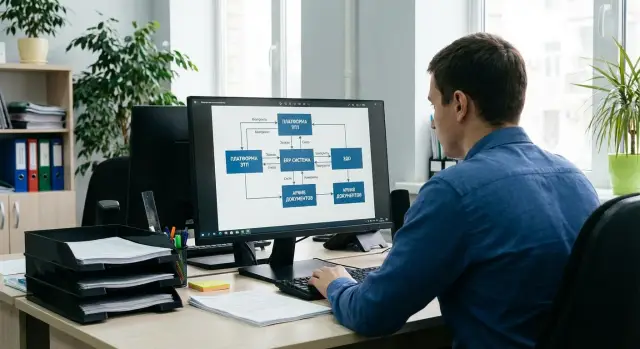
Where manual entry appears and why it doesn't disappear by itself
Manual entry usually shows up in places you don't expect. At first it seems enough to upload a lot to the platform and get the protocol. But as soon as procurement hits internal processes, data starts to live in multiple places and has to be moved by hand.
Most often duplication looks simple: a requisition is created in one system, details are manually copied into the procedure on the platform, then a contract is assembled, accounting creates the invoice separately, and closing goes into an acceptance act. If at least one field (amount, budget code, expense item, delivery time, counterparty details) differs, each system keeps its own version. The numbers, not people, begin the dispute.
Why does this surface only after the first 2–3 procedures? Early procurements are usually routine and run from templates, and participants quickly clarify details. Then real variability appears: amendments, partial deliveries, corrected invoices, deadline changes, signer changes. You discover that integrations cover only the "ideal" path, and exceptions send work back to Excel and copy‑paste.
Signs of incomplete integration:
- the same document is reassembled in different systems instead of passing version and status
- statuses ("winner", "contract signed", "delivery completed") diverge between the platform and internal systems
- counterparties and catalogue items don't match and duplicates with similar names appear
- the team keeps a "control spreadsheet" to reconcile amounts, VAT, dates and document numbers
Until it's defined which system is the authoritative source for each object (request, contract, invoice, acceptance act) and who is responsible for field quality, manual entry will return. It's handy as a temporary quick fix, but over time it becomes continuous work and a source of errors.
Procurement data map: who should exchange what
To remove manual entry, start not with connectors but with a data map. A simple one‑page diagram shows which fields appear during procurement, where they originate and where they must go next. Without this, integration often becomes a set of disjointed exports.
The minimal contour is almost always the same: the e-procurement platform, ERP (accounting and budget), EDO (electronic document exchange and signatures), electronic archive (storage and search), and reference/master data (counterparties, catalogue, departments, cost centers/MVZ, contractual terms).
A critical point is to assign an owner for each dataset. The owner is responsible that the value is correct, up to date and only changes by clear rules. Typically this looks like: counterparty and banking details live in the master directory or ERP; the procedure card and lots live on the platform; signed contract versions and acceptance acts live in EDO; immutable copies and storage metadata live in the archive.
It's important to describe exchange not only of data but also of process events. At minimum, statuses and key documents should be exchanged by stages: procedure publication, bid receipt, protocol (admission, results), contract signing, delivery (waybills, acts), invoice and payment. If a status isn't sent automatically, it gets duplicated in Excel or email and manual entry returns.
Before development, record four things: field rules (codes, currencies, VAT, units, dates, requiredness), roles and rights, control points (signatures, version fixation, what is considered truth on discrepancies) and unified identifiers for request, lot, contract and delivery.
When the data map is ready, it becomes clear which integrations are needed first and exactly where manual entry can be removed without risking accounting or legal validity.
Reference data and master data: the often underestimated foundation
Almost any manual entry in procurement starts not with documents but with reference data. If the platform has its own product names, ERP — its own, and EDO — different names, people will inevitably "translate" data by hand. So start with master data, not with pretty procedure statuses.
The minimal set usually includes the catalogue (with codes and units), budget items, projects and cost centers. It's important to transfer not only names but also rules: which items can be procured, which require approval, which are tied to a specific project.
Counterparties are a special pain. A supplier can be entered twice due to different IIN/BIN, old banking details or name variations. You need a single "golden" record, duplicate checks and simple statuses like "active", "under review", "blocked".
A third area is people and org structure: requester, approvers, commission members. If positions and departments don't match between HR/AD and the procurement system, approval routes break and manual fixes reappear.
To prevent master data from spreading, agree in advance on basic rules: who owns each directory, which system is the authoritative source (ERP, MDM, HR system), how synchronization runs (event-driven or scheduled), what is considered data quality error (duplicates, empty fields, wrong rates) and who corrects errors.
Example: a hospital changes VAT rate for some consumables and updates warehouse addresses. If these changes don't flow automatically to the platform, the buyer edits lots manually and accounting later can't reconcile documents with ERP.
ERP connector: requests, orders and statuses without manual sync
If ERP remains the primary system for budget, inventory and payments, then without a connector the trading platform quickly becomes an isolated island. People retype requests, prices and deadlines; errors become the norm.
A typical flow: a need or request is created in ERP and sent to the platform with catalogue items, cost center, limit and requirements. After the procedure completes key outcomes should return: winner, final price, delivery terms and the protocols (or their IDs) so they don't have to be searched manually.
What is important to exchange with ERP
To prevent manual entry from returning at the last mile, it's better to form the contract or order in ERP based on trade results rather than recreating it. ERP should then receive statuses and facts: goods receipt, invoices, payments, and closing documents. This way procurement closes where financial accounting is kept.
Plan for exceptions. The connector must handle procedure cancellations and status rollbacks, re-tendering with updated price and terms, partial deliveries and item splitting, and supplier replacement by commission decision.
Example: IT created a request for servers in ERP, but the auction took place on the platform. Without integration accounting manually copies the winner and amount into the order and then faces VAT and deadline mismatches. With a proper connector the order is created automatically and ERP handles acceptance and payment itself.
EDO integration: signatures, statuses and legally significant exchange
EDO matters in procurement not only for "paperless" operation. Without integration people will again manually transfer document numbers, dates, amounts and statuses. That quickly breaks deadline control and closing deliveries.
Key documents are usually the same: contract and amendments, UPD or ESF, and acts. The platform must be able to send a document to EDO, receive the signed version back and record legally significant results: who signed, when, with which certificate and which version.
Approval routes and signing
The signing route is often more complex than it looks. In practice it depends on amount, procurement category and document type. Integration should support roles and steps: requester, approver, signer, accounting.
For example, for buying servers the contract might be signed by the director, while UPD and the acceptance act are signed by the responsible receiver. If the system doesn't know who is next, documents are circulated by hand and deadlines are missed.
Statuses and document linkage
Statuses are not for reporting only. They show whether shipment, payment and closing can proceed. At minimum, receive and display: sent, delivered, signed, rejected. On rejection return the reason and document version; otherwise corrections turn into long message threads.
A separate area is identifiers. The platform should keep links "procurement — contract — UPD/ESF — act" and external IDs of documents in EDO. Then the procurement card shows what's signed and how delivery was closed.
If a counterparty uses a different EDO provider, check roaming or gateway options in advance. Requirements usually include: clear signing and certificate verification rules, automatic status reconciliation and rejection notifications, storage of external IDs and export of signed files and metadata to the archive.
Archive and storage: so documents don't live in folders on a drive
If the archive isn't thoughtfully designed, manual entry returns through workarounds: "email the file", "drop it in a shared folder", "rename it as usual." Later it's impossible to quickly prove which version was signed, who approved it and where the final package sits. For integration, the archive is part of the process, not a file warehouse.
What to archive and how to keep context
Archive not only final PDFs but the full trace of the procedure: protocols, requests and justifications, tender documentation and clarifications, correspondence, file versions (drafts, agreed, signed), confirmations of sending and receiving.
To find a document in minutes you need metadata. Minimal set: procedure number, counterparty, amount, dates (created, signed, completed), department and responsible person, status (draft/approval/signed/revoked). These fields should arrive automatically from the procurement system, ERP and EDO, not be filled manually.
Retention rules: access, periods, immutability
Define who can see the full package, who sees only their procedures, who can export and who can only read. Add retention periods by document type and an immutability mode for signed versions so a document can't be quietly replaced.
Automatic filing commonly works like this: an event in the process (publication, submission, results, signing) creates a record in the archive and saves the file with required metadata. The archive must be able to store multiple versions of the same document without confusion.
Access, roles and audit: SSO, permissions and action transparency
Even good integrations fail at the basics: people log into different systems under different accounts, roles don't match, and verification boils down to "who clicked the button." Design access and audit as carefully as document exchange.
SSO (single sign‑on) reduces chaos: an employee authenticates once and the platform receives their role and attributes (department, branch, employee ID). Agree which system is the source of truth for the user — usually the corporate directory, not the platform. Then dismissals, transfers and temporary replacements don't become manual cleanup tasks.
Rights: not just "buyer" and "approver"
Procurement roles are tied to commissions, budget centers and limits. If these rules aren't linked to HR structure and financial constraints, users will find workarounds.
Ensure rights take into account department and project, sum thresholds, commission composition and substitutes for vacation, supplier access limited to their procedures and separation of duties (who creates, who approves, who signs).
Audit and notifications
The action log should capture not only "status changed" but context: who, when, from which system and what exactly was changed (including login attempts and integration errors). Without a precise history, a procurement dispute easily becomes a week‑long investigation.
Notifications are part of control. Decide in advance which events go to email or the internal portal and which remain tasks inside the platform: overdue approvals, returns for rework, EDO signature, limit or commission changes.
How to plan integrations: step-by-step
To stop manual entry from returning a month after launch, plan integrations by procurement flow, not by systems. Start with real scenarios: a standard purchase, an urgent purchase, a purchase under a framework agreement. For each scenario record which documents and data appear at each step: request, approval, lot, protocol, contract, waybills, closings.
A simple sequence helps:
- break the process into steps and mark where data is created and where it should appear automatically (ERP, platform, EDO, archive)
- assign data owners and a single source of truth for each object
- choose exchange modes: online for statuses and limits, batch for reference data, event-driven for key documents
Then the most costly part usually begins: formats and mappings. Agree on unified identifiers (request ID, contract ID, counterparty ID), mandatory field rules and exception handling (for example, what to do if ERP lacks the needed budget code or department).
Prepare test cases that reflect real life: partial delivery, contract change, return for correction. Define acceptance criteria. Roll out in stages: first reference data and requests, then contracts and EDO, then archive. In the first weeks regularly check data quality and log discrepancies.
Common mistakes and traps that bring manual entry back
The most common reason manual entry returns is doing integration "minimally." For example, exporting only the protocol result or a registry of contracts but not syncing reference data, statuses and reverse updates. Accounting and procurement then copy data between systems because ERP is empty while the platform already changed things.
One painful trap is lack of a unified identifier. If the procurement, contract and EDO document package have different numbers and no common key, linking the chain is almost impossible. Any return for rework becomes a search for "that file" and manual matching.
Processes also spread because approvals happen in email. Formally trades occur in the system, but limits, contract visa, security approval and final "OK" go by email and chats. Then no one can say exactly who approved and when, and accounting ends up using whatever was at hand.
Check before launch:
- is there a common ID for procurement, contract, invoice and the EDO package
- are statuses synchronized both ways, not only "export of results"
- are approvals kept inside systems, not in email
- are cancellation, returns and correction scenarios described
- is exchange monitoring and clear notification configured
Without monitoring the error is noticed at the last stage, when a user reports that "it doesn't match." Good practice is an exchange queue, an event log and alerts so IT sees problems before the business does.
Short checklist: do you have enough integrations?
If integrations already exist, check not only "does exchange work" but where manual entry still appears. It usually hides in reference data, document statuses and storage.
Honestly verify:
- there is a list of key directories (catalogue, counterparties, departments, budget items, projects) and data owners are assigned
- exchange points with ERP are described: what goes to the platform and what returns, with clear update frequency
- EDO is linked to procurement and contracts: numbers, versions and actions on cancellation or re-signing are understood
- the electronic archive receives files automatically and immediately with metadata so nothing is searched "by folders"
- access is configured without shared accounts: SSO, role-based access, action log
Test in real life
Take one typical case — e.g., purchasing consumables for a branch — and run it from request to closure. At each step ask: "Who types what by hand?" If someone copies amounts, IIN/BIN, contract numbers or statuses between systems, the process isn't closed.
Add test scenarios (successful exchange, rejection, duplicate, partial delivery) and error monitoring. An integration failure should not turn into a week of manual fixes and Excel circulation.
Example scenario: procurement from request to closing without manual entry
Imagine a network of 12 branches: every month they need consumables (cartridges, paper, small inventory) and budgets are limited by branch and expense items. The goal is simple: data is entered once and flows automatically through systems.
A request is created in ERP: the requester selects catalogue items, specifies the branch, cost center and planned amount. ERP immediately checks the limit and the approval route. After final "OK" ERP sends a package to the trading platform: items, requirements, delivery addresses, deadlines and catalogue codes (departments, budget items, units). Nothing is retyped because reference data are synchronized in advance.
On the platform the procurement owner only does what truly requires decisions: checks lots and thresholds, selects a procedure template and evaluation criteria, confirms current suppliers, launches the procedure and answers questions.
When the auction ends results return to ERP: winner, line prices, deadlines and protocol. ERP automatically creates an order and contract draft from a template, inserting the counterparty details and terms. Then EDO is involved: contracts and amendments go for signature, signature statuses and rejections are synchronized back to ERP and the platform.
After signing documents don't live in email and folders. The electronic archive receives the complete package: request, protocols, contract, signatures, invoices and closing documents. Human control points remain: lot correctness, procedure selection, receipt acceptance and handling discrepancies.
Next steps: how to start without unnecessary risks
Manual entry problems are usually not caused by the platform itself but by undefined sources of truth and unclear responsibility for changes. Start with a short map: which systems participate in procurement and who is the process owner on procurement, finance, IT and legal sides.
To get quick impact, pick 1–2 most frequent scenarios and make them stable. For example: a request from ERP is created on the platform, then trade results and the contract return to ERP, and documents go to EDO and archive with clear statuses.
Practical sequence:
- list systems (ERP, EDO, archive, reference data) and data owners
- describe chosen scenarios "as is" and "to be" with statuses and control points
- agree which reference datasets to sync (counterparties, catalogue, budget items) and who approves them
- run a pilot on a limited contour and fix error handling rules
- document the SLA: who responds to failures and within what timeframes
Include support and monitoring; otherwise failures are discovered through complaints when a procurement has already failed. Minimal control: exchange queues, validation errors, status mismatches, time delays, share of operations with manual edits.
If internal resources are limited, consider an integrator. For example, GSE.kz operates as a developer and integrator of IT solutions in Kazakhstan and can help design the contour (ERP, EDO, archive, reference data), provide infrastructure (servers) and 24/7 support if integration components need to run in your environment.
Frequently asked questions
Where to start if manual entry in procurement has become unbearable?
Start with a data map: where the fields for the request, lot, contract, invoice and acceptance act are created and where they must go next. Then assign a single source of truth for each object and a data quality owner — otherwise manual entry will return through exceptions.
Why does manual entry only surface after 2–3 procurements?
Because the first procedures are usually routine and follow a template. Once amendments, partial deliveries, corrected invoices and deadline changes appear, you see that the integration covers only the ideal path, and exceptions push people back into Excel and copy‑paste.
What signs show an integration is incomplete?
When the same document is reassembled in different systems instead of passing version and status. Other signs are status mismatches between the platform and internal systems, duplicates in counterparties and catalogues, and a "control table" used to reconcile amounts, VAT, dates and document numbers.
Which systems usually need to be connected to an e-procurement platform?
At a minimum: the trading platform, ERP for accounting and budget, EDO for legally significant documents and signatures, an electronic archive for storage, and reference/master data (counterparties, catalogue, departments, cost centers/MVZ, budget items). If any of these is missing, data starts living in different places and gets copied manually.
Who should be the "source of truth" for requests, contracts and closings?
Usually ERP should be authoritative for budget, payments, inventory and financial documents, while the procurement platform owns the procedure card and lots. EDO typically holds the signed versions of contracts and acts, and the archive keeps immutable copies and storage metadata.
What must be exchanged with ERP to avoid copying data by hand?
To avoid manual copying, requests and catalogue items must go to the platform from ERP without retyping, and trade results must return with winner, final price, delivery terms and protocol identifiers. It's better to create the contract or order in ERP based on trade results so acceptance and payment proceed without manual sync.
Which exceptions should be planned in integrations in advance?
Cancellation and rollback of statuses, re-tendering with updated price and deadlines, partial deliveries and item splitting, and supplier replacement by commission decision. If these cases aren't handled, people will "fix" the process manually and create new data versions in each system.
What must an EDO connection do besides sending PDFs for signature?
Beyond sending a PDF for signature you need send/receive statuses and signed versions, and record legally significant attributes: who signed, when, with which certificate, and exactly what was signed. Also maintain links like "procurement — contract — UPD/ESF — act" and store external EDO IDs so documents aren't hard to find or confused by versions.
What should be archived and which metadata are needed to avoid losing context?
Archive not only final PDFs but the whole procedure trail: protocols, requests and justifications, tender docs and clarifications, correspondence, file versions (drafts, agreed, signed), and confirmations of sending/receiving. Minimal metadata: procedure number, counterparty, amount, dates (created, signed, completed), department and responsible person, status (draft/approval/signed/revoked). These should come automatically from the procurement system, ERP and EDO; if filled manually the archive becomes folders on a disk and a source of version disputes.
How to quickly find where manual entry still remains?
Check for a common ID across the chain "procurement — contract — invoice — EDO package", two-way status synchronization (not just exporting final results), and whether approvals happen inside systems rather than via email. Then run one real case from request to closing and note each field that people type manually — that list becomes your integration backlog.
