7 min read
Ingress and API Gateways in Kubernetes: a Production Test Plan
Ingress and API gateways in Kubernetes: a practical production test plan covering performance, TLS, routing and certificate management.
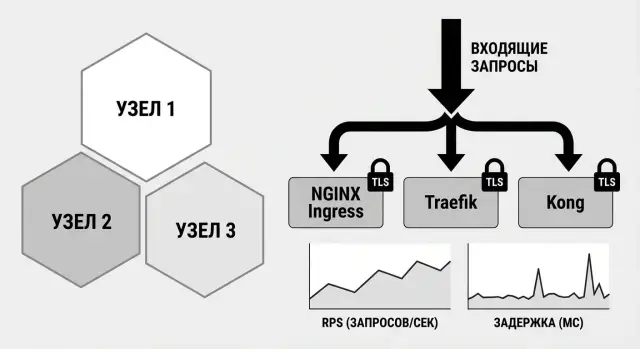
Why you need a test plan for Ingress and an API gateway
Ingress and API gateways in Kubernetes are often configured once and left for a long time. Problems tend to surface after release when fixes are more expensive: latency at peak, spikes of 502/504, strange redirects, and sometimes expired TLS certificates at the worst moment.
Simply put, Ingress answers the question “how to accept HTTP(S) traffic into the cluster and route it to services.” An API gateway goes further and adds API-level controls: authentication, limits, transformations, keys and analytics. In practice the boundary is blurry, so the term matters less than how a component behaves under your load and rules.
Comparing NGINX Ingress, Traefik and Kong by spec sheets is useful but not enough. Each has its default settings, limits and corner cases. What looks perfect in a demo can produce unexpected timeouts in production because of header sizes, keep-alive behavior, retries or TLS nuances.
A good test plan verifies ahead of time what directly affects users and security: latency and throughput, correct TLS (including rotation and error scenarios), routing (paths, hosts, headers, redirects, WebSocket) and resilience during restarts, upgrades and backend problems. Such a plan turns the choice of controller or gateway from “trust the docs” into a testable decision you can run confidently.
What we compare: NGINX Ingress, Traefik and Kong
NGINX Ingress, Traefik and Kong solve a similar problem: accept external traffic and deliver it to services inside the cluster. Their approaches differ.
NGINX Ingress is often chosen for predictability and many production examples. Traefik is valued for simple dynamic configuration and convenient auto-discovery. Kong is closer to the API gateway world: besides routing it’s stronger on policies, plugins and API management, but it often requires more attention to configuration and operations.
To make the comparison fair, fix the same inputs: Kubernetes versions, load balancer type, identical CPU and memory limits, the same test application and the same traffic profile.
A basic production minimum is: correct host and path routing, stable TLS behavior, predictable application of changes without long pauses, and observability (metrics and logs that quickly show the source of 4xx/5xx).
On the first round, avoid extra complexity: temporarily disable WAFs, multi-step authentication, heavy plugin stacks and custom scripts. Otherwise you’ll test a specific combination of extensions rather than the controller itself.
Before you start, document assumptions and constraints: which traffic you measure (HTTP/1.1, HTTP/2, gRPC) and request sizes, what counts as “success” for latency and errors, how TLS is set up (private CA or public certs) and how often rotation is planned, whether brief interruptions during rule updates are acceptable, and what matters more for you — ease of operation or maximum features.
Production requirements and success criteria
A test plan only works when you agree in advance what is considered normal for your system. For Ingress and API gateways in Kubernetes this is critical: the same controller can show good numbers in the lab and then “fall apart” on real traffic due to routing or TLS details.
Describe incoming traffic so it can be verified: average RPS, expected peaks (for example 3–10x higher), request and response sizes, share of long responses (file downloads, reports), and client types (browser, mobile app, service-to-service). This sets the load profile and prevents comparing apples to oranges.
Then set measurable quality goals. A few metrics are usually enough: p95 and p99 latency for key endpoints (separately for short and “heavy” requests), an upper bound for 5xx, a reasonable share of 4xx (with understanding which are normal), target RPS per controller pod and a scaling model, and expected behavior at peak (what fails first and how fast).
Describe routing as a set of rules: domains, paths, API versions, match priorities, trailing slash handling, redirects, and header-based logic (for example canary traffic by header). Decide in advance what correct behavior is on conflicting rules.
For security, lock down minimum TLS versions, cipher suites, where mTLS is required, and rate-limiting constraints. In government or fintech projects mTLS is common; for public endpoints rate limits and surge protection matter more.
Finally, include operational criteria: updates without downtime, reliable rollback within minutes, reproducible configurations, visibility of changes in metrics and logs, and runbooks for common incidents. In system integration projects this becomes a priority: predictable delivery, transparent support and standard operational practices.
Preparing a test stand in Kubernetes
Tests for Ingress and API gateways only make sense when the stand resembles production in configuration and constraints. The most common mistake is comparing controllers on different Kubernetes versions or with different resource limits and then being surprised by differences.
Create a separate namespace for experiments and a test service that mimics the real app: it should respond quickly and slowly, return different status codes, read headers, and accept small and large payloads. It’s useful to have two backends: a “light” one for routing checks and a “heavy” one for timeouts and buffer tests.
For a fair comparison of NGINX Ingress, Traefik and Kong fix Kubernetes and CNI versions, node parameters (same node types and network), controller versions and deployment mode (DaemonSet or Deployment) with replica counts, requests/limits for CPU and RAM for controllers and test services, identical HPA settings (or disable autoscaling during tests), and identical load balancer/Service timeouts if applicable.
Run the load generator from a separate tool and scenario set. Minimum: several routes (different path/host), varied response sizes (e.g. 1 KB, 50 KB, 1 MB) and different methods (GET/POST). Run the generator outside the cluster or on a dedicated node so it doesn’t consume controller resources.
For TLS and SNI tests, domains must resolve correctly. In a test you can solve this via CoreDNS or a corporate DNS zone even if domains are not public.
Enable metrics and logs from the start. Otherwise you’ll only see symptoms (latency increase) and not the root cause (pod restarts, TLS errors, queue saturation). The basic set usually suffices: controller metrics, HTTP metrics (RPS, p95/p99), access and error logs.
Routing tests: rules, headers, redirects
Routing can fail silently: the site opens but some paths go to the wrong backend, redirects loop, or the real client IP is lost. Test rules both “on paper” and with real requests.
Start with basic host and path rules. Check exact matches and prefixes: for example that /api does not capture /api-v2, and /app/ does not “eat” requests to /apple. If you have multiple domains, ensure each host returns its own backend and not someone else’s content.
Then test rewrites and redirects. Expected 301/302 codes must match intent and there should be no loops. A common mistake: / redirects to /app but /app redirects back to / because of trailing slash or prefix rules.
Checks that catch most issues: host/path priorities and matches, correct rewrites (no unexpected 404), redirects without infinite hops, presence of headers X-Forwarded-For, X-Forwarded-Proto, X-Request-ID, and correct canary or blue/green behavior (traffic is actually split, not stuck on one pod due to session affinity or cache).
Practical example: there is api.example.kz and app.example.kz. API needs the /v1 prefix, and the frontend should redirect / to /login. Verify with simple requests (check headers and final URL):
curl -si -H 'Host: api.example.kz' http://\u003clb-ip\u003e/v1/health
curl -si -H 'Host: app.example.kz' http://\u003clb-ip\u003e/
curl -si -H 'Host: app.example.kz' http://\u003clb-ip\u003e/login
If you use WebSocket or gRPC, do at least one long check: the connection should stay stable for 30–60 seconds without drops.
Performance: step-by-step load testing methodology
The goal of load tests is simple: understand how much traffic the Ingress or gateway can handle, how latencies grow, and how the system behaves after overload. To compare NGINX Ingress, Traefik and Kong keep identical conditions: the same cluster, the same CPU/memory limits, and the same service behind the Ingress.
Start with a baseline: one route, a short response (200–500 bytes), no TLS. This reveals the controller’s ceiling without encryption or complex logic. Record average latency, p95/p99 and share of 4xx/5xx.
Then add a ramp-up: increase RPS in steps every 1–3 minutes until errors appear or p99 becomes unacceptable. Don’t just “crash” the system — find the point where quality noticeably degrades.
Next, run a soak at near-production load (e.g. 60–80% of the found limit) for 30–120 minutes. Memory leaks, queue growth, and degradation due to logging or metrics often appear here.
Then run a spike: suddenly push traffic above normal and then back down. Check recovery: how fast p99 drops, whether errors disappear and whether connections get “stuck.”
Compare configurations: 1 vs 2–3 controller replicas, different resource limits, and keep-alive on vs off. This shows what scaling helps and where you’re limited by network or backend.
A test report should include conditions (versions, configuration, limits, replica counts), load profile (ramp-up, soak, spike, duration and target RPS), metrics (p50/p95/p99, errors, CPU/memory, restarts), observations (where degradation started and how it looked), and conclusion (safe operating limit and headroom for growth).
TLS and certificate management: what to test
TLS breaks not in “cryptography” but in details: wrong domain, incomplete chain, or an unexpected client protocol version. Therefore a test plan should check not only “does the site open” but the handshake details.
First, ensure the certificate is valid for all domains. Check the chain to a trusted root and SNI behavior if multiple FQDNs are served on one IP. Practical scenario: one cluster and two domains for different systems — both must get the correct certificate and backend by host name.
Then verify which TLS versions and ciphers are actually allowed. You may need to forbid weak sets while not cutting off legacy clients if those still exist.
Checks to automate in CI or at least run before release: certificate matches domain (CN/SAN) and SNI selects the right cert, chain is complete with no missing intermediate, only expected TLS versions (for example 1.2 and 1.3) and ciphers are allowed, auto-issuance and renewal work (cert-manager or another process), the secret is updated and the configuration reloads, and rotation happens without downtime or nightly manual steps.
Test error cases because they surface in audits and incidents: expired certificate, domain mismatch, incomplete chain (some clients will fail even if browsers sometimes tolerate it), and incorrect HTTP-to-HTTPS redirects (redirect loops or leaks to HTTP).
When comparing controllers, run the same commands and clients to collect results. Differences should come from the controller behavior, not the measurement method.
Example scenario: one service, multiple routes and domains
Imagine one backend service serving three domains: api.example for external API, admin.example for admin UI and public.example for the public site. The service is the same, but requirements differ: the admin needs long sessions and large responses, the public site needs simple delivery, and the API must be predictable in timeouts and limits.
Add two API routes: /v1 and /v2. Make /v1 more lenient for legacy clients (longer timeouts, fewer rate limits) and /v2 stricter. This shows how the controller handles route-level policies, not just domains.
Choose two endpoints with different load profiles: a fast one (for example /health) and a heavy one (for example /reports/export or file downloads). Heavy endpoints usually reveal buffer issues, body size limits, read timeouts and connection breaks.
Requirement: enable TLS for all three domains, set up HTTP→HTTPS redirect and confirm clients aren’t broken. Verify the redirect doesn’t turn POST into GET, add unexpected slashes, or change host.
To keep comparisons fair, fix rules in advance: same cluster and resource limits, identical routes, timeouts, limits and headers as far as each implementation allows, the same load generator and run duration. Collect the same metrics (p50/p95/p99, share of 4xx/5xx, redirect counts, TLS errors) and record what was reproducible 1:1 and where behavior differs by design.
Resilience and behavior under failures
You test Ingress or gateway resilience not on a “perfect stand” but when things break: pods restart, configuration updates, upstream becomes unavailable. In production this happens regularly, so include these tests in the plan.
Apply steady load and observe behavior during failures. Watch recovery time as well as error share.
Things to break in tests
-
Restart the controller pod under load: do active connections drop, do 499/502/504 rates increase, and how fast does the system accept new requests?
-
Rolling update of configuration: change routing or TLS settings and check whether long runs of 502/503 appear while applying changes.
-
Boundary limits: send a very large request body, slow requests (timeouts) and many short connections (keep-alive) and see if errors spike.
-
Upstream unavailability: stop a service or make it slow. Compare retries, queueing behavior and circuit-breaking if supported.
-
Rollback: prepare a quick rollback to the previous configuration and measure full recovery time.
Success criterion: brief error spikes are acceptable if they are predictable, short and reproducible. If configuration changes cause minutes of failures or rollbacks require many steps, simplify the change process and strengthen pre-release checks.
Observability: metrics, logs and simple alerts
You can only compare Ingress and gateways if you can see each option equally well. Otherwise tests turn into numbers without causes.
Minimum metrics: RPS and error rates (4xx/5xx) by host and route, p95/p99 latency (upstream and controller), pod restarts and readiness/liveness, controller CPU/RAM including load peaks, active connections and request queue length if available.
Logs should help quickly answer: is it network, config or backend? For 502/504 ensure logs include response code, upstream address, upstream response time, timeout flag, SNI/host, path and at least one request identifier. When p99 rises and 504s appear, logs should let you understand within minutes where time is spent: TLS, proxy or service.
If you use tracing, verify correlation via request-id: the same request-id should appear in the client call, the ingress logs and the service logs.
Simple alerts before production: TLS certificate expiry (e.g. less than 14 days), 5xx rate above threshold and spikes of 502/504, p95/p99 growth relative to baseline, frequent restarts or flapping readiness.
Attach controller/gateway config and versions to the test report, RPS and p95/p99 graphs, 4xx/5xx distribution, selected log excerpts for problem windows and a list of fired alerts with timestamps.
Common mistakes when promoting Ingress and gateways to production
Most production issues are not bugs in NGINX Ingress, Traefik or Kong but tests that don’t reflect real life. Testing on one stand and deploying on another, with differences in CPU, memory and network limits, turns into “unexplainable” 502s, latency spikes and connection drops.
Another bias is unfair comparisons: one option gets more resources, another has plugins enabled, a third lacks limits. The result is not the best option but the luckiest environment.
A trap is overly optimistic timeouts. Tests use small fast responses, while production has large JSON, exports, reports and slow DB calls. If you don’t test large responses and long connections, you’ll get breaks, client retries and load cascades.
Errors to catch early: not testing real client protocols (WebSocket, gRPC, large headers, CORS), not testing large request/response bodies (limits, buffers, compression), not validating config updates and new-version rollout without downtime, ignoring TLS (legacy clients, cipher sets, SNI, expiry behavior), and having no unified config template—manual last-minute rule edits cause incidents.
With certificates the usual story is “it works today.” Add renewal checks (automatic or manual) and simulate expiry: what the client sees, which alerts fire and how fast you can rollback.
Quick checklist and next steps
Before cutting traffic, run a short checklist to catch typical issues: accidental 404s from rules, certificate problems and degradation under load.
Routing: all hosts and paths behave as expected, no conflicts, redirects only where intended.
TLS: certificate chains are correct, auto-renewal verified, SNI and domain lists match real requests.
Limits and protection: timeouts, max body size, rate limits (if used) and security headers are configured and tested.
Fault tolerance: behavior on pod failures, upstream unavailability, controller restart and config updates has been validated.
Observability: metrics, logs and tracing (if available) answer “what broke and where,” and alerts are not noisy.
Choose NGINX Ingress, Traefik or Kong based on priorities, not popularity. If speed and simplicity matter, a minimal option often wins. If strict policy control, extended plugins and centralized API management are needed, a gateway approach may fit. Document the decision: configs, versions, test parameters and results. This can become an internal standard and save time for future clusters.
Plan for the first two weeks after release: check the same indicators daily to spot trends early. Usually track 4xx/5xx share and p95/p99 for key routes, TLS errors (handshake, expired or wrong certs), controller/gateway restarts and CPU/RAM, rule application time and rollbacks, and backend load (are retries and timeouts hitting services?).
If you need help selecting architecture, infrastructure sizing for a cluster or compliance with government, finance, healthcare or education requirements, the challenge often involves standardizing support and delivery. Experience from system integrators like GSE.kz and their infrastructure and 24/7 support for organizations in Kazakhstan may be useful.
Frequently asked questions
Why do I need a test plan for Ingress or an API gateway?
A test plan helps catch issues early that are more expensive to fix in production: spikes of 502/504, unexpected redirects, p99 degradation at peak, and TLS failures. It turns choosing an Ingress or gateway from trusting documentation into a verifiable decision with measurable success criteria.
What is the practical difference between an Ingress and an API gateway?
Ingress primarily accepts HTTP(S) traffic and routes it to services (host/path, TLS, basic proxy settings). An API gateway usually adds API management features: authentication, rate limiting, transformations, keys and analytics. In practice the features overlap, so it’s more important to test real behavior under your traffic and rules than to argue terminology.
How do I make a fair comparison of NGINX Ingress, Traefik and Kong?
Fix the same inputs: Kubernetes version, network, load balancer type, CPU/RAM limits, replica counts, one test app and one traffic profile. Otherwise you’ll compare different environments rather than NGINX Ingress, Traefik and Kong.
What success criteria should I set before testing?
Start by describing the traffic: average RPS, peaks, request/response sizes, share of long responses and client types. Then set measurable goals: p95/p99 for key endpoints, allowed share of 5xx, and expected behavior under overload. Without numbers, tests produce charts but no decision.
What must be checked in routing and redirects?
Check host/path priorities, exact matches and prefixes so rules don’t capture too much. Test rewrites and redirects and preserve headers like `X-Forwarded-For` and `X-Forwarded-Proto`. If you use WebSocket or gRPC, do a long connection check to detect disconnects after 30–60 seconds.
How to run load tests for an Ingress or gateway?
Use a stepwise approach: baseline without TLS on one route, then ramp up RPS until you reach degradation, run a soak at 60–80% of the limit, and run a spike test. Compare single replica vs 2–3 replicas to see whether scaling helps or you hit network/backend limits.
What should I test for TLS and certificates besides basic HTTPS?
Test beyond “site opens”: verify the certificate covers all domains, the chain is complete, SNI returns the right cert, and allowed TLS versions/ciphers are correct. Also test automated issuance/renewal (cert-manager or other), secret rotation and that reloads happen without downtime. Simulate errors too: expired certs, hostname mismatch, and incomplete chains.
Which failure scenarios are most important before production?
Run a steady load and then intentionally break things: restart the controller pod, roll out routing or TLS changes, make upstream slow or unavailable, and perform rollbacks. Observe not just error rates but recovery time and whether long series of 502/503/504 appear during changes.
Which metrics and logs should I gather so tests are useful?
Collect RPS and error rates (4xx/5xx) per host/path, p95/p99 (controller and upstream), pod restarts and readiness/liveness, CPU/RAM of the controller, active connections and request queue metrics if available. Access and error logs should show response code, upstream address, upstream timing, timeout indicator, SNI/host, path and at least one request identifier.
What are the most frequent mistakes when rolling out Ingress or gateways to production?
Common mistakes: testing on a stand that differs from production (different resource limits, Kubernetes versions or network), unfair comparisons (different resource allocations or plugins enabled), optimistic timeouts that work on small requests but fail on large payloads, and forgetting real protocols like WebSocket/gRPC. Certificates are a frequent blind spot—if renewal and error scenarios aren’t tested, incidents happen unexpectedly.
