7 min read
Immutable Backups and WORM: Verifying Recovery
Immutable backups help survive ransomware attacks: we explain WORM, storage setup, and how to verify real recovery.
Why a “regular backup” might not save you
A standard backup often assumes: if data is copied, it can be restored. During a ransomware attack this assumption breaks. An attacker doesn't need to "win" defenses — they only need to make recovery impossible or too slow.
Ransomware does more than encrypt files. A common scenario: the attacker gets admin rights, disables protection agents, clears logs, removes shadow copies, reaches the backup server and encrypts or deletes backups. Sometimes they change retention policies so old restore points disappear faster. Often these actions happen quietly hours or days before the main strike.
Example: accounting works on a shared file server. Nightly copies go to a network resource. In the morning files are encrypted — and the backup folder too, because it was accessible with the same credentials. Formally a backup exists, but there is nothing to restore.
Losses come not only from downtime. If recovery fails, you spend time finding a "live" copy, pay for emergency work, miss deadlines, and sometimes face data leaks and extortion. Without regular recovery checks, you learn about the problem at the worst possible time.
Check that you have clear answers to:
- where copies are physically stored and who can delete or overwrite them;
- whether there is a copy that cannot be changed after writing (for example, immutable);
- what happens if a domain admin account is compromised;
- when you last mounted a test copy and opened real files or a database;
- how many hours you are willing to wait for recovery and how much data you can afford to lose.
If these are vague, a "regular backup" is a habit, not protection.
Immutability and WORM: the idea
Immutability is a property of a backup that prevents it from being changed or deleted until a preset date. Even if an attacker obtains admin credentials, they cannot "clean up" and corrupt the archive. That's why immutable copies are often the last line of defense during a ransomware attack.
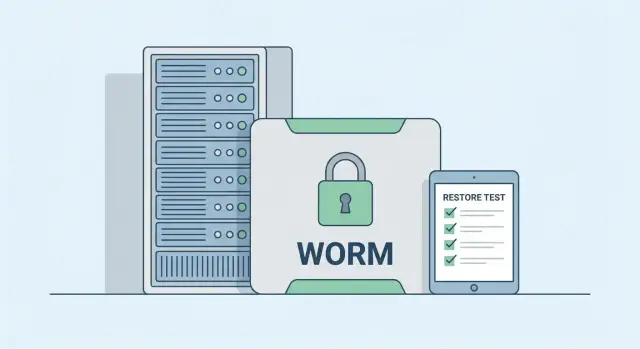
WORM means Write Once, Read Many — effectively a storage-level form of immutability: data is fixed and remains readable but not rewritable. Important: WORM is not a brand name or a special type of backup — it's a storage mode with strict rules.
Confusion often comes from similar terms:
- Read-only on a folder or network share can be removed. If an attacker has rights, they will lift the restriction and delete copies.
- An offline copy (e.g., a disk in a safe) helps but is not immutability. Its weak point is human error: someone forgets to disconnect it, plugs it in “for a minute,” or stores it near primary systems.
Real protection begins where the rule is enforced and auditable: retention is set, cannot be changed without a specific role or procedure, and deletion attempts are logged.
Simple example: accounting keeps copies for 30 days. In immutable mode even an admin whose account was stolen cannot erase yesterday’s archive to hide the attack. They can only wait — and that usually gives you enough time to recover.
How ransomware bypasses backups
Ransomware almost always acts in two stages: first it gains control of the environment, then it prevents you from rolling back. So a "regular backup" often won't save you if it's reachable with the same rights and paths as production data.
Attackers don't usually need to "guess" where copies are. They look for them the way admins do: known paths, network share names, backup agents, and storage available in management consoles. From there the goal is simple: remove restore points, stop backup services, encrypt repositories, or corrupt catalogs so recovery becomes long and painful.
A separate risk is admin privileges and shared accounts. If backup runs with a domain admin or one password is used everywhere, compromising one account gives attackers access to both data and backups.
Storing backups in the same domain amplifies the problem. When the repository, management server, and accounts are tied to one domain, an attack on the domain controller can open the way to removing copies.
The key protective mechanism is retention — the time a copy cannot be deleted or altered even if an attacker has admin rights. Immutability and WORM add a "time lock" that cannot be opened by commands from a compromised environment.
Vulnerability signs to check in advance:
- backup repository appears as a normal network folder;
- restore points can be deleted from domain admin tools;
- one account has access to both production and backups;
- there's no isolated storage zone;
- retention can be shortened or disabled with a single action.
Basic pattern: 3-2-1-1-0 without jargon
The 3-2-1-1-0 rule is a reminder for storing copies so they survive hardware failure, human error, and attack.
- 3 copies of data: production plus two backups.
- 2 different storage types or locations: e.g., local storage and a separate repository.
- 1 copy off the primary site: to survive fire, flood, or major outage.
- 1 immutable copy: WORM or immutable retention that cannot be overwritten or deleted until retention expires.
- 0 recovery failures: regular verification that recovery actually works.
An immutable copy in the pattern is the final bastion. If ransomware reaches a normal backup, it will usually try to delete or encrypt that too. WORM helps because recorded restore points cannot be erased until retention ends.
Also plan for network and credential separation. That protects you when an attacker may gain domain access or the backup admin account. At a minimum, use separate backup accounts and separate storage access credentials.
Retention lengths should be chosen for purpose, not "just in case": how old a clean version might be needed. Many start with 14–30 days for immutable copies and adjust after test recoveries and risk assessment.
Types of WORM storage and where they fit
WORM means data is written once and cannot be changed or deleted until retention ends. This differs from backups stored in the same domain, which an attacker could remove or encrypt. The point of WORM is that, even with high privileges, an attacker shouldn't be able to "rewrite the past."
Main WORM approaches encountered in practice:
- Object storage with immutability (e.g., Object Lock). Good for large volumes and long retention, convenient for distributed copies. The risk is usually configuration: overly broad permissions or a permissive mode can make protection merely nominal.
- WORM on the SAN level: immutable snapshots or a protected zone on the storage array. Advantages are fast recovery and convenience for virtualization. Downsides: typically more expensive and tied to a specific platform.
- Tape media (LTO, including WORM tapes). Slower to access but excellent for an "air gap" and long-term archive. Downsides: logistics, backup windows and disciplined handling.
Data volume and growth rate matter. If data grows quickly, consider not only cost per TB but also the price of storing versions (retention), write traffic and restore time. For large databases and VMs, teams often use a fast layer (SAN or object) and keep tape as a rarely accessed but highly durable copy.
Organizations that require control and auditability usually need separated roles (who sets policies vs who executes restore), logging, immutable retention policies and audit capabilities. Practically, that means beyond WORM you need clear access rules and regular checks.
How to configure immutable copies: step by step
Immutable copies differ from normal backups because they cannot be quietly overwritten or deleted, even if an attacker gains part of your infrastructure. But immutability only works when roles, access and retention are correctly set.
Start with accounts. The backup administrator should not be the domain admin. Create separate accounts for backup management and domain management and grant least privilege. Compromising one role should not open all doors.
Then enable MFA wherever possible: the backup console, storage access accounts, and cloud portals. For storage use separate passwords and keys that do not match domain credentials. A common mistake is keeping all secrets in one place with identical privileges.
Next, enable immutability and set retention so it cannot be shortened retroactively. Test whether a backup admin can delete a copy early or change the policy. If they can, that's not protection — it's convenience.
Consider control points. Place the backup console in a separate network segment, restrict access to an allowlist of devices and remove unnecessary protocols. If deploying on-premises, plan for dedicated servers and separate managed networks.
Finally — logging and oversight. Record policy changes, retention edits, account and permission changes. Configure regular reports and separate alerts for critical changes.
Quick self-check:
- separate accounts for domain, backup, and storage;
- MFA enabled at key access points;
- retention set and copies cannot be deleted before expiry;
- backup console isolated and accessible to a limited group;
- change logs and reports are actually reviewed.
How to verify that recovery really works
A backup becomes reliable not when the job "completed successfully" but when you restored data and saw it working. Immutability protects against deletion and overwrite but does not guarantee that a copy is complete, uncorrupted, or fit for purpose.
What to restore during checks
Test from simple to complex. Start small (fast), then move to operational scenarios. Preselect typical objects and cycle them through:
- several folders with important files (contracts, reports, scans) with their access rights;
- one database: bring it up, log in, run a couple of queries;
- one virtual machine: boot, network, login, key services;
- a recovery "as after disaster" into an isolated environment or test segment;
- time-point verification: roll back to a specific date, not just the latest copy.
Don't rely on "we'll figure it out during the incident." Ensure credentials, MFA, storage passwords, encryption keys, licenses and clear instructions are available. In a real incident you often find one password is kept by a single person who is unavailable.
How often and who should take part
Guideline: quarterly for large objects (VMs, databases) and monthly for selected files. Include not only admins but also system owners: accounting for 1С, sales for the CRM. They confirm: "the data opens and works."
After each test, record a short protocol: how long it took, bottlenecks, errors, missing items, who ran the steps and which instructions were followed. When the protocol contains metrics and a repeatable plan, you gain proof that recovery is real.
Realistic recovery goals: RPO and RTO
RPO and RTO sound like IT acronyms but are simple: how much pain the business will tolerate.
RPO (Recovery Point Objective) — how much data loss (in time) is acceptable. If RPO = 4 hours, the rollback can be at most 4 hours back.
RTO (Recovery Time Objective) — how long until the service must be back online. If RTO = 2 hours, downtime must not exceed that.
To align goals with the business, talk consequences, not technologies. Accounting needs payments processed today, while an internal training portal can be restored tomorrow. Immutability protects copies from deletion and encryption, but doesn't shorten restore time — that's about resources and procedures.
Useful questions to agree on:
- which services cause immediate financial or compliance impact when down (POS, payments, mail);
- how many hours of data can realistically be recovered manually (orders, requests, documents);
- what matters more: bring something up fast or return everything perfectly but later;
- who decides when goals are not achievable right away.
If recovery tests are too slow, the bottleneck is often not backups but read speed, network or compute. Measure actual restore throughput (GB/min), network bandwidth in the emergency window, and whether there’s capacity to deploy data (disk space, CPU/RAM, IOPS).
Define recovery order in advance or you might bring up infrastructure while the business still can't operate. A minimal order often is:
- accounts and access (AD/LDAP, DNS);
- network and virtualization;
- databases;
- application services;
- endpoints and secondary systems.
This makes RPO and RTO verifiable, not just promises.
Quick checklist for reliable backups
A reliable backup is not "a file somewhere on a disk." It's a set of settings and habits that survive human error and attack.
Check:
- immutability is truly enabled, retention set in advance (e.g., 14–30 days) and cannot be shortened by a normal admin;
- separate accounts for backup: one for writing copies, another for reading/restoring; least privilege; no reused passwords or keys;
- at least one copy is physically or logically separated from the primary network (air gap): removable media on a schedule or a separate storage circuit inaccessible from workstations;
- test recovery is performed regularly (at least monthly) and recorded: what was restored, how long it took, what failed, who confirmed the result;
- monitoring alerts on the day of an issue: failed jobs, missed windows, sudden drop in data volume, read errors.
Practical mini-test: pick a critical service (accounting or a file server), restore it to a folder or test VM, open several real documents. Verify files and access rights are restored and time fits the acceptable window.
Common mistakes and traps
The most frequent mistake is assuming that any copy already protects you. A "regular backup" often lives in the same environment as production, and ransomware reaches it using the same credentials. Immutability works only if you haven't left bypass routes.
First trap — snapshots on the same storage. A snapshot is great for quick rollback, but if an attacker controls the storage or hypervisor, they can remove snapshots too. Protection from ransomware needs separate contour and deletion rules.
Second trap — keys and passwords “at hand.” When access tokens to backups are on an admin’s workstation or in a shared file, infecting that PC compromises the entire backup system.
Third — "delete for convenience." The ability to quickly purge copies often means an attacker can do the same. Immutability should be policy, not an optional feature.
Fourth — trust in reports. A successful backup job does not equal a recoverable copy. The copy may be corrupt, incomplete, or already encrypted.
Fifth — single admin zone. If prod and backup servers are managed from one domain, panel and credentials, that is one emergency exit for an attacker. A dedicated server or separate contour reduces risk.
Signs everything is set up right:
- separate accounts for backups and MFA enabled, keys not stored on admin PCs;
- copies cannot be deleted before retention via UI or API;
- backup and production are administered separately (different roles, credentials, domains where possible);
- weekly or monthly test restores into a clean environment;
- a documented list of what to restore, who does it and how long it takes.
A simple attack and recovery scenario in practice
Friday 18:40. Accounting closes the month and files are on the file server. An employee opens an email with a fake invoice, submits credentials into a fake form, and an attacker gains access. Within an hour ransomware appears on the server and several workstations: documents are renamed and can only be opened for ransom.
If backup is "regular," the unpleasant surprise is that backups are also at risk. Once admin or service accounts are compromised the attacker can delete restore points, encrypt the repository like any network share, and change retention so no clean versions remain.
Immutable copies and WORM storage break that scenario. Even if the attacker reaches the server, they cannot delete or overwrite already-written copies until retention expires. Separation of rights also helps: one account writes backups, another (with separate MFA and no delete rights) administers and performs restores.
Recovery steps in practice:
- Isolation: disconnect infected machines and stop further encryption.
- Point selection: find the last clean copy before the attack (e.g., Friday 16:00).
- Environment spin-up: deploy a new file server or clean VM and apply access.
- Data restore: bring back the accounting folders, then shared drives.
- Verification: open files selectively, check permissions and logs.
This usually takes hours, not days: server deployment 30–90 minutes, then restore speed depends on volume. The advantage of WORM is wasted if procedures and access are not ready beforehand.
Next steps: build a plan and choose infrastructure
Document what you protect: critical services (1С, mail, files, databases), where they live and who is responsible for recovery. Without this, immutability easily becomes a checkbox.
For small setups a local server and a disk array on the same site may suffice: fast recovery, predictable cost, and internal access control. But a single site won't save you from fire, theft or an attack if an attacker has admin rights.
A practical rule for growing important data: use a separate backup server and distinct storage for copies. This reduces the risk that one compromised node drags everything down.
Choosing infrastructure usually follows a few steps: define RPO/RTO for 2–3 key systems, decide where the "fast" restores will be (local) and where the "immutable" copy will live (WORM), separate accounts and permissions, agree on test schedules and how results are recorded.
A systems integrator helps not only with hardware. They can design access, segmentation, logging and set up regular recovery tests so they aren't postponed "because of busy schedules."
If you need hardware for such a scheme, GSE.kz (gse.kz) supplies S200 servers and provides systems integration and operational support. That's useful when you need not just equipment but a backup scheme that is truly tested and repeatable.
Frequently asked questions
How is immutability different from a "regular backup"?
A regular backup can be **deleted, overwritten, or encrypted** if an attacker gains the same privileges as an administrator. An immutable copy is governed by the rule: **it cannot be changed or removed until the retention date expires**. That gives you time to recover even after admin accounts are compromised.
What is WORM and why is it needed for backups?
WORM (Write Once, Read Many) is a storage mode where data is **written once** and then only readable until the retention period ends. WORM is commonly used as a technical implementation of immutability at the storage level: already-written recovery points cannot be "cleaned up" by commands from a compromised environment.
Why doesn't a "read-only folder" protect against ransomware?
Because a folder set to “read-only” or a read-only network share is just an access setting. If an attacker has admin privileges they can: - remove the restriction; - change ACLs; - stop backup services; - delete/encrypt the repository. Immutability must be **enforced and auditable**: a copy cannot be deleted before its retention even with high privileges.
How do ransomware operators typically break backups?
Most often the attacker: - gains privileges (via phishing, a vulnerability, or stolen credentials); - disables protection agents and clears logs; - deletes shadow copies and restore points; - reaches the backup server/storage and **encrypts or deletes the backups**; - changes policies so old versions disappear faster due to rotation. The main goal is to make recovery impossible or too slow.
What should be configured first so immutability actually works?
Minimum set: - **separate accounts**: domain admin, backup admin, and storage access separated; - **MFA** on the backup console and storage access where possible; - immutability/WORM enabled with retention that cannot be shortened retroactively; - isolated management (separate network segment / restricted console access); - auditing of policy and rights changes. If a backup admin can delete copies before retention ends — that's a weakness.
How to apply the 3-2-1-1-0 rule without overcomplicating?
Start with a practical core: - **3** copies: production + 2 backups; - **2** different types/locations of storage; - **1** copy off the primary site; - **1** immutable copy (WORM/immutability); - **0** recovery failures: regular tests. Even if one layer fails (for example ransomware reaches a normal repository), the immutable copy remains the last line of defense.
How do I know recovery is actually possible, not just that the backup job succeeded?
Start with simple, repeatable checks: - restore a couple of folders with important files **including access rights**; - bring up one database and perform 2–3 real checks (login, queries); - start one VM and verify a key service; - perform a “restore into a clean environment” (isolated segment / separate VM). Success criterion: the data **opens and works**, and the time fits your acceptable window—not just “backup job succeeded.”
How often should recovery tests be done and who should be involved?
A good guideline: - files/small datasets — **monthly** spot checks; - databases and VMs — **quarterly** (or more often if critical). Make sure the system owner (e.g., accounting for 1С) confirms: “yes, this opens and works.” Record time and issues after each test so the process becomes repeatable.
What are RPO and RTO and how do you tie them to reality?
RPO — how much data loss (in time) the business accepts (e.g., 4 hours). RTO — how long the service can be down (e.g., 2 hours). Practical steps: - agree RPO/RTO for 2–3 critical systems with the business; - measure real restore speed (GB/min), network capacity and available compute (CPU/RAM/IOPS); - define an order of recovery: accounts and access → network/virtualization → databases → applications. Immutability protects copies, but recovery speed depends on infrastructure and the recovery plan.
Which mistakes most often kill backups during a ransomware attack?
Common mistakes: - backup repository is visible as a normal network folder and accessible with the same credentials; - one account has rights to production and to delete/modify backups; - retention can be reduced or disabled with one click; - access keys/passwords for backups are stored on an admin workstation; - there are reports of "successful backups" but no regular restores. Fixes usually start with separating privileges, enabling immutability and running regular restore tests.
