7 min read
Hybrid infrastructure: how to connect on‑prem services and the cloud
Hybrid infrastructure: patterns for identity, network connectivity, backup and unified monitoring to avoid a split between environments.
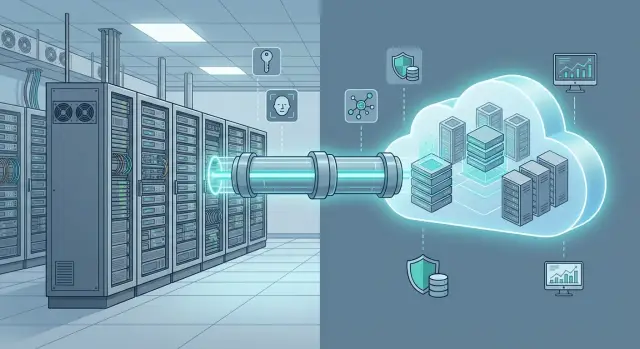
Why hybrid often becomes “two worlds"
When on‑prem services and the cloud live like two separate islands, users notice first. Login works in one place and the system asks for a password again in another. The same data behaves differently, and support spends time not on improvements but on “why it works here and not there”.
The “two worlds” effect usually shows up in several areas at once: employees end up with two or more accounts, permissions are assigned by different rules and roles don’t match, networks are linked with "temporary" fixes that don't scale. Often there are scattered backups with different recovery windows and monitoring where the on‑prem part is visible in one place and the cloud part in another, with no single picture.
This is not only inconvenient. It leads to outages: an employee leaves and access wasn’t revoked in one environment; load increases and a bottleneck appears at the junction; an incident starts in the cloud and its effects surface on‑prem, costing the team hours to find the root cause. Costs grow too: licenses, processes and training are duplicated, and manual operations increase.
To prevent a hybrid infrastructure from splitting into “two worlds”, set goals before choosing technologies:
- a single sign‑on and unified role model;
- predictable connectivity between sites and the cloud;
- agreed RPO and RTO goals for backup and recovery;
- unified monitoring and clear incident response rules.
With goals set, architecture is built as a system rather than as a set of disconnected links.
Core principles of hybrid: what to unify first
A hybrid infrastructure usually has three parts: on‑prem services (virtualization, databases, file stores, AD), cloud services (IaaS, SaaS, managed databases) and the links between them (VPN, dedicated channels, backup routes). A common early mistake is designing these parts as separate worlds and leaving the "glue" for later.
It's useful to separate two levels.
Control plane (management) — accounts, policies, inventory, configurations, updates, monitoring.
Data plane (traffic) — routes, DNS, API access, replication, backups.
If these planes follow different rules on‑prem and in the cloud, hybrid breaks at the first growth spurt.
The key principle is simple: unified rules and single sources of truth. Not “cloud one thing, on‑prem another”, but decide in advance what must be identical across environments and what can differ only in implementation.
Start by unifying identity and roles, naming and DNS, network segmentation and access logic, backup approach (including RPO and RTO), and monitoring and logging with common alerts and responsibilities.
A quick check: if you cannot answer at a glance “who has access”, “where a service runs” and “how it is recovered”, the hybrid is not yet a single system.
Identity and access: one sign‑on and unified roles
In hybrid setups access, not the network, most often breaks. People get different passwords, different groups and different rules across local and cloud systems.
Start by choosing the primary directory where users and groups live. Most often that’s AD or LDAP. Other systems either sync with it or trust it.
One SSO should work equally for on‑prem apps and cloud services. The second mandatory step is MFA. Rolling it out by role and risk is easier than switching it on for everyone at once. A good test: an employee should sign in by the same rules to a server system in the office and to a corporate cloud app.
Describe permissions by business roles rather than technical groups. “Accounting”, “Reception”, “Operations engineers” are clearer and easier to approve than names like APP_FIN_RW. Keep technical groups internally, but use human terms for approvals.
To avoid access chaos, formalize the account lifecycle:
- onboarding: create account, assign role, issue MFA and base policies;
- role change: update role, verify groups and data access;
- offboarding: block immediately, revoke tokens, close external sessions;
- audit: regularly reconcile who has what access and why.
Service accounts and keys are a special risk. They need an owner, an expiry, storage in a secure vault and no “forever” passwords. If a cloud service uses a key, you must know who rotates it, how often, and what will fail if it expires.
Network connectivity: patterns that scale
Network connectivity must be predictable: services resolve to the same names, access doesn’t depend on a single branch, and adding new sites isn’t manual device configuration.
Connectivity usually follows one of three choices: internet VPN, dedicated channel, or a hybrid (dedicated for critical loads, VPN as backup). More important than the channel type are topology and routing rules.
Topologies that scale
Three common patterns work in practice:
- Hub‑spoke: a central hub (in a DC or cloud) and branch spokes. Easier to manage and clearer access control.
- Central gateway: all ingress/egress goes through one policy set. Convenient for audit and filtering.
- Mesh: every site connects to every other. Works while sites are few, but becomes hard to manage later.
If headquarters hosts a local server farm and there are many branches, hub‑spoke usually yields fewer surprises as you scale.
Segmentation, DNS and addressing
Separate at least four zones: user networks, servers, administration, critical systems. Then compromising a workstation won't directly lead to control of infrastructure.
Agree DNS in advance: where a zone lives (locally, in the cloud, or replicated) and who is the source of truth. Routing must support this: the same FQDN should resolve to the proper address from any segment.
A common failure is overlapping subnets. Before connecting cloud and branches, design addressing with room to grow: separate ranges per site, space for new networks, and NAT only where unavoidable.
Hybrid security: boundaries, control and audit
The easiest mistake is to make cloud and local networks “trusted by default”. Instead, keep clear boundaries and allow only what a service needs.
Start from the principle of least privilege between environments. Don’t let subnets “see everything”. Build permissions around applications and their ports rather than admin convenience. If a service only needs DB and message queue access, block everything else.
Control points matter more than many scattered rules. Usually a few “gates” are enough for inter‑environment traffic:
- firewall at the junction with explicit rules and segmentation;
- proxy or outbound gateway with filters and logs for internet access;
- application gateway for incoming web services with request validation;
- a bastion/jump host for administration, accessible only via MFA.
Double‑check encryption: both in transit and at rest. Ensure encryption is active across the entire path, not “to the nearest node” only. For stored data clarify who manages keys, where they are kept and how rotation works; capture this in runbooks.
Access logs must be useful: at minimum record who logged in, from where, when, what they accessed, what they changed and how the session ended. Then incident analysis takes hours, not weeks.
Keep admin and user traffic separate. Example: branches use CRM while admins update servers. Use different channels and accounts so a compromised workstation doesn’t expose management consoles. For audited organizations (e.g., government) this is critical and simplifies checks.
Data and integrations: avoiding two versions of truth
The main risk is the same record living in two places and diverging. Rule: for each entity (customer, contract, patient, inventory, user) assign one source of truth and a place for the “golden copy”.
The golden copy usually lives where data is created and where retention and access rules are strictest. For example, government or healthcare data often stays on‑prem, while the cloud holds views, search indexes or analytics.
Choose the exchange method for the task. Replication works when near‑real‑time parity is needed. Batch exports suit reporting and infrequent updates. Queues and events prevent lost changes and tolerate short outages. An API gateway is useful when services query data on demand and you want unified access rules and rate limits.
Agree conflict rules up front. A common mistake is allowing writes both in cloud and on‑prem without priorities.
- One owner per data type (who can create and modify).
- A single identifier across systems.
- A priority rule on conflict (e.g., local wins).
- Change logs and rollback ability.
- Regular reconciliation of key directories.
Choose based on four criteria: acceptable latency (seconds or hours), traffic cost/volume, regulatory and personal data location constraints, and the cost of mismatch.
Write a plan for outages before launch. Define what continues locally (registrations, printing, sales), how changes are queued (journal, operation log) and how safe reconciliation is performed later without loss or duplicates.
Backup and disaster recovery
Backups in hybrid often fail due to responsibility gaps: one team handles local copies, another handles cloud snapshots, and no one tests restores. Start from the 3‑2‑1 rule, adapted for hybrid.
3‑2‑1 in practical terms: keep at least three copies, on two different storage types, and one copy off the primary site. In hybrid this looks like: fast local copies for daily recovery, a cloud copy for site loss, and an isolated immutable or offline copy for ransomware.
Agree what is backed up. Often you need configuration and credentials more than full VM images. Ensure you protect:
- virtual machines and critical services;
- databases with appropriate modes (journals, consistency);
- file shares and common folders;
- configurations: network, firewalls, hypervisor, IaC templates;
- keys, certificates and application parameters.
Express RPO and RTO in business terms. RPO — how much data can you lose (e.g., up to 15 minutes). RTO — how quickly the service must be running (e.g., within 2 hours). If accounting says an hour of downtime is more expensive than cloud storage, priorities change.
A plan without tests is theory. Run regular checks: monthly single‑file or table restore, quarterly bring up a key service in isolation, yearly site outage drill. Test actual restoration and user access, not just “the archive was created”.
Unified monitoring: see the whole picture in one place
Unified monitoring starts with an asset list. Every service, server, network device and cloud resource needs an owner (team or role) and a criticality level. Otherwise alerts are “nobody’s” and incidents repeat.
Basic telemetry is small and should work the same for on‑prem and cloud:
- metrics (load, latency, errors);
- logs (application, OS, security);
- traces (request chains between services);
- availability checks (external and internal).
Then define alerting rules. Thresholds and priorities must be consistent: a “P1” in the cloud is a “P1” for the server room and indicates the same business risk. Prefer alerts by symptom (rising error rate, availability drop) rather than noisy triggers (CPU spike for a minute).
Predefine on‑call and escalation: who answers at night, when network or security teams join, and where decisions are recorded (ticket, short report, cause and actions).
Executives don't need a forest of metrics. Usually five indicators on one screen suffice:
- availability of key services;
- incident counts by severity (P1–P3);
- mean time to recovery (MTTR);
- share of successful backups;
- latency trend for critical operations.
Example scenario: company with branches and critical services
Imagine a company with headquarters and 12 branches across Kazakhstan. HQ hosts critical services: accounting, file storage, part of medical or financial modules. The cloud runs mail, video calls, a self‑service portal and analytics. Growth often turns this into “two worlds”: branches use one set of accounts and the cloud another, with access handled by manual exceptions.
Pain shows quickly: someone moves departments and it takes a week to assemble rights; admins argue where to disable access; auditors can't simply say who really has access to what.
A practical plan:
- unified identity: enable SSO and unified roles for key apps and remove local accounts where possible;
- network segmentation: separate user networks, server zones and admin access, set clear rules between segments and a single path to the cloud;
- unified monitoring: collect login events, network metrics and service status in one console with shared alerts;
- backups: a common backup plan for on‑prem and cloud with restore verification.
In 2–4 weeks users notice the main change: one sign‑on instead of two passwords and fewer “you don't have access” cases. Admins gain predictability: rights are role‑based, changes are visible in logs, and maintenance follows unified rules.
Metrics that show fewer “two worlds”: share of apps on SSO, number of local accounts, access provisioning time, MTTR, detection time by monitoring, and success of test recoveries (RTO/RPO) for critical systems.
Step‑by‑step rollout without business downtime
Start with inventory, but do it meaningfully. Document which services are critical, where data sits, what each app depends on (AD, DNS, DBs, integrations) and the actual availability and recovery needs.
Then choose what must be unified at the start: identity and roles, basic network skeleton, common monitoring and backups. If these differ, hybrid becomes a patchwork.
A pilot of 1–2 apps sets the pace: one critical and one less critical (e.g., a file service and an internal portal). Use the pilot to lock naming, access, logging, metrics and backup standards so you don't reinvent them on each migration.
Move in waves:
- document dependencies and success criteria for each wave (SLA, RTO, RPO, maintenance windows);
- deploy and test unified components (SSO, network, monitoring, backup) on the pilot;
- set processes: access requests, change procedures, incident runbooks and on‑call schedules;
- migrate services in batches with checkpoints and post‑step validation;
- prepare rollbacks in advance: snapshots, backups, DNS and route fallback, responsible owners.
Practical tip for branch organizations: connect one branch as a test site first, then scale. You will catch channel and permission issues before affecting everyone.
Common mistakes and traps in hybrid architecture
Hybrid usually becomes “two worlds” not because of the cloud or hardware, but due to quick fixes that become permanent.
Frequent faults that impact availability and security most:
- Set up connectivity but not DNS and routing. Result: networks “ping” but apps can't find each other by name, causing timeouts and traffic bypassing controls.
- Migrated accesses “as is” and multiplied roles. When someone has 3–4 accounts with different rights, audits are guessing games and offboarding doesn't remove all access.
- Keep backups in the same failure domain. If backups live next to production with the same rights, fire, ransomware or admin error can destroy both.
- Monitor cloud and on‑prem with separate teams and rules. Incidents become "not our problem", though the root often lies at the junction: DNS, certs, routes, limits.
- Move critical data too early without testing recovery. A migration test without a rollback test gives false confidence.
Example: a company launches cloud services while the main DB stays on‑prem. Tests pass, but on peak day DNS updates lag and backups are in the same admin network as prod. Fixing this live is almost always costlier than setting rules beforehand.
Good practice: before moving critical systems, fix naming/DNS rules, role model, backup storage in a separate zone and a common alert standard.
Short checklist: what to verify before launch
Before launching hybrid, walk through basics. This is where night incidents and disputed accesses often hide.
If infrastructure is assembled technically, verify it's assembled organizationally. When a branch can't reach a service you should quickly identify whether it’s network, account, policy or monitoring silence.
Quick prelaunch checks:
- one user directory and clear roles: who is a "user", "operator", "admin" and where it's documented;
- MFA enabled at least for admins and critical systems (both cloud and on‑prem);
- addressing plan and network segmentation documented: subnets, zones, routes and allowed traffic between segments;
- unified alerts and logging: login events, access denials and permission changes are collected centrally with owners to investigate;
- backup and recovery: a real restore test performed and recovery times recorded.
Also check responsibilities: service owners assigned and change rules defined (who can change routes, roles, policies and maintenance windows). Without that, even good design degrades into manual edits and blame at failure.
Self‑test: imagine you must revoke an employee's access and restore one server within an hour. Is it clear who does it and where to confirm completion?
Next steps: moving from design to an operational system
Hybrid works reliably when it has clear boundaries, measurable goals and owners. Decide which services stay on‑prem, which move to cloud and why — reasons should be practical: latency, legal requirements, cost, resilience, or speed of delivering features.
Agree with leadership and InfoSec on RPO and RTO. At the same time approve the access model: who can sign in, how audits are kept and which systems are critical.
To avoid chaos, split work into short cycles:
- target design and dependency list (network, DNS, identity, integrations);
- pilot on one or two services with low risk and visible benefit;
- prepare the local base: servers, storage, network, redundancy and power;
- backups with restore tests, not just "backup succeeded";
- operations: monitoring, updates, on‑call, runbooks.
If your team lacks experience, engage systems integrators and 24/7 support. In Kazakhstan, GSE.kz (gse.kz) is often engaged as a local hardware vendor and integrator to help assemble hybrid into a single manageable system — from architecture to operations.
Frequently asked questions
Where is the best place to start so the hybrid doesn't become "two worlds"?
Start with **a single sign-on and a unified role model**: one user directory (typically AD/LDAP), SSO for key applications and mandatory MFA at least for admins and critical systems. At the same time, standardize **DNS/naming**, **network segmentation**, **backup with clear RPO/RTO** and **unified monitoring**. These four areas remove the “two worlds” effect fastest.
What are the "control plane" and the "data plane" in a hybrid — and why separate them?
The control plane is **management**: user accounts, policies, inventory, configurations, updates, monitoring. The data plane is **traffic and exchange**: routing, DNS availability, replication, API access, backups. Practical rule: first agree what will be unified in management across both environments (who and how administers), and only then "glue" the traffic. Otherwise permissions, DNS and responsibilities will drift as you scale.
How do you implement single sign-on (SSO) without drowning in roles and groups?
The most practical approach is **one primary directory** (often AD/LDAP), and cloud and local systems either **synchronize** with it or **trust** it. Minimum set: - SSO for main applications (both on‑prem and cloud). - MFA by role: start with admins and critical systems, then expand. - Business‑readable roles (for example, “Accounting”, “Reception”, “Operations Engineers”) rather than only technical groups. Crucial: formalize the account lifecycle: onboarding → role change → offboarding → audit.
Why are service accounts and keys a special risk area in hybrid environments?
Because they are often **forgotten or left unmanaged**: "perpetual" passwords, keys without an owner, tokens without rotation. Basic rules: - Each service account has an **owner** (team/role). - Keys/passwords have an **expiry** and are rotated regularly. - Secrets are stored in a protected vault, not in plain config files. - Know the impact: what will break if a key expires. Addressing these reduces incident risk more than adding another firewall rule.
Which connectivity topology is usually better for a company with branches: hub‑spoke, central gateway, or mesh?
For branch structures, **hub‑spoke** is usually simpler and more reliable: a central hub (in a DC or cloud) and spokes for branches. Why: - Easier access control and segmentation; - Easier to scale (add a branch from a template); - Clearer audit and cross‑site traffic control. Mesh (everyone to everyone) gets complex quickly as the number of sites grows.
Why does everything "work" but services aren't found by name (DNS) in hybrid setups?
Because DNS and routes are often left until "later": network links may work, but applications **can't find each other by name**. Do this in advance: - Decide where zones live and who is the source of truth for DNS; - Ensure the **same FQDN** resolves to the correct address from each segment; - Verify routing so traffic doesn't bypass your controls. Without standardized DNS, hybrid breaks at the seams as you grow.
What network segmentation should be implemented at a minimum?
At a minimum, separate: - user networks; - server zones; - administrative access; - critical systems. Then allow access based on what the service needs: open only the specific ports/directions the application requires and block the rest. Also separate admin access and user traffic (different channels/accounts) so a compromised workstation doesn't give access to management consoles.
How do you avoid having "two versions of truth" in data when syncing between cloud and on‑prem?
Because without agreement on a "golden copy" the same entity ends up living in two places and diverging. Practices: - Assign **one source of truth** for each entity type (customer, contract, patient, inventory, user); - Use a **single identifier** across systems; - Predefine a **conflict priority** (for example, local wins); - Keep change logs and the ability to roll back. Also define a plan for connection loss: what continues to work locally and how updates are reconciled later without duplicates.
How to agree on RPO/RTO and backups in a hybrid infrastructure?
Start by agreeing RPO and RTO: - RPO — how much data loss is acceptable (e.g., up to 15 minutes). - RTO — how quickly the service should be restored (e.g., within 2 hours). Then design a unified backup plan for both environments: - fast local copies for daily recovery; - an off‑site copy (often in the cloud) in case the site is lost; - an isolated or immutable copy for ransomware scenarios. And always test recovery, not just the fact that the backup was created.
How to organize unified monitoring so there aren't two separate "sources of truth"?
Bring metrics, logs and events into **one observation point** and assign service owners. Minimum set that must work the same for on‑prem and cloud: - metrics (errors, latency, load); - OS/application/security logs (logins, changes to permissions); - availability checks (internal and external); - clear incident levels (P1–P3) and escalation rules. A good test: one screen should show "what's down", "who's responsible" and "how fast we recover".
What is a practical first step to implement hybrid without stopping the business?
Start with inventory, but not as a checkbox. Record which services are critical, where data resides, what each application depends on (AD, DNS, databases, integrations) and the real availability and recovery requirements. Then pick what must be unified from day one: identity and roles, basic network skeleton, common monitoring and backups. If these differ, hybrid becomes a set of disconnected rules. Use a pilot of 1–2 applications to set pace: one critical and one less critical (for example, a file service and an internal portal). Validate naming, access, logging, metrics and backup standards on the pilot so you don't reinvent them per migration.
What typical mistakes and traps should be avoided in hybrid architecture?
Common mistakes usually come from many small, quick fixes that later become the norm: - Built a link but not DNS and routing: networks "ping" but apps can't resolve names, causing timeouts and uncontrolled traffic paths. - Migrated access "as is" and multiplied roles: when a person has 3–4 accounts with different rights, audits become guessing games and offboarding is incomplete. - Kept backups in the same zone that can fail together: if the backup sits next to production with the same access controls, fire, ransomware or admin error can destroy both. - Monitored cloud and on‑prem separately with different rules: incidents start as "not our problem" despite a root cause at the junction (DNS, certs, routes, limits). - Moved critical data early without testing recovery: migration tests without rollback validate nothing. Good practice: before moving critical systems, lock naming/DNS rules, role models, a backup scheme in a separate zone and a common alert standard.
Short checklist: what to verify before launch?
Before launch, pause and run through basics — this is not bureaucracy: most night incidents and contested accesses hide here. If the hybrid is technically assembled, check organizational readiness too. When a branch can't access a critical service you must quickly know whether it's the network, an account, an access policy or a silent monitoring. Quick prelaunch checks: - one user directory and clear roles: who is a "user", "operator", "admin" and where this is documented; - MFA enabled at least for admins and all critical systems (both cloud and on‑prem); - addressing plan and network segmentation are formalized: subnets, zones, routes, allowed traffic between segments; - unified alerts and logging: login events, access failures and permission changes forwarded to one place with owners for investigation; - backup and recovery: a real restore test has been performed and RTO/RPO recorded. Also verify responsibility: service owners are assigned and there are change rules (who can change routes, roles, policies and maintenance windows). Without that even a good design becomes manual edits and blame at failure. A simple self‑test: imagine you must immediately revoke an employee's access and restore one server within an hour. Is it clear who does it and where to check proof?
What are the next steps to turn the scheme into a working system?
Hybrid becomes stable when it has clear boundaries, measurable goals and responsible owners. Decide which services remain local, which move to cloud and why — the reason should be pragmatic: latency, law, cost, resilience, speed of delivering features. Agree with management and InfoSec on two parameters that are hard to improvise: RPO and RTO. At the same step confirm the access model: who can sign in, how audits are kept and which systems are critical. Break work into short stages: - target design and dependency list (network, DNS, identity, integrations); - pilot on one or two low‑risk services with visible benefit; - prepare local base: servers, storage, network, redundancy, power; - backups with restore tests, not just "backup succeeded"; - operations: monitoring, updates, on‑call, runbooks. If your team lacks design and implementation experience, consider engaging systems integrators and 24/7 support. In Kazakhstan, GSE.kz (gse.kz) is often involved as a local hardware vendor and integrator to help build a hybrid into a single manageable system — from architecture to operations.
