8 min read
Huawei OceanStor Dorado for virtualization: KPI requirements and acceptance testing
Huawei OceanStor Dorado for virtualization: which KPI parameters to ask for in RFPs (ports, protocols, cache, latency) and how to run acceptance tests.
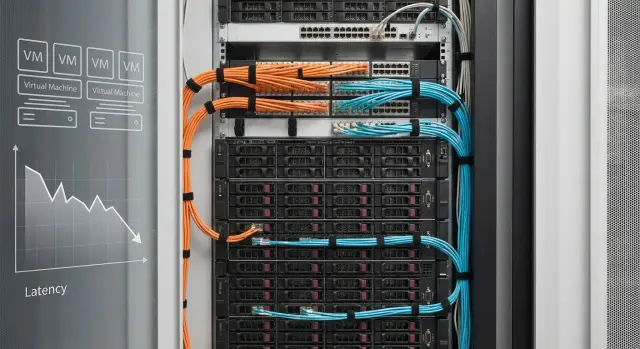
What’s wrong with RFPs for all‑flash storage for virtualization
The main problem with commercial offers for all‑flash storage for virtualization is that they often look like price lists: model, capacity, “up to X IOPS” and price. For virtualization this almost always leads to surprises after purchase. Not because someone is “bad”, but because RFPs rarely fix the conditions under which the numbers are actually achievable.
IOPS and latency on a brochure mean little without context. One vendor’s “1 million IOPS” might be measured on 4K blocks, 100% reads, queue depth 128, with compression enabled, in a short lab test. Another vendor might report figures on a mixed 70/30 profile with realistic latencies, so IOPS are lower. In the end you compare marketing, not systems. For Huawei OceanStor Dorado for virtualization this is especially important: the platform is strong, but a fair comparison depends on which parameters and assumptions you lock in.
Another common problem: the RFP omits “adjacent” parts of the solution that later determine results more than the storage itself. For example, you expect 1–2 ms but see 8–12 ms in reality because the bottleneck turned out to be the network or the hosts.
What’s often missing in RFPs:
- Conditions for the test numbers: block size, read/write profile, queue depth, test duration, whether deduplication and compression are enabled.
- Exact configuration: number of controllers, disk types/classes, RAID/erasure coding, cache size, acceleration licenses.
- Ports and speeds “by pieces”: how many 16/32G FC or 25/100GbE ports will actually be delivered, not just “supported”.
- Environment requirements: which HBA/NIC on hosts, MPIO/ALUA settings, fabric or switch topology.
- Functional limits: how performance changes with snapshots, replication, encryption, QoS.
A small real‑world example: a company plans a cluster with six hosts and 400 VDI. The RFP compared only capacity and “peak IOPS”. After deployment they found they needed extra FC ports on the array and on every host, plus a license for the chosen replication method. The array could handle the load, but the project cost and schedule grew.
To make comparisons fair, decide and lock in a few things before requesting offers: which hypervisor and version, which protocols you are actually prepared to use (FC/iSCSI/NVMe‑oF), which workload profile you consider typical (VDI, databases, file services), and which metrics matter most — stable latency at 95/99 percentiles or peak IOPS. Doing this before receiving proposals makes it easier to discuss numbers and prepare acceptance tests.
What to describe before an RFP so comparisons are valid
To compare all‑flash storage fairly, first describe your virtual environment. Otherwise vendors will send attractive but incomparable numbers: one will assume a “light” profile, another a “heavy” one, and both will be formally correct.
Start with an inventory of workloads. How many VMs at the start and what types: VDI, databases, file services, terminal servers, application servers. Indicate which VMs are latency‑sensitive and which can tolerate delays. For Huawei OceanStor Dorado for virtualization this matters: array behavior depends heavily on what you run on it.
Next, provide an I/O profile, even an approximate one. Describe read/write mix (e.g., 70/30), typical block sizes (4K, 8K, 64K) and peaks — when and how much load spikes (mornings, month‑end, nightly backups, report recalculations). If you don’t have precise metrics, use hypervisor monitoring data or run a short daytime capture.
Availability requirements should be phrased as failure scenarios, not vague “must be reliable.” For example: survive a single controller failure, a single SAN switch failure, a single path failure from host to array, and allow rolling upgrades without downtime. This affects connectivity, number of ports and final configuration.
Don’t forget site constraints: rack units available, power and cooling, noise limits, distance between servers and switches, and the existing network (speeds, free ports, fiber or copper). These details often break an “ideal” RFP configuration during deployment.
To make RFPs comparable, send vendors the same input set:
- List of workload types and number of VMs at start
- I/O profile: read/write ratio, block sizes, peaks
- Failure scenarios and acceptable downtime
- Rack, power, cooling and current network constraints
- Growth plan for 1–3 years: capacity, performance, ports
A simple example: 250 VMs, including 120 VDI, 20 database VMs, and the rest file and application services. Many small 4K operations during the day; evening backups and increased write activity. If you don’t describe this, vendors may optimize an RFP for daytime profile and you’ll get an unpleasant surprise at night.
The more precise the input, the less magic in proposals and the easier it is to agree acceptance criteria.
Ports and interfaces: what to compare first
It’s easy to “win” with numbers in RFPs if you don’t lock down how you’ll connect. For virtualization this is critical: even the fastest system will hit the network, host HBA/NICs or switches and you’ll see high latency that isn’t caused by disks.
Decide on the frontend connection type. For SAN, FC (16/32Gb) and iSCSI/NVMe over RoCE on Ethernet (10/25/40/100GbE) are commonly compared. Converged options exist too, but ensure your stack (switches, server cards, hypervisor licensing, security policy) actually supports it. When evaluating Huawei OceanStor Dorado for virtualization, don’t ask only “are FC/Ethernet ports available?” — ask which modules exactly, how many ports per module and how ports are distributed across controllers.
Speed compatibility often looks simple but breaks plans. For example, 100GbE on the array is useless if hosts have 2x25GbE and switches lack sufficient uplinks. With FC it’s similar: 32Gb FC on the array won’t help if some HBAs are 16Gb and you’re forced to downshift. Also specify medium (fiber or copper), transceiver types and link lengths to avoid surprises during installation.
Describe redundancy as a topology, not just “2 controllers.” For proper resilience you typically need two independent switches (fabric A/B), and array ports must be spread across controllers and both fabrics. Otherwise, losing one controller or one switch cuts paths in half and causes latency spikes.
Where performance often hits a limit
Bottlenecks aren’t only the array ports. Frequent culprits: overloaded switches, insufficient host ports, incorrect multipath settings, or simply too few active paths (some connections idle).
Example: a six‑host cluster with 2x25GbE per host. If the array is connected with only two 25GbE ports per controller, peak backups and VM migrations will saturate the frontend even if the array advertises “millions of IOPS.”
How to lock this in the RFP
Ask vendors to list specifics you can verify at acceptance:
- Exact frontend module models, count of modules and number of ports per type.
- Port speeds and operating modes (e.g., 25/100GbE, 16/32Gb FC), medium (fiber/copper) and transceiver requirements.
- Connection diagram showing distribution across two controllers and two switches, and how many active paths each host will have.
- Assumptions and limits: how many ports are available without license/module upgrades, which ports are used for replication or management.
- Recommended NIC/HBA count per host and minimum switch specs to achieve the stated latency and IOPS.
If these items are precise in the proposal, comparisons are fair: you compare actual frontend capabilities of your future configuration, not marketing numbers.
Protocols and hypervisor integration: avoid surprises at deployment
Even the best all‑flash array can behave differently in virtualization depending on protocol and how well it integrates with your hypervisor. So the RFP should lock not just “supports iSCSI/FC” but the exact connection scheme, versions and limits.
Protocol selection: what to clarify in the RFP
First, state what you plan to use: iSCSI, Fibre Channel or NVMe over Fabrics. Then ask vendors to describe parameters “as they will be configured for us.”
For iSCSI specify: 10/25/40/100GbE, number of physical ports per controller, how traffic will be separated (dedicated VLANs for storage), planned MTU, and any switch requirements (DCB, PFC — if vendor claims these are needed). For FC, specify 16/32G, number of FC ports, fabric A/B setup and whether FC ports or protocol activation require extra licenses.
Hypervisor integration: versions and “small but critical” details
The RFP should say: “Supports VMware vSphere X.Y / Hyper‑V (Windows Server YYYY) / KVM (distro and version)”, not just “VMware supported.” Small version differences often mean big gaps in drivers, plugins and multipath behavior.
Ask how multipath will be configured: which mechanism (e.g., for VMware NMP/PSP or vendor plugin), balancing policies (Round Robin and parameters) and how ALUA (active/optimized paths) behaves. These are the cause of strange latencies and performance jumps during failures.
Specify expected scheme: number of paths per LUN/volume, number of initiators per host, and how a single controller, port or switch failure will look. A practical request: ask the vendor to describe behavior “in normal mode” and “on failure” in two short paragraphs.
Virtualization features that matter
For VMware, clarify support and enablement conditions for VAAI (offload cloning, accelerated zeroing, hardware assisted locking). These functions reduce host and network load during VM cloning, Storage vMotion and template deployments.
If you use vVols, request confirmation that vVols are supported for your vSphere version, whether a separate VASA Provider is needed, how it is deployed and who is responsible for its HA. Also ask about limits: max number of vVols, snapshots and objects on the array.
Catching licenses and limits early
A common surprise is that a feature “is supported” but only works after buying extra options. Ask for a table in the RFP: “feature — included/separately licensed — version requirements.”
Points to include in that check:
- Protocols (iSCSI/FC/NVMe‑oF): are ports enabled or need activation/license?
- Integration plugins/MPIO: what is installed on hosts, who updates them, OS/ESXi compatibility.
- VAAI/vVols/VASA: included in base or licensed, any object limits.
- Replication/snapshots/clones: licensed separately and how they affect support.
If you buy via an integrator, request in the RFP a clear statement of “compatibility responsibility”: who confirms hypervisor‑version, HBA/NIC, driver and firmware compatibility, and who fixes issues discovered during acceptance.
Cache and internal architecture: what to ask to understand array behavior
“Cache 128 GB” alone tells almost nothing about real behavior of an all‑flash array. For virtualization it’s more important to know what memory types are used, what they store, and how write latency behaves under peak writes.
What “cache” can mean
Cache can be several layers:
- DRAM for hot data and metadata
- Non‑volatile memory (NVRAM/SCM) for write acknowledgements
- SLC buffer on SSDs (if present) as a temporary write acceleration zone
- Dedicated metadata areas (dedupe maps, block maps, snapshots)
Ask the vendor to break cache down by type and role, not present it as a single number. For Huawei OceanStor Dorado for virtualization this directly impacts latency stability under mixed VDI, database and file workloads.
A separate question is how writes are acknowledged. If the array answers “write acknowledged” before data is protected (in an NVRAM zone and mirrored), there’s a risk on power loss. If it acknowledges after data is stored in a protected area, latency can be higher but behavior is predictable. The RFP should state which scenario is used and which protection mechanisms apply.
Compression, deduplication, RAID and “hidden” costs
Data reduction can make the price per TB look attractive but affects latency. Clarify where dedupe/compression runs (inline or post‑process), whether they can be disabled per LUN/datastore and which data types compress poorly (already compressed backups, video, encrypted volumes). Ask in which conditions the vendor guarantees stated IOPS and latency: with optimizations on or off.
RAID/erasure coding and group width affect write penalty and rebuild time. Wider groups mean bigger write overhead and longer rebuilds after a drive failure — particularly noticeable during peak hours when snapshots and backups also run.
Ask the same set of questions to all vendors:
- What makes up cache (DRAM/NVRAM/SCM/SSD buffer) and what is stored in each layer?
- How are writes acknowledged and how is data protected on power loss?
- Deduplication/compression: mode (inline/post), granularity, ability to disable per LUN, expected latency impact?
- Data protection scheme (RAID/EC), group width, estimated rebuild time and performance impact?
- Snapshots/clones: expected count, space and performance overhead, behavior during mass deletions?
The clearer these answers in the RFP, the less likely the array will “suddenly” struggle in the exact moments that matter for virtualization.
Latency, IOPS and throughput: how to read numbers without self‑deception
RFP figures for all‑flash storage can look impressive, but often describe a test that doesn’t match your reality. Ask not only for IOPS and GB/s but also detailed test conditions. Most important: evaluate not the average latency but the tails.
Which metrics to request and why the average is misleading
For virtualization predictability matters. Average latency can be 0.5 ms, but if 1% of operations spike to 10–20 ms users will feel pauses.
Ask for in the RFP:
- Latency: average, 95th and 99th percentiles, plus maximum
- IOPS and throughput together with the latency at which they were measured
- Read/write distribution (e.g., 70/30), not just “peak read IOPS”
Short example: VDI has many small reads and logins in the morning, background updates during the day and backups in the evening. In such a mix the 99th percentile is more important than record IOPS under ideal conditions.
Measurement conditions: without them numbers aren’t comparable
The same array can look stellar or mediocre depending on methodology. Ask vendors to fix how measurements were taken:
- Block size (VM workloads often 4K–32K)
- Read/write ratio and workload type (random or sequential)
- Queue depth and thread count (higher QD raises IOPS but also latency)
- Test duration and warm‑up period
- Whether dedupe/compression were enabled and what data was used (random data won’t compress)
If an RFP says “1,000,000 IOPS” without block size, R/W, QD and latency, it’s an advertising number, not a virtualization performance claim.
Steady state: measure after fill and warm‑up
For all‑flash systems the important behavior is not the first five minutes but a week under real load. Request steady‑state results: after pool fill (usually 60–80%) and after caches/metadata have warmed up.
Why: a “cold” array may show lower latency than one in production. Also some scenarios hit controller, cache or internal queues rather than SSDs.
Mixed load and SLA mapping
One synthetic test rarely reflects virtualization. A fair comparison needs a mixed profile: small blocks + mixed R/W + parallel background tasks (snapshots, replication, antivirus in guests, backup).
Translate numbers into a clear SLA for apps:
- VDI and file services: stable, low latency on small blocks
- Databases: tail latency (99p) matters because occasional spikes slow transactions
- Backups/large copies: throughput matters but not at the cost of harming production VMs
If you record target values in the RFP (e.g., “99p latency ≤ X ms at Y IOPS on 70/30, 8K block”), you’ll have a basis for fair comparison and later acceptance tests.
Items to require in the RFP for transparency
To compare Huawei OceanStor Dorado for virtualization with other all‑flash arrays fairly, the RFP needs identical baseline conditions and a complete bill of materials. Otherwise you compare marketing, not the solution.
Ask vendors to present the proposal as a single table with verifiable parameters. Next to each number include explanations: what’s included, in which configuration and with what limits.
Minimum set of items to require in every proposal:
- Configuration and capacity: raw and usable (state RAID/erasure coding), number of controllers, shelves, disks, power supplies and fans, and resilience topology.
- Ports and connectivity: actual count and type of ports delivered (FC/iSCSI/NVMe), speeds, how many ports available to hosts, how many used for inter‑controller links.
- Performance with conditions: block size, read/write profile, p95/p99 latency, queue depth, pool fill (e.g., 70–80%), enabled functions (compression, dedupe, encryption, snapshots).
- What’s included in the price: licenses for snapshots, replication, QoS, MPIO/plugins, and support (term, windows, response time), plus installation and training.
- Scalability: max shelves and disks, port limits, controller upgrade paths and ability to expand without downtime (with steps required).
Request a separate block “infrastructure requirements” listing specific switch models or minimum switch characteristics, transceivers and cables, HBA/NIC requirements, and hypervisor versions and software. A common trap: RFP figures assume one network type while your server room uses another.
Finally, include an acceptance documentation package: test methodology, pass criteria (e.g., p95 latency ≤ X ms under your profile), report format (graphs, logs), and who from the vendor can sign off the protocol. If you buy through a systems integrator (for example, GSE.kz), agree in advance who will prepare the testbed and who is responsible for reproducibility.
Acceptance testing: a step‑by‑step plan to agree in advance
Acceptance testing for all‑flash storage in virtualization is not about synthetic records but about confirming predictable latency and stability under your real workload. For Huawei OceanStor Dorado this matters: RFP numbers are usually from an “ideal” bench and project success depends on versions, settings and background tasks.
1) What to lock in beforehand
First, fix the testbed so it’s repeatable. Document server models, HBAs and switches, FC or Ethernet speed, connection topology, hypervisor version, drivers, multipath and queue depth settings. If there’s a SAN, document zoning and path balancing policy.
Agree on load scenarios. Define profile (random/sequential, read/write, block 4K/8K/64K), warm‑up duration and test length, pool fill target (e.g., 70–80%) and background tasks: snapshots, cloning, VM migrations, backup, possible replication.
Don’t forget storage configuration: how pools and volumes/LUNs are created, policies (thin/thick, dedupe/compression, QoS, encryption), stripe/segment size, and how many disks participate. Explicitly list any default features enabled; otherwise results won’t be comparable.
2) How to run tests
Make the plan a short sequence with exit criteria:
- Lock in the testbed and versions: hypervisor, drivers, multipath, network or FC, topology and port speeds.
- Prepare the array: pools, LUNs/volumes, policies, enabled features, target pool fill and test datastores.
- Launch agreed loads: synthetic (e.g., 4K random read/write) plus live VM templates (VDI, SQL, file services), with warm‑up and equal durations.
- Record metrics: latency (average and 95/99 percentiles), IOPS, throughput, queue depths, controller utilization, cache misses, pauses during snapshots and migrations.
- Assess stability and peaks: check whether latency stays within thresholds, whether there are latency “saws”, behavior on path or controller failover and recovery.
Formulate criteria as: not “IOPS ≥ X” but “99p latency ≤ Y ms at Z IOPS on defined profile with background tasks.” This prevents cases where averages are fine but users see short, regular pauses.
Acceptance ends with a protocol including testbed details, settings, results per scenario, logs/screenshots and an explicit list of deviations with resolution: accept, tune, retest. This document helps during support and future expansions.
Common mistakes when choosing and accepting all‑flash storage
The most frequent reason for failed comparisons and acceptance is testing a different system than the one that will run in production. An all‑flash array can show great numbers on a bench but hit the network, HBA/NICs, drivers or multipath settings in the rack. The discussion then shifts from the array to mismatched conditions.
One typical mistake is “testing in a vacuum.” For example, OceanStor Dorado was connected directly to two hosts in a lab, while the project will use switches, different SFPs, different optics and a different redundancy topology. Virtualization is sensitive to details: path balancing, timeouts, ALUA/UA settings, queue depths — and latency jumps even when “on paper” everything is fine.
Another trap is comparing apples to oranges: one test uses 4K random read, another 8K mixed, another 64K sequential, plus different fill levels. Also an empty array usually performs better than one at 70–80% fill, especially with snapshots and background tasks enabled. When comparing Huawei OceanStor Dorado with alternatives, lock conditions as a contract: block size, profile, queue depth, VM count, fill level and enabled features.
Third mistake: chasing peak IOPS instead of stable latency. Users care more about consistent behavior than “millions of IOPS” on a graph; 95th/99th percentile latency stability matters.
There’s also the subtlety of data reduction. Compression and dedupe are often enabled “for a prettier RFP” but their impact on controller CPU and latency on real data is not checked. Synthetics can look fine while DBs or VDI see spikes.
During acceptance people often forget to test degraded scenarios. In real life failures are small: a port, link, switch, controller, disk or path. Check at least:
- Single port/link failure and recovery without VM downtime
- Switch or single fabric failure (for FC) and correct multipath behavior
- Degraded performance during rebuild/resync and background tasks
- Behavior at high pool utilization and with active snapshots
- Stability of latency percentiles under mixed load
Finally, organizational error: lack of a single document with agreed success criteria. Without this any result can be interpreted variably. Agree before the test which metrics to collect (including percentiles), which scenarios mean pass/fail and who configures hosts and network.
Short checklist and next steps before purchase
Before signing a contract for Huawei OceanStor Dorado for virtualization, capture on one page what you compare and how you will accept results. This reduces the risk that a “similar” configuration in reality differs by ports, resilience or latency.
A short checklist to attach to the RFP and acceptance plan:
- Lock the exact configuration: controllers, licenses, port counts by type and speed, modules, disks, shelves, and the conditions under which metrics were measured (data volume, fill level, dedupe/compression, workload profile).
- Describe protocols and redundancy: two FC fabrics or two independent IP networks, dedicated VLANs, multipath on hypervisors, zoning/access rules and responsibility matrix for settings.
- Agree acceptance KPIs in advance: not just average latency but 95/99 percentiles, target throughput and IOPS, and behavior under peaks (queueing, latency tails, degradation with VM growth).
- Add failure scenarios: controller down, single path down, switch/fabric failure, node reboot, disk degradation. For each scenario specify success criteria (switch over time, no VM downtime, acceptable latency increase).
- Prepare an acceptance protocol template and artifact list: array configuration export, multipath params, firmware versions, connection diagrams, logs, screenshots, raw test results and a short summary “pass/fail.”
Next steps that work best: a short PoC on your typical VM mix (or a close proxy) and acceptance against a pre‑agreed protocol. If you lack internal resources, involve an integrator to run the project end‑to‑end and remain vendor‑neutral; for example, GSE.kz as a systems integrator can help define requirements, align KPIs, run the PoC and deliver acceptance documents.
Frequently asked questions
Why can't proposals be compared by price and IOPS alone?
First, compare configurations described in the same way, rather than price and peak IOPS. Each proposal should specify ports, licenses, usable capacity, the data protection scheme, and test conditions.
What conditions should accompany performance figures?
You need the block size, read/write ratio, queue depth, test duration, pool utilization, and enabled features. Without this data, an IOPS figure does not show how the array will behave in your environment.
Which latency metric matters most for virtualization?
For virtualization, the 95th and 99th latency percentiles are usually more important. Average latency may look low even though occasional 10-20 ms spikes already cause VMs to hang and transactions to slow down.
What should you check regarding storage array ports?
Ask for the port type, speed, and actual number included in the delivery, separately for each controller. Also check how many ports remain for hosts after replication and service networks are connected.
How do you choose between FC, iSCSI, and NVMe over Fabrics?
For Fibre Channel, check HBA speed, two independent fabrics, and the number of paths for each host. For iSCSI or NVMe over Fabrics, check NICs, switches, VLANs, MTU, and DCB or PFC requirements if the vendor specifies them.
What needs to be defined for hypervisor integration?
Specify the exact version of VMware vSphere, Hyper-V, or KVM, as well as HBA or NIC driver and firmware versions. The proposal should define the multipath configuration, load-balancing policy, and ALUA behavior when a path fails.
Why ask about cache and internal architecture?
Clarify what cache tiers are used and how the array acknowledges writes during a power loss. Also ask how deduplication, compression, snapshots, and the RAID or EC scheme affect latency and available capacity.
What information should be provided to vendors before requesting proposals?
Describe the number and types of VMs, I/O profile, peaks, latency requirements, growth plan, and failure scenarios. Add rack, power, cooling, network, and existing switch constraints.
How can acceptance testing be conducted without distortions?
Test a configuration close to future production use: the same hosts, network, software versions, and multipath settings. Run the workload after warm-up and at an agreed pool utilization level, for example 70-80%.
Which failures should be tested during acceptance?
Test the failure of one path, port, switch, or controller, as well as operation during snapshots, backups, and disk recovery. VMs must not stop, and the latency increase must remain within the agreed limit.
