7 min read
How to choose an AI server: GPUs, PCIe, power and cooling
How to choose an AI server: we cover the impact of GPUs, PCIe, power and cooling, and how to find bottlenecks before procurement for analytics.
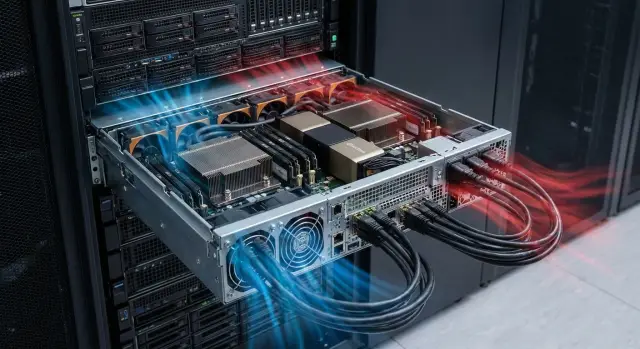
Where problems start when choosing an AI server
Mistakes often begin with a simple assumption: more GPUs will automatically make everything faster. In practice, AI workloads frequently end up with GPUs waiting for data. Bottlenecks appear in disks, network, the PCIe bus, and sometimes simply power or cooling. The unpleasant result: money spent, but gains much smaller than expected.
Purchasing for AI differs from a standard server refresh because the load is much less even. Model training produces long peaks in power and heat, moves data intensively between CPU, memory, GPU and storage, and is highly sensitive to latency. Even for analytics and inference, it’s important not just how many cores and how much RAM you have, but how fast the system can feed the accelerators.
What’s hardest is comparing specs for things not shown on a price sheet. For example: the real PCIe throughput (and how lanes are distributed across slots), how many NVMe drives you can install without speed degradation, power limits for GPUs, and how much headroom a PSU has when you need redundancy. Cooling is similar: it’s not enough to “have fans” — the key question is whether the server can hold stable frequencies at your server-room temperatures.
Before talking to a vendor, it helps to answer several questions in advance. What exactly are you doing (training, inference, analytics) and how long do typical jobs run? Where do the data come from and how much do you read and write per day? How many GPUs do you plan now and in 6–12 months? What rack constraints exist: power, heat dissipation, noise, space? Which metrics matter more: time-to-result, total cost of ownership, or resilience?
With these inputs collected, the choice becomes less about guessing a GPU model and more about checking the whole chain — from the data to the power delivery.
Define the scenario: training, inference, or analytics
Start not with hardware but with what the server will do daily. The same GPU set can be great for training but awkward for inference, or vice versa. The scenario immediately filters unnecessary expense.
Training almost always hits GPU memory (VRAM) and the data exchange speed between GPUs and other components. If the model doesn’t fit in VRAM, you must cut batch size or use more complex schemes, and training time jumps. Stable long loads matter too: the server must sustain frequencies and temperatures for hours.
Inference (production) is usually constrained by latency and predictability. Here, peak raw power is less important than how many requests per second you can serve at a given latency and how many models can reside in memory simultaneously. Sometimes several simpler GPUs or even CPU-focused servers are better when models are small or preprocessing is heavy.
Analytics and ETL often benefit more from strong CPUs, lots of RAM, and fast disks than from expensive GPUs. If the team runs daily data pipelines and heavy joins, the bottleneck will be memory and I/O, and GPUs may sit idle.
To turn the scenario into configuration requirements, fix a few inputs: dataset size and update frequency, load type (batch or streaming), model sizes and precision (FP16/FP32), how many models need to be in memory at once, and whether reading, preprocessing, or GPU compute takes most time. If you have an SLA, define maximum latency and availability targets.
Frameworks and trendy libraries are usually secondary. What matters more is model type (LLM, CV, tabular), its actual size, and how you will feed data to it.
GPUs: key parameters that affect results
When talking about AI servers, people usually start with graphics cards. That's logical: GPUs typically give speedup. But they also often create unexpected constraints.
The first question is how many GPUs you really need. For pilots, proof-of-concept and small models, 1–2 GPUs are often enough: easier debugging, lower power and cooling needs, fewer compatibility risks. If the load is continuous (scheduled training, multiple teams, a job queue), people usually look at 4–8 GPUs to avoid idle time waiting for resources.
The second parameter is video memory. If the model or batch doesn’t fit, peak TFLOPS won't help: you hit compromises, reduced quality or longer training times. For many tasks, memory capacity is more important than “paper speed.”
GPU interconnect
If you plan distributed training, clarify how GPUs communicate. The faster the interconnect, the lower the data-exchange overhead and the closer real speed will be to the expected speed.
Form factor and placement
GPUs come as two- or three-slot cards, and servers are typically 2U or 4U. This directly affects how many cards will fit physically and whether cooling will be sufficient.
Before buying, check several things: how many GPUs the chassis supports without degrading cooling; whether VRAM is sufficient for your models and batch sizes; whether fast GPU interconnect is needed for training; and whether the 2U/4U height and card width limit your choices.
PCIe and lanes: how not to lose bandwidth on the bus
Even a system with fast GPUs can run slowly if data can’t reach the cards fast enough. Often the problem is not disks or network but how PCIe lanes are distributed and at which real speed each slot operates.
Think of PCIe as roads with lanes. The more lanes and the newer the generation (PCIe 4.0/5.0), the more throughput. But lanes are finite: the CPU provides them, and some devices connect via the chipset, which introduces a shared bridge and extra latency.
A common situation: you install 2–4 GPUs and fast NVMe drives. If GPUs run at x8 or x4 instead of x16, and NVMe drives sit behind the chipset, dataset loading and data exchange become bottlenecks. In monitoring this looks like GPUs at 40–60% utilization instead of the expected values.
Check not just how many slots exist but how they’re wired:
- how many PCIe lanes the chosen CPU offers and whether they are enough for all GPUs and NVMe simultaneously;
- which slots run at x16 and which share lanes (e.g., x16 split into x8/x8);
- whether bifurcation is supported and how it’s enabled in BIOS;
- what is connected through the chipset and what goes directly to the CPU;
- how riser cards affect lane count and operating mode.
Ask the vendor for the PCIe block diagram and compare it to your set of GPUs, NVMe drives and network cards before purchasing.
CPU and memory: what must match your workload
Even in a GPU server, CPU and RAM often determine whether the GPUs are kept busy or left waiting. Bottlenecks frequently appear on the data-prep side.
CPU becomes critical when many steps occur before and after the GPU: unpacking and decoding images and video, tokenizing text, feature engineering, compression and encryption, and parallel data loading. If these steps can’t keep up, GPUs idle and experiment turnaround time grows.
Signs you’re hitting a CPU bottleneck rather than a GPU one:
- GPU utilization is low or shows a sawtooth pattern though training should be steady;
- CPU cores stay near 100% during training;
- DataLoader/ETL takes longer than model compute;
- upgrading to a more powerful GPU yields little improvement.
Memory is easy to underestimate because “enough on average” isn’t the same as “enough at peak.” When RAM runs out the system swaps and performance drops dramatically while latency becomes unpredictable.
How to estimate RAM: take peak RAM usage in a pilot and multiply by 1.5–2, add headroom for file cache and buffers (especially with active dataset reads), and account for parallelism (more data-loading workers need more memory).
NUMA is a separate topic. On dual-socket platforms, total RAM isn’t enough — where data sits matters. If the process feeding the GPU gets memory from the other socket, latency grows. CPU, RAM and PCIe devices should be aligned by placement, especially in multi-GPU, multi-socket configurations.
Plan for growth: leave empty memory slots and choose a configuration that allows adding RAM without replacing modules.
Data: storage and network that feed the GPUs
GPUs easily idle if data arrive in bursts. So the choice often comes down to how fast you can read the dataset, prepare batches and deliver them to GPU memory.
Storage: throughput and IOPS
Training requires both high throughput and a lot of small reads. Typical datasets contain thousands or millions of small files, where IOPS and latency become bottlenecks (especially with random shuffling and augmentations). For analytics and ETL, a steady MB/s flow when reading large tables and space for temporary results matters more.
Choosing between local NVMe and network storage usually depends on the tasks:
- local NVMe is chosen when you need to feed 1–2 GPUs as fast as possible and are ready to keep the hot dataset near the compute;
- networked storage is convenient when datasets are shared, access control and a single backup point are important;
- compromise — keep raw data on the network and an NVMe cache on the server for active samples.
Example: if the analytics team runs daily calculations while a pilot trains on images, a “network source + NVMe for training cache” approach often wins. Otherwise training will contend with reporting tasks for disk I/O.
Network and data path: where latency is born
Scale the network with the data. 10G is enough for many analytics tasks and modest datasets. 25G is often a reasonable minimum for servers with multiple GPUs. 100G makes sense when multiple nodes read large volumes concurrently or you build a shared data pool for a cluster.
Latencies usually appear where many small files cause slow metadata operations on the filesystem, there’s not enough NVMe for cache and temp files, a 10G link is shared between many consumers, or data prep is CPU-bound and GPUs wait.
Power and cooling: what breaks plans in real operation
AI servers often “fail to take off” not because of models or software but due to simple things: insufficient power or GPUs throttling from heat. This usually shows up in the first weeks once load becomes continuous.
GPUs have average consumption and short peaks. If PSUs are sized tightly, the server can reboot, throw errors or behave unstably under full load. Leave headroom for power and account for CPU, memory, disks and fans that also draw significant power, especially at boot and under high temperatures.
With PSUs, three things matter: redundancy (N+1 if downtime is expensive), high efficiency and correct distribution of load across power rails. Sometimes the total wattage is formally sufficient, but connector or rail current limits prevent supporting several GPUs, limiting the actual configuration.
For cooling, the usual mistake is designing from the spec sheet but getting hot zones in the rack. Verify that the server's airflow is front-to-back, there is room for air intake, and the rack and room can remove the heat. For dense GPU setups, input air temperature and actual AC capacity are critical.
If the server will sit near people, check noise levels under high load, allowable intake temperature, and clearance front and back, as well as whether blanking panels and airflow guides are needed.
Example: a team puts a GPU server in an office closet for a pilot. After an hour of training fans spin to max, temperatures rise, GPUs throttle and training slows. These risks are better resolved before purchase by requesting a heat and power calculation for your configuration.
Step-by-step approach: how to pick a configuration before buying
Start by describing the work. The same GPU server can excel at one job and be bottlenecked by data or buses for another.
1) Fix the workload, not the wish list
Collect 2–3 typical scenarios and their peaks: how many tasks run in parallel, how often, how long runs last, and whether response time or maximum accuracy matters more. This reveals where to focus: training, inference or analytics.
Next, follow a short plan. Determine how much GPU memory one task needs and how many GPUs are required concurrently (often fewer GPUs with more memory is better). Estimate the data flow: where datasets are read from, where results are written, typical batch size and how many such streams will run simultaneously. Match CPU and RAM to GPU demands, especially if preprocessing is CPU-heavy. Check whether the chassis can support the configuration: PCIe lanes, power not only by total watts but by connector current, and cooling under full load. Plan for growth either up (more GPUs in one server) or out (more nodes), and consider network and storage accordingly.
2) Run the "paper" bottleneck checks
Example: the analytics team needs dashboards and an OCR pilot. Daytime requires fast inference, nighttime training on new data. In such a setup, the bottleneck is often disks and network, not GPUs.
Before procurement, ask for a spec with power and thermal calculations and a breakdown of PCIe. That quickly reveals hidden limits.
Quick checks before signing the spec
Before you approve a specification, do a short reality check. These ten minutes can save weeks of delay when you find part of the hardware runs at half speed or is hard to service.
5-minute checklist
Ask the vendor (and verify yourself):
- are GPUs or NVMe being lane-throttled: are there enough PCIe lanes and the correct PCIe versions for all devices at once;
- is there power headroom: are GPU/CPU peaks accounted for, how many PSUs, redundancy scheme (e.g., N+1), and actual rack-available power;
- will cooling cope: does the chassis match the combined TDP and will throttling occur under sustained load;
- can data feed the GPUs: sufficient NVMe IOPS/throughput, and is the network adequate for bandwidth and latency;
- how will the server be serviced: quick access to drives, fans, GPUs and PSUs, clear replacement procedures and local support times.
A useful trick: ask to demonstrate how the configuration behaves in a “worst” case with GPUs, CPU and data reads loaded simultaneously. If caveats appear there, investigate bottlenecks again.
Common mistakes and traps when choosing an AI server
The most frequent trap is focusing only on headline numbers. A system works as a chain and the weakest link eats the benefit of expensive GPUs.
A common mistake is selecting accelerators just by TFLOPS and novelty. If the model needs more memory or has an awkward power profile, training can be limited by data exchange and frequent spills to host memory.
Chassis and cooling cause just as many problems. On a bench test GPUs may hold frequencies, but in a rack under sustained load they may throttle due to hot exhaust air, dust, poor airflow or too-dense packing.
What most often reduces performance and delays delivery:
- buying powerful GPUs without checking how many PCIe lanes reach each slot;
- installing fast GPUs while data live on slow storage or the network cannot deliver datasets fast enough;
- choosing PSUs without headroom and facing shutdowns during peaks or single-PSU failures;
- building a system without growth in mind: no spare slots, no rack space, no power or cooling headroom;
- assuming a “similar” configuration will work without running your model and pipeline.
Example: inference runs during the day, training at night. If datasets sit on an overloaded network share, GPUs will idle and you may wrongly conclude you need more accelerators instead of improving the network or adding local NVMe.
Example: server for an analytics team and an AI pilot
Imagine an analytics team of 8–10 people. They train a model weekly (e.g., demand forecasting) and run inference daily for reports. The goal is to pick a server so the AI pilot doesn't hit hardware limits within 2–3 months.
Option A (pilot and daily inference): focus on 1–2 GPUs and a fast local NVMe for datasets and feature cache. This typically balances price and speed because the team spends more time computing than training. Ensure the CPU is not too weak: it must prepare data, unpack and preprocess, and if it lags GPUs will be idle.
Option B (faster weekly training): more GPUs to finish training overnight or over the weekend. This usually forces a review of not only accelerator budget but also power, cooling and network. Additional GPUs require stronger PSUs, better rack ventilation and careful planning of data transfer into the server.
To find the bottleneck early, run a short test cycle on your data (even a subset) and answer: how long does reading and preprocessing take versus GPU compute; does CPU load reach 90–100% and start swapping; are there enough PCIe lanes and slots; do GPU frequencies drop after 10–20 minutes due to overheating; and if the dataset is remote — can the network feed training without pauses?
Next steps: from assessment to procurement
Turn your assessment into a short requirements package clear to your team, procurement and the vendor.
1) Document the load profile in 1–2 pages
Describe not “we need a powerful server” but what will actually run and when. Include measurable points: models and frameworks, training or inference and frequency, data volume and update cadence, target run times (e.g., training must finish overnight), rack location and constraints on noise and heat, and security/isolation needs.
Then validate the draft configuration against critical areas: are there enough PCIe lanes and bandwidth for all GPUs and drives, can power and cooling handle real thermal load, and can network and storage feed GPUs without idle time.
2) Prepare questions to protect you after purchase
Before signing the spec, clarify how you'll scale in 6–12 months (adding GPUs, memory, disks), how on-site support and recovery timelines work, rack/power/cooling requirements for your location, and how performance will be validated on your test dataset before final acceptance.
If local manufacturing, supply transparency and support in Kazakhstan matter, consider solutions and integration services from GSE.kz: they offer rack solutions including the S200 Series and experience selecting configurations for real workloads and placement conditions.
Frequently asked questions
Where should I start when choosing an AI server to avoid overspending?
Start from the scenario: **training**, **inference**, or **analytics/ETL**. - For training, VRAM, sustained long runs and data exchange speed are most important. - For inference, latency, predictability and how many models fit in memory matter more. - For analytics, CPU, RAM and disks usually dominate; GPU can be secondary.
Is it true that more GPUs always make AI faster?
Often not: GPUs can sit idle if they aren't fed fast enough. Check the whole chain: - are there enough PCIe lanes and is slot bandwidth sufficient; - can disks and network deliver data quickly enough; - is CPU sufficient for preprocessing; - can power and cooling handle sustained load.
How do I estimate how much GPU memory (VRAM) I need?
Base it on whether the **model and batch fit in VRAM**. Practical guidance: - if it doesn't fit — performance falls sharply (batch reduced, more steps, spill to host memory); - for inference, consider how many models/contexts must live in memory simultaneously; - TFLOPS on paper are secondary if you're constrained by memory.
Is special connectivity between GPUs necessary and when is it critical?
When planning distributed training, connectivity affects exchange overhead. Check in advance: - whether fast communication between GPUs exists and how it's implemented in the chassis; - whether some cards will be forced to communicate over bottlenecks; - whether the layout (2U/4U, card thickness) allows proper cooling under full load.
How do I avoid losing speed due to PCIe and the ‘wrong’ slots?
Ask the vendor for the **PCIe block diagram** and map it to your configuration. Baseline checks: - which slots actually run at x16 and which share lanes (x8/x8, etc.); - what is connected directly to the CPU and what goes through the chipset; - are there enough lanes simultaneously for GPUs, NVMe and the network card; - is bifurcation supported and how to enable it.
When does the CPU become a bottleneck in a GPU server?
CPU matters when there is heavy data preparation: tokenization, decoding, unpacking, augmentations, encryption, ETL. Signs you're CPU-bound: - GPU utilization is low or spiky though training should be stable; - CPU cores sit near 100% during runs; - DataLoader/ETL is slower than the model compute; - upgrading the GPU yields little speedup.
How do I estimate RAM so the system doesn't go into swap?
Plan for memory peaks, not just averages. A practical formula: - measure peak RAM usage during a pilot and multiply by **1.5–2**; - add headroom for file cache and buffers (especially with heavy dataset reads); - account for parallelism (more data loader workers need more RAM). If RAM runs out and the system swaps — latency and run times increase dramatically.
What is NUMA and why does it affect AI performance?
Even with enough total RAM, performance can suffer due to placement. Practice: - ensure the process feeding the GPU runs on the same socket/node as its devices where possible; - check GPU-to-CPU/NUMA bindings; - plan task placement and CPU affinity if using many GPUs on a dual-socket platform.
Should I use local NVMe or network storage for my data?
A hybrid approach often works best. Typical options: - **local NVMe** — maximum speed for 1–2 GPUs and hot datasets; - **network storage** — convenient for shared datasets, access control and backups; - **compromise** — sources on network, NVMe cache on the server for active samples and temp files. For many small files, pay attention not only to MB/s but to IOPS and latency.
What power and cooling checks are mandatory before buying?
AI loads have short power spikes and long high-heat periods. Check before purchase: - power headroom including GPU/CPU peaks and fans; - PSU redundancy scheme (e.g., N+1) if downtime is costly; - enough connectors/rails for chosen GPUs; - whether cooling can maintain stable frequencies in your rack and with your intake temperature. If GPUs throttle or the server reboots under load — the accelerators won't help.
