6 min read
The history of ARM architecture: from Acorn to servers and the cloud
The history of the ARM architecture: how it started, moved from PCs to smartphones and servers, and why ARM is discussed as the future of computing.
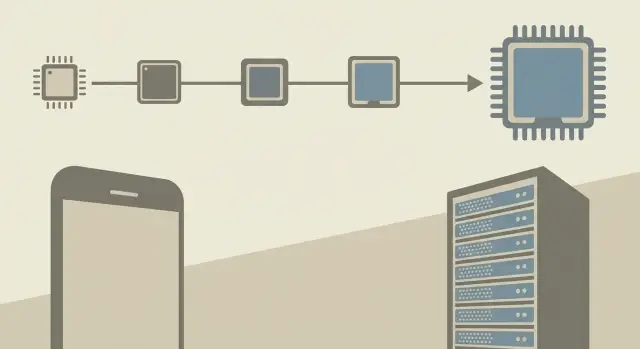
Why processor architecture matters
Processor architecture is the set of rules by which programs "talk" to hardware. It defines which instructions the chip understands, how registers and memory are organized, what security mechanisms exist, and which features the system can use.
This directly affects things that matter beyond engineering: real-world speed, total cost of ownership and power consumption. The same software can behave differently on different architectures. Cooling requirements, rack density and, ultimately, electricity bills can change.
Why is there so much talk about ARM? Because ARM was long associated with efficiency and mass-market devices, and now it is confidently moving into areas once dominated by x86: servers, clouds, AI platforms and enterprise systems. For businesses this isn’t a debate for chip enthusiasts, but a practical question: can they get the required performance cheaper or with lower power use.
ARM has been part of everyday devices for a long time, which helped it grow an ecosystem quickly: smartphones and tablets, routers and set-top boxes, smart speakers, automotive electronics, industrial automation and some laptops focused on battery life.
But ARM took time to gain traction in the server world. There compatibility, drivers, licenses, familiar tools and software support matter a lot. So architecture choice often comes down not to megahertz but to risk and ecosystem maturity.
Below: how ARM originated, why its licensing model became a strength, what ARMv8 and ARMv9 changed, why the Neoverse server branch exists, and how to choose between ARM and x86 in practice without unpleasant surprises.
How ARM began: Acorn roots and the RISC idea
ARM’s story didn’t start in data centers or phones but at a small British company, Acorn, which made home computers. In the early 1980s Acorn needed a fast processor that didn’t require expensive components or heavy cooling.
At that time CISC dominated: many complex instructions, some used rarely, and heavy implementations. The RISC idea was the opposite: fewer instructions, simpler and faster to execute. In short, instead of a "do-it-all" machine, build a set of simple frequent operations the processor can run very efficiently.
For Acorn this brought practical benefits: fewer transistors and lower cost, lower power and heat, more predictable performance on typical tasks, simpler compilers and faster platform development.
Early ARM chips (ARM1 in the mid-1980s, then ARM2) showed that the approach worked. They were fast for their class, power-efficient and relatively simple to manufacture. They were used in Acorn computers where responsiveness and quiet operation mattered.
The name ARM reflects that evolution. It started as Acorn RISC Machine. As the technology spun into a separate company and business became international, the expansion shifted to Advanced RISC Machines. The meaning changed but the idea stayed the same: a simple core that is easy to scale and adapt to different devices.
Licensing and ecosystem: why ARM scaled fast
ARM grew not only from a good RISC idea but from an unusual business model. The company generally did not sell finished processors as physical products. Instead it sold the right to use its designs as intellectual property: the instruction set (architecture) and ready-made "building blocks" (cores).
This approach sped up platform adoption. A manufacturer didn’t have to design a processor from scratch, debug it and bring it to mass production. They could take a proven ARM core, build an SoC around it with the needed interfaces, graphics and memory controllers, and get a chip for a specific purpose.
There are typically two license formats:
- License for a ready-made core — take the core almost "as is" and get to market faster.
- Architectural license — use the ARM instruction set but design your own core to extract more performance or efficiency.
The partner ecosystem extended this model. Some companies made mobile SoCs, others made networking and embedded solutions, and others made server processors and accelerators. In the end ARM was "everywhere" because it can be adapted to different budgets, thermal envelopes and scenarios.
Compare this with the classic model: in x86 the ecosystem long centered on a few key CPU and platform vendors, while others built around them. With ARM it’s different: one instruction standard and many independent implementations. That created scale effects and accelerated the arrival of tools, OS support and software.
From embedded devices to the smartphone era
In the 1990s ARM established itself in embedded electronics. ARM7 and ARM9 families became workhorses where simplicity and energy efficiency mattered: networking equipment, printers, automotive controllers. This mass presence gave volume, experience and manufacturer trust.
By the early 2000s it was clear a single set of "universal" cores couldn’t fit every need. The Cortex family formed with clearer segmentation:
- Cortex-M — for microcontrollers.
- Cortex-R — for real-time systems.
- Cortex-A — for devices with rich applications and user interfaces.
Energy efficiency became an advantage not because it was fashionable, but because it solved real problems. Phones and portable devices need long battery life, low heat and small cooling solutions. ARM cores typically allowed thinner, quieter and cheaper devices because they needed less energy and were easier to cool.
Software support improved gradually: compilers optimized for different cores, stable ABIs emerged, operating systems and drivers started to support more ARM platforms, and manufacturers invested in documentation and SDKs.
In practice, a smartphone maker would choose Cortex-A for apps and multimedia, add low-power blocks for background tasks, and get a device that lasts longer on the same battery. That opened the door for ARM in the smartphone era.
The 64-bit step: ARMv8 and the path to ARMv9
Moving to 64 bits for ARM wasn’t just about "more memory" as a checkbox. It unlocked workloads needing large address spaces, stronger process isolation and predictable behavior under load. That’s useful for phones, but critical for servers and large applications.
ARMv8 introduced a 64-bit mode (AArch64) and essentially gave the platform a new foundation. OSes and developers could build modern server environments without compromises tied to 32-bit limits.
Practical changes included:
- Memory — working with large amounts of RAM became easier, important for databases, caches, analytics and virtualization.
- Software and OS — full 64-bit builds, unified ABIs and more predictable library behavior.
- Performance — more registers and modern instructions help compilers generate better code for typical server tasks.
- Platform — easier to evolve cores for new loads without breaking compatibility at each step.
ARMv9 continued this trend, shifting emphasis toward security and new compute types — stronger hardware-level protections (useful in clouds and multi-tenant environments) and support for highly parallel and mixed workloads.
For servers this matters because a server rarely does a single job. Databases, containers, services and monitoring run together. 64-bit gives headroom for memory and more reliable isolation, so platforms scale more predictably.
ARM in the server world: Neoverse and data center motivations
ARM was long associated with phones, but it has a dedicated server branch. Here the goal isn’t battery savings but predictable performance under sustained load, scale by cores and stable 24/7 operation.
What is Neoverse
Neoverse is the family of ARM server cores used by chip makers and cloud providers. Compared to mobile cores, Neoverse focuses more on memory bandwidth, many-thread performance, virtualization, security and rack-level efficiency rather than single benchmark peaks.
Why do data centers look at ARM? Often the answer is power and density. As services grow, electricity and cooling bills become as significant as hardware costs. Total cost of ownership matters: how many servers are needed, how much space they take, and how quickly they can be serviced and upgraded.
ARM often fits workloads that scale horizontally: web services and APIs, containers and microservices, background jobs and queues, event processing, typical cache configurations and scalable databases, parts of CI/CD and test environments.
Migration is harder where legacy software lacks ARM builds, where drivers or specialized cards are rare, and where commercial systems tie licensing or support to x86.
A pragmatic approach is a pilot: take one or two representative workloads, measure cost per request and power consumption, then decide where ARM brings benefits. A vendor-neutral system integrator with data center experience often helps ensure the evaluation isn’t biased toward a single brand or platform.
Which ARM servers exist today and where they are used
ARM servers are chosen where predictable cost, high density and uniform node configurations matter. In Linux environments this is no longer exotic but a normal option for some workloads.
Cloud and hosting
Cloud providers like homogeneous fleets: identical nodes are easier to buy, operate and scale. ARM fits models with standard instance types, microservices and horizontal scaling.
In the cloud ARM is commonly used for web services, APIs, background workers, CI/CD, test environments and container platforms.
On-premise: when organizations buy ARM
Organizations buy ARM servers when they control the environment and workloads: private clouds, corporate Kubernetes platforms, or pools for internal services. The decision is driven by TCO and energy efficiency rather than trends.
Software readiness accelerates migration. A common scenario is Linux plus containers and Kubernetes: services can move without rewriting if you can rebuild images for the target architecture and dependencies are available.
Before buying, check basics: how much memory the platform supports and in what configuration (channels, limits), needed networking and drivers, planned accelerators (GPU/NPU) and validated configurations, firmware maturity and remote management, and support and spare parts availability.
How to choose between ARM and x86: an evaluation plan
Choosing ARM vs x86 is rarely decided by "this is faster" or "this is cheaper." It’s about what gives you gains in your conditions: workload type, software, support requirements and real TCO.
Five steps that bring clarity
-
Fix the workloads. List services and their profiles (web, databases, analytics, virtualization, containers, AI, infrastructure). For each, note what matters most: single-core speed, many cores, memory, network, disk or latency.
-
Check software compatibility. Ensure ARM builds for OS, hypervisor, container images, drivers, backup and monitoring agents. Check libraries (crypto, ML, JNI) and commercial products where licensing may differ by platform.
-
Run a pilot and measure. Don’t rely on external benchmarks. Run representative scenarios on real data and measure not only speed but power use, heat and stability under load.
-
Calculate TCO. Combine purchase, warranties, racks, power, licenses, team effort, downtime risks and migration costs in one table.
-
Plan migration and support. Define switch windows and rollback, updates, monitoring, spare parts and delivery timelines.
What to measure in a pilot
Four to five metrics are usually enough: p95 latency, throughput, CPU and memory usage, IOPS or network load, and "watts per unit of useful work" (for example per request or transaction).
Common mistakes when adopting ARM servers
The most common mistake is choosing ARM servers by thinking "higher clock and more cores = faster." For many server tasks memory bandwidth, latency, RAM channel configuration and how fast data reaches cores matter more. Another hidden factor is network and storage: if the bottleneck is queues or disk I/O, a stronger CPU may not help.
Porting software is often underestimated. Even if an application "supports ARM," drivers, monitoring agents, backup tools, crypto libraries, container images and CI/CD remain. Time is usually spent not on rewriting code but on testing and finding rare platform-specific bugs.
Licensing is another trap. Some products price by cores, sockets or instances. ARM servers often pack more cores per server, so licensing costs may rise even if work-per-task doesn’t improve.
Before a pilot, check minimums: real metrics on your workload (latency, throughput, p95/p99), licensing rules, availability of images and support tools, rollback plan, and who will repair hardware (SLA, spare parts, repair timelines).
Short checklist before purchase or migration
Moving to ARM often looks logical when aiming for energy efficiency and compute density, but success usually depends on details.
First verify compatibility along the entire chain: not just the application but everything around it. OS, container images, monitoring and backup agents, drivers, crypto libraries, Java/.NET runtimes and third-party modules. The most common issue is "everything builds" but one critical component is x86-only.
Plan the pilot as a small experiment with measurable outcomes. Agree in advance who owns compatibility and operations after launch.
- Are there ARM versions of key applications and dependencies, and who owns that responsibility?
- Which metrics define success (performance, latency, compute cost, energy, peaks)?
- What security and compliance requirements must be met?
- How will support be organized: diagnostics, replacement, recovery times, spare parts?
Summarize results in a simple ARM vs x86 TCO comparison: hardware, licenses, migration, training, downtime and support.
Practical example: choosing a platform for new services
A typical organization (for example, a network of regional clinics) plans to refresh servers for virtualization, new internal services and some analytics. Old hardware is noisy, hot and power-hungry, and the rack power and cooling are near capacity. They consider two options: familiar x86 or moving part of the load to ARM servers.
They usually start with a pilot for 2–4 weeks. They pick workloads that will run in production and test them under the same conditions. It’s important not to compare synthetic tests but to look at operational speed, TCO and how the team will support the platform.
A pilot typically includes VMs for standard roles, one or two databases (including backup and restore), containers and image builds, logging and monitoring, security and compatibility checks.
Decisions often become hybrid: containerized and horizontally scalable workloads go to ARM, while license-bound or component-specific systems stay on x86. This reduces risk and keeps rollback options open.
Next steps: approach ARM without unnecessary risk
Start not from choosing "ARM or x86" but from goals. Write down 3–5 measurable points: how much you want to save on energy, the rack density target, independence of supply, and critical launch timelines. This filters out irrelevant options.
Then run a pilot, not a large purchase. The pilot should compare your real workloads and constraints: performance, latency, consumption, stability, and routine operations like updates, restarts and recovery.
Prepare a software plan in parallel. Risk usually comes from builds and dependencies, not the servers themselves: which images and packages we rebuild for ARM, how CI/CD works, what automated tests confirm functionality, and how backups and x86 rollback are organized.
If you need infrastructure design, server selection and operational handover with clear procedures, consider discussing the project with GSE.kz as a system integrator and server equipment manufacturer in Kazakhstan — especially when local support and a single accountable party for deployment matter.
Frequently asked questions
What is ARM architecture in simple terms?
ARM grew out of the RISC approach: the processor executes a small set of simple instructions. This design helps reduce power consumption and makes it easier to create chips for different devices.
When did ARM appear, and who created it?
The first ARM processors were created by the British company Acorn in the mid-1980s. They were originally used in Acorn home computers, not in servers or phones.
Why doesn't ARM manufacture all processors itself?
ARM typically licenses its architecture and ready-made cores, while partners manufacture their own chips. This lets different vendors build ARM processors for phones, networking equipment, laptops, and servers.
How does an ARM core license differ from an architectural license?
A ready-made core lets you bring a chip to market faster. An architectural license gives you the right to create your own core compatible with the ARM instruction set, but it requires more engineering work.
What changed with the arrival of ARMv8?
ARMv8 introduced the 64-bit AArch64 mode. It is needed to work with large amounts of memory and modern server systems, including databases, virtualization, and containers.
Why is ARMv9 needed?
ARMv9 advances the 64-bit platform with a focus on security and parallel computing. This is useful in cloud and multi-tenant systems, where isolating processes and services matters.
What is ARM Neoverse?
Neoverse is a family of ARM cores for server processors. It is designed for sustained workloads, scaling across cores, virtualization, memory operations, and efficient rack deployment.
Which server workloads use ARM?
ARM is often a good fit for web services, APIs, containers, background tasks, CI/CD, and scalable platforms. It performs best where workloads can be distributed across many nodes.
How can you safely begin migrating from x86 to ARM?
Do not migrate everything at once. First, check ARM builds of your applications, containers, drivers, monitoring agents, and backup agents, then run a pilot with one or two typical workloads.
Which metrics should you compare when choosing between ARM and x86?
Compare the platforms using your own data: p95 latency, throughput, CPU and memory usage, network or disk load, and energy consumption per request or transaction. Include licensing, support, and migration costs in the calculation.
