8 min read
HashiCorp Vault Community: secret storage and alternatives
HashiCorp Vault Community: where to store keys and passwords without a paid solution, how to separate access, connect applications and CI/CD without extra risk.
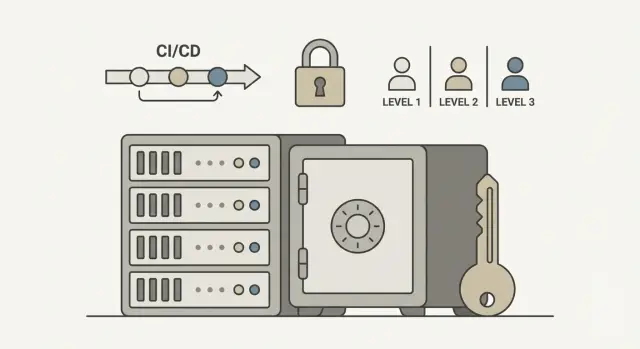
The problem: secrets are everywhere and control is minimal
Secrets rarely live in one place. Database passwords, cloud tokens, API keys, SSH keys, certificates and private keys constantly "move" between people, environments and tools. The more systems you have, the more copies exist — and the higher the chance of an incident.
The most common hiding spots seem harmless: a repo with a config, chat messages, a comment in the task tracker, a .env file on a laptop, an environment variable in a terminal, a screenshot in a "to do" folder. The risk isn't only about hacks. A secret can accidentally end up in a public Git repo, a backup, a log, or leave with a former employee who still has access to an old device.
A secrets store, in simple terms, is a place and a set of rules that let you store secrets centrally and provide them only to those who need them, and only for the required time. It's not "another file" — it’s a controlled access system.
Typically you need to cover several tasks at once:
- store secrets in a single protected place
- issue secrets to applications and people by role
- quickly revoke access (for example, on termination or incident)
- audit: who requested a secret and when
- rotation: regularly change passwords and keys without manual hassle
A team password manager helps, but often it's not enough. It's convenient for people, while applications and CI/CD pipelines need automatic, short-lived credentials and clear auditing. If secrets live "wherever", you won't be able to confidently answer: who has access now, and can you revoke it in a minute? This is what pushes many organizations to choose solutions like HashiCorp Vault Community or alternatives.
How to decide what you need from a vault before choosing a product
Before comparing HashiCorp Vault Community and alternatives, clarify the problem you're solving. For many, secrets are scattered across CI variables, .env files, server configs and people’s heads. Vault isn't needed just because "it's the right thing" — it's to remove manual operations and make access predictable.
Start with a basic approach: a single secrets store for everything, or multiple stores per system. One store is easier to control and audit, but becomes a critical resource that must be well protected. Separate stores can be more convenient when teams are isolated and have different requirements.
A few questions that quickly lead to the right product:
- do you need auditing: who read or changed secrets and how long to retain events?
- how will you separate rights: by teams, projects, environments (dev/test/prod), roles?
- do you need rotation: scheduled or event-driven (leak, termination, incident)?
- how will applications get secrets without a human: by token, by role, via Kubernetes, via an identity provider?
- where will this run: on-prem, cloud or hybrid, and are there restrictions on internet access?
If you have 2–3 teams and three environments, a common pain is "in dev everyone knows everything." It's convenient now, but costly later. The minimal goal is that a developer can deploy to test but cannot read prod DB keys.
Next, check integrations you can't do without: Kubernetes (if used), CI/CD, LDAP/AD or OIDC/SSO for login. Without critical integrations, even a good secrets store will quickly become a set of workarounds.
HashiCorp Vault Community: core capabilities that matter
HashiCorp Vault Community stores secrets centrally and issues them only to authorized entities and only for the needed time. Its main benefit: it removes passwords from configs, chats and environment variables on laptops.
What you get out of the box
The most straightforward start is the KV (Key-Value) store: put API keys, tokens, passwords there, and apps fetch them on request. For many teams this is enough if access is configured carefully.
The next level is dynamic secrets. The idea is simple: instead of one "everlasting" password, Vault issues temporary credentials (for example, for a database) with a TTL and then revokes them automatically. This reduces leak risk: even if a secret is stolen, it stops working quickly.
Transit is encryption-as-a-service. You keep data in your DB or files, and Vault performs encryption and decryption via API without exposing keys to applications. PKI is used when you want to issue and renew certificates (for internal TLS, for example) centrally, with control over expiry and revocation.
Access, authentication and audit
Vault is driven by policies: you explicitly describe who has access to which paths. The basic rule should be simple: least privilege.
A practical minimum usually looks like this:
- separate paths for dev, stage, prod
- separate roles for applications and people
- forbid reading prod secrets from dev environments
- short TTLs where possible
Authentication methods are chosen per environment: AppRole for services, Kubernetes auth for pods, OIDC for employees, LDAP if accounts already exist in a directory.
Audit is as important as storage. Logs show who requested which secret and when. That helps investigate incidents and answer compliance questions.
Regarding licensing: Community covers core needs (KV, policies, common auth methods, audit, transit, PKI). Paid editions typically add enterprise features (organization-level management, advanced policies and integrations), but you can build discipline on Community.
Alternatives: what to use instead of Vault and when
Even if you like the idea of HashiCorp Vault Community, sometimes it isn't necessary. It's useful to separate two tasks: storing secrets for people (logins, admin access) and issuing secrets for services (apps, jobs, pipelines) so they live minutes, not months.
Cloud secret managers
Cloud providers' secret managers offer strong points: built-in resilience and audit without maintenance. They fit when your infrastructure is already in a single cloud and data residency requirements allow it.
Limitations are about control: it's harder to maintain technological independence, and it's awkward if parts of your systems must stay on-prem (common in government and large enterprises).
Kubernetes and GitOps approaches
You can operate in Kubernetes without a separate vault, but know the boundaries.
- Kubernetes Secrets: quick and simple, but often becomes "secrets stored in the cluster forever."
- Sealed Secrets: good for GitOps — secrets are stored in the repo encrypted — but the decryption key becomes critical.
- External Secrets: convenient for pulling secrets from an external store, but security depends on how protected the source and its access rights are.
SOPS with GitOps works well when secrets are few and you control encryption keys and review changes closely. The risk is secrets living in the repo too long and delaying key rotation.
Password managers and homemade vaults
Bitwarden or 1Password meet human needs well: shared access, folders, 2FA, easy onboarding. But for services they are awkward: they lack proper short-lived credential issuance and automated rotation under load.
Custom-made vaults almost always end the same way: no audit, no safe token issuance, no rotation, and a "temporary" solution lives for years. If you want something simpler, pick a minimal ready tool and decide up front how you store master keys and who can change them.
Architecture without unnecessary complexity: where to run and how to protect it
You don't need a complex design to start. But mistakes in placement and protection are hard to fix later: secrets quickly become critical for everything.
There are usually two deployment models. One instance for the whole organization with clear access rules and logical zones; or separate instances per domain or large project (for example, finance separate from development) to reduce blast radius and simplify ownership.
A minimally reasonable setup for HashiCorp Vault Community:
- separate environments for dev and prod (prefer different clusters or at least different storage and policies)
- network: API access only from required subnets and through restricted entry points
- enable audit logs from day one
- one clear method for granting rights (through groups and policies, no manual exceptions)
The most critical area is encryption keys and recovery. Plan how to perform unseal and what happens if some keys are lost. If you split keys among people, agree beforehand: how many participants are needed for recovery, where shares are stored, and what to do when someone leaves. Using an external key store (KMS/HSM) simplifies startup and reduces human error risk but requires discipline for its access control.
Backups should be boring and regular. Back up the Vault storage and related metadata, not individual secrets. Verify you have:
- backups of the storage (state)
- copies of configuration and policies in version control
- a recovery plan tested at least quarterly
High availability is needed when downtime affects deploys, user logins or critical services. If you are just starting, one node is acceptable, but design for HA from the start so you can switch without migrating secrets. Most importantly, don't mix dev and prod: a leak from dev often becomes a door to prod.
Step-by-step setup: from zero to first secure access
To get the "first secure access" quickly, start with rules, not buttons. Otherwise HashiCorp Vault Community will become another server known to a single person.
First, assign responsibilities: who is the platform owner (updates, backups, storage access) and who owns secrets (which keys a service needs and who rotates them). In a small team this may be two people: an admin and a tech lead — not "one super-admin for everything."
Then define a simple storage structure. Agree on paths by environment and service (for example, separate prod and stage, each service has its own folder). This simplifies policies and discovery.
Minimal launch plan:
- enable audit and decide where and how long to keep logs (e.g., 90 days with restricted access)
- choose login methods for people (usually OIDC or LDAP) and separately for machines
- write least-privilege policies: read only your path, avoid wildcards
- test policies in a staging environment: ensure nothing extra is visible and writes work
- formalize rotation processes: who and how rotates passwords, tokens, keys
For apps and automation the usual authentication options are:
- AppRole for services outside Kubernetes
- Kubernetes auth for pods
- OIDC for users
- LDAP for corporate accounts
Only after that, migrate secrets from files and environment variables. Do the migration in stages: one service first, then a group, with rollback and a date when the old method is banned. For example, start with a test service DB and reach a state where "deploy completed without manual password entry."
Connecting applications: issuing secrets without manual steps
The goal of the Vault approach is simple: the app fetches secrets itself; people stop copying passwords into configs. The service starts, requests values, keeps them in memory and refreshes while running. When TTL expires, secrets are reissued automatically and old ones become useless.
Usually one of two approaches is chosen. First — embed secret requests in the code (often a couple of SDK calls). Second — move secret handling next to the app so code changes are minimal.
Agent or sidecar: when it's easier than code changes
An agent/sidecar approach is convenient when you have many services and changing each is slow or risky. The agent logs into the store, refreshes tokens and writes secrets to a file or environment variables for the app to read as usual.
Use sidecars when:
- you have legacy apps without a suitable SDK
- many secrets change frequently
- you need to connect dozens of services the same way
- centralized logging and access restriction are important
HashiCorp Vault Community fits well in this pattern: TTL and token renewal can be handled by the agent while the app remains simple.
Different secrets for different services and environments
Don't give everyone the same credentials. Good practice: separate credentials per service and per environment (dev, stage, prod). That way compromise of one token doesn't open everything.
In practice this looks like: the payment service in prod gets access only to its prod secrets and prod databases; the same service in stage accesses test resources. Achieve this with separate roles and policies tied to service name and environment.
Rotation should be realistic. Automate where possible:
- short-lived tokens and temporary accounts issued for minutes or hours
- DB passwords via dynamic accounts if supported
- API keys for internal services if they accept new keys without downtime
Things tied to external vendors and changed manually in their console are often partially automated: you store the value in Vault, but rotation still requires a procedure.
If an employee leaves or a token leaks, you must quickly revoke access: revoke tokens, delete roles or deny paths in policies. With short TTLs, effects happen quickly even without hunting for configs on servers.
CI/CD: how to securely hook up pipelines and deploys
Treat a CI pipeline as a separate user that does one job: build, test and deploy. If it has "keys to everything," leakage of one token becomes full infrastructure access. Create separate roles and policies for CI: least privilege, only necessary paths and environments.
If you use HashiCorp Vault Community or a similar store, the main CI principle is: don't keep long-lived secrets where they are easy to steal (project variables, repo files, build artifacts). Instead, CI gets short-lived access and requests deployment credentials on demand.
How to give pipelines access
Prefer schemes based on short-lived tokens and one-time credentials. For example, a staging deploy pipeline gets creds to Kubernetes or the DB for 10 minutes; after deploy they stop working.
- a separate role per project and pipeline type (build, deploy)
- different roles for dev, staging, prod so you can't accidentally deploy to prod
- short TTLs for tokens and issued creds with no manual renewal
- path and operation restrictions (only read needed secrets, no delete)
- bind to execution context (branch, environment, runner) where possible
What to monitor and log
Logs exist to quickly understand what went wrong. Log access facts (who, what, when, from which pipeline) but not secret values.
Suspicious signs: sudden spike in requests, access outside working hours, attempts to read another environment's secrets, repeated authentication errors.
Example: a team has two services. Each service has separate pipelines and roles. Prod deploy runs only from a protected branch and gets creds for 5 minutes. Even if a token leaks in runner logs, it becomes useless quickly and can't access neighboring projects.
Common mistakes and traps that are costly to fix later
The most expensive mistake is making things "a bit safer than before" while keeping old habits. Even with HashiCorp Vault Community or another store, the outcome depends on how you issue and monitor access.
Often it starts with convenience: one token "for the whole team" or "for all services" so development isn't blocked. After a month no one remembers where it’s used, and on a leak you can't quickly disable only the needed access.
Another trap is moving secrets into CI as-is. If a password or key lives in pipeline variables without expiry, rotation or job binding, it becomes a "permanent pass." If a runner is compromised or logs leak, you lose control.
A separate problem class is overly broad policies. When a service is given read access to the entire store because it's easier, any bug becomes a large incident. Mixing dev and prod is the same: if they share a path or project, someone will use the "wrong" secret and you'll get downtime or leaks.
A mini-checklist that catches most issues:
- separate account and token per service, not a human-wide token
- secret and token lifetimes plus regular rotation
- least privilege: only needed paths and operations
- audits enabled and a habit to review rights monthly
- strict separation of dev/test/prod by paths and rules
Finally, many don't plan recovery. Imagine: encryption keys are lost or storage fails and backups weren't tested. The team can't bring up prod because secrets are unavailable. The plan should be simple: where backups are stored, who has access, how often recovery is tested, and what to do on compromise (revoke, rotate, reconnect).
Quick checklist and next steps
If secrets are already scattered across chats, configs and env vars, start with a short inventory. Whether you choose HashiCorp Vault Community or another store, the steps are similar.
First, list secrets and owners. For each type (DB passwords, API tokens, encryption keys, certificates) assign an owner responsible for issuance, lifetime and revocation.
Next, sketch a simple access scheme: roles, policies, groups, environments. Don't aim for a perfect matrix at once. It's enough to split: prod and non-prod, read vs admin, and a separate role for CI/CD.
Ensure audit is enabled and actually reviewed. Logs should answer three questions: who took a secret, when, and why (by role or path). If you can't find this quickly, it will be too late during an incident.
Then reliability: backups and scheduled recovery tests. A backup without a recovery check is hope, not a plan.
Make rotation and revocation a clear process. A simple policy every 30–90 days and a "red button" for revocation on termination or leak beats a vague "we'll set it up someday."
To avoid getting stuck in theory, run a pilot on one service. Choose a small but real component (for example, a service that connects to a DB and an external API) and finish the loop:
- connect the app so secrets don't appear in the repo or manual configs
- connect the pipeline so it gets only what it needs for deploy
- after the pilot, document the template and scale to other services
This gives you a working foundation for managing secret access and lets you expand without chaos.
Real-life example: a small team and a careful start
A team of 6–8 people supports 2–3 services: a web dashboard, an API and a worker. They have one CI/CD, dev and prod environments, and two groups: developers and on-call ops. Previously passwords were in GitLab/GitHub variables and sometimes leaked into logs. They decided to start with HashiCorp Vault Community without complex architecture.
Secrets were organized by paths so environment and service are obvious by name. For example: kv/dev/api/*, kv/prod/api/*, kv/prod/db/*. Rule: developers read only dev; prod secrets are available only via deploy and to ops.
Roles were minimal and clear:
role-dev-read: readkv/dev/*, no writerole-ci-deploy-prod: read only the keys needed for prod deploy (no DB access)role-ops-breakglass: temporary prod access for incidents, with short TTLrole-rotate: rights to update specific secrets (e.g., integration tokens)
To avoid storing passwords in the repo, the pipeline gets a short-lived token and fetches secrets at deploy time. Code contains only secret names and paths; values live in Vault and aren't exposed in reviews.
If a token leaked (for example, in logs), they follow a template: revoke the token immediately, recreate secrets that token could read, and inspect audit logs for accessed paths and source. After the postmortem they reduce the role’s rights and shorten TTLs.
Later the team usually expands to two things: centralizing certificate issuance (PKI) and enabling rotation where it brings clear benefits (databases, integrations, cloud access).
How to lock in results and avoid stopping halfway
After the first successful app integration, it's easy to relax and leave exceptions, manual grants and secrets in chats. To prevent that, enforce minimum rules and measure progress.
When Community stops being enough
HashiCorp Vault Community often covers basic needs while your team and system count are manageable. Re-evaluate when teams and environments grow, strict resilience and reporting demands appear, or maintenance complexity becomes heavy.
Warning signs:
- secrets and policies grow so much that only "two people" make changes
- Vault outages or upgrades start to affect releases
- audits demand regular reports and unified rules
- stricter isolation is required across departments and critical services
Infrastructure and measurable outcomes
The technical base should be boring and reliable: dedicated servers or VMs, restricted network access, backups, clear recovery. Don't postpone this: if Vault becomes a failure point, trust in the practice erodes.
Agree on 3–4 metrics and check them monthly so benefits are visible. Examples: how many secrets were removed from manual variables, how quickly access is revoked on termination, how many incidents with leaked test passwords disappeared, and how complete audit coverage became.
On the people side: involve security and development without bureaucracy. A simple format works: short rules (who owns a secret, how we give access, how we rotate), a 30-minute meeting every two weeks and one channel for questions.
If you need on-prem, HA and 24/7 support, it can be worth hiring a systems integrator for design and implementation. For example, GSE.kz (gse.kz) as a vendor and systems integrator can help with infrastructure and support organization so secret management doesn't rely on a couple of enthusiasts.
Frequently asked questions
What is a secrets store?
A secrets store centralizes passwords, tokens, API keys, certificates, and private keys. It grants access according to rules, records access for auditing, and makes it possible to revoke access quickly after an employee leaves or an incident occurs.
When should you choose Vault Community?
HashiCorp Vault Community is a good fit when applications and CI/CD need managed access, auditing, policies, TTLs, or rotation. For a couple of shared employee logins, a team password manager may be enough.
How should access be separated between dev, test, and prod?
Separate secrets at least into prod and non-prod, then by service. A developer may read secrets for their own dev service, but should not receive production database keys or tokens for neighboring systems.
How do applications obtain secrets without manual copying?
Services outside Kubernetes often use AppRole, pods use Kubernetes auth, and employees use OIDC or LDAP. Each service should authenticate with its own role, rather than a shared team token.
Can passwords and keys be rotated automatically?
Yes. Vault can issue temporary credentials for supported systems, such as databases. Once the TTL expires, old credentials stop working, so a leaked password carries less risk.
How can CI/CD connect to Vault securely?
Create a separate role for each project, pipeline type, and environment. A pipeline should read only the secrets it needs, receive a short-lived token, and have no permission to delete or view other paths.
What should you do if a token is leaked?
Immediately revoke the token or disable the role, then rotate the secrets that the access could have read. Next, review the audit logs to see which paths were requested, and reduce permissions or the TTL if needed.
Can you use Kubernetes Secrets or SOPS instead?
Kubernetes Secrets are convenient for simple cases, but on their own they do not provide full rotation or centralized control. External Secrets is useful when a cluster needs to receive values from an external store, while Sealed Secrets and SOPS suit a limited GitOps scenario.
Why are audit logs needed?
Enable auditing from day one and store logs in a protected location. The log should make it easy to find who accessed a secret, when it happened, and which role they used.
How should you prepare for a Vault outage or lost keys?
Back up the Vault storage, configuration, and policies. Test recovery regularly: a backup is useful only when the team can bring the service back up and restore access through a clear procedure.
