7 min read
Securing Harbor: Scanning, Image Signing, and RBAC
Securing Harbor: vulnerability scanning, image signing, RBAC, backups and retention policies — practical guidance without unnecessary complexity.
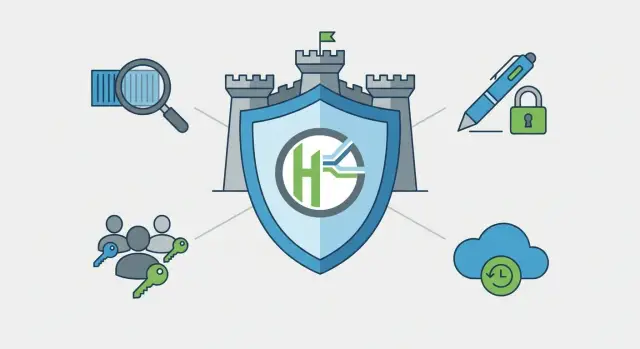
Goal: a secure registry instead of expensive hosted platforms
A container registry is a private store for images you run in Kubernetes or Docker. For a team it's a single source of truth: what is actually deployed in test and production, who pushed it, and which version is considered correct.
The problem is that the registry quickly becomes a critical point. If a questionable image gets in or permissions are too broad, the consequences affect the whole infrastructure. So securing Harbor is often more important than choosing a friendlier UI.
Typical risks are mundane but painful: malicious or vulnerable images that slipped into a build chain; leaks when private images are pulled without proper rights; accidental deletions of tags or projects leaving nothing to deploy; and tag substitution under a familiar tag (for example, "latest") that no one notices.
Commercial platforms often address some of these problems out of the box, but they can be expensive, restrict on-prem deployment, and not fit organizations with strict supply-chain and transparency requirements. In such cases Harbor is a sensible alternative: it provides image scanning, signing, clear RBAC, retention policies, and the ability to keep the registry close to your infrastructure.
A practical example: a public body or bank in Kazakhstan deploys a registry inside its own perimeter to avoid dependence on external services and keep full control over access. For this scenario not only Harbor settings matter, but also a reliable platform underneath: servers, network, disks and on-site support.
Key Harbor concepts in plain language
Harbor is a registry storing container images where you can centrally configure access and security rules. To keep Harbor security configuration tidy, it's useful to clarify terms once and for all.
What you see in the Harbor UI
Think of it simply:
- Project — a folder for a team or product. Many rules are set at the project level.
- Repository — a place inside a project for images of one application (e.g., backend).
- Artifact — a specific build (usually a container image) you can pull and inspect.
- Tag — a readable version name (v1.4.2, release-2026-01, latest). Remember tags can be overwritten.
- Robot account — a technical user for CI/CD so automation can push and pull images without personal credentials.
Access rights and configuration levels
Harbor has project-level roles (e.g., Project Admin, Maintainer, Developer, Guest) and a system administrator who manages the whole installation. Best practice is least privilege for people, and robot accounts for CI that have access only to needed projects.
Some policies are set at the system level (global settings, integrations, basic constraints) and others at the project level (who has access, whether scanning is required, retention, image trust).
For developers this usually means: can they push images, overwrite tags, and view scan results. For CI it means: which credentials are used, whether only signed images can be uploaded, and what happens to old artifacts.
Image scanning: what to check and when to run it
Image scanning checks that there are no known vulnerabilities inside the container. Scanners typically inspect OS packages (libraries, utilities) and language dependencies (npm, pip, Maven, etc.) and compare versions against a CVE database. Severities (Low, Medium, High, Critical) help assess risk quickly. Critical often means there is a known exploit with potentially serious consequences.
Decide in advance when scans run. Common modes are: on every push (maximum control but higher load), scheduled (for example nightly to recheck old images after database updates), and manual (for one-off audits).
Read scanner reports not as a list of scary words but as guidance: block release or allow with compensating controls. A practical approach is to block deployment of images with Critical and High in production, while giving a window to fix Medium if the service is internal and compensating measures exist. In Harbor this is usually enforced via project policies so rules apply uniformly.
Vulnerability databases update constantly, so the same image may become worse without any change on your side. Ensure database updates are enabled and add scheduled rescans. Otherwise control will be one-off and quickly outdated.
To avoid overloading the system, start with a compromise: scan new tags on push, and run a full rescan at night. Obvious problems are caught immediately, while scheduled scans catch new CVEs in old images and give time to fix before the next release.
Signing and image trust: a straightforward process
Image signing answers the simple question: who built this and can we trust it? It protects against tampering between build and runtime. Even if someone gains registry access or overwrites a tag, signature verification will reveal the mismatch.
Signing should be performed by a predictable process, not a developer's laptop. Typically CI signs images during build using a release account and keys stored in protected storage. Developers may publish draft images unsigned, but those are not trusted.
Basic workflow:
- Create signing keys and define where they are stored (not in repos or shared chats).
- Enable signature verification in Harbor for relevant projects.
- Define rules: which repositories and tags require a signature (for example only release/prod).
- Configure CI to sign images right after build and before publishing.
- Prevent deployment of unsigned images at the cluster or deployment pipeline level.
Plan key rotation ahead. A minimal plan is to keep two keys during transition (old and new) so releases don't stop. If compromise is suspected, act strongly: revoke trust in the key, issue replacements, rebuild critical images and verify only the new key.
Make trust easy to explain with short rules:
- Trusted images are only those signed by the CI release account.
- Production tags are accepted only from a single Harbor project.
- Any unsigned image is considered a test image, even if its tag looks like latest.
This turns signing from crypto magic into a regular quality gate.
RBAC: grant rights without losing control
RBAC in Harbor means everyone gets exactly the rights they need and no more. Security setup begins not with checkboxes, but with understanding roles and boundaries.
In practice roles often look like: project admin manages members and policies; developer pushes and pulls images but doesn't change security rules; guest typically only pulls. Robot accounts are separate for CI/CD so personal logins are not used.
Define minimal rights per action:
- Pull (read): for runtime, tests and teams that only run images.
- Push (write): for build and CI publishing.
- Delete artifacts: only for responsible persons, and ideally as a formal process.
- Manage policies (scan, signing, retention): only project admins.
- Manage members: limit to 1–2 people to avoid permission sprawl.
The most reliable way to avoid confusion is to separate access by projects. For example, have separate projects for prod, test and sandbox. Developers can experiment freely in sandbox, but in prod they only have push/pull without deletion or policy changes.
Cut dangerous actions in advance: forbid deletion and policy changes for everyone except the project owner. Give contractors a separate project or group with pull-only rights. If a contractor needs push, issue a robot account limited to that project and with an expiry, not an admin role.
Example: CI pushes images to test (robot account with push only to test). After verification, a responsible person promotes or copies the same image to prod where most participants only have pull.
Step-by-step setup: a secure minimum in one pass
If you configure Harbor piecemeal you can miss important details: scanning might be off somewhere, or permissions left too broad. Below is one pass that gives basic security without undue complexity.
First define structure: several projects per teams and environments. For example separate projects per product and separate prod and non-prod. It’s easier to keep order and grant rights this way.
Next enable image scanning and set thresholds. Practical minimum: scan on push and before deployment, and block images with Critical vulnerabilities in production. For test you can start softer (for example warnings), but define when warnings become blocks.
The next layer is image signing. In production only images signed by your CI and verified by Harbor are allowed. This reduces the risk that someone pulls a similar image from another project or wrong pipeline.
Simultaneously configure RBAC via service accounts. Use robot accounts for CI: one robot per project or even per pipeline. Give them only push/pull in their project, no admin rights and no access to others.
Enable auditing and make it routine to check events. At least weekly review who created tokens, changed policies, disabled checks or deleted artifacts.
Add two practices that save headaches: retention policies and backups. Set clear retention (for example keep last N tags or 30–90 days for branch builds) and a backup schedule. This prevents registry bloat and makes recovery after failures manageable.
Backups and recovery: don't fear outages
Harbor often becomes a critical component: if the registry is down, builds and deployments stop. Backups are part of Harbor security. You protect not only images but the ability to recover quickly.
Don't back up only the image directory. Harbor has several data layers: metadata (projects, users, roles, policies), artifact storage (images, signatures), deployment configuration, certificates and secrets. Losing certificates or signing keys can be as painful as losing images.
RPO and RTO help set expectations. RPO — how much data you can afford to lose (for example not more than 1 hour of new tags). RTO — how long you can wait for recovery (for example registry should be up within 2 hours). These numbers determine backup frequency and automation level.
Store backups separately from Harbor with separate access rights so registry compromise doesn't mean backup compromise. If possible, keep copies in another datacenter or at least an isolated segment.
Practical minimum:
- Daily full backup of the database and artifact storage + more frequent DB backups if RPO is small.
- Separate copy of configs, certificates, signing keys and secret files.
- Regular restore tests on a staging environment using the same procedure.
Assign specific people to the recovery plan. Document where copies are, how to rebuild Harbor from scratch, the order to restore DB and artifacts, and how to verify the result (login, project access, pull an image, check scanning and signing).
Retention rules: lifetimes, tags and automatic cleanup
Without retention policies the registry becomes a warehouse. Disk fills with test builds, storage costs rise, and it becomes harder to know what can be safely deleted. Harbor retention policies help keep order and reduce risks: fewer accidental deployments of wrong images and simpler audits.
Decide what should live longer. Usually releases and what runs in production stay longest: versioned tags (for example 1.4.2), team base images (runtime, base OS), and golden images used by many services. These can have the longest retention and be deleted only under strict rules.
Be careful with the latest tag. It’s convenient but poor for control: latest today is different tomorrow. Good practice is to keep latest only briefly and not rely on it for rollbacks. For temporary tags (feature-123, pr-45, build-2026-01-11) set short lifetimes so the registry removes clutter automatically.
A simple scheme:
- Keep release versions (semantic tags) the longest.
- For branches and PRs keep the last N builds or limit by age (for example 7–14 days).
- For latest keep only 1–2 recent images and don't rely on it for rollback.
- For production additionally pin images used in deployments.
The main fear during cleanup is breaking rollbacks. Avoid this by rolling back to a specific tag or digest, not latest. Then you can prune old builds by time while keeping a guaranteed set of versions (for example the last 5 releases) and the latest image per important tag.
Retention should align with security and audit needs. Incident investigations often require longer storage of images and scan results. A compromise is to keep releases long and temporary builds short while preserving a clear trail of release artifacts and their checks.
Practical example: configuring Harbor for one team
Scenario
One team in an organization: developers build services, DevOps runs CI and the registry, and a security specialist sets admission rules. Harbor is deployed inside the perimeter, for example on corporate servers (including locally produced hardware if procurement and supply-chain transparency matter).
The team creates one project, for example team-a, and agrees on the flow: CI build — sign — scan — publish. The main rule: production may use only images that are signed and have no critical vulnerabilities.
Settings that actually work
Start with roles. DevOps makes themselves Project Admin in team-a; developers get Developer (can push); security gets a role to view reports and set rules (often Project Admin but limited to one project). Create a robot account for CI so pipelines don't store personal passwords.
Then enable admission control. In the project require signed artifacts. This prevents someone from pushing a locally built image or overwriting a tag. Enable scanning and make it mandatory: images with critical vulnerabilities must not pass further.
Practical pipeline minimum:
- CI builds the image and applies two tags: release version (e.g., 1.4.2) and a build tag (e.g., build-20260111).
- CI signs the image (key stored in protected secret storage).
- Harbor scans the image automatically on push and again on schedule (for example nightly) to catch new CVEs.
- Deployments only allow signed release tags that passed checks.
For retention the team decides: keep release tags 12 months, nightly builds 14 days. This prevents uncontrolled growth while preserving audit and rollback capability.
Finally, backups: daily backups of Harbor data and DB, plus a monthly restore test on a staging environment. Without a recovery test a backup is just a file no one knows how to restore under stress.
Common mistakes and traps
The registry may look configured but still be insecure. This usually happens not because of Harbor but because of small decisions postponed for later.
A typical mistake is overly open projects. One shared project is created for all teams and roles are granted too broadly. Eventually any developer can push into another namespace or change settings and it’s hard to find a responsible person.
Another trap is a single shared admin account for the whole Harbor. When incidents occur (a tag disappeared or a webhook changed) it's unclear who did it. Separate platform admins and project owners from the start.
Scanning is often enabled just for appearances. Reports pile up with no decisions: block, fix, or explicitly allow. Scanning only helps when there's a clear rule on what counts as critical and what action follows.
Artifact cleanup can become self-harm: everything old is deleted, then you find you needed an image for rollback or an investigation.
Short warning signs you are at risk:
- Projects give write rights to those who only need read.
- Admin logins are shared with no personal accountability.
- Vulnerabilities are visible but there is no remediation process.
- Retention policies delete tags not tied to releases.
- Signing keys are stored alongside normal secrets without separation.
Backups are another story: they may exist, but no one tested restores. One quarterly restore test day is usually cheaper than production downtime caused by incompatible versions or lost keys.
Short checklist before going live
Before you give teams access and start pushing images, walk through a few items. It takes 10–15 minutes but avoids a situation where everything seems to work while security rests on good intentions.
Check project structure: separate test and prod. Separate projects are easier to secure and to explain rules. In test allow experimental images; in prod accept only signed, scanned images.
Then review Harbor security settings: is image scanning enabled and what happens on Critical finds? Block thresholds should be clear to everyone (for example: Critical blocks deployment, High requires a fix before the next release).
Next check image signing: who signs (CI or release engineer), which keys are trusted and how unsigned images are handled.
Verify access rights strictly:
- Separate projects for test and prod.
- RBAC grants no excessive roles by default.
- Robot accounts have minimal rights and are limited to one project.
- Scanning is enabled and blocking thresholds are agreed.
- Signing is configured and trusted images are defined.
Finally, reliability: set retention policies, agree on tag rules (for example keep release-* longer), and enable automatic cleanup. Then ensure backups really work: there is a schedule, a known storage location and at least one validated restore test.
Next steps: formalize rules and scale calmly
After basic Harbor hardening the main risk is not technical but that rules live in people's heads. Document agreements and review them regularly.
Start with a short requirements gathering: who uses the registry (developers, DevOps, security), which rules are mandatory (signing, blocking critical vulnerabilities), and how long images are kept. This directly affects RBAC, scan policies and retention.
A good next step is a pilot for a single project. Choose one team and namespace, enable mandatory scanning on push, signing for release tags and minimal roles. Then document the flow in a short 1–2 page guide: who creates projects, who grants access, what counts as a release, and what to do on scan failure.
To prevent erosion over time schedule regular checks:
- Monthly: audit users and permissions (remove unused accounts, tokens).
- Each sprint: spot-check signatures on release images.
- Weekly: review scan summaries and trends for critical vulnerabilities.
- Quarterly: test restore from backup.
When load grows, evaluate resources early: disk space for artifacts, network bandwidth, backup windows and redundancy. The sooner you set retention and automatic cleanup, the less likely growth will hit capacity limits.
If you build the registry and infrastructure fully on-prem, plan platform and support in advance. GSE.kz (gse.kz) as a server manufacturer and system integrator in Kazakhstan can help design load-capable infrastructure, perform system integration and organize 24/7 support so procedures work beyond initial rollout.
Frequently asked questions
Can Harbor really replace a commercial registry if security is important?
Yes. In most cases Harbor covers core requirements without paid licenses: private projects, RBAC, vulnerability scanning, retention policies and image trust via signing. It's especially convenient to host on-prem when you need strict access control, supply-chain transparency and independence from external services.
What Harbor settings provide a secure minimum that can be done in one evening?
Start with the project structure (separate prod and non-prod), enable scanning on push and set a clear block threshold for production. Then enable signing for release tags and grant access via roles and robot accounts with minimal permissions. Finally, enable audit logging, retention policies and regular backups so the registry survives mistakes or failures.
What vulnerability threshold should we use: block High or only Critical?
A practical baseline for production is to block images with Critical vulnerabilities. High can either be blocked as well or allowed only with a short, pre-approved exception. The important part is that the rule is consistent across teams and enforced automatically via project policies. In test environments you can start softer but set a date when warnings become blocks.
When is it better to run scanning: on push or on a schedule?
A common approach is: scan on every push for new tags, and run full rescan on a schedule (for example, nightly). CVE databases change constantly, so an image that was clean yesterday can become vulnerable without any changes. If resources are limited, scan only release tags on push and run full scans during off-peak hours.
Why sign images if we already have a private registry?
Signing answers the question “who produced the image” and protects against silent tampering, including tag overwrites. A typical flow: CI builds the image, signs it with the release account key, pushes to Harbor; production only accepts signed artifacts. Developers can keep unsigned images for drafts, but those are not considered production-ready.
How to store and rotate signing keys so releases don't stop?
Keep signing keys out of code repositories and regular team secrets, with separate access and audit. Plan rotation in advance: keep the old and new key during transition so releases don’t stop. If compromise is suspected, revoke trust in the key, issue new keys and rebuild critical images.
How to safely use robot accounts in Harbor for CI/CD?
Use robot accounts so CI/CD does not use personal credentials and permissions can be tightly limited. Create one robot per project or pipeline and grant only required actions (usually push/pull) in that project, without admin rights. Also limit token lifetimes and periodically remove unused tokens so long-forgotten access disappears.
How to split Harbor into prod and test so permissions don't spread?
Separate projects by environment: sandbox/dev, test and prod. In non-prod developers can push and experiment; in prod keep a minimal set of people able to change settings, block deletions, and require signing and scanning. This prevents experiments from leaking into production via a shared namespace or broad roles.
What exactly should be backed up in Harbor to make recovery realistic?
Don't rely on a single backup of the image storage. You need metadata (projects, users, roles, policies), the artifact storage (images, signatures), deployment configuration, and certificates/secrets. Make sure signing keys and TLS certificates are included—without them a restore can break trust or client access. Store backups separately from the registry and regularly test restores on a staging environment.
How to avoid accidental deletions and image tampering (especially with tag latest)?
Prevent accidental deletions by combining restricted permissions and rules. Disallow deletion and policy changes for most roles and keep 1–2 accountable project owners under audit. Also agree that rollbacks are done by specific tags or digests, not by latest. With that practice, you can safely clean old builds while keeping the versions needed for rollbacks and audits.
