8 min read
Grants and Subsidies Management System: Statuses and Payments
A practical guide: how to design a grants and subsidies management system — application statuses, document completeness checks, payment stages and commission decision logs.
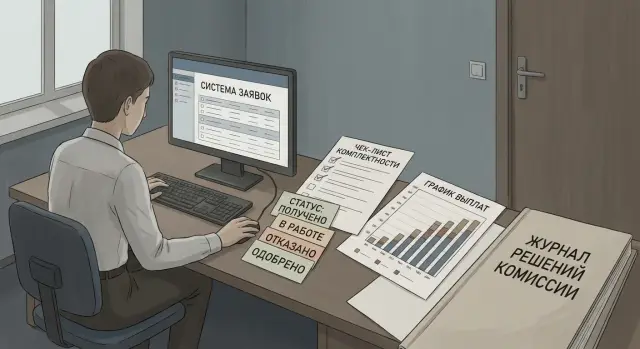
What the system must solve and where the process usually breaks down
A grants and subsidies management system is needed not just for receiving applications. It must keep the entire cycle in one place: submission, checks, evaluation, commission, contract, payments and closing obligations. If there is no single loop, the process spreads across email, Excel and messengers, and at some point a simple question — “what step is the application at and why is it delayed?” — cannot be answered quickly and accurately.
Most often what breaks is what cannot be reconstructed afterwards. Statuses are lost or changed without a trace, documents arrive in parts and sit in different folders, decisions look questionable because it’s not visible who evaluated what and by which criteria. As a result the applicant suffers (doesn’t know what to fix), the operator drowns in clarifications, accounting cannot pay without justification, and managers face risks with deadlines and audits.
To keep the process manageable, the system should explicitly track several basic entities: the application (version, status, deadlines), the applicant (details, contacts, checks), documents (list, deadlines, check results), decision (scores, outcomes, conditions), contract and payments (schedule, tranches, closing documents).
The foundation of transparency is clear statuses with transition rules and an immutable event log. The log records who did what and when: sent for revision, confirmed completeness, changed an amount, assigned an expert, created a payment. Then disputes are resolved by facts, not by correspondence and “I think it was like this.”
Roles and permissions: who can do what in the system
A good grants and subsidies system starts not with statuses, but with roles. When roles are blurred, retroactive edits, contested payments and personal data leaks appear. It’s easier to build permissions on a least-privilege principle: each person sees and does only what is needed for their step.
A typical set of roles looks like this: the applicant submits the application and uploads files; an operator or secretary checks completeness and handles revision correspondence; an expert evaluates against criteria and leaves a conclusion; a commission member votes and approves the decision; accounting confirms payments and closes obligations; an administrator manages directories, templates and access, but does not participate in application decisions.
It’s important to separate duties so one person cannot take an application from submission to money. For example, a secretary can return an application for revision but should not change expert scores. Accounting sees bank details and documents for payment but does not edit the commission protocol.
Practical access rules that usually prevent problems:
- Personal data and bank details are visible only to those who actually use them.
- Applicant files may be added and replaced only until completeness is fixed; after that — only by a change request with a reason.
- An expert cannot see commission voting until their evaluation is complete.
- Protocols are readable by control and audit, and edits are possible only through a separate versioned procedure.
- Any action with accesses and documents is written to the log with time, user and justification.
This makes it easier to explain to auditors: who made the decision, on which data, and why nobody could silently substitute documents or figures.
Minimal data model: what to store so you don’t have to guess
To prevent the system from becoming a set of “fields just in case,” start with a minimal data model that answers three questions: what was submitted, who and when changed it, and on what basis a decision was made.
The application card should be self-sufficient. If data is missing, staff will keep the “truth” in emails and spreadsheets, and you will lose the single source of truth.
A sensible minimum for an application card:
- program/competition and period (year, stage, submission window)
- requested amount, currency, proposed payment stages
- applicant (organization/individual), IIN/BIN, contacts, address
- bank details for payments and payee (if different)
- attachments: list of files with document type and upload date
Next you need reference directories to avoid manual phrasing: types of grants/subsidies, document types, evaluation criteria, refusal reasons, statuses and decision types. Then reports and statistics collect without manual cleaning.
Be sure to include versioning: history of field and file changes with author, time and reason (for example, “revision per comments”). This protects both the applicant and the agency.
Store the commission as a separate object: composition, roles, quorum, meetings, agenda and linking of decisions to specific applications. Then protocols and outcomes are generated automatically and verifiably.
Status scheme and transition rules
Basic status chain
To prevent statuses from becoming ad-hoc notes, the chain should be end-to-end: Draft (applicant) → Submitted → Checking completeness → Requires clarification → Admitted → Under evaluation → To commission → Approved or Rejected → Contract → For payment → Paid → Closed.
Each status should answer one question: what needs to be done now and who is next. Then the card shows where the application is stuck and whose step it is.
Transitions and exceptions
Fix transition rules in the system: who can move, under what conditions, and which documents or fields must be filled.
A practical set of rules:
- Applicant moves Draft → Submitted only after automated checks (required fields, file formats, signature, consents).
- Operator moves Checking completeness → Admitted if the checklist is 100% complete; otherwise sends to Requires clarification with a comment and a deadline.
- Expert works only in the Under evaluation status; evaluation results are locked after submission to the commission.
- Commission secretary moves To commission → Approved/Rejected only if the protocol and meeting composition are recorded.
- Finance officer moves Contract → For payment when there is a signed contract and banking details; For payment → Paid after payment confirmation.
Add time limits per status: e.g., 5 working days for completeness and 10 for evaluation. Timers provide reminders, record overdue, and allow extensions only by a separate decision.
Make separate branches explicit: Withdrawn by applicant (from Submitted/Requires clarification), Appeal (after Rejection), Cancellation of decision (after Approval) — each with required justification and a log entry.
Completeness check: checklists and revision scenario
Document completeness separates “the application is ready for evaluation” from “it’s too early to evaluate.” If this stage is not formalized, staff check by memory and applicants get inconsistent comments.
Make checklists per program rather than one generic list. They should be specific and verifiable: which documents are mandatory and who signs them, allowed formats and file sizes, validity periods for certificates (30/60/90 days), bank detail requirements (bank, IBAN, payment purpose), rules for special cases (branches, powers of attorney, joint applications).
Add automated checks to avoid wasting time on obvious issues. Typical checks: completeness of key fields, matching IIN/BIN with applicant type, basic validation of bank details, duplicate detection (same applicant and program in the same period), and certificate validity checks.
Some things remain manual: scan readability, signature and stamp correctness (if applicable), compliance of a document with program requirements.
Return-to-revision should follow a unified scenario. The system generates one message with the list of reasons, shows a deadline, and records the application version. On resubmission an automated recheck runs while preserving history.
Record at minimum: date/time, responsible person, outcome (accepted/on revision), list of discrepancies with categories (critical/fixable) and comments. This answers “why was the application not advanced?” without guessing.
Evaluation and scoring: how to store criteria and results
Split evaluation into three levels: formal check (admission), expert review (substantive evaluation) and final decision. In the system these are different stages with different rules: the formal check answers “is it evaluable?”, while the expert review answers “how strong is the project?”.
To avoid evaluations becoming a set of files and messages, store criteria as structured data. For each competition set scales, weights and thresholds so the system can indicate whether an application meets minimum requirements.
For each criterion store: scale type (0–5 or yes/no) and range, weight and threshold (if any), score and expert comment (required for low scores), attachments to the evaluation (if needed), timestamp and author.
Conflict of interest is not a checkbox but an access rule. An expert should be able to declare recusal for a specific application, after which the system blocks scoring and participation in voting for that application. Store a short reason for recusal without unnecessary personal data.
Aggregate results automatically: total rating is calculated by formula (scores with weights, thresholds and rounding rules). If a criterion like “social impact” requires a minimum of 3 out of 5, an application with 2 is marked “below threshold” even if the total score is high. The system then prepares the ranking table and the packet for the meeting: scores, comments, recusals and the list of applications needing discussion.
Commission: protocoling decisions and recording votes
The commission is where decisions must be clear and verifiable. Define the meeting scenario in advance: agenda, application list, materials for each application and quorum check. Without quorum the system should block final decisions and record the reason.
For each application save the decision type and wording so disputes don’t arise later. Typically four variants suffice: approve, reject, approve with conditions, defer for clarification. For conditional approvals always store the deadline and the specific requirement (e.g., provide a co-financing agreement by a date).
Record voting by name if the regulations require it. If aggregated voting is allowed, still record counts of votes, abstentions and special opinions. This is commission protocoling in a form auditable later.
The protocol must be a standalone document, not a “comment” field. Minimum contents:
- meeting number and date
- commission composition and quorum note
- basis (regulation, order, statute)
- results for each application (decision, votes, conditions)
- attachments (sheets, expert opinions)
Ensure immutability with versioning: edits only via a new version with reason and editor. If an arithmetic error is found after the meeting, version 2 shows what changed and why.
Payment stages: from commission decision to closing obligations
After the commission decision, payments should not be executed manually by email and calls. Payment stages must be linked to the decision and contract: conditions, overall limit, tranche schedule, KPIs and reporting requirements. This prevents funds being disbursed while obligations and deadlines remain only in a contractor’s file.
Typical payment chain
Treat each payment as an object linked to the contract and a specific tranche (e.g., 1 of 2). For each tranche define amount, planned date, required documents and dependence on a report.
A common flow: preparation (payment request created), approval (finance and program manager), funding confirmation (check against limits and balance), payment (order generated and sent), receipt confirmation (incoming funds recorded).
At the funding confirmation stage include limit control: program budget, contract balance, already paid tranches. If an attempt is made to exceed the limit the system must block the operation and show the reason (for example, “program remaining 1,200,000; requested 1,500,000”).
Holds, returns and documents
Payments must be stoppable for formal reasons without losing history. Frequent reasons: missing interim report; violation of contract terms; need to return funds or offset prior payments.
For each tranche store the list of documents and their check status: payment request, invoice, act/closing documents, payment confirmations, return letters (if any). Example: tranche 2 is available only after KPI report acceptance and signing the act. Otherwise the tranche status becomes “suspended” and the system prevents payment.
Event log and audit: how to ensure verifiability
Auditability rests on two things: an immutable history and clear reports. The event log should answer: who exactly did what, when, why and what followed.
For each operation record the user and role, date and time (with timezone), object (application, file, payment), action, old and new value, and a reason or comment. Reason is especially important for manual edits, exceptions and returns.
Key events without which audits become disputes:
- status changes and the basis for transition
- file upload, deletion and download
- expert assignments, scoring and criterion changes
- commission decision: composition, quorum, votes, outcome
- creation, modification and cancellation of payments (including details and amounts)
Files are often the weakest link. Store metadata (type, author, upload time, link to checklist item) and integrity control (hash). Forbid “replacing a file” without trace: instead add a new version and keep the old one available for audit.
Auditors need not only logs but fast exports: full history for a single application with document versions, events for a program by period (filters by status and responsible), a list of manual changes and exceptions with reasons, a register of commission decisions and related payments.
How to design and roll out the system step by step
Start not with screens but with rules. A working system emerges when the team has a single regulation: who decides, what deadlines, which documents are mandatory, what counts as an error and how revisions are formalized.
A sequence that usually yields fast results:
- Describe the process: roles, deadlines, inputs and outputs of stages (submission, check, evaluation, commission, payments).
- Approve statuses and the transition matrix: what statuses exist and who can move an application forward.
- Fix the minimal data model: required fields, documents, decisions and amounts.
- Prototype key screens: application, completeness check, commission, payments.
- Build the event log and control reports into the basic version immediately.
Example: you launch a pilot on one subsidy program for small businesses. In the first week applicants repeatedly forget the same document. Add a hint to the checklist and require the “Reason for return” field with templates for the “Requires clarification” status.
After the pilot gather errors, refine transition rules and only then expand to other programs. That reduces manual exceptions and makes it easier for commissions to trust the data.
Common mistakes and traps in development
The most common cause of failure is trying to replace process logic with statuses. You get 20–30 states but nobody understands allowed transitions, and staff bypass the system with calls and emails.
The second trap is storing key decisions in a “comment” field. Free text is convenient once, but later you cannot report: why was an application rejected, which conditions were approved, how many applications failed because of a specific document. Instead, create directories for refusal reasons, standard conditions and bases for revision requests.
What usually breaks the process
- No versions: documents are re-uploaded, protocols edited retroactively, and it’s impossible to prove what the commission reviewed.
- Mixed roles: one person checks completeness and then approves payment.
- No deadline control: no time limits, reminders or escalations, so overdue tasks accumulate unnoticed.
Example: an applicant uploads a corrected budget. If the system doesn’t keep versions, the expert assesses one version, the commission votes on another, and the contract is formed from a third. Prevent this by fixing the version at transfer to evaluation; any changes return the application to the clear step “Revision.”
If you build the system with an integrator (for example, GSE.kz), agree in advance which roles are incompatible and which records must be immutable after signing.
Short checklist before launch
Before launch agree on rules, not buttons. If rules aren’t fixed, the system will operate by verbal agreements and this quickly leads to disputes and manual workarounds.
Check that the status scheme is agreed and documented: which statuses exist, who sets them, what constitutes a basis and which transitions are forbidden. Make sure access rights are tied to roles: an expert can set scores but not change status to “Approved.”
Completeness checks should follow per-program checklists. Applicants need a clear revision scenario: what’s missing, where to upload, and deadlines. Prepare notification templates for common cases so messages are consistent and legally tidy.
Fix commission decisions as a protocol so it cannot be rewritten retroactively: document version, attendees, voting results, special opinions, attachments. If the protocol is changed, reasons and editor must be visible.
For payments verify tranche support: amounts, dates, limits, and stop conditions. Example stop condition: missing report for tranche 1 means tranche 2 is not created.
And finally, audit and launch:
- The event log covers key events (submission, changes, decisions, payments) and is available for checks.
- A pilot is ready for a small group and there is a user training plan with short instructions.
Example scenario: from submission to two tranches
An applicant submits a grant application via the system. They upload a business plan and a budget but forget a required certificate (for example, a debt-free certificate).
Immediately after submission the application gets the status “Submitted.” An automated checklist finds the omission and moves it to “Requires clarification.” The applicant receives a notification and the application card records the reason: “Certificate X not attached,” the date, who ran the check (user or rule), and the deadline for correction.
After uploading the certificate the applicant clicks “Resubmit.” The system changes the status to “Checking completeness,” a specialist sees what changed and confirms completeness. The status becomes “Accepted for evaluation.”
Experts score the application, and then a decision is formed: “Approve on condition of providing a report by 15.06.” The system records this as a commission decision and as a separate condition with a control date. The protocol is stored as a document and each commission member’s vote and timestamp are recorded.
Payments proceed as follows:
- Tranche 1 — after contract signing and status “Contract signed.”
- Tranche 2 — after status “Report confirmed” and fulfillment of the commission’s condition.
The audit shows the entire chain: who and when changed statuses, which documents were attached, why the application went to revision, who approved the contract, who confirmed the report, and on what decision payments were made.
Next steps: preparing for development and operation
Start with a short “zero sprint” of 1–2 weeks: collect requirements from the funder (competition rules and reporting), accounting (entries, documents, codes and limits), and security (access, personal data storage, logging). Often the system breaks at the intersection of these three blocks during the pilot.
Decide early where the system will be hosted and who is responsible for support. Fix metrics: incident response time, update windows, backup procedures, and who can change statuses and financial details.
A useful preparation plan:
- Describe processes from application to closing obligations, including exceptions (revisions, rejections, withdrawals).
- Fix the roles-and-access matrix including audit of actions.
- List integrations: accounting, treasury registries, e-signature, notifications, directories.
- Prepare requirements for file storage and retention periods for protocols.
- Define test scenarios and acceptance criteria.
Example: if accounting needs each tranche to pull the basis and account, and security requires an immutable log, these affect design decisions before the interface is chosen.
If you need infrastructure and turnkey implementation, consider a systems integrator. In Kazakhstan GSE.kz can cover servers, workstations, integrations and ongoing support so responsibility isn’t shifted between contractors.
Frequently asked questions
Why do we need a grants and subsidies management system if we have email and Excel?
At minimum — the full cycle in one system: submission, completeness check, evaluation, commission, contract, payments and closing obligations. If any stage lives in email and Excel, statuses, document versions and decision bases are quickly lost.
What status scheme is considered basic and understandable?
A clear chain shows what to do next and who is responsible: “Draft → Submitted → Checking completeness → Requires clarification → Admitted → Under evaluation → To commission → Approved/Rejected → Contract → For payment → Paid → Closed”. It’s important to set transition rules and forbid jumps without justification.
Which roles are needed first and how to avoid mixing permissions?
Define roles and permissions before statuses. Typical roles: applicant, operator (completeness), expert, secretary/commission member, accounting/financial officer and administrator. Simple principle: one person should not be able to take an application from submission to funds, and access to payment details or decisions must be strictly need-to-know.
What usually "breaks" in the process and why is it hard to fix later?
Loss of change history: statuses change without trace, documents are re-uploaded "in place", sums and decisions are edited after the fact. Later it’s impossible to reconstruct truth. That’s why you need versioning, an immutable event log and clear rules about when data may be changed.
What data must be stored in the application card so nothing is left to guess?
Start with a self-sufficient application card: program and period, requested amount and currency, applicant with ID (IIN/BIN) and contacts, bank details, list of attachments with document types and upload dates. Add reference directories (document types, criteria, refusal reasons, statuses) and versioning of fields and files so the source of truth isn’t in email.
How to organize completeness checks and returns for revision correctly?
Make a checklist per program and record the result: accepted or needs revision, who checked it, when, what is wrong and the deadline for fixes. Return-to-revision should be one message with reasons and create a new application version on resubmission.
How to store expert evaluations so they remain verifiable?
Store criteria as structured data: scale, weight, threshold, score and the expert’s comment, plus author and timestamp. Lock scores after they are sent to the commission so they cannot be adjusted to influence the vote. This allows automatic ranking and shows when a criterion threshold is not met even if the total score is high.
What must be in the commission protocol and how to record voting?
Record the meeting as an object: composition, quorum, agenda and results for each application. Decisions should be unambiguous (approve, reject, approve with conditions, defer) and the protocol should be a separate versioned document so any edit shows author and reason.
How to link commission decisions, contracts and tranche payments without manual emails?
Model payments as objects per tranche linked to the contract: amount, planned date, conditions and required documents, approval status and payment confirmation. The system must check limits and stop-conditions — for example, do not allow tranche 2 until the report for tranche 1 is accepted.
What action log is needed to pass audits and resolve disputes with facts?
The log must answer “who, what, when and why”: user and role, timestamp with timezone, object, action, old and new values, and reason. For files keep versions and forbid silent replacement; otherwise audits become disputes about what experts and the commission actually reviewed.
