6 min read
GPU Requirements for LLM Inference: Calculating Capacity
GPU requirements for LLM inference: a simple calculation based on tokens/sec, concurrent users, context length and buffer for peaks.
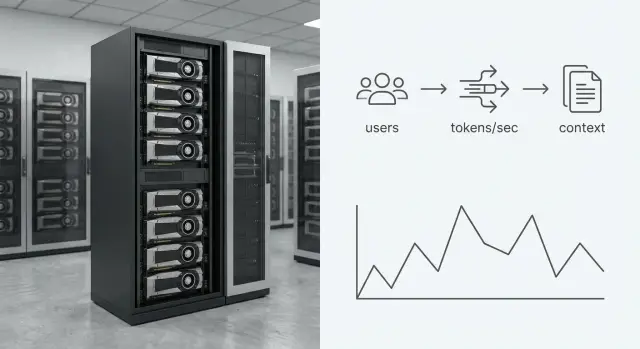
Why calculate GPU needs instead of guessing a margin
Buying GPUs “by eye” usually ends in one of two ways: you either overpay for idle hardware, or you undersize and quickly run into queues. For LLM inference this is especially visible: users expect an immediate response, and even a small delay feels like a slow service.
When capacity is insufficient, degradation almost always follows the same path. First response time increases, then timeouts appear, then limits on response length or request rates are introduced. The team spends time firefighting instead of building product, and the business hears “it worked yesterday, it’s slow today.”
Inference differs from training: load comes as many small, frequent requests and depends on human behavior. Training is usually run in batches for long periods, while inference lives as a stream: many short requests, unpredictable peaks, and a requirement for stable latency. So “just pick a more powerful card” doesn’t guarantee success. It’s more important to know how many tokens/sec you need to produce and at what concurrency.
Good news: you can measure the key numbers before buying. To estimate GPU needs for LLM inference you only need a few inputs and a simple calculation.
Commonly you look at:
- peak concurrency (how many requests actually generate responses at once);
- average and p95 prompt and response lengths (in tokens);
- acceptable latency (for example, “first token within 1–2 seconds”);
- share of "heavy" requests (long context or long replies).
Example: an internal assistant for procurement. Normally 5–10 people are active, but at month-end 30 can write simultaneously, each with long text fragments. If GPUs are chosen tightly, a queue will form at month-end and people will revert to manual work.
If you plan infrastructure for such scenarios, build measurable metrics into the pilot and tests — it’s cheaper than guessing the configuration.
Terms you must get right
Most mistakes start not with formulas but with different people meaning different things by the same term.
Tokens are text pieces the model splits input and output into. In calculations it’s important to separate:
- input tokens (prompt, including system instructions and conversation history);
- output tokens (what the model generates).
Input affects context processing time and memory requirements; output usually determines how long the GPU is tied up generating.
Two commonly confused metrics:
- Throughput (tokens/sec) — how many tokens per second the system can process or generate in total. It’s about “how much.”
- Latency — time from request to first token and to full response. It’s about "how fast" for a single user.
Next — concurrency. “Concurrent users” is not the same as “concurrent generations.” A user may be reading or typing while the GPU is idle. For planning, what matters is how many requests are actually generating in parallel (and how many of those are long).
LLM context length is the total tokens the model keeps in memory: current prompt plus history, documents, instructions. The longer the context, the higher VRAM usage and the more speed typically drops. A common trap: measuring speed on short prompts, then in production adding chat history and several pages of text.
Finally, peaks and buffer capacity. Peak is a short period with much higher request volume (morning support start, month-end). Buffer is the share of resources kept spare to avoid queues and latency growth, to absorb traffic increases without urgent buys, and to cover the tail of long prompts and responses.
What inputs to gather before calculating
If you use “monthly users” instead of how many people send requests at once, the calculation will almost always be wrong.
Measure requests in tokens, not characters. Collect not only averages but tails: p90/p95. Long requests and responses create queues.
Minimum set (preferably from logs or a pilot):
- peak requests per second and peak concurrency (how many dialogs actually generate replies simultaneously);
- average and p90/p95 input and output lengths in tokens;
- latency requirements: time to first token (TTFT) and time to full response;
- allowed and actual context usage in the product;
- load profile: steady stream or short spikes (after a meeting, class, or announcement).
Example: an internal support assistant. Normally 30 operators work, but only 6–8 write at once; after a regulation update up to 15. If you use 30 as concurrency you’ll overbuy. If you use 6 as “always,” you’ll get queues.
Step-by-step tokens × concurrency model
It’s easier to reason about peak token generation rate and real concurrency than about “number of users.” This model is transparent and easy to validate in a pilot.
Calculation steps
1) Estimate peak concurrent generations.
How many requests are generating responses at the same time. This is almost always less than the number of online users.
2) Set a per-request speed target.
Decide how many output tokens/sec each request should get to meet acceptable latency, then multiply by concurrency.
Example: 15 concurrent requests × 40 tok/s = 600 output tok/s at peak.
Account separately for input tokens: input consumes prefill time and strongly affects latency for long contexts. A practical view:
- generation load (output tokens/sec),
- plus prefill contribution (input tokens per request × requests/sec),
- plus overhead for system prompt, formatting, safety checks and routing.
Overheads often add another 10–25%.
3) Convert tokens/sec to GPUs via measurement.
Run tests with your model, context length and settings (quantization, batching, parallelism). Measure tokens/sec a single GPU can deliver at your latency target.
Simple formula:
GPU_needed = (required tokens/sec) / (measured tokens/sec per GPU)
4) Check latency tails, not just averages.
Monitor at least p95. If p95 collapses at peak, add margin and rerun tests.
How context length affects memory and speed
Context length is everything the model considers while answering: current prompt, history and attached materials. The longer the context, the more memory each active session consumes, and the more the throughput drops for the same GPU.
The main reason is the KV cache (key/value cache). At each generation step the model stores internal data per context token to continue coherent output. This cache sits in VRAM and grows roughly linearly with context length and the number of concurrent sessions. So a high context limit hits in two ways: VRAM runs out sooner and tokens/sec falls due to larger compute.
Planning takeaway: you can’t take the maximum context from documentation and assume it’s free. Choose a working limit based on real user behavior.
Good practices:
- check what percentage of requests really need long history;
- decide what latency you can tolerate.
If 90% of chats fit in 2–4k tokens and rare cases go to 16–32k, there’s no reason to keep the maximum for everyone.
When users frequently send long documents, a mix of mitigations helps: default context limits, history truncation (recent messages plus a short summary), RAG (fetching relevant fragments instead of entire documents), and separating “fast chats” from “heavy analysis” flows.
For capacity planning, model several scenarios instead of a single average. For example, create two profiles: “chat 4k context” and “documents 16k,” assign request shares and target concurrency for each.
How to provide buffer for peaks without overpaying
If you plan by average, the system will almost certainly degrade at critical moments: shift start, month-end reports, mass inquiries. Users experience latency at peaks, not average speed.
A practical approach: plan by peak (at least p95, and p99 for critical services) and add a clear buffer. In the model you take the token/sec peak for all concurrent requests, divide by one GPU’s performance, and multiply by a safety factor.
Typical buffers:
- +20–30%: steady load, rare peaks, short queue acceptable;
- +40–60%: frequent peaks, stable UX required;
- +80–100%: wave-like traffic (campaigns, seasonality), sudden spikes possible;
- +30–50% extra: if you expect user growth in the next 6–12 months.
Request queues can help avoid overbuying, but they have limits. Signs the queue harms UX:
- time to first token regularly exceeds 1–2 seconds;
- responses become bursty and generation speed fluctuates;
- requests time out;
- users resend questions, worsening the peak.
Also budget for degradations: updates, restarts, background jobs (logging, safety), and longer-than-expected dialogues. If downtime is costly, N+1 (one spare GPU or node) often works well to keep latencies within targets during maintenance or failures.
Factors that significantly change the calculation
Even a careful tokens/sec × concurrency model can drift if practicalities aren’t considered.
Quantization usually increases density on one GPU and lowers memory needs, but can hurt quality. If quality drops, users re-ask and total load may grow.
Batching (grouping requests) raises throughput but often increases latency for each user. For chat where a fast first token matters, aggressive batching can worsen perceived speed even if GPU utilization looks great.
Model size and task type also alter the profile: chat needs stable low latency, summarization cares about total tokens/sec, and RAG adds CPU, RAM and disk load.
Parallelism: when you need a second GPU
If the model doesn’t fit into one accelerator’s memory, you need parallelism and more GPUs.
- One GPU: model fits and performance meets peak needs.
- Two or more GPUs: model doesn’t fit, or you need to support high concurrency.
- Different GPUs for different flows: separate queues for “fast” and “heavy” requests.
Don’t forget non-GPU bottlenecks: CPU affects request prep and queueing, RAM feeds caches and RAG, disks load models and indexes. Balance the whole node for inference.
Common mistakes when choosing GPUs for inference
The most common error is sizing by "users" rather than by how much text you actually generate. Two products with 200 active users may differ hugely: one answers in 2–3 sentences, the other produces full-page replies. GPU needs differ by orders of magnitude.
Second trap: confusing average and peak load. Planning for average yields queues and complaints during peak; planning strictly for peak may be overkill. Decide in advance how you’ll handle peaks: small queues, shortened replies, or priority rules.
Third mistake: focusing only on tokens/sec and ignoring context and KV cache. A GPU may be fast on short prompts but run out of memory or slow dramatically on long dialogues.
Also, don’t test only GPUs. Bottlenecks may be:
- CPU during request prep and postprocessing;
- network between nodes;
- disks for model loads and logging;
- server and driver settings.
Finally, many skip a pilot. Even 1–2 weeks of testing with real prompts and limits gives honest metrics: p95 latency, tokens/sec for your scenarios, and memory use. Without that you may buy too little or pay for unused reserve.
Quick checklist before buying or ordering a service
Before choosing GPUs or budgeting for a service, confirm you’re calculating real load, not a “mean temperature.”
Load and peaks
- You have a forecast for peak concurrency (not only averages, but p95/p99).
- Profile of requests is known: share of short questions vs long dialogs at peak.
- Event-driven peaks are considered (reporting day, mailing, campaign, semester start).
Tokens, context and user expectations
- Average and p95 input and output lengths in tokens are known.
- Context limits and policies for long dialogs are defined: truncation, summarization, long-mode.
- Target latencies: TTFT and time to full answer are defined.
- It’s clear whether queues are acceptable (e.g., “up to 5s wait in peak is OK”).
- Buffer for growth and maintenance is included: model updates, A/B tests, monitoring, N+1 redundancy.
Practical tip: pick a typical scenario (support chat) and a heavy one (long document). If one configuration handles both with target latency and buffer, risk is much lower.
If you plan on self-hosting, test non-GPU limits in advance: network, CPU, disks, reliability and 24/7 ops.
Example calculation for a simple scenario
Imagine an internal chat assistant for staff: finds policies, answers IT support, and briefly summarizes documents. Stability during peak hours is important.
Inputs:
- 400 employees;
- 8% concurrently writing at peak = 32 people;
- average request: 120 tokens, average response: 220 tokens;
- target generation time: ~6 seconds per response.
Required generation speed at peak:
32 * 220 / 6 ≈ 1170 tokens/sec.
If your setup delivers 1200 tokens/sec per GPU in this profile, you’re close to the target. If it delivers 800 tokens/sec, average generation time becomes 32 * 220 / 800 = 8.8 seconds. In peak people will wait and resend, enlarging the queue.
What happens if context doubles
If prompts grow from 120 to 240 tokens due to long documents, that doesn’t show directly in the simple formula, but in practice you’ll lose performance and hit memory limits sooner: long context reduces speed and constrains batching.
If doubling context lowers real throughput by 25%, your 1200 tok/s becomes 900 tok/s and peak latency rises to about 7.8 seconds.
Buffer for a "bad day"
A bad day might mean higher concurrency (12% instead of 8%) and longer responses (300 instead of 220 tokens):
48 * 300 / 6 = 2400 tokens/sec.
It’s common to plan a 1.3–1.7× buffer over the computed peak and, for critical services, prepare a second node for spikes.
Next steps: pilot, validation and platform choice
After the paper calculation, validate it under real load. Collect 1–2 weeks of logs from the current product (or run a pilot) to see actual tokens/sec, latencies and share of long dialogs. Rare heavy requests often break the neat average.
Make calculations for at least three profiles: normal day, peak, and a one-year forecast. In a pilot you can simulate load: set concurrency, prompt and response lengths, then measure latencies.
Check the full server, not only the GPU. Bottlenecks include CPU, RAM, network, disk, cooling and power (so GPUs keep frequency under sustained load).
Prepare observability: tokens/sec metrics, alerts on rising latency, VRAM occupancy dashboards, and deployment schedules for models and drivers.
If you need turnkey delivery and on-premises deployment, a systems integrator can assemble and balance the whole node (GPU, CPU, RAM, network, cooling) to your load profile. For example, GSE.kz as a manufacturer and systems integrator in Kazakhstan can cover servers (S200 line) and 24/7 support, simplifying operations when inference becomes a critical service.
Frequently asked questions
Why not just buy GPUs "with a margin" and skip the calculations?
Planning in advance is cheaper because guessing usually leads either to overpaying for idle GPUs or to queues and timeouts during peaks. For inference, the goal is not simply “the most powerful card,” but clear targets for *tokens/sec*, latency, and the real concurrent generations.
How are "concurrent users" different from "concurrent generations"?
Plan based on how many requests are *actually generating* responses at the same time, not how many users are "online." Users often read or type while the GPU is idle, so "online users" usually overstate demand.
Which matters more for chat: tokens/sec or latency (TTFT)?
Throughput shows how many tokens per second the system can produce in total, while latency tells how fast an individual user sees the first token (TTFT) and the full reply. You can have high tokens/sec but poor TTFT if there are queues, batching, or large prefill work.
What metrics should I collect before calculating GPU needs?
Collect peak request figures, real concurrent generations, average and p95 input/output token lengths, and targets for TTFT and full response time. If you don’t have logs, run a short pilot with real prompts and context limits — it’s faster and cheaper than guessing.
How to quickly estimate required GPU count from tokens?
Estimate required output tokens/sec as concurrency × average response length / acceptable generation time. Then measure how many tokens/sec a single GPU delivers for your model (context, quantization, settings) and divide the requirement by that measured value, adding a sensible safety margin for peaks and p95 tails.
Why does increasing context length hit memory and speed so hard?
Longer context increases VRAM usage because of the KV cache and often reduces generation speed. You can’t test only on short prompts and then enable long history for everyone — choose a working context limit based on real user behavior and handle rare long cases separately.
What safety margin should I allow for peaks and failures?
A practical starting buffer is +20–60% to the calculated peak to preserve UX and avoid queues. For critical services, use N+1 redundancy so that maintenance or a failed node doesn’t push latencies beyond targets.
How do quantization and batching affect real performance?
Quantization usually lets you fit more sessions into VRAM and increases throughput, but if quality drops, users may re-ask and total load can grow. Batching raises total tokens/sec but can worsen TTFT, so tune batching to meet latency goals rather than to maximize GPU utilization.
How to detect that GPUs are insufficient and degradation has begun?
If p95 TTFT consistently exceeds 1–2 seconds, responses become jerky, or requests start timing out, the system is already queuing. A common mistake is monitoring only averages: long-tail prompts and replies usually break UX during peaks.
What to validate in a pilot before buying hardware or choosing a platform?
Measure tokens/sec and latencies across two or three representative profiles: short chat, long context, heavy responses. If deploying on-premises, balance the whole node (GPU, CPU, RAM, disks, network) and test cooling and power so GPUs can sustain frequency under load. In Kazakhstan, this can be handled by a systems integrator/manufacturer such as GSE.kz, which supplies servers and 24/7 support.
