8 min read
Fusion 360 CAM Postprocessors: Storage, Testing, and Approval
Fusion 360 CAM postprocessors: where to store files, how to safely test edits, and who should approve a post for a specific machine.
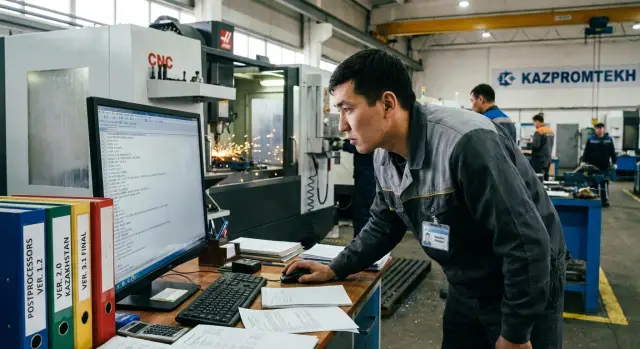
Why bother managing postprocessors
A postprocessor, simply put, is a translator. Fusion 360 calculates toolpaths, and the post turns them into NC code your machine understands: which commands to write, in what format and order. That means a post often affects the real result more than the CAM preview suggests.
It's useful to separate two kinds of changes. CAM operation setup controls geometry and cutting modes: where the cutter goes, at what depth, with what feed and stepover. Post edits control how that is written into the program: structure, safety, and control-specific functions. You can have a perfectly tuned toolpath and still get unsafe code because of a wrong post.
The risks are not theoretical. A bad output can cause scrap (for example, due to wrong coordinate rounding), collisions (errors in corrections, planes, toolchanges), and downtime (the operator stops a run while a programmer rushes to fix code). One wrong parameter can turn a normal run into an hour of troubleshooting.
A “post for a specific machine” is not only the machine model and manufacturer. It’s the exact combination: the control and its version, kinematics (3-axis, 3+2, 5-axis), installed options, accepted program format and shop rules. Even two identical machines can work by different habits: some require a mandatory safety block, others prohibit certain commands.
A post typically defines:
- how zeros and planes are set (G54–G59, G17–G19)
- how spindle and coolant are enabled (M-codes, delays)
- how toolchange and safe retracts are formatted
- how arcs, tapping cycles and macros are output
- what checks and messages the operator sees
If you don’t control this, edits quickly “spread” across computers and every new job becomes a lottery: who has the last working file and what was changed.
Roles and responsibilities: who does what
People often treat a Fusion 360 post as “a file lying somewhere.” In reality it’s part of the manufacturing technology. If everyone edits the post on their own PC, you’ll soon have several “correct” versions and the wrong one will go to the machine.
Usually five roles are involved. Agree in advance who can change the post, who may propose edits, and who gives the final approval.
Who does what
The process engineer sets machining rules and requirements for the NC: which cycles are allowed, what counts as a safe start, how to format toolchanges and stops. They also note tolerances and critical areas where post errors are especially dangerous.
The CNC programmer is responsible for the chain “toolpath — post — G-code.” They make post edits, produce test outputs, and ensure changes don’t break other machines or modes.
The setter checks the program “with the machine’s eyes”: correct zeros, M-code logic, coolant behavior, pause handling, and returns to safe positions.
The shop foreman or supervisor enforces discipline: one source of posts, a single issuance procedure, and no unauthorized edits.
QA (and sometimes the quality department) confirms that after a post change, parts consistently pass inspection and the NC program contains required traceability notes.
Before work starts it helps to agree once on baseline decisions: the control’s G-code “dialect,” line numbering, comment rules, mandatory M-codes (door, clamp, coolant), program header template and emergency-stop behavior.
A simple rule helps: one responsible person edits the post, changes are accepted only after the setter checks and the process engineer agrees, and only the approved version is used in production.
Where to store posts: options from simple to robust
If a post sits “somewhere on a programmer’s PC,” sooner or later you’ll have two versions of the “most correct” file. Posts should be stored so anyone can find the right file, understand its status and quickly roll back.
Storage options by process maturity
The simplest approach is the one that fits your current scale, and make that rule explicit: where the post for production is taken from.
Local on a single PC is acceptable if you have one machine, one programmer and the post rarely changes. Limits are obvious: no reliable backup, hard to prove “which version was yesterday’s,” and risk of losing the file during reinstall.
A shared folder on a server or NAS is a quick, low-cost option. There’s one “truth point,” access can be granted, and backups are easier. Typical downsides: the file is easy to overwrite and there’s often no clear version history.
A version control system (Git) gives a file history with author, date and comment, plus quick rollback. It’s useful when there are many posts, frequent edits, multiple engineers and the need to coordinate. Git is especially handy for a family of machines where one post differs only by parameters.
In practice many start with a server folder and move to Git when they get tired of resolving conflicts.
What to store alongside the post
A single post file rarely tells the whole story. Keep these next to it:
- the agreed post parameters (what is enabled or forbidden)
- 2–3 reference NC programs (simple part, arcs, toolchanges)
- notes on the machine and control: quirks, limits, “what broke before”
- filename and folder rules so TEST and PRODUCTION aren’t confused
- a short change log: what was changed and why
This reduces the chance that after an edit the machine “suddenly” complains about format and nobody remembers the last working settings.
Versioning: how not to lose the working post
A post is broken not when edited, but when the last working file has already been overwritten. So treat posts as a small versioned system, even with one machine and one engineer.
Start with a clear filename answering: which machine, which control, which version, release date. A simple template:
- machine (model or inventory number)
- control (e.g., Fanuc, Siemens)
- version (v1.3, v2.0)
- release date (YYYY-MM-DD)
- status (stable or test)
Such a filename is easy to find and hard to confuse in folders, email and chat.
Keep a short change log near the post (a side file or table): what changed, why, who did it, which part was checked, which Fusion 360 version and which machine were used. Record not only “added M-code” but the reason: “fixed spindle stop on toolchange.”
Separate versions by intent: stable (what is actually used to cut), test (what’s being checked) and archive (snapshots of past working releases). Simple rule: don’t edit stable directly. Any change goes to test; stable is updated only after verification.
Rollback should take minutes, not a hunt through folders. Agree a short rollback procedure:
- stop issuing new NC from the problematic version
- take the last stable from the archive
- regenerate programs and compare results
- record the rollback and reason in the log
Example: a process engineer added an extra header line and overwrote the file; tool correction calls stopped working on the machine. With stable and archive you simply restore the previous version and finish the fix in test without machine downtime.
Step-by-step: how to safely test post changes
A post test must be repeatable: same inputs, clear expected outcome, saved evidence. Then a change doesn’t turn into guessing why the machine behaves differently.
1) Prepare a reference for comparison
Gather source data in one folder: model, project/settings file, list of operations, tools used and output settings (units, zeros, limits, program number format). Record which post and which Fusion 360 version were used before the edit.
If you have several machines or similar controls, pick a part that includes different motion types (roughing, finishing, drilling). Otherwise the test will be too “smooth” and won’t reveal issues in rare modes.
2) Edit only a copy and label it
Make a copy of the post and name it so no one confuses it with the production file — for example with a TEST suffix and date. The principle: don’t change the live post.
After a minimal edit, generate NC and compare to the previous version by text, not by eye: what changed and where.
Critical checkpoints for each test:
- program start (G-codes, plane, units, safety)
- toolchange (M-codes, corrections, length calls)
- coolant and spindle on/off
- rapid moves and safe heights
- program end (stop, return, reset modes)
3) Record the test result
Don’t leave the test in someone’s head. Save the NC “before” and “after,” a short note about what changed and the verdict: “acceptable / not acceptable,” plus a simulation screenshot or log.
Simple example: you changed the format of S and M3 and the spindle is now starting before reaching a safe height. That’s visible by comparing blocks at the start and in transitions between operations.
Checks before and on the machine: what actually works
A good post won’t help if the check is only “the simulation looks fine.” The post affects the real NC program, so check toolpaths, the G-code text and machine behavior.
Off-machine: what simulation gives you
CAM simulation is primarily for geometry: was stock removed correctly, are there missed areas, does the tool intersect the part on moves. Enable collision checking but treat it as guidance, not a guarantee.
Simulation usually doesn’t confirm how the control will act on specific M-codes, macros, subprograms, acceleration limits, or nonstandard items like coolant logic or probe behavior. Wherever the post inserts service commands, the risk is higher than for a “clean” toolpath.
A separate step is a quick NC read-through. It takes 2–3 minutes and often catches gross errors early:
- first 30–50 lines: units (G20/G21), absolute/incremental (G90/G91), safety codes (G40/G49/G80)
- part zero and coordinate system (G54–G59): does it match the setup sheet
- planes and modes (G17/G18/G19), especially before arcs
- first toolchange: T, M6, length call (H), radius offset (D)
- spindle and coolant: M3/M4, S, M8/M9, command order
On the machine: a dry run without surprises
A dry run is not about faith but about checking reactions the simulator can’t: control responses and real axis moves. The rule: safe first, then speed.
Typically one person runs the pendant with the setter and process engineer nearby (for new posts or options). Start with feed limits, raised Z, single-block on early transitions and readiness to stop the program.
Example: after a post edit for a 4-axis machine, toolpaths remain correct but a stray G91 appears at the start. In simulation this may be nearly invisible, but on the machine the zero offset shifts and the tool moves unexpectedly. Such failures are caught by reading early lines or a dry run at safe height.
Example scenario: the post worked, then errors started
A common shop story: a second “identical” machine appears and you try to use the same post. Later you find the control differs (or firmware version differs), options like rigid tapping are enabled, M-code logic changed or the toolchanger differs. The same post then yields different results.
Symptoms often show up not in CAM but in the G-code and on the machine. The program looks normal, but it contains codes the operator doesn’t expect, or required codes are missing.
Common signs:
- toolchange behaves “wrong” (extra M-codes, wrong T format, incorrect correction call)
- feedmode is wrong (e.g., post switched G94/G95 and feed appears much larger or smaller)
- extra modal codes and safety blocks that make the control complain or behave unpredictably
The right reaction treats it like any critical configuration change, not a quick line edit. If you change the post, regain control immediately.
Steps to follow:
- Freeze issuance of new NC from the suspect post and inform the shift.
- Revert to the last stable post and regenerate the program.
- Pull the change log: what was edited, by whom, why and on which machine it was tested.
- File a change request: machine model, control, options, example problematic G-code and expected behavior.
- Agree a test window: who will do the dry run, who confirms the result and what counts as success.
This quickly localizes the problem and prevents turning a post edit into a chain of random experiments on the machine.
Common mistakes and traps when working with posts
The costliest mistake is usually not a single code line but the approach. Posts are easy to edit, so they’re often changed on the fly without rules or records.
A frequent trap is editing “over the working file” without a copy and without a test version. Today you tweak an M-code, tomorrow a colleague adjusts it for their part, and a week later no one remembers which variant was stable.
Another problem is mixing causes. If a part has poor finish or wrong feed, it’s not always the post’s fault. Often it’s operation settings, tooling, strategy or cutting modes. When operation parameters and post edits are mixed together, you lose traceability: you can’t tell what fixed or broke the result.
Things often forgotten to agree on
Many errors come from inconsistent basic agreements: zeros, planes, units. On paper everyone understands, but in practice one person uses G54 and measures Z from the table, another uses G55 and measures from a fixture.
- where the part zero is (which offset: G54, G55, etc.)
- which plane is primary (G17/G18/G19)
- units (mm or inches)
- axis directions and rotation signs (especially for the 4th axis)
- required “mandatory” M-codes (clamp, coolant, doors, sensors)
Another trap is testing only on a simple part. A post may pass on a rectangle but fail on the first complex job: plane changes, arcs, 3D moves, abrupt feed transitions, drilling cycles.
Dangerous compromise: edits at the machine
Sometimes the operator edits NC at the control to make the shift. That saves the part but breaks the process if edits are not fed back to the post and recorded.
Simple example: someone added a spindle-on delay at the machine. The next program goes out without the delay and the issue comes back “by itself.”
Keep a simple rule: the machine can suggest what to change, but the source of truth must remain the approved post and its verified version.
Short checklist before releasing a post to production
Before releasing an updated postprocessor, run it against a fixed set of operations. This catches errors invisible in simulation but fatal at the machine.
Minimal set of test cases
Keep one test project that you run after each change (store it with the post). It should include:
- a simple part with a contour and 2D finishing
- pockets (2D Adaptive or similar paths)
- drilling (multiple cycles, different depths)
- threading (tap or threadmill as used on the shop)
- a short 3D pass (parallel or spiral)
After generating NC, read the file. A small edit may break rare cycles even if common modes are fine.
NC control checklist and critical lines
First ensure program start sets a safe state: correct zero and coordinate system (G54–G59), units and plane, and expected feed interpretation modes.
Then check limits: no axis violations, no dangerous rapids, no sharp rotations if rotary axes exist.
Critical places that often fail after edits: program start (safe start), toolchange lines and program end (return to safe point, spindle stop, coolant off, cancel active modes). Pay special attention to spindle speed and direction, coolant, pauses/waits and M-code sequence specific to your control.
Final step: record who signs off (usually process engineer + setter, sometimes shop supervisor or QA), where the test protocol is stored (a Posts/Tests folder or the management system) and which version is approved for use. Without this record it’s easy to revert to an old file or run an unapproved post.
Who approves a post and by what rules
“Approved” for a postprocessor means more than “it seems to work.” It means a defined scope: which machine, which control (and firmware version), which options (4th axis, probe, coolant logic), and even typical tools and holders used on the shop floor. If scope isn’t fixed, the same file will be used everywhere and problems will appear at the worst moment.
Who approves depends on shop structure, but the logic is simple: the approver is the person accountable for machine risk. Technically the CAM programmer prepares the post; the process engineer or production manager gives the final decision. The machine operator should be an obligatory reviewer because they are the first to see odd motions, unexpected M-codes and dangerous transitions.
Acceptance criteria must be clear and verifiable. Expect the post to produce stable NC without surprises, readable structure (familiar comments, logical blocks), repeatable results from the same inputs and absence of manual NC edits as the norm. For posts this matters because a small edit can change command order and safe heights.
To avoid verbal approvals, record a short card or log entry. Typically include:
- post name, version and date
- names: who developed, who checked, who approved
- machine, control, options and restrictions (what not to do)
- set of test parts and test results
Example: a post for a 3-axis mill was approved for a Fanuc control with specific settings. A month later the shop enabled rigid tapping and the operator began adding G84, but the post doesn’t output the required modes. Formally the post is no longer approved for that scenario and work should stop until revalidation.
Rechecking is needed not only after post edits. Start a revalidation when conditions change:
- Fusion 360 or post library is updated
- control or firmware is changed
- a new axis, probe, tool magazine or clamp is added
- new machining strategies are introduced
This makes it clear what is allowed, who signed off and when to reconfirm safety and quality.
Next steps: bringing order and locking the process
Start simple: spend a day collecting facts. List machines (model, control, options), who runs them and which NC programs are accepted in production. Then find all current posts in use and note where they live and who edited them.
Create a one-page minimal regulation. It should avoid bureaucracy and prevent repetition of past mistakes. Agree on four things: where the reference is stored, how versions are named, how to test an edit and who signs the release.
A practical minimum that usually sticks:
- a single source of truth: a folder or repository with role-based access and a ban on direct edits to the live file
- clear versions: date + initials + short reason for change
- a step test: a short program with typical operations + sim check + shop dry run
- approval: sign-off (or recorded entry) from the process engineer and the responsible person from production/QA
- rollback archive: the last stable version is always available and quickly restored
Call in an integrator when there are many machines, different controls, QA requirements for NC structure, or recurring small issues like nonstandard M-codes, coolant control, toolchange and safe approaches.
If you also need CAM to be stable (fast calculations, reliable workstations, unified settings and support), handle that through system integration. For example, GSE.kz (gse.kz) supplies and implements workstations and servers and helps deploy Autodesk solutions and support so the process doesn’t depend on a single person.
Frequently asked questions
Why bother with postprocessors in Fusion 360 if the toolpath looks correct?
The postprocessor converts Fusion 360 toolpaths into NC code your control understands. Even with a perfect toolpath, a post can produce an unsafe program start, an incorrect toolchange sequence, or an unsuitable arc format — and that will cause problems on the machine.
What should I edit: CAM operations or the postprocessor, if something goes wrong on the machine?
CAM operation settings control where and how the tool moves: depths, allowances, feeds, strategies. The postprocessor controls how that motion is recorded: which G/M codes, command order, safe retracts, coordinate formats and cycles. Don’t mix post edits and CAM operation edits — they solve different problems.
What real risks does a wrong postprocessor create?
The most common risks are collisions due to incorrect planes, corrections or toolchange logic; part defects from rounding or coordinate format issues; and downtime when the operator must stop a run while code is fixed urgently. Posts affect the service portion of the program where mistakes are expensive.
Why can't I just use the same post on two similar machines?
Because an apparently identical machine can differ by control type, firmware version, installed options and shop conventions. Even a small difference — a different T-code format, a required safety block or banned commands — can make the same post incompatible without adjustments and verification.
Who in the shop should be responsible for post edits and who approves them?
Ideally one person has the right to change a post to avoid parallel “correct” versions. A practical workflow: the CAM programmer prepares the change, the setter checks behavior on the machine, the process engineer confirms the tech requirements, and the shop supervisor ensures only the approved version is used.
Where is best to store posts to avoid proliferating versions across PCs?
A minimal working option is a shared folder on a server or NAS with clear access rights and backups so there is one source of truth. When there are many posts and frequent edits, use a version control system to see the history and roll back quickly.
How to version a post if I don't use Git but want something simple and reliable?
Start with a clear filename that shows machine, control, version, date and status so a test file can’t be confused with the stable one. Keep a short change log with the reason and what was tested, and follow the rule: never edit the stable file directly — update only after testing.
How to safely test edits in a postprocessor so the machine doesn't get stopped?
Use the same reference project and fix the initial conditions (Fusion 360 version, current post). Edit only a copy of the post named with TEST + date, regenerate NC, compare the text before and after, then save the test results so anyone can repeat the check.
Is Fusion 360 simulation enough to trust a post?
Simulation checks geometry and visible collisions, but it doesn't guarantee how the control will treat M-codes, macros, subroutines or service command order. A quick manual review of the first lines of the NC and key sections like toolchanges and program end often catches issues that simulation misses.
What to do if small post changes suddenly cause errors on the machine?
First stop issuing new programs with the problematic post so the error doesn't spread. Revert to the last stable post and regenerate the program, review the change log to see what was changed and by whom, and then submit a clear request for fix with sample problematic G-code and the expected behavior on the specific machine.
