8 min read
Fujitsu PRIMERGY RX2540 M7 configuration for ERP and file services
Fujitsu PRIMERGY RX2540 M7 configuration for ERP: three profiles (standard, increased reliability, maximum IOPS) and a batch acceptance checklist.
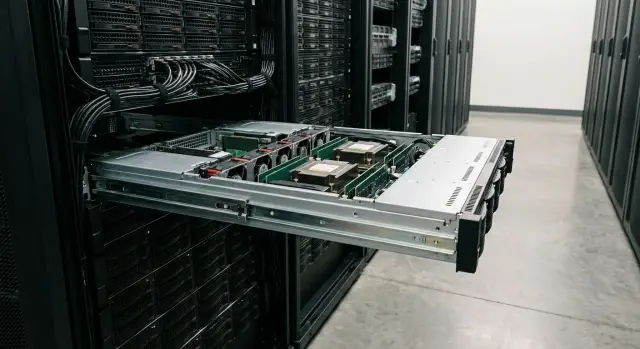
What ERP and file services need on a single server
ERP and file services are often placed on one server: it’s simpler to administer and cheaper initially. But their workloads differ. ERP mainly relies on the database and storage latency, while a file service suffers from many small read/write operations and network throughput.
A typical ERP includes a database, application server, background jobs (period closings, calculations, exchanges) and reports. During normal hours there are many short requests, and during peaks the load rises sharply. File services hold shared folders, user profiles, scans, CAD and office documents, plus antivirus scanning and indexing.
Important: tests on identical “hardware” do not guarantee the same result in production. A Fujitsu PRIMERGY RX2540 M7 configuration can look great in benchmarks but may underperform in real life because of different database request patterns, higher numbers of concurrent users, heavy month-end reports, or thousands of small files on the share.
What usually matters in hardware
Priorities depend on where the pain is, but the usual logic is:
- CPU is important for the application server, reports and background calculations. With high parallelism, core count matters more than single-thread frequency.
- Memory is critical for the database and caches. If RAM is insufficient, swapping starts and everything slows down even with fast disks.
- Disks and the controller determine latency and IOPS, especially for the database and active file catalogs.
- Network is important for the file service and backups. A common bottleneck is 1GbE to the switch.
- Resilience is needed everywhere: power supplies, fans, RAID, spare disks and a clear recovery plan.
Where bottlenecks most often appear
A typical ERP scenario is the database hitting storage latency. Users report “lags” in forms and postings while CPU is not heavily used. For file services the common bottlenecks are the network and many small files: opening a folder with thousands of documents or multiple departments working simultaneously.
Backups have a larger impact than expected. Nightly full backups, antivirus scans and scheduled ERP jobs can coincide and push the server into constant peak mode. Therefore, define backup windows, daily change volumes and the real number of users during peak hours in advance.
Example: 120 users, ERP with month-end reports and a shared resource for scans. During the day database latency and network speed to workstations are critical. At night backup speed and how scheduled jobs and copying affect disks matter.
What inputs to collect before choosing a configuration
To hit the mark with a Fujitsu PRIMERGY RX2540 M7 configuration for ERP, first gather facts about the real workload. Otherwise you can overpay for unused resources or run into disk and memory limits within months.
Start with users and data. Important is not only “how many now” but “how fast we grow.” Even a 60-user accounting department can behave differently: one case may have a steady load, another daily peaks due to closings, document uploads and reporting.
Minimum inputs to document in writing:
- How many active users at peak and their roles (operators, accounting, analytics).
- Current database size and growth forecast for 12–24 months.
- File service profile: many small documents or large files (scans, CAD, medical images).
- Which data must be “hot” and what can be left “cold”.
- Integrations: terminals, printing, exchanges with external systems, on-the-fly antivirus scanning.
Next, define availability requirements. This affects RAID choice, redundancy, number of PSUs and update approach.
Useful to answer:
- How much downtime is acceptable per month or year.
- Is there a maintenance window at night or on weekends.
- How quickly must you recover after a failure (RTO) and how much data can be lost (RPO).
- Is continuous operation required when a disk, PSU, fan or NIC fails.
Also describe the workload profile: read vs write dominance, prevalence of small operations (common in ERP), and whether there are strong peaks (month-end closing, inventory, mass printing). If you have a current server, collect CPU, memory, disk queue and latency metrics for at least a week.
Don’t forget constraints: rack space, available power, licensing limits (for example by CPU cores), and vendor/support policies. In practice these constraints often define a reasonable configuration profile.
“Standard” profile: balanced for a typical office
This profile suits when ERP covers accounting, purchasing and warehouse, and the file service stores shared documents. Load is usually even through the day with peaks at month-end or during mass printing.
Decide first whether one or two sockets are needed. For a typical office, one socket with higher frequency often suffices: both ERP and file operations are latency-sensitive and benefit from a “fast” core. Two sockets make sense if many concurrent users, heavy reports, background tasks and headroom for 2–3 years growth are expected.
Keep spare memory. ERP likes cache and file services quickly consume RAM for buffering. Practical approach: add memory now rather than find a maintenance window later for an upgrade.
With disks separate the system volume from data. Keep OS and hypervisor on a separate pair of drives; place the ERP database and shared files on a distinct array. In the “standard” profile choose SSDs for data and larger capacity disks for cold files or archives if you need to save costs.
RAID usually follows familiar schemes: mirror for the system and RAID10 for data when speed and predictable latency are important. RAID5/6 may be chosen for capacity, but consider that rebuilds after disk failure can be long and noticeable to users.
Network minimum for a small site: two ports for production traffic and one separate management port. If backups go over the network or there are multiple segments, allocate a dedicated port or higher bandwidth for backups.
Example “standard” for Fujitsu PRIMERGY RX2540 M7: 60–120 users, single node for ERP and files. One socket prioritizing frequency, memory with headroom for database growth, SSD RAID10 for data, mirrored system drives, and at least 2x network ports for traffic plus management. This gives a solid, low-maintenance foundation that is easy to support and expand.
“Increased reliability” profile: fewer risks and less downtime
If ERP and file services are critical, the goal is simple: survive a single component failure without service outage and without an IT scramble. This profile costs more than “standard” but pays off because issues are noticeable but not catastrophic.
Start with power. Redundant PSUs only make sense with two independent power lines: different circuit breakers, separate PDUs, and, if possible, different UPSs. If both PSUs feed the same electrical line, dual supplies won’t save you.
For disks focus on predictable behavior during failures. Plan for a hot spare and, if possible, purchase disks from the same batch to reduce the risk of multiple drives failing close together.
To avoid downtime from “what happened?” set up remote management and monitoring in advance. You don’t need dozens of charts—alerts for clear events are enough: array degradation, rising disk errors, overheating, fan failure, and power issues.
Establish a concise firmware and driver update policy: who approves versions, when to update, how to roll back and how to keep the same set across the batch.
Minimum spare parts that truly reduce downtime:
- Disk of the same type and capacity (or two if the fleet is large)
- Power supply
- The most common cooling module or fans
- Spare RAID/HBA controller if it's a separate unit
- Power cables for the rack
Example: if accounting and the warehouse rely on ERP and contract files are on the same server, even a single disk failure during the workday can cause queues. With increased reliability you spend time on planned replacement and calm array rebuilds instead of firefighting.
“Maximum IOPS” profile: reducing latency
This profile is for when the server is live but users complain about pauses: postings take noticeably longer, reports stall, and the file share sometimes lags when many small documents are opened or saved. Often CPU and RAM are not saturated; the bottleneck is the disk subsystem.
If response time increases during peak hours and complaints sound like “I’m waiting for it to load,” you are probably limited by IOPS and storage latency. For maximum IOPS NVMe configuration, start with the right drives and volume scheme, then consider adding cores.
Disks and RAID: where milliseconds are gained
Moving the noisiest operations to NVMe or the fastest SSDs usually yields the biggest gains. For predictable latency RAID10 often outperforms RAID5/6: less write penalty and more stable behavior under load.
A common layout:
- NVMe for the database and hottest tables/indexes
- A separate fast volume for transaction logs
- A separate volume for temp (sorts and temporary operations)
- RAID10 for active data where low latency matters
- A separate, slower storage area for archives and infrequently used files
Example: during month-end accounting the ERP writes logs and temporary data intensively while staff are saving scans to a shared folder. If everything sits on one array, queues grow and users notice latency. Spreading volumes and a fast log pool often feels like a server upgrade without changing CPUs.
Role separation and honest limits
IOPS won’t help if another resource is the bottleneck. Check common chokepoints in advance:
- 1Gbps network for an active file service
- Controller or array mode causing queue buildup
- Too many virtual disks on a single pool without prioritization
- Trying to serve both ERP and a heavy file workload equally from one server
- Lack of basic load tests before go-live
For the “maximum IOPS” profile plan separate volumes for DB, logs and temp, and a distinct resource for files. Then confirm the choice with short tests reflecting your operations: mass postings, typical reports, and concurrent open/save of documents.
Step-by-step: how to choose a configuration from your inputs
With inputs collected, server choice becomes calculation rather than guessing. The sequence below reduces surprises at deployment.
5 steps to keep the project on track
- Describe roles: where ERP runs, where the database is, and where file shares live. If everything is on one server, decide in advance what can be moved later (for example, file services to a separate node or NAS).
- Choose availability level and failure scenarios. What is acceptable if a disk, controller, PSU or NIC fails? How many hours of downtime are allowed and who signs off.
- Estimate CPU and RAM with headroom. Check license limits per cores/sockets and virtualization to avoid overpaying for unused cores.
- Design disk layout by data roles. At minimum separate: system volume, DB data, logs, user files and backup/temporary areas.
- Define the network, redundancy and test plan. Minimum is duplicated network ports and a clear failover scheme, plus measurements before launch.
Example to ground the decision
Suppose you have 120 users: ERP on SQL and a shared sales department file resource. If downtime is critical, plan redundant power, fans, disks and controller, and separate DB logs and user files on different disk groups. If the main complaint is slow transaction processing, accelerating storage for the DB and having the right RAM size usually wins over the most powerful CPU.
Before commissioning, document tests:
- Measure disk subsystem performance (read/write and latency)
- Test single-disk failure and measure array rebuild time
- Test backup and a trial restore (not just “backup completed”)
- Check network redundancy and real failover without manual intervention
This ties the configuration to measurable requirements and lets you explain the purchase to the business: what is bought, what is protected and what baseline metrics must be met.
Network and backups: so the server doesn't “suffocate”
Even a well-chosen configuration can be bottlenecked by network and backups. If everything runs over a single channel, users will feel slowdowns during backups or antivirus scans.
Network: separate roles and add redundancy
Split traffic by role so it’s easier to find bottlenecks and less likely that one task consumes everything.
Common baseline:
- user and application traffic
- administration and monitoring
- backup and replication
- storage or iSCSI/NFS (if used)
- redundancy: at least two lines/NICs for critical roles
Example: accounting closes the month while a full backup runs at night. If backup uses the same network as user access, in the morning nothing opens even though the server hardware is fine.
Backups: recovery testing matters more than backups themselves
Plan backups around window, frequency and realistic restore speed. ERP usually requires frequent recovery points during the day and fast service restoration. File services often need versioning and protection against ransomware.
Items to document:
- RPO and RTO in plain terms: how much data can be lost and how long the service can be offline
- backup type: full, incremental, and special copies for critical databases
- storage: multiple copies in different locations (primary and separate site/media)
- regular restore tests: not just “file returned” but “ERP starts and users can log in”
- protection against deletion: separate accounts and immutable retention where possible
File services also need hygiene: clear group permissions, quotas for departmental folders and antivirus schedules that avoid peak hours.
Plan for growth: RAM and network ports are usually easier to add later than redesigning disk layout or fixing an overloaded network without traffic separation.
Typical mistakes in choice and deployment
The most frequent problem is buying “more powerful” hardware without numbers: the server is bought for growth but without data on concurrent ERP users, heavy reports, how many small files are opened at peak, or annual data growth. Result: overspend on CPU or memory while the bottleneck remains in disks and network.
Second mistake: expecting uniform speed from a mixed disk array. They mix faster and slower SSDs in one RAID and get latency dictated by the slowest element. For ERP DB it’s important that the disk group be homogeneous by type, capacity and write endurance.
RAID is often mischosen. Picking a capacity-friendly scheme that gives high write latency is dangerous for DB and transaction logs. For file services with many small files the wrong RAID can hit IOPS limits before capacity runs out. Often people try to solve everything with one array instead of separating OS, DB data, file share and backups.
Another common error is “formal” power redundancy: there are two PSUs but both feed the same PDU or circuit. In a real power fault the server still goes down. Real high availability starts with physically separate power sources.
Finally, many postpone firmware updates and restore tests. This often ends with surprises at the first incident.
To avoid most failures:
- record metrics: CPU/RAM, IOPS, latency, data growth, backup window
- design disk groups for different load types; don't mix dissimilar drives
- choose RAID based on write pattern and small-file behavior, not only capacity
- ensure real power redundancy and test it by removing one line
- update firmware per plan and perform at least one restore from backup on a test system
Example: ERP is “tolerable” but month-end is slow. They installed fast CPUs while DB logs and user files shared a single mixed RAID. Separating storage roles and choosing correct RAID gave more benefit than replacing processors.
Batch acceptance: checklist before commissioning
Accepting a batch of servers is the easiest time to catch configuration mistakes and hidden defects, especially if you agreed in advance on the required configuration and expect exactly what was specified.
Before power-on
First, check that paperwork and hardware match:
- delivery notes, specification, serial numbers, and conformity of CPU/RAM/disks/controllers to the ordered configuration
- inspect the chassis for dents and misalignment; seals and factory stickers intact
- rails and mounting: trays fit the rack, nothing is loose, mounting hardware included
- cables and completeness: power cords of correct length/type, management cables, blanking plates, extra drive trays/backplanes if ordered
- internal components: PSUs of the specified power/class, fans in place, no “empty” slots where modules should be
Agree that the whole batch is tested by a single scenario and results are recorded (photos of serials and a short protocol).
After power-on
Ensure the server boots without errors and settings are consistent across nodes:
- BIOS and firmware: versions for BIOS/controller/NICs and a unified profile by template
- CPU and memory: visible RAM amount, frequencies, channel population and no ECC errors in logs
- disks and RAID: SMART without warnings, correct array composition, hot spare presence (if planned), controller cache enabled and protected by battery/supercapacitor
- quick I/O tests: a 10–15 minute read/write check confirming no timeouts or errors
- network and power: link on required ports, correct speeds, check LACP/VLAN (if used), and test failover of one PSU
When accepting 10–20 servers, pick 1–2 for detailed testing (longer memory and I/O tests) and check the rest with a shortened scenario.
Next steps: pilot, tests and launch
When the profile is chosen, document the decision in a simple matrix: expected loads (ERP, file shares, backups, 12–24 month growth), which configuration covers them (CPU, RAM, RAID/NVMe, network) and which tests will validate it pre-launch.
Run a short but honest pilot: 3–7 working days in conditions close to production. The point is not a specs debate but real numbers. For example, accounting complains about end-of-day pauses, and measurements show latency rising during simultaneous backups.
On the pilot measure:
- storage latency under typical ERP and file operations
- IOPS and throughput for read/write (peak and average)
- CPU usage and memory occupancy during working hours
- backup window and, crucially, restore time (RTO) and recovery point (RPO)
- behavior during failures: disk/controller/port if the bench allows
Concurrently produce an operations guide. One 2–3 page document is enough if it contains specifics: update schedule, monitoring and alert rules, minimum spare parts and criteria for when to add RAM/disks and how to justify it.
If you need neutral validation and deployment based on your inputs, GSE.kz as a manufacturer and systems integrator in Kazakhstan can help with design, supply, integration and 24/7 support, including a test plan and acceptance criteria.
One more practical tip: if your fleet includes different models, evaluate standardization. It is often better to standardize on a few typical configurations for different loads than to build unique servers for each department. This simplifies support, procurement and recovery after incidents.
Frequently asked questions
Can you put ERP and a file share on one Fujitsu PRIMERGY RX2540 M7?
You can, and for a small office this is often the simplest start. However, you must understand in advance that the ERP database is usually sensitive to storage latency, while the file service is affected by many small operations and the network. If roles are mixed without separating volumes and without resource headroom, problems usually appear during peak hours and backups.
What usually becomes the bottleneck: CPU, memory, disks or network?
If users complain about “freezes” in cards and postings while CPU is not busy, the bottleneck is almost always disks and storage latency. If reports and background jobs slow down under high load, you're hitting the CPU. If opening folders and working with documents is slow, the network and many small files are often to blame.
What matters more for ERP: more cores or higher CPU frequency?
For ERP and parallel tasks, more cores matter when there are many concurrent users and background jobs. For typical office workloads on a single server, higher frequency on fewer cores often wins because many operations are latency-sensitive. The real choice should be confirmed by measurements on your scenarios: postings, typical reports, exchanges and printing.
How much memory should be provisioned to avoid swapping and slowdowns?
RAM is needed for the database and caches, and a lack of memory quickly leads to swapping, after which everything slows down, even on fast SSDs. For a combined ERP plus file server it makes sense to provision spare memory so growth and file activity don't exhaust it in a few months. A practical guideline is to ensure the system doesn't enter a state of constant memory pressure and growing disk queues during peak hours.
How should disks and volumes be separated for DB, logs and files?
At minimum, separate the system volume from data so OS and service operations don't interfere with the database and user files. If possible, separate the database, transaction logs and temp files onto different volumes because they have different access patterns. The file share should also be kept separate so bursts of small-file activity don't increase database latency.
Which RAID is better for an ERP database and a common file share?
If predictable latency is important, RAID10 is usually simpler and more stable, especially for write-heavy and mixed ERP workloads. RAID5 or RAID6 can be more efficient by capacity, but under load and during rebuilds their write latency can become noticeable. For the system volume a mirror is usually enough; for data choose RAID based on write profile and downtime requirements.
Why can a nightly backup “kill” server performance the next morning?
This often happens when backup, antivirus scans and ERP maintenance tasks coincide and compete for disks and the network. The solution is to define a backup window, separate traffic roles and limit the noisiest background activities. It’s important not only to make backups but also to verify that recovery fits your allowable downtime.
Do I need to move off 1GbE if the server runs file services?
Active file services can easily saturate 1GbE, especially with multiple departments working concurrently and during large copies. It’s useful to separate user traffic, admin/monitoring traffic and backup traffic so one task does not consume the whole link. Even with good hardware, network speed and switch configuration often determine perceived file access performance.
What inputs should I collect before choosing an RX2540 M7 configuration?
You need numbers on users and data: how many active users at peak, how the database grows, and what types of files are stored. Also define availability requirements: acceptable downtime, required RTO and RPO, and whether there is a maintenance window. If you already have a server, collect metrics for at least a week to see where real load comes from.
What must be checked during server acceptance before commissioning?
Check that the delivered hardware matches the specification and serial numbers, then ensure the server boots without errors and reports the correct CPU, RAM and disks. Verify BIOS and firmware versions, RAID correctness and controller cache state, and run a short read/write test to catch timeouts and defects early. Also test network ports, real link speed and behavior when one power line is removed if redundancy is claimed.
