8 min read
FlexLM License Audit: Logs, Peaks, and Actual Demand
A FlexLM license audit reveals actual demand: which logs to collect, how to count peaks, seasonality, and how to justify pool optimization.
Why run a license audit and what it should answer
The number of purchased licenses rarely equals the number actually needed. A license can be “in use” because a session hung, a timeout is too long, a module auto-started, or one user holds several features. Conversely, some licenses may sit idle for weeks while on certain days everyone hits the limit and work stops.
A FlexLM license audit moves the conversation from vague complaints like “we’re always short” to verifiable answers based on logs. The most valuable outcome isn’t a pretty chart but a clear understanding of where shortages are real and where they are caused by settings or habits.
Businesses usually expect the audit to answer practical questions:
- Do we need to buy more licenses, or can we reallocate and tweak issuance rules?
- Which teams and which modules create queues and block others?
- How many licenses are needed during peak hours versus normal days?
- Is there seasonality (for example, spikes before project handovers, audits, or month-end)?
By “actual demand” we mean not the average consumption, but demand at times when downtime costs money: 10:00 on Monday, month-end, tender periods, or documentation releases. The average may look comfortable, but peaks determine whether startups are queued and deadlines slip.
Typical decisions after an audit are pragmatic: buy only those features that consistently hit peaks; move some users to a different license type (if allowed by the vendor); adjust timeouts and return rules; agree on windows for heavy tasks; disable unnecessary auto-start modules. In large organizations (e.g., government or industry) these findings often form the basis of licensing policy and a predictable budget.
Preparation: what to agree before collecting logs
Before starting a FlexLM audit, agree on the rules. If you don’t, logs will be collected but disputes over what to count will start at the reporting stage.
First, assign an owner for the process. Typically IT (server access and settings), engineers (how they actually run the software), procurement (contracts and limits), and security (permissions for exporting and storing logs) participate. One person should make final decisions about which sources are considered authoritative and how to treat exceptions.
Next, list the applications and versions in actual use. Large organizations often discover licenses were bought for one version while teams actually use another. That affects available features and which events appear in logs.
Also document the licensing model. Some products are concurrent, some are named-user, others use tokens or feature bundles. Even within one vendor there can be mixed schemes, where a “license” on paper maps to multiple features in FlexNet Publisher.
Agree in advance on details such as:
- which applications and modules are in scope and which versions count as current;
- where the license server(s) are and whether backups or duplicates exist;
- how to treat remote work: VPN, VDI, terminal farms;
- who verifies the list of features (from contracts and license files);
- what we count as a “user”: an account, a workstation, or a team.
Set analysis period boundaries. At minimum, take 4–12 weeks to see typical peaks. If seasonality is possible (academic projects, budget cycles, quarterly releases), analyze 6–12 months. For example, project teams often spike before delivery, and a short period can produce a false “normal.”
FlexLM (FlexNet Publisher): which logs to collect and where they live
FlexLM generally has two event sources: the lmgrd license manager process and the vendor daemon. Both are important for an audit. lmgrd logs general events (start, stop, errors), while the vendor daemon records license checkouts and checkins by feature and user. One file alone gives an incomplete picture.
There are three common log types. The debug log (often named debug.log) is a detailed stream containing checkout and checkin lines. The report log is more structured for reporting (if enabled) and is easier to use for period statistics. Event logs are less common and depend on platform and service settings; they are useful to confirm restarts, failures, and config changes.
To calculate demand, ensure logs include operational events. Typical useful lines are:
- OUT or CHECKOUT: who took a license and when (feature, user, host)
- IN or CHECKIN: when it was returned
- DENIED: refusal due to lack of licenses or policy
- QUEUED: placed in queue (if the product supports queuing)
- messages about daemon restarts: so you don’t mistake session drops for mass returns
Check timestamps before collection. If the server is in a different timezone than reports, peaks can shift by an hour and conclusions about “peak” teams will be wrong. It’s best to enable time synchronization (NTP) and state the timezone explicitly in your report.
Log file paths are set in service or daemon parameters (startup options or config), not always next to license.dat. Verify rotation (how many days are kept, compression, renaming) and collect older rotated files. Seasonality analysis requires months of data, so ensure history retention is configured.
Which fields to extract from logs: the minimum for calculation
For a FlexLM audit, don’t collect “everything”; extract fields that let you honestly calculate demand and see peaks. First check whether usage logging is enabled and whether checkout and checkin events appear. If logs only show errors or daemon starts, they lack necessary detail.
Minimum field set
When exporting to a table or analytics system, each operation (checkout, checkin, deny) typically needs five to seven columns:
- event time (single timezone, with date and time)
- feature (name of function or license package)
- user (login) and, if possible, domain
- host (workstation or node name)
- count (how many licenses this event consumed)
These fields let you compute concurrent usage: over time you build “how many are occupied right now”; by feature you separate products; by user and host you see consumers and reuse patterns.
What to add so numbers aren’t misleading
Record error and denial events. For deficit assessment, DENIED events, timeouts (sessions hung and not returned), invalid hostid (binding problems), and messages about wrong keys or unsupported versions matter.
Normalize users. The same person may appear as user, DOMAIN\user, or as a service account (e.g., batch render jobs). Decide in advance who counts as a human and who is a service account, otherwise the audit will overstate demand.
Save server metadata: lmgrd and vendor daemon versions, timeout and borrow parameters, redundancy settings (RESERVE), license file list and updates. Example: if a feature has RESERVE 5 for a group, total capacity exists but is unavailable to others—important to account for.
FlexLM analogs: applying the approach to other license managers
If you have an audit process for FlexLM, the approach transfers easily to other managers. The logic is the same: license issued, returned, denied, or queued. Names of events and log formats differ.
Sentinel RMS and RLM usually provide enough data to calculate real demand the same way as FlexNet Publisher: who took a license, when, when they returned it, and why access was denied. Sometimes some details are only in an admin console report or vendor utility.
Map terminology once and for all
The main difficulty is not calculations but translating terms. What’s called a feature in one system may be a product, module, token, or entitlement in another. Create a short glossary and use it in all reports to avoid repeated arguments.
Typically normalize:
- consumption object: feature or product, including edition and version
- events: checkout, checkin, deny, queue/wait
- identifiers: user, host, application, project or team (if reconstructible)
- measurement unit: license, token, pools by type, group limits
In practice, in RLM you capture a checkout by module name and user@host and count parallel active sessions as the peak. In Sentinel RMS, check for borrow usage separately, otherwise long borrows will distort seasonality.
When you need a vendor report
If licensing is complex (tokens, bundles, dependent modules, AD group limits) or logs don’t show reasons for denial, request a vendor usage report. It’s especially useful when you must explain queues, overages by bundle, and exact entitlements per right.
Cleaning and normalization: making calculations fair
Raw FlexNet Publisher logs look precise, but they almost always contain distortions. Before calculating demand, normalize the data so the report doesn’t show spurious peaks and “dead” users.
First agree on a common time scale. Servers and workstations may be in different timezones or have mismatched NTP. A practical approach is converting everything to UTC and rounding to the minute (or to 5 minutes if processing speed matters). Rounding reduces noise from short reconnects without altering peak structure.
Next—names. Logs contain feature names and vendor daemon labels, while procurement uses marketing names. Create a mapping table from “as in log” to “as in contract.” Otherwise the same option will split across lines or different versions will merge.
Set normalization rules:
- convert times to one zone and round to 1 or 5 minutes
- maintain a name dictionary: feature/INCREMENT -> commercial name
- define a session: active while there is a CHECKOUT and no CHECKIN (or until a chosen timeout, e.g., 30 minutes without events)
- consolidate user identity to one identifier (login or e-mail); keep host separate
- decide how to treat overlaps: one user on two hosts simultaneously—count as 2 licenses or flag as suspicious
Handle exceptions separately. Many organizations have training pools, test licenses, temporary vendor keys, and service accounts for batch jobs.
A practical rule: flag such entries (test/edu/service) and compute metrics two ways—"as-is" and "excluding exceptions." Nighttime checkouts from a service account might create apparent peaks even though real daytime load is different.
Metrics to compute to reveal real demand
An audit should produce a set of metrics, not a single number. The same occupancy can mean normal use or persistent queuing and denials.
Start with breakdowns by feature and by product (if multiple features belong to one package). Average occupancy shows the baseline but often misleads. Keep median alongside average: median better represents a typical day without rare spikes.
Next, calculate peak concurrent usage. Compute it per day, week, and month: the daily peak matters for immediate operations, weekly and monthly peaks show whether the peak is sustained.
The absolute peak may be a one-off (e.g., everyone launched CAD for 20 minutes after a release). In such cases the 95th percentile of concurrent usage is more useful: it reflects a “near worst” scenario without single outliers.
Add pressure metrics to compare demand against supply:
- share of DENIED by feature and by hour (how often people were actually refused)
- QUEUED events and average wait time (if queueing exists)
- top groups and users by DENIED/QUEUED (who hits limits most)
- hours of day with highest denial share
- difference between usage peak and denial peak (they don’t always align)
Example: in a 40-engineer team the median per feature is 6 but the daily peak is 18. If DENIED events are rare, buying 18 licenses may be unnecessary. But if denials regularly spike at 10:00–12:00 for one team, the issue is the window, not the average occupancy.
Step-by-step: how to compute demand from logs
Calculation starts with a clean event set. Choose a period that includes typical weeks and at least one busy phase (project delivery, month-end, exam session).
Verify completeness: do logs cover all days, did server versions change, were there backup license servers, and do timezones match? A missing day can hide a peak.
Then follow a simple scheme:
- Gather files for the period and mark gaps (moves, restarts, log rotation).
- Convert lines into an event table: time, user (or host), feature, action (checkout/return), count.
- Build occupancy over time for each feature: at each timestamp current occupancy = previous + checkouts - checkins.
- Compare occupancy to pool limits and find deficit windows: where occupancy hits the limit and denials or queues appear.
- Produce recommendations: pool sizes per feature and clear access rules (who has priority, what can run at night, where a second server is needed).
Use a step of 1–5 minutes for the time series. For example, if feature “CAD_Pro” has a limit of 20 and minutes often show 19–20 with denials at 10:00–12:00, this is a concrete window where the team loses time.
Conclude with two categories: “licenses are insufficient” (there are denials and sustained limit hits) and “clean up usage” (licenses hang on hosts, no returns, sessions kept open for days). This makes procurement decisions targeted and defensible.
How to find peaks, "peak" teams and seasonality
A peak is not just the highest number in a year but a short interval when licenses run out and people wait. For audits, use fine-grained steps (1–5 minutes). Often the maximum holds for 10–20 minutes and then drops, which affects buy-vs-policy decisions.
Minute-level peaks and peak duration
Create a time series of “licenses in use” per feature and version. Mark not only the maximum but duration: how many minutes per day are you above, say, 90% of the pool. This distinguishes one-off spikes from sustained shortages.
A useful minimum set for reports:
- maximum and 95th percentile of occupancy
- minutes per month above 80% and 95% of pool
- average wait time (if denial/queue logs exist)
Heatmap and seasonality
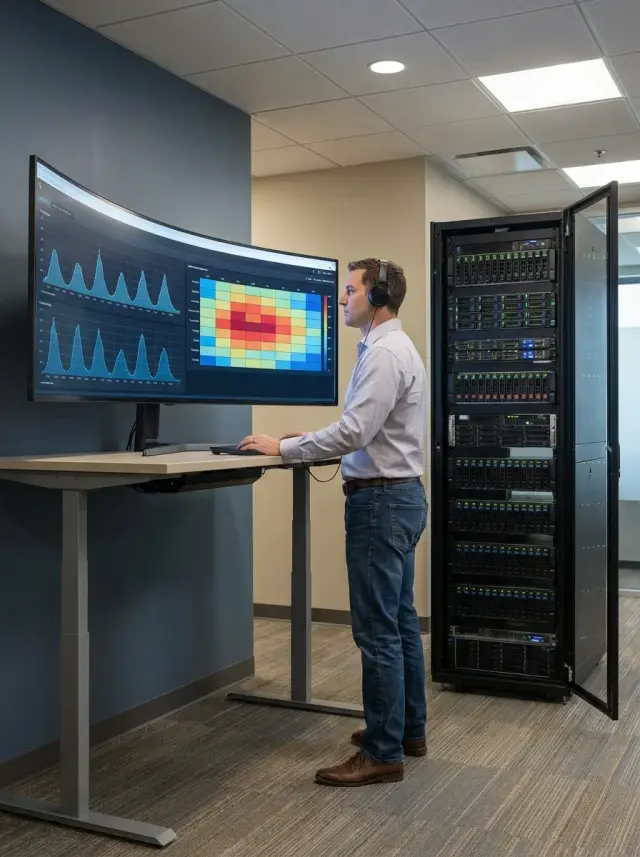
A “day-of-week x hour” heatmap per feature quickly shows load patterns: morning logins, lunchtime dips, evening batch runs. Building the map per department shows if one team causes peaks while others are steady.
Search seasonality the same way as peaks but over months: compare monthly profiles and note recurring waves. Typical causes: project closures, academic sessions, reporting periods, version upgrades, or new team onboarding.
To find peak teams, take the top 1–5% of high-consumption intervals and count which users, hosts, and departments are active in those windows. Validate hypotheses: training (many short sessions), batch jobs (long nightly holds), bots or scripts, or hung processes that never return licenses.
Case study: how an audit changed a purchase decision
A company planned to buy more CAD licenses: the pool had 40 concurrent seats across three sites and different shifts. Complaints said “it blocks people midday,” so procurement seemed justified.
The audit over 6–8 weeks showed a different picture. The overall peak briefly reached 38 of 40, so capacity was nearly sufficient. Yet DENIED events were concentrated on two specific features and coincided with one team’s peak.
Root causes were configuration and hygiene rather than overall quantity:
- a reservation for one group made part of the pool unavailable to others;
- hung sessions left checkouts active for hours after CAD closed;
- sites were in different timezones, and their morning overlaps created a combined peak.
The solution was surgical: reallocate pools between sites, set idle timeouts, and remove unnecessary reservations. They bought one additional specific feature that showed repeated DENIED events instead of 10 generic concurrent seats.
The procurement package included clear supporting data: hourly occupancy graph, feature-specific charts, a table of DENIED events (how many, when, which sites), and a concise recommendation of “what to change” and “what to buy.” That made it easy to defend the purchase with facts rather than impressions.
Common errors and audit pitfalls
The most frequent mistake is looking only at the average. The average smooths peaks and hides short but costly spikes. If a peak lasts 20–40 minutes daily at the same time, that determines the needed capacity.
Another pitfall is mixing logs from different servers without aligning time. Timezone differences, daylight saving changes, or wrong VM clocks create phantom peaks. Before calculations, ensure timestamps are comparable.
Calculations also fail when RESERVE and group limits are ignored. Licenses may exist but be reserved for a specific team, so another department sees denials even if the global occupancy looks low.
Don’t conclude “no DENIED means no problem.” Users often work around limits: run jobs at night, split tasks, keep sessions open, or rely on app-level queues. These reduce DENIED but don’t remove the inconvenience.
Finally, too-short periods cause mistakes. One to two weeks may coincide with holidays or a deadline. Prefer at least 6–8 weeks, ideally three months, to capture recurring peaks.
Quick checklist before final conclusions:
- aligned time across all log sources
- accounted for RESERVE and group access rules
- looked beyond average: examined peak duration
- verified the period isn’t anomalous (holidays, deadlines)
- checked for queues and manual workarounds
Short checklist before the report and next steps
Before finalizing findings, verify the fundamentals. Most errors come from skewed input data or inconsistent definitions of what a license is.
Data and calculation checks
Go through these items and note where clarifications are needed from admins, engineers, or procurement:
- the log period covers the needed months without gaps and timestamps are unified;
- feature and option names are mapped to actual products and teams, including aliases and vendor daemon differences;
- key metrics are computed: peak, 95th percentile, and DENIED/QUEUED by time;
- you understand which teams cause peaks and why (deadlines, nighttime runs, batch tasks, shared pools);
- prepared 2–3 clear scenarios: reallocate, change limits/queues, or buy exactly what’s missing.
Document findings in verifiable terms: for example, “in April feature X 95th percentile = 38, peak = 47; 80% of denials occur between 10:00 and 12:00, mainly from the design team.” That reduces “we’re always short” debates.
Next steps
Assign an owner (IT, engineering lead, procurement) and set a control check deadline. Good practice: implement changes, wait 2–4 weeks, then re-measure metrics and compare DENIED/QUEUED and the 95th percentile before and after.
What to do next: lock in improvements and prepare infrastructure
An audit only helps if it leads to a clear action plan: who changes what and how success is measured.
1–3 month plan
Start with measures that often help without buying more licenses:
- agree on which features are critical and which are convenience items;
- tidy pools: separate licenses by product and team when everything is in one pool;
- set limits and priorities where supported (e.g., separate groups for nightly runs);
- reduce noise: train users to close sessions, check for auto-starts and hung clients;
- finalize the procurement decision: buy, reallocate, or change license type and document the data supporting it.
Strengthen licensing infrastructure. For FlexNet Publisher this usually means availability and observability: redundancy (triad servers if appropriate), OS/virtualization resilience, centralized log collection, and basic monitoring of pool fill levels. Ensure a unified NTP across servers and clients to avoid moving peaks.
How often to repeat and what to measure
If usage shifts with projects, run lightweight checks monthly and a full recalculation quarterly. Minimal KPI set:
- 95th percentile concurrent usage for key features
- number of denials (DENIED) and when they occur
- average session duration and share of abnormally long sessions
- share of users creating peaks (top-10)
- weekly seasonality: growth or drop relative to baseline
If logs are abundant, multiple managers are used, or you need reliable reporting rather than manual exports, involve a systems integrator. For example, GSE.kz (gse.kz) as a hardware and systems integrator can help build server contours, centralized monitoring, and 24/7 support so licensing remains available to production teams.
Frequently asked questions
Why do an audit if users already complain that there "aren't enough" licenses?
Start by identifying where the downtime happens: at peak hours, in a specific team, or for a particular feature. An audit answers whether you’re short on licenses or whether settings and habits cause the problem: hung sessions, too-long timeouts, auto-started modules, or group reservations. With that clarity it’s easier to decide whether to buy more licenses or fix issuance rules.
Which FlexLM logs should we collect to make the audit accurate?
Collect logs from both the license manager process and the vendor daemon. Logs must include checkout and checkin events (CHECKOUT/CHECKIN or OUT/IN), denials (DENIED), and daemon restarts. If there’s a report log enabled, it’s convenient for aggregation, but the debug log typically provides more details about users and hosts.
What period of logs is needed to see the real demand?
Take at least 4–12 weeks to capture recurring peaks and typical behavior. If you expect seasonality (academic cycles, project deadlines, month-end activity), analyze 6–12 months. Very short periods easily coincide with vacations or a single deadline and lead to misleading conclusions.
Why do timezone and server time affect results so much?
Align timestamps: a one-hour offset can shift peaks into another window and change who appears responsible. A practical approach is to convert all timestamps to a single timezone (often UTC) and document that in the report. Verify NTP synchronization on the license server and clients before analysis.
How can I tell real shortage from "it just feels like there aren't enough"?
Short answer: look for repeated DENIED events or queues at the times that matter. If usage is close to the limit but denials are rare, the issue may be configuration or user behavior rather than capacity. If denials occur every day in the same window and point to a specific feature, that’s a strong case for an additional purchase of that feature.
How can RESERVE and group rules create queues even when there seem to be enough licenses?
RESERVE and group limits can make parts of the pool effectively unavailable to others. Formally licenses exist, but some are reserved for a team or project. In an audit you must account for reservations and compare denials and peaks by groups, not only overall utilization.
How should "active sessions" be counted if logs contain gaps and hangs?
Define a session: starts at checkout and ends at checkin, or—if there is no checkin—after an agreed idle timeout. Round timestamps to 1–5 minutes to reduce noise from brief reconnects. Normalize user identifiers so one person doesn’t appear as multiple consumers because of different login formats; keep host as a separate field.
What about borrowed licenses (borrow) — how do they skew peaks?
Borrowed licenses can appear as long-held sessions and inflate peaks. Tag borrows separately and evaluate their contribution to shortages. Often the solution is not buying more licenses but changing borrow rules and return periods.
How do I find "peak" teams and determine whether a peak is persistent?
Don’t focus only on the absolute maximum. Measure duration and frequency of peaks using 1–5 minute steps: how many minutes per day/month are you above 80% or 95% of the pool, and how often do denials occur. To find "peak" teams, look at the top intervals by consumption and see which users, hosts, or departments are active then.
What practical steps are usually taken after an audit and how do we verify their effect?
Typical actions separate into two types: where there is a real shortage (denials and sustained limit hits) and where hygiene or settings cause the issue (stuck sessions, missing checkins). Common measures: adjust timeouts, remove unnecessary auto-starts, revise RESERVE, schedule heavy tasks for windows, or buy only the specific feature that shows repeated DENIED events. Best practice: implement changes, wait 2–4 weeks, and re-run metrics to verify reduced DENIED/QUEUED and improved 95th percentile.
