8 min read
Fleet Management System: Automating Reports and Data
Fleet management system: how to collect maintenance, fuel, trip sheet and fines data so reports are generated automatically without manual entry.
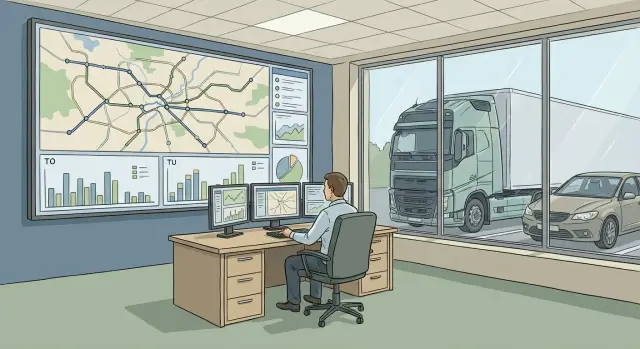
Where fleet chaos begins
Chaos usually doesn’t start from one big mistake, but from four daily tasks living separately: maintenance and repairs, fuel, trip sheets and fines. Each process has its own spreadsheets, chats and folders, and then someone urgently needs to consolidate everything “yesterday.”
When reports are compiled manually, delays and inaccuracies are almost inevitable. The same data is entered multiple times, figures don’t match, and the reasons for discrepancies get lost. The driver logged mileage in the trip sheet, the mechanic recorded a different mileage in the maintenance log, and accounting received a third number from invoices. In the end people argue not about solutions but about which version is “correct.”
“Automatically” in a proper system is not just a pretty dashboard. The key is auto-filling critical fields from data sources. For example: mileage and driving time are pulled from telematics or the odometer, refuels come from fuel cards, maintenance schedules are calculated by mileage and dates, and fines are matched by vehicle plate and driver. Then the system doesn’t ask for the same manual entries every time.
Reports are needed by different people, each with their own question:
- Accounting: expenses, supporting documents, fuel reconciliation
- Operations: vehicle readiness, maintenance plans, downtime
- Safety: violations, speed, fines and discipline
- Management: cost per kilometer, utilization, deviations from norms
A simple example: at month end you have 20 vehicles. If refuel, mileage and repair data aren’t linked, the report becomes a jigsaw puzzle. Automation removes manual “glue” and leaves people to do what matters: spot anomalies and act.
What data is needed for the system to work
For a fleet management system to produce automatic reports, it needs not “lots of data” but correct and consistently formatted data. Otherwise you’ll get neat tables full of errors: the same vehicle listed in three name variants and expenses that don’t reconcile.
Minimum data set
Start with a base that all calculations and checks rely on:
- Vehicles: license plate, VIN, model, division, fuel type, assignment (permanent or shift-based)
- Drivers: full name, personnel number, license details, permits, shift schedule
- Routes and trips: points, trip type (city, intercity, special work), planned kilometers and time
- Norms: fuel consumption per vehicle and conditions, mileage limits, rules for downtime
- Events: refuels, odometer readings, repairs/maintenance, fines, vehicle issue and return
Separate registries are also needed: unified names for divisions, positions, cost items, counterparties and work types. It’s boring, but it saves hours of reconciliation and prevents manual “renames” in reports.
What you will calculate
Decide in advance which metrics are key for you: mileage and consumption per 100 km, cost per kilometer, downtime, share of unplanned repairs, costs by division and per vehicle.
Before setting rules, answer a few questions:
- How is maintenance periodicity defined: by mileage, by calendar or both?
- How are shifts accounted and who is responsible at shift change?
- What trip types are allowed and how does accounting differ by type?
- What counts as downtime and when does it start?
Fix these decisions before launch so reports are computed consistently for everyone.
Data sources: from telematics to accounting
To make the fleet system assemble reports on its own, decide in advance where each figure comes from and which source is considered the single truth. Chaos begins when GPS shows one mileage, the trip sheet another, and accounting writes off a third.
Core sources without which reports won’t reconcile
First layer — telematics (GPS/GLONASS). It provides tracks, mileage, stops, working time and helps establish where the vehicle actually was. But telematics doesn’t know why a trip happened or who approved it.
Second layer — fuel. Fuel card and station transactions provide volume, price, location and time of refueling. This is the best source for money flow and proof of purchase, but it doesn’t explain consumption and won’t see cash refuels.
Third layer — service and repairs. Requests, work orders, parts and costs usually live in a service system or in 1C/ERP. These data are needed to link downtime, expenses and maintenance plans.
Fourth — trip sheets: assignments, trips, permits (medical checks, line release). They answer “why the vehicle went” and who was responsible.
Fifth — fines: notices, dates, driver, payment status and appeals. Fine data often arrives from different channels (mail, personal accounts, accounting), so maintaining a single register is important.
At the start it helps to establish simple rules to avoid monthly disputes:
- take mileage for reports from telematics, not manual entry
- take fuel cost from transactions, not from verbal reports
- count repairs by closed work orders, not by requests
- consider a fine closed only after payment confirmation
Example: if a driver refueled by card at 08:12 but the track shows the vehicle in another area at that time, the system flags the transaction as suspicious and sends it for review.
How to link data together without confusion
For reports to assemble automatically, it’s not enough to store data — you must be able to accurately link items. Otherwise maintenance, fuel, trip sheets and fines remain separate pieces and staff will revert to manual reconciliation.
Unique identifiers: what the linkage relies on
Start with identification rules. For the vehicle use license plate and VIN (plate is convenient day-to-day, VIN saves you when plates change). For drivers use personnel number or HR system ID. These fields must be required and consistent across sources.
Short rule: one object — one “primary” identifier; others are auxiliary.
Synchronize registries between systems
Registries often live in different places: HR, accounting, telematics, service. You need a single source of truth and a synchronization schedule (at least once a day). Immediately decide where vehicle, driver, route and counterparty records are created and who approves them.
When matching events, set clear rules:
- date and time (considering time zones)
- which driver was on shift at that time
- mileage or engine hours at the event moment
- location (geozone, gas station, route point)
- acceptable time window for discrepancies (for example, +/- 15 minutes)
When data is “dirty” (duplicates, gaps, liters vs gallons), don’t try to fix everything manually. Implement automatic validations: duplicate search by VIN, unit checks, ban on negative mileage, highlight missing values.
Keep a change log: who edited what and when. If accounting changed a fine amount and dispatch changed the driver on a trip sheet, it should be visible. Disputed cases are then resolved in minutes, not via long message threads or calls.
Maintenance and repairs: setting up plans and alerts
Maintenance and repairs usually become chaotic for two reasons: no unified rule on when to service a vehicle, and no clear picture of costs. This is fixed by setting plans and clear alerts.
It’s best to calculate maintenance plans two ways at once: by mileage and by calendar. Mileage works for high-mileage vehicles; calendar helps where mileage is low but periodic checks are mandatory (oil, filters, diagnostics). Often the reliable rule is “whichever comes first.”
To keep planning from disrupting operations, set “service windows” and priorities. For example, passenger cars can go to service during business hours, while special machinery is scheduled on agreed days when a reserve is available.
What to include in the plan
A short set everyone understands is enough:
- schedule (mileage/interval and list of operations)
- statuses (planned, in repair, ready, closed)
- responsibles (mechanic, driver, manager)
- priorities (critical failures above planned work)
Cost control starts with detail: parts separate, labor separate, consumables separate. For warranty cases record date, mileage, supplier, act and reason so you don’t pay twice for the same issue.
Useful alerts
Alerts should be short and unambiguous: “maintenance due,” “maintenance overdue,” “repeated failure on component.” Example: if the same component is repaired a second time within 60 days, the system raises a flag and requests manager approval.
Reports should focus on total cost of ownership: per vehicle and by division. Then you can see what’s cheaper: keep repairing an old vehicle, change the service provider, or plan to renew the fleet.
Fuel: norms, reconciliation and finding deviations
Fuel often causes the biggest losses because data lives in different places: fuel cards, the odometer, trip sheets and sometimes telematics. To have the system calculate consumption automatically, first set clear norms, then configure regular reconciliations.
It’s better to have several layers of norms rather than one number “for all cases.” Base norms by vehicle model and fuel type. Then add seasonal adjustments (winter/summer) and norms by routes or work types: city, highway, cargo transport, use of attachments, idling with engine on.
Reconciliation should answer a simple question: were refuels justified by mileage and tasks? Usually transactions from fuel cards are compared to mileage (from odometer or telematics) and the fact of refueling (time, volume, station). Tank balance matters: without it even honest top-ups can look like overconsumption.
How to spot deviations
Anomalies are easier to catch with rules, not by visually scanning tables:
- sharp increase in consumption for 1–2 days on regular routes
- frequent small top-ups
- refuels at night or at unusual times for the shift
- refuels outside allowed zones or far from the route
- mismatch between refuel volume and tank level change (if a sensor exists)
Tank level sensors help but have errors (tilt, temperature, calibration). So reports should show not only “minus X liters” but also possible reasons: route change, idling with engine on, repair (draining/replacing), or odometer discrepancy.
Small example: two identical vehicles show 15% difference in January consumption. The check reveals one does short city deliveries and frequently idles to warm up. This is not theft but an inappropriate norm for that work type; it should be reported separately so the report is fair.
Trip sheets: how to eliminate manual filling
Manual trip sheets typically fail in the same way: the data exists but is scattered across drivers, dispatchers and accounting. Some fields are forgotten, mileage is estimated, and signatures and dates are “caught up” later. The system’s job is different: assemble the trip sheet from facts and allow closing only after checks.
First, define which fields are mandatory for you. Usually these are driver and vehicle, trip date and period, odometer readings (start and end), route or work zone, purpose, checks for permits and responsible persons, and fuel consumption (by norm or actual).
Auto-fill should use simple sources: driver chosen from the HR registry, vehicle from the master list, routes populated from standard tasks, and mileage and time pulled from telematics or tracker. If telematics is absent, start with a semi-automated flow: the driver records start and finish in a mobile form and the system calculates duration and validates logic.
Before closing a trip, run short checks:
- mandatory fields completed, no “0 km” without reason
- mileage not negative and within a reasonable range
- one driver’s trips do not overlap in time
- a vehicle is not “driving” in two trips at once
- linked supporting documents: request, order, or internal assignment
Then the trip sheet should feed payroll and accounting: hours in transit and downtime for wages, business trips and confirmations for internal customers. For example, if a driver moved equipment between sites, the system automatically calculates time, mileage and expected consumption, and the dispatcher sees deviations before the document goes to accounting.
Plan storage and access: retention per internal rules, roles (driver sees their trips, accounting sees all), quick search by date, vehicle, driver, route, fine or incident number.
Fines: tracking, assignment and payment control
Fines rarely break a fleet by themselves, but they quickly erode the budget if invisible in the big picture. Fines should enter the system automatically and be immediately understandable: what for, which vehicle, who was driving and what to do next.
Start with data sources. The most reliable way is upload from the provider’s or government portal. Another option is parsing incoming mail (fine notices often have standard templates). Manual entry should be an exception and marked with a reason.
The most important step is matching. Match a fine to a vehicle by plate and time, then to a driver and trip by shift schedule, trip sheet or vehicle assignment. If the vehicle was “unassigned” at the violation time, that isn’t a reason to delay: give the fine a temporary status and a task to clarify.
A simple lifecycle is useful and clear to all participants:
- Received (loaded into the system with primary data)
- Assigned (responsible driver or division determined)
- Paid (date and amount recorded, proof attached)
- Appealed (appeal created with deadlines and outcome)
- Overdue (past the allowed term)
Reports should answer managers’ questions, not just show a list. A useful minimum: totals and repeatability — which causes dominate, where fines are increasing, and which drivers or vehicles repeat offenses.
To avoid disputes, set rules: who assigns a fine, who pays it, who monitors deadlines and who decides on an appeal. For example, accounting handles payment deadlines, the fleet unit assigns drivers, and legal or a responsible person handles appeals and records the outcome.
Step-by-step plan for development and rollout
Start by documenting how you currently work. In fleet systems it’s not the hardware that usually fails but responsibility: who enters data, who checks it, who closes disputes.
-
Fix processes and responsibles: maintenance and repairs, fuel, trips and trip sheets, fines. Record which decisions are made and by which documents.
-
Define data sources and exchanges: telematics, fuel cards, accounting, HR data, service acts. Decide what will arrive automatically and what at least via scheduled exports.
-
Build a unified data model and registries: vehicles, drivers, divisions, work types, gas stations, cost items. The same vehicle must have the same name everywhere or reports won’t join up.
Next, focus on data quality. Automation works only when the system catches errors before they reach reports and payments.
-
Set validation rules and alerts: mileage can’t decrease, refuel can’t exceed tank volume, trip sheet can’t close without a driver.
-
Prepare 5–10 key reports and test them with real cases: fuel overconsumption, overdue maintenance, trips without trip sheets, fines without assigned driver.
-
Run a pilot on part of the fleet (for example, 10–20 vehicles in one branch) and then scale. If during the pilot a fine couldn’t be automatically matched to a shift and vehicle, fix registries and rules rather than creating manual workarounds.
Common mistakes and pitfalls in practice
The most common mistake is starting with pretty reports when registries aren’t cleaned. If the system has two variants of the same vehicle model, different division names or duplicate driver records, any report will be disputed. First agree on a unified set of registries (vehicles, drivers, gas stations, routes, cost items) and who maintains them.
Another typical problem is not fixing the mileage rule. If some people rely on GPS and others on the odometer, disputes will happen weekly. Choose one primary source, rules for rounding and clear exceptions (for example, when GPS fails and the odometer is recorded by photo).
Another trap is access rights. If dispatch, accounting and mechanics can edit the same fields without a change history, errors look like “data disappeared.” Separate roles and enable an edit log where possible.
Trip sheets are often overloaded with mandatory fields. People then fill them in perfunctorily or after the fact. Make only fields that affect calculations mandatory: driver, vehicle, date-time, mileage and fuel.
To avoid dependence on data quality from contractors and gas stations, use simple discipline:
- pilot on 10–20% of the fleet for 2–4 weeks
- weekly reconciliation of fuel and mileage on 3–5 control vehicles
- rules for handling discrepancies: who checks, how it’s recorded, within what deadlines
- a single upload format and duplicate checks
Simple rules combined with regular reconciliations work best.
Short checklist before enabling automatic reports
Before turning on automatic reports, check the basics. Otherwise reports will be pretty but wrong and disputes will still be handled manually.
Five checks that save weeks
- Normalize registries: each vehicle, driver and division should have one identifier and one spelling. If duplicates exist (for example, two “Ivanov I.I.” or “Gazelle 123” and “GAZ 123”), reports will fragment.
- Fix the mileage rule and the “source of truth” for maintenance: what is considered mileage for scheduling (odometer, telematics or trip sheet) and what to do when numbers diverge.
- Reconcile fuel using multiple signals: card transactions plus linkage to mileage and matching by time and location. This quickly finds refuels “in the wrong place” or “at the wrong time.”
- Allow trip sheets to close only after automatic checks: mandatory fields, route logic, realistic mileage and consumption, and time overlaps.
- Introduce fine statuses and responsibilities: “received,” “assigned,” “pending payment,” “paid,” “appealed.” This prevents lost notices.
Finally, choose five basic reports (mileage, maintenance, fuel, trip sheets, fines) and reconcile them once with accounting for the previous month. If numbers don’t match, the issue is almost always registries or source rules.
Example scenario: how it looks in a real company
A company serves requests in three cities and runs a fleet of 60 vehicles: some on fixed routes between sites, some as mobile teams, and a few assigned to managers. Schedules differ, drivers rotate, and documents live in separate files.
Before automation, fuel was reconciled in one spreadsheet, trip sheets in another, and fines arrived by email or messenger and were often lost. Management saw final costs only at month end when it was too late to investigate overconsumption or missed maintenance.
The company built a fleet management system around unified registries: one vehicle list (with plate, division and norms), one driver list, and one catalog of maintenance work. Then they connected three sources: GPS/GLONASS for mileage and routes, fuel cards for transactions and service work orders for repairs.
After a couple of weeks reports started to form automatically: where fuel didn’t match mileage, which vehicles were close to overdue maintenance, and which fines were questionable (time and place didn’t match the trip).
After a month they measured:
- share of trip sheets closed without dispatcher intervention
- number of manual edits for mileage and refuels
- number of overconsumptions confirmed or dismissed after review
- share of maintenance completed on time
- speed of handling fines from receipt to resolution
Next steps: lock in results and scale
After enabling automatic reports it’s important to prevent the system from falling apart after a few months due to small mismatches. A simple agreement helps: who owns the data and how often you check that figures match.
Assign a data owner for each block: maintenance, fuel, trip sheets, fines. The owner’s simple task is to run weekly or monthly checks of key indicators and close discrepancies.
To scale painlessly, establish minimum infrastructure rules:
- where data is stored and how long it is retained (for example, 3–5 years)
- how backups are configured and who tests restores
- who has access to which reports (role, division)
- what is considered the “truth” in disputes (telematics, 1C, trip sheet)
- how changes in registries are recorded (vehicles, drivers, norms)
Then plan integrations with existing systems: accounting and invoicing, repair vendors, fuel card issuer, telematics. It’s better to define touchpoints and exchange formats early than to fix reports manually later.
Start with a pilot in one branch or a vehicle group and formalize rules: who creates vehicles, how trip sheets close, when repairs are recorded, how fines are handled. When the pilot is stable for 4–6 weeks, scaling usually comes down to copying settings and training.
If the project requires servers, workstations and reliable support, it’s convenient to handle this through a system integrator. For example, GSE.kz (gse.kz) supplies workstations and servers and provides system integration and support services, which helps deploy infrastructure faster and avoid organizational bottlenecks.
Frequently asked questions
Why does chaos appear quickly in a fleet even if there are only a few vehicles?
Chaos starts when maintenance, fuel, trip sheets and fines are kept separately and later manually merged at the end of the week or month. Different versions of mileage appear, expenses are duplicated, and people argue over which numbers are “correct”.
What data is needed first so reports can be calculated automatically?
Start with vehicle and driver records that have mandatory unique identifiers, then add events: refuels, mileage, maintenance/repairs, trips and fines. If the registries aren’t unified, the system will produce pretty but incorrect reports because the same object appears under multiple variants.
How to choose the “source of truth” for mileage so there are no monthly disputes?
Pick one primary source and make it a rule for all reports — most often that is telematics. Define in advance what to do when data is missing or fails, for example temporarily accept odometer readings with confirmation and mark such periods as exceptions.
What if there is no telematics yet but trip sheets must be automated now?
You can start in a semi-automated mode: the driver records trip start and end in a mobile form, and the system checks logic and calculates duration. At the same time, plan to deploy telematics to remove manual mileage entry and reduce disputes.
How to reconcile fuel properly so you see real deviations, not noise?
By default, take purchase transactions from fuel cards and calculate consumption by mileage and norms adjusted for tank balance. If tank balance isn’t tracked, honest top-ups can look like overconsumption, so agree how to record it at least at shift start.
Why does “one consumption norm for everything” usually produce false overconsumption?
A norm should reflect the type of work, not only the vehicle model. Otherwise you’ll penalize short city winter routes and idling. A practical approach is to keep a base norm and add clear corrections for season and operation mode so the report explains the cause rather than just showing a deficit.
How to eliminate duplicates in vehicle and driver registries so reports don’t fragment?
Use mandatory unique fields: VIN and license plate for vehicles, personnel number or HR ID for drivers. Add duplicate checks and rules for creating cards so new records appear in one place and propagate through systems via synchronization.
How to set up trip sheets so they are not filled in after the fact?
Make the trip sheet assemble from facts and block closing until automatic checks pass. Then drivers and dispatchers won’t rewrite data manually but will confirm what was already pulled from sources and validated for overlapping times and unrealistic mileage.
How to organize fines so nothing is lost and responsibilities are clear?
A fine should go into a single register immediately and get a status, then be automatically matched to the vehicle by plate and time, and to the driver by shift or trip. If matching fails, assign a temporary status and a task to clarify so the fine doesn’t get lost between mail, accounting and dispatch.
Where to start implementing a fleet management system and how not to get overwhelmed by the scale?
Start with a pilot on a small group to quickly reveal issues in registries and rules, and bring it to stable reporting on real cases. If the project needs servers, workstations and 24/7 support, it’s usually practical to use a system integrator such as GSE.kz (gse.kz) so infrastructure and maintenance don’t become bottlenecks.
