8 min read
Firmware management on Linux: fwupd, offline repos, and rollback
Firmware management on Linux: configuring fwupd with an offline repository, isolated update testing, version control and safe rollback across a fleet.
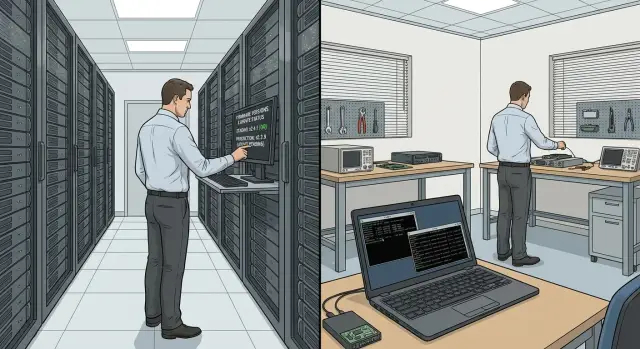
What usually goes wrong with firmware updates in a fleet
Firmware is often underestimated because it seems “less important than OS updates.” But firmware controls hardware and low‑level controllers: power, fans, NVMe, networking, boot. Managing firmware on Linux affects fleet stability and security as much as kernel patches.
The cost of a mistake is higher. A failed OS package can usually be rolled back in minutes, while a bad firmware can brick a device at worst. More commonly it leaves the system unstable and the failure only shows up under load.
Typical risks look like this:
- Downtime due to an unpredictable update window (reboot, long progress, hang while applying).
- Incompatibility: a new firmware changes controller behavior and the driver in the current kernel starts acting up.
- Boot issues: UEFI/BootOrder reset, Secure Boot policy change, SATA/NVMe mode switch.
- “Silent” regressions: performance drop, overheating, network or Wi‑Fi failures after sleep.
- Version drift: identical models running different revisions, making incidents hard to reproduce.
You need a single process for the whole fleet. Firmware is not a “user problem” or a “one‑off task.” Without rules people update in different ways: one laptop pulls firmware from the internet, another goes years without updates, and servers get changes “by chance,” without testing. In the end you don’t know which versions are allowed, which are blocked, or how to roll back.
A separate topic is offline mode. In many organizations endpoints have no internet access or it’s restricted by policy. “Offline” means workstations and servers do not contact public sources for metadata or firmware. All updates come from an internal source where you control package content, signatures and versions.
A small example: a pilot updated firmware on some identical PCs and only afterward it became clear that an older kernel exhibited network instability. Without a common process it’s hard to quickly determine scope (which machines were updated) and return to a stable version without affecting others.
How fwupd works in practice: what it updates and how
fwupd is the standard way to update firmware on Linux through a single mechanism. For organizations it’s convenient because it makes firmware management resemble normal package updates: there’s a data source, compatibility checks and a version history.
In practice, fwupd updates more than BIOS/UEFI. Depending on the model and vendor support, a fleet may receive updates for:
- UEFI/BIOS and platform components (for example via UEFI capsules)
- docking stations and USB‑C/Thunderbolt controllers
- SSD/NVMe drive firmware
- network adapters and some I/O controllers
- parts of peripherals (certain keyboards, mice, cameras)
The roles are simple: fwupd is the daemon that communicates with devices and applies updates. fwupdmgr is the admin and scripting tool to list devices, versions, available updates and to run installations.
Between them the key element is metadata. This is not the firmware itself but a description: which devices a file fits, what version it is, any constraints, whether rollback is allowed, installation conditions (for example, AC power required), and which vulnerabilities the update fixes. Without metadata it’s hard to manage versions and investigate incidents: you can’t be sure a package matches a model or pin a version in a rollout ring.
Where firmware comes from and why it matters
fwupd obtains metadata from sources you configure, including a local offline repository. This lets you control what machines see: only approved versions, no surprises.
Limits and the rollback topic
Not every firmware supports rollback. Sometimes the vendor blocks downgrades, sometimes rollback is allowed only one step back, and sometimes it’s disallowed for security reasons. Rollback must not be a hope but a tested scenario: verify via metadata and device policy whether downgrade is allowed, and test it on a dedicated test machine before mass release.
Preparation: inventory and version management rules
Reliable firmware management on Linux starts not with the “update” button but with a clear list of what you have and who is responsible. Without that, even a good tool becomes a lottery: you won’t know what changed or where to look.
First gather an inventory of devices and current firmware versions. Record not only the model but components that can be updated (UEFI, storage controllers, Thunderbolt, docking stations). It’s convenient to put the data in a table and add an owner for each device type—team or department.
Minimum items to keep per device type:
- model and revision (if available)
- current firmware version and date recorded
- firmware source (where the file or metadata came from)
- node criticality (what breaks if it fails)
- rollback availability (yes, no, unknown)
Next divide the fleet into groups by risk and downtime cost. Usually three rings suffice: test machines, office PCs, and critical systems (for example, registration workstations, server room nodes, branch terminals). If models are standardized (e.g. GSE L200 units or M200 all‑in‑ones), keep them in separate groups: identical hardware is easier to compare and maintain.
For each ring predefine maintenance windows and success criteria. Success is not just “firmware installed” but “the device passed checks and works as before.” Verify boot, networking, peripherals and sleep behavior if it matters.
Final step—version and authority rules. Who approves a version for release and who carries out work during the maintenance window? Who can stop a rollout if the test ring reports an issue? Put this in a short one‑page policy so updates are repeatable and disputes are resolved by rules.
Offline firmware repository: a simple architecture for organizations
An offline firmware repository solves two problems: you stop depending on external sources at update time, and you gain repeatability. If last week’s update was “normal,” you should be able to use the same metadata and package set and reproduce the result on an identical model.
What it consists of
At minimum you need an internal source for two types of data: metadata (what’s available and for which devices) and the firmware files themselves.
Delivery inside the network is typically one of three patterns: mirroring an external source into an isolated zone (when scheduled sync windows exist), a file share with a fixed structure (when simplicity matters), or a full local repository (when scalability and manageability are required). The choice depends on fleet size and security requirements.
Signing and integrity: what to record
Key principle: administrators must know exactly what entered the repository and what was installed on a specific machine.
Alongside packages it helps to store:
- checksums of firmware files and metadata
- information about source and date of acquisition
- who approved publishing to the offline repository and why (test, vendor advisory, vulnerability fix)
Even if firmware binaries are signed, checksums stored in an immutable change log simplify investigations.
Date snapshots: to reproduce updates
Do not keep the repository as a perpetually “latest” set. Make snapshots by date or release, for example:
- 2026-01-15 (stable release)
- 2026-01-22 (staging release)
A snapshot must be immutable: if you need to change something, publish a new snapshot. This lets you reproduce an update on a lagging machine, compare repository states and quickly roll back to a previous set of packages.
Change log: without it the offline repo is useless
The change log should be short but specific: not “updated firmware” but model, version, reason and outcome.
A practical format: “model/device -> was -> became -> why updated -> where tested -> outcome (success, rollback, monitoring)”. For workstations and servers it’s convenient to keep logs by product lines and generations so you don’t mix incompatible packages and lose decision history.
Step by step: isolated update test before release
Before a mass release you need a small isolated test. The idea is simple: validate the update on a minimal set of devices representative of the fleet.
Start with a bench. Usually 1–2 machines of each model (or the closest available hardware) are enough. They must share the same BIOS/UEFI policies (passwords, Secure Boot) as user devices.
Separate firmware sources for the bench. For the bench it’s convenient to have a distinct offline repository (staging) that doesn’t overlap with production. That way the test won’t accidentally pick up a new firmware and you can repeat the test with the same package set.
Before updating create a baseline: record current versions and state. This insures you can explain exactly what changed later.
- Save device and version list:
fwupdmgr get-devices - Save pre‑update reports:
fwupdmgr get-updates(if applicable) - Record important settings: boot mode, TPM enabled, power settings
- Fix verification checks: OS boot, network, USB, display output
- Ensure stable power (UPS) and physical console access
Run the test consistently: refresh metadata from staging, apply updates, reboot, then confirm versions and functionality. In practice this often looks like: fwupdmgr refresh (if using metadata), then fwupdmgr update, followed by a mandatory reboot and a repeat check with fwupdmgr get-devices.
After reboot exercise short user scenarios, not just “the system booted.” Problems often surface in details: sleep/wake, network after a cold boot, peripherals on specific ports. For servers check fans and RAID/controller availability separately.
Document results immediately: exact versions updated, what passed, what failed and what decision was made. If failure occurs, record conditions (model, version, step) and block the problematic version in staging. At this stage confirm that a rollback path exists and is understood.
Version control across the fleet: rings and pinning versions
When firmware is updated without rules, the fleet quickly becomes “each device for itself.” You need a clear order: who gets updates first, which devices may be updated at all, and which version is acceptable.
Deployment rings: from canary to production
Rings reduce risk by catching problems where the impact is small.
Three levels usually suffice:
- Canary: 1–3 devices per key model, ideally in IT.
- Pilot: a small group of users with real workloads.
- Production: the rest of the fleet, rolled out in waves.
Devices in rings should not be random. If a model has multiple board revisions or controllers, run separate canaries for each revision.
Model/revision constraints and version pinning
Your policy must be more precise than “update everything.” Firmware depends on model, controller and sometimes production batch. Rules usually differ across device classes (office PCs, all‑in‑ones, servers).
Minimum for pinning versions:
- an allowlist of permitted versions per model
- a blocklist of known‑bad versions
- a target version for the next wave
- special rules for critical devices
Example: after tests you approve a new firmware for some workstations, but keep servers on the previous version until a maintenance window.
Waves, feedback and compatibility matrix
In production roll out in waves of 10–20% with pauses to gather signals: tickets, peripheral complaints, boot issues, performance drops. Pause even if updates “installed” successfully.
Maintain a compatibility matrix: model (and revision) — firmware version — test result — decision (allow/block) — date. For centrally supplied hardware lines (e.g. GSE L200, M200, S200) this matrix quickly becomes the principal document for consistent fleet updates.
Firmware rollback: planning and safe execution
Rollback is not a single “undo” button. It only works if you’ve prepared data, checked device constraints, and planned recovery for failures.
Before the first mass update record current versions per device type and keep the packages considered stable. In the offline repository store not only new versions but the last one or two “good” releases and metadata that says on which models they were verified. This saves hours during incidents.
Then verify whether downgrade is allowed for your device. Some BIOS/UEFI and controller implementations have anti‑rollback protections enabled by the vendor or by security policies. Even if fwupd sees a device, it may accept only forward updates.
# View devices and current versions
fwupdmgr get-devices

# View available releases (including older ones if the repo publishes them)
fwupdmgr get-releases
If rollback is supported, the procedure should be short and repeatable: revert the version, reboot and recheck. Do this in isolation: on a single test machine or a quarantine ring.
# Install a specific firmware package from the offline repository
# (in some cases explicit permission to downgrade is required)
fwupdmgr install --allow-downgrade /path/to/firmware.cab

# After reboot - recheck versions
fwupdmgr get-devices
To keep rollback manageable, agree on a “stop button” for a rollout. Usually two measures: (1) stop deployment to clients (policy, schedule, rings), and (2) pin the offline repository to a specific snapshot so nobody pulls the problematic release again.
If downgrade is forbidden, have a fallback recovery plan. It depends on device class: for workstations it might be BIOS recovery, for servers remote management and flashing from an image, for some peripherals swap to a spare and send the defective unit for service. In mixed fleets write recovery plans per family.
A short incident plan:
- list of affected models and pre‑update versions
- packages of the “last stable” firmware in the offline repo
- check whether downgrade is allowed and what conditions are needed
- reboot and post‑rollback verification procedure
- recovery scenario if rollback is impossible
Example: after a BIOS update a few office PCs fail to boot. You stop the wave, pin the repo to the stable snapshot, roll back firmware on 2–3 test devices and confirm normal boot, then apply the rollback to remaining affected machines.
Common mistakes when implementing fwupd and an offline repo
Most failures come from trying to “copy the internet” without discipline. The offline repo becomes a folder of “latest files” and firmware management turns unpredictable.
A particularly bad mistake is mixing test and production metadata. If staging and prod point to the same metadata.xml.gz, one accidental publication can reach the whole fleet. Separate sources completely: different directories, different signatures (if used), different access controls. Even with identical files, entry points must differ.
A second issue is no repository snapshots. Without snapshots you can’t reproduce the state at the time of an incident: you don’t know what was available to clients. Publish releases as immutable sets (dated release directories) and keep them for several cycles.
A third mistake is running updates without checking power and reboot conditions. Many devices require AC power, a minimum battery level, or disabled sleep. If a device loses power during firmware flashing it can be bricked. Agree on rules up front: when to reboot, how to ensure power, and what to do with remote users.
Another classic error is a single‑wave rollout to the entire fleet. Even a seemingly safe firmware can expose rare configurations: different controller, different board revision, unusual BIOS setting. Use canary and rings.
Finally—lack of logging. If you don’t record who and when updated, what was installed before and after, and which metadata source was used, you lose control.
Five checks that remove most problems:
- staging and production metadata sources are separated
- immutable repository snapshots exist for each release
- power, sleep and mandatory reboot conditions are verified
- a canary group and staged rollout are configured
- logging is enabled: device, version, time, outcome
A practical example: the test group updated successfully, but in production some workstations lost a network interface after reboot. If metadata weren’t mixed and a snapshot exists, you quickly roll back the first wave to the previous snapshot and identify the version that caused the issue.
Short pre‑rollout checklist
Before a mass firmware update take 20 minutes to verify basics. It’s cheaper than investigating an incident on hundreds of machines.
Confirm exactly what you are going to update. The same model name can hide different board or controller revisions.
Checks before starting waves:
- inventory is current: models, current versions, list of devices fwupd actually sees and can update
- an isolated staging is available and success criteria for the test are documented
- the offline repository is ready: release snapshot, integrity checks and a clear rollback to the previous snapshot
- deployment follows rings, there is a stop rule and a responsible person who can halt the rollout
- rollback is planned: which devices support downgrade, where old versions are stored, how to recover unbootable machines
Also verify communications and maintenance windows. If updates require reboots, notify system owners and users. For critical domains (healthcare, finance, government) use separate windows and slower rings.
Reporting should be simple and unambiguous: what was updated, on which nodes, when, to which version, outcome, and who approved the next wave.
Real‑world example: release, incident and return to a stable version
Organization: 200 workstations and 20 servers. Endpoints have no internet, so firmware is delivered only from an offline repository. Goal—firmware management on Linux without surprises, with a clear change history and the ability to revert quickly.
The pilot is selected to mirror the fleet but not disrupt business: 15 PCs from different departments (including 2–3 busiest), plus 2 servers in a test contour. On pilot devices enable verbose fwupd logs and record a baseline: firmware versions, model, serial number, date.
Testing is isolated: first update bench machines (or the pilot group), then run a short set of checks (boot, USB, sleep/wake, network, stability under load). Record results so they are repeatable.
How the release is packaged
After testing the release is turned into a release snapshot for the offline repo and rolled out in waves. Useful artifacts:
- release card: what’s updated, why, risks, version, date, approver
- test protocol: which models were checked and what was tested
- rollout plan: pilot -> 25% -> 100%
- maintenance window and stop conditions
- final report: how many updated and what incidents occurred
This approach is especially convenient for GSE equipment (L200, M200, S200) because models repeat and golden versions become standards.
Incident: failure on 3 devices
On the second wave three PCs exhibit peripheral issues (for example, some USB devices not recognized). The preconfigured stop rule is followed.
They stop the rollout and record facts, then roll back only affected machines to the previously approved version from the offline repo:
- stop the wave and freeze repo version
- collect fwupd logs and symptom descriptions, compare with pilot
- roll back to the last stable version for those models
- run a short verification on the rolled‑back devices
- analyze cause and decide: additional testing, exclude batch, postpone release
Then update the regulation and assign roles: process owner (approves), test contour engineer (validates), fleet engineer (rolls out), service dispatcher (handles incidents).
If you standardize on typical hardware and want procurement, integration and support in a single responsibility contour, discuss this with a systems integrator. For example, GSE.kz (gse.kz) in addition to manufacturing PCs, all‑in‑ones and servers also provides system integration and 24/7 technical support, which simplifies fleet maintenance and scheduling of maintenance windows.
Frequently asked questions
Why are firmware updates in a fleet more dangerous than OS updates?
Firmware problems most often come from unpredictable reboots, hangs while applying updates, and changes in controller behavior after an update. Unlike OS packages, firmware often can’t be rolled back quickly, so a mistake affects operations longer and can cause downtime.
What mistakes most often break the firmware update process?
Common causes are mixing test and production metadata sources, lacking immutable repository snapshots, and running updates without checking power and reboot requirements. Another frequent mistake is updating the entire fleet at once without canary and pilot groups, which lets rare configurations appear in production.
What can fwupd update besides BIOS/UEFI?
Besides BIOS/UEFI, fwupd can update parts of platform controllers, docking stations, some USB‑C/Thunderbolt components, SSD/NVMe drives and certain network or I/O adapters. The exact set depends on the device model and what the vendor exposes via fwupd.
Why does fwupd need metadata and why not manage firmware as plain files?
Metadata describe which devices a firmware applies to, its version, installation constraints and sometimes whether rollback is allowed. Without metadata you lose manageability: it becomes harder to pin versions, reproduce incidents and know what clients could see at the time of update.
When does an organization need an offline firmware repository?
An offline repository is necessary when endpoints must not access the public internet and you want repeatable updates. It gives you control over which versions are available and lets you reproduce the same set of firmware files on identical models without surprises.
Why make snapshots of the offline repository instead of keeping it always "up to date"?
A snapshot captures the repository state for a specific date or release and is immutable. That lets you know exactly what was available, stop a problematic release quickly and revert to the previous set of packages without guesswork.
How should you test a firmware update before a mass rollout?
Start with a minimal test bench that mirrors the fleet’s models and BIOS/UEFI policies, and record a baseline of versions before updating. Apply updates from a separate staging source, reboot, and check not only installation but real scenarios: boot, network, sleep/wake, peripherals and stability under load.
Why use deployment rings (canary/pilot/production) for firmware?
Rings reduce risk: you catch issues where damage is minimal before wider rollout. The canary-pilot-production pattern—small canaries, a pilot group, then gradual production waves—helps avoid a single bad release hitting the whole fleet.
Can you safely roll back firmware and how do you prepare?
First verify in metadata and on a test machine whether a device allows downgrade—manufacturers can block rollback. If downgrade is possible, keep the last stable version in the offline repository and have a practiced rollback procedure ready, so you don’t invent the process during an incident.
What to do if silent issues like network or USB failures appear after a firmware update?
Record the update: model, old and new versions, metadata source and post‑reboot behavior so you can find affected machines quickly. If you see regression, stop the wave, freeze the repo on the stable snapshot and work on affected devices individually instead of continuing the rollout.
