8 min read
FC SAN Zoning: Safe Practices for Brocade and Cisco MDS
FC SAN zoning: practical rules for Brocade and Cisco MDS to safely make changes and reduce the risk of downtime and errors during maintenance.
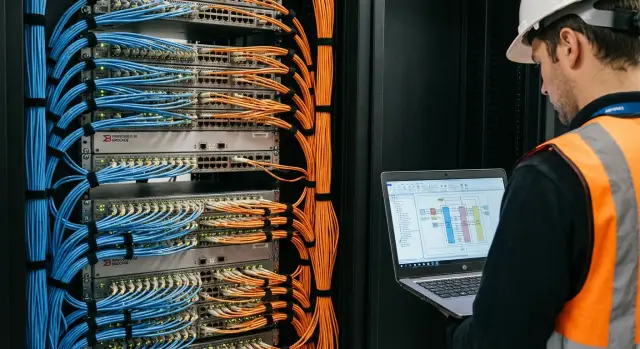
Where incidents most often occur when changing FC SAN
Most failures in FC SAN happen not because a switch or HBA failed, but because of changes: a new server was added, zones were reworked, the configuration was activated, and suddenly some paths disappeared. In SAN even a small mistake quickly becomes downtime because access to LUNs depends on a chain of settings across multiple devices.
Most often access breaks because of zoning: it determines who can "see" a given port. If the server and the storage stop seeing each other, multipathing loses paths, and the OS and applications react differently: from degraded performance to a complete stop.
Typical consequences:
- application downtime due to loss of all paths to a LUN
- degradation when part of the paths is lost (I/O goes over a single path, latency increases)
- "flapping" paths after activation when leftover or overlapping zones remain
- complex diagnostics, because the problem may not show up immediately (for example, under peak load)
The root cause is almost always the change process. Frequent causes: live edits without a rollback plan, confusion in names and WWPNs, mixing approaches (single-initiator and shared zones) and the most dangerous — activating the wrong configuration or not understanding what exactly will change after Activate/Enable.
Good zoning doesn't aim for "pretty diagrams" but practical objectives: predictability (it's clear what each host will see), control (minimal extra connections) and repeatability (the same rules for all connections). Then a change is easier to verify and just as simple to roll back.
Basic terms to speak the same language
Many incidents start because people call different things by the same word or mix up identifiers.
WWPN (World Wide Port Name) - the unique address of an FC port. This is not a MAC address (that's for Ethernet) and not a device serial number (which covers the whole hardware). A device may have one serial number, while an HBA port has two (or more) WWPNs. WWPN can change after replacing an HBA or certain updates.
In FC there are usually two roles:
- Initiator - the server with an HBA that sends requests to disks.
- Target - the storage array port that accepts those requests.
Simple logic: a server should see only the required storage targets, not everything.
Main objects you work with:
- Alias - a readable name for a WWPN (for example,
srv01_hba1orstorageA_ctrl0_p1). - Zone - a rule defining who can communicate with whom (usually initiator + needed targets).
- Zoneset (Cisco) or cfg (Brocade) - the set of zones that is actually applied on the fabric.
A special important detail for Cisco MDS: VSAN. These are virtual fabrics inside a single switch. Zoning and activation are done within a specific VSAN. The same pair of WWPNs in a different VSAN won't have any effect.
In real infrastructures there are almost always two independent fabrics A/B. These are two separate paths from server to storage for redundancy. Zoning must be repeated in both fabrics, but not copied blindly: verify that WWPNs and ports indeed correspond to Fabric A and Fabric B.
Zoning rules that reduce the risk of mistakes
The goal of zoning in FC SAN is simple: after any change you must know exactly who can talk to whom and be able to quickly roll back if necessary. These rules help keep the configuration predictable and reduce the chance of accidentally "touching" other hosts or storage ports.
1) Single-initiator zoning
The most useful rule: one initiator (one server HBA port, one WWPN) per zone. In the zone, besides that initiator, there are only the required storage target ports.
That way a mistake in one connection won't affect other servers, and troubleshooting becomes simpler: open the zone and you immediately see which HBA it is and which array ports it accesses.
2) Minimum necessary access
Add only those target ports on the array that the server actually needs. Do not include "all controller ports just in case." This reduces the risk of extra paths, unexpected visible LUNs, and problems during future migrations.
Usually you choose a set of ports per fabric (A or B) and per required redundancy.
3) Consistent and readable names
Names should help, not be a puzzle. A good scheme typically reflects host, HBA number, role (init/target), array, port and fabric. This reduces the chance to confuse a WWPN or add an "almost identical" object in a maintenance window.
Minimum naming rules:
- one format for WWPN aliases and zone names
- Fabric A/B explicitly in the name
- no arbitrary abbreviations without a glossary
- the same naming principle on Brocade and Cisco MDS
When exceptions are acceptable
Sometimes rules must be relaxed: clusters with shared disks, tape-sharing scenarios, or vendor requirements. The main thing is that an exception must be conscious and documented: why it is made, for which hosts, who approved it, and what to check after the change. Without that a "temporary" exception quickly becomes a permanent source of incidents.
Step-by-step algorithm for making changes (general)
Incidents happen not because of "complex commands" but because of haste and incomplete data. Keeping a consistent order of actions significantly reduces risk even when frequently connecting new servers.
Before changes: preparation and fact gathering
Start with discipline around the change request: what are we connecting, to what, in which window, who confirms the result. Prepare a rollback plan immediately: what will be reverted if the host doesn't see the LUN or, conversely, sees extra devices.
Before touching the fabric, collect at minimum:
- initiator WWPNs (HBA) and target WWPNs on the array (the required target ports)
- the specific switch ports where devices are physically connected and their current state
- the access model (avoid "wide" zones)
- time constraints and success criteria (what counts as "working")
- the person responsible for verification on the OS side and on the array
Then verify facts against reality: a single mistyped character in a WWPN often costs downtime.
Execution and control
Work in small steps and verify each one:
- create clear aliases for new WWPNs (host and target) so you don't work with raw values
- create a new zone following the "initiator + required targets" principle (no extra members)
- add the zone to the active set (zoneset/cfg), without changing others' zones unnecessarily
- activate changes in the agreed window and ensure the configuration applied without errors
- check visibility on the host and on the array, then observe for 10–30 minutes: logins, path errors, flapping
Simple example: connecting a new server to storage. Record both HBA WWPNs, select the array target ports, create one zone per fabric and only then activate. If something goes wrong, rollback means returning to the previous active set.
Immediately after the work record: date and window, who performed the change, which WWPNs and aliases were added, which zones and which set they were included in, and the verification result on the host and on the array. This saves hours during the next change or incident analysis.
Brocade: practical rules and typical command order
In Brocade success almost always depends on naming discipline and separating preparation from activation. Doing the same every time makes changes predictable even in a large fabric.
Aliases and zones: a simple structure
Aliases should reflect the device and port, and zones should represent an initiator-target pair.
An approach that typically endures in operations:
- Aliases:
SRV_<host>_HBA1,SRV_<host>_HBA2,STG_<array>_P1,STG_<array>_P2 - Zones:
Z_<host>_HBA1_<array>_P1(one zone per path) - Config: one active cfg per fabric, for example
CFG_PROD
Avoid "wide" zones with many members: they are harder to verify and to troubleshoot.
Typical command order (logic)
The idea of the sequence is simple: first create aliases and zones, then add them to cfg, and only then enable.
alicreate "SRV_APP01_HBA1", "10:00:00:00:00:00:00:01"
alicreate "STG_A_P1",        "50:00:00:00:00:00:00:A1"

zonecreate "Z_APP01_HBA1_STGA_P1", "SRV_APP01_HBA1; STG_A_P1"

cfgadd "CFG_PROD", "Z_APP01_HBA1_STGA_P1"

cfgenable "CFG_PROD"
cfgsave
Key rule: do not run cfgenable until you are sure you are editing the correct cfg and only adding the needed zones.
How to avoid unexpected changes when running cfgenable
cfgenable applies the entire configuration, so surprises come from other people's unsaved edits or cfg confusion.
Before activation check:
- which cfg is currently active and which you plan to enable
- there are no parallel works or zoning edits in progress
- WWPNs are correct (an error often looks like "silently not working")
- state of required ports (online, correct speed)
- port error counters (CRC, link resets), so you don't blame zoning for a link issue
If in doubt, prepare aliases and zones but postpone cfgenable until the agreed window. It's cheaper than dealing with mass re-logins and application complaints.
Cisco MDS: practical rules and typical command order
On Cisco MDS mistakes usually stem from context rather than syntax: wrong VSAN, wrong fabric, wrong ports. So start with checks, and only then create zones.
Device-alias and naming: how not to get confused
Use device-alias for all hosts and storage ports and keep a single naming template (for example, srv-<name>-hba0, stor-<name>-p1). The main thing is that an alias unambiguously corresponds to a WWPN, not a local habit.
A few rules that generally protect best:
- Work through aliases, not directly by WWPN (except in emergencies).
- One zone per clear initiator-target pair, no extra members.
- Separate zoneset for each VSAN.
- Make changes in an inactive zoneset and activate only after verification.
- Make changes symmetrically on both fabrics (A/B), but one at a time to leave a rollback window.
Zones, zoneset, VSAN and activation
Below is a typical command sequence. It's not the only way, but usually safe: first names, then zones, then add to zoneset, and only then activate in the required VSAN.
conf t
  device-alias database
    device-alias name srv-app01-hba0 pwwn 20:00:00:xx:xx:xx:xx:01
    device-alias name stor-a-ct0-p1  pwwn 50:00:00:yy:yy:yy:yy:11
  device-alias commit

  zone name Z_APP01_CT0_P1 vsan 10
    member device-alias srv-app01-hba0
    member device-alias stor-a-ct0-p1

  zoneset name ZS_PROD vsan 10
    member Z_APP01_CT0_P1
end

zoneset activate name ZS_PROD vsan 10
If you have several VSANs and different fabrics, reflect that in names (for example, ZS_PROD_V10, ZS_TEST_V20) and don't rely on "I'm definitely in the right context." On the second fabric repeat the same steps but verify WWPNs and VSAN match the plan.
After activation don't stop at the command returning OK. Verify facts: the zone is actually in the active zoneset of the correct VSAN, members match expected WWPNs, initiator and target are visible in the Name Server, logins came up, and on the host and on the array the expected paths appear without extra devices.
Checks before and after: what to always validate
Problems happen when expectations don't match reality. Before changes it's worth spending 10 minutes on checks and record what you want to get.
Before the change: what to verify
- WWPN: are the server HBAs correct and are the array ports/WWPNs correct (a common error is swapping HBA0 and HBA1 or using WWNN instead of WWPN).
- Current visibility: which devices the server already sees and which zones already exist for those WWPNs.
- Name conflicts: identical aliases or zones with different contents (often introduced by manual edits from different people).
- Principle of "minimum access": the planned zone contains only the server and the required array ports.
- Baseline state: take a snapshot of the active configuration (so you have something to roll back to and compare against).
To speed up comparison, prefill a simple expectation table:
| Server | HBA (WWPN) | Array | Array Port (WWPN) |
|---|---|---|---|
| srv-app01 | 10:00:... | storage01 | 50:00:... |
| srv-app01 | 10:00:... | storage01 | 50:00:... |
Immediately after the change: what to confirm
Check not only "did it appear", but also "did nothing extra appear". Compare the actual picture with the table: are exactly the expected array ports visible, did paths come up from both HBAs, are there no additional targets.
If the server uses multipathing, ensure paths are distributed across fabrics as intended (for example, one path through each fabric). In two-fabric setups verify that changes were made symmetrically.
In the change log record at minimum:
- who and when made the change
- what changed (WWPNs, aliases, zones)
- purpose (which server, which array, for which task)
- verification result (expected/actual)
- rollback plan
Common mistakes and zoning traps
Zoning incidents usually stem not from complex commands but from small data mismatches and the habit of "doing it quickly."
Confusion with identifiers and "old" ports
Classic mistake — confusing WWNN and WWPN. For zoning you almost always need the WWPN of the specific HBA port, not the node WWNN. The symptom looks harmless: the zone activates, but the host doesn't see the LUN because the wrong identifier was entered.
Another frequent case is an outdated WWPN. A server was rebuilt, an HBA replaced, a VM migrated between hosts, and old WWPNs remained in documentation and aliases. As a result you open access "to nowhere" while the actual port remains without a zone.
When a zone is "too wide"
Zones with multiple initiators (several servers in one zone with one target) produce unexpected effects: extra registrations, harder to find the problem source during RSCN, and a higher chance someone accidentally gets access. Do this only for a clear reason and document it.
Before activation run through common traps:
- Alias contains WWNN instead of WWPN, or WWPN from the wrong port.
- Historic WWPNs left after HBA replacement or migration.
- More than one initiator in a zone without a clear need.
- Edits made directly in an active zoneset without a rollback plan and a baseline snapshot.
- Zone and alias names are not descriptive and don't explain membership.
Fabric A/B inconsistency
A particular pain is when Fabric A is configured correctly but Fabric B missed adding the second pair of WWPNs or activating the set. From the outside it looks like "everything worked, but one path failed": one HBA logs in and sees the storage, the other has no access and multipathing goes degraded.
To reduce the risk, keep a simple minimum:
- Alias names: role + host + port (for example,
SRV01_HBA0). - Zone names: initiator + target + fabric (so membership is obvious).
- Before activation verify that changes are symmetric in A and B.
- Take a snapshot of the current configuration to revert quickly.
This discipline is especially important in large infrastructures connecting dozens of servers and arrays, including locally assembled platforms: one wrong WWPN easily cascades into multiple incidents.
Quick checklist before pressing Activate/Enable
Pause for 2 minutes before activation. Most incidents come from small mismatches: swapped WWPN, wrong zoneset, or a zone that accidentally affects another host.
Check before pressing Brocade Activate or Cisco MDS enable zoneset:
- WWPNs confirmed from two sources (for example, from the OS/HBA utility and from fabric login). You know exactly which are initiators and which are targets.
- Aliases created by one template and read unambiguously (host, HBA A/B, array, port). No free-form text or similar names.
- Each zone follows the rule: one initiator and only the required targets.
- You are adding zones to the correct zoneset/cfg and into the correct fabric/VSAN. Context (fabric and VSAN) double-checked.
- Rollback plan is recorded and realistic: what exactly to revert, which command, and what to check afterward.
Then do a short mental simulation: what will change for the specific server? When connecting a new host only the required paths to the array should appear, and neighboring hosts should not change.
If the team lacks a unified naming template and zone rules, formalize them in a policy. On integration projects (including DC infrastructure) such checklists usually save hours of downtime and troubleshooting.
Real-life example: connecting a new server to storage without surprises
Typical task: a new server with two HBAs, two FC switches (Fabric A and Fabric B) and an array with two controllers (SP A and SP B). Goal: give the server access only to required LUNs and not affect existing hosts.
First collect data and map it by fabric. On the server get the WWPN of each HBA port (do not confuse with WWNN). On the array decide which target ports will accept connections in Fabric A and Fabric B and record their WWPNs. Then the rule: HBA0 works only with Fabric A target ports, HBA1 only with Fabric B target ports. This reduces the chance of accidentally mixing paths.
Before changes prepare a change template:
- host name and HBA0/HBA1 WWPNs
- target WWPNs of controllers for Fabric A and Fabric B
- names of future zones (following a template)
- list of things not to touch (existing zones/aliases)
- maintenance window and rollback plan
Then zoning is done by the "one initiator - one target" principle (single initiator, single target). In each fabric create a separate zone: HBA0 -> targetA and HBA1 -> targetB. This way the fabric doesn't expose extra access: even if there's a mistake on the array, extra devices won't appear at the SAN level.
Remember: LUN access should still be restricted by storage masking (host/initiator groups, LUN mapping).
After activation verify that all paths came up: on the switch ports status is Online, the server sees the targets, and in the OS/multipath the paths are in the expected state (for example Active/Optimized).
If some paths did not come up, the cause is usually one of:
- swapped WWPN (used WWNN or the wrong HBA port)
- zone created in the wrong fabric or with the wrong target port
- switch port not logged in (cable/SFP/speed)
- mapping not done on the array for that initiator
- HBA port disabled on the server or driver misconfigured
Such a scenario typically proceeds smoothly because each change is local and easily checked step by step.
Next steps: standards, policy and support
Once basic rules are clear, the main way to further reduce risk is to agree on a common approach for everyone. Zoning rarely fails because of the technology itself. Failures usually come from differing "styles" of changes and lack of a shared process.
Naming standard and templates
Start with a single naming standard and a couple of zone templates. Good names help spot mistakes before activation, for example when a name unexpectedly contains another host's port.
Practical minimum:
- single format for aliases, zone and config names (host, HBA port, array, fabric, environment)
- template "one host port - one storage port" (or another chosen standard) and a clear rule when exceptions are allowed
- a short set of examples (even a small document) so newcomers don't invent their own
Change policy and SAN "hygiene"
The policy should be short and mandatory. It protects against haste: who approves, when we make changes, how to roll back, what to check, and where to record.
Usually enough:
- change plan: what to change, on which ports, which zones are affected
- maintenance window and stop criteria if something goes wrong
- rollback: what to restore and in which order
- checks before and after and change log
Quarterly or semi-annual reviews are useful: remove unused links, temporary accesses and orphaned aliases. This reduces the chance of accidentally affecting a live path during the next change.
If you need help designing or supporting SAN, involve a systems integrator who can take responsibility for standards, policy and on-call support. For example, GSE.kz (gse.kz) as a systems integrator works with DC infrastructure and 24/7 support, which is convenient when SAN changes must be done in tight windows with mandatory verification.
Frequently asked questions
What is single-initiator zoning?
A zone connects one server HBA WWPN only to the required storage array target ports. This approach limits the blast radius: a problem with one connection does not affect other hosts.
How does a WWPN differ from a WWNN?
Zoning uses the WWPN of a specific HBA port or storage array port. A WWNN applies to the entire node and does not replace a WWPN, so a zone using a WWNN usually does not provide the required visibility.
Do I need to configure zoning in both Fabric A and Fabric B?
No. Fabric A and Fabric B operate as independent paths, so zones must be configured in both fabrics. Before activation, verify the WWPNs, target ports, and membership in the correct fabric.
What should I check if the server cannot see a LUN after zoning?
Check the initiator WWPN and target ports, zone membership, the active cfg or zoneset, and port login status. Then confirm on the server that multipathing sees the expected paths and that LUN mapping is configured on the storage array.
Why does the cfgenable command require caution on Brocade?
It applies the selected cfg in full. If it contains unplanned changes or you select the wrong cfg, the fabric receives that entire set of changes. First confirm the active cfg, the contents of the planned cfg, and the availability of a rollback plan.
What change sequence should I use on Cisco MDS?
First create the device alias, then the zone, and add it to the zoneset for the required VSAN. After verification, activate the zoneset in that VSAN and confirm visibility on the switch, server, and storage array.
Does zoning replace LUN access configuration on the storage array?
A zone defines FC connectivity between an initiator and a target, while LUN mapping on the storage array defines which volumes a specific host receives. Both configuration layers are required for secure access.
Why should I avoid including all storage array ports in a zone?
Do not add every array port without a reason. Unnecessary target ports create extra paths, complicate troubleshooting, and increase the risk that the server sees the wrong devices. Specify only the ports needed in the specific fabric.
How do I prepare a rollback for a zoning change?
Before the work, save the current active state and document which aliases, zones, and configuration set you are changing. If a problem occurs, restore the previous cfg or zoneset, then check logins, multipath paths, and application access.
What should I record in the log after changing SAN zoning?
Record the purpose of the work, WWPNs, aliases, zones, cfg or zoneset, VSAN or fabric, activation time, and validation results. It is also helpful to record the owner and the exact rollback steps.
