7 min read
Auditing Changes in ERP Reference Data: Prices, UoM and Counterparties
Auditing ERP reference data reveals who changed prices, units of measure and counterparties, and helps set up a change log for investigations.
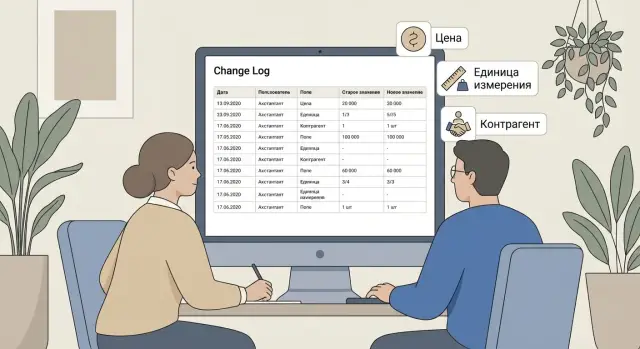
Why audit ERP reference data at all
When reference data in an ERP is changed without trace, problems often don’t appear immediately. At first it looks like an innocent edit: someone updated a price, corrected a unit of measure, or replaced a counterparty’s details. A week later the investigation begins: why did margin “move”, where did the discrepancy come from, who approved a shipment to the wrong party?
Without a change history you usually get three types of pain: interdepartmental disputes (sales insist the price was one thing while procurement proves another), errors in reports and period closing (numbers don’t match source documents), and the risk of abuse (conditions changed “for a deal” and then reverted).
Reference data directly affects how the ERP calculates documents. Price flows into invoices and delivery notes, unit of measure affects quantity and cost, and the counterparty determines contract, VAT, limits and even approval routing. A single unnoticed edit can change sales, purchasing and accounting results, even if nobody touched the transactions themselves.
The most sensitive reference data usually includes:
- item catalogue (including variants and packaging)
- prices and discount rules
- units of measure and conversion factors
- counterparties and contracts
- bank details and addresses
A simple example: a manager issued an invoice in pieces, and later someone changed the base unit to packs. Sales in reports dropped, stock discrepancies appeared, and the customer disputed the total. An ERP change log answers the key questions in such cases: exactly what was changed, by whom, when and based on what.
What to track: prices, UoM, counterparties
You shouldn’t try to log everything in an audit of ERP reference data. It’s better to define in advance the fields that most often cause disputes, financial loss and document failures.
Prices: what to record so you can investigate later
For prices, a record like “was 10,000, became 9,500” is rarely enough. For a proper investigation you need context: who changed it, by what logic, and what it affected.
It usually makes sense to record:
- price type (purchase, retail, wholesale, contractual)
- currency and exchange rate (if rate participates in calculation)
- validity period (start/end dates, “effective from” flag)
- VAT (rate, included or not)
- source of change (manual edit, import, recalculation rule)
A typical case: a manager updated a price but didn’t notice a different price type was selected in the card. Orders then picked up the “wrong” values and the dispute starts with “I didn’t change anything.”
Units of measure: where conversions usually break
UoM problems appear where packaging, conversion factors and alternate units exist (pcs, box, kg, m2). It’s important to log not only the selected unit but also conversion factors, rounding rules and minimum quantities. Otherwise you may see a change in the item card but not understand why a shipment became ten times larger.
Counterparties: details, contracts and “quiet” edits
For counterparties, changes that affect payment, taxes and legal risk are critical: details, contracts, bank accounts, residency flags, tax IDs (INN/BIN/IIN), addresses and responsible managers.
Also log statuses and blocks: who and when disabled a counterparty or an item, put it on a stop list, prohibited shipment or changed the “active” flag. These actions are often done “for a minute” but their consequences last for weeks.
Roles and permissions: who should have access to make changes
Price, UoM and counterparty issues usually start not with an ERP bug but with unclear roles. When “everyone can” or “no one is responsible,” the change history becomes a blame game instead of a quick investigation.
Several groups typically make changes: procurement edits purchase prices and terms, sales manages price lists and discounts, accounting monitors legal details and tax attributes, a master data team (if present) controls directory structure and fill rules, and IT maintains access and technical settings. It’s important that IT doesn’t become the “data owner” simply because they hold permissions.
A simple responsibility matrix works: who creates, who approves, who only views. For example, a procurement manager creates a request to change a purchase price, the head of the direction approves it, and accounting and sales can view the history and current values.
Assign permissions by the principle of “role-based” and “least privilege.” This usually means fewer people with edit rights, more people with view/export rights, and a separate permission for mass changes (that one is often the source of big errors).
A minimal process to formalize:
- change request (what to change, why, from which date)
- approval (who approved and when)
- making the change (who executed it)
- verification (who checked that documents didn’t “go wrong”)
Example: a sales employee changes an item’s unit from “pcs” to “pack” without approval. Shipments later show multiplicative errors and the dispute begins “who is to blame.” If sales can only submit a request and only master data can change UoM after confirmation, the log will show the chain: request, approval, execution. The investigation becomes quick and calm.
Which data the change log should store
For the change audit to help with real investigations, the log must answer three questions: what changed, who changed it and under what circumstances. If even one of them is missing, a price or UoM dispute quickly turns into guessing.
First, record the event and the object. Log not only edits but also creation, deletion and restoration. Otherwise you won’t see that a counterparty was deleted and then “restored” with different details.
Second, capture exact values: which field was changed, what the old and new values were. Preferably save the data type and format (for example, number of decimal places) because rounding can also cause discrepancies.
Context is as important as numbers. Minimum set:
- date and time with at least second precision
- user (account) and role
- workstation or source (client, web, integration)
- related base document or operation (if any)
To make the investigation fair, add a reason for the change. This can be a short comment or a reason code (e.g., “UoM error”, “indexation”, “new contract”). Then when someone asks “why did the price change?”, it’s easier to see whether it was a manual edit, a contractual adjustment or a mass update.
Example: an item’s UoM was changed from “pcs” to “pack” and the next day order totals jumped. If the log contains the old and new values, user, time, source and reason, you can quickly determine whether it was intentional, an error, or an import.
Where to store history: options and trade-offs
Storage location matters as much as recording itself. If the log is hard to read or records can be deleted easily, investigations turn into verbal disputes.
Built-in ERP capabilities
Many ERPs already have history or change-tracking. That’s enough if you only need to quickly answer “who and when changed a field” and the volume of changes is small. The downside is that built-in history isn’t always convenient for audits: it can be hard to compile a report by period, by specific fields, or for a list of items or counterparties. Sometimes the system doesn’t store old and new values in a useful way.
When the built-in mechanism is insufficient, teams add a separate storage that’s easier to analyze.
Separate journal (table or register)
A separate journal is useful when investigations and reports must be fast and consistent across departments. It usually contains the minimum needed fields: object, changed attributes, old and new value, user, date/time, basis (document, task, request) and comment.
A practical compromise often looks like:
- built-in history as a base level (so nothing is lost)
- a separate journal for key directories (prices, UoM, counterparties) where analytics matters
- access and activity logs as confirmation of user presence and actions
Access logs do not replace the change journal. They answer a different question: was the user in the system at that time and from which device.
Retention period and deletion rights
Retention is set from control needs and business requirements. Many choose 1–3 years for operational investigations and longer for sensitive data (for example, procurement prices). The main rule: deletion rights should be limited to a small group (or better, manual deletion prohibited entirely) and view access separated by roles. If records can be “cleaned up,” the journal stops being evidence.
How to set up the log for investigations: step-by-step plan
To make the log a working tool rather than a store of raw events, configure it based on real cases.
-
Define what you consider critical. Start with item directories (prices, UoM), counterparties (tax ID, contracts, bank details) and fields that affect calculations and documents.
-
Agree rules for changes. The log should include not only “who and what” but also “why.” Minimum — request number or reference and a short comment.
-
Prepare reports and filters: user, period, object, field, old value, new value, basis.
-
Restrict access and set up backups with a clear retention policy.
Sanity check: take a real case (for example, UoM change from “pcs” to “pack”) and ensure the log lets you reconstruct in two minutes who changed what, from which value to which, at what time and with what reason. If you can’t, the log lacks fields or reports are inconvenient.
How to investigate an incident using the change log
Start an investigation using clear triggers: a sudden price spike in orders, mass edits in one directory over a short time, or changes during off-hours. Use these triggers to open an incident.
Quickly build the picture from the log
To avoid drowning in details, build a short chronology: what was changed, when, by whom and in which object. Look at both old and new values to understand the magnitude.
Next, check where the change has already shown up: orders, price lists, purchase documents, printed forms, integrations. Sometimes a UoM error is invisible in the item card but causes quantity or amount shifts in documents.
A standard checklist helps:
- which object changed (item, price, counterparty, contract)
- which fields were touched (value, currency, UoM, conversion factor, tax ID)
- who made the edit and under which account
- was there approval (request, email, protocol) and do details match
- which documents already picked up the new value
Error or approved change
A simple test: is there a process trace that explains the edit? If approved, the log typically shows the expected user, a clear time window and a consistent set of fields (for example, price and start date updated together).
If it’s an error, you often see an accidental field changed (UoM instead of conversion factor) or the wrong counterparty (similar name but different tax ID). Record not only the responsible user but also the cause: rush, missing permissions, unclear request form.
Write investigation results in three parts: decision (what was rolled back or fixed), data corrections (which documents were recalculated), and prevention (what rule or permission we change, which report to add). This makes the next incident shorter and cheaper.
Reports that actually help, not just collect logs
A raw log rarely saves the day. Helpful reports answer a precise question and give a clear list of actions: what to check, which documents are affected, who to coordinate with.
Three reports to build first
Report “who changed prices” should be a working tool for commercial and procurement teams. It should include period, price type, item, old and new price, user, time and reason (at least a short comment). That way you can see planned list updates versus one-off edits without explanation.
The UoM report should focus on risky changes: conversion factors, packaging and rounding rules. These cause unexpected discrepancies in shipments, stock and cost. It’s good when the report also shows potential impact: which items use the unit.
The counterparty report is important for finance: changes to details, tax IDs, addresses, bank accounts and contacts. Mark whether the change was confirmed and whether it came from a request.
To keep reports useful, include only what helps quick decisions:
- filters by responsible department and user
- highlight critical fields (price, conversion factor, bank account)
- “before/after” comparison without technical clutter
- flag for “no reason” or “out of policy” edits
Regular control: how often and for whom
A practical cadence is a short daily sample of critical changes and a weekly review of all edits. In companies with large catalogs, daily monitoring of prices and bank data helps catch mistakes before payment or shipment. Weekly reviews reveal recurring problems: the same user repeatedly changing conversion factors or manually editing counterparties.
Common implementation mistakes and how to avoid them
First mistake: logging only the new value. Then you see price = 12,500 but don’t know whether it used to be 12,000 or 8,000.
Make sure the log stores both sides (old and new), plus date, user and object. Without that, control of prices and units becomes a formality.
Second mistake: logging “everything.” The journal grows, search slows, and people stop using it. Start with critical fields: price, UoM, VAT rate, key counterparty details (tax ID, contract, bank data), then expand.
Third mistake: no mandatory comment. If someone changes UoM from “pcs” to “pack” without explanation you can’t tell if it was a card correction or an attempt to hide a conversion.
Good rules: forbid “silent” edits and add a quick check before saving:
- comment required for price, UoM and counterparty details
- major changes require a second approver
- report export available to managers only, not everyone
- editing permissions separated from log viewing rights
Fourth mistake: the log is visible to too many people. This risks pressure on employees and leakage of sensitive data. Give view access to a narrow group (no edit or deletion rights) and separate technical privileges.
Fifth mistake: no backups. If the database is damaged, the history goes with it. Ensure backups include the log and test recovery at least quarterly.
Short checklist: ready for investigations?
Before an internal review, ensure the audit is not just for show.
-
Directories and fields under control are defined. Usually items (prices, UoM, conversion factors), counterparties (details, status, terms), and related classifiers that affect calculations and shipments.
-
Roles are assigned. Each directory has a data owner (responsible for correctness) and an approver (confirms risky field changes).
-
The log stores the minimum for evidence:
- old and new value, date and user, object (specific item or counterparty)
- change reason for sensitive fields
- separate rights for editing and viewing the log
-
There are 2–3 reports people actually use: price changes over a period, UoM and factor changes, counterparty card edits with filters for user and department.
-
Storage and backups are configured: retention period (commonly 6–12 months minimum) and regular recovery checks.
Practical example: a dispute over price and units
Procurement noticed a sudden cost increase for a position though the contract price hadn’t changed. The supplier says the invoice is correct. Finance suspects someone “tweaked the directory” in the ERP. A common hidden cause is unit of measure.
Scenario: the material was previously measured in kg but purchased in batches. Someone changed the item card or the item-supplier link to g or pcs, while the conversion factor stayed wrong or was reset. Purchase documents pull “price per unit,” and the system recalculates totals. As a result, cost in receipts and cost accounting appears to rise.
To investigate, search the log for specific signs:
- which object changed (item card, packaging, units, supplier price list)
- which fields were edited (UoM, factors, price, currency, rounding)
- who and when did it (user, time, workstation)
- was it a mass change (one card or dozens in a minute)
Then confirm effects by examining documents. Take the first document where the amount became “wrong” (order, receipt, invoice, write-off) and check which UoM and price populated the line, whether quantity was recalculated and how the amount changed versus prior operations. Usually a couple of documents “before” and “after” are enough to calculate the monetary difference and resolve the dispute.
After confirming the cause, choose actions: roll back the directory to correct values, fix documents if they already affected accounting, briefly train the user and review permissions. A common rule helps: only master data owners can change UoM and conversion factors; procurement should submit change requests.
Next steps: formalize the process and prepare infrastructure
To keep auditing from being a one-off, turn it into a clear process. Start small: pick the 10 most critical fields (price, currency, UoM, VAT rate, counterparty details) and enable control only for them.
Minimum achievable in a week:
- assign owners for directories (one responsible per section)
- approve a list of critical fields and rules: who can change, who approves
- enable logging for selected fields with who/when/old/new
- set up a simple investigation report (filters: period, user, object)
- run a short test walkthrough on a sample case
Then assess load: how many edits per day, retention period needed (3/6/12 months), who can view price and counterparty history, who opens incidents and how quickly the team must respond.
An integrator is typically needed when complex approvals arise (for example, UoM changes only after procurement and warehouse confirmation), security requirements (different access levels to history), or when reports must be audit-ready: exportable, consistent format and clear traceability.
If you also need to strengthen ERP infrastructure (servers, workstations, support), it’s convenient to do this in one project. GSE.kz, as a manufacturer and systems integrator, has experience building server infrastructure and providing 24/7 support so ERP and the change log run reliably.
Frequently asked questions
Why do we need an audit of ERP reference data if documents themselves are not edited?
An audit is needed to quickly and reliably answer “what was changed, by whom, when and why” and to link those changes to effects in documents and reports. Without a history of edits, investigations drag on, period closing errors are found late, and the risk of quiet abuse increases.
Which directories and fields should be tracked first?
Start with fields that directly affect amounts, quantities and legal details: prices and their attributes, units of measure and conversion factors, counterparty records and contracts, bank details, and active/block statuses. If you log everything, the journal becomes unwieldy and people stop using it.
What must be recorded for price changes to avoid disputes?
At minimum — old and new value, user, date and time, the changed object and the source (manual edit, import, integration). For prices add price type, currency, validity period and VAT, otherwise it will be hard to understand why orders picked up the “wrong” value.
Why do unit-of-measure changes cause the biggest discrepancies and what to log?
Track not only the unit itself but also conversion factors, packaging, rounding rules and minimum order quantities. These parameters most often cause a “10x” effect in shipments and cost even if the item card shows only a small change.
Which counterparty edits are most risky and how to control them?
Record changes to tax IDs (INN/BIN/IIN), addresses, bank accounts, residency flags, contracts and responsible persons — these affect payments, taxes and approval routes. Also log status changes and blocks so you can see who and when disabled a counterparty or blocked shipments.
How to distribute permissions for edits and viewing the change log?
Grant edit rights to a small role-based group and separate the right to perform mass changes, since that privilege most often causes large errors. Others should have view/report access so they can verify facts but cannot erase traces.
Where is it better to store change history: ERP built-in or a separate journal?
Built-in history is fine for quick answers to “who and when changed a field” if the edit volume is small and complex reports are not needed. A separate journal is better for investigations and analytics by period, user and critical fields. In practice, keep built-in history as a base and add a dedicated log for prices, UoM and counterparties.
How to quickly investigate an incident from the change log if reports “broke”?
Open the period, find the specific object and build a timeline: which fields changed, by whom and where the change came from. Then check the first documents where amounts or quantities went wrong and compare the line items before/after — usually that quickly shows whether the change was authorized or an error.
What retention period to choose for the log and can records be deleted?
Prevent manual deletion of records or limit that right to a very small group, otherwise the log stops being evidence. Choose a retention period that covers typical investigations — many companies keep at least a year for sensitive data — and ensure backups specifically include the change log.
What are the most frequent mistakes when implementing directory auditing and how to avoid them?
Common failures are: logging only the new value (so you don’t see what it used to be); logging everything (making the log too large and unusable); and not requiring a mandatory reason for critical fields. Fixes are simple: store both old and new values, limit the set of monitored fields, and require a comment or request number for price, UoM and counterparty edits.
