7 min read
Equipment Downtime Calendar: Work Windows Without Conflicts
How to set up an equipment downtime calendar: roles, prioritization rules, approval steps between production, power engineering and IT, plus a notification template.
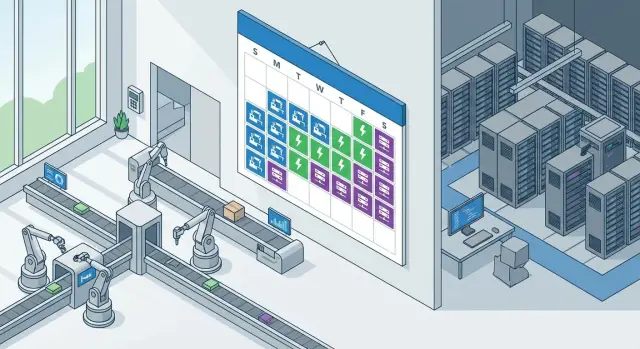
Why you need a unified downtime and work-window calendar
Conflicts over stoppages usually arise not because of "bad people" but because of different objectives. Production cares about output and rhythm, power engineering — safety and reliability, IT — system stability and planned updates. In the end the hardest hit are those at the bottom of the chain: the line crew, warehouse, logistics, and ultimately the customer when deadlines slip.
A planned window and an emergency stop are different situations. Emergencies require immediate action, even if that breaks the schedule. A planned window is an agreed time when risks and losses can be controlled: there is preparation, materials, responsible parties, fallback options and a clear rollback plan.
Lack of coordination costs more than hours. People are lost (contractors arrive and are not admitted), raw materials and semi-finished goods are affected (ovens stop, a batch is interrupted), quality suffers (modes are broken, rework), and trust inside the company erodes. For IT this often ends in SLA breaches: the business expects availability, while work is done "quietly" at night without a confirmed window.
A unified equipment downtime calendar helps you agree in advance:
- when it is acceptable to stop equipment and what counts as an allowable downtime;
- who must be notified and who gives the final "go";
- which works to group into one window (production, power engineering, IT) to avoid stopping the line multiple times.
The calendar does not solve everything. It does not eliminate emergencies, replace technical preparation or "fix" chronic equipment issues. Its job is simpler: turn stoppages from surprises into manageable events where each party has time to prepare and reduce losses.
Participants and roles: who initiates, who approves, who is responsible
To prevent windows from turning into arguments about "who stopped the line," roles should be defined in advance. Then each window has an owner, clear approvers and one person responsible for notifications.
From production side the usual participants are the line (or area) owner, the dispatcher and the shift foreman. The line owner confirms that the window fits the production plan. The dispatcher aligns the window with other lines and shifts. The shift foreman is responsible for a safe stop and restart, and for recording start and end times.
From power engineering you involve those who actually affect stoppage risks: electricians, instrumentation and control (I&C), ventilation and climate specialists, UPS and generator experts (if present). Their task is to confirm that power, protections and modes are safe and that switching won’t affect neighboring areas.
From IT it’s usually network, servers and virtualization, on-site workstations, and accounting and access systems (MES/ERP, warehouse systems, access control (СКУД), video surveillance). For example, replacing a switch without the shift foreman’s involvement may mean the line restart gets blocked by an unavailable accounting system.
A convenient responsibility scheme for one window:
- Initiator: files the request (purpose, risks, rollback plan).
- Line owner: decides if the stop is acceptable and for how long.
- Technical approvers (power engineering, IT, safety): confirm safety and readiness.
- Authorizer: process owner or chief engineer; IT director often joins on IT risks.
- Communications: the initiator or assigned coordinator who sends notifications and logs statuses.
What data to collect before adding a window to the calendar
The downtime calendar works only if every window is described uniformly and without guesswork. Otherwise production sees only "2-hour stoppage" while power engineering and IT learn important details on site.
Minimum data set for an entry
The window card should answer three questions: what exactly are we stopping, who will be affected, and how will we recover if something goes wrong.
- Object of stoppage: the specific line, unit, machine, server, network segment or room. Include inventory numbers, rack, panel or cabinet if available.
- Impact zone and dependencies: which shops, IT systems (MES, ERP, label printing), engineering networks (power, compressed air, cooling) and contractors will be affected.
- Timeframe: start and finish, plus buffers for preparation and rollback. Note a hard cutoff after which the window cannot be extended.
- Risks and constraints: personnel safety, batch quality, raw material losses, risk of defects on restart, impact on adjacent operations, permit and lockout requirements.
- Rollback plan: what to do if you don’t finish or a failure occurs. Who decides, how long it takes and what checks confirm it’s safe to restart.
Often you add "readiness conditions": what must be prepared, which fallback channels are enabled, which warehouse is notified, and which tests must pass before start.
Example: you need to update a switch in a workshop, but it powers accounting terminals and the scanner access point. The window card must note not only the network but also consequences for shipping and labeling, and a fallback: temporarily move printing to another area or enable a backup channel.
If these fields are filled in advance, windows become comparable and approvals are faster and less surprising.
Priority scheme: how to decide what’s more important in a conflict
When several teams request the same window, the dispute is rarely about "who shouts louder" and more about risk and cost of downtime. Define priority levels and a seniority rule in advance so decisions are consistent.
Priority levels (P0–P3)
- P0 — safety and regulatory. Risks to people, fire safety, inspector orders, emergency states, threats to high-risk equipment.
- P1 — critical for output. Stops or significant drops in output, contract breaches, critical accounting and control systems (e.g., raw/finished goods accounting, access to production orders).
- P2 — planned improvements. Preventive work, scheduled part replacement, updates that are better done in a window but can be postponed without immediate loss.
- P3 — convenience tasks. Cosmetic or comfort work that is easy to move and does not create risk.
Seniority rule in conflicts
-
P0 always supersedes all other levels. If a P0 exists, the window is granted to it; other works are either cancelled or moved to non-stoppage options.
-
P1 outranks P2 and P3. If two P1 requests conflict, compare downtime duration, effect on output, possibility of partial work and availability of bypass options.
To avoid disputes after the fact, record priority directly in the request and calendar: tag P0/P1/P2/P3, owner of the work, a short reason (1–2 lines) and who approved (role/name).
Step-by-step approval process for a window without unnecessary meetings
To avoid gathering everyone in a meeting room, agree a simple rule: every window starts with a single request and ends with a single outcome (fact and reason for any rejection). Everything else is done via the calendar and short confirmations.
1) One request instead of dozens of messages
Use a single form (email, Service Desk or spreadsheet) with identical fields: initiator, object and location, exact dates and duration, what and why, expected effect, risks, who is needed on site, which systems and power circuits are affected.
Set submission lead times as a standard: P2 — 7–14 days, P1 — 3–7 days, P0 — immediately (with mandatory reasons and a short post-analysis).
2) Round-robin approval within 24–48 hours
Often sequential confirmations by role are enough: production (can they stop?), power engineering (schemes, switching, limits), IT (dependencies, backups, access), and if needed safety (permits, risks). If someone writes "conditionally approved," they must state explicit conditions (for example: "only after backup power is enabled").
A minimal process that usually suffices:
- Submit the request and add a draft window to the calendar.
- Record priority (P0/P1/P2/P3) and the approvers’ deadline.
- Collect confirmations by status or comment without a call.
- Confirm readiness 24 hours before: materials, access, permits, backup schemes.
- At start the responsible person gives the stop command; after work — tests and return to operation.
After completion always record the fact: actual times, what was done, what deviated and why. If the window shifted due to delayed permit or missing spare part, that reason should be visible so it won’t repeat.
How the calendar should look: structure, tags and rules
A calendar only works when it’s quick to read and impossible to interpret in different ways. Start with standard event types and identical fields.
Event structure and tags
Create three basic types: planned window (pre-approved), emergency (unplanned with fast notification) and blackout (periods when touching equipment is forbidden: shift handover, shipping, reporting day). Then add color coding by responsibility: production, power engineering, IT, joint works. Color helps spot conflicts in seconds.
Keep identical fields in each event: object (shop, line, server room, specific cabinet), impact (what stops and who is affected), priority, responsible contacts, rollback plan. If a key field is empty the event should not be published.
Also set buffer rules: preparation before the window and stabilization after. For example the window may be 02:00–04:00, but the calendar blocks 01:30–04:30.
Access rules and history
Roles should be simple: creators — initiators (shift foreman, power engineer, IT on duty), editors — assigned owner and dispatcher, viewers — all participants.
Maintain history in the event card: time changes, reason for postponement, who approved, outcome (done, cancelled, partial). This reduces disputes and speeds up post-incident analysis.
Communications: who and when to tell about a stop
The goal of communications is for everyone affected to receive the same short, clear information in time. Then the shift won’t prepare a run on a line that will be stopped, power engineers won’t cut power at the wrong moment, and IT won’t reboot at peak load.
Choose fixed channels and don’t mix them. Each urgency level should have its own path:
- Email: official announcement and final report.
- Messenger: short reminders and status (no discussion).
- Dispatcher or on-call coordinator: confirmations and time coordination.
- Shift board or shift log: to reach people on the floor.
- Phone call: only for P0 (safety or emergency).
Use a fixed messaging schedule so people get used to it and don’t miss important notes:
- announcement (right after approval);
- reminder 24 hours before;
- start notification;
- completion notification (what was restored);
- short post-report (what was done, deviations, next steps).
Include not only initiators in distribution lists. Add the equipment owner, shift personnel, power engineering, IT, safety (if access changes), contractors (if onsite), and one 24/7 contact for the window.
To avoid noise, use a single format: a short headline with date and object code, then 5–7 factual lines. Always state the impact (what will stop and for how long), exact time, control point (who gives the OK to start), urgent contact and rollback plan.
Notification template: ready text for email and chat
A single template saves time and reduces the risk of misunderstanding the impact. Use the same language for email and chat so calendar entries and conversations match.
Subject and structure
In the subject (or first line) use tags so messages are easy to filter: type, priority, site/shop, object, date and time.
Тема: [ОКНО][P1][Цех 3] Остановка линии L2 12.02 02:00-04:00
Below is a ready email text you can copy and fill in.
Кратко (1-2 строки):
Проводим плановые работы по ________. Цель: устранить ________, снизить риск ________.

Объект и влияние:
- Останавливаем: линия/щит/сервер/сеть ________
- Будет недоступно: ________
- Остается в работе: ________

Время:
План: 12.02 02:00-04:00
Буфер на непредвиденное: до 04:30
Ожидаемое восстановление сервиса/линии: 04:10
Проверка (ответственный + длительность): ________ (15-30 мин)

Ответственные и контакты:
Инициатор: ФИО, подразделение, телефон
Руководитель работ: ФИО, телефон
Дежурные контакты (энергетики/ИТ/производство): ________

Риски и откат:
Критерий отмены/остановки работ: ________ (например, авария в цехе, рост брака, отказ резервного питания)
План отката (2-3 шага): 1) ________ 2) ________ 3) ________
Кто принимает решение об откате: ФИО/роль

Подтверждение согласования:
Прошу подтвердить до: 11.02 16:00 (ответом на письмо)
For chat keep the same meaning but shorter.
[ОКНО][P1][Цех 3] Линия L2, 12.02 02:00-04:00
Цель: ________.
Влияние: недоступно ________, работает ________.
Контакты: руководитель работ ________, дежурный ИТ ________.
Откат: критерий ________, решение принимает ________.
Подтвердите до 11.02 16:00.
Resolving conflicts: escalation and rules for rescheduling
Conflicts arise when windows overlap or plans change at the last minute. Agree in advance who decides and under what rules. Then a discussion takes minutes, not half a day.
How to decide when windows overlap
If two windows coincide, use the pre-agreed prioritization (P0–P3). If priorities are equal, compare:
- cost of downtime and impact on output;
- number of dependencies (how many shops and systems are affected);
- possibility to perform part of the work without a full stop.
The losing window is rescheduled per the rules below.
Escalation and schedule freeze
Set a timer so decisions don’t stall. For example, if an approver doesn’t respond within 2 hours, escalate to the next level. The final decision should be made by a single arbiter (often the production shift manager or assigned window dispatcher), not the loudest person in the chat.
Freeze the schedule when little time remains. A pragmatic rule: do not move a window within 24 hours of start without separate approval from the arbiter and the production owner (for night shifts sometimes 12 hours is acceptable).
After a reschedule or failure, run a short 10-minute review: what caused it, which data was missing, and which rule needs clarifying. Log the outcome in one line on the calendar.
Common mistakes that turn windows into downtime
The most common reason for extra downtime is that a window exists but no one manages it. If a window has no owner (name, phone, backup contact) and no clear rollback plan, any minor issue turns into a long stop “while we figure it out.” The owner must be able to say: what we do, when we stop, when we roll back, who decides.
A second pain is overly optimistic duration. A plan "we’ll finish in an hour" without buffers nearly always becomes two hours of downtime. Buffers are needed not only for the work but also for startup, checks, warm-up, return to mode, and delays in access, keys or permits.
Unaccounted dependencies
Windows often fail because of things "not about the repair": network, ventilation, power, access, accounting systems, passes, admin access, availability of on-call staff. Example: IT replaces a switch but production needs label printing from an accounting system that won’t work without the network. Or power engineers plan switching but ventilation must remain in a specific mode.
Another trap is “agreed in chat” and forgotten in the calendar, or added without details. People learn late and the shift plans output as if everything will work.
Starting without confirmations and failing to close the window
Do not start work without a short readiness confirmation: production has stopped the line, on-call staff are present, access is open, materials and spares are at hand. That takes 2 minutes but often saves an hour.
Close the window with a report. Without a fact-based record (what was done, what wasn’t, how long it took, were there risks), the next plan is based on guesses and downtimes repeat.
Quick checklist before the window starts
10–15 minutes before start, check the basics. It’s cheaper than stopping a line because of a small issue you could have seen in advance.
First ensure the window is in the calendar, has a clear owner and a recorded priority P0–P3. If a window “hangs without status,” it almost always turns into a dispute.
Then check readiness of people and conditions:
- Responsible person assigned, 24/7 on-call contacts for the duration of the work (production, power engineering, IT).
- Dependencies and access checked: who opens the cabinet, who grants server room access, who confirms the permit.
- Cancellation criteria and rollback plan agreed: what counts as "went wrong," who decides to stop, how long rollback takes.
- Test plan and acceptance for restart: what exactly to check and who signs off readiness.
Also confirm communications: announcement and reminder sent, shift (or area foreman) confirmed the window. If confirmations are missing, better postpone than start "on luck."
Example scenario: joint window for production, power engineering and IT
Night shift, 01:00–05:00. Production in this period is limited, and a washdown requiring a stop is scheduled at 02:00. IT requests a window to update accounting servers at the same time, and power engineering wants to inspect inputs and tighten contacts after voltage spikes.
To avoid three separate stoppages, everything is coordinated in the unified downtime calendar and dependencies are checked. Production says washdown sets a hard window 02:00–03:30 — shifting it causes quality issues and breaks the sanitation schedule. Power engineering states the input check needs a full de-energization of the area for 30 minutes. IT confirms server updates can be done without stopping the line but require a short pause in data exchange (10–15 minutes) and the presence of the foreman to verify counters after restart.
The unified window is organized so that actions requiring de-energization and physical access happen first, while parallelizable tasks run alongside.
Planned sequence:
- 01:45: production stops the area, applies lockouts and confirms safety.
- 02:00–02:30: power engineering checks inputs and gives permission to re-energize.
- 02:30–03:30: washdown (IT prepares updates and backups in parallel).
- 03:30–03:45: IT applies accounting changes, installs updates and runs quick checks.
- 03:45–04:00: joint acceptance: production, power engineering, IT.
Communication is stepwise: announcement 24 hours before (what, where, risks, responsibles), readiness confirmation 30 minutes before, start message, mid-window status, and completion notice with actual times.
Result: the window fit into 01:45–04:05. The unexpected issue — the shift foreman wasn’t on site by 03:30, so accounting verification shifted 20 minutes. Rule improved: the notification now explicitly names the person obliged to be at the acceptance point and adds a 15-minute buffer for confirmation after re-energizing.
Next steps: how to implement and institutionalize the process
Start simple: the calendar needs one owner. This is not a person who "orders everyone around" but someone who enforces rules, ensures data quality and that decisions are logged.
Then approve on one page:
- the prioritization scheme (P0–P3) and seniority rule;
- who can raise priority;
- how escalation works;
- schedule freeze (for example, 24 hours).
To keep the process light, run a pilot on a limited area: one shop or one critical process for 4–6 weeks. Pick a spot where production, power engineering and IT intersect and agree that all work windows for production go through the shared calendar.
During the pilot collect numbers, not opinions: how many windows were rescheduled and why, planned vs actual durations, where conflicts arose, how often escalation was needed, and how many unplanned stops occurred.
After the pilot update notification templates, buffer rules (prep, rollback, checks) and input requirements. Keep the regulation short — 2–3 pages, no excess theory.
If infrastructure is lacking (monitoring, redundancy, logging, 24/7 support), involve a system integrator. In Kazakhstan such projects are often carried out with GSE.kz: in addition to integration, they produce servers and workstations, which is useful when you need to simultaneously improve reliability of production and server contours and reduce downtime risks.
Frequently asked questions
Why have a single downtime calendar if we can just agree in chat?
A unified calendar prevents downtimes from being surprises. It records time, object, impact and responsible parties in advance so production, power engineering and IT can prepare in sync and avoid stopping the same line multiple times.
How is a planned window different from an emergency stop?
An emergency requires immediate action to protect people and equipment, even if it breaks plans. A planned window is scheduled in advance with preparations, materials, responsible people and a clear rollback plan so losses and risks stay under control.
Who should initiate, approve and authorize a work window?
At minimum you need an initiator, the line (or area) owner, technical approvers from power engineering and IT, and an authorizer (for example, the chief engineer or process owner). You also need one person responsible for notifications and status tracking so communications don’t fall apart.
What data must be collected before adding a window to the calendar?
Record the exact object and identifiers, the zone of influence and dependencies, start and finish times with buffers and a hard cutoff, risks and constraints, and a rollback plan with decision criteria. When these fields are filled consistently, approvals are faster and surprises are fewer.
How to quickly decide what’s more important when multiple works conflict?
Use four levels: P0 for safety and regulatory issues, P1 for critical impact on output and key systems, P2 for planned improvements, and P3 for convenience tasks. In conflicts P0 always wins; P1 beats P2/P3. If priorities are equal, compare downtime cost, duration and bypass options.
How to approve a window without endless meetings and calls?
Start with a single request form with identical fields, add a draft window to the calendar and set a deadline for approvers. Collect confirmations by role as short comments, verify readiness 24 hours before (access, materials, permits, backups), and after work record actual times and deviations so mistakes aren’t repeated.
Why do windows often fail even if the time seemed agreed?
Most failures stem from unaccounted dependencies that aren’t about the repair itself: network, accounting systems, ventilation, power, physical access, on-call contacts. Explicitly list what will be unavailable and what must remain working, otherwise startup will fail because a service or area is unexpectedly down.
What should the calendar look like so it can’t be misinterpreted?
Keep three event types: planned window, emergency event and blackout periods (when work is forbidden). Use identical fields in every event (object, impact, priority, contacts, rollback plan) and show expanded intervals with buffers for preparation and stabilization so people don’t plan work to the minute.
Who and when should be informed about a stop to avoid chaos?
Use fixed channels on a set schedule: announcement after approval, reminder 24 hours before, start message, completion message and a short post-report. Each notice must state exact times, impact, the control point (who gives the OK to start), a 24/7 contact for the window and the rollback actions if things go wrong.
What to check 10–15 minutes before the window to avoid losing an extra hour?
Check that the window is published in the calendar, has an assigned owner and confirmed contacts for all parties. Ensure access and permits are ready, cancellation and rollback criteria are agreed, and tests and acceptance criteria for restart are defined. If confirmations are missing, postpone rather than start "on a hope."
