7 min read
EoL/EoS Equipment Replacement Plan: Calendar and Budget
EoL/EoS equipment replacement plan: how to maintain a support calendar for Cisco, HPE and Dell, assess risks and budget for upgrades in advance.
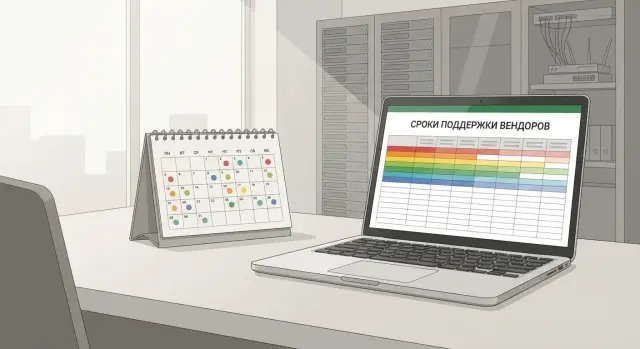
What EoL/EoS means and why it affects operations
EoL (End of Life) usually means a device or a product line is no longer produced or sold as a current product. Vendors use EoS differently: for some it means End of Sale, for others End of Support. Always check the exact wording in the official document.
For IT teams, the support end date is most critical. After that date you cannot rely on fixes, security updates, part replacements under service, or the same level of vendor assistance.
Important: visually identical models can have different support timelines. Practical reasons include different hardware revisions, different part numbers (SKU), different licenses and firmware versions, and sometimes different contract terms. It can also happen that the hardware has one date while a required software version has another — and the software date is the real risk driver.
When support ends, problems become tangible quickly:
- vulnerabilities stop receiving patches and show up in security scans
- it becomes harder to get replacements and parts, repair times grow
- technical support may refuse service or offer only limited paid options
- the risk of downtime increases because a single failure may take long to resolve
- compliance and regulatory requirements (especially in the public and financial sectors) become harder to meet
This directly affects procurement and budgeting. Without a calendar, replacement turns into an urgent purchase: prices are higher, choice is limited, delivery takes longer. With known timelines you can compare options calmly, schedule deployments and tests, and account for logistics and support.
A simple example: a branch server that’s out of support fails. While searching for a compatible spare and a contractor, services are down. If dates had been in a calendar, replacement would have been done in a planned window and downtime minimized.
Where to get support dates for Cisco, HPE and Dell
A good upgrade plan starts from accurate dates. It’s best to take them from primary sources and store them next to your inventory so you don’t need to look them up every time.
There are three reliable channels:
- Vendor portals with announcements and lifecycle milestones (end of sale, end of standard support, end of updates, etc.).
- Notifications from official partners and distributors — they often warn in advance and help choose replacements.
- Support responses based on your contract — essential when you need precise dates for a specific purchase.
If a device was purchased through third parties and history is incomplete, collect at least:
- exact model and variant (SKU/part number)
- serial number
- commission date (even approximate)
- support type or contract, if any
- who handled the purchase (department, contractor)
Separate model-level dates from serial-number/contract dates. Some deliveries have different timelines due to region, contract type or platform revision. Practically, keep two fields: “EoL/EoS by model” and “support by serial number/contract.”
Also record software and licenses. Even if hardware is still supported, a specific firmware, OS, hypervisor or license version may have its own end-of-life. For example, a server might be supported while a critical iDRAC or firmware version is not.
What data to put in the support calendar
A support calendar is not a checkbox table, but a working basis for decisions: what to replace, when and why. The more accurate the source data, the fewer surprises when replacements, parts or contract renewals arise.
Start with a record for each unit or logical node (for example, a cluster, a pair of switches, a server rack). The entry should be easily tied to the physical device and to the services that depend on it.
The minimal set of fields that usually pays off:
- vendor and model, configuration (CPU, RAM, modules, versions)
- serial number, inventory number, site and rack (or room)
- role in infrastructure (core, access, virtualization, backup, VDI)
- service owner (business unit) and responsible engineer
- business criticality (low, medium, high)
Then add lifecycle milestone dates. Store concrete dates with reminders rather than vague notes like “sometime in 2027.”
Record at least these milestones:
- end of sale (EoS) date and last shipment date
- end of updates (including security updates)
- end of standard support and end of extended support (if applicable)
- internal planned replacement date (your target) with buffer
Include contract details separately: contract expiration, coverage (hardware replacement, onsite support, 24/7, response times), and any gaps.
Don’t forget dependencies. A switch may require optics, power supplies, licenses, SFP modules, software version compatibility with neighboring devices. In the server room the same applies: replacing a server may require hypervisor, driver or backup system updates.
Step by step: how to build a calendar and an upgrade plan
First define scope: what equipment types will be kept in one calendar. It’s convenient to split the estate by categories (network, servers, storage, endpoints, peripherals) to filter quickly by owners and criticality.
Then follow a simple scheme:
- Collect inventory from all sources (CMDB, spreadsheets, procurement records, receipts). Match exact model names and part numbers without abbreviations — otherwise support dates may be linked to the wrong revision.
- Map equipment to services. The same switch in a branch and the same model in the core have different outage costs; the calendar should reflect that.
- Enter key dates: end of sale, end of updates and patches, end of standard support, end of extended support. Add a “planned action” field.
- Set reminders at 12, 6 and 3 months before the nearest critical date. Twelve months is usually enough for budgeting and procurement, six months to prepare deployment, three months to close delivery risks.
- Assign owners. Every row should have a responsible person who confirms decisions and timings.
When the calendar is populated, decisions typically fit into three scenarios:
- planned replacement (if a device is critical and nearing end of support)
- short-term support extension (if migration is complex or there are software dependencies)
- decommission or downgrade to non-critical role (for example, move to test environment)
How to prioritize replacements and assess risk
When the calendar contains dozens of dates, the key is to replace by risk, not by queue. A server that’s unimportant in a test environment can be critical in accounting, a call center or healthcare.
Start from business criticality and ask service owners: how much does an hour of downtime cost, and is there a fallback?
Quick risk assessment
It’s useful to score each node on a simple 5‑point scale and sum up values. Look beyond the support end date and consider the device’s real context:
- impact of failure: one department outage or a key service stop
- spare parts and delivery times: availability of compatible PSUs, disks, fans, modules and expected lead times
- security: whether patches are still available or can be applied safely
- single points of failure: one switch per floor, a single controller, a single link
- technological obsolescence: outdated interfaces, lack of ports or speed, inability to support new requirements
Prioritization usually becomes natural: first the critical devices close to end of support, then those without security updates, and after that other equipment.
Commonly missed items
Risk is not only “it will fail,” but also “we won’t be able to recover.” A device may run for years, but if it’s out of support and spares in the region take weeks to arrive, even rare failures lead to long downtime.
In Kazakhstan consider logistics: where you source replacements and how quickly local service and parts are available. This affects risk as much as device age.
How to budget in advance for upgrades
Budget is easier to defend when tied to support dates and clear risks. Then upgrades become part of normal financial planning rather than a one-off funding request.
Start by splitting costs into CAPEX and OPEX. CAPEX is purchase (servers, switches, storage). OPEX covers recurring items often forgotten: support, subscriptions, licenses, contractor work.
A typical budget includes:
- hardware and spare parts (CAPEX)
- implementation work: installation, configuration, migration (OPEX or CAPEX depending on accounting)
- support and service contracts after commissioning (OPEX)
- licenses and subscriptions: OS, virtualization, security, management (OPEX)
- training and documentation (OPEX)
Link costs to the project window. Even with known dates, you need time for pilot, procurement, delivery, migration and tests. A practical rule: refresh critical hardware 6–12 months before end of support, not in the final week.
Include a buffer for compatibility and related components. Replacing one node often triggers firmware updates, optics changes, UPS power upgrades, rack space changes or monitoring license updates.
To talk to finance confidently, prepare 2–3 scenarios:
- minimal: address only the highest-risk nodes
- baseline: replace everything leaving support in the next 12–18 months
- expanded: add performance and resilience improvements
Support your case with measurable items: downtime risk without support, cost per hour of outage, regulatory and audit requirements, and lead times. If a bank’s core network support ends in nine months, it’s cheaper to run a pilot and migrate ahead of time than to buy whatever is left in stock in panic.
Preparing for upgrades: compatibility and deployment plan
Most problems appear not at purchase but during deployment. A new server or switch may not fit the rack, require different power or not support a required software version on neighboring devices.
First check physical compatibility and the conditions in the server room. These details often cause urgent modifications and extra costs:
- power: outlet types, circuit capacity, UPS margin, dual feeds
- racks and mounts: depth, rails, weight, space for cable management
- cooling: heat dissipation, airflow direction, hot spots in the rack
- ports and cabling: fiber or copper, speed, transceiver compatibility
- space and access: available U units, rear access, work windows
Then create a clear migration plan that can be executed in a short maintenance window without improvisation. Parallel deployment often helps: bring up new equipment, test it, then switch the load.
A switch plan is best written as a short runbook:
- preparation: updates, backups of configs, measurements of current load
- stepwise cutover: what to move and in what order, who confirms each step
- testing: checklist for service availability, performance, monitoring
- rollback: rollback conditions and exact actions if things go wrong
- acceptance: what counts as success and which metrics to verify
Don’t forget documentation and access: current diagrams, configurations, accounts and rights, password storage. Agree communications in advance: who to notify about works, who is on call, who signs off (IT, security, service owner, contractor).
Example scenario: how a company avoided emergency replacements
Imagine a company with branches in 12 cities: each office has one switch and router, and the head office has a small server room with two racks. Hardware was purchased at different times, resulting in a mix of vendors and storage systems. Before a calendar existed everything relied on an administrator’s memory and old invoices.
After centralizing timelines into a single calendar the picture became clear: some network devices would lose support in 6 months, and in 9–12 months a virtualization server and several storage disks needed attention. It turned out that the real priority was proximity to end-of-support and role in services, not age.
The team split upgrades into two stages and spread costs over a year. First they refreshed branch networks — higher downtime risk due to logistics and limited local resources. Then they prepared and upgraded the server room with procurement, testing and migration.
They also separately tracked often-forgotten items:
- licenses (network features, hypervisor, backup)
- firmware and driver version requirements
- compatibility with current OS and applications
- temporary support extensions for the transition period
- implementation work: installation, migration, maintenance windows
As a result the company moved away from emergency purchases: budgets were approved in advance, deployments happened on schedule, and the IT team experienced fewer late‑night incidents and rushed deliveries.
Common mistakes when dealing with EoL/EoS
The most common issue is treating EoL/EoS as a single date after which “everything breaks.” In reality it’s a set of milestones: end of sale, end of standard support, end of extended support, spare parts availability and security update windows. If you don’t separate these out, the calendar becomes alarming reminders without actions.
A frequent confusion is mixing model-level EoS with the support end for your specific serial number. A model may be listed as at end-of-life while your contract for a particular serial number is still valid (or vice versa). This can lead IT to overpay for emergency extensions or unexpectedly lose repair rights.
Another trap is missing dependencies. You replace a switch and then discover you need different modules, optics, licenses or a newer software version that conflicts with the core. In servers the same happens: you replace hardware but the hypervisor or backup system also needs updates and testing.
Often the support calendar becomes “nobody’s”: created once, filed, and out of date in six months. Risks accumulate silently and upgrades only begin after a failure or before an audit.
A critical error is planning replacement exactly on the EoL date. Approvals, delivery, installation, migration and acceptance testing usually take weeks or months. Starting on the EoL day is already too late.
And on budgets: many only include hardware and forget implementation work, testing, training and temporary parallel infrastructure. For example, server migration may require extra storage for the cutover period.
Practical ways to reduce mistakes:
- separate model-level and serial number/contract dates
- record dependencies: modules, optics, licenses, software versions, compatibility
- assign a calendar owner and a review cadence (for example, quarterly)
- start projects with time buffers for delivery and deployment
- calculate total cost: hardware, services, tests, migrations, support
Short quarterly review checklist
A quarterly review is a short 30–45 minute meeting with IT, procurement and the service owner. The goal is to identify what could become a problem within a year and what needs funding in advance.
Start by checking the inventory. If data is fragmented, decisions will be guesswork:
- is there a single list of devices with support end dates and assigned owners?
- are items with less than 12 months to end of support flagged as priority?
- is there understanding of failure consequences: service downtime, SLA breaches, security risks?
- do recorded configuration and device role match reality: where it’s installed, what depends on it, is it redundant?
- are dependencies recorded: licenses, contracts, compatible OS versions, power and rack requirements?
Then check time and resource constraints. Often the issue is not cost but lead times, migration windows and team availability:
- are delivery times and alternate replacement options verified?
- are two budget options prepared: “minimum to reduce risk” and “optimal for 3 years,” plus a draft justification?
- are migration windows and roles planned: who configures, who tests, who handles rollback?
After changes update documentation: what was replaced, why, new serial numbers, settings, where config is stored and who owns it now.
Rule of thumb: if a quarterly review consistently takes more than an hour, you lack structure (a table, statuses, owners) or have too many unknowns about timelines and dependencies.
Next steps: turn your calendar into a manageable plan
A calendar is useful only if it has an owner and a cadence. Appoint an owner (usually an IT manager or infrastructure lead) and establish regular reviews: quarterly and after major changes.
Start with the most critical services: access network, internet gateway, virtualization core, storage, domain services and security systems. These areas often reveal missing model IDs, serials or purchase dates and the calendar becomes an estimate.
To turn the calendar into an action plan, adopt a simple scheme:
- collect accurate inventory for critical nodes (model, role, location, service owner, purchase date, support contract)
- attach EoS, EoL and final support dates to each item, plus a preparation window (usually 6–9 months before end of support)
- build a 12–24 month roadmap and align work with budget cycles
- set escalation rules: what to do if support remains under 180 days
If data is sparse or there are many historical decisions, an external audit can help. In Kazakhstan such tasks are often handled by an integrator: for example, GSE.kz (gse.kz) combines inventory and modernization planning with local PC and server supply and ongoing 24/7 support.
Frequently asked questions
How is EoL different from EoS, and why do vendors use different terms?
EoL usually means a product is no longer produced or developed as a current line. EoS can mean different things depending on the vendor — either end of sale or end of support — so always check the exact wording in the official notice for your model and region.
What actually changes after end of support, besides “no more updates”?
First, regular updates and security fixes stop, which quickly becomes a security and audit risk. After that, repairs get harder: spare parts and replacements take longer, and support conditions may become restricted or paid-only.
Which date is more important: the model date or the serial number/contract date?
Rely on the end-of-support date for your serial number and contract, not only the model-level date. In the calendar it’s useful to store both dates so you don’t end up with a model listed as supported while your specific contract has already expired.
Why can two identical-looking devices have different support timelines?
Because similar-looking devices can have different revisions, SKUs, firmware and licenses, each with its own lifecycle. To avoid mistakes, record the exact part number/SKU and current software versions, not only the model name.
Where is it safest to obtain support dates for Cisco, HPE and Dell?
The most reliable sources are the vendors’ official announcements and support responses for your contract. If the device was bought via third parties and data is incomplete, collect at least the exact variant, serial number, commission date and support type — otherwise dates can be matched to the wrong device.
What fields are mandatory in a support calendar?
Start by linking the device to services and owners — otherwise dates sit in a vacuum. Then record lifecycle milestones, contract expirations and an internal planned replacement date with a buffer so you have time for procurement and deployment.
When should I start a replacement project to avoid last‑minute work?
Set reminders at least 12, 6 and 3 months before a critical date. A year is usually needed for budgeting and procurement, six months for preparation and testing, and three months to close delivery risks and schedule the work window.
How to quickly prioritize what to replace first?
Start with the service criticality and the cost of downtime, then add practical factors: spare parts availability, delivery lead times, patchability and single points of failure. Typically you replace nodes that are both near end of support and critical for the business.
What is most often forgotten in budgets for equipment refresh?
Teams often forget implementation work, temporary migration resources, licenses and subscriptions, and short-term support extensions. Good practice is to calculate the full project cost: hardware, implementation, runbooks, migration and team time.
Does it make sense to renew support if replacing “right now” is hard?
Yes — as a temporary measure if clearly limited in time and closing the downtime risk during migration. But extensions are not a substitute for a replacement plan: run the replacement project while the extension acts only as insurance.
