7 min read
Enterprise Document Search Without AI: Elasticsearch, OpenSearch
Enterprise document search without AI: how to compare Elasticsearch and OpenSearch, measure relevance, enforce access controls and speed up indexing for 10+ TB.
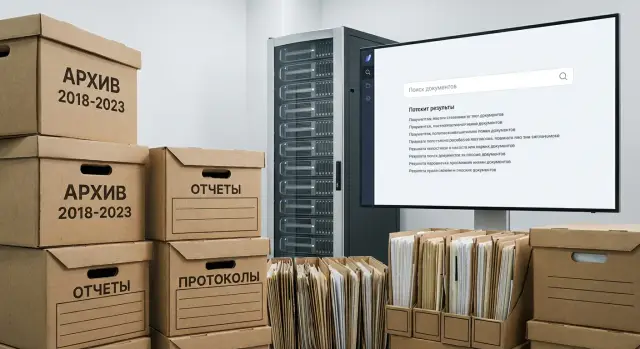
Goal: find documents and not break access controls
Enterprise document search without AI is not built out of curiosity but out of pain: contracts, emails, reports, policies and scans live in different places, and the needed file must be found in minutes, not hours. The main risk isn’t that search returns "the wrong thing", but that it returns it to the wrong person. One incorrect result can become a leak.
Even "without AI" search is more than a simple input box. You need precise tuning of text processing (language, stop words, normalization, typos) and of metadata (date, document type, division, contract number). Otherwise the system will either return nothing or be full of garbage, especially on short queries like “contract 2021 supply”.
Success is almost never measured by a single metric. Teams usually look at response time in real scenarios, result quality for typical queries, enforcement of access controls in the results and predictability of indexing, especially as the archive grows.
Common constraints repeat across projects: fragmented storage (network shares, SharePoint, mail exports), scans without text, duplicates, legacy formats and messy file names. On a 10+ TB archive this quickly becomes an inventory task: what to index, what to skip, which fields are sources of rights and where the authoritative copy lives.
A simple example. An accountant searches for “invoice for payment LLP Alpha March”, and the archive contains a scanned invoice and an email with that invoice attached. Search should find both quickly but show them only to users who have access to the project folder or that mailbox. If access is configured incorrectly, search becomes a convenient way to learn about other people’s projects.
Elasticsearch, OpenSearch and alternatives: how to choose
For enterprise document search without AI, choices usually fall into two classes: general-purpose search engines (Elasticsearch, OpenSearch, Solr) and search built into your ECM/DMS. The right option depends on the queries users will run and constraints in your environment, not on trends.
Elasticsearch and OpenSearch are close in core capabilities: text indexing, morphology, highlighting, aggregations, replication and scaling. It’s more useful to compare how they operate in an enterprise setting: upgrades, security, monitoring and backups, and how predictable the cluster behavior is under load.
Non-AI alternatives also work. Solr is often chosen where schema flexibility and mature practices matter. Sphinx/Manticore fit simpler scenarios and a limited set of formats, but on large archives they can fall short in manageability and ecosystem. Built-in ECM/DMS search is fine when documents already live there and filtering/reporting needs are moderate.
To understand required complexity, ask: do users search to "find a word in text" or to "find a document by a set of attributes"? Facets, complex filters and groupings help when people frequently refine results by date, division, document type or counterparty.
Practical criteria matter most: licensing and legal constraints, ecosystem and availability of specialists, security (authentication, audit, encryption, index isolation), observability (metrics, logs, alerts, diagnostics), and support/SLA (in-house team or external integrator).
At 10+ TB compromises almost always surface: storage costs and number of replicas, index rebuild time after mapping changes, cluster maintenance and upgrades without downtime, hardware requirements for OCR and ingestion pipeline, and careful mapping and analyzer tuning to avoid index bloat.
If you need an assessment for your environment and hardware, it is usually done via a pilot: run a representative slice of the archive and measure result quality, indexing speed and real total cost of ownership.
Data preparation: formats, metadata, OCR
Search more often breaks on input data than on Elasticsearch or OpenSearch. Documents come from many sources: file shares, mail, DMS, database exports, scan archives. Each source has its own file names, encodings, duplicates and “do_not_touch_old” folders. If these are not normalized, results will look odd and frustrate users.
Text alone is almost never enough. Metadata is needed to refine queries, build filters and explain why a document appears. A minimal set that usually pays off: source (mail, file share, DMS), document type (contract, act, order), author/owner, document date and ingestion date, department or project, number (if any) and status (draft, signed, archived).
Treat OCR on scans as a separate stage rather than a checkbox in a connector. It’s convenient to keep two texts: the raw OCR result and a cleaned version. Add a recognition quality flag so you won’t argue later about why “nothing is found”.
OCR: what to check before mass processing
A few quick checks on a small sample save weeks. Verify recognition language (ru, kz, en) and mixed-language documents, presence of a text layer in PDFs, typical character confusions (0/O, 1/I, ң/н), the share of garbage characters and blank pages.
Next comes normalization: a single encoding (usually UTF-8), removal of control characters, and unifying date and number formats. Don’t blindly tune stop words or word-joining after OCR — first look at actual user queries.
Duplicates and versions are a separate pain. A practical rule: show one primary copy and hide others under “similar” or link them by version (v1, v2, signed). This requires stable identifiers: content hash, document number, a pair (number + date) or an ID from the DMS.
Index design for a 10+ TB archive
Start with a rough volume estimate. For 10+ TB it’s not just gigabytes but file count, average file size, share of scans (PDFs without text) and archive growth rate. Two archives of the same size can behave differently: a million small files mean more metadata and indexing operations than a hundred thousand large files.
A single giant index is rarely convenient. It’s usually easier to split indices by source (file shares, DMS, mail), retention periods (active years and history) or types (contracts, HR, procurement). This simplifies rights, retention, reindexing and moving old data to cheaper storage.
Mapping and analyzers for Russian and Kazakh
Mapping mistakes are expensive to fix later. Decide up front which fields are full-text, which are for filtering only and which are for sorting. For Russian and Kazakh choose analyzers carefully: tokenization, normalization, morphology and conservative synonym rules (avoid inflating results).
Plan separate fields for names, IIN/BIN, contract numbers and dates: store them as keyword/numeric/date types rather than full-text.
Shards, replicas and hot-warm storage
Choose sharding based on hardware and growth rather than defaults. Old documents can live in a cold layer and fresh ones in a hot layer so searches for current work remain fast. Replicas improve fault tolerance but double disk usage and slow down indexing.
Measure from the start: bulk ingest speed (docs/sec), index size growth relative to source data, time until a document becomes searchable, disk I/O load and queueing, and OCR text yield.
How to test relevance: a simple testing methodology
Relevance in enterprise search degrades subtly: you change an analyzer or add fields and yesterday’s correct document falls to position 30. You need a small, repeatable test set that you run after each change.
A minimal test set you can maintain
Start with users’ queries, not theory. Collect 30–100 queries from different roles: accounting, legal, procurement, IT, managers. Record context: what the person wanted to find and how they phrase the query from memory.
For each query create a commonsense ground truth: 3–10 documents that should appear in the top-10 and 2–3 documents that should not (e.g., similar templates, outdated versions, irrelevant branches).
Checks can be simple: how many queries return nothing, are ground-truth docs in top-3 and top-10, how much time and reformulation is needed to open the right file, do results jump between runs or after reindex, and why a test failed (language, synonyms, metadata noise).
Between runs change only one parameter: the analyzer for the title field, field weights (title stronger than body), or a small boost for metadata (type, division, date).
“Dangerous” queries to track separately
Keep a separate list of queries that most often break relevance: short tokens, abbreviations, contract and invoice numbers, typos. Examples: “DP-17/24”, “act KS2”, “inv 4512”, “TZ ASUP”. If these fail, users lose trust in search fast, even if long phrases work well.
Access controls in results: models and testing
The most frequent mistake in enterprise search isn’t relevance but that a user sees something they shouldn’t. Leaks occur not only through the document but via title, snippet, highlighting, autocomplete and even “similar queries”.
First, define the access model that actually exists in your systems. Usually this is ACLs on documents, groups and roles (department, project), inheritance from folders or cases, plus security labels (“DSP”, “confidential”). Often access has expiry dates so rights “burn out” after a project closes.
How to filter reliably
The most reliable approach is security trimming at query time: results are always filtered by the current user’s rights. Other options exist (separating data by index/segment or pre-filtering on the application side) but increase the risk of mismatches.
To make filtering stable, store rights with the document in the index: allowed groups/roles, access level, exceptions, start and end dates. Agree on a single source of truth for rights (AD/LDAP, DMS, ECM) and how quickly changes should reach the index.
How to test for leaks
Test by user profiles. Usually 5–7 test personas suffice (employee, manager, external contractor, auditor) and a set of negative tests: queries by surname, contract numbers, keywords from closed files. Check not only opening documents but snippets, highlighting, attachments, versions and metadata (author, division, amount). Test autocomplete separately: it must not suggest closed titles.
A simple scenario: an accountant searches “contract 1245” and sees only their projects; a person from another branch must not see even a hint of the title or counterparty.
Indexing speed: how to run 10+ TB without surprises
On a 10+ TB archive indexing speed typically bottlenecks in the pipeline before Elasticsearch/OpenSearch: reading files, extracting text, normalization, metadata extraction and only then writing to the index. Measure time per step or you’ll optimize the wrong part.
A typical pipeline: extract text (from DOCX/PDF, sometimes via OCR), normalize encodings and dates, add metadata (type, division, contract number, date, source) and send documents in batches via bulk API.
How to speed up ingestion without losing control
A few practical techniques help: parallelism by files and bulk requests (mind CPU and disk limits), tuning bulk size (too small wastes overhead, too large hits memory), increasing refresh_interval and temporarily disabling extras (e.g., replicas) during the initial load. If immediate highlighting isn’t required, enable heavy analyzers and highlighting in stages.
Shards, errors and a reindex plan
Too many shards often slows things: higher overhead, harder balancing and more small segments. Estimate expected index size and choose a moderate shard count with headroom for growth.
Errors are inevitable: corrupted PDFs, unexpected encodings, timeouts. Keep a retry queue, isolate problematic files to a separate stream and log root causes.
Most importantly — estimate rebuild time. If the cluster fails at 70% load, how many hours will you lose? In production have a staged reindex plan and checkpoints so you can resume from a failure rather than starting over.
Search performance: common bottlenecks
In enterprise search “slow” is almost always a chain of causes: heavy queries, too many fields in the index, slow disks and insufficient memory for caches. Describe 5–10 common scenarios up front: “find by phrase”, “find and filter by date/type”, “sort by freshness”, “show facets by division/author”. These combinations have different costs; sorting and aggregations on large sets are usually most expensive.
Daily monitoring can focus on a few signals: search latency (p50/p95) and timeout rate, CPU and memory (heap) and GC pauses, disk I/O latency and utilization, index and search queues, and cache “warmth” indicators (latency spikes).
When you find a bottleneck, profile don’t guess. A frequent finding: the query requests dozens of fields though the UI needs 3–4, or an aggregation runs over all documents though the user only needs a filtered slice. Sometimes changing execution order helps: filter by rights and dates first, then text search, then facets.
Storage matters. SSDs give steadier response under peak load; HDDs show step-like latency. A practical setup uses hot storage for recent/frequently requested documents and cold for archive, plus compression and regular snapshots.
A real example: a government archive’s contract index slowed on “sort by date” and a “by branch” facet after growing to tens of millions of files. The date field was a string and aggregation ran without filters. After fixing the field type and removing unnecessary aggregations p95 latency dropped dramatically.
Plan maintenance windows: upgrades, shard relocation and index recreation should keep search available and make degradation predictable.
Common mistakes and traps
The costliest mistake is “index everything now” and clean up later. On a 10+ TB archive “later” usually means months of manual cleanup and reindexing.
Problems usually stem from data preparation and search rules, not the engine:
- Indexing without a clear metadata schema (type, number, date, counterparty, division). Important attributes end up buried in text and results become unreliable.
- Mixing languages and formats in one field without normalization. Russian, Kazakh and English require different analyzers, and PDFs vs scans yield different text quality.
- Postponing access controls. Leaks happen via snippets, highlighting, autocomplete and even result counts if rights filtering isn’t applied everywhere.
- Underestimating disk I/O and overemphasizing CPU/RAM. Indexing and aggregations are driven by IOPS, write speed and segment merge behavior.
- No reindex and recovery plan. Any mapping, analyzer or access model change can require a full index rebuild.
Typical mini-scenario: an archive of contracts is indexed “as is”. A week later you find branches have different access rules and search highlights contract amounts and counterparty names to users who shouldn’t see them. Fixing this requires filters, auditing query logs, clearing caches and reindexing parts of the data.
Catch these traps on a pilot: a small data slice, relevance and access tests and an indexing run that reveals real disk and queue constraints.
Short checklist before go-live
Test on real data not a training index — otherwise search will look fast and accurate until day one in production.
First, fix the big picture: what you will index, how it grows and what “success” means for users.
- Data and growth: measure archive size, expected growth, share of scans and average document size. Note where OCR is weak (stamps, poor prints, handwriting) and how many such files exist.
- Relevance: prepare 30–100 real queries and a ground-truth set of 5–10 correct documents per query. Capture metrics before and after tuning (e.g., share of queries with the right doc in top-3).
- Access controls: describe the rights model simply (user, group, division, role, project). Run negative tests: “should not see”, “sees only title but not attachment”. Check versions, attachments and inheritance.
- Indexing speed: measure bulk speed on a real data sample and estimate full rebuild time. Find bottlenecks in disks, CPU and processing queues (OCR, text extraction, analyzers).
- Operations: set up monitoring, backups, update plan and ownership for sources. Decide who fixes the pipeline if a source starts producing corrupted files.
A small practical test: take one department (e.g., legal), load their 1–2 year archive and ask 3–5 staff to find typical documents (contract, amendment, act). If any query returns “other people’s” documents or results jump after reindex, stop and fix the rights model and test methodology before going to production.
Real-life example: finding a contract in a large archive
A finance employee searches for a contract requested by an auditor. The archive is large, documents are in different systems and folders and some are scans. Search must be fast and predictable.
Queries are rarely tidy. The user types: “Contract 18-04/23 LLP Romashka” or just “18-04 romashka appendix”. Numbers use different separators (18/04-23, 18-04-2023), counterparty names vary (“LLP Romashka”, “Romashka LLP”) or contain typos. It’s useful to test behavior on partial numbers (first 4–6 chars), typos, variant abbreviations (LLP, ТОО) and searching by appendix number rather than contract number.
Access is most important: finance should not see legal or HR documents from another branch even if the query matches. Test by running the same queries under different accounts (finance, legal, branch user, admin) and compare not only the top 10 results but the total hit counts. If one role finds 124 and another 130, investigate: some rights aren’t applied consistently.
Also check indexing latency: for the last 24 hours how many files were added, how many reached the index and how quickly are they searchable. If 5,000 documents were added today but search shows only 3,000, the index is lagging and the delay will grow.
After a pilot teams usually tune three things: analyzers (numbers, typos, synonyms), metadata (unified number format, counterparty, document type) and the rights model (how divisions and roles map to documents).
Next steps: pilot, acceptance and rollout
The safest path starts with a short pilot. Use a representative sample: different years, formats (PDF, scans, office docs), several departments and various access levels. A pilot on a single folder often gives false optimism.
To avoid subjective disputes, define measurable acceptance criteria: relevance (how many queries from the set have the right document in the top-5), rights (no leaks), indexing (ingest time and delay to availability), response time on typical queries during business hours and resilience (behaviour on node failures or source outages).
Then comes the operational work: infrastructure and support. For a 10+ TB archive decide in advance where sources and indices are stored, how backups are done, who updates certificates and passwords, and how access rules change. Put in regulations: maintenance windows, monitoring, recovery plan and a clear process for adding sources.
If you engage an integrator, clarify responsibilities: who connects shares and DMS, who maps rights (groups, roles, inheritance), who runs load tests and prepares the acceptance report.
In Kazakhstan these projects often require not only engine tuning but proper infrastructure for index, OCR and storage. It makes sense to involve a systems integrator: for example, GSE.kz can cover the server side (including S200 Series) and support, leaving you to focus on data, rights and acceptance tests.
Frequently asked questions
Where should I start implementing enterprise document search without AI?
Start with a clear objective: find the needed document in minutes and avoid showing it to those who shouldn’t see it. Then record data sources, the access control model and a minimal set of metadata — otherwise search will quickly become “empty or noisy”.
When is it better to use Elasticsearch/OpenSearch and when is the built-in DMS/ECM search enough?
If documents already live in your ECM/DMS and queries are simple, the built-in search is often enough. If you have many sources (shares, mail, SharePoint, exports) and need facets, advanced filters, predictable indexing and scalability, a dedicated search engine is usually the right choice.
How to practically compare Elasticsearch and OpenSearch for an enterprise environment?
Focus on operations in your environment: upgrades without downtime, security, monitoring, backups and behavior under load. Differences in features are often less important than how easy it is to operate the cluster and how easy it is to find specialists for your setup and licensing policy.
Which metadata should I include from the start?
Agree on a common schema upfront: source, document type, the primary date, owner, which department or project it belongs to, document number and status. Without that, users won’t be able to reliably filter results and it will be hard to explain why a document was returned.
How to organize OCR for scans so search remains reliable?
Separate OCR into its own stage and store recognized text separately from a cleaned version. Record the recognition language and a quality metric so you can tell when missing results are due to OCR quality rather than search settings.
How to design indices for a 10+ TB archive?
A single huge index is usually inconvenient: it complicates access controls, retention and reindexing. For large archives, partitioning by source, retention period or document type often wins — it simplifies rights management, moving history to cheaper storage and changing mappings without pain.
How to check relevance so it doesn’t break after tweaks?
Collect a small, repeatable set of real queries from different roles and create a ground truth: which documents should be in the top results and which should not. Run this set after any change to analyzers, field weights or metadata so relevance does not drift unnoticed.
How to make sure search doesn’t reveal too much?
Filter results by the current user’s rights at query time (security trimming). Store access attributes with the document in the index (allowed groups/roles, access level, exceptions, validity dates) and agree on a single source of truth for rights (AD/LDAP, DMS, ECM) and how quickly changes must reach the index.
Why is indexing slow on large archives and how to speed it up safely?
On large archives the bottleneck is often the pipeline before the search engine: reading files, text extraction, OCR and normalization. Speedups come from sensible parallelism, right-sized bulk requests, increasing refresh_interval during the initial load, and temporarily reducing replicas or heavy analyzers until the primary load completes.
How to run a pilot and acceptance testing to avoid surprises in production?
Run a pilot on a representative sample: different years, formats, scans, several departments and access levels. Define measurable acceptance criteria in advance: no leaks, response time on typical queries, delay until new documents appear in search, and a clear reindex/recovery plan.
