8 min read
End-to-end serial number tracking: from quotation to CMDB without errors
End-to-end serial number tracking: field scheme and reconciliations between quotations, delivery notes, acceptance acts and CMDB to eliminate manual errors and speed up acceptance.
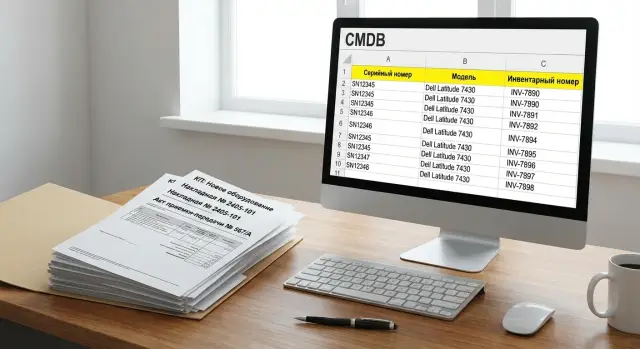
What breaks when serials are tracked manually
Manual serial number tracking usually fails not because of "carelessness" but because the same data is repeatedly retyped. The same number is copied from an email to Excel, from Excel to the delivery note, from the delivery note to the CMDB. Each transfer adds a chance for an error. In the end the delivery seems accepted, but later it's hard to prove that a specific device is exactly the one purchased and recorded.
Problems typically surface during acceptance and when recording into the inventory system. Common manual errors look like:
- mixing similar characters in the serial (0/O, 1/I), adding an extra character or truncating when copying;
- the same SN recorded twice on different lines, especially when receiving "batches" of identical models;
- an SN placed on the wrong item line (same model but different configuration or batch);
- creating an asset in the CMDB without an SN "temporarily", then forgetting to fill it or entering it "by word of mouth";
- using different names for the same product, so document reconciliations don't match.
Why does an SN "get lost" between the quotation, delivery note and CMDB? Because the quotation usually records expectations (what should be delivered), while the delivery note and acceptance acts record facts (what actually arrived and was accepted). If the quotation lacks a clear structure of items and identifiers, serials have to be manually "glued" to lines upon delivery. The error then multiplies in warehouse accounting, finance and the CMDB.
A "single source of truth" for items and serials means one master catalog of models, unified rules for recording serials and one place where the link "purchase line — specific instance" is stored. Then you don't argue about which file is correct. You compare documents against the same database.
The chain typically includes the quotation (with specification), the order or invoice, the delivery note (or UPN), the serial number register (sheet/file attached to the shipment), the acceptance act or commissioning act, the warehouse/ERP system and ITSM/CMDB. Discrepancies most often appear at the seams: between the quotation and actual shipment, between the delivery note and the acceptance act, and between the act and the asset card in the CMDB.
Minimal data model for end-to-end tracking
To carry serial numbers through the whole process without manual patching, the most important thing is to agree on a minimal data model. It must be understood the same way in the quotation, accounting documents and the CMDB. Otherwise reconciliation turns into searching for "similar lines".
The basic set of entities is usually:
- item line (model/part number, description, unit of measure);
- instance (specific device with a serial number);
- document (quotation, delivery note, acceptance act, movement);
- counterparty (supplier, buyer, consignee);
- location (address, warehouse, branch, room).
The key distinction is simple. "Model/part number" answers "what are we buying", while the "instance with serial" answers "what exactly arrived and where it is now." Quantity and price live at the document line level. The serial lives at the instance level and must be unambiguously linked to the document line it came from.
For end-to-end traceability you need stable identifiers that don't change when documents are recreated or data moved:
- quotation number (and version date);
- contract/specification number;
- delivery note number (or UPN);
- acceptance/commissioning act number;
- internal order/request ID (ERP/ITSM).
Consider units and kits separately. If a line is a "kit", store its composition as a list of components (model + quantity) and record serials at the component level, not only at the boxed set level. That way partial deliveries or replacing a single part won't break reconciliations.
Quotation: which fields to prepare in advance
Serial number issues often start not in the warehouse but in the commercial offer. If the quotation lacks precise identifiers and replacement rules, people will try to "guess" what will arrive. Manual reconciliations become a lottery.
The basis is a clear line in the quotation for each item. It should include a clear name, model and part number (PN), quantity, price, delivery terms, lead time and warranty. It's important that model and PN are written identically across all versions of the quotation, delivery notes and acts, without "shortcuts for convenience." That's already half the battle.
To reconcile documents later, add to the quotation what links expectation and fact. If serials are known in advance (rare, but possible when reserved), record the expected SN list for each line. If not, record the rule for transmission: when and in what form the supplier provides the SN register (for example, a separate file with the delivery note, a single register per shipment, linked to quotation lines).
For unambiguous linking use simple identifiers and do not change them during approvals:
- quotation line code (a unique line ID, not "No.1, No.2", but a stable code);
- quotation version (v1, v2 and date) so it's clear which edition is agreed;
- responsible manager and contact for clarifications on replacements and configuration;
- flag "serial tracking mandatory" for lines where SN is critical.
Also define an equivalence rule. "Equivalent" is not "similar by name" but a pre-agreed set of parameters (for example, the same PN or an acceptable list of replacements). If the model changes, the quotation must record the replacement: what is changed, to what, from which date and which line it applies to.
Practical example: ordering servers and workstations. If the supplier offers a replacement "based on availability" and that replacement is not recorded in the quotation version, later the delivery note and CMDB will dispute what was actually accepted. One short rule in the quotation resolves the dispute before delivery.
Delivery notes and SN register: how they should look
The delivery note records the fact of shipment and acceptance, not the quotation expectations. It's important that the document reads the same for finance, warehouse and IT.
Minimal fields without which manual substitutions begin:
- item (code and name), unit, quantity;
- serial number (per unit), optionally part number/model;
- batch/shipment (delivery note number, date, supplier);
- warehouse, consignee/department, place of acceptance;
- reference to the basis (order/quotation/contract number).
Serials are best stored per unit, even when there are many. Ranges like "SN0001-SN0050" are convenient on paper but almost always require manual splitting in the accounting system. Later it's hard to prove which exact instance ended up where.
A practical compromise: list aggregated items in the delivery note and put serial numbers in a separate register attached to the delivery (a table). The register should have one line per unit: item, serial, batch, date, recipient.
For kits (for example, a workstation plus accessories) avoid mixing levels. In the delivery note, mark the base device with its serial, and list components separately, linking them to the device via a "part of kit" or "parent serial" field. Then during repair and inventory it's clear what was delivered and what was later replaced.
If serials are not listed in the delivery note, require an alternative confirming document: a supplier appendix, packing list or acceptance act with serials, signed by both parties. The main rule: serials must appear in a signed document before devices are distributed to rooms.
Acceptance acts: record facts, not expectations
An acceptance act should record what was actually received and in what condition, not what "should have arrived." If the act includes quotation or delivery note data without verification, the error moves into the system and must later be hunted in the CMDB.
Critical fields in the act should focus on the acceptance fact. At minimum record:
- confirmed serial numbers (SN) for each device — only after physical verification;
- condition: new/damaged, signs of opening, packaging issues;
- completeness: power supply, fasteners, rails, licenses, accessories (by equipment type);
- place: warehouse (bin) or a specific site/room if acceptance happens on-site;
- responsible person: who checked (name, department) and date/time.
Separate two events that are often mixed in one act: "received to warehouse" and "commissioned" — different statuses and dates. Warehouse acceptance confirms serials, quantity and condition. Commissioning records installation location, responsible person, assignment to a user or service, and final configuration (for example, added disks or cards).
To avoid disputes about responsibility, assign roles in advance. Logistics is responsible for receipt and initial check against the delivery note. IT is responsible for commissioning, correct bindings and configuration. The asset custodian signs that the asset is accepted into responsibility and is located as stated. If an SN discrepancy is found, record it in the act rather than "fix later in the system."
Simple example: servers and workstations arrive in one shipment. Documents listed certain SNs, but two boxes have SNs differing by one character. The correct action: record the actual SNs in the act and log the discrepancy as a separate line with a note for subsequent claim or clarification. That way you don't carry expectations into the inventory and create phantom assets.
CMDB: fields that actually help reconciliations
A CMDB often becomes an "encyclopedia of everything." For acceptance and delivery control you need a different approach: a minimal set of fields that uniquely link hardware to documents and people. Then tracking stops relying on spreadsheets.
Minimum set without which reconciliation breaks
The set should answer three questions: what is it, where did it come from, and where is it now.
- serial number (SN) as the unique identifier of the unit;
- model/part number (helps catch swaps and mis-sorts);
- current owner (department or responsible person);
- location (warehouse, room, site, rack);
- lifecycle status.
This is enough to compare "expected" vs "received" and quickly find where an asset got stuck.
Link "asset — document" (most important)
To avoid disputes, record not just "supplier delivered" but the exact link to the document line. In the CMDB add fields: delivery note and/or act number, acceptance date and the document line identifier. If the accounting system stores an internal line ID, save that ID, not just the text. This allows automatic checks: one delivery line — how many assets were created, and do all SNs match.
Additional fields that help in operation: inventory tag (asset tag), warranty end date, service contract and base support level (SLA). For batches of workstations or servers delivered via an integrator or manufacturer, warranty and support terms may differ by model and batch. Capture those differences while documents are at hand.
Keep statuses simple and mutually exclusive: ordered, in transit, in warehouse, issued, in production, decommissioned. If an asset is "in transit" it should not have a location "office." If "in production" it must be linked to an owner and place. That makes input errors immediately visible.
Step-by-step reconciliation: from quotation to CMDB assets
For serial tracking to work, reconcile not only SNs themselves but also which document line they belong to. Errors almost always originate where names, units or similar lines get merged.
Basic chain to link
Start by normalizing catalog items. For each line model/PN, a short document name and unit (pcs, kit) must match. If the quotation says "PC assembled" and the delivery note says "system unit + monitor," serials will start "slipping" between lines.
Next build the correspondence chain. It's convenient to keep it as a separate table or register where one row goes through the whole process:
- link "quotation line -> order line -> delivery line" (by code/PN and quantity, not text name);
- attach the SN register to the delivery note: SNs must be uploaded as delivery facts, not entered into the CMDB manually;
- automatically flag discrepancies: extra SNs, missing SNs, duplicates, SNs of the wrong type (for example, a monitor SN in a system unit line);
- confirm with the acceptance act: it must contain final SNs for each line, not quotation expectations;
- create or update assets in the CMDB for confirmed SNs: model, PN, delivery (document), warranty, status "in warehouse/in production".
After onboarding, close the last gap: issuance or installation must update location, owner (department/custodian) and status. If this is not done, the CMDB soon diverges from reality.
Keep a change log: who and why decided each discrepancy (replacement, mis-sort, return, partial delivery). This saves time on repeat deliveries, audits and disputes with suppliers or integrators.
Automatic checks that eliminate 80% of errors
Most SN errors appear not because of "bad people" but because of manual entry and gaps between documents. Therefore embed simple checks that run every time: when loading data from a quotation, when accepting by delivery note, when signing acts and when creating an asset in the CMDB.
Basic checks to enable everywhere
Make these rules mandatory. If a check fails, the document is not closed and the record does not move further.
- SN uniqueness: check duplicates across the organization and within a model (sometimes same prefixes are confused between lines);
- per-unit reconciliation: not just a total "10 pcs", but matching each line and each SN across quotation, delivery note, act and CMDB;
- format control: length, allowed characters, uniform case, ban leading/trailing spaces, hints for common confusions O/0 and I/1;
- rule "one SN — one asset": forbid reusing an SN even after decommission and forbid binding one SN to two different assets;
- auto-model check: if an SN is linked to one model but the document states another, raise an exception rather than "fix later."
Exception report: what to show to acceptance and IT
Don't just "scold" — produce a clear list that can be closed by actions. For server and workstation deliveries the report should highlight what doesn't match and where.
Typical fields in the report:
- exception type: missing SN, extra SN, duplicate SN, model replacement, CMDB conflict;
- where found: quotation, delivery note, act, CMDB;
- document line identifier: position/line number;
- SN (as received) and SN (normalized);
- recommended action: request correction, arrange replacement, create asset, block closure.
With checks at the input, acceptance stops being guesswork. The CMDB fills with facts, not expectations.
Common traps and how to avoid them
Serial errors usually originate not in the CMDB but earlier — in documents and how people transfer data between them. Below are frequent traps and ways to close them so tracking works without a manual lottery.
Where process usually breaks
- copying serials from photos or PDFs "as is". Solution: input only via a template (Excel/form) with format checks, ban leading/trailing spaces and confusing characters (O/0, I/1), plus case normalization;
- mixing device SN and component SN in one field. Solution: separate fields (Device SN, PSU SN, SSD SN) and clear rules which components count as part of the device and which are separate assets;
- no link "document line -> specific asset." Solution: store a unique line identifier (Line ID) in each quotation/delivery/act line and carry it into the asset card in the CMDB;
- reconciling only totals (e.g., 20 laptops) without unit-level checks. Solution: acceptances are complete only when each unit has an SN and a reconciliation status (matched/discrepancy/not found);
- recreating assets instead of updating. Solution: rule "one SN — one card": on repeat delivery or movement update status, location and owner, do not create duplicates.
Short example: an integrator gets a delivery note and a separate SN register. If SNs are entered from a scan and not linked to Line ID, the CMDB will get duplicates and one server may remain "ownerless." If the SN is normalized, linked to the document line and goes through per-unit checks, any discrepancy is visible before signing the acts.
The main idea is simple: record not only "what was bought" but also "which exact unit arrived" and link this by one key in all documents and the CMDB.
Example scenario: delivery and onboarding without manual confusion
Delivery: accept 50 PCs, 10 monitors and 5 servers to two sites (for example, Office A and a backup site). Goal: by the time records appear in the CMDB serials are already confirmed by documents, not transcribed by memory.
The supplier attaches an SN register to the delivery note as a separate file or paper appendix. It must be a table where each device is one row. Minimal view:
- document number (delivery note), date;
- position (PC/monitor/server), model, quantity (always 1 per row);
- serial number (SN);
- destination site/warehouse (Site A or Site B);
- remark (if a replacement occurred).
Acceptance proceeds by reconciliation: quantities match the delivery note, the SNs match the register, and each row shows "where it goes." The process uncovers discrepancies: some lines show a different model than in the quotation (e.g., a newer revision arrived), and one PC is missing an SN (device exists physically but the SN wasn't provided).
Handle exceptions so they can be checked later without calls and emails. Usually the procurement owner or contract manager approves and the exception is recorded in the acceptance paperwork: the acceptance act (or a separate discrepancy sheet) lists replaced models with links to quotation/delivery lines and reasons. For the missing SN, acceptance is not "closed on a promise": the SN is read from the device label, added to the register and the responsible person marks "entered after inspection."
The outcome: assets are created in the CMDB where each device has SN, model, site, commissioning date and document identifiers (quotation/delivery/act). If a discrepancy appears later, you can see on which document it first occurred and who approved it.
Short checklist before closing acceptance
Before signing acceptance and closing the delivery in the accounting system, spend 10 minutes on a final reconciliation. It's the cheapest way to catch errors that later become long investigations: where is the device, why does the CMDB show something different than the delivery note, and who should fix it.
Data and document checks
Work top-down: serials first, then quantities, then responsibility.
- Each asset has an SN and model, and a basis document (delivery note and/or act). Without a document the asset is not considered accepted.
- All SNs are unique: no duplicates within the delivery and against existing records. SN format passes validation (length, allowed characters, no spaces and no confusing letters).
- Unit counts match across quotation, delivery note, act and CMDB. If not, there is a recorded exception: replacement, mis-sort, defect, short delivery.
- For each asset it's clear "where and who": location, owner or custodian, status (in warehouse, issued, in repair, reserved).
- There is a list of unresolved discrepancies: what doesn't match, who is responsible, deadline and required action (fix record, request corrective document, arrange return).
Quick example
When accepting a batch of workstations and servers, the final check usually catches two issues: SNs entered "by box" but the act contains a different unit, or the quotation model differs from the delivery note's close modification. The checklist catches these before devices are distributed to rooms and branches.
Next steps: formalize the process and automate reconciliations
To make serial tracking independent of specific people and desktop spreadsheets, formalize it as a clear process: who enters data and when, where the authoritative source is, and how discrepancies are handled.
Document rules and assign an owner
Assign a process owner (often procurement or IT inventory) and agree on rules for working with serials. Each step must have a responsible person and a clear action in case of error.
Usually record:
- who fills the SN register (supplier, warehouse, acceptance) and at which point;
- who confirms SNs match documents (acceptance, finance, IT);
- who can correct SNs and how the reason for changes is recorded;
- what is the "source of truth" at each stage (quotation, delivery note, act, CMDB);
- which statuses are used (for example: "expected", "accepted", "discrepancy", "in asset").
Agree next on exchange format: a single SN register template, identical field names and filling rules (no spaces, no "SN:", one SN per cell). This reduces manual errors even before integrations.
Automation: integrations and pilot
Connect ERP/accounting with ITSM/CMDB so serials are transferred and validated without retyping. You need exception reports: missing SN, duplicated SN, model mismatch, or assets "hanging" without an act.
A good starting scenario is to pick one equipment category (e.g., laptops or servers), run a pilot over 2–4 deliveries, refine statuses and rules, and then roll out to all purchases.
If you need a turnkey solution (delivery, acceptance, CMDB onboarding, ongoing support), it's often easier to involve a system integrator. For example, GSE.kz (GSE.kz) as a manufacturer and system integrator in Kazakhstan supplies workstations, PCs and servers and helps with integration and support — useful when parallel CMDB inventory is underway and you need to quickly tidy data without manual confusion.
Frequently asked questions
Why does manual serial number tracking almost always produce errors?
Most errors happen because the same number is copied multiple times between emails, Excel, the delivery note and the CMDB. It's more reliable to have serials entered once into a structured register and then transferred and validated, not retyped each time.
When and where should serial numbers be checked during acceptance?
Read the serials off the label or packaging physically and compare them with the delivery register before signing the acceptance certificate. If a serial is missing from the documents, record the actual SN in the signed acceptance document and note who and on what basis it was added.
What is the minimum data model for end-to-end serial tracking?
Keep the minimum: item (model/PN), instance (SN), document (quotation, delivery note, acceptance act), counterparty and location. The simple rule: quantity and price belong to the document line, while the serial belongs to the instance and must be linked to the specific source document line.
Which fields in the quotation help avoid later serial number confusion?
Use a stable line identifier in the quotation that does not change during approvals, and specify the quotation version. Also agree in advance how the supplier will provide the SN register and how it will be linked to the quotation or order lines so SNs aren't 'glued' manually later.
How should serials be recorded in the delivery note and shipment register?
Prefer aggregated lines in the delivery note and a separate appendix-register where each row is one device. Ranges like “SN0001–SN0050” usually lead to manual disassembly and disputes about which exact unit went where.
How to handle kits and devices with components without losing serials?
Separate levels: the base device has its own SN, components have their own SNs, and there must be an explicit link showing which component belongs to which device. That way replacing one part or partial delivery won't break the reconciliation.
What must be in the acceptance act so the CMDB won't later conflict with documents?
Enter only what was physically checked: actual serials, condition and completeness. If there is a discrepancy, record it directly in the acceptance act or in a disagreement document, not by carrying expectations from the quotation into the accounting system.
Which CMDB fields really help with delivery reconciliations?
Fields that answer "what it is", "where it came from" and "where it is now": SN, model/PN, owner or responsible person, location and lifecycle status. Most useful for reconciliations is the link to the acceptance documents so the SN shows the delivery note or act number and date.
What to do when the serial is missing in documents or was entered “temporarily”?
Block closing the acceptance: an asset without an SN should not proceed further. If the SN is temporarily unknown, register the device as an exception with a responsible person and deadline; after inspection, add the SN into the signed document and then into the CMDB.
Which automated checks deliver the most value and how to start implementation?
Automate three checks first: SN uniqueness, format validation and the rule "one SN — one asset" with model matching. A practical start is a single SN register template and loading it into ERP/ITSM without manual retyping; then add integrations and exception reports. If you need a contractor, in Kazakhstan, for example, GSE (GSE.kz) combines manufacturing, delivery and support, which can simplify the process while doing CMDB inventory.
