8 min read
Emergency Material Stock Registry: min/max and write‑offs
Emergency material stock registry: how to set min/max, configure replenishment rules, control write‑offs during emergency work and maintain warehouse reports.
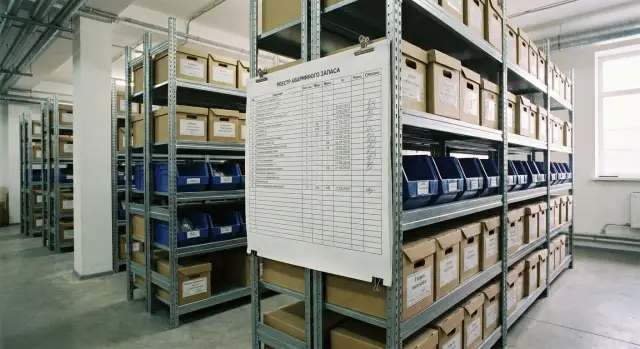
Why you need an emergency stock registry and what it solves
Emergency stock is materials that must be on hand at any moment to fix a failure and return the site to operation. It needs a separate registry because the logic is different: speed and readiness matter more than "saving on stock levels."
A regular warehouse runs on planned requests and a predictable consumption pattern. An emergency warehouse lives on rare but critical events: today may be quiet, tomorrow several call-outs at once. Without a registry it quickly turns into a “box of unknown contents”: some items seem to exist, but you can’t find them when needed.
The registry solves three typical problems.
The first is downtime. The crew goes to a job but the required cable, circuit breaker or fitting is missing, so they must urgently find a substitute or wait for delivery.
The second is chaos in write‑offs. Materials are used “for emergency” without linking to a request or site. Later it’s impossible to understand what was actually used and why balances don’t match.
The third is expiry and “dead” stock. Some items sit for years without movement, while the parts needed most often run out unexpectedly.
There are usually at least four stakeholder groups involved. Operations create the demand and are responsible for correct write‑offs according to the actual work. Procurement sets replenishment rules and ensures min/max are met. Accounting controls primary documents and correctness of records. The site or warehouse manager enforces discipline: who takes items, how they’re documented, where leftovers are returned.
With a well‑maintained registry the result is simple: you know what’s on the shelf, what needs to be purchased, and where materials leak during emergency work.
Which materials to include in the emergency stock
Start not with the full catalog but with a simple question: what will stop operations if it isn’t at hand. The emergency stock registry typically contains a few dozen items covering about 80% of urgent call‑outs.
First filter — criticality. If a part is necessary to restore service or ensure safety (leak, power failure, link break), it almost always belongs in the stock.
Second filter — delivery time. Items that arrive in 1–2 days can often be kept at minimum levels. Items that take 2–6 weeks or require approvals and limits usually belong in the emergency stock even if consumption is low.
Third filter — shelf life and storage. If an item spoils, requires temperature/humidity control, or has warranty constraints, plan smaller quantities and review min/max more frequently. Otherwise you’ll face write‑offs due to expiry.
Fourth filter — price and procurement rules. Don’t hoard expensive items without reason. But if the absence of a part causes downtime, it’s better to hold 1 unit than wait for a tender.
Immediately record interchangeability. On emergency jobs a compatible analogue or a unified consumable often helps. It’s useful to split items into four groups: (1) cannot be replaced and downtime is costly — keep; (2) replaceable but long delivery — keep a minimum; (3) cannot be replaced but quick to buy — keep little; (4) replaceable and quick to buy — rarely or don’t keep.
Example: for a server room or office keep patch cords, common SFP modules, network and power cables, breakers/fuses, fasteners, plus 1–2 spare power supplies or fans for the most common equipment models.
Registry structure: fields that actually help
The emergency stock registry must answer two questions in 30 seconds: where the needed item is and how much is left. Keep the structure simple but mandatory so data can be checked and acted on.
Start with a single nomenclature reference. Each item should have one clear name (no variants), a part number or internal code, and a unit of measure. This prevents confusion when the same material is written off as both “cable” and “3x2.5 cable,” which makes balances diverge.
Next — exact storage location. A single “warehouse” field is usually not enough. Record warehouse, zone, shelf and bin (or at least warehouse + shelf). Then in an emergency a person does not search the whole room but goes to a specific address.
Each item should have a person responsible for storage and issuance. This isn’t about finding someone to blame but about a clear process: who receives deliveries, who issues and who confirms write‑offs. Even in a small team this drastically reduces chaos.
A separate block — min/max norms and review date. Store not only values but a review period (e.g. quarterly) and a short comment explaining why those numbers were chosen. This helps update norms without arguments or forgotten assumptions.
If you have recurring emergency scenarios, link items to typical tasks, like “line break repair” or “power supply replacement.” Then you can see which materials go into a standard task and check whether a “kit” is sufficient.
Minimum useful fields that pay off immediately:
- Name, part number (code), unit of measure
- Storage location (warehouse, zone/shelf/bin)
- Responsible person for storage and issuance
- Min, max, review date and review period
- Typical emergency task (if applicable)
How to set min/max: a simple approach without complex calculations
Min and max prevent the emergency stock from being empty at a critical moment while avoiding turning it into a junk pile. It’s best to enter these boundaries in the registry so procurement and write‑offs follow the same rules.
Minimum (min) is the level you must not fall below. A practical way to calculate it is from real need: typical consumption for a period plus the buffer needed to survive the delivery time.
A practical formula: min = consumption for the period + buffer for delivery time. For example, if you use 20 fittings per month in emergency call‑outs and delivery takes 2 weeks, set min around 20 (month) + 10 (half month) = 30 pieces. If the supplier sometimes delays, add a small safety tail.
Maximum (max) is the level above which you don’t replenish. It’s often set so that after replenishment you have stock for 1–2 consumption periods. This keeps the warehouse balanced: not overfilled and avoiding rare bulk purchases.
Account for seasonality and rare but critical events by setting separate min/max for winter, rainy season or planned outages. For critical items add a fixed emergency buffer (e.g. +1 kit) even if historical consumption is low.
Choose the unit of record so it’s practical for issuance and write‑offs: pieces (fasteners, gloves), kits (repair kits), packs (if purchased only by pack), meters (cable, hose), or assemblies (when it’s faster to replace the whole unit).
Main point: min/max must be clear to the on‑duty shift and procurement; otherwise registry numbers will live separately from the actual warehouse.
Replenishment rules: who orders, when and how much
Replenishment should work without heroics. The simplest scheme: clear triggers, a responsible person, a response time and a quantity rule. Then the warehouse isn’t remembered only after an emergency.
Set triggers in advance. Usually three are enough:
- On reaching min: when the balance is less than or equal to min the system or storekeeper sends a signal.
- On schedule: a weekly (or monthly) short review and order for deviations.
- On request: after a major emergency when large write‑offs show min will be breached.
Choose one replenishment rule per item: either replenish “to max” (convenient for consumables) or order a fixed lot (if there is a minimum supply quantity or it’s easier to buy by boxes). For example, buy fuses by a box of 50, while cable ties are topped up to max.
Fix response times as mini‑SLAs: who confirms the signal within 1 workday, who forms the order within 2 days, who monitors delivery. Without deadlines notifications become noise.
If a supplier delays or an item is unavailable, decide beforehand: approved substitutes (analogue, different brand), issuance limits per shift, priority rules (critical sites first). This removes disputes during an emergency.
You need only a few documents, but they must exist:
- replenishment request (triggered by min or after an emergency),
- procurement approval (a single responsible route),
- goods receipt and note that the item has returned to target level.
Controlling write‑offs on emergency jobs: rules and discipline
Emergency write‑offs differ from planned ones because decisions are quick and often without a precise estimate. This makes it easy to lose track: materials “went to an emergency” but where and how much is unknown. So clarity of recording every movement and mandatory closure are more important than perfect initial accuracy.
What every issue must include
Even if a crew leaves at night, issuing mustn’t be “just handing items over.” The minimum set of attributes that enforces discipline and helps post‑analysis:
- object (address, node, area),
- reason (emergency: leak, break, short‑circuit, etc.),
- crew or responsible person,
- request/work order number (temporary but unique is fine),
- planned date to return leftovers (if expected).
Such documentation makes write‑offs verifiable: what was taken, who took it and for which task.
Leftovers, returns and closing jobs
Emergency work usually involves partial use: took 10 meters of cable, used 7, 3 remain. Rule: “do not write off unused items.” Record a return to the warehouse (or to a crew stock if you have one) with the same attributes as the issue.
Roles and limits matter. For example: storekeeper issues, shift leader confirms emergency status, and the master or site supervisor finally approves write‑off to the object. For expensive items set an approval threshold: above amount X require additional confirmation.
Example: for a pipe burst they took 2 fittings, sealant and fasteners. On site only one fitting was used. The second is returned the same day, and the closure records: “issued 2, used 1, returned 1.” This reconciliation of facts and the return of excess keeps the emergency stock in order.
Quick checks: how to tell the warehouse is under control
Control of the emergency stock starts with small signals visible each week. If these signals are green, the warehouse is usually fine. If red, emergency work quickly turns into blame games.
First block — balances and record correctness. What matters are three things: items below min, negative balances, and unit‑of‑measure confusion (e.g. cable in meters but issued as coils). Any of these errors makes min/max useless because replenishment decisions will be based on wrong data.
Short regular checks that quickly find problems:
- items below min without a replenishment request (or without a clear decision “do not replenish”),
- any negative balances, even if “we’ll fix later,”
- same item recorded in different units (pcs/m/kg) or duplicate cards,
- repeated write‑offs to the same emergency without closing the job,
- mismatch between recorded and actual balances for critical items.
Second block — manual reconciliation. You don’t need to count everything. Schedule physical counts for 10–20 critical items: those that break emergency response (fuses, terminals, connectors, fasteners, consumables). Record causes of discrepancies: wrong issuance, verbal returns, write‑offs to the wrong job.
Third block — shelf life and storage conditions. For sealants, batteries, chemicals, filters and some medical items expiry equals absence. Check not only dates but conditions (temperature, humidity, packaging).
A site manager usually needs four reports:
- “Below min” with a responsible person and remediation deadline.
- “Negative balances and duplicates” for cleaning the reference.
- “Issues without job closure” (or without a request/work order number).
- “Shelf life: 30/60/90 days to expiry”.
If these reports become routine, the emergency stock stops being a black box and becomes managed by numbers.
Report: “the warehouse that is never replenished” — how to build and read it
This report quickly shows suspicious items: regularly written off for emergencies but never received. For the emergency stock registry it is one of the most useful signals: either replenishment is happening outside accounting, the item should be replaced, or there is an error in the catalog.
Collect movements for a period (usually 3–6 months) and show per item at least: period, consumption (write‑offs), current on‑hand, date of last receipt. Filter simply: consumption > 0 and last receipt date empty or too old.
To speed reading add 1–2 service fields: “days since last receipt” and “is there an active replenishment rule?”
Typical reasons an item is “never replenished”:
- replenishment rule or responsible person not set,
- no supplier or procurement blocked by contract,
- incorrect SKU, duplicate nomenclature, wrong unit,
- item is replaced by an analogue but write‑offs still use the old SKU,
- components are written off while kits are received separately.
How to decide for a line: if the item is truly needed in emergencies, configure procurement and min/max, assign responsibility and a clear reorder point. If the item is obsolete or always replaced, remove it from the emergency list and formalize the replacement.
To avoid false positives, agree in advance how to account for replacements and kits: a single “main” item for write‑offs or a clear link “original -> analogue.” Otherwise the report will flag items that actually exist under another SKU.
Small example: for “10A fuse” quarterly consumption is 18 pcs, on‑hand 2 pcs, last receipt a year ago. Likely it’s being purchased “outside the warehouse” or written off under a wrong SKU. The report reveals this in a minute and allows immediate action: fix the catalog or set regular replenishment.
Report: “most frequent items” — what to count and how to use it
This report keeps the emergency stock alive. It shows what actually leaves on emergencies and what is stored “for show.” Build it separately for emergency work and for planned maintenance so planned repairs don’t skew the picture.
Compute two rankings: by issue frequency and by total cost. Frequency answers “what is taken constantly,” cost answers “what hits the budget” even if taken rarely.
What to include in the report
Usually 6–8 metrics are enough to make decisions, not just look at numbers:
- number of issue transactions and number of units (pcs, meters, liters),
- amount written off and average price,
- share of emergency work (percent of all movements),
- returns: count and share of issued,
- replacements: how many times the item was substituted with an analogue.
Choose periods to capture seasonality: a week for operational control, a month for managerial decisions, a season (e.g. winter) for preparation. Show comparisons with the previous period (month‑on‑month, season‑on‑season).
How to use the results
If the top‑10 by frequency repeats, standardize and revise min/max: keep clear stock for popular items and pre‑agree analogues. Anomalies are also visible quickly: sudden spikes in issues, many returns or frequent replacements. For instance, if terminals appear often in returns, the issue is often not overstock but issuing the wrong type or crews taking extra “just in case.”
Practice: in an emergency service for a site (hospital or data center) cable ties and terminals were top by frequency, and circuit breakers topped cost. Action: increase min for small items, and require a work order and analogue check for breakers to avoid tying up expensive stock. This quickly makes the emergency stock registry manageable.
A real example: emergency repair and material flow
At night a power supply fails in a rack with a critical server in a hospital. The duty engineer calls the emergency crew: downtime is unacceptable, waiting for morning delivery isn’t an option.
The emergency stock holds one suitable power supply and a set of cables. The storekeeper issues them under a specific request (incident or work order number). The registry records not only item and quantity but also where it went: object, node, responsible person, and time of issue. This takes a couple of minutes but later prevents disputes and losses.
In the morning the crew returns an extra cable (unused) and brings the packaging and serial number of the removed power supply. They prepare a short act: what was installed, what was written off, what was returned. Movements are closed against the request so only what actually went into service is written off.
Replenishment follows. After write‑off the power supply balance fell below min. That triggers procurement or an internal transfer: an order is raised to restore to max rather than a manual “eyeball” purchase, returning readiness for the next call‑out.
This example shows the crucial data you must capture even during a night rush:
- request/work order number and object,
- date and time of issue,
- who issued and who received,
- quantities issued, returned, written off,
- comment: node, reason, and serial number when possible.
Common mistakes and how to fix them
The emergency stock registry is often set up correctly but then quietly becomes a “checkbox spreadsheet.” People run around looking for parts and accounting balances don’t match physical shelves.
Five mistakes that break the registry
Problems usually start with discipline and reference data, not calculations:
- Min/max set “by eye” and never updated, while equipment, workloads and lead times changed long ago.
- Materials are written off to “general needs” without object, request or reason, making it impossible to see what was used for emergencies.
- Emergency stock mixed with the regular warehouse. People take “what’s available” and the reserve disappears quietly.
- The same item is entered multiple ways (name, unit, part number). The registry appears to have plenty but the right part is not actually available.
- No single person responsible for issuance and physical counts. When everyone is responsible, no one is.
Such mistakes occur even in mature organizations including those servicing critical infrastructure. Treat the emergency stock registry as a working tool, not an accounting formality.
How to fix quickly
Start with rules you can implement in 1–2 weeks:
- Appoint one person responsible for issuance and a weekly shelf vs system check.
- Separate emergency stock physically (dedicated zone) and in records (separate warehouse or flag).
- Issue and write off only by request: object, reason, executor, date. No exceptions.
- Clean the reference: unify names, units and part numbers; close duplicates and move balances.
- Set a calendar to review min/max (at least quarterly) and document why values were changed.
Next steps: how to launch the registry in 2–4 weeks
Launching an emergency stock registry is easier if you agree rules upfront and avoid trying to cover the whole warehouse. Start with a small list of items that actually save time in emergencies and assign responsibility.
2–4 week plan
- Week 1: gather emergency item list from past incidents and typical tasks. Appoint a registry owner and people responsible for ordering and issuing.
- Week 2: set min/max by groups (consumables, fasteners, cable, assemblies) and a replenishment rule: when below min, buy to max.
- Week 3: enforce issuance discipline. Any issue only under a request/work order with object, crew and reason (emergency, preventive, test).
- Week 4: add two reports and weekly checks: what is being used, what is never replenished, where are negatives, what’s pending closure.
Decide where the registry will live (Excel, inventory system, simple database) and who can change min/max so it doesn’t become a “spreadsheet for the sake of a spreadsheet.”
Minimum rules that keep the system running
- One source of truth: registry and balances match, manual edits are logged.
- Replenishment on trigger (below min) and on schedule (e.g. weekly), no “we’ll order later” excuses.
- Write‑off on day of issue, don’t accumulate piles of documents until month‑end.
- Report “warehouse that is never replenished”: items with consumption but no receipts during the period.
- Report “most frequent items”: top by number of issues and by number of objects. It shows where to raise max or where to assemble ready kits.
Reliable hardware matters: workstations for the storekeeper and technicians and a server for records and regular exports. If you build this infrastructure on sites in Kazakhstan, it’s reasonable to consider workstations and servers from GSE.kz as a base that’s easy to support in operation and service.
Frequently asked questions
Where should I start the emergency stock registry if everything is stored “whatever fits” right now?
Start with the items that actually stop recovery work: parts without which the service cannot be restored or safety ensured. Then add items that take a long time to deliver or are difficult to procure, even if they’re consumed rarely. Keep everything else on the regular warehouse so the emergency stock doesn’t grow unnecessarily.
How many items are usually kept in an emergency stock?
Usually a few dozen items suffice to cover most urgent call-outs. It’s better to have a short, accurate list with clear storage locations and replenishment rules than a huge catalog no one checks. Expand the list only based on actual incidents and issue statistics.
How do I quickly set a min for an item without complex calculations?
Make the minimum cover typical consumption plus delivery time so you don’t fall below a safe level before the next arrival. A practical approach is to set min from historical consumption for a period and add a buffer for delivery time, then adjust after one or two replenishment cycles. The key is that min must be clear to the people issuing and ordering stock.
How to choose max so money isn’t frozen in the warehouse?
Set max so that after replenishment you have stock for 1–2 typical consumption periods; this prevents tying up too much capital. If purchases come in fixed packs, align max with pack multiples. For expensive items, max is often 1–2 units if downtime costs more than holding the part.
What’s the best unit of measure in the registry for cable and consumables?
Use the unit that is actually used when issuing and writing off: meters for cable, pieces for fasteners, packs if you buy only by the pack. If necessary, create a conversion rule (e.g. “1 coil = 100 m”) and apply it consistently.
What is mandatory to record when issuing materials for emergency work?
At minimum: object (address, node, area), reason (leak, break, short‑circuit, etc.), responsible crew or person, unique request/work order number (temporary is fine but must be unique), and expected date to return leftovers if applicable. This takes a couple of minutes but later shows where materials went and why the balance differs.
How should I properly record returns after an emergency call-out?
Unused items should be returned rather than written off, even if inconvenient at the moment. Record the return with the same details as the issue so the closure shows: issued, used, returned. This greatly reduces losses and keeps min/max meaningful.
Which rules most quickly remove chaos and negative balances in inventory?
Appoint one person responsible for storage and issuance, and enforce “no issue without a request” (even at night). Physically separate the emergency area from the regular warehouse and do a weekly hand check of 10–20 critical items. These three steps usually improve stock accuracy more than any complex reports.
How do I read the “warehouse that is never replenished” report and what should I do with it?
Look for items with consumption during the period but no receipts, or with a very old last receipt date. Common causes: no replenishment rule or responsible person, missing supplier or blocked procurement, incorrect SKU/duplicate, item replaced by an analogue but old SKU is still being issued, or kits are used while components are received separately. For each line decide to either set up procurement and min/max and assign responsibility, or remove the item from emergency stock and lock in a replacement.
What does the report of most frequent items give me, and how should I change warehouse rules based on it?
Count frequency of issues separately from monetary write‑offs: frequency shows the everyday small items to keep on hand, cost shows what hits the budget even if used rarely. If an item is frequently issued, raise min/max and pre‑approve equivalents; if it’s expensive but rare, require issuance under a work order and check justification. Reliable workstations and a server for the inventory system are important for stable reporting, and in Kazakhstan this is often solved with equipment and support from GSE.kz.
