7 min read
Electronic Archive Infrastructure: retention, access and scanning
Electronic archive infrastructure: how to align retention periods, access roles and scanning volumes to choose the right servers, disks and backup strategy.
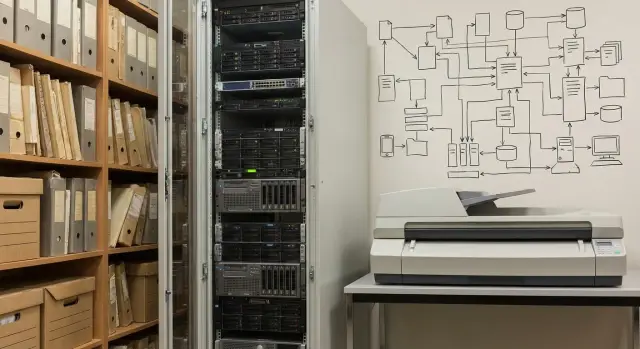
Where archive problems usually start
Problems almost always begin not with hardware failures, but with expectations. An electronic archive is launched as a “folder for scans,” and six months later it suddenly becomes slow, expensive and stressful: searches take 10–20 seconds to open a document, space runs out, backups don't finish overnight, and users argue about who can see what.
People often forget about growth. An archive doesn’t grow linearly: departments connect in waves, scan quality improves (and files get heavier), document versions appear, and retention requirements may be extended. At the same time, the “invisible” volume grows: backups, replicas, test environments, temporary processing files.
Another pain point is access roles and audit. When rules like “this department sees only its own records” and “all actions must be logged” appear, server load changes. Sometimes the system becomes slow not because of storage, but because every view triggers a permission check and a log write.
Many decisions are made by eye: “let’s buy a beefier server,” “we’ll get more disks,” “we’ll add later.” This usually ends with overpaying for the wrong configuration or hitting a bottleneck so quickly that fixing it costs more than a proper initial design. The archive’s server side turns into ongoing repair.
To choose servers and storage without overpaying, you need simple inputs:
- retention periods by document type and expected archive growth;
- how many users work concurrently and what they do (search, view, download);
- the access role model and audit requirements;
- daily scanning volumes and average file size;
- backup requirements and recovery time objectives.
If you collect these numbers in advance, a system integrator can pick a configuration without unnecessary “safety margins.”
Define archive tasks in plain terms
Archive infrastructure starts not with hardware but with answering a simple question: what exactly are you storing and how are people using it every day? When tasks are vague, servers and storage are almost always chosen by eye, and later stakeholders are surprised: search is slow, space runs out, access is misconfigured.
First, fix the set of document types. One archive may hold contracts and requests, another — personnel orders, accounting primary documents or medical records. Different types have different flow intensity, different risks from loss and different costs of mistakes.
Next, decide on file formats. PDF or PDF/A are usually convenient for reading and sharing, TIFF is often chosen for quality and long-term storage, JPEG appears in photos and fast scans. Decide whether documents will include an OCR layer. Without text recognition you are mostly limited to searching metadata and record fields.
It helps to briefly describe how people will find documents. Most often it’s a combination of:
- attribute search (number, IIN, counterparty, date);
- full-text search inside documents (requires OCR);
- barcode or QR search on scans (speeds up batch processing);
- viewing, downloading and printing (speed requirements matter).
Finally — availability. An archive that is “weekdays 9–18” and an archive that must be available around the clock require different redundancy and support. Two hours of downtime for accounting at quarter end may be more critical than a pause on a warehouse archive in a quiet season.
Example: HR scans orders and personnel files, so fast search by full name and IIN, strict access rights and stable working hours matter. If branches across the country use the archive, simultaneous load and response time when viewing scans become key.
Retention periods: what they actually change in infrastructure
Retention may seem like a legal matter, but in archive infrastructure it translates into terabytes, backup windows and rules for accessing old files. A common mistake is treating all documents the same and planning storage “with a margin,” then overpaying or hitting limits.
Practically, divide retention into three groups: short (1–3 years), medium (5–10 years) and long (15+ years, sometimes permanent). Infrastructure care is not only “how long to keep,” but how long the document remains active. While it’s frequently accessed, it needs a fast storage layer and good performance.
Typical design logic:
- keep active documents on a fast tier (disks that withstand frequent reads);
- move the cold archive to cheaper storage;
- for long-term retention choose a clear format and set integrity checks;
- retention periods affect backup depth and recovery timeframes.
A separate question is deletion policy. Deletion should not be “someone deleted a folder.” Define in advance who approves destruction, how the basis is recorded, who performs the operation and how the fact of destruction is logged. This affects audit log storage and admin rights.
Check retention impact on capacity with a simple test: if the archive grows by 2 TB per month, the “long” category over 5 years is already 120 TB, excluding backups. Backups often add between 1x and 3x to capacity depending on policy.
Access roles and audit: effects on servers and performance
When planning archive infrastructure, access roles are often seen as “a setting.” In reality they are a direct load factor: who and how often opens documents, who uploads new ones, who approves, who administers, who audits.
Roles and the principle of least privilege
Typical archive actions are: upload (including scanning), view, approval, administration and audit. Giving everyone broad access “just in case” increases risks and makes investigations and checks harder.
Rely on least privilege and separation of duties. Example: a scanning operator uploads documents and fills metadata but cannot delete or change retention; an approver changes status and comments but doesn’t edit attachments; an administrator manages users and policies but doesn’t participate in approvals; an auditor sees reports and logs but does not alter data.
Activity logs and server resources
Audit usually requires detailed logs. Typical events to record:
- sign-in and failed attempts;
- viewing and downloading a document;
- metadata and status changes;
- file creation, replacement, deletion;
- admin changes to rights and policies.
The more detailed the log, the more records in the database and the higher the disk and CPU load. This is especially visible during mass viewing or approval when one document is opened dozens of times.
Growing user numbers affect not only licensing costs. They increase concurrent sessions, requests to the search index and database, and the volume of read operations. Scans stress writing and processing (OCR, indexing), viewing stresses reads and network, audit adds constant small writes to logs. Expect peaks? Plan CPU, memory and IOPS headroom or the system will slow at peak hours.
Scanning volumes: converting them to gigabytes and load
Many archive estimates start with “we scan a little.” In practice you need not only the daily average pages but also peaks (month-end, case closures, mass digitization), how many scanners run concurrently and their speed.
First, convert pages to file size. Size depends most on settings: resolution, color mode and duplex scanning. The same document can weigh many times more depending on these.
Rough guides (depend on compression and PDF type): 300 dpi black-and-white often fits into hundreds of KB per page, grayscale closer to 1–2 MB, color — several MB and up. Duplex nearly doubles volume.
Then calculate the flow:
- pages per day (and peak day) = scanners × pages per minute × minutes of operation;
- daily volume = pages per day × average page size;
- yearly volume = daily volume × working days (or calendar days);
- growth over retention = yearly volume × years of retention;
- buffer = +20–50% for rescans, attachments, service files.
Remember OCR and indexing often load servers more than storage. Recognition needs CPU and memory, and mass processing creates job queues. If you scan, OCR, upload and QC simultaneously, these are parallel flows. They need steady write speed, adequate server performance and network throughput.
Simple example: a normal day has 20,000 pages, peak 60,000. If you run OCR immediately during peak, the system must sustain three times the load without stopping intake. Splitting resources helps: a dedicated node (or reserved capacity) for OCR, a separate path for storage and clear processing queues.
Step-by-step calculation: from requirements to configuration
To avoid “by-eye” infrastructure, move from requirements to numbers, then to servers and disks.
-
Gather inputs: retention by type, access roles (who sees what), expected user count, and SLA (acceptable downtime and recovery time). Record peaks: when mass scanning happens and when searches spike.
-
Calculate data: convert scanning volumes to gigabytes, estimate monthly growth and total volume for 3–5 years with margin. Account for indexes, versions, service files and growth.
-
Split storage into tiers: a fast layer for recent and frequently requested documents and a capacity layer for long-term storage. This reduces cost and preserves search speed.
-
Plan backup and recovery: decide what to protect first — database, file store, search indexes, audit logs.
-
Choose servers for application and DB load: CPU and RAM for concurrent work and indexing, fast disks for DB and indexes, dedicated resources for heavy OCR (if any), network for uploads and downloads, monitoring and headroom for growth.
Example: if a registry receives daily scans from the mailroom and main queries come from lawyers and auditors, the bottleneck is often not total terabytes but the DB, index and logging throughput.
Choosing servers: what really matters
When selecting servers, don’t “buy the biggest of everything.” Understand where the system will hit a limit first: database, search, OCR, upload pipeline or document delivery.
Application server and database server: together or separate?
A small archive (few users, rare search, occasional scanning) can run on one server: application, DB and background tasks. But once dozens of concurrent users, strict audit or steady scanning appear, separate roles.
Separate when the DB grows fast and consumes disk and memory, search and OCR run in parallel with users, you need updates without downtime, or predictable performance in peaks.
CPU and RAM: which matters for search and OCR
For DB and search indexes, RAM is often more important: the more data and indexes fit in memory, the fewer disk accesses and the snappier the response. CPU matters when there are many parallel queries, complex filters, reports and OCR.
If OCR is on the same servers, plan CPU headroom and schedule windows for mass processing. Otherwise users will see slowdowns when opening records and searching.
Disks: IOPS for active operations and capacity for archive
Archive data occupies space but is read unevenly. So separate a fast tier for active operations (DB, indexes, upload queue) and a capacity tier for long-term files.
Fast disks and high IOPS are needed for DB, indexes and heavy uploads. Large capacity is needed for scanned file storage and versions.
Network: a bottleneck during mass uploads and distribution
Network often surfaces as an unexpected limit: scanners and operators upload batches while employees simultaneously open PDFs and images. If the channel between servers and storage is weak, even great servers won’t help.
Storage and backup without self-deception
A common mistake is treating RAID as data safety. RAID helps survive a disk failure without stopping work, but it doesn’t save you from accidental deletion, ransomware, admin error, filesystem corruption or fire. RAID ensures hardware availability, not data recovery.
Understand backup via three words: RPO, RTO and backup window.
- RPO — how much data you can afford to lose (time);
- RTO — how long it takes for the archive to be back online after failure;
- backup window — when the system can be impacted by copying and how long is realistically available.
Keep copies off the primary site. Practical setup: first copy on the main site, second on a separate device in another zone, third off-site. The 3-2-1 rule often works: three copies, on two different media, one off-site.
Minimum requirements to record in specs:
- where the 2nd and 3rd copies are stored and who can access them;
- how often full and incremental backups run;
- how integrity is verified (hashes, periodic verification);
- how often test recoveries run and how long they take.
Integrity checks are as important as copying. An archive can appear fine for years until a restore reveals corrupted copies. A recovery plan (what, from where and in how long) should be as real as the server and disk procurement plan.
Common mistakes in archive design
Overspend usually stems from wrong assumptions, not hardware price. A design seems “enough” on paper but in a year space runs out, the UI slows, and access becomes contested.
Common errors:
- Counting only the “raw” scan volume. In reality backups, file versions, indexes, service DBs and audit logs consume space.
- Scanning at excessive settings. 600 dpi and color for everything look safe but often add no value and increase volume 2–4x. For most tasks 300 dpi grayscale is sufficient; color is for exceptions.
- Putting everything into one storage. Active and long-term archives have different load profiles. Without tiering you lose speed and pay more.
- Configuring access “approximately.” Vague roles cause conflicts, extra checks and complicated incident investigation.
- Underestimating indexing and OCR. Scanning produces files, while full-text search produces compute load. If not planned, the archive will stall at peak times.
Example: a department archives contracts at maximum quality “just in case.” A year later some documents need 5 years retention, others 10, and old ones are rarely accessed. Tiered storage and quality policies would have allowed fewer expensive fast disks and more capacity on the cold layer.
Example scenario: aligning retention, access and scanning
Imagine a company with a head office and 8 branches. Total 200 users, 40 of them active daily. Scanning runs continuously: 6,000 pages per day, with peaks up to 12,000.
1) Split by retention and access
To keep infrastructure efficient, divide documents into classes that combine retention and access. For example:
- HR: 75 years, access HR + audit;
- Contracts: 5–10 years, access legal + finance;
- Primary accounting and invoices: 5 years, access accounting;
- Internal requests: 1–3 years, access by department;
- Reference: until replaced, broad access.
This division affects not only storage policy. It defines which files stay hot, which sections need stricter access control, which logs should be enabled by default and where to expect higher concurrent requests.
2) Estimate 3-year growth and peak loads
For a rough estimate translate pages to gigabytes. If a page in PDF/A after compression is about 250 KB (with OCR it can be larger), then 6,000 pages/day ≈ 1.5 GB/day.
Counting 22 working days gives ~33 GB/month, ~400 GB/year and ~1.2 TB over 3 years. Add 30–50% for indexes, versions, attachments, service files and improved scan quality — and you’re closer to 2 TB.
Peaks are usually about concurrent access rather than volume: month-end checks, mass exports, batch recognition.
Recommended approach to servers, storage and backup
For this scenario a common scheme works well:
- separate roles: one server for the application and one for the database to avoid user peaks choking the DB;
- two-tier storage: fast tier for the last 3–6 months and a cold tier for long-term retention;
- distinct policies per document class: long retention + strict access = separate partition and enhanced audit;
- backups following 3-2-1 and separate retention for backup copies.
Short checklist and next steps
Before buying servers and storage, stop and align requirements. In an archive technology rarely fails first — expectations do: how long to keep, who and how often opens files, and what scanning flow arrives each day.
Quick checklist:
- confirm inputs: retention by type, active user count, real scanning peaks;
- recheck volume calculations: annual growth, 2–3 year margin, separate space for versions and service files, plus backups;
- agree maintenance windows: when backups, integrity checks, updates and migrations can run;
- verify security: access roles, action audit, separation of user and admin accounts, separate test and production environments;
- set target metrics: allowed search response time and acceptable recovery time.
Next practical step — request a preliminary specification from an integrator and give them identical inputs. For an accurate calculation prepare:
- a table of document types with retention periods and estimated counts;
- scanning estimates by day and by peaks (pages or files);
- role model and audit requirements;
- target metrics for search and recovery.
If you need a quick review of server options and support in Kazakhstan, you can discuss inputs with GSE.kz (gse.kz) as a server manufacturer and system integrator. The most important thing is that the specification rests on your real retention periods, access model and scanning peaks, not on vague “safety margins.”
Frequently asked questions
Where is the best place to start when calculating electronic archive infrastructure?
Start with numbers: what types of documents you store, how many pages or files arrive per day and during peaks, how many concurrent users search and open documents, retention periods, and recovery requirements after a failure. These inputs reveal bottlenecks faster than the approach of “just buying a stronger server.”
Why can opening a document in the archive take 10–20 seconds even if there is enough disk space?
Usually the slowdown is not about total disk space but active components: the database, the search index and audit logging. Check whether there’s enough memory for indexes, whether disks handle frequent small writes, and whether OCR competes with user queries on the same server.
Why is RAID not a substitute for backups in an archive?
RAID helps survive a disk failure without downtime, but it doesn’t restore data after deletion, ransomware, an admin mistake or filesystem corruption. An archive needs a backup strategy and regular recovery tests — otherwise reliability is only on paper.
How do retention periods actually affect storage choice?
Retention periods translate directly into capacity, backup windows and the number of copies, and they also affect rules about access to old records. It’s practical to separate documents by how long they remain active: keep hot items on fast storage and move cold items to cheaper storage to avoid overpaying for speed where it’s not needed.
How do access roles and audit affect archive performance?
Access rights and audit introduce constant checks and log writes on every view, download and metadata change. If strict audit and many users are expected, plan resources for the database and fast disks for logs in advance, otherwise the system will ‘dip’ during peak hours.
How to quickly convert scanning volumes into gigabytes and estimate future growth?
Estimate the average page size with your scanner settings and multiply by pages per day, counting peak days separately. Add margin for rescans, versions, service files and indexes; then include backups, which often multiply required capacity several times.
What scan quality should be chosen to avoid inflating the archive?
For most documents 300 dpi in grayscale is enough; reserve color and higher resolution for exceptions where stamps, graphics or fine detail matter. Heavier files increase storage growth and require more time and resources for OCR, indexing and backups.
When should application, database and OCR be separated onto different nodes?
If users are few and scanning is occasional, one server can work. As load grows, separate roles. At minimum separate the database from the application; place OCR and mass indexing on dedicated resources so background tasks don’t degrade daily work.
Why create hot and cold storage tiers in an electronic archive?
A two-tier scheme usually balances cost and performance: a fast layer for active documents, databases and indexes, and a capacity layer for long-term storage. This preserves search and retrieval speed without paying for high-performance disks for the entire multi-year archive.
What to prepare so an integrator can pick servers, storage and backup without overpaying?
Prepare a consistent set of inputs for all integrators: retention periods by document type, scanning growth and peaks, concurrent user counts, role and audit requirements, and target metrics for search time and recovery. That way proposals will be comparable and not based on vague “safety margins.”
