8 min read
ECM for Engineering Documentation: Cards, Versions and Relationships
ECM for engineering documentation: how to set up cards, versions and links to objects and kits so the archive is clear and manageable.
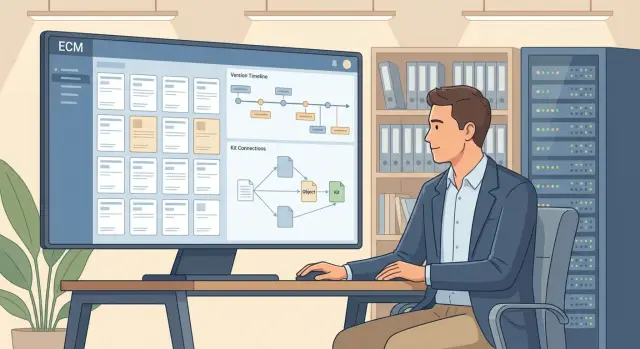
Why an engineering archive needs ECM — and what goes wrong without it
Engineering documentation lives for a long time and changes often. As long as there are few drawings and specifications, folders and informal agreements are enough. But once several departments work on the same product, a simple question becomes hard to answer: which file is current and why?
Almost always it starts with versions. Files get copied, named however convenient, sent in emails and messengers, and stored on personal drives. Duplicates appear, “final_2_for_real” shows up, and eventually a wrong revision can end up in production or procurement.
Network folders fail not because they’re “bad”, but because a folder stores a file, not the meaning of the document: status, responsibility, change history, relation to an object, kit composition and the reasons the document became valid.
A managed engineering archive typically solves several practical problems: it shows what is considered active (and what is just a draft or archive), records versions and reasons for changes, stores a card with key attributes, links documents to objects and kits, and provides role‑based access (who prepares, who approves, who only reads).
If you have manufacturing, systems integration or equipment supply (as with GSE.kz, where traceability and compliance matter), the cost of an error is especially high: the wrong drawing revision can lead to rework, missed deadlines and disputes about who approved what.
Below we discuss data structure and rules for working with documents: how to design ECM for engineering documentation so the archive can actually be managed. Specific software matters, but it won’t replace a clear model of cards, versions and relationships.
Basic concepts: documents, objects, kits, roles
To make an engineering archive manageable, agree on a vocabulary up front. That way everyone understands what is stored in the ECM and how to use it.
Document — a unit of engineering information: drawing, specification, diagram, list, report, certificate, explanatory note. A document has a version and a revision. Version usually means working changes during preparation (for example, V1, V2). Revision often marks the official release after checks (for example, Rev.A, Rev.B). An instance (copy) is a specific exported or printed file that went to the shop or a contractor. It’s important to be able to trace and, if needed, recall it.
In ECM, a “document card” and the file are not the same. The card stores attributes (designation, title, stage, author, applicable object, status, dates, links), while the file stores content (PDF, DWG, DOCX). In a good scheme the card defines the document’s lifecycle rules, and files are attached as the current version’s payload.
Context follows. An object is what the documentation refers to: a product, assembly, room, site, a rack in a data center, or a cabinet in a school. A kit is a set of documents for a specific issuance: for example, “production kit” or “acceptance kit”.
Roles help divide responsibility. The author creates and edits, preparing the document for review. Quality control checks formatting and standards. Approvers confirm technical aspects in their domains. The archivist manages records, issuances and replacements. The reader searches and uses only approved materials.
Even a minimal set of statuses disciplines work: draft, under review, approved, replaced, archived. When a new revision of a drawing is released, the previous one does not disappear: it’s marked as “replaced” so history is preserved and accidental issuance of an outdated instance is prevented.
Document types and card model: what should be inside
The engineering archive stores more than drawings. Specifications, technical conditions (TC), test reports, official letters, minutes, certificates and other supporting files usually live alongside. If all this is kept as folders and filenames, order holds only until the first project handover between departments.
An important choice is the card model: one universal card or different cards per type. A universal card is easier to learn and search, but it can accumulate irrelevant fields. Type‑specific cards are more convenient (a letter and a drawing need different mandatory fields) but require discipline and careful configuration.
A minimal set of attributes, without which the card quickly turns into “another folder”, typically includes: designation (unique identifier), title, document type (drawing, specification, TC, report, letter), stage/status, author and creation date (sometimes department as well).
To avoid users entering the same thing multiple ways, use reference lists instead of free text: departments, projects, products/objects, contractors. Otherwise “KB”, “Design Bureau” and “Development Dept.” become three different values that break filters and reports.
A critical point is naming and uniqueness rules. Decide in advance what makes the card unique: often the combination “designation + type + project” or “designation + stage”. It’s useful to include duplicate checks and designation templates from the start.
Example: for a documentation kit for a product (e.g., server equipment or a workstation in a manufacturing project), drawings and specifications should share project and object fields, and designations must be unique. Then a kit is assembled via links and filters, not manually.
Versions, revisions and document lifecycle
Agree on version rules before you upload the first drawings. In engineering ECMs three things are often confused: “file version”, “document revision” and “new document”. If they aren’t separated, people start storing “final_2_for_real.dwg” bypassing the system.
Keep numbering and designation in the card rather than the file name. The card should hold “Designation”, “Title”, “Type”, “Stage” and “Revision”. Uniqueness of designation is checked on creation: for example, you shouldn’t be able to create a second document with the same code and type. A file name can be arbitrary, but the card becomes the document’s passport used for finding and linking.
Version and revision serve different purposes. A version is a working file change within one revision (fixed a layer, corrected a signature, uploaded a font). A revision is an official change with reason and date that affects production, procurement or installation. A new document is created when the entity changes: a different object, a different type (for example, a specification becomes an operation instruction), or a different designation according to company rules.
Tie rights and statuses to the lifecycle. Authors edit drafts; others read as needed. During review edits are handled via comments and it’s better to lock the file from direct modification. In the approved state the document is read‑only; any edit creates a new version and returns the document to review. The archive stores data for audit: role‑based access with no changes.
The history should answer “who”, “when” and “why”. Store not only the list of actions but the reason for the change: notice number, reference to a request, defect description.
Replacements help extinguish chaos: users always see the current revision, while old ones remain available for audit. For example, when revision C of an assembly drawing for a server rack is released, previous revisions A and B are not deleted but marked “replaced”, showing by which revision and from what date it’s effective.
Relationships to objects and kits: building the full picture
If documents live separate from what they refer to, the archive quickly becomes a filename search. Relationships solve the main problem: for any object you can quickly see the full set of current materials and understand what is valid now.
Document → object relationship
An object can be what you maintain or produce: a rack in a data center, a specific server, a product assembly, a network section, or a room where equipment is installed. A document is linked to an object so a user opening the object card immediately sees which materials describe composition, installation, maintenance and changes.
You usually need a many‑to‑many link: one document may apply to multiple objects (a standard diagram for several rooms), and one object has dozens of documents of different types. To keep search clear, store the link role: “primary drawing”, “wiring diagram”, “nameplate”, “replacement certificate”.
Document → kit relationship
A kit is a package issued for a specific situation: project stage, contractor, tender, delivery, installation, acceptance. A kit does not replace an object. It answers a different question: “what exactly did we hand over, to whom and when?” This is especially useful when the same document goes into different issuances.
To link product composition and documents, rely on a parts list or BOM: items become objects and documents are attached at the right level (whole product or a specific assembly).
Minimum rules to avoid arguments about “which revision is main”: for each document type on an object define the “primary” role in the link; consider current the document in status “active/approved” with the highest revision; drafts are visible to participants but do not enter issuances; when replaced the object link stays while the active revision changes; a kit records its composition on the issuance date even if a new revision is released later.
Example: a rack in an office is linked to the power diagram, layout plan, specification and maintenance instruction. For a tender you create a kit containing only approved versions and can later prove exactly what was delivered.
Search, issuance and access: so users don’t bypass the system
If the ECM is inconvenient for daily work, people quickly return to folders and attachments. Search and issuance must answer the engineer’s main question: “Where is the current version, and can I use it now?”
Search usually starts with short scenarios: find by designation, by object (assembly, product, rack, cabinet), by project, by status, and by date or author. Results should immediately show version/revision, status and kit membership.
Engineers typically need a few filters: status (for example, “approved only”), object and project, document type, revision/issue date (sorted by newest first), and a toggle “show only accessible to me”.
Views should be task‑oriented. A list is good for direct searches. An object tree helps see context: which documents relate to a node and which are mandatory. Kit view is necessary when preparing an issuance and checking completeness.
Access is easiest with a clear scheme “project + department + role”. For external contractors it’s safer to grant access not to an entire project but to specific objects or kits, with actions logged.
Issuance should build a package automatically, without manual copying. In practice five things help: collection by object/kit with a check “only current and approved”, a parts list with versions and statuses, a single archive with clear file names, an issuance record (who, when, why), and a reissue that highlights changes.
Processes and workflows: review, approval, issuance
Processes matter as much as cards and versions. If a workflow isn’t defined, review drifts into email and messenger, and the archive ends up with only the final file and no reasons or history.
Start with processes that actually repeat: review, approval, issuance to work, replacement (release of a new edition replacing the old one). At the start don’t overcomplicate the workflow with rare exceptions — add those later when the basic scheme works.
A minimal workflow often looks like: the author prepares the document and sends it for review; a responsible person (chief specialist or department head) approves the document; then the document gets status “active” and can be issued as part of a kit. If an extra step is needed, make it optional.
Signature rules must be unambiguous. The card records who approved and when, which status and which revision became active. The file itself keeps only what regulation requires (for example, a stamp). The audit stores details: who sent for review, who returned with comments, which fields changed.
Before approval useful automatic checks include: unique designation (according to rules), completeness of key fields, correct status (a draft cannot be issued), presence of object links (and, if required, kit links), and absence of conflict when a working active revision with the same designation already exists.
Before issuing a kit perform a separate control: the kit must contain only active revisions, mandatory documents must be present (for example, specification and drawings), and replacements must be formal replacements, not “another file next to it”.
A simple example: a designer issues a new revision of a node drawing. The system won’t allow approval until the designation is filled and a link to object “Node A” is created. After approval the previous revision is moved to “replaced”, and issuance to production pulls only the active revision.
How to design ECM: a step‑by‑step rollout plan
Design ECM starting from how people actually work with drawings, specifications and reports. When rules are clear, the system supports the process instead of hindering it.
Begin by describing scenarios: who creates a document, who reviews, who approves, who issues to work, and where errors most often occur. Define document types and what is considered “truth” for each type.
A helpful order of work is:
- Agree reference data and mandatory card fields: object, code/designation, stage, organization, responsible person, status.
- Define versioning rules: how version differs from revision, when editing is allowed and when a new release is required.
- Describe statuses and transitions: draft, under review, under approval, active/issued, archive.
- Design relationships “object — document — kit” so a kit is assembled from current approved documents.
- Configure roles and rights so edits are allowed only in the correct statuses.
Migration and training are often underestimated. Decide what you migrate fully, what is migrated on request, and what stays in the old storage as a reference. For a pilot choose one clear object (for example, “data center reconstruction” or “new production line”) and run the path from draft to kit issuance.
If you engage an integrator, agree in advance who is responsible for reference data, regulations and data quality acceptance. For example, GSE.kz acts as a systems integrator, and on such projects it’s especially important to assign responsibility for data structure and accounting rules early.
Example scenario: from draft to kit issuance
Imagine a workshop modernization project: part of a power cabinet is changed, sensors are added and the wiring diagram is updated. Participants include a designer, chief engineer, procurement and a mounting contractor.
Drafts appear in ECM first: explanatory note, equipment list, wiring diagram, layout plan, specification. Each file is created as a document card with code, stage, author, status, linked object (for example, “Control Cabinet CC‑3”) and project association.
The designer links documents to equipment objects and installation locations and assembles a “kit for review” — a set of materials that should travel together. The kit contains current versions, not copies pulled from messages.
What happens on change
During review it turns out a different controller is needed. The designer creates a new version of the specification and replaces it in the kit. The old version remains in the archive, marked non‑current and excluded from issuance.
To prevent anyone from working by memory, the system records the reason for change in the card and notifies those who already took the kit (for example, procurement and the contractor).
How to issue the current package
Before going on site the responsible person must quickly assemble the current set for the contractor or commission. They open object “CC‑3”, see related documents and statuses, then create a “kit for issuance”: only approved documents, only current versions, full composition per checklist, plus issuance date and number, recipient and purpose.
On site there are no disputes about which drawing is correct: the kit contains the latest approved version and change history is available from the cards.
Common mistakes when designing an engineering ECM
Failures often result not from platform choice but from how it was set up for engineering work. ECM works when it’s easier for a user to do the right thing than to bypass the system.
Mistakes in data model and cards
The first mistake is an overly “universal” document card. If it only has a title and date, search becomes guessing: you can’t quickly filter drawings by product, stage, code, status or kit. People then create their own folders and spreadsheets and the archive loses meaning.
The second common mistake is not enforcing version and revision rules. One engineer uploads a new file as a separate document, another edits the old one, a third adds “final_2”. In a month no one knows what’s current.
A third problem is links “on trust”. If object and kit links are filled in manually without checks, the database quickly degrades: variant spellings of the same object, broken links, duplicate kits.
Mistakes in access and rollout
Rights can be mishandled both ways. Too strict — people send files in messengers “because they can’t wait”. Too loose — accidental edits and leaks occur.
Another mistake is trying to automate everything at once. A pilot on one clear process (for example, issuing and delivering a kit for a typical object) usually wins. Scale later.
A quick prelaunch check:
- A document is found within 30 seconds by 2–3 card fields.
- It’s clear which version is current and who appoints it.
- Links are created from reference lists, with duplicate control.
- Reading access is simple; editing rights are strict.
- One pilot process is chosen with measurable results.
If the design department manages KM and production expects KMD, without clear rules for versions and links it’s easy to issue “almost the right” file. Proper configuration makes the error visible before issuance: wrong status, revision not approved, kit incomplete.
Short checklist and next steps
Before finalizing the design, test basics on real examples: a couple of drawings, a specification, a report, one issuance kit.
Checklist:
- For each document type define mandatory fields (designation, title, stage, project, executor, organization), which reference lists to use, and who maintains them.
- Fix what counts as a new version vs a new revision and who may issue changes.
- Configure statuses and rights so approved documents cannot be silently replaced: edits only via new version, with history and author.
- From the object card you must see which documents are current and which are outdated.
- Kits are assembled quickly and the system pulls the latest approved version automatically.
If the answer to any item is “probably no”, clarify requirements and adjust card models, statuses and links. Instructions won’t help if rules aren’t enforced by the system.
Common next steps: pick 1–2 key scenarios (for example, “change drawing after comments” and “issue kit to site”) and run them with designers, P&D, archive and IT; agree on a minimal set of reference data and data owners; assess infrastructure and support (users, storage volume, backups, resilience).
If you need implementation and operation help, involve an integrator early. For GSE.kz this is often useful because the company combines systems integration with supply and deployment of infrastructure (including servers) and provides 24/7 technical support through a national service network.
Frequently asked questions
Why does an engineering archive need ECM if there are network folders?
ECM is needed so it’s always clear which document is **active**, who approved it, when and on what basis. Without ECM duplicates, “final” files, off‑workflow edits and issuance of the wrong revision appear quickly, causing rework and disputes.
Which fields in a document card are mandatory for the archive to work?
Start from search and responsibility: a unique designation, title, document type, project/object of application, status, author and dates. If these fields are missing or filled inconsistently, the card becomes “just another folder” and people return to relying on file names.
What is the difference between a version and a revision, and how not to confuse them?
A version is convenient for working edits during preparation, while a revision is the official release that affects production, procurement or installation. As a rule, keep working changes as versions, and record any change that must be “taken into work” as a new revision with reason and date.
What should be done with old revisions: delete or keep?
Good practice is not to delete old revisions but to mark the previous revision as **replaced/archival**, preserving history. Show users the current approved revision as primary; keep older ones available for audit and review but not for accidental issuance.
Which roles should be created in an engineering ECM and why?
Roles map rights to the document lifecycle: the author prepares, reviewers comment, the approver signs the release, the archivist manages records and issuances, and the reader uses only approved materials. Clear role separation reduces quiet edits and off‑system exchanges.
Why link documents to objects instead of storing them only by project?
Linking a document to an object answers the question “what does the document relate to and what is currently valid for this unit/product?”. Without object links, search becomes guesswork by filename, and completeness and currency must be checked manually every time.
What is a “kit” in ECM and how is it different from an object?
A kit records a specific issuance: what exactly was handed over, to whom and when, in which statuses and revisions. This is useful for tendering, installation, acceptance or production, because even if a new revision is released later, you can prove what was delivered on a given date.
How to configure access to avoid both leaks and bypassing the system?
By default make approved documents read‑only and require any edit to create a new version and return the document to approval. Tie access to project and role; for external contractors give access to specific objects or kits and log their actions.
What search features are needed so users don’t go back to folders?
Engineers usually need to find by designation, object and status quickly, and see the revision and whether it’s active in the results. If cards use reference lists and search results show status and revision immediately, a document can be found in under 30 seconds without opening dozens of files.
How to begin ECM implementation and what to do with migration of old files?
Start with a pilot on one clear object and two scenarios: release/replacement of a document and issuance of a kit. Migrate the old archive by priority: bring the most critical items in immediately, migrate the rest on request, and check for duplicates so you don’t move chaos into the new system.
