8 min read
ECC and RAS in Servers: features that actually reduce downtime
ECC and RAS in servers: which features really reduce downtime in 24/7 systems and how to quickly check for them in specifications before purchase.
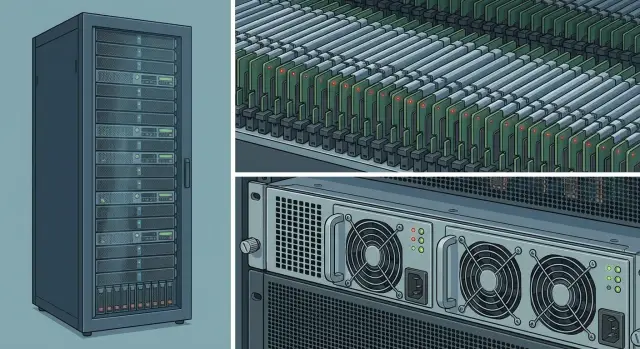
Why 24/7 systems fail and what reliability provides
For a 24/7 system, downtime is more than “server unavailable.” It means direct losses (stopped sales, SLA penalties), reputational damage, and sometimes safety risks in healthcare, finance, or government services. The worst part is many failures start from small issues that could have been addressed when selecting hardware and basic settings.
Remember: “more powerful” doesn't mean “more reliable.” More cores and higher clock speeds speed up tasks but usually don't help when power fails, a disk degrades, or memory starts producing rare errors. Reliability means predictable behavior under load and clear behavior on failure: either the system goes down cleanly or it keeps working while you calmly replace a component.
Most problems begin in common areas: memory (random bit errors and module degradation), power (brownouts and PSU failures, cables, PDUs), disks and controllers (read errors, degradation, array failures due to settings), cooling (dust, wrong airflow, rack overheating), and firmware or drivers (bad updates, version incompatibilities).
Imagine a database running fine for weeks and then, at night, a rare memory error appears. In a normal system this can end with corrupted cache pages, strange service crashes and a long root-cause search. In a 24/7 infrastructure such a small issue can easily turn into hours of downtime.
Practical reliability is not a single spec line but a set of features at the ECC and RAS level plus a thoughtful node design. The biggest downtime reductions come from:
- ECC memory and correct memory operating modes to fix errors before the OS crashes.
- Redundancy: dual power supplies, hot-swap drives and fans where critical.
- Monitoring and early warnings (temperatures, memory errors, SMART, power events).
- A cautious firmware update policy with testing and rollback plans.
What usually does little for availability if the “reliability base” isn't covered: “the fastest CPU,” overclocking, maximum memory frequencies without stability margin. In 24/7 systems the winner is not the one fastest in benchmarks but the one that needs emergency intervention less often.
ECC: what it is and what failures it prevents
ECC (Error-Correcting Code) is memory with error detection and correction. In short, it helps the server notice that a single data bit in RAM has flipped and correct it before the error becomes an application failure or system crash.
Most commonly ECC corrects single-bit errors and detects double-bit errors. Detection doesn't always mean correction, but it's already useful: the system logs the event and gives you a chance to replace the module before a real outage.
RAM errors happen for earthbound reasons: internal case heating, electrical interference, aging modules, unstable power. Rare causes like cosmic rays are often discussed, but in a server room it's more often a combination of temperature, dust, vibration and constant load.
The main value of ECC is catching “silent” errors that would otherwise remain unnoticed. Without ECC a server may keep running while data is already corrupted: strange values in a database, archives that won't unpack, a virtual machine that suddenly “falls apart” for no obvious reason.
ECC helps, but it has limits:
- It corrects some random memory errors and reduces the risk of sudden crashes.
- It improves diagnostics: logs show a degrading module.
- It does not replace backups and won't save you from disk, controller, OS or application failures.
- It doesn't fix overheating or bad power—ECC only reduces one class of risks.
The effect is more noticeable in 24/7 environments because the server is constantly loaded and constantly warm. The more hours of operation and memory activity, the higher the chance to encounter a rare error that might not appear for years in a desktop PC.
A simple scenario: at night, reports are recalculated and virtual machines run in parallel. One module begins producing single-bit errors. With ECC the job may complete successfully and you see a warning in the morning and replace the DIMM per maintenance schedule. Without ECC the same error can turn into a service outage at the worst moment.
Types of ECC and memory modes found in servers
ECC in specs often appears as a set of abbreviations. When choosing a platform for 24/7 use it's important to know exactly what the server supports, not just to spot the word “ECC.”
The basic level is SECDED (Single Error Correction, Double Error Detection): correct single-bit errors and detect double-bit errors. In descriptions this appears as “ECC (SECDED)” or simply “ECC.” For most workloads this is enough to remove random single-bit failures.
Next is the module type. UDIMM is common in workstations and simple systems, while servers usually use RDIMM (Registered) and sometimes LRDIMM (Load-Reduced). RDIMM maintains stability with many DIMMs and large memory capacities. LRDIMM is chosen when maximum capacity is needed, but it is more expensive and can have frequency and compatibility limits. Important: RDIMM and LRDIMM are usually not mixable.
In server platforms you may see Chipkill, SDDC (Single Device Data Correction) and similar terms. The idea is the system can survive the failure of part of a memory chip (effectively “one die” on a module), not just a single bit.
A separate feature is memory scrubbing. It periodically reads and rewrites memory to catch and fix accumulating errors before they coincide with a critical moment (for example, nightly report runs).
Fault-tolerance modes include mirroring and sparing. Mirroring keeps a copy of data in another part of memory, while sparing keeps reserved areas and swaps in replacement regions when errors grow.
In short, look for the following in specs:
- RDIMM or LRDIMM and notes about mixing restrictions.
- SECDED, Chipkill, SDDC (or similar terms).
- Scrubbing (sometimes called patrol scrubbing).
- Memory mirroring or memory sparing.
In practice, mirroring is used where continuity is most important, but it cuts usable memory. Sparing is usually gentler on capacity but doesn't protect against all scenarios, so it's chosen when balancing cost and downtime risk.
RAS: what reliability of the platform includes
RAS stands for Reliability, Availability, Serviceability. It's a set of features that help a platform not only avoid breaking, but also detect problems quickly, limit their impact and keep running while you fix the cause. Remember: ECC covers part of memory risk, while RAS covers the whole platform.
RAS logic is usually: detect a fault, isolate it and recover (or degrade gracefully) so you have time to intervene.
Errors are reported to the OS via standard mechanisms. MCA (Machine Check Architecture) reports CPU and memory issues, AER (Advanced Error Reporting) logs PCIe errors (for example, a controller or NIC). In Windows this is collected via WHEA; in Linux through similar logging subsystems. For 24/7 systems this is critical: you want warnings beforehand, not to learn about a problem after a reboot.
Logs and telemetry add another layer of reliability. A good server doesn't just say “error” — it provides context: which power rail dipped, which PCIe slot is showing errors, or which zone's temperature is rising faster than normal. Then problems are handled on schedule, not in the middle of the night.
BMC and IPMI play a key role: they are separate management controllers that allow remote work with the server even when the OS is down.
What to check on a platform:
- sensors and event logs (temperature, fans, power)
- remote console and power control via BMC/IPMI
- alerts and thresholds to catch degradation early
- adequate hardware error logs (memory, CPU, PCIe)
Example: a server starts losing network connectivity on one port periodically. Without proper logs it looks like “random disconnects” and ends in emergency downtime. With diagnostics you see growing errors on a specific device or slot and can replace the card during a maintenance window.
Features that really reduce downtime: power, drives, cooling
When discussing ECC and RAS, people often forget the most common downtime sources: maintenance and small hardware faults. In 24/7 setups the winner isn't the one with the most checklist ticks but the one who can replace a unit without stopping and not let hardware overheat.
Power: 1+1 and what redundancy means
Dual PSUs are useful only with the right scheme. “1+1” usually means if one PSU fails, the other can power the server alone. Note two things: whether hot-swap is supported and whether separate power inputs exist (preferably to different PDUs or lines). Then a failure of one PSU or one line won't shut down the whole node.
Hot-swap makes operations much easier: you swap a PSU during the day without night windows or the risk of turning off a critical service.
Drives and RAID: where risk hides
Hot-swap drives are as important as hot-swap PSUs. If you can replace a drive without stopping, a drive failure doesn't become downtime.
Then subtleties begin: chipset RAID (often called software or pseudo-RAID) can work, but usually offers weaker diagnostics and behavior under power failure. A hardware RAID controller with cache and cache protection (battery or supercapacitor) is generally more reliable in real incidents: it survives sudden power loss better and reduces the risk of data corruption during writes. For 24/7 systems this is often more important than a few percent of speed.
In short, the maximum availability impact comes from:
- 1+1 PSUs with hot-swap and two independent power lines
- hot-swap drive bays
- RAID with clear diagnostics and cache protection
- network redundancy (2 ports and bonding/teaming)
- thought-out cooling and zoned control
Cooling: why glitches often start with temperature
Overheating rarely shows up as a straightforward “temperature too high” error. More often it causes instability: sudden reboots, performance drops, disk errors, random hangs. That's why it's important for the server to survive a fan failure (N+1), control fan speeds properly and have multiple zone sensors rather than a single “somewhere inside” sensor.
Practical example: a rack server close to the wall is full of dust and one fan dies. Without redundancy and good monitoring this looks like “bad disks” or “OS failure,” and you lose hours troubleshooting. With proper diagnostics you replace the fan or clean filters before an outage.
If you choose a server for continuous load, check these features as closely as CPU and memory. For example, for rack servers like the GSE S200 Series it makes sense to confirm hot-swap availability, the power scheme and cooling organization — these often determine whether you will have downtime or not.
How to choose a server for 24/7: a step-by-step review
24/7 operation usually breaks not from one major defect but from a chain of small issues: a rare memory error, overheating on a hot day, one PSU sagging, a drive going bad, and nobody saw the alerts. So choose a server for 24/7 by assessing risks, not by chasing frequencies.
Five steps that have real impact
-
Describe the workload in simple terms: virtualization, database, file server, mail, VDI. This defines what matters most — memory capacity, stable disk latency, number of cores or network.
-
Check memory: you need ECC and correct module support (often RDIMM or LRDIMM). Don't rely on just seeing “ECC yes”; also look for protections like memory scrubbing.
-
Look at management and diagnostics. You need a BMC with event logs, sensors and alerts. If the server shows rising temperatures or correctable ECC errors, you fix the issue in a planned window.
-
Build redundancy inside the node. For 24/7 it's almost always justified to have dual 1+1 PSUs, hot-swap drives and fans (if available), plus RAID suited to your needs. Also think about spare parts on the shelf: one or two compatible drives often shorten downtime more than a faster CPU.
-
Plan maintenance from day one: how often to update firmware, who gets alerts, where the SOP is stored. Even a good server becomes a lottery without discipline.
A small example: a database server starts “sometimes” slowing at night. BMC logs show rising correctable ECC errors on one memory channel and increasing temperature in a specific zone. Replacing one DIMM and cleaning airflow in a planned window prevents daytime outages when downtime is costliest.
If you buy servers for organizations in Kazakhstan, ask about service too. GSE.kz, for example, offers S200 Series rack servers and 24/7 technical support with a service network across the country — this helps cover not only hardware but also recovery risk.
What to look for in specs: a quick walkthrough
Server specs often look like an acronym list. To assess 24/7 reliability without guessing, look for items directly related to memory errors, failure recovery and maintenance without shutdown.
Memory: spec lines that affect “silent” failures
In memory descriptions check:
- ECC: it should be explicitly stated that error correction is supported and active (not just “compatible”).
- RDIMM or LRDIMM: module type must match platform requirements.
- Memory scrubbing: background checking and repair of errors before they reach applications.
- Mirroring or sparing: resilience modes with different capacity trade-offs.
Note: mirroring/sparing may not be available on all platforms and can depend on CPU and firmware. Verify this in the server spec, not just module descriptions.
Management, drives, power and serviceability: what reduces downtime
Even perfect memory won't help if you can't quickly diagnose or replace components without shutdown. The minimum set that truly affects downtime:
- BMC/IPMI: remote console, event log and sensors.
- Hot-swap for drives and PSUs: replace components on the fly.
- RAID and cache protection: what RAID levels are supported and whether controller cache is protected if used.
- 1+1 power: plus a planned cabling scheme.
- Compatibility and spare parts: supported drives/memory list and reasonable availability of consumables.
Example: a server sometimes hangs. BMC logs show rising correctable memory errors and power spikes. With scrubbing and proper cooling the issue is caught early, and with hot-swap and redundant PSU the maintenance is non-disruptive.
Common mistakes in selection and operation
The most costly downtimes usually begin with small shortcuts: “it works for now,” “we’ll set it up later,” “we’ll buy cheaper but almost server-grade hardware.” In 24/7 systems such compromises quickly turn into reboots, performance degradation and incidents.
One common mistake is buying “almost server” hardware. It looks like a server but lacks key diagnostics and management features: proper logs, remote access, predictable behavior under power failures. Incidents then get resolved “blind,” and recovery time grows.
A second trap is memory: mixing modules (different sizes, ranks, speeds, vendors) and unclear channel configurations can cause the memory controller to disable useful modes or revert to a simpler profile. Formally ECC may be present, but some protection can disappear. A typical scenario: add a “similar” stick, the server starts to hang under load, logs show correctable errors that eventually become uncorrectable.
A third mistake is relying only on ECC and ignoring power and cooling. ECC won't save you from voltage sags, overheating, dying PSUs or fans. In 24/7 operation these problems accumulate: dust, rising temperatures, dried thermal paste, component aging.
Another error is ignoring BMC logs and alerts. Rising temperatures, fan errors, correctable memory errors, power warnings, disk events — these often appear long before an outage.
Finally, firmware and updates. If updates are applied ad hoc, you end up with a mix of BIOS, BMC and driver versions and incidents that are hard to reproduce and troubleshoot. Better to have a simple plan: who is responsible, how often to check versions, and how to roll back if needed.
In short, the biggest benefits usually come from: a server platform with good diagnostics, recommended memory configurations, spare power and cooling margin, regular BMC event checks and scheduled updates.
Practical example: how small errors become downtime
Imagine a regional clinic: daytime patient intake, nighttime batch tasks — exports to government registries, schedule updates, lab result processing. The system must run 24/7 and maintenance windows are only at night.
The problem starts small: rare single-bit memory errors appear, and monitoring is only formal. With ECC some errors are corrected, others cause slowdowns, odd service crashes or unexpected reboots. Logs look like scattered warnings that are easy to miss until a nightly failure triggers a morning support flood.
Then the domino effect: one PSU starts to sag under load, a fan clogs with dust, a RAID disk degrades, and alerts don't reach the on-call person. Night holds, but during the morning peak the system fails. Instead of a 15-minute planned swap you get an emergency visit, downtime and recovery.
In real 24/7 systems simple measures help most:
- enabled memory scrubbing and tuned ECC alert thresholds
- dual 1+1 PSUs and hot-swap so you don't power down for hardware changes
- RAID with hot-swap drives and clear degradation indicators
- proper alerts and an SOP for response
- temperature and fan control plus regular cleaning
Measure effect by metrics: fewer unexpected reboots, fewer RAID degradations to critical state, shorter mean time to repair (MTTR), and more cases where the issue was resolved before downtime. This is especially visible in regional deployments.
A final practical point: a minimal spare parts kit and a clear checklist. Often a couple of identical drives, one PSU and a fan set on site, plus rules: who gets the alert, who acknowledges, max repair time, and where events are recorded — are enough to avoid many outages.
Short checklist and next steps
Before buying, verify these items that truly affect availability:
- ECC is supported by the platform (CPU, chipset, board) and memory modules match the required type (UDIMM vs RDIMM) without mixing incompatible options.
- BIOS/UEFI has and enables scrubbing modes (patrol/demand or equivalents) and hardware events are logged.
- For critical tasks plan for 1+1 power and hot-swap for common replaceable parts: PSUs and drives.
- There is sensor monitoring (temperature, fans, power), clear alerts and a firmware update schedule (BIOS, BMC, controllers).
- It’s clear where hardware redundancy is needed and where clustering or backups are sufficient.
Turn this into requirements so model comparisons are fair: describe the workload and allowable maintenance windows, make a checklist from the points above and add an operations plan (who monitors alerts, where logs are stored, who updates firmware).
If you deploy or upgrade servers in Kazakhstan it helps when the vendor and integrator are local. GSE.kz can pick and supply S200 Series servers for 24/7, assist with integration and provide round-the-clock support across the country so reliability features work not just on paper but in reality.
Frequently asked questions
What matters more for 24/7: performance or reliability?
For 24/7 systems, predictability under faults matters more than peak performance: you want rare errors not to turn into service outages. Most effective in practice are: - ECC memory and enabled scrubbing modes - redundant power (1+1) and hot-swap PSUs - hot-swap drives and clear RAID diagnostics - sensor monitoring (temperatures, fans, power) and alerts - remote management via BMC/IPMI
What is ECC and what failures does it really protect against?
ECC (Error-Correcting Code) detects and corrects some memory errors before they corrupt data or crash applications. Practical results: - fewer “weird” service crashes with no obvious cause - module degradation becomes visible in logs (correctable errors) - higher chance to replace a DIMM during planned maintenance rather than after an outage
If the spec says “ECC”, is that always enough?
No. The label “ECC supported” alone guarantees nothing. Check three things: - the CPU and platform truly operate with ECC (not just “compatible”) - the module types match the platform (UDIMM vs RDIMM/LRDIMM) - important reliability modes (for example, scrubbing) are not disabled in BIOS/UEFI
Which to choose for a server: RDIMM or LRDIMM?
Generally, RDIMM is chosen for 24/7 servers because it is more stable with many DIMMs and large memory capacities. LRDIMM is used when maximum capacity is required, but it is more expensive and may have frequency/compatibility limits. Important: RDIMM and LRDIMM are usually not mixable in one system.
What is memory scrubbing and should it be enabled?
Memory scrubbing is a background process where the controller periodically reads memory and "heals" correctable errors before they accumulate. For 24/7 systems it's useful because errors often appear under long-term load and heat. Typical actions: - enable scrubbing in BIOS/UEFI - set alert thresholds for correctable ECC errors - replace a module when errors grow, without waiting for uncorrectable errors
What's the difference between memory mirroring and memory sparing?
Mirroring keeps a mirrored copy of data in another memory region and survives more failure scenarios but reduces usable memory roughly by half. Sparing reserves part of memory and remaps bad regions, usually with less capacity loss, but it doesn't protect against all failure modes. If downtime is more critical than cost or capacity—choose mirroring. If you need a balance—choose sparing.
What must BMC/IPMI provide for reliable operation?
Minimum for 24/7: - sensors (zone temperatures, fans, power) - hardware event log - remote console (KVM) and power control - notifications (email/monitoring system) based on thresholds The point is to see degradation (ECC, overheating, power, disks) before it becomes an outage.
How should I understand “1+1 power” and redundancy?
1+1 means that if one PSU fails, the second should be able to power the server on its own. To make this work in practice: - both PSUs should be connected to independent lines/different PDUs - hot-swap must be supported - load distribution should be planned so a single line isn't overloaded Otherwise a single power failure can still take the node down.
Why doesn’t RAID always prevent downtime and what should I look for?
Often the issue is not the failed disk itself but how the system handles degradation and replacement. Check: - hot-swap drive bays (so you can replace a drive without stopping) - how diagnostics and alerts report degradation - whether the RAID controller has cache protection if it uses a cache Also keep a compatible spare drive on hand: that often shortens downtime more than any “speed” feature.
How to quickly diagnose random freezes or reboots on a 24/7 server?
Start with a simple checklist: - check BMC and OS logs (ECC/WHEA/MCE, PCIe errors, power events) - look at zone temperatures and fan speeds - check SMART/RAID events and array health - rule out power (lines, PDUs, cables), especially for night/peak failures For rack servers (for example, the S200 line) it’s convenient to preconfigure alerts and an operating procedure: who responds, within what time, and which spares are available.
