7 min read
Disk Encryption Test Plan: BitLocker and LUKS for Database Servers
Disk encryption test plan for a database server: how to measure IOPS, latencies and CPU impact for BitLocker and LUKS.
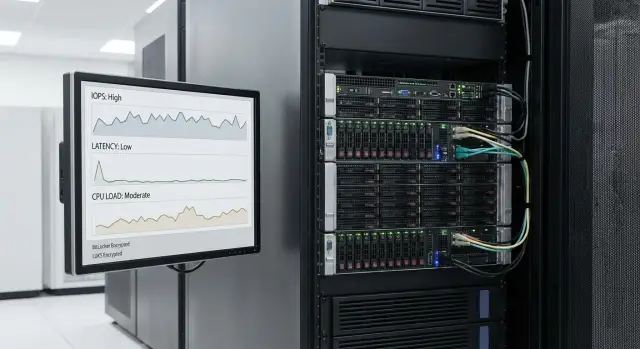
Test goal: what numbers do you need to decide
The purpose of the encryption test is not just to say "it got slower", but to produce numbers that let you decide: enable encryption on a database server or change the configuration. The plan should answer three questions:
- how read and write IOPS change;
- how latencies grow, especially p95 and p99;
- how much additional CPU encryption consumes.
Without a methodology results are not comparable. Today you look at the average latency, tomorrow — the 95th percentile. One run had cache enabled, another not. One day the server had background tasks, another day it was "clean". In the end the numbers do not answer the main question: what changed specifically because of BitLocker or LUKS, not because of noise.
Agree up front what level of degradation is acceptable for your DB and SLA. For OLTP the latency tail is often more important than peak IOPS: an increase in read p95 from 5 to 8 ms may be more critical than a 10% IOPS drop. For reporting workloads a 15% throughput reduction may be acceptable if it still fits the nightly window.
It's useful to define a "pain threshold" and decision format in advance. For example:
- IOPS: no more than X% drop for reads and writes.
- Latency: p95 and p99 growth no more than Y ms (or Y%).
- CPU: average load and CPU steal/ready increase no more than Z%.
- Stability: no sawtooth patterns, no drops or long-term degradation during extended runs.
After testing the outcome is usually more nuanced than "enable or not". Typical recommendations: enable encryption but move to faster NVMe, add CPU cores, adjust encryption modes, put the WAL on a separate volume, or revisit DB limits. The important principle: every action must be based on measured IOPS, latencies and CPU, not impressions.
What to record before the test: hardware, OS and DB settings
To compare BitLocker and LUKS fairly, fix the initial conditions. This step often decides the fate of the whole test. If drivers, controller cache or flush settings change, numbers will jump and the comparison becomes meaningless.
Start with hardware. The report should include a "spec sheet" for the server: model, CPU (generation, frequencies), RAM size, disk and controller configuration. Note where encryption lives: OS level on top of RAID, on a separate SAN LUN, or on each local disk.
What to record and not change between runs:
- CPU: model, number of cores/threads, whether Turbo and power-saving are enabled.
- RAM: total size and idle usage (before load starts).
- Storage: NVMe/SATA SSD/SAN, RAID/HBA, cache and write policy.
- Path to storage (if SAN): bandwidth, multipath, latency.
- Temperature and throttling: any power or cooling limits.
Next record the OS: Windows version or Linux distro, kernel version, storage/controller drivers, and patches. Separately note write-related settings: caching policies, scheduler/queue depth in Linux, Storport and driver parameters in Windows.
For the DB record version and key settings: buffer/cache size, logging model, flush parameters (fsync/flush), checkpoint frequency, and the data size (total volume, working set, and share of "hot" tables/indexes).
Example: if testing on a rack server GSE S200 Series with local NVMe, explicitly state whether the controller cache is enabled and whether the DB buffer size matches RAM. Otherwise one run becomes a "RAM test" and another a disk test, and the encryption comparison will be wrong.
Metrics: how to measure IOPS, latency and CPU without confusion
To get a numeric answer, agree on metrics and how you calculate them. Otherwise it's easy to see an "improvement" simply because one run used averages and another used peaks.
What to record
Look at workload as three parts: operation rate, their latencies and the "cost" in CPU.
Record at minimum:
- IOPS separately for reads and writes (if possible, separate random and sequential).
- Latencies: average and percentiles p95 and p99. Percentiles matter more than the mean because the tail causes DB slowdowns.
- Throughput (MB/s) separately for reads and writes. Throughput can grow even if IOPS fall, so keep them separate.
- CPU: total load and user vs system. It's useful to track interrupts separately because encryption and I/O often increase them.
- Signs of I/O saturation: queue length and iowait/disk wait.
How to compare fairly
Compare the same workload under identical conditions. Encryption may barely change the average response but noticeably worsen p99. For DBs this often means more transaction stalls and response time spikes.
To make results robust:
- Do at least 3 repetitions of each scenario and record variability, not just the average.
- Separate warm-up from steady-state measurement.
- Watch for degradation: if latencies increase toward the end of a run, that's a significant signal.
If IOPS stay nearly the same after enabling BitLocker or LUKS, but p99 and system CPU rise, the system is paying for encryption in predictability and CPU time rather than raw speed.
Experiment design: test matrix and comparison rules
The design goal is simple: compare three modes while changing only encryption. Same hardware, same OS/DB settings, same workloads and same counting rules.
Compare exactly three configurations: unencrypted, BitLocker, LUKS (dm-crypt). In all modes use the cipher and parameters you plan for production (for example, XTS-AES) and record them in the protocol.
Load matrix
To see the picture across IOPS and latencies a small but representative set of tests is enough. Useful logic: access type (random/sequential) x operation (read/write) x block size.
Realistic minimum:
- Random 4K read and write (typical for OLTP).
- Random 8K or 16K (often closer to real data layouts).
- Sequential 128K read and write (backups, scans).
- Mixed profile 70/30 or 80/20 (to see compromise behavior).
If your DB stores data and WAL on separate volumes, test them separately. WAL needs sequential write and low tail latency; data needs random ops and stability.
Run order and simple statistics
Run order affects results (cache, warm-up, background tasks). For each matrix item do a warm-up, then several measured repeats.
A practical rule:
- 1 warm-up run, then 5 measured runs.
- Use the median of runs for final metrics, not the mean.
- Remove outliers only for documented reasons (e.g. a system update), and document removals.
- For visibility show range (min-max or p25-p75).
Also fix CPU modes. If possible, compare two CPU states: power-saving enabled and fixed frequency. Encryption can be CPU-bound, and without this step you may confuse "slow disk" with "CPU downclocking".
Environment preparation: make the test fair and repeatable
Preparation ensures you compare "no encryption" vs "encryption" and not random effects from cache, background tasks or SSD overheating. Bring the environment to the same state and record settings.
Disks and filesystem
Use the same partitioning and formatting for all runs. If cluster size, journaling options or alignment change, IOPS and latency cannot be fairly compared.
Record and keep constant: partition layout, filesystem type, block/cluster size, mount options, volume size and free space before tests. For DBs it's convenient to have separate volumes for data and WAL (even if they are on the same physical disk) — this makes scenarios easier to reproduce.
Cache and background noise
Decide in advance whether you measure a "cold cache" (after reboot) or a "warmed cache" (typical operation after an hour of load) and always repeat the same. A good practice is to measure both but not mix them.
Stop or pause background activities during tests: updates, scheduled jobs, antivirus/EDR scans, backups and snapshots, indexers, defrag, heavy monitoring polls, migrations/replication and DB autotuning.
Check temperatures: NVMe and CPU can throttle, which looks like an encryption penalty that isn't one. Let the system cool between runs and record temperatures and frequencies.
For reproducibility save artifacts: BitLocker/LUKS configs (mode, algorithm), encryption state, OS logs (Event Log/journal), raw test results and system counters for CPU/disk (e.g. PerfMon or iostat). These are crucial if you later need to justify results to security or procurement teams.
Step-by-step: baseline run without encryption
A baseline is required to compare BitLocker and LUKS fairly. If unencrypted numbers fluctuate, further comparison is pointless.
First capture idle metrics. The server should be in the same state you plan to test: same services, same power policies, same disk set.
Check at idle:
- average CPU load and peaks (e.g. over 10–15 minutes);
- disk activity: IOPS, latencies, queue depth;
- background processes that write to disk;
- temperatures and CPU frequencies;
- free space and volume utilization.
Then do two types of runs.
First — I/O synthetic runs with identical parameters across modes: block size, read/write ratio, queue depth, thread count and duration. The goal is repeatability, not record-breaking. Capture averages and p95/p99.
Second — "DB-like" runs. Choose a short-transaction scenario with frequent commits and a separate focus on WAL: many small synchronous writes plus reads. If you have a real DB, use a typical profile: 20–30 minutes of load, then 5 minutes pause, then repeat.
After each run save: exact load parameters and start times, raw CPU and disk metric logs, disk/controller settings, filesystem parameters and DB settings that affect I/O.
Do at least 3 repeats of each test and use the median as baseline. If variability exceeds 5–10%, fix causes before enabling encryption.
Step-by-step: run with BitLocker
The goal is to enable BitLocker so the only new factor is encryption. Everything else (OS/drivers/power policies/DB settings/data size/load) must match the baseline.
BitLocker setup (what to record)
Before enabling, record the parameters you will keep: encryption mode (e.g. XTS-AES), key length (128 or 256) and whether AES hardware acceleration (AES-NI) is present on the CPU. If the server has a self-encrypting drive, note whether you use drive hardware encryption or BitLocker software encryption. Don't mix modes in one comparison.
Make key/unlock policy neutral for the test: the volume should be unlocked before measurement starts. Do not require manual password entry or admin presence during runs.
Verify encryption is complete
Ensure the target volume is fully encrypted before load. If encryption runs in the background, numbers will be skewed.
manage-bde -status
Get-BitLockerVolume | Select MountPoint, VolumeStatus, EncryptionMethod, EncryptionPercentage
Wait for 100% EncryptionPercentage. Then reboot once (controlled), confirm the volume unlocks automatically, and only then start tests.
Repeat the baseline exactly:
- the same synthetic tests (same queues, blocks, read/write mix);
- the same DB-like runs in the same order and duration;
- the same metrics including p95/p99 latencies;
- parallel CPU collection (overall and per-core) and I/O wait metrics.
If p99 increases at similar IOPS, for DBs that usually matters more than small changes in averages.
Step-by-step: run with LUKS (dm-crypt)
Repeat the baseline with only the encryption layer changed. That makes results trustworthy.
First record exactly how LUKS/dm-crypt is configured. In the report this is more important than saying "encryption enabled."
Document:
- OS, kernel and
cryptsetupversions; - parameters: LUKS1/LUKS2, cipher (often
aes-xts-plain64), key size (often 512 for XTS), sector size (512 or 4096); - where LUKS sits in the stack: RAID -> LUKS -> LVM or LUKS -> LVM -> filesystem. Choose one and keep it unchanged;
- options that affect performance (e.g.
allow-discards) only if they are intentionally used and included in the comparison; - I/O queue and scheduler settings if those were fixed in the baseline.
Check AES hardware acceleration. On Linux ensure the aes flag is present in lscpu or /proc/cpuinfo. Optionally run cryptsetup benchmark and save the results.
Assemble the volume so comparison is fair: same RAID, same disks, same filesystem and mount options as the unencrypted case. Only the dm-crypt layer should change.
Then repeat the same tests and metrics as baseline: IOPS, latencies (average and p95/p99), CPU load (total and per-core), queue length and I/O wait times.
Three simple signals help interpretation:
- IOPS drop and CPU rises: likely crypto-bound.
- CPU unchanged while latencies and queue grow: likely storage/controller-bound.
- Averages similar but p99 rises: check background tasks, writeback and queue settings.
This shows where LUKS adds cost on a DB server, whether a generic host or a rack of GSE S200 Series servers.
DB-like workloads: what to test besides synthetic I/O
Synthetic patterns (e.g. "4K random read/write") are useful but don't show real DB behavior: mixed ops, spikes and background tasks. Add DB-like runs.
Three profiles that often change the picture
Three profiles are usually enough. In all cases record the same metrics as in synthetic tests: average latency, p95/p99, IOPS/MB/s, CPU (user/system) and I/O waits.
- OLTP profile: many small operations and frequent commits. Latency tails matter most.
- Analytics: long reads and scans. Throughput and CPU increases show here.
- Maintenance: backup/restore, index rebuilds, vacuum/checkpoint. These often run at night and can consume CPU or I/O.
A practical approach is to use a standard benchmark for your DB (e.g. pgbench for PostgreSQL) and add a simple set of real queries to capture not only raw IOPS but also DB-level behavior.
Test data and WAL separately
If you have separate volumes for data and transaction logs, test them independently. Encryption may hit the WAL harder due to constant sequential writes and fsync requirements.
Typical case: WAL volume p99 write latency jumps from 2 ms to 6 ms after enabling encryption while the data volume stays almost unchanged. In OLTP this can reduce TPS significantly even if total IOPS look fine.
Run duration: not 1–2 minutes
Short tests capture cache effects, not steady-state. Rules of thumb:
- 5–10 minutes warm-up (ignore these results);
- 20–40 minutes measured steady-state;
- at least 3 repeats and compare medians, not the best run.
This reveals encryption impact on peaks, stability of latencies and CPU load.
Example scenario: turning measurements into a business decision
Imagine a DB server with 300–500 active users during the day and nightly backups. The request: enable disk encryption for data and WAL without breaking SLA or causing request queues at peak.
Below is an example summary for identical loads and metrics.
| Mode | Read IOPS | Write IOPS | p95 latency read, ms | p95 latency write, ms | CPU (avg/peak), % |
|---|---|---|---|---|---|
| Baseline (unencrypted) | 52 000 | 18 000 | 2.1 | 3.8 | 28 / 55 |
| BitLocker | 49 000 | 16 200 | 2.5 | 4.6 | 34 / 68 |
| LUKS (dm-crypt) | 47 500 | 15 800 | 2.7 | 4.9 | 36 / 72 |
Translate these numbers into an operational decision: write p95 increased by 0.8–1.1 ms and CPU peaks rose by 13–17 percentage points. If your SLA requires write latency below 5 ms, BitLocker still fits with margin, while LUKS is closer to the limit, especially during nightly backup.
For leadership, present recommendations simply:
- Choose the mode that meets SLA for p95/p99 during daytime load and nightly backup.
- If CPU is the bottleneck, provision headroom (e.g. +2–4 cores) or move heavy jobs off peak times.
- If disk latency is the bottleneck, consider faster SSD/array or separating data and WAL.
- Specify acceptable additional costs (CPU, disks) and the risk reduction (device theft/leak) gained.
Common mistakes that invalidate numbers
The main risk is measuring not BitLocker/LUKS but incidental configuration differences. Then even a careful plan becomes a dispute about feelings, not metrics.
Hardware and storage comparison mistakes
The most common trap is mixing different RAID/cache modes. For example, baseline used controller write-back (with battery/cache) while the encrypted run was set to write-through for security. The graphs will show "encryption killed IOPS" when the cache policy caused the drop.
Also avoid changing drivers, firmware, CPU power plan or governor between runs. Any such change can shift latencies more than encryption.
Load methodology mistakes
DBs can hide problems behind caches. If one run uses a cold DB buffer and another a warmed cache, average latency will look different and the comparison is unfair. Background checkpoints, auto-maintenance, file growth and index rebuilds add noise.
Often teams forget WAL-specific tests. DB correctness depends on fsync/flush behavior; if you only test large sequential writes without forced syncs, you miss the most sensitive area.
Short list of common trust-breakers:
- different cache/RAID policies or different caching layers;
- mixing cold and warmed caches without controlling state;
- measuring only average latency without p95/p99;
- no separate test for transaction log with fsync/flush;
- changing multiple parameters at once so the root cause is unclear.
Practical example: a team enabled LUKS, saw p95 double and blamed encryption. Later they found aggressive CPU power-saving was turned on in that run, causing background pauses. If changes are made one at a time and percentiles are recorded, the dispute resolves quickly.
Checklist, report and next steps after the test
Discipline matters more than anything: run tests the same way and collect metrics the same way.
Before starting:
- Record configuration: CPU, RAM, disks/RAID, OS and DB versions, and encryption parameters (BitLocker or LUKS, mode, sector size).
- Check CPU frequencies, NUMA and power governor.
- Stop background tasks that generate I/O and agree on a quiet test window.
- Decide how you treat caches: OS, controller, DB.
- Define run criteria: warm-up minutes, measurement minutes, number of repeats.
During each run:
- Record exact load parameters (block, read/write, random share, queue depth, thread count).
- Note cache state (after reboot or after warm-up — be consistent).
- Capture IOPS, average and p95/p99 latencies, plus CPU (user/system/iowait) and I/O waits.
- Note temperatures, throttling and any OS/DB warnings.
Keep results in one file: a table of mode results with repeats, p99 latency and CPU graphs, list of assumptions (caches, settings), risks (e.g. tail latency growth), and a concise conclusion "what we lose and what we gain."
Next step is a pilot: first on a test stand, then enabling encryption on part of the estate (replicas or specific databases) and checking that numbers repeat. If you hit CPU or tail latency limits, discuss server sizing and deployment. Integrators experienced with DBs and hardware (including GSE.kz (GSE) as a server vendor and integrator with 24/7 support) often help in these projects.
Frequently asked questions
What metrics must be collected to understand the impact of BitLocker/LUKS?
Collect **IOPS separately for reads and writes**, latencies at least **average, p95 and p99**, and **CPU** split into user and system to see the CPU cost of encryption. If possible, also capture queue length and iowait/disk wait to distinguish CPU-bound effects from storage-bound ones.
Why is a baseline without encryption needed and how do I know it is "normal"?
Start with an **unencrypted baseline** and achieve stable numbers: same OS and DB settings, same load and cache state. If the baseline fluctuates more than a few percent, remove noise (background tasks, throttling, varying cache policies) before testing encryption — otherwise comparisons will be unreliable.
How should caches (OS, controller, DB) be handled in the test?
Decide in advance whether you test a **cold cache** (after reboot) or a **warmed cache** (typical steady-state). Always repeat the same cache state across runs. If cache states differ between runs, you end up comparing cache warm-up rather than BitLocker/LUKS.
Why are p95/p99 latencies more important than average latency for databases?
Because databases are sensitive to tails: rare long delays make transactions unpredictable. Encryption can leave the average latency almost unchanged while significantly worsening p99, which breaks SLAs. That's why p95/p99 matter more than the mean for DB workloads.
Which synthetic workloads are enough to reveal the impact of encryption?
Use a minimal synthetic matrix: random 4K read/write, random 8–16K, sequential 128K read/write, and a mixed profile like 70/30 or 80/20. This set typically reveals whether encryption costs appear in small I/O, large sequential transfers, or mixed scenarios.
Should data and transaction logs be tested separately?
Yes — test the data volume and the transaction log (WAL/redo) separately. Logs require low-latency synchronous writes and are often more affected by encryption, which can increase p95/p99 on the log volume even when overall IOPS look similar.
What should I check before running tests with BitLocker to make the result fair?
Record the encryption mode and parameters (e.g. XTS-AES and key length), ensure the volume is **fully encrypted** and that background encryption has completed. Start tests only on an already unlocked volume. Do not mix software BitLocker with hardware self-encrypting drive modes in the same comparison.
Which LUKS/dm-crypt settings affect test results the most?
Document OS/kernel version and cryptsetup, LUKS version (LUKS1/LUKS2), cipher used (commonly `aes-xts-plain64`), key size and where dm-crypt sits in the stack (e.g. RAID -> LUKS -> LVM or LUKS -> LVM -> filesystem). Check for AES hardware acceleration (look for the `aes` flag in `lscpu` or `/proc/cpuinfo`) and save `cryptsetup benchmark` results if available.
How many repeats are needed and how should results be aggregated to be trusted?
Run one warm-up and several measured runs, and take the median to reduce noise from outliers. If results vary widely between repeats, investigate background tasks, throttling or storage instability before trusting the numbers.
How do I turn test results into a decision: enable encryption or change configuration?
Summarize the measured changes in IOPS, p95/p99 and added CPU, then compare those deltas to your SLA and maintenance windows. If encryption fits within acceptable thresholds, the recommendation is usually "enable encryption and provision CPU/disk headroom". If not, choose specific mitigations — faster NVMe, more cores, separating logs and data, or tuning encryption parameters — always tied to measured metrics.
