8 min read
DevSecOps for Enterprise Development: CI/CD Practices That Don’t Slow Releases
DevSecOps for enterprise development: practices for dependency control, secrets and builds in CI/CD to reduce vulnerabilities without delaying releases.
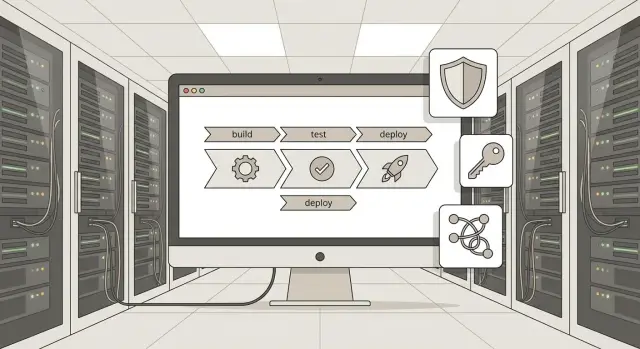
What risks usually hide in CI/CD
Most pipeline incidents don't start with a "code breach" but with the supply chain. In enterprise development, DevSecOps usually hits three areas: dependencies, secrets, and the builds themselves. Each can quietly turn a normal release into a delivery channel for third-party code.
Dependencies are the main source of surprises: there are many of them, they change fast, and updates are often applied out of habit. One vulnerable library or a tampered package in a registry can end up in your product without a single change to your repo. The same goes for container images: you update a base image and along with it comes a CVE or an extra tool that eases an attack.
Secrets are dangerous because leaks usually happen quietly. A token accidentally committed to a repository, a password in a config, a key in an environment variable, or even "helpful" output in logs — and access is out. An attacker can then read artifacts, push changes, run pipelines, or download internal packages while looking like a normal user.
Another category is compromise of the build agent. If an agent is infected or configured with excessive rights, the attack becomes an attack on everything it builds. In the worst case you ship a release that passes tests but already contains an insertion: an added step in a build script or a swapped binary.
Most issues hide in five places: excessive rights of CI tokens and service accounts; uncontrolled dependency and base image versions; secrets that "surface" in repos, artifacts, or logs; builds done "however it happens" without fixed inputs and verifiable provenance; and storing artifacts without access control and immutability.
"Without slowing down" for the business means security shouldn't turn every release into a manual review queue. For teams that means clear rules, automated checks where they actually catch risk, and a predictable process. If something dangerous is found, the pipeline either quickly blocks the release by a clear rule or provides a safe bypass: an update, a patch, or a temporary exception with an expiration.
What exactly needs to be controlled in enterprise development
In a corporation, CI/CD security is not a single scanner but clear boundaries: which assets are critical, who owns them, and what traces must remain after each release. Without that, checks become team disputes and slow releases.
Assets that commonly "fall out" of view
People usually think only about source code, but attackers target the supply chain. Control is needed at minimum for five categories:
- code repositories and their settings (branches, permissions, required checks)
- build artifacts (binaries, packages, libraries) and their provenance
- container images and the base images you inherit from
- environment configurations (CI pipelines, Helm/manifest files, deployment parameters)
- access to external services: registries, storage, clouds, monitoring systems
This matters even more in large organizations where a product includes multiple teams and components. For a systems integrator delivering to government or finance, code, images, and deployment configs are all equally critical.
Roles and responsibilities: who owns what
To avoid checks clashing with releases, divide responsibilities in advance. Development fixes vulnerabilities and ensures code quality. DevOps is responsible for secure CI/CD settings and build infrastructure. Security defines policies (what's forbidden, what's allowed, how exceptions are documented) and performs audits.
A minimal corporate set of requirements usually boils down to four things: traceability (what and who built it), managed access (least privilege and short-lived tokens), audit capability (logs and change history), and a clear exception process (who approves and for how long).
The balance of "strictness vs speed" is often needed in two places: rules that block a release, and how quickly a team gets a clear answer about what's broken and how to fix it. Practical rule: block only high-risk issues and turn the rest into warnings with a fix deadline.
Dependency control: SCA, SBOM and admission policies
Dependencies are the main source of "quiet" risk. Even if your code is reviewed, a vulnerability can arrive via a library, container image, or internal package that hasn't been updated in years. The task is simple: see exactly what you bring into the build and have clear rules about what is allowed in a release.
SCA: what exactly to check
SCA (Software Composition Analysis) should be applied not only to open source. In large companies internal packages often live for years and inherit old dependency versions.
Check at least three things: known vulnerabilities (CVEs), licenses, and version freshness. A useful approach is to categorize dependencies: application dependencies, test dependencies, and build dependencies (plugins, runners, utilities). Build-time dependencies are often forgotten, even though they are part of the supply chain.
Transitive dependencies (pulled in automatically) are a separate pain. A working practice: treat them as important as direct dependencies and regularly remove "forgotten" libraries. If dependencies are no longer used but remain in manifests, you pay for them with risk and scan time.
SBOM: why you need it and how to store it
SBOM (Software Bill of Materials) answers the question: "what is this release made of?" It's not just for reporting — it helps quickly determine if a new CVE affects you and to prove component origin during internal audits or customer requirements.
Store the SBOM alongside the build artifact as part of the release: each image or package should have its own SBOM version, immutable and linked to the build number. That way, during an incident you won’t have to guess what was in production a month ago.
Admission policies: rules, exceptions and review
Policies work when they are short and enforceable. The basic set typically includes blocking releases for critical CVEs without an exception, license control (including banning certain license types for commercial software), limits on dependency "age" (if not updated for N months, require a plan), required pinned versions (no floating ranges), and a single list of allowed sources (repositories and registries).
Exceptions are inevitable. The key is not to make them "forever." A good process looks like this:
- a developer files an exception request with a reason and expiry
- security verifies the risk and conditions (e.g., compensating controls)
- the product owner makes the business decision (release or wait)
- the exception expires automatically and requires review
Simple example: an integration team for a bank finds a critical CVE in a transitive library, but the patch will arrive in a week. Instead of panic, you release with a 7-day temporary exception, pin the version, add monitoring, and schedule the update. After a week the policy reminds you to review and the risk doesn’t remain in the dark.
Secrets: storage, scanning and rotation without pain
Secrets usually leak because of habits, not weak cryptography. A key gets accidentally committed, a token is left in a wiki, a password is passed through code via a variable. It’s important not only to ban such practices but to give people an easy way to do the right thing.
Start with a simple rule: secrets live outside code. Don’t rely on "it’s temporary." At minimum, exclude these places: repositories (including commit history and sample configs), values in source and config files, corporate wikis, tickets and chats, shared folders and "team" notes, and environment variables on local machines without controls and expirations.
Next, use a secrets manager instead of a shared spreadsheet. It should support role-based access, auditing (who and when requested a secret), and, ideally, short-lived credentials. This helps CI: the pipeline receives a token for a short time, performs an action, and the token is no longer valid. Then a leaked log or variable won’t become permanent access.
Place secret scanning at several points, otherwise leaks will be found too late. Practical minimum: a pre-commit or local hook for developers, a check in MR/PR, scheduled history scans, and log/artifact scanning (secrets often surface in output).
Rotation and revocation must be a procedure, not a once-a-year project. A good approach: an owner for each secret, an expiry, and a clear revocation step. If a scanner finds a token in a commit, the team should do two things within 10 minutes: revoke the token and replace it via the secrets manager. Then investigate why it happened.
Don’t forget environment separation. Dev, test and prod must have different keys and permissions. If a test secret leaks, it shouldn’t give access to production data. A common mistake is using the same API key for test and prod. One logged request in a test pipeline can effectively publish a production key.
Secure builds: signing, provenance and artifact storage
A secure build is when you can prove a simple fact: the artifact was produced by automation, from a specific commit, in a controlled environment, and nobody swapped it afterwards. For enterprise development this is often more important than another scanner: audits and investigations rely on provenance and integrity.
Build isolation: fewer surprises
Builds should be predictable. If runners "live" for weeks and anyone can install anything on them manually, control is lost: today the build passed, tomorrow the same pipeline built a different binary.
Practical minimum: clean runners (ephemeral or regularly reprovisioned) and an isolated environment; minimal job permissions (only what’s needed to build and publish); forbid ad-hoc installs; pinned tool versions; network access only when necessary (if you can build without internet, disable it); and separation of roles so the build cannot deploy to prod.
Signing and provenance: more than a checkbox
Signing artifacts and container images gives a verifiable answer to "is this really ours?" This helps audits and reduces the risk of tampering in the supply chain. Ideally, signature verification runs before deploy: unsigned or wrongly signed items don’t pass.
Provenance complements signing: who ran the pipeline, in which CI, from which repo and commit, and with what build parameters. During a vulnerability or incident you can quickly find all affected versions and decide what to roll back.
Another control point is base images. Ban latest and pin versions (preferably by digest), otherwise two identical pipelines can produce different results. Update base images on a schedule and via PRs so changes are visible and reviewable.
Store artifacts in a managed repository: role-based access, immutable tags for releases, and clear retention policies. For final releases, tags and signatures must be immutable; for nightly builds keep short retention to avoid accumulating junk or accidentally deploying old artifacts.
If you build your CI and storage infrastructure in a corporate data center, codify these rules as policies: a build either meets them or is not considered release-grade.
Step-by-step plan to implement DevSecOps in CI/CD
Implement DevSecOps as a series of small steps. This lowers risk without breaking the release process.
Start with a map of what you already have. Companies often have dozens of pipelines: different teams, repos, and environments. It’s important to know where code enters the build, where dependencies come from, who can change environment variables, and where artifacts are published.
Then proceed in stages, adding controls first in observation mode and later in blocking mode:
- inventory: list pipelines, key repositories, container registries and artifact stores, plus roles and accesses
- scan dependencies and secrets in report-only mode (no build failures) to see the real picture
- blocking rules: stop releases only for critical vulnerabilities, and set deadlines and owners for the rest
- build and publish control: sign artifacts, verify build origin, forbid manual uploads to production stores
- audit and metrics: how many findings, where they occur, time to remediation; a short and verifiable exception process
Introduce blocking thresholds gradually. Start by blocking only critical issues while everything else becomes a work item with clear SLA. This reduces noise and helps teams take reports seriously.
Example: a team preparing a server image for a government customer sees a new CVE in a library. If scanning is integrated, the report shows the vulnerable version and where it was pulled in. By the rules, release is blocked only for critical CVEs. If not critical, a ticket with an owner and deadline is created so the release doesn’t turn into a fire drill.
When the process stabilizes, expand controls: add policies for specific projects (for high-security systems) and raise strictness without sudden stops.
How not to slow releases: scan modes and optimization
DevSecOps problems usually stem not from checks themselves but from running them the same way for every event: a tiny commit and a release both trigger identical heavy scans. By splitting checks into modes and using cache and parallelism wisely, security stops being a bottleneck.
Scan modes without queues
Fast checks should always run; heavy ones only when needed.
- per commit: quick SCA on changed files, basic secret scanning, minimal policies
- on main: stricter rules and an extended set of checks but with time limits
- before release: full run (including SBOM, extended rules, license checks) with hard fail
- scheduled (night/weekend): deep scans and reassessment against new CVEs
This reduces average pipeline time while retaining control where stakes are highest.
Optimization: cache, diff and parallelism
Expensive operations are often repeated unnecessarily. Cache vulnerability databases and scan results to avoid re-downloading or reprocessing the same data for every build. For monorepos, diff-scans are particularly useful: if one library or service changed, there’s no need to scan the whole repo.
Parallelization helps but must be managed. If you launch all scanners across all projects at once, the pipeline will consume infrastructure instead of speeding up. Set limits on parallel tasks and timeouts for checks that shouldn't block development.
Also plan graded strictness: allow warnings on feature branches, fails on main for critical issues, and strict stop criteria before releases. Simple example: critical CVEs block release, high severity creates a ticket with a deadline, medium severity goes to the backlog with an owner.
Example scenario: a release without panic when a CVE is found
A team at a large bank (or government agency) prepares an internal service update: small API changes and a new reporting module. The change seems safe, the build passes and tests are green. But a new package added in the last PR pulled in a transitive dependency with a critical CVE.
The pipeline runs checks in two modes. On fast branches (feature, MR) scanning acts as an early signal: it reports an issue but doesn't block the team. In the release path (release/tag) rules are stricter: you can't release something that violates policy.
In practice:
- in the merge request an SCA scanner finds a CVE in a transitive library and provides a clear report: the dependency chain and whether a fix exists
- the MR isn't auto-blocked, but a mandatory task appears: confirm the remediation plan before release
- when trying to build a release, the policy is strict and the release job stops because the vulnerability is critical and in the forbidden range
- dev builds stay fast so developers keep working without waiting for long checks on every commit
The team then has two options: upgrade the dependency (preferred), or file a temporary exception if a fix won’t be available before the release window. To avoid "please allow" chaos, exceptions are recorded with minimal required fields: expiry and review date, reason, owner (risk owner and contact), compensating measures (e.g., disabled feature, additional checks, restricted access), and a remediation plan (version, ticket, date).
The exception is tied to the specific component and version, not the whole project. With a valid exception the release job continues; the report keeps the trace: what was found, who approved it, for how long, and what was promised. The outcome: a release without surprises, no last-minute arguments, and a clear audit trail.
Common mistakes and pitfalls when rolling out
The most frequent problem is treating security like a switch: nothing yesterday, everything blocked today. Teams then bypass checks, disable steps, or "fix" reports instead of fixing vulnerabilities. A staged rollout with clear explanations works better.
1) Blocking everything at once and getting sabotage
If you make scanning mandatory for every commit, queues, red builds and frustration appear quickly. A common mistake is a single rigid threshold that ignores service criticality.
Start in observation mode: collect results, remove false positives, agree on thresholds. Only then enable blocking for truly dangerous cases (e.g., critical CVEs in public-facing services).
2) Confusing secrets with configs and granting access "just in case"
Tokens in env vars, .env files, repo configs, chats and tickets — that's how leaks happen. Worse is one "universal" token used everywhere.
A sane goal: secrets separate from configs, minimal access, distinct keys for dev/stage/prod, and clear rotation. If a secret leaks, it should be clear who changes it, where, and what breaks.
3) Relying on a scanner but ignoring base images
A good scanner doesn't fix a stale base image. You’ll see the same vulnerabilities and teams will learn to ignore them.
Minimum hygiene: update base images on a schedule and pin versions; limit allowed images and repositories; store artifacts and images with provenance; scan dependencies not only in the app but also inside the container; measure time to fix critical findings.
4) No exception process and losing control
Exceptions will exist: unpatched vulnerabilities, unsupported libraries, temporary workarounds. Mistake is handling them ad-hoc in chat. You need expiry, an owner, a reason and automatic reminders. Otherwise temporary exceptions become dozens of permanent ones.
5) Trusting build agents without isolation and audit
A build agent often has access to source, secrets, and artifact stores. If it’s shared and uncontrolled it’s an attractive attack point. In corporate environments, especially for government or finance, builds must be reproducible and agent access limited and auditable.
Short checklist and next steps
Finish with a short check: what’s already protected and what’s only "on paper." Below is a minimal set that reduces risk without turning release into bureaucracy.
In a basic CI/CD contour, five things are usually enough: automated dependency and secret scanning on key branches and before release; clear blocking thresholds (what stops a build and what goes into tech debt with a deadline); remediation timelines by severity visible to everyone; centralized secrets storage with role-based access, auditing and regular rotation; artifact signing and protected storage where artifacts can’t be tampered with.
A simple threshold guideline: if a team constantly breaks the pipeline over medium findings, they will start disabling checks. Better to block only truly dangerous cases and handle the rest as required tasks with deadlines and owners.
Next, don't spread thin. Run a small pilot so agreements become practice: pick one product and one pipeline type (e.g., the service with the most frequent releases); codify policies (who decides on exceptions, how temporary approvals are recorded, where they’re stored); centralize reporting so you can see what was blocked, what moved to work items, and what is overdue; run a short "drill" on a test CVE or a leaked token; harden infrastructure — reliable CI servers, secured artifact storage, and a maintenance regime.
If CI/CD is critical, treat the infrastructure as a production system. Practically, this often means controlled server platforms, a transparent supply chain, and proper support. In such projects it makes sense to rely on a local manufacturer and integrator like GSE.kz (gse.kz): when hardware, system integration and support are in one contour, it’s easier to create predictable build rules and recover faster from incidents.
Frequently asked questions
What are the three most common risk areas in CI/CD?
The main risks usually lie in three places: **dependencies**, **secrets**, and the **build environment**. - Dependencies: vulnerable or tampered packages, floating versions, unsafe base images. - Secrets: tokens/keys in the repository, logs, artifacts, or uncontrolled environment variables. - Build: a shared or long-lived runner with excessive permissions, which can introduce third-party code into an artifact.
How to properly limit CI tokens and service account permissions?
Start with **least privilege** and short-lived credentials. Practical steps: - Split tokens by purpose: separate tokens for read, build, publish, and deploy. - Forbid "universal" tokens that can do everything everywhere. - Grant access only to the required repositories/registries and only for the duration of the job. - Limit who can change CI variables and pipeline configuration.
What should SCA scan to be useful and not just "for show"?
To start, use **SCA on application dependencies** plus a separate check for **build-time dependencies** (plugins, runners, utilities). What to include in reports: - CVEs and severity. - Licenses. - Whether versions are pinned (no ranges and no `latest`). - Transitive dependencies (treat them as important as direct ones). Then add blocking rules only for genuinely dangerous cases.
Why do you need an SBOM and where should you store it?
SBOM answers the question **"what is this release made of"**. It helps quickly assess exposure to a new CVE and proves component provenance for audits. Good minimum practice: - Generate an SBOM for each artifact/image. - Store the SBOM **next to the artifact** as part of the release. - Make the SBOM **immutable** and tied to the build/version number.
Why do secrets most often leak via CI/CD?
Because leaks usually happen quietly and easily: - a secret ends up in a commit (including history); - a secret "shows up" in pipeline logs; - a secret gets packaged into an artifact; - the same key is reused for dev/test/prod. A working rule: **secrets live outside code**, and access is granted by role with auditing.
Where should secret scanning be placed to detect leaks in time?
Minimum places to catch issues in time: - locally: pre-commit/hook (the cheapest stop for leaks); - in MR/PR: a mandatory check before merge; - on a schedule: scanning history and old branches; - in CI: checking logs and artifacts (secrets often appear in output). Important: define the response — revocation and replacement of a secret should take minutes.
How to rotate and revoke secrets without burdening the team?
Make rotation a routine, not an occasional project. Practical standard: - each secret has an **owner**, a lifetime, and a clear revocation procedure; - different secrets for dev/test/prod; - when a secret is found in a repo: **revoke first**, then replace it via the secrets manager, and only afterward investigate the cause; - avoid "permanent" tokens with no expiry.
How to isolate build agents to reduce compromise risk?
To keep builds **predictable and controllable**: - use disposable or regularly reprovisioned runners; - forbid ad-hoc manual installations on build agents; - pin build tool versions; - restrict network access (if you can build without internet, disable it); - separate roles so the build has no production deploy rights. This reduces the chance the same pipeline will produce different binaries.
Is artifact signing necessary and what does it provide?
A signature gives a verifiable answer: **"is this our artifact and was it not tampered with?"** Practical application: - sign final artifacts and container images; - verify signatures **before deployment** (unsigned artifacts do not pass); - store release tags and signatures as **immutable**; - include provenance: which pipeline, which commit, who triggered it, and build parameters. This is especially useful for investigations and provenance requirements.
How to roll out DevSecOps without making pipelines much slower?
Separate checks by mode and block only high-risk issues. Working scheme: - on each commit: quick checks (secrets, basic SCA); - on main: extended checks with timeouts; - before release: a full run and strict stop criteria; - on schedule: deep scans and reassessment against new CVEs. Plus optimization: cache vulnerability databases, use diff-scans, and limit parallelism so CI resources aren't overloaded.
