8 min read
Device passport by serial number: fields and relationships
Device passport by serial number: which fields to store for components, firmware, warranty and repairs, and how to link them to Service Desk and inventory.
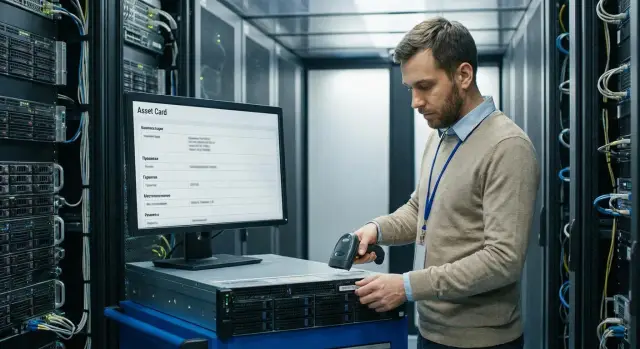
Why you need a device passport and why the serial number
A device passport by serial number is a single record that collects facts about one particular physical unit: what the device is, which kit it arrived with, where it is now, what happened to it and under what support terms it operates.
It differs from an inventory card. An inventory card usually lives in accounting and answers the question: “which ledger and whose responsibility is it on”. The passport answers a different question: “what is this device really and how did it live its life” — from delivery to disposal.
The serial number is convenient as the main key because it’s attached to the hardware at the factory and does not change when the device moves, changes owner or is re‑recorded. It’s easier to link scattered data by serial number: a Service Desk ticket, a repair report, a warranty record, or inventory results. Inventory numbers, network names and stickers on the case change more often and can sometimes duplicate.
In practice, the passport addresses several persistent problems: it helps quickly find the device and its current location, check warranty and support terms, see the history of repairs and replacements (so you don’t fix “blind”), and understand what was installed and what has changed.
It’s needed not only by IT but also by security, procurement and accounting — anyone who makes decisions, issues documents or investigates incidents.
It’s important to keep boundaries. The passport should not replace financial accounting, a warehouse system or an instructions database. Its job is to be the source of truth for a specific serial number and the connection point between systems.
Basic passport structure: how not to overcomplicate from day one
Build the device passport by serial number on the principle “one record — one physical device”. The serial number becomes the key by which you link repairs, movements, warranty and support tickets. If a device’s disk or memory is changed, the serial number remains the same — and that’s the main point.
To avoid drowning in details, divide data into two levels: “model” and “instance”. Model is a directory (device type, base configuration, supported options). Instance is the specific unit in your organization with its serial number, installation location and history.
Make a small required set that the system usually won’t work without:
- serial number and model (linked to the directory)
- status (in use, in stock, in repair, retired)
- owner/department and responsible person
- location (city, site, room)
- commissioning or acceptance date
Leave other fields optional and fill them as data appears: detailed configuration, firmware versions, contract numbers, photos, extended warranty. That makes it easier to start and reduces resistance from people.
Do not overwrite old values. The clearest option is a change log: what changed, when, who and why (for example, “SSD replacement under ticket 12345”). This is especially important for key fields: location, owner and status.
Example: you enter a laptop on the day you issue it to an employee. You immediately fill in the serial number, model, status “in use”, room and responsible person. A month later the service replaces the battery — the passport updates the configuration and the previous version goes into history so it’s clear later what was installed before the repair.
Identification and kit fields (hardware and delivery)
A device passport by serial number starts with unambiguous identification: “this is the exact unit”, even if the sticker was replaced or the case changed. So it’s useful to store several identifiers and agree in advance which one is primary.
A typical set is enough:
- serial number (primary key) and, if needed, serial numbers of key modules (e.g., drives or power supplies)
- inventory number (accounting id, often changes when reassigned)
- barcode or QR tag (what is scanned on site)
- manufacturer, model, modification (e.g., PC/All-in-One/server line)
- commissioning date and current status (in stock, in use, retired)
Next is the configuration “as assembled now”: CPU, RAM size, drives composition, network adapters, power units. Distinguish between “shipped” and “installed now.” In a server room a drive replacement is normal, and the passport must survive such changes without confusion.
Record the delivery kit separately: cables, docking stations, peripherals, spare parts, and who and when accepted the delivery. When commissioning workstations or servers (including locally manufactured ones, e.g., by GSE), expected and actual kits sometimes differ, and this often surfaces during incidents.
To keep data reliable, set source priorities: delivery documents and waybills as the primary basis, auto‑discovery for current characteristics, manual entry only for exceptions and with a mandatory comment.
Firmware and software: which versions to record and at what level
Firmware and core software often affect stability and security more than expected. The device passport by serial number should answer a simple question: what exactly is installed on this hardware now, and can it be quickly verified?
Levels of tracking
For hardware, it’s usually enough to record key layers that noticeably affect device operation and are important for support. In the passport store current versions and the date of recording: BIOS/UEFI, CPU microcode (if updated separately), and for servers — BMC/IPMI (or equivalent management controller). It makes sense to track only critical drivers (network, RAID/HBA, GPU), especially if compatibility depends on them.
For software keep the skeleton: OS version, build number, date of last update and who performed it (person, team, contractor). Separately note basic agents that affect management and security: EDR/antivirus, inventory agent, backup agent, monitoring agent.
To prevent the passport from becoming a dump, separate data by purpose:
- in the passport — current state (versions, status “up to date/needs update”, date and source)
- in the update log — events (what changed, why, ticket, result, rollback)
How to record requirements and “unknown”
If there are compliance requirements (for example, agreed BIOS/UEFI versions for a server series), add a “target minimum” field and mark it as “critical.” That makes it easier to query and plan update windows.
If data cannot be read, do not leave fields empty. Set status to “unknown” or “not readable”, record the reason (no agent, access blocked, device off) and the date of the last attempt. This helps avoid “losing” devices from the register and restores visibility in time.
Warranty, procurement and legal attributes
If the device passport by serial number is needed not only by IT but also by accounting, security and procurement, legal fields become critical. They allow you to quickly understand who is obliged to repair, at whose expense, and which documents confirm delivery.
What to record for warranty and procurement
Keep the minimum that is actually used in work, but enough to make decisions without phone calls or hunting for papers:
- warranty start and end dates and type (factory, extended, service contract)
- key conditions: coverage, response times, seal requirements, exclusions
- procurement data: supplier, contract or batch, acceptance date, service life according to accounting policy
- warranty owner: organization, department and, if needed, service partner
- RMA and vendor cases: case number, status, date sent, date returned
Fields should be structured (dates, dropdowns, numbers) and scans/files stored as attachments with clear names: serial number plus document type.
What matters for audits and public procurement
For procurement and audits it’s useful to have attributes that quickly confirm origin and compliance. For example, for locally produced equipment you can record attributes often asked during checks: domestic manufacturer status, presence of ISO certifications (ISO 9001, ISO 14001, ISO 45001), certificate number and date, and which product or batch it covers.
A practical example: when a server part breaks, a Service Desk agent opens a ticket and the passport immediately shows whether warranty is active, whether the case goes through RMA, and which batch and contract the device belongs to. This saves days of correspondence and reduces the risk of mischarging costs.
Location, owners and the device lifecycle
If the device passport by serial number doesn’t answer “where is it now and who is responsible,” you start losing time: searching, transfer disputes, and confusion at write-off. These fields must be understandable to any employee and updated at every movement.
What to record for location and owners
Store location as several simple levels: city, site and precise point (room, storage bin, rack and U for servers). For offices “room + workstation” is usually enough; for DCs use “rack + U + access zone.”
For owners separate roles: who is financially responsible, who uses the device daily and who is responsible for IT support. Then in an incident it’s clear who to contact, and in an inventory who to ask for presence.
A minimal set of fields can be:
- current location (structured, not “with Pete”)
- user or team using the device
- financially responsible person or department
- IT owner (support queue/group)
- date of last physical check
Lifecycle and movements
Keep statuses short and unambiguous: in stock, in use, in repair, reserved, retired. Do not overwrite past addresses — keep a movement log with date, from‑to, reason (ticket, act, order) and who confirmed the transfer.
For remote work and branches, define rules in advance: what counts as issuance (with confirmation), how returns are documented and what to do in case of loss (date, circumstances, lockout, write‑off decision). Example: a server sent “for repair” to another city — the status changes, current location points to the service site, and history still shows the original rack and removal date.
Repair and change history: how to make it useful
A repair history in the device passport is not just an archive. It helps quickly understand what already failed, what was replaced and why a problem may recur. It’s convenient when a passport entry points to the primary source: the Service Desk ticket number. Then details and approvals are not lost.
To keep the log readable, record events concisely and consistently. For repairs and configuration changes typically record:
- date and event type (repair, diagnosis, scheduled replacement, upgrade)
- Service Desk ticket ID and initiator (department or employee)
- what was done (component/part) and, if available, serial number of replaced part
- who performed it and where (engineer, contractor, service center, on site)
- outcome (resolved, temporarily restored, repeat visit required, retired)
Store attachments (photos, acts, scans) where the ticket is kept, and in the passport keep a note about their existence and an attachment identifier. That keeps the passport lightweight while enabling fast retrieval during warranty or procurement disputes.
Add one analytics field: failure cause from a directory (overheating, drive wear, power failure, connector damage). Then you can spot recurring issues. For example, several L200 units in one room failing due to unstable power is a problem of remediation, not repair.
Step by step: how to roll out a device passport in a company
Start with a simple rule: create the passport as early as possible. Ideally at warehouse acceptance (when the serial number and kit are known). If that’s not possible, create the passport when the device is installed at a workplace or at the latest at the first support incident, with a mandatory task to complete missing fields.
Agree on a common language before launch: consistent names for models, sites, statuses and departments. Otherwise one room will quickly become many variants in the system and reports will not match.
Minimal rollout plan
A sequence that normally works without overloading the team:
- Standardize directories: models, sites, lifecycle statuses.
- Define mandatory fields and rules: what is always filled in, who verifies accuracy, which fields cannot be changed without reason (e.g., serial number).
- Set up data collection: manual entry at acceptance, import from procurement/waybills, auto‑discovery where appropriate.
- Assign roles: who creates the passport, who verifies, who confirms changes (e.g., after repair).
- Run a pilot in one department, collect 10–20 real cases and only then expand company‑wide.
Example: for a batch of GSE L200 PCs create passports at acceptance and confirm BIOS versions and delivered kit at installation. Support immediately sees what’s actually installed at the user and doesn’t waste time clarifying.
How to link the passport with Service Desk so data updates automatically
The idea is simple: every ticket must know which device it refers to, and the passport should receive only verified changes. Then data doesn’t go stale or turn into contradictions.
Linking a ticket to a device
It’s most convenient when the ticket form has a “Serial number” field and a selection of the found device. If the device exists in the passport, the ticket pulls model, owner, location and warranty status. If the serial number is not found, trigger an “unknown asset” flow: the ticket is created but marked so the passport must be checked. For new equipment allow creating a draft passport directly from the ticket, but require verification.
Common rules usually look like this:
- if the serial number is found, Service Desk reads the passport and proposes updates through a change request
- if the serial number is not found, a ticket for clarification is created and a temporary card is made without critical fields
- any upgrade, move, or component replacement is carried out as a change and added to history
- ticket closure occurs only after recording the result: what was done and what the final state is
Support roles
To avoid mistakes, separate responsibilities. First line records the serial number, symptoms and current location as reported by the user. Second line confirms passport changes: part replacements, new configuration, firmware versions, and ownership changes. A process administrator periodically reviews “unknown assets” and brings cards up to standard.
Example: an employee reports a PC moved to another room. First line creates a ticket and indicates the new room. Second line verifies the transfer and the passport record is updated along with the history entry.
Integration with inventory and CMDB: synchronization rules
To avoid the passport becoming a second directory, decide in advance where the master record lives. Usually inventory handles physical existence and movement, and CMDB handles service relationships and impact. The passport becomes the asset card but should not duplicate what is reliably managed in another system.
What to synchronize and where the master lives
A practical rule: synchronize only what is frequently used and changes.
- Serial number and model: master in the passport (or in inventory if that’s the primary receipt record).
- Location, department, owner: master in inventory.
- Status (in operation, in stock, retired): master in inventory, reflected in CMDB.
- Link to service, rack, cluster and dependencies: master in CMDB.
- Warranty and procurement dates: master in the passport if needed by support and procurement.
Reconcile on a minimal set: serial number, current status and location. For example, a GSE S200 server may be marked “in operation” in CMDB but physically moved to another hall.
Handling discrepancies and measuring quality
Assign a data owner: who decides the conflict and how many days to correct it. A common rule works: inventory wins for location and status, CMDB for service relationships, passport for serial number and warranty data.
For control, 2–3 metrics are enough:
- share of assets with a filled serial number
- share of assets with warranty or end date specified
- number of conflicts per month and average time to resolution
Frequency: quarterly inventory catches accumulated errors, while continuous change processes (movement, repair, issuance) prevent new ones from appearing.
Common mistakes and pitfalls when maintaining the passport
Even a well‑designed device passport by serial number quickly loses value if data are entered “as it happens” or updated from memory. Errors rarely look critical at first but later break searches, reports and incident investigations.
Data errors
Problems usually start with small things:
- serial numbers entered as free text (with spaces, different letters, “O” instead of “0”) create duplicates without format validation
- location fields are overwritten instead of keeping a movement history with dates and reasons
- a single card mixes “model” (device type) and “instance” (specific serial number), causing characteristics to be changed retroactively
- firmware and critical software versions aren’t recorded, so it’s hard to understand why identical devices behave differently
- kit is considered “unimportant” until it turns out that the PSU, memory module or drive type differs from expected
Process traps
The worst trap is when different contractors or internal teams perform work and no one records it in the change history. The Service Desk closes the ticket, the engineer leaves, and the passport still shows old versions, the old room and an “empty” repair history.
A quick test: imagine a branch server that was updated twice and had a drive replaced once. If you cannot answer in 30 seconds “what changed, who did it, when and under which ticket,” the process isn’t anchored.
Common remedies are assigning a data owner (not necessarily the IT director), adding simple checks when creating a card and doing a monthly spot quality check on 10–20 devices.
Short checklist: what to check in the passport in 2 minutes
Sometimes you need to quickly understand whether you can trust the device passport or if it needs immediate correction. Here’s a check that takes a couple of minutes and often saves you from inventory and ticketing errors.
5 quick checks
- Serial number is present and verified: photo of the sticker, scan from the case or delivery document. Verify it’s the device serial, not the box.
- Basic fields are filled: model, current status (in operation, in stock, in repair, retired), location and responsible person.
- Key component configuration is current: CPU, RAM size, drives (type and capacity), network interfaces. If upgraded, the change and date are visible.
- Warranty and procurement are clear: warranty start and end dates, supplier or source, document number if applicable.
- The last change or repair is linked to a Service Desk ticket so you can fetch the cause, executor and result.
One quick example
If a server from the S200 Series was moved to another hall and had memory added, but the passport wasn’t updated for location and RAM, the next incident will reach the wrong on‑call person and procurement may order unnecessary modules.
Also record when the next reconciliation is scheduled and who’s responsible. Without an assigned owner a device passport by serial number quickly turns into a set of stale data.
Practical example: one serial number, multiple tasks in different systems
Scenario: a server stood in the head office and was later moved to a branch. A month later short outages begin: reboots and intermittent network loss. Nobody on site remembers what was changed during the move or whether the warranty still applies.
An engineer opens a Service Desk ticket and enters the serial number. The system pulls data from the device passport by serial number: model, commissioning date, current location, warranty status and recent repair entries. The history shows a PSU replacement six months ago and a note about the recommended replacement kit.
The ticket then helps to check obvious things: compare current firmware versions with those recorded in the passport; see which components were supposed to be delivered and what’s actually installed; find the team that performed past work; check for an active warranty and applicable service type.
At the same time an inventory system (scanner or agent) notices a mismatch: the device is registered in the old room but the network sees it in a different segment. Inventory creates a task to correct location and owner; the passport is updated only after the responsible person confirms.
From the linked “passport + tickets + inventory” usually one of the following is decided: send for warranty repair, replace the unit, perform an agreed upgrade (if the problem is typical and recurring) or schedule write‑off.
Next steps: how to cement the process and scale
For the passport to actually work, start with the minimum and one source of truth. Choose 8–12 fields without which you cannot accept, support or retire equipment: serial number, model, kit, current owner/department, location, warranty, lifecycle status, link to the last ticket or act.
Three steps for the near term are usually enough:
- approve the minimal field set and the system where they are primary
- prepare simple event templates: acceptance, movement, repair, retirement
- appoint responsibles: who creates the passport, who updates it, who audits it
Next, the most important part is update rules. Some fields should change only via a ticket or request, otherwise data will quickly drift. For example, location, responsible person and device status change only after a movement request; repair history is added only after job closure; warranty and procurement details are edited only with supporting documents.
To cement the process, set up short regular reporting (at least weekly). Usually 3–4 reports suffice: devices with expired or soon‑to‑expire warranties, assets without locations, serial numbers without owners, repairs without closing documents.
When it’s time to automate exchange between Service Desk, CMDB and inventory and reduce manual entry, bring in an integrator. In such projects the experience of GSE.kz can be useful — as a manufacturer and system integrator that also deploys infrastructure and provides round‑the‑clock technical support.
Frequently asked questions
How is the device passport different from an inventory card?
The passport answers the question “what is this device really and what happened to it” from acceptance to disposal. An inventory card is more about accounting: which balance sheet it belongs to and who is responsible, but not about the real repair history, replacements and current configuration.
Why is the serial number the primary key in the passport?
The serial number is attached to the hardware at the factory and usually does not change with moves, reassignments or ownership transfers. It’s therefore the easiest way to link disparate data: Service Desk tickets, repairs, warranty, inventory results and the actual configuration.
Which fields should be mandatory so the passport actually works?
Start with the minimum: serial number, model, status, department and responsible person, location, and acceptance or commissioning date. Make everything else optional and add fields as reliable sources appear, otherwise people will bypass the process and the data will quickly degrade.
How not to confuse “model” and a specific device instance?
Separate the “model” directory from the “instance” record. The model holds the type and base configuration, while the instance stores the specific serial number, location, owner and history so that changes to one device don’t alter the description of the entire model.
How to store the kit when hardware is frequently changed (disk, RAM, PSU)?
Record “shipped” and “currently installed” as different entities and always keep a history of changes. That way replacing a disk or RAM won't make the passport contradictory, and you'll always know what was installed before the repair and why it was changed.
Which firmware and software versions should be recorded in the passport?
Keep only what actually affects support and security: BIOS/UEFI, for servers — BMC/IPMI, and OS versions plus core management and protection agents. Avoid storing a long list of all drivers in the passport, as it will quickly become outdated and unreliable.
What to do if auto-discovery doesn’t see firmware or device characteristics?
Set an explicit status such as “unknown” or “not readable”, record the reason and the date of the last attempt. Empty fields look like “everything is fine”, while a status of “unknown” helps find devices that dropped out of control and restore visibility.
Which warranty and procurement data are really needed in the passport?
Store start and end dates, the warranty type and key conditions so a decision can be made without searching for documents. Also record the supplier, contract or batch, acceptance date and RMA or service case numbers so you don’t waste time on correspondence or accidentally charge costs to the wrong party.
How to keep location and owners so there are no disputes during moves?
Record location as structured fields (city, site, room, or for data centers — rack and U) and separate owner roles: daily user, financially responsible person and IT owner. Treat any move as an event with a date and justification, not as a simple field overwrite, otherwise you lose the chain of responsibility.
How to link the passport with Service Desk so data doesn’t become stale?
Make linking the ticket to the serial number mandatory and update the passport only with confirmed changes after the work is done. A practical rule: first-line support records the serial number and symptoms, while confirmed changes to configuration, location and status are made by the responsible line or data owner; otherwise the passport will diverge from reality.
