8 min read
Developing an MIS for a Polyclinic: Schedules, Queues, and Rooms
Developing an MIS for a polyclinic: how to design schedules, rooms, queues and referrals to avoid resource conflicts and booking failures.
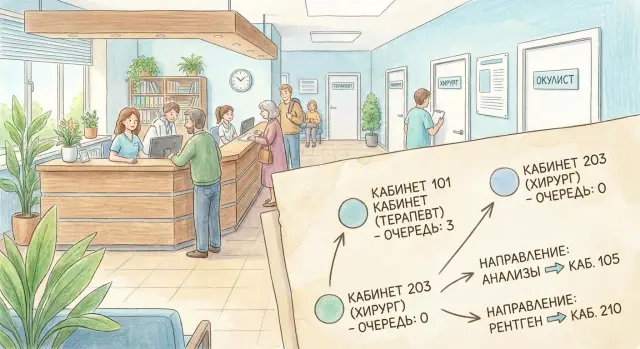
Where an MIS for a polyclinic starts and what usually hurts
Developing an MIS for a polyclinic usually doesn't begin with booking screens but with answering a simple question: what problems do you want to stop solving manually. Most often it's appointment booking, managing queues during the day, and clear routing of the patient between rooms and services.
At the start it's tempting to discuss the interface. But other work pays off faster: agreeing on the data model and rules. If the model is inaccurate, a beautiful screen will only accelerate the chaos: double bookings will appear, referrals will get "stuck", and the registration desk will receive endless calls.
Most conflicts are born at the junction of entities. In a polyclinic these repeat daily: a doctor can't be in two places at once, a room is occupied longer than the "norm", there is one device but several bookings. A patient can arrive early, late, or without an appointment and break the plan. A referral is issued but it's unclear where and in which windows it can be executed.
A small example: a family doctor refers a patient for an ECG. If the system doesn't link doctor, room, equipment and service duration, the booking will be placed in the doctor's free time but in a room that is occupied. The conflict will surface at the door.
Success at this stage is easy to measure: fewer manual edits to the schedule, fewer cancellations due to occupied resources, and uniform rules across branches and shifts. When rules are clear, the queue becomes manageable and booking stops being a lottery.
Roles and basic rules: keep the model from falling apart
If you don't agree on roles and rules right away, "exceptions" will start to appear: bookings made "around the rules", rooms taken "for a minute", and the queue turning into an argument at the desk.
Start simple: who actually works with the patient and time. Usually this is registration (booking and documents), call center (confirmations and reschedules), doctor (consultation and orders), nurse (room prep, procedures, notes), and administration (settings, control, conflict resolution). For each role it's important to define what they can change and what they can only view. For example, registration can reschedule a visit, but not edit the medical part.
Next you need a single status "line" for visits so everyone speaks the same language. The status should affect the queue, slot availability and reports, not be just decorative. Practical minimum:
- booked
- confirmed
- arrived
- no‑show
- rescheduled
After statuses, fix real‑life constraints: shifts, lunches, sanitary windows, time to prepare a room, different service durations. A common mistake is to assume schedule means only the doctor. In reality the room, equipment, and sometimes the nurse participate. All of this must be blocked by a single rule.
Managers usually need not "pretty charts" but clear reasons: why a booking was refused (no doctor, room occupied, no equipment), where downtimes are, what the workload is by specialist and room, how many reschedules and no‑shows. If these reasons are not recorded at the moment of action, they can't be reconstructed later without manual investigation.
A good basic rule: any change of time or resource must leave a trace (who, when, why). This disciplines staff and helps find bottlenecks faster.
Basic model of resources and time (in plain words)
To keep schedules and queues from turning into chaos, first agree on two things: what counts as a resource and how you "slice" time.
A resource is anything that can become a bottleneck and cannot be used twice at the same moment. In a polyclinic that's not only a doctor. It's convenient to think this way: each resource has a card (directory) where stable properties and availability rules are stored.
Usually the card needs a minimum:
- resource type (doctor, room, equipment, service, team)
- identifier and name (for example, "Rm. 214, Ultrasound")
- constraints (adults only, by referral only, assistant and device required)
- availability calendar (working days, shifts)
- compatibility (which services can be performed by this resource)
Next, agree on a common language about time. A time slot is a segment in the calendar (for example, 09:00–09:10) that can be occupied. A visit is a patient's booking that occupies one or more slots and "attaches" the required resources.
Service duration is often handled incorrectly when set as a single number "per doctor". It's more practical to support several levels: fixed (always 10 minutes), by service (Ultrasound 20 minutes), by doctor (one doctor is faster), by patient type (initial is longer than a follow‑up). Then the system honestly counts occupancy and doesn't create hidden queues in the corridor.
Finally, non‑working intervals. These are blocks of time like bookings but without a patient: lunch, technical breaks, cleaning, equipment maintenance. If you store them with the same mechanism as visits, conflict checks will be unified.
Doctor and room schedules: how to describe them in an MIS
A schedule in a polyclinic is not a table for a week but a set of rules: when a doctor and a room are available, what can be done there, and which exceptions outrank the base schedule. If you build this correctly, bookings, queues and referrals won't break every time someone says "today it's different."
Doctor schedule: base plan plus exceptions
A doctor usually has a repeating template (for example, appointments on weekdays), but real life is full of deviations: vacation, sick leave, training, outreach, covering a colleague, moonlighting. It's better to store layers: a template and exceptions with priority, not a single "calendar."
Useful minimum fields for a doctor's shift:
- effective dates and working hours
- type of activity (consultation, procedure, ward round, administrative)
- slot duration and breaks
- constraints (by referral only, follow‑ups only)
- default room assignment (if any)
Room schedule and service compatibility
A room also has availability: working hours, sanitary windows, repairs, equipment checks. Often a room is assigned to a department but sometimes shared; this must be recorded explicitly.
To avoid booking a patient "into nowhere", set a compatibility rule: a service is allowed only in rooms with the required type and equipment. For example, ECG is available in functional diagnostics rooms with a working device, while dressing changes only in places with a procedure area.
Make schedule templates flexible: a normal week, odd/even weeks, seasonal periods (summer schedule). Then an administrator changes a period template rather than editing hundreds of days manually.
Example: a doctor works until 20:00 on Tuesdays, but the room is closed for disinfection from 15:00 to 15:30. The MIS should automatically remove slots inside that window and not allow bookings there even if the doctor is "free."
Queues and booking: a model that survives real flow
Treat the queue in a polyclinic as a separate object, not a "by‑product" of the schedule. Then you can confidently handle time‑based bookings, a live queue at the room, and a waiting list when there are no free slots.
A practical model usually holds three entities: booking (attempt to occupy time), visit (the fact of service) and queue item (a patient's place in a specific queue). A booking can create a virtual queue item (for a time), a live queue appears at on‑site registration, and a waiting list lives separately and "picks up" freed slots by rules.
Store priorities not as a "magical order" but as clear fields and rules. For example: booking time, urgency by referral, age groups, benefits, follow‑up visit, need for pre‑investigation. A convenient compromise is to compute a final priority by formula and save an explanation of why the patient ranks higher or lower.
Unbooked appointment windows should not break planned slots. A working scheme: a resource (doctor + room) has separate quotas, for example 80% for scheduled bookings and 20% for "today without booking." These windows also go into the queue but with a distinct type so they can be enabled or disabled depending on load.
Statuses should reflect reality. Minimal set:
- created (in queue)
- confirmed
- called
- served
- no‑show
Reschedules and cancellations are better modeled as events with reasons. Keep cancellation/delay reasons as a directory (patient, doctor, room, equipment, missing results, emergency) and record the time. This gives analytics for improvements instead of endless finger‑pointing.
Referrals and patient routing without manual confusion
To prevent a patient from getting lost between rooms and to avoid the registration desk "gluing" visits by hand, referrals must be an entity in the MIS. This is one of the main nodes: a referral links doctor, service, deadline and conditions, and then leads the patient through steps.
Describe a referral with a minimal set of fields that can be checked automatically:
- who issued it (doctor, unit, date and time)
- for which service(s) and on what grounds
- validity period and allowed number of visits
- constraints (only certain room, specialist, organization, payment type)
- status (created, used, cancelled, expired)
Store the patient route as a chain of services (tasks) with dependencies: which can be done the same day, which only after results, which allows postponement. Then one episode can include a consultation today, tests tomorrow, an ultrasound in a week and a follow‑up after results are ready.
The link between referral and booking should be explicit. Some services can be booked without a referral (paid consultations or first visits), while others must require an active referral. It's important that a booking "reserves" a referral: one referral should not be used for two parallel bookings.
Follow‑ups are easier to create as scheduled visits after the initial appointment: the doctor selects a service and recommended interval, and the MIS creates a draft visit with deadline control. For example, a cardiologist schedules a control in 14 days — the patient chooses a date within the allowed window but not before the minimum or after the maximum.
Preparation rules work separately. A patient must see them when booking and before the visit. For critical violations the booking should be blocked. Typical examples:
- fasting blood test
- required documents (ID, insurance, consent)
- preparation (water, withholding food, medications by agreement)
- previous test results
- timing constraints (arrive 10–15 minutes early)
Example: a doctor issues a referral for a complete blood count (10‑day validity) and a follow‑up after results. The patient books blood draw tomorrow morning, the system shows "fasting" and disallows an evening slot. When the lab marks results ready, the MIS "unlocks" the follow‑up date selection and offers the nearest slots in the required window.
Preventing resource conflicts: rules and checks
Resource conflicts appear immediately: the doctor is already busy, the room is occupied, the device is taken, yet the patient is booked elsewhere. If the system relies on the receptionist's "eyeballing" only, the queue quickly becomes chaotic.
First, set priorities for blocking: what must never be violated and what is allowed only with explicit confirmation.
Hard rules: the same doctor cannot run two visits at once; a room or device cannot be in two visits simultaneously; a patient cannot be in two places at the same time.
Soft rules: do not schedule a service without a referral where required; do not place a service in a room lacking proper equipment; respect doctor's slot preferences.
Next you need honest intersection checks by time. Compare not only the start but the whole interval: service duration plus buffers. Buffers differ: 2–5 minutes between patients, a special buffer for disinfection, another for equipment preparation (e.g., ECG or ultrasound). The buffer should be "attached" to the resource: disinfection blocks the room, setup may block room and device.
A conflict must propose a clear resolution, not just an "error." For example: move the visit to the nearest free slot (considering buffers), suggest a suitable alternative room, replace the doctor within the specialty (if rules permit), or split the route into two windows (consultation and procedure separately).
Example: a patient is booked with a doctor at 10:00, and an ECG is booked at 10:15 in the same room. The system should see the doctor is occupied until 10:20 (15‑minute consultation + 5‑minute buffer) and propose: shift the ECG, choose another ECG room, or split the patient's route into two windows.
Step‑by‑step design plan (no extra theory)
Don't start with tables and diagrams; start with live scenarios: how a patient actually gets an appointment and where things go wrong. This shows fastest which data and rules are needed and which only weigh down the system.
1) Collect booking scenarios
Describe 10–15 typical stories in the format: who books, where, under what conditions and what is considered an error. For example: registration books with a family doctor, a patient reschedules, a doctor orders a follow‑up, a patient attends diagnostics by referral.
For each scenario briefly record: which data are mandatory, which checks are needed, what to do on cancellation and no‑show.
2) Describe resources and constraints
Make a simple list of resources and the most painful constraints: doctor, room, equipment, service, work schedule, breaks, sanitary windows, service‑room compatibility.
A handy test: if a resource can be occupied in time, it must be considered in the model.
3) Build a minimal time and events model
At the start four entities are enough: slot (time segment), visit (a booking on a slot), referral (basis for a service) and queue (waiting without exact time). Don't try to model rare cases immediately. First make the basic flow work reliably.
4) Add conflict rules and exceptions
Formulate checks in simple phrases easy to automate: "one doctor cannot run two visits concurrently", "a room cannot host two services at once", "a service requires specific equipment". Then add exceptions: emergency visits, "double booking" only for selected services, manual approval by a senior registrar.
5) Set up quality control reports
You need not "showcase" dashboards but 5–7 working reports: resource conflicts, share of cancellations and reschedules, average waiting time in queues, room utilization, empty windows in schedules, visits without referrals (where required).
After these steps the model withstands real flow. It's easier to extend later than to rewrite from scratch.
Common MIS mistakes for polyclinics and how to avoid them
The most painful problems are usually in the data, not the interface. Many try to "simplify" the model, and after a month it breaks under real life: reschedules, delays, shared rooms and urgent patients.
A typical mistake is collapsing different entities into one. A slot (piece of schedule), a patient visit (the fact of service), a service (what is provided) and a ticket (right to appointment) are similar but distinct. If you store them in one table or with one status, you won't correctly reflect reschedules, repeat services and partial visits.
Another oversight is buffers: room prep time, disinfection, complex patient delays. As a result manual bans and phone calls to reception appear. It's better to make buffers part of schedule rules and visible in booking.
Cancelling and rescheduling without reasons is another failure point. If the system only has a "cancel" button, manageability is lost. After a few weeks no one knows whether the main problem is no‑shows, absent doctors, broken equipment or incorrect service durations.
A set of protective measures that pays off quickly:
- separate entities (slot, visit, service, referral, resource) and link them explicitly;
- store buffers and "windows" as data, not oral agreements;
- record reason and author for cancellations/reschedules (minimum: who, when, why);
- test rules across several departments so the model scales;
- allow exceptions only via role and mandatory comment so there is an audit trail.
Example: if an ultrasound takes 20 minutes and sensor processing takes another 10, the system must book 30 minutes of the resource "room + device". Otherwise the schedule will look fine only on screen.
Short checklist before launching schedules and queues
Before enabling schedules and booking for everyone, check a few things. These items often prevent 80% of problems before the first "why was I booked into an occupied room?" This checklist should be a mandatory step before each release.
Check the base (data and rules)
- There is a single source of truth for schedules: where doctor, room and service availability are stored and who can change them.
- Intersection checks are enabled across all resources at once: doctor + room + equipment (and, if needed, nurse or team).
- Buffers and exceptions are configured: lunch, sanitizing, meetings, repairs, outreach, short tech windows between visits.
- A waiting list and clear priorities are set: who moves up first (e.g., urgent referrals, children, follow‑ups after tests).
- Reasons for cancellations/reschedules are recorded and there is a quick recovery scenario: what to do if a doctor is sick or a room closed, and how the system suggests alternatives without manual searching.
Quick real‑scenario check
Take one day and play out a force‑majeure: a doctor cancels 6 slots, one patient has a referral for ECG, and the ECG room is occupied until noon. A good model must prevent double booking, propose nearest windows with buffers considered, reallocate patients by priority via the waiting list and save reasons for changes for reporting.
If these checks pass on test data, the launch will be calmer and queues will behave predictably even during failures.
Case study: one patient, multiple services, zero conflicts
A patient books a single day with the polyclinic: consultation with a doctor, ECG, blood draw and an injection in the procedure room. On paper this looks simple, but in reality it's easy to get overlaps by rooms, equipment and queues. This case is useful because it immediately shows where time and resource modeling must be precise.
The MIS starts with a goal: the patient should complete all services without manual calls and "push them forward." Each service has duration, resource requirements (doctor, room, equipment) and readiness rules (e.g., fasting blood draw, ECG only with a referral).
How the route is built
Scenario:
- 09:00 consultation with the family doctor in room 214 (doctor + room)
- 09:20 the doctor issues referrals for ECG and lab tests, and an order for a procedure
- The MIS finds the nearest slots: ECG at 09:40 (ECG room + device), lab at 10:10 (draw station), procedure at 10:30 (procedure room + nurse)
- The patient receives notifications with instructions and times; tasks appear at the posts: whom to expect and in which window
Slots are not just "time in a calendar." They are reservations of specific resources. If an ECG requires one device and one specialist, occupancy is counted for both.
What happens on delay
The doctor is delayed 15 minutes. The MIS records the shift and recalculates dependent steps: ECG and procedure shouldn't start before the referral exists and the patient has time to get there.
If the nearest ECG slot is already taken, the system doesn't create a conflict. It offers alternatives: the next free slot (e.g., 10:05) or moves part of the route to the waiting list. Room queues update automatically: expected times and call order change and are visible to reception and clinical staff.
After the day, data remain for analysis: where and why the delay occurred (doctor, room, patient), room loads, frequency of critical equipment usage (ECG device), and how often the waiting list was triggered. These numbers allow improving schedules rather than arguing by impressions.
Next steps: moving from model to rollout
When the model of schedules, rooms, queues and referrals is described, the main risk shifts from logic to rollout: people stick to habits, data are incomplete, and "exceptions" pop up daily. Transition works best in short iterations with clear rules and owners.
Start with a pilot. Choose one department or one polyclinic where the flow is clear and there is a motivated leader. Limit the first wave to a list of daily services (e.g., doctor consultations, blood draws, ECG). That way you quickly see where the model matches reality and where clarifications are needed.
Fix conflict rules and who may bypass them up front. For example, reception can reschedule within a doctor's window, a senior nurse can open an "extra slot", and a doctor cannot change room without confirmation. Agree how an exception is recorded: reason, who approved, what changed.
Minimal launch plan (first iteration)
- Choose a pilot department, list of services and success criteria (waiting time, share of cancellations, room utilization).
- Prepare directories: doctors, rooms, equipment, service types, durations, constraints.
- Configure rights and conflict rules: what is blocked, what is allowed, who approves overrides.
- Check infrastructure: workstations at reception and rooms, servers, backups, fault tolerance.
- Plan training and support: short scenarios for reception, admins and doctors, and a channel for quick questions.
After the pilot collect facts: where resource conflicts occur most often, on which services durations drift, and common cancellation reasons. These facts matter more than opinions.
If the polyclinic needs supply and turnkey integration, assess infrastructure in advance. For example, GSE.kz (gse.kz) as a manufacturer of computer hardware and a system integrator can handle workstations and servers and provide round‑the‑clock support so MIS rollout doesn't stall on weak equipment or service downtime.
Frequently asked questions
Where is the best place to start developing an MIS for a polyclinic so you don't drown in details?
Start by describing 10–15 real scenarios: booking, rescheduling, consultation, referral for diagnostics, follow‑up visit. From them you immediately see which data are required and where resource conflicts most often occur. The UI can be refined later.
Why shouldn't you start with the design of booking and schedule screens?
Because mistakes in the data model and rules quickly turn into double bookings, “stuck” referrals and manual schedule edits. When entities and constraints are described correctly, the interface becomes simply a convenient way to work with an already clear logic.
Which entities in an MIS must not be mixed together?
At minimum, separate: slot (time segment), visit (the fact of patient service), service (what is performed), referral (basis and conditions) and resources (doctor, room, equipment). If you mix these into one object, you'll lose correct rescheduling, occupancy control and the ability to track causes of failures.
What should be considered a "resource" in a polyclinic and how to decide if it needs modeling?
A resource is anything that cannot be used twice at the same moment. Usually that’s doctor, room and equipment, sometimes a nurse or a team. Good rule: if something can be "booked in time" and causes clashes, it is a resource and must be considered in checks.
Which visit statuses are needed first and why are they important?
Create a single status line that actually affects the queue, slot availability and reports. Practical minimum for a visit — “booked”, “confirmed”, “arrived”, “no‑show”, “rescheduled”. The less ambiguity in statuses, the fewer disputes at the reception desk and in the corridor.
How should an MIS prevent conflicts between doctor, room and equipment?
Check overlaps not only by doctor but by the full set of resources: doctor, room, equipment and the patient. Compare the whole interval including service duration and buffers, not just the start time. That way the system catches the conflict before it appears at the door.
What are buffers in schedules and why does the queue inevitably break without them?
Treat buffers as part of the resource or service rules: time between patients, disinfection, equipment setup. They must block the resources that are actually occupied — for example, disinfection blocks the room, setup may block both room and device. If buffers are invisible to the system, the queue may look fine on screen but fail in reality.
How to do referrals correctly so the patient doesn't get "lost" between rooms?
A referral must be a separate entity with expiry, execution conditions and status, not just a note in the chart. Booking a service should explicitly reference an active referral and reserve it so one referral isn't used for two parallel bookings. This reduces manual confusion and makes it easier to build the patient's route step by step.
How to combine time‑based booking and live queues without chaos?
Make the queue a distinct object, not a side effect of the schedule, and store reasons for cancellations/rescheduling in a directory. For "walk‑ins today" allocate quotas per resource so the live flow doesn't consume planned slots. This makes waiting manageable and shows whether delays come from the patient, doctor, room or equipment.
How to safely move from the model to implementation in a real polyclinic?
Start with a pilot in one department and a small set of daily services; fix exception rules and role permissions in advance. Measure success with simple metrics: fewer manual edits, fewer cancellations due to resource occupancy, clear reasons for refusals and rescheduling. If reliable infrastructure is needed, check workstations, servers, backups and support so the rollout doesn't fail due to equipment problems.
