7 min read
Designing a Data Center Core on Cisco Nexus 9500 for a 3-Year Horizon
Designing a data center core on Cisco Nexus 9500: how to plan for 3 years of growth, choose slots and redundancy, schedule NX-OS upgrades and reduce change risks.
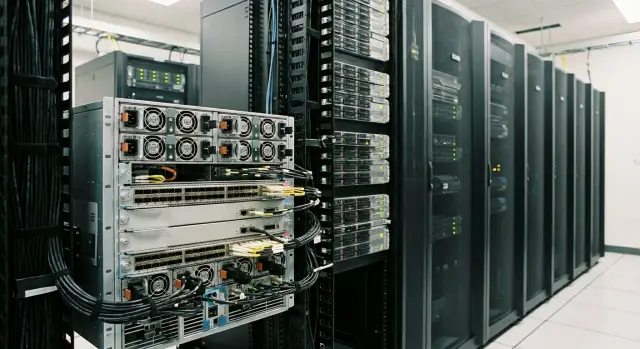
Where the task starts: growth and core stability
A modular core on Cisco Nexus 9500 is a chassis where you choose and later replace modules separately: line cards with ports, supervisor modules, fabric modules, power supplies. Unlike fixed switches, you’re not limited to a fixed set of ports and features. Capacity can be grown as needed without replacing the whole device.
A three-year horizon matters not because everything will be replaced in three years, but because it aligns budget, delivery times, maintenance windows and real risks. A modular core has many configuration options, and an early mistake usually costs more than reasonable headroom. Another factor is NX-OS upgrades and compatibility: what works today should update predictably next year and the year after.
Most core outages are caused not by exotic bugs but by basic issues: power without true A/B feeds, no second supervisor in hot standby, a poor scheme to replace fabric or line cards, change errors (VLAN/VRF, ACL, BGP, MTU, typos in automation), and NX-OS upgrades without a rollback plan.
Before discussing slots and ports, agree on basic decisions. Designing a core on Nexus 9500 typically starts with four questions:
- what capacity is needed now and in 36 months;
- which failures must be invisible to services;
- how you upgrade NX-OS and how fast you can roll back;
- what change process is mandatory.
If a DC grows by adding racks and teams, the "fits today" scenario almost always turns into constant night work and increased error risk. It’s calmer when growth and changes are planned in advance: what we add, when we add it, and how we verify the core remained stable.
Requirements for 3 years: what to gather before design
Before choosing a chassis, line cards and redundancy scheme, gather requirements that can be checked with numbers. This saves time and reduces the risk that the project must be reworked in six months because new input appeared.
First, break down which services will actually live in the data center and how they grow. The important thing is not the system name but the profile: steady traffic or bursts, many small connections or large flows, latency sensitivity, seasonality. Note planned changes separately: version upgrades, VDI, Kubernetes expansion, new sites.
Next, agree on simple target metrics. Availability is usually expressed in percentages, but it’s better to fix allowable downtime in hours per year. RTO — how quickly a service must be restored after an outage. RPO — how much data loss is acceptable in time (for example, 5 minutes or 1 hour). Those two numbers directly affect where seamless upgrades are needed and where a planned window is sufficient.
Then describe connection types and their criticality: server racks, SAN, east-west links, external uplinks and office networks. Separate "how many ports" from "what speeds" (10/25/40/100G), plus optics and distance requirements.
To keep requirements realistic, record constraints: rack space, power and consumption limits, cooling and hot aisles, condition of cabling infrastructure and trays, and the operations team’s composition and experience.
Finally, document assumptions for 3 years: growth rates for ports and bandwidth, timelines for new halls, segmentation principles, and what is considered a "successful change." For example: "server port growth 30% per year, partial storage migration to 100G in year two, maintenance windows only Sundays 02:00–06:00." Decisions are made faster and there are fewer disputes later.
Capacity planning: ports, speeds, headroom
For modular DC switches, capacity is easier to reason about by concrete items rather than peak aggregated traffic: how many connections will appear and what speed they actually need. On a Nexus 9500-class chassis, errors are fixed by hardware and maintenance windows, not by config tweaks.
Start with a list of port consumers for the next 12–18 months and add project forecasts for years 2–3. Typically this includes ToR racks, uplinks, SAN or IP-storage attachments, external routers, firewalls, DCI and service networks.
A useful rule for speeds: use higher line rates where aggregation is heavy. Often it looks like: 10G stays for management and special services, 25G becomes the baseline for servers and ToR in new racks, 40G is legacy, and 100G covers ToR uplinks, inter-switch links and DCI. If unsure whether 100G is needed, ask: "Does this link collect traffic from dozens of hosts or only a couple of devices?"
Headroom should be planned not only for power and supervisors, but for ports and uplinks. In practice it’s common to reserve 20–30% free ports by each speed type and at least one extra uplink per rack or zone for emergency failover. Also reserve aggregate bandwidth on DCI/internet uplinks for growth and migrations.
Account for future projects as separate lines even if timing is loose: new virtualization platform, DR site, GPU cluster, new segment for finance, server move to 25G. This reduces the risk of running out of ports unexpectedly.
A convenient format is a "year 0–1–2–3" table for ports and total bandwidth:
| Parameter | Year 0 | Year 1 | Year 2 | Year 3 |
|---|---|---|---|---|
| ToR uplinks 100G (qty) | 16 | 24 | 32 | 40 |
| 25G ports in core/aggregation (qty) | 48 | 72 | 96 | 120 |
| DCI/inter-site 100G (qty) | 2 | 2 | 4 | 4 |
| Port headroom (%) | 25% | 25% | 20% | 20% |
Example: if year 1 adds six virtualization racks and each needs 2x100G uplinks, that project alone requires 12 ports of 100G plus emergency headroom. This simple calculation often saves budget and schedule.
Nexus 9500 slots and modules: how to avoid mistakes in configuration
In modular cores, the mistake is often not choosing the wrong switch model. It’s the chassis layout: which slots are occupied now, which will be needed in a year, and what happens if one module fails.
On Nexus 9500 think in roles. Line cards provide ports (10/25/40/100G and above). A supervisor handles management and control plane. Fabric modules provide chassis backplane bandwidth and are often the limiting factor for growth even when ports remain. Power supplies and fans are another risk area: late upgrades can be physically difficult.
If planning three years of growth, leave space not only for ports but for increasing chassis throughput. A practical guideline is to keep 1–2 free slots for line cards and understand in advance whether the fabric and power must be upgraded when new 100G/400G connections appear.
The buy-now vs buy-later tradeoff should be decided by risk. Buying later reduces initial budget but adds dependency on lead times, module revision availability and supported combinations. Sometimes a new batch requires a different fabric or NX-OS branch.
Operationally, uniformity pays off: fewer line card types, fewer optic and cable variants, simpler spare parts and fewer surprises when replacing hardware. You don’t need the exact same type everywhere, but avoid a zoo of single units.
Before finalizing the chassis layout check constraints: module compatibility with the chosen NX-OS version, power consumption with margin (especially for N+1 power), thermal dissipation and cooling requirements, oversubscription limits, and the replacement plan — can a module be swapped without a long maintenance window and what happens to traffic.
A simple example: if two 100G line cards are enough today but uplinks double in 18 months, it’s better to provision fabric and power headroom now and buy ports later. That avoids a situation where "there’s physical slot space, but you can’t install the card" due to power or fabric limits.
Redundancy: what to duplicate and common oversights
Redundancy in the DC core exists to survive typical failures: a line card failure, supervisor failure, a power supply failure, a link or an entire switch outage. For modular chassis it’s important to decide in advance which events must be invisible to users and which can tolerate short degradation.
Pairing chassis: active-active or active-passive
Active-active means both chassis carry traffic at the same time. This provides better port utilization and higher resilience on single-device failure but requires a careful connectivity scheme and clear boundary rules (L2/L3, ECMP, vPC, etc.).
Active-passive means the second chassis is mostly insurance: ready to take load if the primary fails. It’s simpler to understand and sometimes easier to operate, but you pay for hardware that is mostly idle.
In either case plan internal redundancy: two supervisors, N+1 power and cooling. This allows safe module replacement, surviving peak conditions and avoiding small maintenance turning into outages.
Also duplicate links. Down to racks and up to external segments plan two independent paths: different ports, different line cards, different edge switches. Ideally separate cable trays and entry points.
Where double single points of failure appear most often
Even a clean logical design is often broken by small infrastructure issues. Check:
- both chassis must not be powered from the same PDU or the same feed breaker;
- cables to different devices should not share a single tray or conduit;
- two uplinks must not converge on the same intermediate switch;
- redundant power supplies must be actually powered from separate PDUs and accounted for in load calculations;
- temporary patch cords must not become the only permanent path.
A useful rule: draw failure scenarios for environment elements (PDU, tray, rack, ToR) rather than a single device and check if a working path remains. Do this with operations and the integrator to avoid hidden common dependencies on the diagram.
NX-OS upgrade schemes: how to plan without surprises
NX-OS upgrades vary by risk and purpose. Planned releases fix bugs and add features. Urgent security patches take precedence and can disrupt schedules. Some upgrades are hardware-bound: certain line cards or supervisors require specific NX-OS branches or separate microcode (EPLD) steps.
Choose a strategy based on what costs more: infrequent large jumps or frequent small steps. Big jumps reduce approval overhead but increase surprise risk. Frequent updates are easier to test and roll back but demand discipline and regular windows.
Before an upgrade, perform standard preparation: verify NX-OS compatibility with the chassis, supervisors and all line cards (including planned ones), read the release notes, capture the running configuration and state, prepare a clear rollback path and a short post-upgrade verification checklist.
To minimize downtime, use a phased approach: upgrade nodes in pairs and validate services after each reboot. If the core was built with redundancy (for example, two switches in a pair), you can shift traffic to the peer, upgrade one node, return load and repeat on the second. Know in advance which functions are sensitive to reboot (routing, vPC, LACP and other DC protocols).
Plan the upgrade window as a mini-project. Agree who will participate (network, systems, applications, security), how much time is realistically needed with contingency, and what success looks like: versions updated, traffic restored, no errors, critical services healthy.
Controlling change risks: process, not heroics
Most DC core outages are not due to "bad hardware" but to emotionally driven changes without a clear plan. For Nexus 9500 this is critical: modules, multiple control planes and NX-OS dependencies. Good design includes not just topology but change discipline.
Keep a short template for every change so the team doesn’t reinvent the process. It should be understandable by both engineers and approvers:
- what and why: specific command/version/parameter, expected result and success criteria;
- risk assessment: which service may be affected and where the "thin places" are;
- rollback plan: steps to restore the network and the point of no return;
- minimum checks before and after: convergence, routing tables, critical VLAN/VRF reachability, control pings and traffic checks;
- roles and communications: who executes, who observes, who decides to stop.
If there’s no full test lab, use a pilot: apply the change on a low-risk domain or pair of devices first, document results and only then expand.
Access control is another topic. Fewer people with the ability to "press the button" means fewer accidental changes. Enforce least privilege, use separate accounts, audit actions and prepare emergency access with clear rules.
Operations and observability: so growth doesn’t become an outage
Growth rarely breaks the network immediately. Problems accumulate: a module running hot, an optic developing errors, power approaching limits. The next expansion simply triggers an incident. So plan not only slots and ports but operational readiness.
Daily monitoring should focus on what directly affects availability: interface utilization (and sustained peaks), errors and drops, chassis and module temperatures, fan and power supply status. Keep a basic picture of which interfaces are always busy and which became "hot" after a migration or new service.
Early signs are boring but lifesaving: rising CRC/input errors, micro-loss without obvious congestion, increased module temperature or fan speeds, flapping links, power warnings (overload, lost feed).
Alert thresholds should be conservative and infrequent, otherwise alerts are ignored. For example, separate alerts for sustained utilization above 70–80% (not a one-minute spike), for any growing error trends, and for temperature/power deviations. Review thresholds quarterly after changes and growth.
Regular checks keep the network healthy: weekly — a short review of errors and hot ports; monthly — chassis health (temperatures, fans, PSUs, logs); before major change — a snapshot of versions, module states and free resources.
Maintain a "core passport": NX-OS versions, installed modules and serial numbers, power and cabling diagrams, maintenance dates, noted risks and mitigations. When you need to add a line card or replace optics in 18 months, this passport saves hours.
Example scenario: a core for a growing DC without unnecessary complexity
Inputs: two halls in one DC, 24/7 critical services (virtualization, databases, VDI and several government services). Server fleet grows 30% per year, east-west traffic increases and change predictability is required. The goal: design a core that won’t require an architecture overhaul in three years.
Procurement plan for 3 years: what to buy now and what as options
Plan two Nexus 9500 chassis (one per hall) and size capacity to target year 3 plus headroom. Initially don’t populate all line card slots: leave room for growth and for replacing cards when migrating to higher speeds.
A typical plan:
- Year 0: two chassis, supervisor redundancy, a baseline set of line cards for current 10/25G and uplinks.
- Year 1: buy additional line cards for new racks, expand inter-hall uplinks.
- Year 2: migrate some attachments to 100G (or higher) and add ports for new services.
- Year 3: replace 1–2 line cards with denser/higher-speed ones without changing the chassis.
How redundancy looks in a real scheme
Two chassis operate as the core, and each critical node connects "crosswise": one link to each hall. Between halls use two independent cable paths (different trays and entry points). Power has two feeds and PDUs are separated. This reduces single points of failure not only in hardware but in infrastructure.
For NX-OS the upgrade calendar is often simple: a major upgrade once a year in a pre-agreed window; security patches more often (for example, quarterly) after testing in a lab and with a clear rollback plan.
Documented risks and mitigations: keep a list of interchangeable modules and lead times; pre-agree 2–3 maintenance window options; use change templates, peer review and checklists to reduce human error; regularly reconcile NX-OS, module and optics compatibility matrices; keep port and power buffers for unexpected growth.
Quick checklist before procurement and changes
Before procurement or any core change run through a short list. It catches common issues early when fixes are cheap.
Quick check (10–15 minutes)
- Capacity for the next 12–18 months: does the ports/uplink forecast match real team requests and is there clear headroom?
- Hardware and layout: are free slots available for growth and card replacement, are power supplies sufficient for N+1, does consumption fit rack and PDU limits?
- Fault tolerance without shared single points: are power feeds separated (different PDUs/breakers), are cabling routes separated (different trays/racks), is there no hidden common point such as a single patch field?
- Upgrade and rollback plan: is the window agreed, are responsible people identified, are success criteria and rollback steps defined?
- Documentation and facts: does the schematic match reality, are configs up to date, is there an inventory of modules, SFP/QSFP, NX-OS versions and a list of dependencies (vPC pairs, BGP/OSPF neighbors, attached fabrics, L2 gateways)?
In short: a Nexus 9500 core more often fails because of surrounding details — power, cable routes, slot headroom and change discipline — rather than the chassis choice.
A small example: planning to add 8 new 100G uplinks "next quarter." The checklist reveals ports exist but there’s no power headroom: with one PSU down the chassis exceeds safe operation. Fix that before buying optics and doing rack work.
Next steps: turning the plan into a working core
Start by formalizing inputs. Keep a single file that’s easy to review: a three-year growth table and a simple diagram of current and target cores.
The table usually needs 10–15 lines: connection types (servers, ToR, edge, SAN), current speeds and port counts, quarterly forecasts and a column for headroom. On the diagram mark which chassis and lines are critical now and where expansion points are (free slots, rack space, power, optics).
Then run a risk review before purchases and migrations: power (two independent feeds, actual load, PDU headroom), cabling and optics (separation, lengths, module types), single points of failure (OOB management, NTP/DNS/AAA, log collection), and processes (who approves changes, who rolls back, who is on call at night).
Also agree an NX-OS policy: update frequency, allowed windows, success criteria and the rollback decision threshold.
Make the expansion plan phased: what is bought and when, what pre-checks run before activation (lab or pilot, config review, failure test), and which metrics are monitored for the first 48 hours.
If resources for survey, design, deployment and support are limited, engage an integrator with a clear change process. In Kazakhstan these tasks are handled by GSE.kz (gse.kz): from design and system integration to 24/7 technical support and service network.
Frequently asked questions
Where should I start when designing a data center core with Nexus 9500?
First, calculate the connection types, required speeds, and projected growth over 36 months. Separately list ToR, storage, DCI, external links, and service networks, then add 20-30% spare ports for each speed tier.
How do I calculate core capacity for three years?
Count not only current ports, but also projects expected over the next 2-3 years. For each year, document the number of 10/25/100G ports, total bandwidth, and capacity reserved for migrations or emergency recabling.
What port speeds should I plan for in the core?
Typically, 10G is kept for individual services and management, 25G is used for new servers and ToR, while 100G is allocated to aggregation links, inter-switch connections, and DCI. Choose the speed based on actual load and the number of devices behind the link.
How many spare slots should I leave in the chassis?
Do not populate every slot with line cards at once. Leave 1-2 slots for growth and verify in advance that the fabric, power, and cooling can support future cards with higher port density.
What needs to be redundant in Nexus 9500?
The minimum practical setup includes two supervisors, N+1 power and cooling, and two independent paths to critical devices. The paths should use different cards, ports, switches, and, where possible, cable routes.
Where do hidden single points of failure most often remain?
Check not only the chassis itself, but also PDUs, incoming circuit breakers, cable trays, patch panels, and intermediate switches. Two links do not provide redundancy if they depend on the same power source or follow the same route.
How can I upgrade NX-OS safely?
Before upgrading, check version compatibility with the chassis, supervisor, and all line cards. Save the configuration and current state, prepare a rollback plan, then upgrade nodes one at a time while moving traffic to the neighboring node.
How often should NX-OS be updated?
Schedule separate regular maintenance windows for security fixes and less frequent windows for major version upgrades. For each update, agree in advance on validation, adequate time buffers, responsible people, and the condition that triggers a rollback.
What should be included in a network change plan?
For every change, document the objective, exact commands or parameters, service risk, rollback steps, and checks before and after the work. Assign an implementer, an observer, and a person authorized to stop the work.
Which metrics should be monitored in the data center core?
Monitor sustained port utilization, rising CRC and input errors, drops, module temperatures, fans, and power. Maintain an up-to-date core inventory with NX-OS versions, modules, serial numbers, connection diagrams, and work results.
