6 min read
Dell VxRail E/P Series for a Virtualization Cluster: Choosing Nodes
Dell VxRail E/P Series for a virtualization cluster: how to choose nodes for mixed workloads, which metrics to collect in the first 30 days and how to plan growth.
Where to start: what a “standard” cluster means in practice
A “standard” virtualization cluster is not a specific node model but a set of expectations. It should survive a single node failure, consistently handle day-to-day loads, and have a clear growth buffer for 1–2 years.
In practice for Dell VxRail E/P Series this usually means 3–6 nodes with resource headroom (N+1) and no bottlenecks in network or storage.
Planning usually breaks on two things. First, performance is calculated by the “average”, while users feel spikes. Second, growth is assumed linear while the business adds services in bursts. As a result, a cluster may appear 40–50% utilized but at certain hours hit CPU Ready, memory shortages or storage latency.
Mixed workloads almost always bring surprises. VDI and terminal servers create short CPU bursts. Databases and mail need steady memory and low disk latency. Backups and updates create heavy write activity. If all of this shares the same cluster, decide in advance what matters most in peaks: response time, VM density or predictability.
Before choosing nodes, ask the business a few questions:
- Which services are critical and what downtime is acceptable (minutes, hours)?
- When do peaks occur and what causes them (shifts, reports, class hours)?
- How many users and how will seats or services change over a year?
- Which applications are “heavy” and is there seasonality?
- Are there windows for backups, updates and batch jobs?
Some data usually already exists. The key is to collect it in one place and clarify details: VM list (vCPU/RAM, actual utilization, importance), user counts and working hours, project plan for 6–12 months, incident history (when it slows and why), and storage peaks (latency, IOPS, write share).
A simple example: if VDI runs during the day and backups/updates at night, averages may look fine, but nightly writes consume the buffer. The starting point is not “how many nodes to buy” but which peaks and what growth you want to survive safely.
Workload map: describe a mixed profile in simple terms
To choose Dell VxRail E/P Series nodes, first describe the workload so it’s understandable without formulas: who uses the systems, what they do, and when it’s heaviest.
Divide VMs into groups by behavior and criticality. For example: VDI (many similar sessions and sharp morning spikes), databases (steady load and latency-sensitive), file services (moderate CPU but read/write spikes), business apps (step-like load during office hours), test/dev (unpredictable but often throttleable).
For each group, record two decisions: criticality and acceptable downtime (e.g., “0 minutes”, “up to 1 hour”, “can run at night”). This clarifies what needs higher-performance configs and where more economical profiles are acceptable.
Mark peaks, not averages. Peaks often come from month-end reports, nightly backups, mass updates, or antivirus scans. If peaks coincide, that matters more than any average chart.
Also define a simple failure scenario: what must keep running if one node is lost. Example: “If one node fails, VDI may slow, but databases and key apps must remain available.” That immediately sets required CPU/RAM headroom and prevents choosing too dense a VM placement.
Choosing E vs P nodes: what CPU, RAM, disks and network really affect
The choice between node configurations comes down not to which series is “better” but where your bottlenecks are: app responsiveness, VM density, storage, or network.
Practical selection logic
CPU: frequency or cores. For quick response (VDI, 1C, terminal farms, apps with 1–2 heavy threads) frequency often matters more. For many parallel VMs and background tasks (web, microservices, batch) more cores help. Also check licensing: some products price per core, and more cores can raise TCO beyond the performance gain.
RAM: shortage or cache. High memory usage is not always a deficit: the hypervisor and guest OSes cache data. Alarming signs are compression, ballooning and especially swapping, with rising VM response times. Practical approach: look at active memory and swap, then conclude “RAM is insufficient.”
Storage: capacity, IOPS and latency. In mixed workloads terabytes are not the only factor. The decisive metrics are latency, write share and peak behavior. VDI and databases are sensitive to latency; file services often hit capacity. NVMe gives better response but is more expensive per TB; higher-capacity SSDs suit less latency-sensitive data.
Network: speed and traffic contention. If you plan active migrations, heavy backups and dense storage traffic, 25G often becomes the baseline. At minimum, logically separate VM, storage and backup flows so a noisy process doesn’t saturate everything.
Leaving room for growth
To avoid a fragile cluster right after launch, allow 20–30% free CPU/RAM for peaks and growth, headroom for latency and IOPS, capacity considering snapshots and backups, and N+1 node redundancy.
Example: if a VDI pilot is “on the edge” in mornings, it’s often a frequency issue or storage write problem during logins. That should guide the choice between node profiles.
Step-by-step sizing: a simple ordering before procurement
Sizing for Dell VxRail E/P Series should start from real VMs and their peaks. The goal is a cluster that survives a work week, updates and one node failure without panic.
Inventory first: how many VMs and services, allocated vCPU/RAM, disk types and growth, what’s critical (AD, accounting), what can degrade (test stands). If VDI exists, separate it.
Decide on resilience. The common option is N+1: the cluster must survive the loss of one node without overload. This sets the minimal cluster size and the portion of resources that cannot be allocated to normal workload.
Calculation order:
- Convert inventory into consumption: average and peak CPU/RAM, plus reserve and growth.
- Verify N+1 at peak: load must fit on remaining nodes.
- Evaluate I/O: check not only IOPS but latency, write share, noisy VMs and backup windows.
- Check network: per-node throughput, uplinks, separated networks for storage/management/VMs and backup impact.
- Compare 1–2 node profiles (for example “memory-optimized” and “storage-optimized”) in TCO: how many nodes now and how many will you add in 6–12 months.
Example: 80 server VMs and 60 VDI. If VDI causes a morning CPU peak and servers create steady disk write, nodes with extra RAM and faster storage usually pay off more than planning to “add a couple of nodes later.” For validation, an integrator (for example the GSE.kz team) often helps confirm resilience, network and growth calculations so procurement doesn’t fail after delivery.
Metrics to collect in the first 30 days: the minimal set
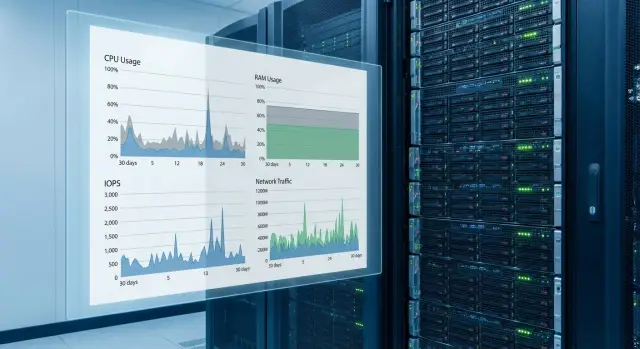
The first 30 days are about understanding the real profile, not chasing perfect numbers. Live workloads reveal micro-peaks, host imbalance and unexpected write growth.
Collect metrics that answer two questions: where is the bottleneck and when does it repeat.
- CPU: average utilization and 95th percentile, CPU Ready Time, host skew.
- Memory: consumption trend, ballooning/swap, signs of memory pressure.
- Storage: IOPS, latency split by read/write, throughput, fill and growth rate.
- Network: port utilization, packet loss, micro-peaks, interface queues/drops.
- Stability: VM restarts, frequent DRS/vMotion due to contention, alerts and disk/network errors.
Practical example: mass VDI login at 9:00. Daily average CPU looks fine, but the 95th percentile and Ready reveal CPU saturation at 9:05–9:20 and rising write latency. The issue is short spikes, not the average.
To make data useful: set simple rules—establish a baseline over 7 days and compare weeks, store peaks separately, log changes (patches, new VMs, service moves), tie alerts to time/events, and produce a short weekly note: what worsened, what improved and what grows fastest.
How to collect metrics without overloading the team
The main early mistake is collecting everything. Better to agree on a simple regimen: which metrics drive capacity decisions, who looks at them and how often.
Assign data owners: infrastructure owns cluster indicators and trends, app owners confirm load windows and explain spikes (releases, maintenance), security flags scans and policy changes that create unusual background noise.
Reports should show a “typical day” and “peaks.” Keep daily summaries and separate slices by period (week, month, month-end), by cluster, host, resource pool and critical VM list. This quickly shows whether a problem is cluster-wide or localized to 2–3 machines.
Mark days that distort the picture in the calendar: backups, patches, mass VDI logins, period close, migrations, data imports. Tag these events in reports.
Always record software versions, node configuration and any changes (new VMs, storage policies, encryption, firmware). Without that, comparing metrics across weeks is meaningless.
How to read metrics: what’s alarming and what’s normal
Metrics only make sense in context: what load was running and what a typical day looks like. Look at persistent tails (e.g., 95th percentile weekly) rather than single spikes.
CPU: when it “looks enough” but users complain
CPU shortages often show as wait, not 100% utilization. Be concerned when CPU Ready rises and stays high during working hours, when Co-Stop increases for multi-vCPU VMs, when complaints coincide with Ready spikes, and when performance improves after vMotion or throttling (which indicates CPU contention).
Normal: short Ready spikes during morning logins, backups or batch jobs if they pass quickly and don’t repeat daily.
Memory: ballooning and swap are visible externally
If ballooning or swap starts, response times jump even with normal CPU. Small ballooning moments are acceptable. Be alarmed if swapping runs for hours or recurs daily.
Before adding RAM, check settings and processes: reservations, simultaneous backup/scans across many VMs, mass updates in one window, VDI profile settings and antivirus exclusions.
Storage: latency reveals the bottleneck, not IOPS
An alarming sign is rising latency at moderate IOPS (especially writes) that matches complaints. A one-off peak due to migration or backup is acceptable. Persistent evening-after-evening growth is a trend.
To separate incidents from trends, pick 2–3 reference days and compare identical hours and activities. Look at percentiles not averages. If tails grow week-to-week, turn expansion planning into concrete nodes and timelines.
Example scenario: one cluster for VDI and server VMs
Imagine a cluster where 60% load is VDI, 30% application servers, 10% databases. VDI peaks during the day (morning logins), while background tasks grow in the evening/night: backups, antivirus, batch exports and reports.
The problem is often not “everything overloads at once” but overlapping peaks across different resources. VDI creates many small writes (profiles, temp files); backups also write at night. Storage receives double load, and users see slow logins even though CPU isn’t maxed.
How to tell whether RAM, CPU or storage matters? If morning Ready Time rises and CPU frequency is maxed, compute is lacking. If CPU looks fine but disk latencies rise and responsiveness drops, storage is the bottleneck. If active swapping starts, treat memory first: swap quickly turns even fast disks into bottlenecks.
Resilience is typically N+1. To avoid overpaying for idle capacity, separate mandatory load (must always run) from temporary load (can be moved to night or deprioritized).
Before final spec ask the vendor:
- What target disk latency fits my profile (VDI + servers + backups) and how is it validated?
- What CPU and RAM headroom is included for N+1 and 12-month growth?
- Which resource will be the first limiter in my configuration: CPU, memory, network or disks?
- What is the minimal expansion step (nodes, disks, licenses) and how will performance change after adding them?
- Which settings (storage policies, dedupe, compression) affect real capacity and speed in my scenario?
Expansion planning: when to add nodes and how to avoid mistakes
Expansion is easier if you define thresholds in advance. Waiting for user complaints means firefighting and extra cost.
Practical guidelines (with N+1 and peaks accounted): average CPU above 60–65% during business hours or repeated peaks to 90%+, free RAM under 20–25%, storage free less than 25–30% or growing disk latency, network consistently at 70–80% of port capacity or rising packet loss. Also factor growth drivers: new projects, seasonality, VDI campaigns, backup volume increase.
Make a 12–24 month calendar: VM and data growth by quarter, target safety margins (e.g., 20% CPU/RAM and 30% storage), procurement lead times and pre-agreed budget. If delivery takes 8–12 weeks, decide 2–3 months before resource shortage.
Before adding nodes check version and generation compatibility, licenses (per-CPU/core, vSAN, VDI, backup, monitoring), network (ports, speed, MTU, uplink, VLAN), rack and power, and resource balance (compute vs storage, CPU vs RAM).
After adding nodes, schedule rebalance and allow time for data leveling. A common mistake is adding nodes while keeping aggressive storage policies, so reconstruction consumes IOPS for a day.
Add nodes when bottlenecks are distributed and you need general capacity and resilience. Change node profiles (more RAM or faster disks) when one resource is chronically saturated while others are idle. If you are in Kazakhstan and procurement follows tight timelines, discuss delivery, rack requirements and commissioning plan with your integrator so expansion goes smoothly.
Typical mistakes in node selection and early operations
The issue is rarely the node model; it’s using the cluster as a “shared shelf” without rules. Mixed workloads can coexist if you agree in advance what may create peaks and when.
Frequent mistakes: scheduling VDI, databases and nightly backups in the same window; looking only at averages and ignoring percentiles; equating high IOPS with good performance and not watching latency; not provisioning N+1 and maintenance buffer; ignoring the network and backup flow paths.
Useful rules for the first months:
- Separate windows: VDI peaks, heavy reports, backups, replications.
- Look at 95/99 percentiles for CPU, memory and latency, not just averages.
- Verify N+1 for both resources and capacity.
- Record network parameters and real throughput.
- Test recovery and backup impact on production.
If an integrator leads the project, ask them to document operating rules and expansion criteria as a short regimen. That saves weeks of debate after launch.
Checklist: what should be ready in 30 days
In the first month produce a baseline and the decision rules you will use going forward.
Typical artifacts to present to management and ops:
- List of workloads and a monthly peak calendar.
- Agreed resilience level and minimum cluster size.
- 30-day report on key metrics: CPU/RAM (utilization and peaks), storage latency and fill, network peaks and errors.
- Expansion triggers and a budget for the next step.
- Responsible owners and a metric review schedule.
Also define 2–3 triggers that don’t need long discussion: sustained storage fill growth, recurring latency during business hours, or RAM shortages causing frequent swapping.
If deployment and support go through an integrator, agree on report format and who decides on expansion. With GSE.kz this is usually a short regimen to speed decisions when metrics hit thresholds.
Next steps: lock the result and simplify scaling
After 30 days you have the key thing — numbers that show reality. Now turn observations into clear growth rules.
Summarize business requirements and metrics in a 1–2 page document: peak CPU/RAM, real VM density per node, latency and network throughput targets during maxima. This document is easy to update and reuse for the next procurement.
Create two growth plans: conservative (steady load growth) and accelerated (new services or VDI growth). Both must answer: what buffer is normal and at which thresholds do you add nodes.
If sizing is disputed, an independent integrator check helps. If delivery timelines, localization or local support matter, consider infrastructure based on GSE S200 Series servers and 24/7 support from GSE.kz.
Frequently asked questions
Where is the right place to start sizing a Dell VxRail E/P Series cluster?
Start not from the number of nodes, but from peaks and acceptable downtime. Gather VM inventory, mark critical services and heavy-job windows, then verify how the environment behaves if one node fails (N+1) and what growth is expected for 12–24 months.
What does N+1 practically mean for a “standard” virtualization cluster?
The common approach is N+1: if one node fails, the remaining nodes must sustain peak load without stopping critical services. This means some CPU/RAM and storage capacity cannot be allocated to regular VMs, otherwise the cluster becomes fragile in the first month.
Why do calculations based on the “average” often fail in real operations?
Averages smooth out short spikes — and users feel spikes. A cluster may show 40–50% average utilization but still hit CPU Ready, memory swapping or disk latency for 15–30 minute intervals caused by VDI logins, reports, backups or updates.
How to decide between CPU frequency and core count when choosing E vs P nodes?
Choose according to the bottleneck, not the series. For fast response in short bursts, higher CPU frequency usually helps; for high VM density and many parallel workloads, more cores are better. Also check licensing, since more cores can significantly raise TCO.
When is “not enough RAM” real, and when is it just caching?
High memory usage alone is not a problem — caching is normal. Alarming signs are repeated ballooning and especially swapping, when application response time increases despite normal CPU. Investigate causes (reservations, simultaneous backups/scans, VDI settings) before adding RAM.
Which storage metric matters most for VDI and databases in a shared cluster?
In mixed workloads, latency (read/write) is more important than IOPS alone. If latency rises at moderate IOPS and users complain, the bottleneck is storage or noisy tasks (backups, VDI). Capacity matters too, but slow response is solved by configuration and workload separation.
When does a VxRail cluster really need 25G networking?
When you expect active migrations, heavy storage traffic and parallel backups, 25G often becomes the baseline so network doesn't become the limiter. At minimum, separate traffic logically so one noisy process doesn't saturate the whole pipe.
Which metrics should definitely be captured in the first 30 days after cluster launch?
Collect metrics that answer two questions: where is the bottleneck and when does it recur. Minimum practical set: 95th percentile CPU utilization, CPU Ready, memory pressure signs (swap/ballooning), read/write latency, storage fill and growth, and network port utilization with losses and queueing. Record configuration changes to explain metric shifts.
How to tell when to add nodes rather than “hold off”?
Plan expansion when you have thresholds, not when users complain. Common triggers: regular business-hour CPU/Ready peaks, free RAM falling to levels that cause swap, recurring storage latency at the same hours, or accelerating capacity growth. Factor in delivery lead times so you act 2–3 months before shortage.
What are typical mistakes with mixed workloads and how can an integrator help?
Problems usually stem from missing operational rules: VDI, databases and backups end up competing in the same window. Agree in advance which workloads have priority and document operating modes and expansion thresholds. An integrator can validate sizing, network and growth plans and help with localization or local support requirements.
