8 min read
Dell Unity XT for Mixed Workloads: a Decision Matrix
Dell Unity XT for mixed workloads: when it’s preferable to all-flash, how to calculate growth (capacity, IOPS, network) and how to set up simple replication.
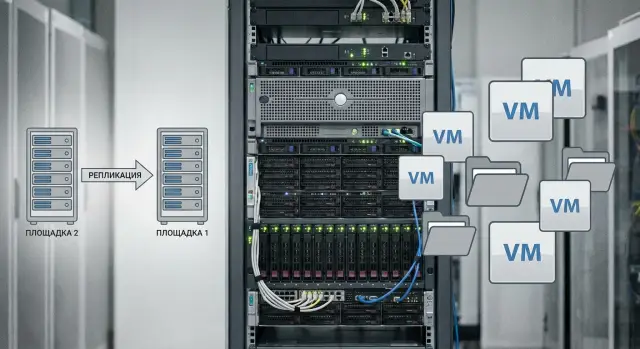
Mixed workloads without extra theory: what's the problem
A mixed workload is when a single storage array hosts two different types of tasks at once: virtual machines (usually block access via iSCSI/FC) and file resources (SMB/NFS shares for users, departments, applications). In practice it looks like this: on the same array running accounting VMs and databases there’s a shared file archive, user profiles, documents, scans and “temporary” folders that suddenly become permanent.
The problem isn’t that you can’t do this. The problem is that these workloads behave differently and interfere with each other.
VMs tend to generate many small operations with predictable peaks (mornings, period closings, backups). File workloads are “noisy”: spikes and lots of metadata (search, opening folders, permissions, antivirus checks), plus large sequential copies. As a result, planning becomes more complex than for a “pure” block store, where you can more calmly estimate IOPS, latency and capacity growth.
Usually three approaches are considered:
- All-flash: easier to absorb chaotic peaks, but more expensive per TB and sometimes overkill for “cold” files.
- Hybrid: can balance cost and speed, but it’s critical to place data and set expectations correctly.
- Role separation: separate storage for VMs and separate for files. Easier to manage risk, but requires more hardware and support touchpoints.
Below is a practical decision matrix for Dell Unity XT in a mixed environment, a minimal set of calculations (capacity, performance, network) and a basic approach to replication without complex schemes.
What workloads actually coexist in one infrastructure
In real infrastructures it’s rare to have “only VMs” or “only files.” More often it’s a mix: virtual servers run applications and databases, and alongside them live shared folders, user profiles and archives. Because of this it’s easy to misjudge requirements: VMs typically suffer from latency, files from throughput and predictability during large copies.
A typical virtualization mix includes: service VMs (AD, DNS, mail, monitoring), application servers, databases, 1C, terminal farms and sometimes VDI. All this produces many small read/write operations sensitive to latency. Even if the “average load” looks modest, short write peaks can noticeably degrade overall responsiveness.
The file side usually consists of departmental shares, home directories and user profiles, plus document archives, scans, media and project data. Requests here are often larger and sustained throughput matters for long tasks (copying, unpacking, exports). Sometimes the file service becomes the main consumer of space while being nearly invisible by IOPS.
Seasonality and bursts are a separate topic and are rarely accounted for in initial estimates. These are month-end closings and reports, mass updates, backups, antivirus rescans, and data moves between folders. From the array’s perspective these events may look like write storms or long sequential operations and affect VMs and files differently.
To avoid treating symptoms later with configuration tricks, it’s useful to split requirements in advance:
- for VMs: acceptable latency and behavior during write peaks;
- for files: required throughput and number of concurrent users/threads;
- for both: how often peaks occur and how long they last;
- separately: backup windows and background tasks (scans, indexing).
If you describe workloads this way, it’s easier to see where Unity XT can cover both scenarios and where you’ll need to prioritize or separate services into different pools.
Practical decision matrix: 4 questions that decide everything
When considering Dell Unity XT for mixed loads, it’s better to answer four questions than argue about “better/worse.” They quickly show which class of solution fits: hybrid Unity XT, all-flash Unity XT, or a split scheme (fast block for VMs and separate file storage).
Question 1: how critical is latency for VMs?
If latency is not critical (office services, non-critical databases), Unity XT in a hybrid configuration often covers the need without overspending.
If latency is critical (heavy DBs, VDI, many transactions), you will almost always lean toward all-flash, because average throughput doesn’t save you when stable low latency during peaks matters.
Questions 2–4: share of files, growth and RPO/RTO requirements
Together these three items answer whether you can live on a single platform and how strictly you must discipline replication.
- File share proportion: small, noticeable, dominant.
- Data growth: slow, medium, fast.
- RPO/RTO: tolerable, important, strict.
If files dominate and grow quickly, the block side for VMs begins to compete for resources (cache, disks, network), and a “universal” array turns into a compromise. If RPO/RTO are strict, compromises shrink further: you need predictable performance, a clear replication scheme and spare bandwidth.
From the answers you can get 2–3 solution classes:
| VM latency | Files | Growth | RPO/RTO | Typical choice |
|---|---|---|---|---|
| low–medium | small–noticeable | slow–medium | tolerable–important | Unity XT hybrid (one platform for VMs + files) |
| medium–high | small | any | important–strict | Unity XT all-flash + careful replication |
| high | noticeable–dominant | medium–fast | important–strict | Split: fast block for VMs + separate file platform |
Example: 120 VMs for an office and 60 TB file archive. If VMs are “average,” files grow 2–3 TB/month, and 2–4 hours of downtime is acceptable, a single hybrid Unity XT often wins. If archive growth is much faster and losing even half an hour of data is unacceptable, consider all-flash or role separation.
When Unity XT is better than all-flash, and when it isn’t
Unity XT for mixed workloads often wins where VMs and file shares coexist and the workload profile changes over the day. If you have lots of files (shared folders, scans, media, archives) and peaks are irregular, paying for all-flash for capacity you rarely use is often unnecessary. Most of the time disks will be underutilized and the main pain will be data management and growth.
All-flash makes sense where the load is consistently heavy and “nervous”: lots of random I/O, high latency demands, and VMs constantly competing for IOPS. Typical cases are dense virtualization with many busy servers, VDI or databases that don’t tolerate pauses.
If the mixed environment constantly fights with itself, a good compromise is to split tiers: a fast resource for VMs and a separate capacity-focused tier for files and archive. This way it’s easier to justify budgets and maintain predictable performance: critical workloads get speed, “heavy folders” get capacity.
Quick signs that all-flash could be overpaying:
- you’re limited by network (1/10GbE) or hypervisor CPU rather than disks;
- most VMs are low-load (mail, AD, 1C-test, file services);
- most data is files and archives, not active transactions;
- peaks are rare and short — cheaper to endure than to pay for 100% all-flash.
Signs hybrid might not fit: constant IOPS peaks, latency-sensitive DBs, and high simultaneous activity across many VMs where disks become a shared bottleneck.
What to calculate first: capacity, IOPS and network
To avoid Dell Unity XT for mixed workloads being too small or overpaid, start with three numbers: usable capacity, required latency for your I/O mix, and network throughput. Everything else clarifies the picture.
Capacity: raw vs usable
Capacity mistakes usually come from confusing raw and usable. Usable capacity is always smaller: part goes to RAID, overhead, snapshots and growth reserve.
If you keep snapshots every 15 minutes for a week, actual consumption depends on change rate, not volume. For file shares this is especially critical: many small edits and renames can eat space faster than expected.
Performance: not “IOPS in a vacuum”
Evaluate performance based on your mix: read/write ratio, typical block size and target latency. VMs often produce 4K–16K random I/O, while files add large sequential flows and metadata operations. Therefore, not only peak IOPS matter but how well latency holds during business hours.
Network: the often-forgotten bottleneck
Network is the third mandatory calculation. Even if disks cope, you can hit limits on 1/10/25GbE, multipath setup and traffic separation. SMB/NFS also shape the profile: file protocols load the network and controller cache, especially with many clients.
Minimal matrix for primary assessment:
- Usable capacity for 12–24 months: data + snapshots + 20–30% growth buffer.
- I/O profile: average and peak IOPS, read/write, block size, target latency.
- Network: total VM + file traffic, chosen 10/25GbE, separate channel for replication.
- Protection windows: when backups run, snapshot frequency, needed RPO.
Example: 60 VMs produce 8–10k IOPS on average, and a 40 TB file archive changes only 2% per day. Then snapshot capacity should be estimated from change rate, and plan at least 10GbE for the network, otherwise replication and user access will interfere. If an integrator handles the deployment (for example, in the public sector or finance), ask them to show calculations specifically for these three blocks, not just a “recommended catalog model.”
Step-by-step: how to estimate growth without complex models
To estimate growth for Dell Unity XT in a mixed environment you don’t need perfect formulas. You need consistent accounting rules and a clear horizon.
First gather basic figures from the hypervisor and storage monitoring: current used space, monthly growth, IOPS peaks and average latency in business hours. This is more useful than one-off tests because it shows real behavior.
Then analyze the file portion separately. It’s important to know not only TB size but structure: many small files (higher metadata load), noisy folders (scans, 1C exchange, profiles), and when read/write peaks occur (morning, month end, backup windows).
A simple calculation that usually yields an accurate plan:
- Record current usage: separate VM datastores and file shares.
- Take average growth for 3–6 months and multiply by the chosen horizon (often 36–60 months).
- Add 20–30% buffer for unforeseen projects and data moves.
- Count snapshots and replication as separate consumers: e.g., 7 daily snapshots plus one replica copy can add 10–40% capacity depending on change rate.
- Check network and ports: will bandwidth be sufficient for concurrent VM, SMB/NFS and replication activity?
Small example: VMs occupy 40 TB and grow 1.2 TB/month, files occupy 60 TB and grow 2 TB/month. Over 3 years that’s +115 TB combined. After buffer and snapshots you may easily arrive at a requirement of 200+ TB raw capacity. Better to see this before purchase than after a year.
File-specific nuances that break calculations
File calculations often fail because people count only gigabytes and forget that file shares stress not only disks but metadata (directories, permissions, attributes). So capacity might look fine while users complain about slow folder listings.
Many small files and metadata
If you have tens of thousands of small documents, drawings or mail archives, the real load is constant metadata operations. Even “opening a folder” turns into a series of metadata accesses, and sizing by data volume alone becomes misleading.
Short rule: the smaller the average file size, the more operations per TB. So when collecting baseline data, record not only total volume but profile: “mostly small files” or “mostly large files.”
Antivirus and indexing create spikes
Antivirus, indexers and DLP often create sharp read spikes, especially after signature updates or on a schedule. This looks like “normally everything is fine, but twice a day it’s all stuck.” To avoid miscalculation, agree in advance:
- when full scans and indexing run (night or business hours);
- whether they scan entire shares or only changed files;
- whether there are exclusions for archives and cold folders.
Home directories and profiles: latency matters
Home directories, profiles and shared department folders are sensitive to latency. Here predictability matters more than peak throughput: saving a file shouldn’t take 10 seconds once an hour. That’s what breaks optimistic estimates based on averages.
Data classes and simple rules
Mixing hot (active), warm (infrequent access) and cold (archive) data in one share is convenient but bad for planning. It’s organizationally easier to separate data by purpose and rules: quotas for home directories and projects, separate shares for “projects,” “common documents,” “archive,” and clear retention rules.
This makes it faster to see what actually grows, where peaks arise and what portion of load comes from files rather than virtualization.
Simple replication scheme: what you really need to start
Replication is not a checkbox. Usually the goal is one of three: quickly bring services up at a DR site after a failure, survive a full primary site outage, or perform maintenance with a current copy available.
For Unity XT a logical starting point is one array at site A and one at site B. The fewer special cases in the first version, the higher the chance the scheme will actually be used.
Minimal working scheme
First decide what to replicate. In most cases it’s enough to replicate only business-critical data: main VM datastores and 1–2 key file shares (e.g., “Sales documents” and “Accounting”). Archives, media libraries and “junk” often clog the channel and worsen RPO, while their recovery can tolerate hours or days.
To make the start predictable, set simple rules:
- Assign a target RPO per dataset (for example, 15 minutes for VMs, 1 hour for files).
- Agree what matters more: speed of recovery (RTO) or channel savings.
- Assign an owner who decides on failover.
- Document dependencies: which VMs must start first (AD, DNS, file services).
Keep replication traffic separate: a VLAN or dedicated channel, plus bandwidth limits so daytime replication doesn’t degrade user services. Scheduling (more at night, less during day) often yields better results than trying to run full replication 24/7.
Recovery testing without pain
Replication doesn’t protect if no one tests recovery. Quarterly run a short test:
- Verify data at site B is current against the chosen RPO.
- Practice a test failover for selected services.
- Ensure roles are clear to on-call staff and there’s a short runbook.
- Note what breaks (accounts, DNS, permissions) and fix it.
Example: if site A loses a VM running the file server and domain controller and site B brings them up in the wrong order, users may not see shares. One rehearsal usually reveals such pitfalls.
Common mistakes in selection and deployment
Most unpleasant storage issues aren’t due to “bad hardware” but to expectations and small early decisions. Below are frequent mistakes in projects with mixed VM + file workloads.
1) Confusing backup and replication
Unity XT replication helps survive a site or array failure and return to work faster. But it does not protect against ransomware, accidental deletion or silent corruption if those changes are already replicated to the secondary site.
Backups are needed separately, with versioning and isolation. Replication is about availability; backup is about recovery.
2) Not accounting for snapshots and growth
A common story: capacity was sized for VMs and files, but after a couple months the pool runs out because snapshots, profile growth, logs and temp files ate the space.
A useful habit: decide in advance how much space you’ll allocate to snapshots and the growth horizon (e.g., 12–18 months), instead of assuming you can “buy more later.”
3) Looking only at average IOPS
Averages calm you down, but peaks and resource contention cause problems. For example, users open files in the morning while dozens of VMs boot and an antivirus scan runs. At that moment “on average everything was fine” doesn’t help.
Check at least two things:
- peak windows (morning, month-end, reporting closures);
- what happens when VMs and files fight for the same disks and cache.
4) Skimping on network
1GbE for files and replication often becomes the main cause of “storage is slow” complaints. In practice you hit the network, not the array, especially when the same links carry replication or backups.
If replication and file shares matter, plan adequate bandwidth from the start and separate traffic across ports or networks. Otherwise diagnosis will be hard.
5) Mixing everything in one pool without rules
“Let’s put VMs, user profiles, archive and common shares in one pool” seems simple but makes growth forecasting and root-cause analysis painful when one department affects everyone.
Agree upfront on rules: what data lives where, limits and snapshot policies, and how you measure growth per data class.
Short checklist before purchase and configuration
To avoid disappointment after launch, collect a few numbers and answers in 1–2 hours — it saves weeks of rework.
First agree what you call “success”: stable latency for key VMs, predictable capacity growth and a clear recovery plan. Without that you can buy the “right” model and still hit network, backup windows or file peaks.
Document in one place:
- Current data and growth: actual used capacity and forecast for 12/36/60 months (separately for VMs and files) and expected new projects.
- VM performance: peak IOPS and target latency for 3–5 most important VMs (for example, a DB, terminal server, VDI, critical service).
- File peaks: when file activity spikes (mass copies, antivirus scans, backup windows, month-end) and how long peaks last.
- RPO/RTO and the secondary site: what must be replicated, acceptable downtime, and whether a real site exists (power, racks, network, access).
- Replication and recovery testing: dedicated bandwidth or at least a guaranteed limit for replication, and who and how often runs recovery tests (not just checking status).
After launch don’t leave the system “as is.” Assign an owner for monitoring: weekly check of pool fill and growth rate, monthly review of latency peaks and port load, quarterly verification that recovery meets chosen RPO/RTO.
Mini-example: if VMs behave stably but on Fridays there’s mass copying to a shared resource, the file peak may dictate cache tuning, backup scheduling and network requirements — even if capacity looks fine.
Example scenario: office, file archive and virtualization on one platform
Imagine a mid-size office: 200–400 VMs (AD, mail, 1C or ERP databases, terminal servers, VDI for some users), plus file shares for accounting, projects and scans, and a separate archive that rarely changes. Total files 50–150 TB, growing steadily at 2–4 TB/month.
The matrix usually resolves like this: low latency is needed where people expect instant response (critical VMs and DBs), while capacity and cost per TB matter where data is rarely accessed (archive, media, old projects). Unity XT often fits mixed profiles: keep a fast tier for “hot” data and avoid buying full all-flash for cold data.
A practical data separation might be:
- Critical VMs (DBs, VDI, terminals) — on a faster pool, prioritized for latency.
- Regular VMs (services, test, auxiliary) — on a simpler pool.
- Working file shares — separate so background operations interfere less with VMs.
- Archive — separate, optimized for capacity and clear retention rules.
For replication, start by protecting only the critical. For example: replicate the pool or volumes with databases and key VMs to a second site with RPO 1–4 hours, while files and archives replicate daily or per a different policy (or are restored from backups). This balances predictable recovery for business-critical services with reasonable use of channel and secondary-site resources.
Two weeks after launch check actual latency and disk queue length during peak hours and identify which workloads generate the most IOPS (VMs or files). After two months compare real pool growth with the plan, evaluate compression/dedupe (if used) and refine replication schedules based on actual transfer windows.
Next steps: how to move quickly from idea to a work plan
To avoid endless debate, turn the discussion into a short action plan: metrics, 2–3 architecture options and a verifiable protection scheme.
A typical process:
- Collect metrics: capacity by pools and datastores, 3–6 month growth, peak IOPS and latency, network load, share of “hot” data.
- Fill the decision matrix: what matters most in the next year (performance, capacity, simplicity, cost, recovery requirements).
- Build 2–3 architecture options and document price, risks and likely bottlenecks for each.
- Plan replication in advance: what replicates, how often, realistic RPO/RTO and where the recovery point will be.
- Agree file rules: otherwise calculations almost always diverge from reality.
Files often break plans not by IOPS but by “spreading responsibility.” Simple agreements help: who owns each share, quotas and retention, what goes to archive and who authorizes deletions.
Treat replication and recovery as scenarios, not just an interface status. Minimal tests: boot 1–2 critical VMs from replica, check access to key file paths, measure recovery time and note issues.
If you lack time or metrics, consider engaging a systems integrator for a short survey and calculations. In Kazakhstan this is done, for example, by GSE.kz: the team can help collect baseline data, compare architecture options and prepare an implementation and verification plan, then support the infrastructure 24/7 via a country-wide service network.
Frequently asked questions
What exactly is considered a “mixed workload” on storage, and why does it conflict with itself?
Mixed workload means a single array serves both block volumes for virtual machines and file shares for users and applications. The conflict usually comes from different I/O profiles: VMs are sensitive to latency on small operations, while files produce metadata “noise” and long sequential copies that can degrade VM responsiveness during peaks.
Which questions help fastest to choose between hybrid, all-flash and role separation?
Start with four answers: how critical is latency for key VMs, what is the proportion of files compared to VMs, how fast is data growing, and how strict are RPO/RTO requirements. If VM latency is critical and files are small in proportion, all-flash is often chosen; if files are large and “cold,” hybrid usually gives a better cost/result balance; if both VMs are demanding and files are large, splitting roles is often the safer choice.
When is Unity XT in a hybrid configuration more practical than all-flash?
Hybrid is usually suitable when capacity and file growth are the main concerns and peak loads are not constant — peaks can be tolerated without degrading critical services. If most VMs are non-transactional and the main pains are data organization, snapshots and network, paying extra for full all-flash often won’t bring proportional benefits.
How to tell you'll hit latency limits without all-flash?
All-flash is typically needed where consistently low latency during peaks matters, not just average throughput. Typical signs: dense virtualization, databases sensitive to pauses, VDI, or frequent random I/O spikes where disks become a shared bottleneck for many active VMs.
Why do file shares ‘break’ calculations even with low IOPS?
Look not only at volumes but also at structure: many small files generate a lot of metadata operations, so “opening a folder” can slow down even when capacity and IOPS seem fine. Also note when antivirus scans and indexing run — they are common causes of unexpected read spikes.
How to estimate capacity with snapshots so the pool doesn’t suddenly run out?
Usable capacity is always smaller than raw due to RAID, overhead, snapshots and growth buffer. For snapshots, estimate based on change rate rather than volume: with a high change rate, space can run out much faster, especially on file shares with frequent edits and renames.
What to measure first for performance and network with VM + SMB/NFS?
Focus on three things: peak IOPS and latency for several most important VMs, throughput for file streams, and total port utilization during peak hours. In practice the network often constrains more than disks, so plan sufficient bandwidth and at least logical traffic separation so users don’t compete with replication or backup windows.
Do I have to separate VMs and files on different arrays, or is separating them within one array enough?
Separation helps when different data types start interfering and predictability is lost. Even on one platform it’s useful to place at least “critical VMs,” “regular VMs,” “working files” and “archive” into separate policies and, where appropriate, separate pools so file peaks have less impact on VM latency.
What is the minimal replication scheme worth implementing right away?
For a start, a simple A↔B site replication covering only truly critical datasets usually works. Define RPOs per dataset (e.g., 15 minutes for VMs, 1 hour for files), ensure replication traffic is on a separate VLAN or channel and throttle or schedule it so daytime replication does not degrade user services.
Why doesn’t replication replace backups, and why is that dangerous in a mixed environment?
Replication provides availability in case of site or array failure and speeds recovery, but it does not replace backups. If ransomware or accidental deletion occurs, replication can quickly propagate the problem to the secondary site. Backups are needed separately with versioning and isolation.
