8 min read
Dell PowerStore for virtualization: choosing 500T–3200T by IOPS
Dell PowerStore for virtualization: how to choose a model (500T–3200T) by IOPS and capacity, which spec options really help and which often don't pay off.
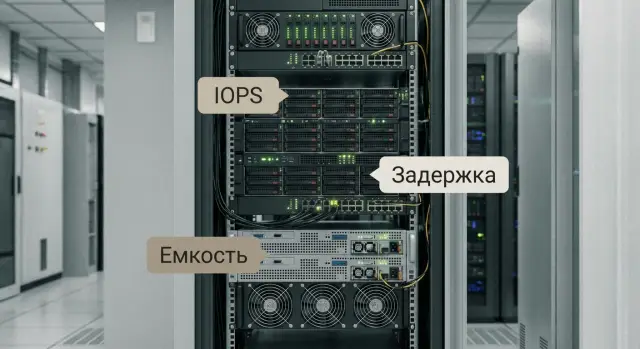
What you actually face when selecting storage for virtualization
When choosing storage for virtualization, discussions almost always revolve around two things: will performance be enough and how much capacity is needed. But the real pain is usually predictability. When everything is fast in the morning, and after lunch everything "lags", the IOPS from a datasheet rarely comfort anyone. More important is that latency is steady and predictable.
In virtualization you almost never lack just one characteristic. A balance is required. Capacity can look big on paper, but snapshots, backups, test VMs and data growth consume it. Performance can be excellent in a short test, but drop when dozens of VMs do the same job at once: updates, antivirus scans, VDI logins, nightly jobs.
A common trap is treating IOPS as "VM speed." IOPS in specs are almost always measured in ideal conditions: fixed block size, fixed read/write ratio, queue depth, utilization level and access pattern. In a real environment the hypervisor mixes streams from different VMs, requests vary in size, and a "noisy neighbor" can take the queue and increase latency for everyone.
Another practical difference is peaks versus steady-state behavior. If there are 20 minutes a day in the "red zone", sometimes scheduling and tuning solve it rather than buying a higher-tier model. But if latency fluctuates all day, most likely the system lacks resources for normal operation or the wrong parameters were chosen (network, pool sizing, snapshot policies).
Before looking at price lists and comparing lines (including Dell PowerStore), it helps to answer a few questions. These often save more budget than any additional options:
- Which VMs are most critical and what latency is acceptable for them: seconds, hundreds of milliseconds or single-digit milliseconds?
- What causes the peaks: backups, databases, VDI, reporting, updates?
- How much data is actual working data and how much are copies, snapshots, tests and temporary files?
- How fast do volumes and the number of VMs grow (in one year and in three years)?
- What matters more: surviving rare peaks or keeping steady performance all day?
Real example: in an educational organization, simultaneous user logins and starting educational apps in the morning cause a sharp spike. Choosing storage by capacity alone can give "enough terabytes," but persistent complaints about slow logins and freezes. If the main pain is short peaks, sometimes proper scheduling and workload profiles are enough without overpaying for the top configuration.
Briefly about IOPS, latency and throughput without myths
When choosing PowerStore people usually look at IOPS. That’s logical, but without context the number misleads. For virtual machines three metrics matter, each for a different aspect.
IOPS — how many read/write operations the array performs per second. Latency — how long a single operation takes. Throughput — how much data moves per second, usually MB/s or GB/s.
Simple guideline: IOPS matter for many small operations (typical for VMs), throughput matters for large data streams (backups, large files), and latency directly affects application responsiveness inside VMs.
Block size and workload profile change the picture
The same array can show "great" IOPS on a 4K test and very different results on 32K or 64K. Virtualization usually includes a mix: small blocks from OS and databases, larger blocks from backups and maintenance.
Read/write ratio also matters. Writes are usually heavier: data must be confirmed, protection algorithms run, and controllers may do extra processing. Therefore 70/30 read/write and 50/50 are two different modes even with the same data volume.
Why “latency under load” matters more than raw IOPS
Myth: "If IOPS are enough, everything will be fast." In practice an array can deliver high IOPS while latency grows as soon as the load resembles reality.
For VMs the critical point is when the array is busy: operation queue grows and applications feel pauses. So it's more useful to look not at peak IOPS but at latency under target workload: mixed read/write, real block sizes and realistic queue depth.
To avoid mistakes, fix three parameters for your scenario:
- workload type: random or sequential
- block size: 4K, 8K, 32K, etc.
- profile: read/write share and number of concurrently active VMs
Example: if you have 200 VMs and they all boot simultaneously in the morning (logins, antivirus, updates), you'll see a spike of random 4K–8K operations. Low and stable latency under that load is crucial. If nightly backup writes large blocks, throughput matters more and chasing maximum IOPS is often pointless.
Bottom line: IOPS answer "how many operations", throughput answers "how much data", and latency answers "how it feels." In virtualization, the winner is usually the option where latency stays stable for your workload profile.
Workload scenario: what you need to collect before choosing a model
Choosing storage usually fails not on comparing "500T vs 3200T", but because workload inputs were collected "by eye." For virtualization both terabytes and who causes peaks, when they occur and how long you are willing to tolerate slowdowns matter.
Start with a simple environment description: number of virtualization hosts, number of VMs and their roles. VDI behaves differently from file services, and a database differs from a test/dev environment. Even when reading PowerStore specs, without this fact set IOPS and capacity will look equally "correct" for every model.
Minimum data to collect before deciding:
- Environment composition: number of hosts and VMs, types (VDI, SQL, 1C, file services, infrastructure VMs, test/dev).
- Peaks: when and why load grows (logins, reports, backups, updates).
- Storage metrics: used/free, growth rate, share of thin volumes, big space consumers.
- Availability requirements: how much downtime is acceptable and how much data loss you'd tolerate in a failure (plainly, without technical jargon).
- Maintenance windows: when you can realistically reboot, update, and migrate data.
Then add a 12–36 month forecast. Not "rough percentages," but concrete numbers: how many new VMs will appear, what services are planned (e.g. a new SQL for reporting or VDI expansion), and which data volumes will grow fastest. This directly affects system class selection and which spec options will actually pay off.
Small example. You have 6 hosts and about 220 VMs: 80 VDI, two databases (SQL and 1C), plus a file server. Daytime VDI and file activity spike, nightly backups and reporting jobs run. In such a scenario it's more important to honestly describe peaks and the nightly maintenance window than to try to cover everything with "average IOPS."
To align requirements with stakeholders faster, ask a few questions:
- What is considered normal operation and what is perceived as a problem (slow VDI login, 1C pauses, long reports)?
- When are downtimes unacceptable (work hours, month-end, exams, patient intake)?
- What changes are certain in the next year (new departments, new services, user growth)?
If you buy storage via an integrator, pass this load profile in advance. For example, GSE.kz uses such inputs to quickly exclude unnecessary options and focus on what really affects latency, capacity and ongoing operations.
How to generally compare the 500T–3200T series for virtualization
Compare 500T–3200T models not by "bigger number = better" but by the headroom they provide for your VM mix. The key question is simple: where will you hit limits first — performance (IOPS and latency) or usable capacity?
Practical guideline: the smaller model fits when the load is fairly even without pronounced spikes and growth is predictable. A model with headroom is needed when peaks are regular (morning logins, backups, index rebuilds) and you don’t want to rework configuration every year.
Most often the first constraint is not "TBs of capacity" but one of these resources:
- controllers (CPU and memory), when there are many small operations and high parallelism
- number of drives, when IOPS are insufficient or write latency degrades
- network and ports, when you hit throughput limits or a single path is overloaded
- licenses and included features, when expected storage efficiency is not reached or some scenarios are unavailable
Decide what is cheaper to scale. If you lack space but latency and controller load are calm, adding capacity (which usually increases drive count and IOPS) is logical. If you already see latency spikes and a high tail of responses, adding capacity won't help — you need a configuration that handles more operations under your profile.
You can detect an undersized model before a pilot by indirect signs. For example, if you already have dense consolidation (many VMs per host) and another cluster or a VDI expansion is planned in 6–12 months, headroom for performance is usually more important than extra terabytes.
A useful check: if your calculations leave you "tight" without room for snapshots, patches, failures and seasonal peaks, it's almost always a signal to look at a higher class. It's more comfortable to plan so the system operates with noticeable headroom on normal days rather than constantly at the edge.
Step-by-step approach: from requirements to configuration and model
Selection often fails because requirements are vague: "need it fast and with headroom." Better to proceed from measurable figures and growth scenarios, then choose options.
Steps that really help avoid overpaying
Collect answers that can be verified in hypervisor and backup monitoring:
- Record working IOPS and target latency for critical VMs. Separate "normal day" and "peak 5–15 minutes." For databases and VDI latency often matters more than a pretty IOPS number.
- Estimate required throughput for heavy windows: backups, replication, mass migrations, logon storms. Often the bottleneck is here.
- Calculate usable capacity including reserves: data growth, free space for rebuilds/failures, snapshot policy, retention depth. Agree how many days of snapshots you keep and how often.
- Describe network requirements: FC or iSCSI, port speeds, number of connections to fabric/switches, separate networks for storage and management, path redundancy.
- Choose a starter configuration and a clear expansion scenario: what gets added in a year (capacity, drives, ports, functionality) and how that affects performance.
Short example
A virtualization cluster of 250 VMs: 20 critical (ERP, SQL), the rest office services. Normal day latency is acceptable, but weekly backup windows cause complaints. "More IOPS" may not help if the bottleneck is network throughput during backups. Confirm whether the issue is datastore queue depth, latency, port utilization or backup stream speed — then pick the model for the right balance.
When working with an integrator, ask them to document these steps as a short calculation with assumptions. For instance, GSE.kz typically records baseline metrics, target latency thresholds and an expansion plan so a configuration doesn't blow up "just in case."
Which spec options most often have real impact
It's easy to overpay for items that look good on a price list but hardly change day-to-day life in VMware or Hyper-V. Below are the options that most often deliver noticeable operational benefits.
Deduplication and compression: they help, but not always
Space savings are largest where many identical data sets exist: VDI, many homogeneous Windows/Linux VMs, template clones, test environments. In such cases the ratio can be substantial and directly affects usable capacity.
For databases, logs, backups, video and encrypted volumes the gain is usually small or unpredictable. Also consider the side effect: any extra data processing consumes controller resources. If latency is already near limits, weigh space savings against available controller headroom.
More drives often matter more than the "fastest drives"
For virtualization, predictable latency is often achieved by adding more physical drives and increasing parallelism. When many VMs issue small random I/O, pool width usually yields steadier behavior than betting on a few very fast drives.
Simple example: two configs with the same raw capacity — the one with more drives often handles IOPS peaks more smoothly and shows fewer drops because load is distributed more evenly.
Headroom in controller CPU and memory: needed for data services
Controller resources matter especially if you plan to actively use features that analyze and move data: dedupe, compression, snapshots, replication, many volumes and high task parallelism.
If the workload is simple (a few hosts, no aggressive protection policies and no big growth) large headroom may remain idle for a long time. Then it's often better to invest in a config that holds latency during peaks than to buy the top class for no clear reason.
Network: faster ports aren't always noticeable
Upgrading ports helps when you hit throughput limits or many hosts do migrations, backups and replication simultaneously. If the main pain is random I/O latency, a network upgrade alone may do very little.
Short guidance for what usually pays off:
- Deduplication/compression — yes if many identical VMs or VDI; be cautious with heavy DBs and encrypted volumes.
- Increasing drive count — yes if you need stable low latency for mixed workloads.
- Controller headroom — yes if you enable many data services and expect growth.
- Faster ports — yes if you have a network throughput bottleneck (migrations, replication, backups).
- Snapshots/replication — yes if recovery expectations are clear and you understand how they'll affect capacity and performance.
Data protection features often pay off best: you pay not for "speed" but for less downtime and predictable recovery. But this works only when snapshot locations, frequency and retention are decided in advance and you know how they affect capacity and performance during business hours.
Common mistakes that make an expensive configuration not pay off
It's frustrating when a storage system was chosen with headroom, specs look great, but users still see slowdowns during peaks. These common mistakes appear most often.
Error 1. Overpaying for IOPS "in a vacuum." Comparing models by maximum IOPS from a brochure without considering the workload profile. In virtualization stable latency during peak events (logon storms, backups, antivirus scans) matters more.
Error 2. Buying capacity without calculating usable volume. People often count only raw TBs and forget RAID/overhead, snapshots, space for rebuilds and future projects, free-space requirements and the difference between marketed TB and post-format usable capacity.
Error 3. Mixing "noisy" VMs with critical ones without isolation. Test stands, VDI pilots, reports, temporary ETL jobs quietly consume latency from production systems. A minimal sane approach is separating conflicting classes into different pools and policies: transactional DBs separate from VDI and test workloads.
Error 4. Underestimating the network and data paths. The array can be fast but the bottleneck is often between host and array: overloaded uplinks, wrong MTU, conflicting QoS, a single switching bottleneck or poorly designed VLANs. A frequent sign: the array shows low utilization while storage latency on the hypervisor rises.
Error 5. Expecting high efficiency from dedupe/compression where data doesn't compress. Images, archives, encrypted disks, backups and many media types give low savings. Calculations of "effective capacity" then don't match reality.
Simple example: in a 6-host cluster OS patching, backups and test loads run simultaneously. Latency spikes are seen on charts and the conclusion is "we need a higher model." But by scheduling backups, moving test workloads to another pool and ensuring the network is not constrained on a single 10GbE link, the current system often becomes predictable without extra cost.
Quick checks before purchase: mini checklist
Before comparing brochure numbers agree how you will define "fast enough." For virtualization this usually comes down to two things: what latency is acceptable for the most sensitive VMs and what happens during peak windows.
Five checks that save money and nerves
- Latency as a goal, not a guess: set a target latency for critical VMs and ensure you can measure it in the current environment and in a pilot.
- Peaks named by time and cause: morning user entry, backup windows, mass updates, month-end jobs.
- Usable capacity calculated with reserves: growth, snapshots, replication, rebuild reserve. Don't assume optimistic efficiency for dedupe/compression.
- Network and compatibility checked in advance: enough ports and speed, supported protocol, no single-path bottleneck on hosts or switches.
- Expansion plan clear: what you add first and what triggers it (e.g. 70% usable capacity or sustained latency growth).
If you run 200–300 VMs and have a weekly heavy backup window, check metrics exactly during that time, not on a calm day. Often you’ll find that you need predictable latency under mixed load and clear capacity for snapshots rather than maximum theoretical IOPS.
If procurement rules require local support and compatibility (common in public sector and large organizations), discuss deployment, update and incident support upfront. That affects risk as much as the chosen model.
Example scenario: average virtualization infrastructure and model choice
Imagine a typical mid-sized site: 4 virtualization hosts (VMware or Hyper-V), about 220 VMs. Mixed load: some VMs are VDI (morning and afternoon spikes), some provide services (AD, file, 1C/SQL, web), plus nightly backups.
Goals are simple: reduce "jumping" latency during working hours, add capacity with a two-year headroom and shorten backup windows so they interfere less with performance.
How this becomes a model choice
If the current pain is peak latency, priority is not maximum capacity for the lowest price, but real mixed I/O performance. For this profile it's often better to choose a model one class up in controller specs (CPU and memory) rather than squeezing a smaller model with more drives. In many PowerStore projects the approach is: secure latency stability and parallelism first, then add capacity as growth is confirmed.
With limited budget compromises look like this: plan headroom for VDI peaks and noisy neighbors, calculate capacity with realistic snapshot and dedupe assumptions (no optimism), and move backups to managed windows (scheduling, limits, spreading over time) so you don't buy performance just for nightly jobs.
What to buy immediately and what can wait
Buy now what’s difficult to add later without pain: sufficient controller class, adequate port count and connectivity speed, and a minimum number of drives for required IOPS and fault tolerance. Capacity shelves and some optional features can often be delayed to phase two.
To avoid argument based on assumptions, run a 2–4 week pilot on a limited VM set (e.g. a VDI pool plus 2–3 critical services). Success is measured by simple metrics: 95th percentile read/write latency during peak hours, stability under simultaneous backups, speed of typical operations (VDI logon, heavy app start, nightly copy). Agree in advance what values are acceptable.
Next steps: lock the choice and avoid procurement mistakes
When you roughly know which model and configuration fit, document the decision so it survives approvals, tender and workload growth. Specs include many options and it’s easy to lose track of what you buy and why.
Summarize requirements on one page, understandable to IT and procurement:
- Performance: target IOPS, acceptable latency, profile (many small ops or large sequential flows)
- Capacity: usable and raw, 12–24 month growth, snapshot reserve
- Network: protocol, speed, number of ports, redundancy requirements
- Data protection: recovery expectations, replication, backups, encryption needs
- Constraints: racks, power, maintenance windows, support requirements
Then agree scaling rules: not "when it gets slow" but clear triggers. For example, average latency above X ms during business hours for two consecutive weeks, usable capacity over Y% or DB growth of Z% quarter-over-quarter. This prevents overpaying now and running into a ceiling in six months.
To avoid guessing, schedule a pilot or at least collect metrics on current storage. Even a week of observations on real VMs often shows the bottleneck is in the network, hypervisor settings or backup load rather than the array.
Also prepare questions for the vendor to avoid surprises:
- What is in the base package and what is optional (licenses, ports, data protection features)?
- How is usable capacity calculated and what efficiency assumptions are made for compression/dedupe?
- What are expansion limits: max shelves, ports, throughput?
- What is required for updates and support: service conditions and operational procedures?
If you need a comprehensive architecture (virtualization, network, backups, sites, data center), involve a system integrator. At GSE.kz they do integration in addition to supply: they can design infrastructure to requirements, account for scaling and support, and lock the specification for procurement without unnecessary extras.
Frequently asked questions
What is more important for storage for virtualization: IOPS or latency?
Focus first on stable latency under your real workload, not on the “maximum IOPS” from a datasheet. For virtualization it is more important that response times don't “jump” during peaks than having record numbers in short benchmarks.
How do IOPS, throughput and latency differ, and which matters more for VMs?
They describe different things. IOPS — how many operations per second the array can perform, throughput — how much data per second can be moved, and latency — how fast each operation completes. In VMs users usually feel problems through increased latency, even when IOPS look high.
Why do IOPS from a brochure often not match what I see in production?
Because tests are usually run in ideal conditions: fixed block size, convenient read/write ratio, tuned queue depth and low utilization. In production the hypervisor mixes streams from dozens of VMs, request sizes vary and “noisy neighbors” increase queues and latency.
How to determine whether the slowdowns are caused by the array, the network or peak tasks like backups?
Record when and why peaks occur: VDI logon storms, antivirus, updates, backups, reports, maintenance. Then check metrics in those windows: read/write latency, datastore queue depth and network utilization. That leads to the right conclusion faster than looking at daily averages.
How to calculate capacity correctly so snapshots and data growth don't become a problem?
Count usable capacity, not raw terabytes. Capacity is eaten by snapshots, recovery points, reserve for growth, rebuild/RAID overheads and the free space the array needs to operate normally. If you include a buffer up front, there's less chance you'll run out of space in a few months.
Should “noisy” VMs be isolated from critical ones, and what's the easiest way?
It is usually useful to separate conflicting classes of VMs. Test environments, bulk updates, reports and VDI can raise latency for transactional systems if everything shares the same pool and policies. Even simple separation by pools and protection policies stabilizes response times for critical VMs.
Why is “more disks” sometimes better than “the fastest disks”?
Because parallelism often matters more than the speed of a single disk. With many VMs the load is small and random; a wider pool of more drives usually handles IOPS peaks more smoothly and gives more consistent latency. A few fast drives can look good on paper but perform worse under simultaneous activity from hundreds of VMs.
How to practically compare PowerStore 500T–3200T for virtualization?
Model number is a useful shorthand, but better is to understand where you'll hit a limit first: latency and parallelism or usable capacity. If you already see regular peaks and plan VM growth, it often makes sense to choose extra controller headroom and resilience for mixed workloads. If the workload is steady and the issue is only capacity, plan expansion for space.
When do dedupe and compression really help, and when shouldn't you count on them?
Enable them when you have lots of similar VMs, VDI, clones and test environments — there the space savings can be significant. For databases, logs, backups, media and encrypted volumes the benefit is usually small or unpredictable, and the processing adds load on controllers. It's safer to test on a pilot or representative VM set first.
What data should I prepare before contacting an integrator to speed up the configuration choice?
Prepare a profile: how many hosts and VMs, roles, peak times and their causes, how much is working data vs copies and snapshots, growth over 1–3 years and maintenance windows. With that input an integrator can quickly rule out unnecessary options and focus on latency, network and a realistic expansion plan. GSE.kz usually uses such data to lock the configuration to real operation rather than abstract specs.
