8 min read
Dell PowerProtect DD as a backup repository: choosing the model
Dell PowerProtect DD as a backup repository: how to estimate backup throughput and retention for model selection, and which restore checks to include in acceptance.
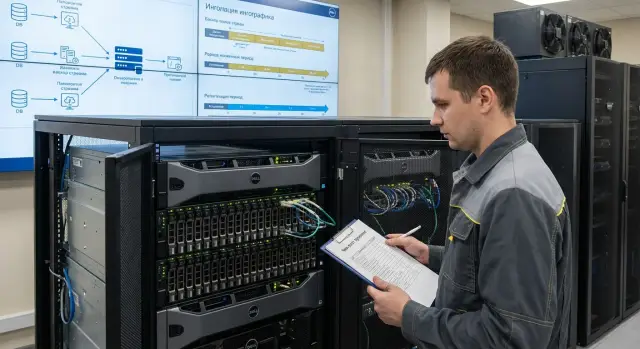
What you actually need from a backup repository
A backup repository is not just a “folder on disk.” It’s a place where backups are stored predictably and safely: with predictable speed, fill control, protection against failures and convenient restores.
The problem with a “regular file share” is often not that it’s bad — it simply wasn’t designed for nightly write peaks, long retention and routine restores.
Backup storage is usually expected to deliver three things: speed, retention and reliability.
Speed is needed so the backup window fits into nights or weekends rather than creeping into business hours. Retention is needed to hold the required restore points (for example, 30–90 days of daily copies plus several monthly points). Reliability ensures recovery isn’t a lottery and that a disk or controller failure doesn’t wipe out weeks of work.
Different data types usually live in the same repository: virtual machines, databases, file shares, mail, and application systems. Each profile has its own “shape.” VMs produce many parallel streams and significant increments. Databases may need frequent log backups. File data sometimes deduplicates poorly, especially when it contains many archives or media.
So when choosing a Dell PowerProtect DD as a backup repository, two parameters matter more than raw terabytes: the write (ingest) throughput and the read throughput for restores.
If writes can't keep up, backups start slipping and piling up. If reads are weak, recovery after a failure will take unacceptably long even if there is enough space. Simple example: a company backs up 50 VMs overnight, and in the morning an important file server is accidentally deleted. If the repository serves data quickly, the service is up in hours, not a full day.
A good repository answers three questions in advance: how much data do we write during the backup window, how much do we keep for retention, and how fast must restores be in normal and worst-case days. Pick the model to meet those needs, not just “by capacity.”
Terms that cause mistakes if not agreed
If you consider Dell PowerProtect DD as a backup repository, agree on terms first. Otherwise one person talks capacity, another talks throughput, and you end up buying the wrong thing.
Backup types: what we write each night
Full backup — a copy of all selected data at a point in time. It’s the most straightforward but usually the largest in volume and load.
Incremental backup — only changes since the last backup (usually the last successful one). It’s faster and smaller, but restores may depend on a chain of points.
Synthetic full — “like a full” but assembled from a full and increments on the storage or backup software side, without rereading production. It helps keep a short backup window but increases internal read/write operations.
Speed and time: throughput and window
Backup throughput is the rate at which data must be written to the repository (TB/hour or MB/s). Backup window is how many hours you have to meet the SLA.
Simple relation: volume per night / window = minimum required throughput. Then add margin for “bad days”: more changes, retried jobs, higher parallelism.
Retention — how long you keep restore points (14 days, 30 days, 12 weeks, etc.). Specify not only duration but frequency: daily, weekly and monthly copies may follow different rules.
Finally, read speed for recovery. The repository must accept writes quickly and serve reads reliably during an outage. If you budget 4 hours for recovery but actual read speed is lower, services will remain down.
Before calculations, document briefly:
- where full backups are needed and where increments are acceptable;
- how much data changes per day (not just total capacity);
- the real available backup window;
- how many hours to restore critical services.
Input data to collect before sizing
To choose Dell PowerProtect DD as a backup repository without surprises, gather baseline numbers first. Without them any estimate is a guess. Compromises will follow: cut retention, extend the backup window or postpone some restores.
Start with an inventory of sources. Important is not only quantity but load type: VMs, physical servers, databases, file stores. Different sources have different change rates and recovery needs.
Then determine the logical protected data size and growth forecast. Use actual data that goes into backups, not “disk sizes.” Note monthly growth (percent or GB) and expected spikes: season ends, reporting periods, academic cycles.
Mini-checklist usually enough to start:
- what we back up and how much (VMs, physical, DBs, files);
- how much data is currently protected and growth rate;
- backup frequency (full, incremental, logs) and number of points kept;
- available backup window and network constraints between sites;
- RPO and RTO requirements in simple terms.
Write RPO and RTO in human terms: for example "we can lose no more than 1 hour of data" and "service must be restored within 4 hours." This immediately affects backup frequency, write speed and which restore checks to include in acceptance.
Mini example to align numbers with system owners: 80 VMs and 6 physical servers, 45 TB of data, 3% monthly growth, 8-hour nightly window, 300 Mbps link between sites, daily copies plus hourly logs, 30-day retention. With that data you can honestly compute throughput and capacity rather than “choose a model by eye.”
How to calculate required backup throughput: step by step
Backup throughput is how much data per hour (or second) you must write to the repository to meet the window. For Dell PowerProtect DD as a backup repository this calculation is often more important than raw capacity: insufficient performance makes backups spill into business hours.
Calculation steps
-
Gather daily change volume (change rate) per system. Pull numbers from backup software reports or storage statistics rather than guessing. Mark databases, mail, VDI and file shares separately — they have different change profiles.
-
Convert daily changes into required write speed:
Throughput (TB/hr) = Daily changes (TB) / Backup window (hrs).
If window is 10 hours and changes are 6 TB, baseline need is 0.6 TB/hr.
-
Account for parallelism. It matters not only how much data total but how many tasks write simultaneously and of which types (full, incremental, synthetic full).
-
Add margin for peak days. Weekly fulls, monthly closings and quarterly reports usually create peaks. Practically add 20–40% to the calculated throughput, and use a higher coefficient for heavy systems.
What to record for acceptance checks
Document window, total daily changes, maximum parallelism, target aggregate write throughput and a “peak” scenario (e.g., weekend fulls). These values are easily compared with actual job metrics and time-to-complete during acceptance.
Estimating capacity for retention and deduplication
Repository capacity is often consumed not by a single full backup but by the sum of restore points across retention. Think in terms of number and size of restore points, not just terabytes.
Deduplication: it varies by data
Deduplication and compression ratios depend on data type and backup method.
VMs and typical file sets often have good block repetition, particularly with daily incrementals. Databases behave variably depending on change rate and whether you back up at image level or via an agent. Archives, media, encrypted or already-compressed files (video, ZIP, backups from another product) dedupe poorly. Account for those separately.
Don't try to guess one nice ratio for everything. Group sources into 3–4 categories by expected dedupe and calculate capacity per group.
Retention: count restore points, not just weekly volume
Basic approach:
- determine the full backup size for each group and average daily change;
- define the schedule (full weekly, daily incrementals, synthetic, etc.);
- calculate how many restore points you keep (e.g., 30 daily and 12 weekly);
- sum the raw sizes of all points and then apply realistic deduplication.
Common mistake: multiply a compressed daily volume by retention days and stop. This ignores metadata, dedupe warm-up in the first weeks, peaks from unplanned fulls, and organic growth.
If you replicate to a second site, size that separately. Usually you need extra capacity for the target set of points plus headroom for transfer queues if the link is narrow.
Don’t plan to the absolute limit. Include data growth (e.g., 12–18 months) and a technical margin of 20–30% on usable capacity to survive peaks and policy changes.
Integration with backup software and network requirements
PowerProtect DD as a backup repository can be attached in different ways, which directly affects throughput, backup server load and network needs. The same data volume can stress infrastructure differently: sometimes the backup server does more work, sometimes optimizations are handled by the repository.
Common connection options:
- NFS/CIFS (network share): easy to start, but often more traffic flows "as is" and the backup server has higher load.
- VTL (virtual tape library): useful if processes rely on tape logic, but check limits on stream counts.
- Boost (application-level integration): typically gives better network and CPU efficiency because optimizations are coordinated with the backup software.
Integration method affects effective throughput. For example, with the same schedule 20 parallel jobs via NFS might hit the backup server CPU and NIC. Via Boost the bottleneck often shifts to the DD disk resources while less data traverses the network.
Network guideline: 10G suits small to medium backup windows; 25G makes sense with growing parallelism and large daily increments; 40/100G is common in large environments. But port speed ≠ backup speed: switches, MTU, queuing and the real bottleneck location matter.
If possible, separate traffic: backup data on one network, administration and monitoring on another. That reduces the chance that an update or log collection will steal bandwidth during the backup window.
For two-DC scenarios decide whether replication is continuous or nightly. Check required bandwidth for daily growth, link quality (latency and loss), windows when replication mustn't interfere with backups, and where test restores will be performed.
How to pick a model: simple logic without extra math
Choose a model that satisfies two constraints: write throughput (ingest) and usable capacity for retention.
Compare your calculated values and see which constraint you hit first. If throughput is the limiter — pick a faster model. If retention is the limiter — pick a larger-capacity model. Practical rule: keep 20–30% margin on both throughput and capacity to avoid living on the edge during growth, peaks and unplanned fulls.
Decide what’s more critical: fast writes or fast restores. In an outage reading speed and parallel restore capacity matter most, not only that backups finished overnight. If RTOs are strict, test read performance on the chosen model, how many simultaneous restores it supports, and whether network limits negate the read advantage.
Mixed loads often break simple sizing. Many small jobs (file servers, many VMs with small increments) demand high parallelism and stable performance in short bursts. A few large jobs (databases, big file shares) demand high peak speed and adequate network ports. Look beyond aggregate MB/s and consider number of concurrent tasks.
If you need a quick meeting check, a simple matrix helps:
- backup window doesn't close — prioritize ingest and stream limits;
- retention doesn't fit — prioritize usable capacity (and clarify what counts as usable);
- RTO is top priority — prioritize read speed, concurrent restores and network;
- growth is present — plan how you'll scale and what that means for downtime;
- replication/second site — account for extra throughput and replication window.
To avoid misunderstandings in procurement, request a specification in a single format: model and configuration, usable capacity, ingest/restore numbers (with workload profile caveats), concurrent stream counts, network port types and counts, included features (encryption, replication, integrations), and assumed dedupe ratios. If using a systems integrator, ask them to record these assumptions in project docs so acceptance is testable rather than subjective.
Typical mistakes when selecting and procuring
The most common disappointment with Dell PowerProtect DD as a backup repository is wrong assumptions during sizing. People buy a model sized for an average day and then face queues, missed windows and slow restores.
Common errors:
- sizing for an "ordinary" day and ignoring peaks (weekly fulls, quarter-end closings, mass updates, adding servers);
- keeping archive data on the production repository and inflating operational capacity needs;
- expecting "dedupe like the neighbor" without measuring on your data;
- judging success only by write speed and not validating real RTO on reads;
- hitting network limits (interfaces, MTU, switches, overload, lack of parallel streams) and missing the root cause.
Real-life example: organization runs incremental backups daily and fulls on Sunday. They sized the model by weekday averages. Sunday windows fail, Monday starts with unfinished jobs, increment chains grow, and recovery risk increases.
Before procurement, record in the spec: the heaviest day, required throughput margin, worst-case dedupe assumptions, 2–3 critical restore scenarios and proof that network and backup server support needed parallelism.
If procurement goes through an integrator such as GSE.kz, include these acceptance points in the test program to reduce the chance of buying a model that doesn’t deliver in operation.
Mandatory restore checks during acceptance
Acceptance of PowerProtect DD as a backup repository is not just "backup succeeded." You must prove that restores actually work, meet RTOs and are repeatable.
Tests that make acceptance meaningful
Start with a control restore of 1–2 critical services to an operational point. Choose business-visible items: for example, a VM with an application and a separate database or file server. The goal is to confirm "boots and works," not just "restored without errors."
Next, do selective file and object restores from different retention days. A good test: restore the same file from "yesterday," "a week ago" and "a month ago," and restore an application-level object (mailbox, table, object) if supported by your backup software.
Measure restore time and compare to target RTO. Count the whole chain: find point, prepare, restore, and verify startup. A common trap is “fast data copy” but long waits for resources, network or manual steps.
Then run a "post-failure" test per an agreed script: restart interrupted jobs, observe behavior during temporary component unavailability, and return to normal operation. Define what counts as a failure, who initiates it and how results are recorded.
If replication is configured, test restores from the secondary site. Simple criterion: confirm replica freshness and restore from the remote DD copy. For realism simulate "primary site unavailable" and validate the steps.
What to document
To avoid “I remember it working” disputes, record artifacts:
- test protocols for each scenario (date, scenario, restore point, result, notes);
- metrics (actual RTO, volume restored, speed, network/host load within measured bounds);
- logs from backup software and PowerProtect DD proving operations;
- responsibility matrix (who runs tests, who confirms service health, who signs the acceptance).
Example calculation and acceptance plan for a simple scenario
Scenario: 200 VMs and 2 databases. Nightly backup window 8 hours. Retention 30 days. Repository — Dell PowerProtect DD.
Daily change rate matters more than total size. Assume average VM is 150 GB with 3% daily change. Databases are 2 TB each with 5% daily change.
Throughput estimate:
- VMs: 200 x 150 GB x 3% = 900 GB changes per day.
- Databases: 2 x 2 TB x 5% = 200 GB changes per day.
- Total: about 1.1 TB to write per day.
- Over an 8-hour window: 1.1 TB / 8 hr = ~140 GB/hr, or ~40 MB/s average.
Add peaks and overhead. In practice you often multiply by 2–3 to survive bad nights. In this example target write rate becomes 80–120 MB/s.
Then ensure the chosen model handles not only the average but peaks: weekly fulls, parallel jobs, synthetic rebuilds, internal operations. Add 30–50% throughput margin and 20–30% growth planning for a year. If today you need a 120 MB/s peak, plan 150–180 MB/s for a year out.
For retention remember: 30 days ≠ 30 TB. With dedupe and compression final capacity depends on data type and backup scheme (incremental forever, weekly full, etc.). At acceptance confirm both speed and real reduction ratio on your data.
Mandatory acceptance restores should include at least three tests:
- full VM restore (boot into production network and verify login);
- database restore (to a test instance with consistency check);
- file restore from a weekly-old backup (not just yesterday).
Consider the result acceptable if restores complete without errors, RTO meets requirements, and speeds don’t degrade significantly in typical mixed scenarios (for example, concurrent restore and nightly backup).
Next steps: before purchase and after installation
When choosing Dell PowerProtect DD as a backup repository, document not only the sizing numbers but how you will prove the system meets restore time goals.
Before purchase
Consolidate baseline data in one document. Even a one-page table helps if numbers are agreed with system owners rather than guessed.
Short list to prepare: change rates for key systems, sizes of full and incremental copies, backup window; retention by data type and simple RPO/RTO statements; expected growth and expansion plan; placement constraints (power, racks, cooling); list of integrations (which backup software, needed protocols and modes, where catalog and management will live).
Also agree network design and connection method up front. A frequent cause of insufficient throughput is not the model but unprepared ports, VLANs, MTU, mismatched link speeds or wrong integration mode.
After installation
Acceptance must verify restores, not just successful backups. Pre-approve scenarios and metrics so there’s no debate on the last day.
Minimum working set: file, VM and DB restore tests (one real example each) with time-to-availability measurements; integrity checks (built-in checks and reports without red statuses); run a backup in peak window plus at least 1–2 concurrent restores; verify retention behavior (point deletion, fill forecasting, protection against sudden capacity loss); operational procedures (who responds to alerts, how often test restores are performed, where protocols are stored).
A simple discipline: weekly planned restore for 1–2 critical services and a monthly extended test for one priority domain with fixed RTO/RPO.
If you need a turnkey project (integration, repository infrastructure, deployment, acceptance and 24/7 support), it’s usually more convenient to work with a single contractor. For example, GSE.kz (gse.kz) as a systems integrator handles such tasks end-to-end, including data center infrastructure and ongoing support.
Frequently asked questions
Why is a backup repository not just a folder on a network drive?
A backup repository is a storage designed to accept large nightly writes predictably, to store restore points under retention policies, and to provide stable restores. A regular network share can work, but it is often not designed for peaks, long increment chains and routine test restores.
What matters more when choosing PowerProtect DD: capacity or performance?
First calculate the required write throughput to meet the backup window, and separately evaluate read speed for restores to satisfy your RTO. Capacity should be sized for retention considering data types and realistic deduplication, then add margin for growth and peaks.
How to quickly estimate the required write throughput so backups finish overnight?
Take the daily change volume across all systems and divide it by the backup window in hours — that gives the baseline write rate. Then add margin for parallel jobs, retries and heavy days, otherwise the window will slip in practice.
Why test restore speed separately and not rely only on backup speed?
Because in a real outage the priority is reading: how fast the repository can deliver data and how many concurrent restores it supports. If read speed is lower than expected, services will be down longer even if backups always completed on time.
How do full, incremental and synthetic full backups differ, and how does that affect the repository?
A full backup copies all selected data and is the heaviest in volume and load. Incremental backups only capture changes and are smaller, but restores may depend on a chain of points. Synthetic full looks like a full backup but is assembled from full+incrementals on the storage or backup software side, reducing reads against production but increasing internal IO.
Why might deduplication not meet expectations on my data?
Deduplication depends heavily on data profile and backup method: VMs and typical file sets often dedupe well; archives, media, already-compressed or encrypted files dedupe poorly. The practical approach is to group sources by expected effect and use conservative coefficients, not one optimistic number for everything.
What baseline data should I collect before sizing a DD model?
You need to know the source types (VMs, physical servers, DBs, files), the actual data that enters backups, daily change rate, backup schedule and retention. Also record the backup window, simple RPO/RTO statements and network constraints between sites so the calculation is not a guess.
How to choose connection method to DD: NFS/CIFS, VTL or application-level integration?
NFS/CIFS is usually easy to start with but can push more traffic through the backup server and the network. Application-level integration (e.g., Boost) typically provides better network and CPU efficiency because optimizations are coordinated with the backup software. Confirm compatibility and operating modes with your backup product in advance.
What restore checks are mandatory during repository acceptance?
At acceptance, confirm recovery, not just successful backup jobs: boot at least one critical VM or service to an operational point and verify accessibility. Separately measure the total time to readiness and compare it with the target RTO, because delays often occur in the network, hosts or manual steps.
What typical mistakes lead to buying a "correct" model that still fails in production?
The most common mistake is sizing for the average day and ignoring weekly fulls, peak changes and retries, or failing to validate restores against real RTOs. It helps to document assumptions about change rate and deduplication, network requirements and test restore scenarios in acceptance criteria; for turnkey projects, work these items with the integrator, for example GSE.kz.
