8 min read
Data rights in LLM projects: what to agree before you start
Data rights in LLM projects: what to agree in advance about document sources, permissions, log retention and responsibility.
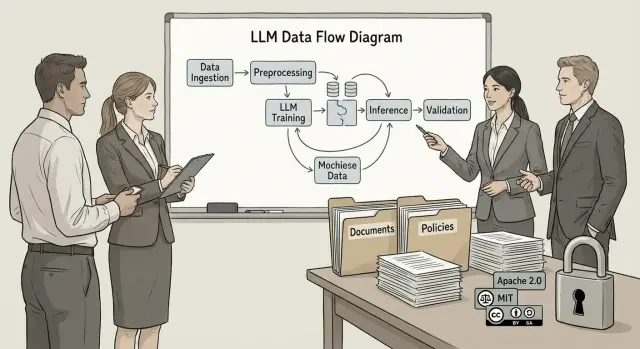
What problem arises in LLM projects around data
Most problems start from a simple decision: postpone data and content questions until later. The team rapidly assembles a pilot: hooks up documents, uploads CRM dumps, adds support correspondence, enables logging. A dispute about who granted permission to use these materials, where they are stored and who is responsible for the model’s answers often appears only after the first demos, when stopping the project becomes harder and more expensive.
This happens because each participant has their own “norm.” IT thinks about security and access, lawyers about licenses and consent, the business about value and speed, and contractors about output quality. Without predefined rules everyone assumes “it’s obvious,” but in reality there are no agreements.
The losses are practical: a pilot can be paused or blocked from production, rights holders or regulators may file claims, sensitive information can leak via logs or prompts, and incorrect answers may be perceived as official. There is also practical damage: costs to redo work (data cleansing, re-annotation, retraining, rebuilding the index).
Even before training and operation, agree separately: which sources are allowed, on what basis they can be used, which data is forbidden, how long logs are retained and who can access them, and who is responsible in which cases for the results.
Risks vary by scenario. An internal chatbot over a knowledge base typically bumps into confidentiality and access control. An external customer-facing service adds risks from public promises, copyright and stricter requirements for logs and demonstrability. Therefore, “data rights in LLM projects” are best closed with a document before the first integration, not after the first complaint.
What data and content take part in the project
To agree rules, it helps to map all the information layers that actually flow through the system. Teams often consider only documents, but other content types appear in a project and each can have an owner and restrictions.
Typically four groups are distinguished.
First, data for training or fine-tuning: corpora, tables, conversations, annotations, and examples of “correct” answers.
Second, data for retrieval (RAG): knowledge bases, instructions, regulations, tickets and articles that the model reads at query time.
Third, prompt data: what a user pastes manually (contract fragments, emails, screenshots of text), as well as system prompts and templates.
Fourth, model outputs: answers, summaries, draft emails, reports, recommendations, code snippets. This is new content but it may include quotes or paraphrases of the sources.
A separate category often forgotten is metadata. Even without text, metadata can be sensitive: who asked, when, from which division and system, and about what topic. These traces can sometimes reconstruct task context or reveal what the team is working on.
Another layer is logs and telemetry. Logs are needed for incident analysis, quality improvement and proving “who did what.” Telemetry shows load, errors and latency. Decide in advance what is recorded (the full query or only technical indicators), where it’s stored, who has access, how long it is kept and how it can be deleted on request.
If you map this data before starting, it’s easier to discuss permissions, retention and responsibility later.
Roles and responsibility: who is accountable for what
Disputes in LLM projects usually start not with the model but with the question of who had the right to give it access to documents and under what conditions. To avoid surprises after launch, formalize roles in writing before the first file upload.
Name the owners of the source materials explicitly. This can be the client (internal regulations, knowledge base), a contractor (their methodologies, prompts, templates) or third parties (standards, articles, paid databases). If the dataset contains third-party content, decide in advance who obtains permissions and who keeps proof.
Then distribute responsibility for data processing. In simple terms, answer: who decides which data may be used, who enforces access modes, who is accountable if extra information appears in logs. Separately appoint the owner of the business outcome: who treats model responses as guidance and who approves them before sending to a customer or employee.
It helps to set minimum access privileges. For example: who may connect new sources (folders, mailboxes, CRM, internal portals), who grants user access and on what grounds, who approves the list of forbidden documents and data types, and who performs quality checks and incident reviews.
A practical arrangement looks like this: security approves access only to sanctioned sources, legal confirms rights for external materials, IT is responsible for storage and access control, and the process owner (e.g., HR or support) determines where answers are acceptable without manual review and where human oversight is required.
Document sources: what can be connected and under what conditions
Record a precise list of sources from which the LLM will draw knowledge. This affects both quality and legal risk: if a source is connected without a basis, the consequences often fall on the process owner.
It’s usually safer to start with “official” materials where the owner and access rules are clear: internal knowledge base, approved regulations and instructions, contract templates, service catalogs, FAQ, closed portal sections. Service desk tickets and requests can be useful but only after personal data is removed and with a clear purpose.
Also agree on what must never be connected, even “for a test.” The forbidden zone often includes personal employee correspondence, drafts and unapproved document versions, external materials without rights (including pirated content), and any exports where provenance cannot be proven.
To avoid the model answering based on outdated rules, define how currency is confirmed. At minimum—one “single source of truth” per document type and clear versioning: approval date, version number, owner, review period. If these tags are missing, it’s better not to connect the document.
Update rules should be simple and verifiable: who connects documents (a role, not a person), who checks content and rights, how often revisions are done, what happens to old versions, and how changes are recorded.
A common mistake: adding a folder labeled “instructions” that contains two variants of the same regulation. The model gets confused and gives inconsistent answers. One registry of sources and versions often solves the problem before launch.
Permissions and licenses to use content
It’s important not only where documents came from but what you are actually allowed to do with them. The same file can be legally readable by a person but not allowed to be copied into an index, translated, transformed or used for training.
Check which rights are affected. Commonly these are copyright (text, diagrams, images), neighboring rights, database rights (if value lies in the selection and structure), and commercial license terms for paid content. Even if a document is “inside the company,” rights may belong to a contractor or a former employee under contract.
Record the purpose of use. The phrase “use in AI” is vague—better describe actions: search indexing, answers with quotes, summarization, instruction generation, model training, translation. Each purpose may require separate permission.
Disputes often revolve around storing copies (full or cached) and retention, quoting fragments in answers, indexing and enriching metadata, translation and paraphrasing, and use for fine-tuning (which almost always needs a separate agreement).
Be especially cautious with partner and vendor content. Technical documentation, training materials and commercial reports may permit internal reading only and forbid uploading to third-party services, processing or showing long verbatim fragments to users. For integration projects, request written permission in advance or use only openly licensed sources.
To avoid disputes, record restrictions in the specification and contract in simple terms: which sources are allowed, which actions are permitted and prohibited, whether copies can be stored, who is responsible for obtaining licenses, and what constitutes a breach (e.g., issuing long quotes or training on third-party data).
Personal and confidential data: boundaries and controls
In LLM projects the question always arises: what the model may see and what must remain hidden under any circumstances. This is vital to comply with law and internal rules and to reduce the risk of leaks via answers, logs or chat history.
Start by listing categories considered personal and sensitive in your organization. Typically this includes full names, national IDs, phone numbers, addresses, emails, employee and client data, medical records and salaries. Confidential commercial data often includes contract prices, tender conditions, internal financial reports, security architectures, passwords and keys.
Next apply the principle of minimization: the model should not see anything that is not required to answer. Define which data is always forbidden to send to the LLM, even if a user intentionally pastes it. The forbidden list typically contains credentials (passwords, tokens, API keys), full identifiers (national IDs, document numbers, bank details), email contents and correspondence without explicit consent, health data and disciplinary records, and closed contract or procurement terms without an agreed access mode.
Where data is necessary, use anonymization and masking. Decide two things in advance: where masking occurs (before sending the query to the model, during indexing, or when producing the answer) and who validates masking quality. Practically this should be approved by the data owner together with InfoSec or Compliance, because “partially redacted” often means “still reconstructable from context.”
Role-based access helps restrict not only document viewing but the questions themselves. For example, a support agent may ask about typical incidents but should not be able to extract details of a specific contract or colleagues’ personal data.
Write simple prohibitions for users with examples. For instance: “Do not paste national IDs, passport numbers, account details or passwords in a query.” And alongside: “Describe the issue without identifiers or use the internal ticket number.” This reduces accidental disclosure and makes it easier to explain why the model sometimes refuses to answer.
Logs, storage and access: what we record and how long
Logs are often the main source of disagreement in LLM projects: what was recorded, where it is stored, who saw it and whether it can be deleted. Without prior agreement you can easily violate security requirements or lose data needed for incident investigation and quality improvements.
First define which events count as logs. It helps to separate operational logs (system functioning) and product logs (quality). A reasonable set usually includes the user prompt (original or masked), the model response and the final text shown to the user, information about which sources were used (document names and versions, and fragments only if permitted), quality labels (operator rating, complaints, resolution success), errors and technical events.
Then set retention periods: minimum and maximum. The minimum exists to investigate incidents and confirm what happened. The maximum is dictated by internal rules, contracts and regulators. Common practice is a short retention for content-containing logs and a longer retention for anonymized statistics.
Where to store
A critical question: do logs stay inside the organization’s perimeter or are they sent to external systems (cloud monitoring, error tracking, analytics services)? This affects approvals, access and cross-border data transfer. Also agree whether fragments of documents the model read can be stored and in what form.
Who sees logs and how to delete them
Define roles: who actually needs access (support, security, product owners) and how viewing is audited. Access logs, periodic reviews and recording log views for incidents are useful.
Also document the deletion process: who initiates it (the user, InfoSec, legal), who confirms, timeframes, and how deletion is proven (an act, a system record, a ticket number).
How to agree these issues in advance: a step-by-step order
To avoid data, access and logging issues popping up at the last minute, freeze agreements before the first pilot. Not in vague terms, but with a short document: what we connect, who approved it, where it’s stored and who is responsible.
Approval flow
Start from use cases. The same assistant may be an internal reference for employees, a drafting tool for client communications, or a support tool. The use case determines data, risks and access.
Then follow these steps:
- Describe scenarios and user lists: roles, access and bans (for example, don’t enter personal data in free-text fields).
- Build a registry of data and sources: knowledge bases, files, mail, tickets. For each, indicate the owner and a contact for approvals.
- Check rights and licenses: what can be indexed for search, what can be quoted, what can be used for training, and what must not be stored.
- Agree on logging and retention policy: what we log, retention periods, who has access, and how deletion requests are handled.
- Define responsibility for errors and escalation: who blocks a source, who edits prompts and rules, who responds to users.
After this, codify user rules and a training plan. Usually one page is enough: how to form queries, what not to input, how to verify an answer and where to report issues.
A short example
Imagine a knowledge-base assistant for a support team that serves offices and servers. If the company operates 24/7 support and system integration, it’s especially important to decide in advance whether infrastructure diagrams, incident tickets and instructions will be included in context and how logs will be protected. One wrong access or overly detailed logs can turn a helpful tool into a leak source.
A sign of readiness is simple: for each source it is clear who approved its use, under what conditions, where it’s stored and what to do if the model made a mistake.
Example scenario: internal knowledge-base assistant
Suppose a bank or university launches an LLM assistant for first-line support. It answers staff or students where to find forms, how to submit requests, what to do in case of failures, and timelines and rules.
The most common mistake is not model-related: failing to agree on data conditions before launch—what documents to connect, who gives permissions, and how traces of the assistant’s work will be stored.
How this looks in practice
The team builds a “knowledge showcase” from internal materials: knowledge base and FAQ, regulations and manuals, and response templates. They often add an archive of requests (tickets, emails, chats) as examples and documents from external contractors (for example, software manuals).
Risks appear immediately. Archives of requests almost always contain personal data, which can enter prompts or logs. And contractor-written instructions may have restricted rights even if the file sits in a shared folder.
What usually helps
Set rules before integration: an approved list of sources (allowed and forbidden), masking of sensitive fields, role-based access (who sees answers, who is admin, who reviews logs) and clear retention periods.
In project documents, include at minimum: list of allowed sources and data owners, requirements for masking personal and confidential data, logging rules (what is logged, who can access it, retention and deletion procedures), how copyright claims are handled, and responsibility for using answers (where human verification is required and where answers can’t be relied on).
Such a set of points often saves weeks of disputes when a pilot is ready but legally or security-wise cannot proceed.
Typical mistakes and traps
The most common problem is launching a pilot “ad-hoc.” Teams connect whatever is at hand, and later discover that part of the content cannot be used, data has no owner, and no one is accountable for consequences.
One trap is the lack of a source registry. If you don’t record which databases, folders, mailboxes and external resources are connected, you cannot prove lawful use or quickly disconnect a disputed source. Also appoint an owner for each dataset: who approves, who updates and who deprecates it.
Another mistake is storing every prompt and response “just in case.” Without retention rules and access roles, logs become a warehouse of sensitive information. A single query containing personal data can create a risk for the whole organization.
Teams also often conflate training and production. Rules for a test sandbox and for a production environment should differ: what is allowed to be uploaded, where it’s stored, who sees results, and whether dialogues may be used for further training.
Signals that a project is on a risky path:
- “We agreed orally” instead of written terms.
- No retention periods for logs and no access owner.
- The same content is used in test and production without separation.
- It’s unclear who approves new sources.
- No rules for handling harmful or incorrect answers.
Example: an internal knowledge assistant requests access to operational instructions and email templates. If responsibility and boundaries are not defined, employees will copy recommendations, and when errors occur no one can explain who should have limited sources or set up checks.
Short checklist before launch
Before connecting data to an LLM and showing initial results to users, run a short check.
First, the project must have clear data boundaries: a list of allowed sources and a separate list of forbidden categories. Second, verify content rights specifically for your scenario. Reading a document is different from quoting it, summarizing it, training on it, or sending it to an external provider.
Agree on a minimal set of organizational rules before launch:
- who approves connecting new sources and changes to prompts;
- who sees documents, model answers and logs and at what level;
- which logs are recorded, how long they are kept and how they are deleted;
- what to do in case of a leak or complaint: response times, who investigates, who notifies;
- where human verification is required and where answers cannot be relied upon.
Also check a practical point: is there a clear incident handling procedure? If the model cited an outdated order or revealed a confidential detail from an internal document, it should be clear who stops access, who updates the source and how the outcome is recorded.
Next steps: how to move from discussion to implementation
After discussing risks and expectations, turn the conversation into decisions: who grants data access, what exactly may be used, where it will run and what will be logged. Agreements then stop being verbal and become operating rules.
A practical set of steps looks like this:
- Form a working group: business, InfoSec, legal, IT and data owners.
- Fix the pilot goal and boundaries: which problems are solved and which are out of scope.
- Approve 1–2 document sources for the start and verify their rights and licenses.
- Configure logging and access to avoid collecting unnecessary data, and set retention periods.
- Launch the pilot to a limited audience and agree who accepts the results.
Two short documents help thereafter. First—a data and rules matrix: data type, owner, storage location, who sees it, what can be passed to the model, what is forbidden, and how deletion on request is handled. Second—an operational regulation: how sources are updated, who may change prompts and settings, how incidents are processed and how to act on disputed answers.
If the project must be deployed in a strict environment (governmental or financial), design infrastructure in advance to meet retention and access-control requirements. In such cases it’s useful to involve a system integrator who can build the solution “to the rules”—for example, GSE.kz (gse.kz) works as a manufacturer and integrator, supplies servers and provides 24/7 support, which can be important for enforcing access and operational regimes in real processes.
Frequently asked questions
Why is it better to settle data rights before a pilot rather than after?
Start with a short 1–2 page document: list of allowed sources, forbidden data categories, logging rules, retention periods and roles. It's far cheaper than stopping a pilot after the demo and redoing the index, data cleansing and access controls.
What types of data participate in an LLM project besides documents?
At minimum, note five layers: training/fine-tuning data, search data (RAG), prompt data (user inputs and system templates), model outputs (answers and drafts), plus metadata and logs. Each layer can have different owners, restrictions and retention rules.
Which sources are safest to start connecting for knowledge?
Usually start with “official” and current materials: approved regulations, instructions, templates, knowledge base, FAQ, service catalogs. Tickets and correspondence can be added only after removing personal data and with a clear usage purpose so you don't pull unnecessary content into prompts and logs.
What should not be connected to an LLM even for testing?
Personal employee correspondence, drafts and unapproved versions, exports with unclear provenance, and external materials without provable rights. Even “for testing” these sources are best avoided because traces remain in the index and logs and are hard to remove later.
How to quickly check rights and licenses for content intended for LLM use?
First determine the content owner and what actions are permitted: read, index, quote fragments, summarize, translate, store copies, or use for fine-tuning. Then record these permissions in the specification and contract with simple wording so there’s no argument about assumed usage.
Can vendor and partner documentation be used in RAG or training?
This is a common risk: many vendor and partner materials are allowed only for internal reading but forbid uploading to third-party services, processing, or long verbatim quotes in responses. Treat such materials as restricted by default and request written permission for specific actions.
How to set boundaries for personal and confidential data?
Define a forbidden list in advance that the model must never see: passwords, tokens, API keys, full identifiers like national IDs, bank details and other sensitive data. Where details are required, apply anonymization or masking before sending the request and verify that masked data cannot be reconstructed from context.
What exactly should be logged in an LLM system and how to decide retention periods?
Separate operational logs (system functioning) and product logs (quality). Record the minimum needed: user prompt (original or masked), model response and final text shown to the user, which sources were used (document names and versions; include fragments only if permitted), quality labels (operator rating, complaints), and technical events and errors.
Who should be responsible for data, access and model errors?
Assign a data owner (who approves sources), a security owner (who approves access modes), a rights owner (who keeps license proof) and a business owner (who decides where model answers can be trusted and where human review is required). Without these roles, incidents turn into disputes instead of fixes.
How to safely run a pilot without turning it into a production problem?
By default: restrict the audience, approve 1–2 sources, enable masking and minimal logging, and define a "red button" procedure—who disconnects a source and how the incident is recorded. For strict environments, plan infrastructure and support in advance so access and retention rules are enforced, not only documented.
