7 min read
Data migration plan to IBM FlashSystem 7300 without surprises
Data migration plan to IBM FlashSystem 7300: how to prepare consolidation, migrate in waves and set up latency monitoring to avoid instability.
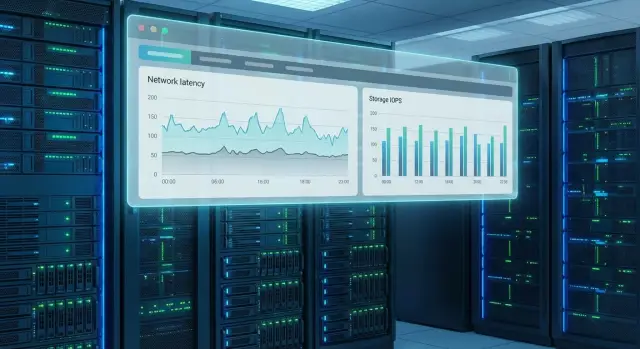
The simple goal: faster, but stable
Consolidating storage onto an IBM FlashSystem 7300 usually starts with a clear objective: speed up applications and simplify support. The catch is that “faster” is easy to show in a short test, while “stable” only proves itself under real peaks and mixed workloads.
Most often the issue isn’t average speed but predictability. Write delays appear, I/O queues grow, and then OS, multipathing or application timeouts follow. On graphs this looks like rare but sharp latency spikes that quickly turn into user complaints.
"Fast in a test" doesn’t guarantee production stability for a simple reason: tests are often clean and short. In reality there are background jobs, backups, antivirus, periodic reports, unexpected spikes, plus different services competing for the same resources. Consolidation amplifies this: diverse workloads meet in one place, and bottlenecks show up faster.
Signs of instability are usually visible on two levels. Users report “freezes,” slow document loads, database delays and intermittent save errors. Admins see rising latency, increasing queue depths, path failover events, timeout warnings and “floating” performance.
Migration success is not about peak IOPS but about measurable and repeatable results. Agree in advance on what “good” means: target latency values (average and peak), no timeouts or unexpected path switches, stable application response during load and a clear headroom for growth. Build the migration plan and control points around these criteria so you don’t end up with “fast but unstable.”
Define scope of work and success criteria
Before writing a migration plan, agree on the project boundaries. This prevents situations where migration is “done,” but later you discover archived LUNs, a test cluster or a couple of services that were “not bothering anyone.”
Start by naming exactly what you will consolidate: which arrays, which pools and volumes, which hosts and environments (prod, test, dev). Also explicitly list what you will not touch this iteration: for example volumes with legally required archives, systems without verified backups, or workloads that cannot be stopped until quarter end.
Next, set availability goals: RPO (how much data loss is acceptable in the worst case) and RTO (how quickly the service must be restored). This determines the approach: online migration or a downtime window, the wave size and application order. Agree on permitted maintenance windows up front: “4 hours from Friday night to Saturday” is concrete, while “as we can” almost always causes conflict.
Compile a list of critical services and their owners. It should be clear who signs off on readiness and who accepts the result.
It’s convenient to capture agreements in one short document: systems list (arrays, volumes, hosts, apps and exclusions), owners and contacts, RPO/RTO and maintenance windows, plus acceptance criteria with before/after metrics and where they are recorded.
Example: for accounting and payments acceptance often includes the response time of key operations and absence of I/O errors after migration. If an integrator runs the migration, lock these criteria down in advance so the go/no-go decision is made on numbers, not impressions.
Inventory and dependency map
Before consolidation it’s important to understand exactly what you’re moving and who depends on it. If you skip this step, migration may seem “quick,” but timeouts, backup issues or “missing” volumes on some hosts will surface later.
Collect inventory in one place and record it as the current version. A table is usually enough, but it should include more than names:
- what you move: volume, LUN, filesystem or datastore (name, size, used, type)
- where attached: hosts and clusters, OS, HBA, WWPN/IQN, zoning and LUN masking
- how mounted: mount points, multipath policy, MPIO/DSM in use
- what’s on the volume: application, owner, criticality, allowed downtime windows
- data protection: backups, snapshots, replications, RPO/RTO requirements
Then map application dependencies. For each system note which databases, queues, authentication services, integration buses and backup agents must “see” the storage at migration time. Check separately whether replications or backups rely on specific LUN identifiers, serial numbers, SAN paths or software rules.
Add a workload profile. You don’t need to guess—answer a few questions and confirm them with figures from current monitoring: when are peaks (business hours, nightly batch jobs, day-close), what I/O type (many small random I/Os or large sequential streams), and which systems are latency-sensitive (VDI, transactional DBs, payment and billing systems).
Example: you have regular file volumes and a separate datastore for VDI. It’s risky to plan them in the same wave without marking VDI as latency-sensitive: the overall cutover may pass, but VDI users will be the first to feel increased response if any small issue appears in paths or multipath settings.
Baseline performance before migration
Before starting migration it’s vital to know how the system behaves today. Without a baseline you can say “it got faster,” but you won’t prove it got more stable or where new delays appeared.
Capture metrics during normal business days and separately during peak hours (for example day-close, report generation, backups). Minimum: 24 hours; preferably 3–7 days to catch rare but painful spikes.
Record metrics on hosts, SAN and current arrays: latency (average and 95/99 percentile) separately for reads and writes, IOPS and MB/s, queue depth, SAN path errors and retries, and workload profile over time—when latency grows.
Then define the “pain threshold”—what latency levels trigger complaints and failures. For example: database users notice slowdowns at 15–20 ms writes, and at 30+ ms application timeouts increase. These values aren’t universal: correlate latency graphs with tickets, logs and times of degradation.
Check where the current bottleneck is. If latency rises while SAN port utilization and host CPU are low, the array is likely the cause. If HBA or multipath queues fill while the array is idle, the problem may be SAN or host settings.
Also record current settings: multipath policies and active path counts, timeouts, queue depths, HBA parameters. Changing these after migration can produce “fast in tests, unstable in production,” and without a reference point it’s hard to find the cause.
Target design: connections, pools, volumes
Before migration, agree on the target layout on IBM FlashSystem 7300. If you leave this until later, waves will cause confusion over volumes, ports and performance expectations.
First, choose a model that suits real workloads. It’s convenient to split storage into pools or volume groups by purpose: virtualization, databases, file services, test environments. This makes service classes clear: where latency must be minimal, where capacity matters more, and where relaxed requirements are acceptable.
Then verify the entire data path from server to array. Choose the transport (FC or iSCSI) and lock in redundancy rules. Minimum: two independent paths to each host (two FC fabrics or separate iSCSI segments), correct isolation (zoning or segmentation), consistent MPIO on servers, agreed port speeds and HBA modes without mixed configurations, and a separate plan for boot-from-SAN (if present) to avoid mixing boot and data traffic.
Don’t plan capacity with zero headroom. Include margin for peaks, growth and background tasks (replications, backups, rebuilds). For consolidating multiple arrays this is critical: aggregate traffic is often higher than individual estimates.
Finally, unify naming and labeling for volumes. For example: PRD-ORA-LOG-01, PRD-VM-DS-02, TST-FS-03. Then each wave clearly shows what moves, where it mounts and how to find a mis-targeted volume quickly.
Migration plan by stages: from pilot to waves
A good migration plan almost always starts with a small, verifiable attempt rather than a big move. The goal is to confirm that the migration method, SAN paths, multipath behavior and host policies behave predictably before touching critical systems.
Pick a test wave first: noncritical volumes where a short outage or performance dip won’t hurt business. Pre-agree the migration method (storage-level, host-level or SAN-based) and verify compatibility: OS, HBA driver versions, MPIO, filesystems, cluster specifics and snapshot behavior.
Run the pilot as a full rehearsal. Measure key metrics before and after and compare to the baseline: latency, IOPS, throughput and application response time. If reads were 3–5 ms and spike to 15–20 ms under peak, stop and investigate instead of “fixing later.”
After a successful pilot, split the migration into waves by applications and dependencies, not just by volume. A common order: single services without integrations, applications with predictable maintenance windows, then clusters and high-load databases, with the most connected systems (ERP, VDI, shared buses) last.
For each wave prepare stop criteria and a rollback plan: what restore point, how long it takes, and who decides. A simple guideline: if after switching latency stays above threshold for 10 minutes or host I/O queues grow, roll back and diagnose.
Cutover without surprises: consistency and rollback
Cutover often fails not because of array speed but due to small details: who stopped writes and when, what “ready” means, and how to go back if things go wrong. The cutover goal is straightforward: ensure data consistency, switch, quickly verify and have a clear rollback.
Consistency can be ensured at different levels; choose the primary approach beforehand. Application-level quiesce is often most reliable: stop services, set DBs to read-only or quiesce, and flush logs. At the OS level, unmount filesystems or stop services to avoid in-flight writes. In virtualization use guest quiesce and snapshot control, but don’t rely solely on the hypervisor for critical apps.
Make cutover preparation repeatable as a short script, not a set of verbal agreements. Immediately before switching perform a final sync, then freeze writes and do quick checks that everything is stopped.
A short cutover checklist: confirm systems and window, stop writes and mark the time, perform final sync and verify volumes/replication status, switch mapping and paths, bring services online and run smoke tests, then decide to stay or rollback.
Rollback must answer three questions: what will be reverted (volume mapping, SAN zones, multipath settings, cluster or application parameters), how fast it can be done (minutes with concrete steps), and who decides. Good practice: assign a single “decision owner” for the window to avoid disputes.
Communication during the window is equally important. Agree who represents infrastructure, SAN, virtualization and applications, and which statuses are reported: freeze start, switch moment, verification results, measured latency and the decision to finalize or rollback.
Latency monitoring: metrics, thresholds, control points
With consolidation on IBM FlashSystem 7300 it’s easy to get speed and lose stability. Therefore include latency monitoring before the first wave and keep identical control points: before, during and immediately after each step.
Compare to the baseline using concrete signals: read/write latency per volumes and pools (especially during peaks), host queue depths, path errors and flapping, SAN indicators (CRC, port errors, ISL saturation), and application response alongside I/O metrics.
Collect metrics from four places: array, SAN switches, hosts and the application. Watching only the array makes it easy to miss a SAN or host bottleneck and produces a migration that is “fast” only in array reports.
Set thresholds and reaction rules in advance so the team doesn’t argue during an incident. A simple approach:
- warning: latency noticeably increased vs baseline—investigate but continue
- critical: latency sustained and queue depth growing—slow the migration or move some load
- stop: path errors/CRC or application instability—pause until resolved
Quick diagnostics by symptoms helps avoid guessing. If latency rises with CRC or port errors, SAN (cable, optics, port) is often at fault. If SAN errors are absent but host queue depth and CPU are high, look at host overload, driver/multipath, queue limits or background jobs.
After each wave produce a short report: what changed in latency and queues, which hosts/volumes approached thresholds, and what will be fixed before the next wave.
Common mistakes that lead to “fast but unstable” outcomes
The most frequent cause of problems in consolidation is rushing. When migration is done “all at once,” without a pilot and without clear stop rules, any small issue becomes downtime—from an unexpected application dependency to a missed business window.
Second mistake: underestimating queues and timeouts in the I/O path. Problems often stem not from the array but from MPIO, HBA, OS or hypervisor settings: overly aggressive timeouts, unsuitable path balance policies, or unprepared queue limits. The result: averages look fine, but users see stalls due to latency spikes and retries.
Another trap is mixing workloads without rules. Putting VDI, databases and file shares in one pool lets a noisy neighbor consume resources and raise latency for critical services. It’s better to decide in advance which volumes cohabit, or isolate them by pools, QoS or at least by scheduling heavy tasks.
Finally, lack of observability is common. Without a baseline, thresholds and a metrics owner you can’t tell normal from degradation or who must act. Define minimum controls beforehand: baseline read/write latency for key apps, thresholds and escalation rules (who can stop a wave), migration windows and heavy-job peaks (reports, ETL), MPIO and timeout changes, and backup/replication/maintenance impacts.
A simple example: migration finishes “successfully,” but at night a backup and dedupe job starts, queue depth rises, latency spikes, and in the morning accounting complains about “slowness.” This isn’t a “slow array”; it’s a planning issue: peaks weren’t considered and control points to pause or reschedule heavy jobs were missing.
Sample consolidation scenario: three arrays into one
Typical case: three old arrays in a rack. The first serves file shares (SMB/NFS), the second hosts virtualization (VMware/Hyper-V) on SAN, the third serves a database and several critical services. The goal is to move everything to IBM FlashSystem 7300 without turning “fast” into “unstable.”
A wave breakdown often looks like this: files and archives first (easy to revert), then test and auxiliary VMs and noncritical services, and only after a clean pilot—transactional systems (databases, ERP, payments).
Pilots usually reveal not a “slow array” but surrounding details. For example average latency may be fine, but p95 write latency jumps 2–3x on some hosts. Metrics at the volume and host levels show p95/p99 latency, queue depth, SAN port load and retries. The cause may be simple: differing multipath policies on a cluster, or one path experiencing errors.
Common fixes are straightforward and verifiable: standardize multipath settings, rebalance and separate paths, put the loudest workloads on different volumes, and configure monitoring thresholds to catch degradation rather than average values.
Before the final cutover double-check data consistency, rollback readiness (snapshots/copies) and control metrics during peak hours.
Quick checklist before start and before each wave
Before the full migration and prior to every wave run the same short checklist. It reduces the risk of moving data only to have users face stalls and unclear errors.
Organizational checks: RPO/RTO, migration windows, acceptance and stop criteria documented; wave owners assigned (who gives “go,” who watches applications, who watches arrays, SAN, and who handles communications). One decision owner per wave is mandatory.
Technical checks: baseline performance exists and alert thresholds are set; SAN paths, multipath, timeouts and failure behavior have been validated; cutover and rollback plans are ready with control points, volume lists and order, and short application validation steps after switching.
If a pilot was run, pull the report and ensure its recommendations were applied: corrected settings, updated monitoring thresholds, clarified windows and allocated verification time.
Next steps: lock in results and maintain stability
After a successful migration it’s easy to relax, but this is when latency drift often begins: new services are added, workloads shift and queue depths grow. Lock the result with simple operational rules.
Maintain one living document: short but complete—target architecture (connections, pools, volumes, multipathing), waves and windows, owners and contacts, metrics and thresholds (latency, IOPS, throughput, queue depth), post-wave control points, and a brief cutover/rollback script.
Schedule a stabilization week after each major wave. During this time don’t introduce new heavy projects; run standard business scenarios and compare metrics to the baseline. If p95 write latency increased overnight after a DB move, first compare host and array queues, then check path balancing and contention for the pool.
Then keep a regular control rhythm: weekly metric and incident reviews with system owners, trend checks for p95/p99 and threshold alerts, and monthly change audits (new LUNs, policies, firmware updates).
If you need external support for design, migration and monitoring, involve an integrator who can tie infrastructure metrics to real service requirements. In Kazakhstan GSE.kz provides system integration, infrastructure design and 24/7 support, which helps preserve stability after consolidation.
Frequently asked questions
How do I know the migration to IBM FlashSystem 7300 was successful and not just “faster”?
First, record acceptance criteria as numbers: target read/write latency (average and peak), no timeouts or path errors, and predictable application response during load. Then link these metrics to the wave plan, control points and a clear stop/rollback rule so that “faster” does not override “stable”.
Which metrics should I capture before migration to prove stability later?
Collect a baseline for at least 24 hours, preferably 3–7 days, and mark peak periods separately. Record read/write latency with p95/p99, IOPS and MB/s, host queue depths, SAN path errors and retries, and application response times—so you compare facts, not impressions.
What must be included in the inventory before storage consolidation?
Create a single inventory of volumes and attachments: where each volume is mounted, which hosts and clusters use it, and what multipath and timeout settings are applied. Add application owners and dependencies (backups, replications, clusters) so you don’t discover “unexpected” consumers during cutover.
How to design pools and volume placement to avoid a “noisy neighbor”?
Partition storage by purpose and latency sensitivity, not just by capacity. That prevents mixing noisy and critical workloads in the same pool and lets you decide in advance where low latency is mandatory and where capacity or relaxed performance is acceptable.
How to choose between online migration and a downtime window?
Default safe approach: start with a pilot and use the migration method your team and OS/hypervisor support. Before finalizing, verify HBA drivers, MPIO/DSM, filesystem and cluster compatibility, and service downtime requirements so the process doesn’t get blocked by host-side issues.
Why run a pilot and how to tell it succeeded?
Pick noncritical volumes, but run the pilot as a full migration with the same checks, metrics and participants. If p95/p99 for writes worsens or host queues increase after switching, stop and fix root causes before touching databases, VDI or payment systems.
What must happen during cutover to avoid surprises?
Keep a repeatable script: stop writes at the agreed level, perform final sync, switch mappings and paths, bring services up and run quick smoke tests. The less improvisation during the window, the lower the risk of inconsistency or intermittent errors after activation.
How to prepare a clear rollback to avoid wasting time if something goes wrong?
A rollback plan must state what will be reverted, how many minutes it takes, and who decides. If latency stays above threshold, queues grow or path errors appear, rollback must start without debate—otherwise a small problem becomes a prolonged outage.
How to set up latency monitoring during migration?
Monitor the whole chain: array, SAN, hosts and application. Set thresholds and reactions in advance so the team interprets increases in latency, queue depth and path errors consistently and can slow or pause a wave in time.
What to do after migration so performance doesn’t drift a month later?
Plan a stabilization week after major waves: compare metrics to the baseline, investigate deviations—especially during nightly backup peaks—and adjust paths, MPIO or pool placement. If you want design, migration and support to be one process, involve an integrator: GSE.kz offers system integration and 24/7 support in Kazakhstan.
