8 min read
Data Anonymization and Masking: for Training and Logs
Data anonymization and masking: how to find sensitive fields, choose a hiding method, verify reversibility and safely prepare datasets and logs.
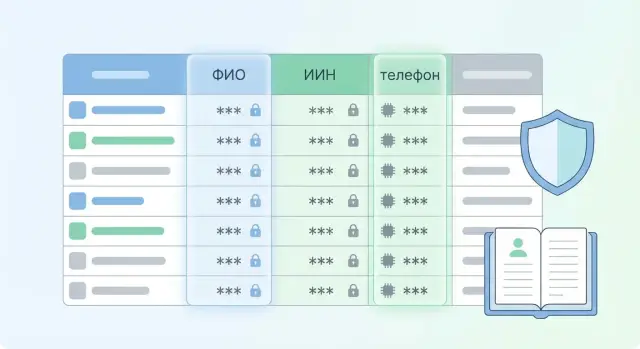
What problem appears during training and logging
When you train a model or enable detailed logs, data often gets copied to places where it wasn't intended to live long-term: experimental datasets, test environments, log archives, exports for analytics. That's why it's better to anonymize and mask data before training and before writing logs, not “later if needed.”
The danger is that "extra" fields live longer and spread wider than the source database. New accesses appear (developers, contractors, analysts), copies end up on laptops and sandboxes, backups are created. Any leak in such places hits harder, because the data has already been multiplied and it's harder to track down and remove all copies.
Personal and sensitive data usually gets into logs by accident. This typically happens when:
- the request or response body is logged in full (especially during debugging)
- authorization headers, session tokens, cookies are logged
- URL and form parameters are saved (phone, IIN, email)
- user input gets "stuck" into error texts and stack traces
- object dumps are made, for example printing a customer profile
The story is similar for training: a model can "memorize" rare strings (for example, a document number) and later reproduce them in responses or analysis. Even without an external leak, keeping original identifiers in training sets is usually unnecessary.
In practice, “sufficiently hidden” means: from the stored data you cannot reasonably reconstruct identity without a separate private key or mapping table, and those secrets are not stored next to logs and datasets. A good test: can you, having only the logs or the training set, reconstruct full name, IIN, phone or exact address? If yes, masking is insufficient.
Terms without confusion: what you're actually doing
Words are often mixed up, resulting in incoherent policies: data may seem “protected,” but logs still contain extra fields. To build anonymization and masking correctly, start by naming things clearly.
Anonymization — making it impossible to revert to the person, neither by you nor by anyone else. This is usually the goal for public reports, external test exports or datasets that will live long.
Pseudonymization — replacing identifiers with pseudonyms while keeping the ability to restore the original via a key or a separate mapping table. Use when you occasionally need to recover details: incident investigation, disputed transactions, user requests.
Masking — making a value less readable without necessarily using cryptography: hide part of a number, replace characters, round a date, truncate a string. It's commonly used in logs and interfaces where people don't need full values.
Choose the approach based on the task:
- whether reversibility is needed and who may restore it
- how much and how long you will store the data
- how many people and systems will see the result
- whether accuracy for analytics is more important than maximal privacy
Why doesn’t “encrypt and forget” always help? Encryption preserves the full data in another form. If the key is widely available, a leaked key restores everything. Also, encrypted fields are inconvenient for training and analysis without separate preparation.
Simple example: logs contain an email and a contract number. For daily debugging, masked forms are enough (user***@domain.kz, contract 12****89). For rare investigations use pseudonyms and store keys separately with strict access and short retention.
How to find sensitive fields and “hidden identifiers”
To make anonymization and masking work, first identify fields that can actually identify a person or device. The mistake is often not forgetting "full name," but missing a field that looks harmless.
Start with a data map
List sources and mark where data first appears and where it flows next. Look not only in the main database but also in the "tails" that often go to logs and analytics exports: report replicas, CSV/Excel exports, test datasets, queue messages and integration exchanges, application events, error files, dumps and traces.
Then go through fields and mark direct personal data. It's convenient to group them to avoid drowning in details:
- government and financial identifiers (IIN, card number)
- contact details (phone, email)
- identity and address data (full name, address)
- sensitive categories (e.g., medical data)
- credentials and secrets (passwords, codes, answers)
How to spot a “hidden identifier”
Indirect identifiers are dangerous in combination. Separately "date of birth" or "position" may seem safe, but together with city and gender they can be unique. Simple test: take an export and see how many rows become unique when combining 2–4 fields. High uniqueness indicates a candidate for masking or aggregation (for example, year instead of full date).
A special risk area is technical identifiers: IP address, device ID, cookies, advertising IDs, session tokens and request-id which can be linked to a user. In logs such fields are often hidden inside JSON, headers, URL parameters or error texts.
A small example: a support log message may contain an IIN or phone number inside the "message" text, even if there's no separate field. So check free text and exception messages as well as columns, and use regex patterns (phone, email, IIN) to find them.
Data minimization: what to remove before masking
Before masking, do a simpler step: remove everything you can live without. The less you carry into datasets and logs, the lower the leak risk and the easier access control becomes.
Start with a quick field classification by sensitivity. It’s important that this classification is consistent across analytics, ML and development, otherwise “extra” fields will reappear:
- open: already public (product type, general request category)
- internal: service fields without direct harm if leaked (internal statuses, error codes)
- confidential: commercial details (contract terms, prices, configurations, serial numbers)
- personal: full name, phone, email, IIN, address, geolocation, biometrics
Then ask for each field: "does it really affect model quality or the report?" Often models need only the text of a request, topic, time, channel and outcome. Full name, phone, exact address and document numbers are almost never needed.
A helpful approach is to split fields into three groups: always needed, sometimes needed (store separately and with limits), not needed. For "not needed" the correct answer is to delete before the data reaches storage or queues.
Also check fields that get into logs "by default": full request and response bodies, authorization headers and tokens, device and session identifiers, and convenient debug structures with the user profile.
Example: a support ticket may include a phone number "for contact." For analytics on reasons for contacts it is unnecessary, so it’s better to drop it immediately rather than mask it and risk it ending up in error logs.
Masking methods: what to choose for datasets and logs
Method choice depends on two things: whether you need to restore the original later and whether you need to link records (for example, build a history for a single client). In practice you usually use a mixture of techniques rather than a single magic solution.
Non-reversible methods (when original isn’t needed)
For logs and training sets it’s usually better to remove the possibility of restoration. That lowers leak risk and removes the need to store secrets.
- Deletion and suppression: remove the field entirely or replace with empty/"[REDACTED]". Good for passports, full addresses, free-form comments.
- Aggregation/generalization: replace exact values with ranges or categories (age 34 -> 30–39, geo -> city). This preserves analytic meaning.
- Salted hashing: useful when you need a stable identifier without revealing the value. Remember: for short values (phone, IIN) hashes can be brute-forced, so use a salt and control access to it.
Reversible methods (when restoration is justified)
If you have a legitimate reason to restore data (incident handling, user request), choose tokenization or encryption. Tokenization keeps original data separately; datasets and logs contain only tokens. Format-preserving masking helps when a field must pass format validation (e.g., a card number looks like a card number but isn’t).
Partial masking is useful for support: show last 4 digits of a contract, domain of an email instead of the full address, truncated address to street or district.
To keep data useful, decide in advance what you store: type, length, range and distribution. For training, city and device type might matter, while exact address and full name can be omitted.
If joins are needed, replacements must be stable: the same input should always yield the same token or pseudonym within the chosen dataset.
Step-by-step process: how to implement masking in a data flow
Start with rules, not tools. Until you know which fields to protect and why, masking will be ad hoc and therefore unreliable.
Steps that work in a real pipeline
Collect a short but official set of rules and apply them where data first enters the system.
-
Create a field catalog: where they come from, how they are used, what their risk is. For each field record the action (delete, mask, tokenize, keep) and the reason.
-
Put masking as close to the input as possible: in data preparation for training and in logging. A good rule: only processed versions should go into datasets and logs by default.
-
Separate access and environments. Have a clear answer to "who and where can see originals." Typically two levels suffice: a small group with raw data access and everyone else who works only with masked data and aggregates.
-
Version masking rules as code. If you change how phone or email is masked, you must be able to reproduce past experiments and understand metric changes.
-
Add controls for new fields and events. The most frequent leak comes not from old tables but from a new parameter a developer added "for a minute" into a log.
How it looks on an example
Suppose you have customer requests and service logs. Requests contain name, phone and contract number. For training you keep the message meaning but replace the phone with a stable token and delete the contract number. In request logs you forbid logging the full message body, keeping only error code, timestamp, an anonymized session identifier and aggregates (e.g., message length).
The final criterion is simple: even if a dataset or logs end up exposed, identity cannot be reconstructed, and you don’t keep unnecessary originals.
Verifying irreversibility and quality after masking
After implementing masking, don’t take it on faith — check two things: whether originals can be restored and whether data utility for training and analytics is preserved.
How to know restoration is impossible (or strictly limited)
First define what you promise.
- For a salted hash: without the salt you cannot get the original value.
- For tokenization: recovery is possible only via a protected token store under strict access rules.
- For encryption: keys live separately from data and are not available to developers "by default."
A practical test: try to recover some values "as an attacker." Without the key, salt or token table you should hit a wall. If restoration is allowed (for support), show that it’s limited by process: who can do it, when, how it’s logged and who reviews it.
Leak checks and data fitness tests
After masking add automated checks for traces of personal data in logs and datasets. This should be part of releases and data preparation, not a one-time action.
- pattern search: IIN (12 digits), phones, emails, document numbers, card numbers
- search for "hidden identifiers": fields like comment, error_message, address, user_agent
- check for remnants: string parts before or after masks, duplicates in exceptions and traces
- token checks: stability (same input -> same token if intended) and absence of collisions
- access checks: where token tables or salts live, who has rights, is there audit
Then check utility: compare key feature distributions before and after, missing value rates and validation metrics. If you, for example, generalized age to "18–65," the model may lose signal and performance. Choose a minimally sufficient precision in advance rather than cutting to zero.
Common mistakes and pitfalls in de-identification
An annoying trait of de-identification is that mistakes are often found by audits, leaks or accidental log searches, not by testers. Even if you masked a dataset, originals often remain nearby: debug logs, error messages, exception traces, request dumps.
A common pitfall is a mask that’s easy to undo: e.g., hashing without a salt or a single salt used across systems and environments. Then masking becomes a matching task: repeated values are quickly linked, and if the salt leaks, reversibility becomes practical.
Another problem is mixing production and training data without clear access separation. When the same person or role sees both raw and masked copies, control loses meaning. It’s also dangerous to store token->value mappings next to the dataset or in the same storage: technically masked, but practically restorable in minutes.
People often forget about data "tails": backups, caches, CSV exports, temp files, email or messenger transfers. Originals end up there because those channels have different retention rules.
Quick pre-release checks:
- pick 5–10 real exceptions and ensure no originals appear in error texts
- ensure salts and keys are different per environment and stored separately from the data
- verify role separation: who can see raw data vs masked copies
- find where token mappings live and evaluate who has access
- scan backups and exports to ensure masking rules were applied there too
Simple example: you anonymized support requests for training, but the service logs the full JSON request on timeout, including phone and IIN. The dataset is "clean" but the leak occurs through logs.
Checklist before launch and after changes
Masking usually breaks not because of the chosen method but because of small issues: an extra field in an export, a new event in logs, a forgotten header. This checklist helps catch such issues before they reach datasets or logging systems.
Before launch (export, training, logs)
- The export purpose is defined and the field list approved: what is needed and what is kept "just in case."
- Direct identifiers (full name, phone, email, IIN, document numbers) and surrogate fields (CRM client ID, contract number, internal session tokens) are removed.
- Quick pattern checks performed: email, phones, 12-digit numbers, UUID, bank cards, addresses. Check free text (comments, requests) as well.
- For logs exclude full request and response bodies and headers that commonly hold secrets and personal data (e.g., Authorization, Cookie, X-Client-*).
- If reversibility is used (tokenization or pseudonymization), keys and mapping tables are stored separately, access is limited and retention is defined in advance.
Guideline: if support stores "subject" and "text," the text usually contains extra data — people put phones, addresses and document numbers there.
After release and any changes
- Regularly scan new events and schema versions (new log fields, parameters, new tables in exports).
- Perform selective audits of datasets and logs: a few fresh records manually plus automated pattern searches.
- Monitor exceptions: parsing errors or masking misses should be visible in monitoring.
- Review role access: who can see originals and who can restore tokens.
- Version masking rule changes as part of the release process, not as one-off tasks.
Practical example: a dataset from support requests and service logs
At one company, support investigated service failures while analytics prepared a training dataset from tickets to classify incident causes. The source was the same: tickets, operator comments, attachments and API technical logs. The problem surfaced quickly: what helps an engineer now doesn’t have to be stored in a training set or kept in logs for months.
They mapped fields and found unexpected extras. The request form contained full name, phone, email and address; comments often included contract numbers and screenshots; API logs contained headers with identifiers and request bodies that sometimes held the same contacts. Attachments were checked separately: OCR on PDFs and images showed personal data living there.
They agreed on rules that didn’t break analytics:
- user and ticket identifiers replaced with stable tokens (so sessions and repeat requests line up)
- addresses generalized to city and district; streets and apartments removed
- phones partially kept (e.g., first 2–3 digits of code and last 2 digits), rest masked
- emails turned into a normalized marker (domain kept, name hidden) to distinguish corporate and public domains
They verified by automation and process. Automation searched for patterns (phones, emails, IINs, document numbers) in datasets and fresh logs. Process changes included access control to raw data and tests for token stability: same input ID -> same token; different IDs -> different tokens.
Main future change: stop logging full request bodies by default, run attachments through a filter before saving, and split form fields into "for client response" and "for analytics" so extras never reach storage.
Next steps: how to lock the approach in the company
To prevent masking from being a one-off, start with an inventory. List sources (DBs, files, queues), all places data hits logs, and all datasets for analytics and training.
First quick checks can use simple patterns: full name, phone, email, IIN, document number, address, and quiet identifiers like device_id, cookie, internal_user_id and combinations (date of birth + city). These often allow identity reconstruction.
Then make masking an engineering practice:
- assign a data owner for each source and dataset
- document rules: what to delete, what to mask, what is allowed in logs
- add tests to data prep and release pipelines (for example, block a build if an export contains email or IIN)
- store the "token dictionary" and keys separately with restricted access
- review rules after changes in forms, events and logging
If de-identification is for model training, fix in advance which fields are necessary for quality and which are present "just in case." In support datasets you usually need subject, text, category and time; phone and exact address are better removed or replaced with coarse features (city, channel).
Bring integrators in when the landscape is complex: many systems and teams, different access levels, audit requirements, or when masking must work both online and in archives. Such projects often require separate infrastructure for storing and processing already-masked datasets. Servers and workstations and system integration services from GSE.kz (gse.kz) may be useful in these cases.
Frequently asked questions
When is the best time to start masking data — before or after training?
It’s best to anonymize before the data enters the training dataset and before it starts being written to logs. If you anonymize “after,” copies will already exist in test environments, exports, backups and on people’s workstations, and removing all traces becomes much harder.
Which data most often ends up in logs “by accident"?
Most common accidental cases: the service starts logging the full request or response body, authorization headers are written to logs, URL parameters and form fields are saved, and user input appears in error messages. Another frequent source is dumping objects during debugging, when an entire client profile is written to the log.
What is the difference between anonymization, pseudonymization and masking?
Anonymization means that you cannot map the data back to a person in principle. Pseudonymization replaces identifiers with pseudonyms while retaining the ability to restore the original value via a key or a separate mapping table (those secrets must be stored separately and tightly controlled). Masking typically makes data less readable for humans (for example, hiding part of a string) and is suitable for logs and interfaces where the full value is not needed.
Why doesn’t “just encrypt it” always solve the problem?
Encryption preserves the full data, just in another form, so security depends heavily on who can access the keys. If a key leaks or access is too broad, you essentially retain the original data. Also, encrypted fields are inconvenient for training and analysis without additional preparation.
How do you find "hidden identifiers" if the schema has no obvious personal fields?
Start with a data map: where a field appears first and where it flows next, including logs, queues, exports and replicas. Look not only for explicit fields like name or phone but also for combinations that make a record unique, and for technical identifiers like IP, device ID, cookies and session tokens. Also check free text and error messages — they often hide document numbers, phones and IINs.
What is better to do first — mask or delete fields?
Ask for each field: does it affect model metrics or the analytic result? In most training cases, topic, text, time, channel and outcome are enough; full name, phone, precise address and document numbers can usually be removed immediately. The less you carry into datasets and logs, the fewer access controls and the lower the leak risk.
How to choose a masking method if you need to link records?
If you need to link events into histories, use a stable replacement of the identifier with a token or pseudonym. If linking is not needed, prefer deleting the field or generalizing it to a range or category so you don’t keep unnecessary precision. For short values like phone numbers or IINs, be cautious with hashing — without a proper salt, such values can be brute-forced.
Where in the pipeline is it best to apply masking?
A good rule is to mask as close to the entry point as possible: where data first arrives, and where logs and training exports are formed. That way, the default stored dataset and logs are already processed rather than raw. If reversible restoration is required, keep token tables or keys separate from logs and datasets and restrict access by roles.
How to check that masking is irreversible and doesn’t break analytics?
Test two directions: reversibility and data utility. For reversibility, try to recover values the way an attacker would without keys, salts or mapping tables — it should be practically impossible. If restoration is allowed (for support, for example), it must be restricted by process and audited. For utility, compare feature distributions and model metrics before and after masking to ensure you didn’t remove essential signals.
What errors are most often made when de-identifying data for ML and logs?
Common mistakes: originals remain in side places like debug logs, traces, dumps, backups and quick exports. Another trap is storing secrets near the data or giving the same team access to both raw and anonymized copies. Also, masking rules must be versioned — without versioning you can’t explain changes in model results when masking changes.
