6 min read
CSV and Excel Integration: a Reliable Schema and Common Pitfalls
Practical rules to make CSV and Excel integrations stable: schema, format versioning, validation and a clear error protocol.
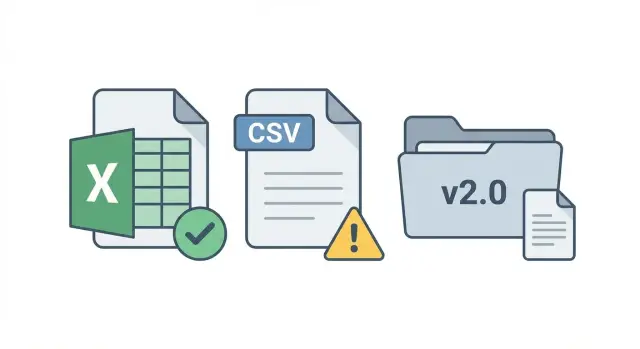
What's the problem with CSV and Excel in integrations
CSV and Excel look simple: export a table, upload it to another system, and that's it. But that apparent simplicity is exactly why these exchanges break so often. One person opens the file in Excel and saves it “in the convenient way.” Another reorders columns. A third adds spaces, comments or “pretty” formatting. As a result the import either fails or, worse, silently writes incorrect data.
The problem is usually not people but expectations. A file is treated like a document for a human, while for integration it is an interface between systems. An interface must be predictable: the same columns, the same value types, the same rules for empty fields. Otherwise each time you get a “new format” instead of a repeatable process.
Reliable means the format is fixed, changes are managed, and data is validated before and during loading. Then exchanges become boring and stable: a file is either accepted or rejected with a clear reason.
The main goal is that users upload files, not “fix” them manually before import. If people constantly edit tables, the format rules are not defined or the system can't explain errors.
This approach is especially important where files remain a working tool: accounting (amounts and dates), procurement (item catalogs and directories), HR exports (IDs, full names, statuses), registers and lists of requests between departments.
A simple example: procurement exports requests to Excel, then the file goes to an accounting system. If someone renamed the column "Date" to "Request Date" or entered the date as 01.02.24 without a rule, some rows will become unreadable. This is not a "user error" — it's the effect of an undocumented format. Start file-based exchanges with format discipline, not another “table template.”
Agree the boundaries: what the file should and should not do
CSV and Excel are convenient but can easily turn into a universal band-aid if you don't agree boundaries upfront. Lock down simple things: who provides data, who consumes it, and what each side is responsible for.
First, identify the source and the consumer. The source produces the file according to rules and is responsible for data correctness. The consumer is responsible for the import and for clear error messages. If both sides “tweak the file a little,” nobody is to blame and fixes will be ad hoc.
Then describe the exchange scenario: import-only, export-only, two-way (for example, status returns), scheduled or one-off (migration). The scenario determines format and approval processes.
The key question is where the truth lives. If one system is authoritative, the other must not change its data via the file except for pre-agreed fields (for example, "status" and "execution_date"). If truth is undefined you get duplicates, conflicts and endless reconciliations.
Agree on rules for format changes in advance:
- who approves changes and who tests them;
- how long the old version is supported;
- how change notifications look and who receives them;
- which errors are critical (stop import).
Example: procurement exports requests and accounting imports them into the ledger. If accounting is the main source for amounts and counterparties, procurement must not “fix” those fields in the file. Changes to accounting data should go through an agreed process, not ad hoc Excel edits.
Schema rules: columns, types, required fields
Reliable CSV/Excel exchange starts not with a template but with a clear schema.
First rule: one file — one logical entity. If it's "Invoices," don't add "Contacts" and "Addresses" there. Model relations via identifiers, not with a "sheet 2".
The schema must be unambiguous: fixed column names, clear data types and required flags. The user should not have to guess whether a field can be skipped or what to enter there.
Common required columns
The exact set depends on the entity, but almost always you need fields without which a record can't be matched or processed:
- unique key (record ID or external identifier);
- event date (a single specific date: creation, issuance, shipment);
- status (strictly from a defined set);
- amount (number, not text);
- relationship identifiers (e.g., counterparty ID).
Specify data types in the format documentation: string, number, date, boolean, lookup. For lookups forbid free text: a code (PAID, NEW) is safer than "Paid", "payed", "yes".
Agree on measurement units and currency. It's more reliable to keep currency in a separate column (for example, currency=KZT) than writing "100 000 тг" in the amount.
Define rules for empty values. Empty means "no data." Zero is the real value 0. Phrases like "no data", "-", "N/A" should be forbidden, otherwise validation and reports will lie.
Details that cause most issues: encoding, dates, numbers
Most failures are caused not by logic but by small details. The file looks the same, but systems read it differently on different machines, Excel versions and regional settings.
Fix these basics:
- Column names and order are stable. Don't rename or reorder old columns.
- For CSV choose encoding (usually UTF-8) and a single column separator (comma or semicolon) without mixing.
- Use one date format that doesn't swap day and month. Practical choice:
YYYY-MM-DD. If time is needed, agree on format and time zone. - Use one numeric format: a single decimal separator, predefined rounding, no spaces or thousands separators.
Don't rely on Excel formatting. Exports must contain values, not formulas, colors or merged cells.
Example: accounting exports amounts as "1 000,00" but the importer expects "1000.00". Tests may pass, but real data can turn some values into text. These errors are removed only by strict rules and pre-import checks.
Version control for the format: how to change files without incidents
An import file is a contract. Change the contract without notice and imports, reports and manual workarounds break.
The simplest approach is to add a format_version field (for example, 1.0, 1.1, 2.0). Prefer a separate column with the same value in all rows. The importer reads the version first and then applies the appropriate rules.
Compatible changes usually don't break old processes. Incompatible ones require a new version and a migration plan.
Compatible: an optional column added at the end; a new allowed value in a lookup (for example, a new status).
Incompatible: renaming a column or changing its meaning; changing type; turning an optional field into required.
Set a support window for old versions (for example, 90 days after a new release). During this period the importer accepts both versions and users receive warnings to migrate.
Templates should be versioned too: "Import template v1.1", "v2.0". Assign an owner for the format (usually the team that receives imports): only that team updates the template, rules and examples. Keep a short changelog: what changed, why and from what date it is mandatory.
Validation: what to check before import and during import
Reliable imports rely on validation. It's convenient to split checks into two layers: structure (can the file be read) and content (are the data trustworthy). This reduces silent errors when the file loads but numbers in the system are wrong.
First check structure: required columns exist, names match, types are recognized. Decide here how to handle empty values: forbid or fill defaults.
Then check content. Most issues come from manual edits: statuses changed informally, values copied with spaces, formats mixed.
What to validate in the data
Usually a minimal set is enough:
- lookups and codes (statuses, units, IDs, currencies);
- uniqueness of keys and absence of duplicate rows;
- ranges and types (dates are real, amounts are not text, negative values forbidden if the rule says so);
- cross-checks (start date not after end date, line totals match the summary, required pairs of fields filled together).
Before import and during import
Before import, run a quick check: structure, required fields, gross errors. During import, run stricter logic: lookups, uniqueness, cross-checks.
Decide the handling policy upfront: stop the entire import or allow partial loads. Partial loading is suitable when records are independent (for example, requests). Stop-all is needed when errors break integrity (for example, documents with line items where totals must match). In any case the user must receive a list of fixes, not just "import error."
Error protocol: make it clear what to fix
An error message should not be "file is bad" but a helpful hint: where the problem is and how to fix it.
Use a consistent error format. In each error record include at least:
- a code (for example, E101, W203);
- plain-language text;
- column (as in the template);
- row number;
- problematic value (as-is);
- format version (for example, v1.2).
Classify errors. Critical errors block the import (missing required field, wrong type, uniqueness violation). Non-critical ones are warnings (extra spaces, unknown optional column, rounding). The user should see: "Import stopped due to 3 errors" or "Import completed with 5 warnings."
Write messages without jargon and include an example of a correct value. Bad: "Invalid date format." Good: "The date in column PurchaseDate must be in YYYY-MM-DD format, for example 2026-01-28. Current: 28/01/26."
Provide an error report back to the user. A convenient option is a separate file with the original rows plus Status and Message columns so users can filter and fix only problematic records.
Decide how to handle reimports and duplicates. Add a stable key (for example, ExternalID) and store it. Then re-uploading will update an existing record instead of creating a duplicate.
How to stop users from editing files manually
Manual edits break exchanges: they remove columns, change date formats, insert spaces in codes, paste values with formulas. The solution is not to "ban Excel" but to make the right path the simplest.
Start with an official template. One file, one version, cell hints and structural protection. Users should fill data, not “construct” the format.
To prevent arbitrary values, implement controlled input:
- protect the sheet and headers so columns cannot be renamed or moved;
- use dropdowns for lookups and forbid values outside the list;
- add simple validations (required fields, ID length, numeric ranges);
- allow one manual column — comment — for explanations rather than adding new columns.
Remove manual entry where possible. The best file is an automatically generated one: an export from the source, a CRM, service desk or accounting system. Then a person only confirms data or adds a comment.
Use a file naming convention to avoid version confusion: date, source system, data type, format version, package number.
If you have IT support or an integrator, enforce the rule: structural changes must go through the format owner, not "I'll quickly fix it in Excel." In integration projects this is often handled by a team like GSE.kz so the format doesn't drift after launch.
Example scenario: exchanging requests between departments
Procurement exports requests daily to Excel and accounting imports the file. It sounds simple, but it’s where failures happen most often: someone edits an amount, removes a column, changes a date format, or pastes a row twice.
To make the file robust, fix the schema and a minimal set of fields up front. For example, each request should have a RequestID and a LineID to distinguish items within a single request.
Example columns and rules:
- RequestID (string, required, unique)
- LineID (integer, required)
- Status (value from list: NEW, APPROVED, REJECTED)
- Amount (number, required)
- Currency (KZT, USD, EUR)
Before import the system runs a quick check and filters out typical errors before writing to the database. Common issues are date formats (Excel can turn dates into numbers), currency (spaces and variants), duplicates (re-sent files), and wrong counterparty codes.
Return errors as a report showing what to fix, for example:
- Row 18, Currency: value "тенге" is not supported, allowed: KZT
- RequestID 10452: duplicate, already imported on 2026-01-27
- Row 7, Amount: "12 000,50" not recognized, expected 12000.50
Users should not guess fixes. They look at the report, correct data in the source (for example, in the procurement request table) and re-export.
If a new column or status is needed, introduce a format_version and make new fields optional during the transition. Then accounting can accept both old and new files without stopping processes.
Quick checklist before going live
A 15-minute checklist saves hours of troubleshooting.
Format and structure checks
- The file includes a format version (
format_version) and the system explicitly knows which versions it accepts. - The set of columns matches the agreement: required fields are present, names match character-for-character, and extra columns are either forbidden or handled by rules.
- Data types are unambiguous: dates and numbers use the chosen format, there are no formulas, merged cells or headers that break the import.
Data and error checks
- Each row has a key, it is unique and not reused across objects. If the key is composite, it is documented and checked.
- Lookups and codes are valid (statuses, departments, currencies). Empty values are allowed only where explicitly stated.
After a test import ensure errors come back clearly: code, row number, column name and a short hint. If a user cannot fix the file without calling IT, the process is not ready.
Typical mistakes and traps when working with files
A common problem is mixing CSV logic and Excel features. CSV should be just data, but Excel adds formulas, hidden columns, merged cells and formatting that means something only to the author. You end up importing assumptions, not facts.
Another trap is “small improvements” for convenience: renaming a header, reordering columns, adding spaces or translating a header. Even when exchange uses spreadsheets, the file is a contract, not a living document.
What breaks imports most often
Crashes usually come from small changes no one considers a format change:
- header names changed case, language or added spaces;
- numbers gained thousands separators or currency symbols;
- dates became “Excel-style” (for example, 01.02.2026) without an explicit standard;
- empty rows or comments inserted mid-file;
- mixed types in one column (number, text, "no data").
Errors users cannot fix
A validator is useless if it reports only "invalid format." The user must see row, column, current value and the expected format, plus a clear next step: replace, remove, fill or create a lookup entry.
Partial imports without rules are another trap. If some rows load and others don't, you get duplicates and divergence. Without a reimport strategy (unique key, upsert mode, import log) these situations are inevitable.
Practical rule: make any column or parsing rule changes only via a new format version. Validate the file before loading, not after data already got into the system.
Next steps: how to implement and solidify the process
Start with a short working session with those who export data and those who import it. The aim is not to "build a file" but to agree rules: which fields are required, who is responsible and what counts as an error. The fewer assumptions left to users, the fewer manual edits.
Document everything in one place: schema (columns, types, required), sample values and version rules. This document can change but only through a clear process.
A typical rollout sequence:
- appoint a format owner and define compatibility rules;
- prepare a versioned Excel template with hints and protected structure;
- implement pre-import validation and clear error reporting;
- define transition rules for new versions (support window, backward compatibility, deprecation date);
- run a pilot with several real files and add checks where people err most.
After the pilot finalize a one-page instruction, an update policy and a clear support channel. A sign of maturity is when most errors are caught before import, not found later in reconciliation meetings.
Frequently asked questions
Why do CSV/Excel exchanges break so often even though they look simple?
Treat the format as a contract: exact column names, types, required fields and rules for empty values. Then agree who is the source and who is the consumer, and forbid manual “improvements” of the file without issuing a new format version.
Who should own the file: the exporter or the importer?
The source is responsible for correct data and producing the file strictly according to the schema. The consumer is responsible for import and clear error messages if the file fails checks. If both sides keep "tweaking" the same file, the format will drift and problems become unpredictable.
How to decide which system is "master" if both sides want to change data in the file?
Define where the truth lies for each field. For example, one system may be authoritative for amounts and counterparties, while the other is only authoritative for statuses and execution dates. Without this, you'll get conflicts, duplicates and constant reconciliations after each exchange.
What minimum schema rules are needed for a stable import?
Start with a schema: fixed column names, clear types and required flags. Forbid free text where codes are needed, and explicitly document rules for empty values so "empty" doesn't become "-" or "no data."
Why is it bad to make a single Excel file "do everything" with multiple sheets?
Keep one entity per file. If there are relations, pass them via identifiers instead of a second sheet or pasted contacts. That makes validation simpler and avoids partial uploads that break integrity.
What file settings most often break imports: encoding, dates or numbers?
Fix encoding (usually UTF-8), use a single CSV separator, and choose a date format that doesn't swap day and month. Agree on decimal separator and forbid spaces, thousands separators and currency symbols inside numeric fields. These small details cause most silent failures.
How to change a file format without breaking exchanges?
Add a `format_version` column and check it before reading data. Compatible changes can be done without a new version (for example, an optional new column at the end). Incompatible changes require a new version and a migration plan with a limited support window for the old version.
What should be validated before import and during import?
Split checks into structure and content. Structure: required columns exist, names match, basic types are recognized. Content: reference lists, unique keys, ranges and cross-checks (for example, start date is not after end date). This prevents loading a file that is formally correct but semantically wrong.
How to make error messages so a regular user can fix them?
An error should show what to fix: the column, row number, current value and expected format in plain language. Also distinguish critical errors from warnings so the user knows whether import is blocked or completed with notes. This reduces IT calls and guesswork.
How to stop users from tweaking Excel before upload and breaking the format?
Make the correct path the easiest: one official template, protected headers, controlled input (dropdowns) and a dedicated comment column instead of adding new columns. Where possible, generate the file automatically from the source system rather than asking someone to "fill a sheet" manually. Assign an owner for format changes and manage updates through an agreed process; if needed, involve an integrator like GSE.kz.
