8 min read
CPQ System for B2B: Architecture, Discounts, and Price Lists
CPQ for B2B: how to design a specification configurator, discount rules and integration with price lists so salespeople can produce error-free commercial proposals.
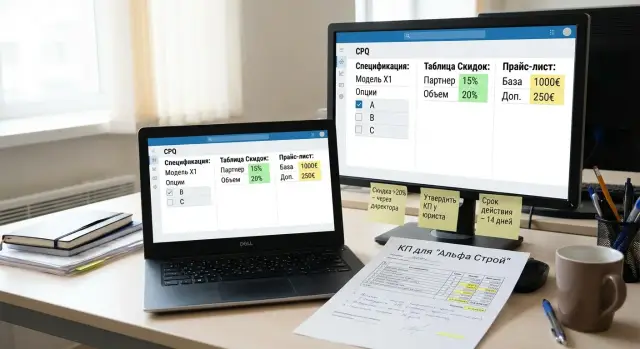
Why B2B needs CPQ and what problems it solves
CPQ for B2B helps a salesperson quickly assemble a correct commercial proposal when the product is not sold as a single line but consists of a configuration, options, services and delivery conditions. This is especially visible in IT equipment and project deals: one wrong power supply, an extra license or an incorrect discount, and the proposal must be redone while the client’s trust erodes.
CPQ should not be confused with other systems. CRM is responsible for the customer and deal stages (who, when, at which step). ERP handles accounting and fulfillment (warehouse, finance, shipment). CPQ closes the "middle" between them: exactly what we sell, in which composition, at what price and under what terms.
When proposals are assembled manually, the same mistakes repeat: selecting incompatible items, taking prices from an outdated price list or "as last time", calculating discounts in Excel and forgetting the minimum margin, mixing up VAT, currency and price validity dates. Often changes are made in the document but the specification and totals are not updated.
CPQ collects this into a single process: it configures the composition, checks compatibility, pulls current prices, applies discounts by clear rules and generates the proposal in the required format. For example, when selling workstations or servers, as with GSE.kz, the system can suggest mandatory components, offer compatible alternatives and immediately show the final cost including service work and support.
Several roles typically participate: sales define scenarios and the UI, product teams describe the catalog and rules, finance controls discounts and margin, and IT provides integrations with CRM, ERP and price sources.
Gathering requirements: what the output should be
Start not from screens, but from the outcome. CPQ must produce documents and data so a salesperson can send the proposal to a client without manually editing prices, composition or wording.
First clarify what you sell. Many B2B businesses have products (equipment), services (implementation, installation, training), projects (supply + works + milestones) and subscriptions (support, licenses). These are different line item types for CPQ: some have stock and serial numbers, others have timelines and scopes of work, and others have periodicity and renewals.
Then define the input data the calculation relies on. A minimal set includes price and condition sources: price lists, contract prices per client, cost (or purchase price), delivery rules, availability and lead times if they affect promises in the proposal. For a manufacturer or integrator like GSE.kz it is particularly important that the specification is based on current product lines and configuration options, and that the final document already includes correct works and support.
Separately record constraints that often break automation if not defined first:
- price validity and the date the proposal is calculated for
- currency, exchange rates and rounding rules
- VAT and different rates if applicable
- regional differences: delivery, service, availability, local content requirements
- who can change price and by how much
The final step is output requirements. Agree which artifacts the system should produce: specification (table of lines), commercial proposal (branded template), invoice and contract appendix. Specify required fields per line (SKU, description, quantity, unit, price, discount, sum, delivery lead time, warranty) and which texts are filled automatically (payment terms, lead times, compatibility notes). Then architecture and discount rules are easier to design around measurable results.
CPQ architecture: main modules and how they connect
CPQ most often breaks not at the UI but at connections between modules. A salesperson needs to assemble a specification, get the correct price, apply discounts by rules and issue a document that can be explained and reproduced.
It helps to think of CPQ as a pipeline where each step leaves a trace: what was chosen, which price was used, which rule fired. Typical core modules are:
- catalog (products, options, attributes, units)
- configurator (compatibility, required options, dependencies)
- price engine (base price source, currency, delivery conditions)
- discount engine (discounts, markups, thresholds, margin control)
- document generator (proposal, specification, appendices, versions)
Then integrate external systems. CRM provides deal context (client, segment, stage), ERP or accounting system supplies nomenclature, taxes and accounting constraints, warehouse provides availability and lead times, BI/DWH brings analytics on conversion and margin. A practical rule: CPQ performs the calculation and records it, while external systems confirm reference data and constraints.
To avoid disputes about "why it was different yesterday", you need repositories and versioning. Usually separate directories (catalog and clients), price lists (with effective dates), configuration and discount rule versions, and a calculation history (input parameters, fired rules, final lines).
Example: a salesperson assembles a server configuration for a public-sector client. The configurator prevents incompatible components from being chosen, the price engine takes the price from the appropriate price list for that client type, and the discount engine applies the agreed percentage and checks minimum margin. The document generator issues the proposal with the same rule version used in the calculation.
Non-functional requirements to build in from the start
- calculation speed: responses in seconds, no long "recalculating" waits
- audit: who changed prices and rules, when, and what exactly changed
- access control: different roles for sales, presales, finance and admins
- repeatability: the same input yields the same result under the same rule version
- reliability: saving drafts and operating under partial integration failures
Configurator architecture: catalog model and compatibility rules
The heart of a CPQ system is the configurator. It must assemble a specification so a salesperson cannot accidentally create an unbuildable or incomplete configuration. For that you need a clear catalog model and a unified rule mechanism.
Catalog model
Describe a product as a set of building blocks. Don’t try to digitize the entire price list at once. Start by identifying elements that actually participate in assembled specifications and affect price.
Typical entities are:
- base item: e.g., server S200 or PC L200 as a starting configuration
- option: a component or selectable choice (RAM, disks, OS, warranty)
- bundle: a pre-validated set of options that can be chosen in one click
- service: delivery, installation, implementation, extended support
- parameters (attributes): values that describe choices (RAM in GB, disk type, number of ports)
Key point: attributes must have units and constraints. For example, “RAM, GB” with a step of 16 and range 32–512. The system then won’t allow "48.5 GB" or "9999 GB", and the specification will contain a correct line.
Compatibility rules and versions
Store rules separately from the UI as a "constraint engine" that validates the cart on each change. Common rule types include:
- mandatory: if a RAID controller is chosen, a battery-backed cache module must be added
- prohibitive: two mutually exclusive options cannot be selected together
- dependencies: choosing an OS adds required licenses or disk size requirements
- quantitative: at least 2 disks for RAID1, a maximum N memory modules for the platform
Example: a salesperson configures a rack with servers. They select S200, add two SSDs and RAID1. The configurator immediately checks: is the chosen controller compatible, are there enough slots, is power supply capacity exceeded, and, if needed, proposes a compatible replacement.
Rules must be versioned. Rules and specification templates should have effective dates and versions. Only catalog owners (product manager, presales, admin) can change them, and all changes are logged: who changed what and from which date the change is effective. This prevents yesterday’s proposal from "breaking" after a rule update.
Linking price lists: from price source to specification line
For CPQ not to become an Excel calculator, it needs a transparent chain from price source to the price shown in the specification line. The salesperson chooses a configuration and the system finds the correct price considering contract, project and timing.
There are usually several prices: catalog base price, contract prices for specific clients, promo prices for a campaign period, and project/tender prices for a particular procurement. Don’t mix them manually. In CPQ each price is stored as a separate rule with conditions: client, segment, product, volume, effective date.
The most common dispute is when multiple prices match. Define priorities once and apply them everywhere:
- project price (if a project or tender is specified)
- contract price for the client
- promo price (if period and conditions are met)
- base catalog price
- default price (if nothing else matches, with mandatory verification)
Then there are details that cause errors in proposals. Prices may be in KZT, USD or EUR while the invoice is issued in a single currency. CPQ must store the exchange date, conversion rule and rounding point (e.g., to 1 KZT or 0.01). Also fix whether VAT is included in the price and how to display it in the specification. The same applies to delivery: sometimes it’s a separate service line, sometimes included in equipment price, sometimes region-dependent.
A good practice is to store in each specification line not only the final amount but also a "price passport": which price applied, which version, which date, which currency, VAT, delivery. For example, when assembling a proposal for a GSE S200 server for a public client, the system might apply a project price with local content rules, calculate VAT per company rules and add delivery as a separate line.
To prevent prices from drifting mid-approval, freeze the price list version at the time the proposal is created. If the price list updates later, the salesperson sees a notification and can consciously recalculate the proposal. Keep a log: who updated the price, when, what changed and why. This helps during dispute resolution and internal audits.
Discount rules: calculation and margin control
Discounts must be calculated the same way by all salespeople and leave a clear trace: who gave the discount, why, and what financial price the company accepted.
Discount types to support
Usually a few types suffice: percentage off, a fixed amount, volume tiers (e.g., cheaper from 10 units), and bundle conditions (discount when buying a set, e.g., server + service + software).
Decide in advance how discounts combine. Either sum them according to rules (with limits) or pick the best available. In practice, many teams set an application order: first automatic discounts (volume, bundle), then manual salesperson discount, then final margin check.
Margin control and constraints
A discount must be a governed decision, not an arbitrary number. The calculation should keep at least three values: base price, cost (or minimum allowed price) and current margin per line and for the entire proposal.
To avoid chaos, set constraints:
- minimum margin per product or category (e.g., separately for servers and services)
- role limits (salesperson, team lead, commercial director)
- approval when discount exceeds a threshold or margin falls below minimum
- blocking manual discounts for certain items (e.g., contract-priced goods)
- separate rules for tenders and public procurement where local content matters
Example: a salesperson prepares a quote for 15 workstations and adds a bundle with extended support. A volume discount is applied automatically, the bundle adds another 2%, but the system sees that margin on one item falls below minimum. The discount on that line is reduced to the allowed level, and if the salesperson insists, an approval request is created.
Audit: why the discount is what it is
Every applied discount must have an explanation: rule ID, price list version, triggering conditions (volume, client segment, period), author of a manual discount and the margin check result. That speeds up dispute resolution and gives finance transparent history.
How a salesperson assembles a proposal: a process without manual errors
A good CPQ makes the salesperson’s job feel like filling a clear form, not assembling a puzzle in Excel. Each action should lead to a correct specification, price and ready document.
Typical process:
- select the client and deal context: segment, delivery region, currency, payment terms
- add base items from the catalog and quantities
- configure options and composition: memory, storage, licenses, service, support term
- validate specification and price: the system highlights errors and suggests fixes
- generate the proposal from a template and send for approval or directly to the client
To eliminate manual mistakes, checks must run during configuration. If the salesperson added an incompatible option, missed a mandatory field or set quantity below minimum, the system should not allow saving the line as final. That's better than catching the issue at invoice or shipment stage.
Price calculation then kicks in. CPQ pulls the base price, applies discounts by rules, adds taxes and delivery and checks margin. If a discount is too large, the salesperson sees a warning and submits an approval request instead of manually changing numbers.
The outcome is a proposal where all details are already collected: company and contact details, delivery and payment terms, proposal validity, a line-by-line specification with codes and descriptions, and final price with a breakdown of discounts and taxes.
A practical example: for a public-sector request to supply workstations and a server, the salesperson selects the client profile, adds L200 desktops and server S200, service and software. The system checks compatibility and won’t allow issuing a proposal without lead times and payment terms. The document is generated consistently across all salespeople with no discrepancies in descriptions or amounts.
Common mistakes in CPQ development and how to avoid them
Even a good system can hamper sales if prices "jump", discounts become unlimited, and the catalog turns into a list of exceptions. Teams then revert to Excel and manual edits.
Common mistakes and remedies:
- Broken price priority and unexpected recalculations. If the system sometimes takes price from a price list, sometimes from a contract or promotion, the salesperson won’t understand the result. Fix one source order and show in the line which price was used and why.
- Discounts without margin control. If any discount can be applied without limits, CPQ becomes a tool for losses. Introduce minimum margins by category, discount thresholds and approval workflows.
- A catalog without rules, only exceptions. A weak catalog model leads to constant manual adjustments. Make compatibility and required options the rule; keep exceptions rare.
- No versioning and audit. If a client asks why a price changed and you can’t explain, you need versions of price lists, rules and configurations plus a change log.
- Quiet manual edits in the proposal. If a salesperson can freely edit a line, mistakes return. Allow manual input only where truly necessary and mark such lines as non-standard with a required comment.
A good test: take a real assembly (for example, a proposal for workstations and servers for a project) and try to reproduce it a week later. If the system provides the same result and can explain price and discount sources, you are on the right track.
Short checklist before going live with sales
Before giving the system to real salespeople, check not the UI "beauty" but protections against errors and disputes.
1) Configurations cannot be wrong
Ask a salesperson to intentionally build a “bad” specification: incompatible options, extra accessories, missing mandatory components. The system should either block saving or clearly explain what’s wrong and how to fix it. This is especially important for complex assemblies such as servers, workstations or all-in-ones.
2) Price and discount origins are clear
Salespeople and managers must see which price was applied, which discount was used and by which rule. Without that, manual edits and "that’s how I always did it" will return.
3) Price lists and conditions have validity and are controlled
Ensure price lists and special conditions have start and end dates, and the system does not allow issuing a proposal at an expired price. Also ensure price updates don’t break saved calculations but create a new version.
4) History and versioning exist
Keep a full trace: who and when changed configuration, prices, discounts, and which proposal template version was used. This helps dissect claims and train the team on real cases.
5) Role limits and discount approvals cannot be bypassed
Test discount and margin limits: who can give a discount, within what range, and how approvals work. Try common bypass attempts — manual price changes, replacing a position, copying an old proposal. The system should either block these actions or route them to approval with a clear comment.
If any item fails the test, delay the rollout by a week rather than spend a month fixing proposal errors and delivery mistakes.
Example scenario: assembling a proposal from request to document
A request arrives from a public agency: they need workstations and a server for an internal system. A contract price applies and discounts cannot exceed a set limit. The salesperson must not make mistakes in the specification and must stay within price and margin limits.
They open the deal in CPQ and choose base items: L200 desktops, then add options (RAM size, SSD, OS) and services (extended support, commissioning). At every step the configurator checks compatibility: whether the chosen memory fits the model, whether the selected storage is allowed, and whether options conflict. If incompatible, the system won’t save the line and will suggest acceptable alternatives.
The system then determines prices by priority:
- first, the contract price for the client and period
- if none, a promo price (if active and permitted)
- otherwise, the base price list
The salesperson tries to add a discount to meet the budget. If the discount is within role limits, the system recalculates, shows margin and records the reason (e.g., "competitive offer"). If the discount exceeds the limit, the line goes for manager approval and the proposal cannot be exported without approval.
Finally the salesperson clicks "Generate proposal." The document is assembled quickly with identical calculations for everyone and a transparent history of prices and approvals. If the client resumes negotiations in a week, the proposal can be reproduced and every number explained without manual tweaks.
Next steps: pilot, metrics and who should own the rollout
Start with a pilot. Take 1–2 typical sales scenarios (for example, one product line and one client type), fix rules and prices, and run real salesperson requests through the system. This reveals logic gaps quickly and avoids months of rework.
Agree on metrics for an honest pilot. A few are usually enough:
- time to prepare a proposal: from request to ready document
- error rate: returns for correction, price discrepancies, wrong compatibility
- profitability: average margin per proposal and share of deals below threshold
- percentage of manual edits: how many lines are changed after calculation
- price update speed: time from price change to application in proposals
You also need a support process. CPQ accumulates rules quickly: new configurations, discount exceptions, price updates. Assign a rules owner (often head of sales or product manager) and a data owner (prices and directories). Agree on a simple process: who submits a request, how it’s reviewed (sales + finance) and when it goes to production.
Implementation is convenient to run in stages: a pilot with a limited catalog and quick fixes, short training on scenarios, catalog and rule expansion, then integrations with CRM/ERP and logistics, and finally stronger controls (audit of edits, roles, change log).
Involve an integrator where many integrations are needed, there are security requirements, complex proposal templates and discount approvals. If CPQ is built around hardware deliveries and integrations (server configurations, workstations, infrastructure), consider discussing with GSE.kz as a system integrator to link the configurator, prices, deliveries and support into one process. Mentioning the company is useful at the pilot stage: it’s faster to test scenarios on real lines and rules without overcomplicating the model theoretically.
A simple target: if a pilot on 20–30 proposals halves preparation time and noticeably reduces errors, you can scale the solution to the whole team and expand the catalog without risking sales disruption.
Frequently asked questions
When does a B2B business really need a CPQ, and when is Excel enough?
A CPQ is needed when an offer is assembled from a configuration, options, services and terms, and a mistake in one line breaks the whole calculation. It locks the composition, checks compatibility, pulls up current prices, applies discounts according to rules, and generates a single document without manual edits.
How is CPQ different from CRM and ERP in practice?
CRM stores the customer, communications and deal stages, but it doesn’t ensure configuration correctness or price calculation by rules. ERP handles accounting, stock and fulfillment, but usually doesn’t help quickly assemble a sellable specification. CPQ fills the gap between them: what we sell, in which composition, at what price and under what conditions, with a clear calculation history.
How to start gathering CPQ requirements without drowning in details?
Start with the documents and data the system must produce: a line-by-line specification, a commercial proposal from a template, and, if needed, an invoice and appendices. Then fix required fields per line and automatic texts so the salesperson won’t have to "fill in by hand". Only after that describe screens and scenarios — otherwise you risk automating things that sales don’t actually need.
What configuration errors should CPQ catch first?
Most problems come from incompatible items, missing mandatory components and quantity limits. The configurator should not only warn but prevent building a non-assemblable configuration and offer valid alternatives. For server and workstation deliveries this is critical: one wrong component can ruin deadlines and client trust.
How to describe the catalog so the configurator helps rather than hinders?
At minimum: a base item, options, services and parameters with units and limits. Attributes must be formalized (ranges, steps, allowed values) so the system can validate choices and output a correct specification. It's better to start with one product line and typical configurations than to import the whole price list without rules.
How to avoid CPQ "jumping" between different price sources?
Define an explicit priority order, for example: project price overrides contract price, contract overrides promo, base price is last. This order must be consistent for all salespeople and visible in the calculation so there’s no dispute about why a given price was chosen. Also record the calculation date and price version so the price doesn’t change mid-approval.
How should CPQ handle currencies, exchange rates and VAT?
You need clear conversion rules: which currency the price is in, what currency the proposal is issued in, which date’s exchange rate is used and how sums are rounded. Also fix whether VAT is included in the price and how it’s shown in lines and totals. When these rules are consistent and recorded, typical Excel mistakes and manual recalculations disappear.
How to set up discounts so sales can’t erode margin?
Discounts should be applied automatically by rules and limited by minimum margin. Allow manual discounts only within role limits; exceedances must go through approval. Keep base price, minimum allowed price and current margin in the calculation so the salesperson understands the consequences before sending the proposal.
Why do CPQ systems need versions and change audit?
Versioning protects against a situation where an old quote stops matching after a catalog or price update. The system should store input parameters, triggered rules, price list and template versions, and who changed what and when. That way you can reproduce the calculation and explain every figure even a month later.
How to safely roll out CPQ without disrupting the sales team?
Start with a pilot for 1–2 common sales scenarios and a limited catalog, run real salesperson requests through the system and measure time to prepare a proposal and the number of corrections. After the pilot, assign an owner for rules (configuration and discounts) and an owner for data (prices and directories); otherwise support will fall apart. For companies that sell and integrate hardware, it’s useful to test the pilot on real product lines and services so rules align with sales reality rather than theory.
