8 min read
Container Signing with Cosign: Admission Policies and CI/CD
Container signing with Cosign: how to prevent image swaps, set up checks in CI/CD and Kubernetes admission, and manage exceptions and audits.
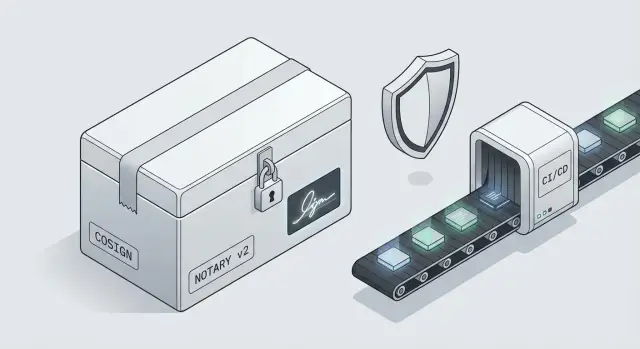
Why sign container images at all
A container image can be swapped so it still looks like "the same" from the outside. A tag like app:1.2.3 can point to one set of layers today and a different one tomorrow. That new image may contain malicious code or a subtle configuration that opens access. The worst part is that such a swap often does not break builds and doesn’t look like an attack.
Vulnerability scanning is useful, but it answers a different question: "are there known holes in the composition?" It does not prove that your team actually built the image and that it wasn’t replaced along the way. A malicious image can be CVE-clean but built by an attacker. That’s why signing images (Cosign and similar tools) is needed as proof of origin and integrity.
Trust usually breaks in three places: the registry (who can overwrite tags or push images), CI (who has access to secrets and publish steps), and cluster permissions (who can deploy anything, bypassing the process).
Signatures let you introduce a simple control: "this image was released by us under our rules." Practical benefits include:
- protection from swaps even if a tag is compromised;
- deciding where to verify signatures: in CI/CD, in Kubernetes, or both;
- setting clear exceptions so work isn’t blocked and auditing remains intact;
- agreeing who may release and how that is proven.
If you operate in a regulated environment (government, finance, healthcare), image signing often becomes not an "optional" security control but a way to demonstrate supply chain control during audits and incident investigations.
In plain terms: signature, digest and attestations
To protect against swaps, it’s important to distinguish a few similar concepts. They’re often mixed up, which leads teams to add signing without getting the guarantees they expect.
Core terms without heavy theory
- Image: the set of layers containing your app and dependencies that you run in a container.
- Manifest: the image’s "table of contents" — which layers are included, supported platforms, and metadata.
- Digest: a hash (e.g., sha256) of the manifest. Change one byte and the digest changes.
- Tag: a human-friendly name like
app:1.2orapp:latest. Tags can be reassigned to different images — that’s normal registry behavior.
Key point: digests are essentially immutable, while tags are mutable. Therefore, security policies typically rely on digests, not tags.
Signature vs hash: what each protects
A digest answers: "is this the same exact set of bytes?" But it doesn’t answer: "who released it and can we trust them?" If an attacker can push a new image under the same tag, the digest will change — and without cluster-side checks, that swap may be missed.
A signature adds: who signed it and under what acceptance rules. A signature does not replace a digest. It binds to specific content (usually the digest) and attests to its source.
Attestations: what else can you prove besides the signature
Beyond "the image is signed," you can verify additional evidence (attestations), for example:
- the image was built in your CI, not locally on a laptop;
- vulnerability scanning passed with an acceptable result;
- a specific base OS or base image was used;
- required build parameters were enforced (e.g., no privileged instructions).
The link to admission policy is simple: Kubernetes admission control becomes the gatekeeper. It decides whether a Pod can run by checking signature and attestations. If checks fail, the Pod is blocked before the image runs.
Cosign and Notary v2: differences and when to use which
Cosign and Notary v2 solve similar problems — making sure a container image wasn’t swapped — but they do it differently and with different focuses. Without a plan, it’s easy to end up with two parallel trust schemes nobody can clearly explain in an audit.
Cosign grew from a practical idea: sign a specific image by its digest and store the signature alongside it in the registry. People often add attestations (how the image was built and what checks it passed) to the same storage. Cosign typically fits CI/CD workflows well: build, test, sign, and only allow signed images to be deployed.
Notary v2 is intended as a standardized trust layer for registries: publishing artifacts (including signatures and metadata) in OCI format so different tools understand them consistently. In practice, Notary is often about registry and ecosystem support rather than one specific tool.
Guidelines:
- Choose Cosign if you need a quick working gate in CI/CD that ties a signature to a digest.
- Consider Notary v2 if standardization and registry/platform support matter to you.
- If you already use Kubernetes, starting with Cosign is often easier because it integrates smoothly with admission controls and admission policies.
The main rule: don’t mix approaches without a plan. A common mistake is some teams signing with Cosign while others publish metadata in a Notary style, but the cluster checks only one of those sources.
To avoid confusion, decide in advance:
- a single source of truth: which signatures are valid and where they live;
- one set of verification rules for CI and Kubernetes;
- who owns keys or signing identities;
- how you will migrate if you later switch standards.
Trust model: who signs and who verifies
A signature only matters if it’s clear who is allowed to release an image and who must not accept images without verification. This is more about roles and process than cryptography.
The trusted signer is usually not a developer on a laptop. The most robust option is CI: it builds the image from the repo, runs tests and scans, and then signs the resulting artifact. This reduces the risk of someone signing an arbitrary build or an image pulled from an unknown source. If you adopt Cosign, designate in advance who is the "release owner": a platform team, a release engineer, or the CI service account.
Keys can be stored in two main ways: traditional keys (preferably in HSM or KMS, not environment variables) or a keyless approach where the signature is tied to an authenticated identity (for example, a CI account). The keyless option reduces the risk of leaking long-lived keys but requires disciplined identity management and good logging.
Verification should happen at least in two places. First, in CI/CD when deploying to test or stage to catch bad images before they reach the cluster. Second, in the cluster via admission control so nothing reaches production unless it passes policy.
Agree on what "production" means. Usually that maps to specific registries and repositories, separate registry projects, and a firm rule: production accepts only images by digest, not by tag.
Sign not the "folder with a Dockerfile" but the actual outcome:
- the image by digest (what actually runs);
- build attestations (who and how it was built);
- SBOM or at least a basic statement of composition if you use SBOMs;
- allowed source (which registry and repository).
Example: for an integrator doing government projects, trust boundaries can be: CI signs only builds from the main branch, the registry stores only signed digests for prod, and the production cluster accepts only images from the "prod" repository with a valid signature and attestations.
Step-by-step: how to roll out image signing in a team
Start with a simple rule: signing is part of the normal build, and verification is part of the normal deploy. Then it’s not an "extra" security step but a quality standard.
First agree what the signature should prove. Cosign is convenient for many teams because it integrates well with GitHub Actions, GitLab CI and other pipelines. Notary v2 is often chosen when the registry and uniform artifact policies are the main focus.
A safe rollout sequence that doesn’t break processes:
- Define the format: image signature only, or signature plus attestations (e.g., SBOM, which commit built it, which tests ran).
- Choose a key model: classic keys (and where you store them) or identity-based signing (OIDC) without long-lived secrets.
- Enforce signing only by digest, not by tag. Tags are human-friendly, digests lock the exact byte-for-byte image.
- Add attestations as separate required artifacts: "built in CI from commit X," "vulnerability scan passed," "used base image Y."
- Create a matrix of enforcement: which repositories and environments always require signing (prod), where exceptions are allowed (dev), and who approves them.
Small example: for a bank or government-facing service, require signature and an attestation "built in corporate CI" for prod, while allowing unsigned images only in a sandbox registry for a short, limited time.
Don’t overcomplicate early on. Make signing mandatory for one or two critical services, test key storage and digest-based release, then extend rules across the image catalog.
Verification in CI/CD: where to place gates and what to log
Sign the artifact when it has earned trust. That moment is typically after build and tests, before the image moves further down the pipeline. This way you sign a concrete result: one digest, one set of inputs, one version.
A typical pipeline looks like:
- build the image and run tests;
- run vulnerability scans and basic checks (e.g., no root usage, minimal base images);
- create attestations (what was checked and how);
- sign the image and publish it to the registry;
- a separate pre-deploy step: verify signature and attestations as required gates.
Before deployment, verify not only that a signature exists but also who signed, what was signed and under which conditions. Minimum checks usually include the signature itself, presence of required attestations (for example, tests passed), and origin (which registry/project/pipeline produced the image). If policy allows only certain registries or projects, that must be checked automatically.
To prevent bypasses, close process gaps. A typical bypass is a direct push to a production registry that avoids CI. The solution: forbid direct pushes, allow publishing only through the CI service account, and separate dev and prod registries with different permissions.
Logs and artifacts aren’t decoration — they’re critical for investigations. Store:
- image digest, tag and exact publish time;
- build identifier (pipeline run), commit and author;
- result of signature verification and list of checked attestations;
- key version or trusted signer identifier;
- a short human-readable reason when verification failed.
On failure, return a clear status: "signature not found", "signer not in trusted list", "missing test attestation". Then either stop the deployment and keep the previous version, or automatically roll back to the last successfully verified digest. The key is that a failing gate should be final and not just a warning that can be ignored.
Admission policy in Kubernetes: block the unsigned
Admission in Kubernetes inspects requests to create or change resources before they enter the cluster. It is the last line of defense: even if someone bypassed CI or pushed a manifest to a repo, the cluster can still say "no" and prevent a swapped image from running.
A practical minimum for production: allow only images that (1) are signed and (2) are pinned by digest, not by tag. Tags like latest or release can be silently overwritten; a digest always points to a specific set of bytes. So policies often come down to two rules: "no tags" and "signature required." With Cosign, that typically means verifying a signature via a public key or checking the signer identity.
To avoid breaking development, split rules by environment:
- dev: audit mode (allow but log unsigned and tag usage);
- stage: block tags and require signatures for critical namespaces;
- prod: block any unsigned image and any image not pinned by digest.
Base images are a special case. Teams often pull them from public registries where signatures may vary or be absent. A practical approach is to maintain a list of trusted base images and mirror them into an internal registry, pin them by digest, and optionally sign them as "approved" after scanning and license checks.
Roll out gradually, or releases will halt over tiny issues. Start with reporting and clear exceptions, then tighten enforcement. Agree in advance what to log and who reviews alerts:
- who attempted the deploy (user or service account);
- which image and which digest;
- why it was denied (no signature, invalid signature, tag forbidden);
- where it was targeted (cluster, namespace);
- pipeline or change ID, if propagated in metadata.
Admission becomes not only a gatekeeper but a useful audit: you see the denial reason and can fix it without lengthy manual investigations.
Common mistakes and pitfalls when adopting signing
A frequent problem: a team enabled signing (e.g., with Cosign) but left loopholes that allow another image into production. The signature then becomes cosmetic.
A typical bypass is deploying by tag. A tag can be overwritten, so an attacker or careless engineer can push a new image under an old tag. If the admission policy doesn’t require digests, the swap succeeds. The right approach is to verify digests, and signatures must apply to that digest.
Another trap is ad-hoc manual deployments and temporary disabling of checks. In urgent situations people take shortcuts: kubectl apply from a laptop, images from a personal registry, while signature verification happens only in CI. Without cluster admission control, that shortcut becomes a permanent path.
Systems usually fail because of combined issues:
- shared access to signing keys or storing them in chat or shared folders;
- overly broad exceptions (by namespace or by image) without expiry;
- lack of role separation: the same person builds and publishes to prod;
- checks only in CI while the cluster accepts everything;
- weak registry permissions: many can push to the prod repository.
About exceptions: every exception must have an owner, a reason and an expiry. Otherwise they accumulate and policies become porous. Require each exception to have a ticket, an owner and a deadline; otherwise it shouldn’t be applied.
A real scenario: a developer fixes a bug and pushes an image with the same tag as yesterday to avoid changing manifests. CI verifies the signature of the old build, but the cluster pulls the new image by tag. The result is an unapproved image in production. This is usually fixed by three measures: requiring digests, controlling publish rights, and enforcing checks in Kubernetes, not just in pipelines.
How to document exceptions and keep control
Exceptions are necessary even with strict policies: incident rollbacks, legacy services without signing pipelines, or vendor images that don’t yet sign in your way. The problem is when exceptions become habit and live for years.
Treat each exception as a small contract. The record should clearly state what was allowed and why.
A minimal template that usually passes audits and helps teams:
- Reason: what happened and why the standard process can’t be followed quickly.
- Owner: the person or team responsible for closing the exception.
- Expiry: end date and conditions for extension.
- Risk assessment: what could go wrong if the image is swapped or a vulnerability appears.
- Compensating controls: what you do instead of signing right now.
Keep the scope narrow. Don’t make an exception "for the repository" or "for the project." Allow a specific digest, only in one namespace, for one service account. That reduces blast radius if something goes wrong.
Approval and review must be simple; otherwise they’re skipped. Good practice: a weekly 15-minute review by the release manager or SRE to scan exceptions and close expired ones.
Store records where they can be audited: a ticket with discussion, a commit in the admission-policy repo, and admission controller logs showing who and when an exception was used. Example: allow an unsigned vendor agent image only by digest, only in the observability namespace, for 7 days, with mandatory scanning and no secret access.
A short real-world scenario: how an image swap is caught
A team rolls an update using the tag payments:release. The registry later gets an updated image: someone rebuilt and overwrote the tag to fix a minor issue. Everything looks normal: same tag, green pipeline, deploy succeeds.
Later production shows unexpected network calls and odd errors. The investigation finds that the digest under payments:release changed — it’s a different image. This may be a process error (someone overwrote the tag) or a swap if registry access was wider than expected.
What went wrong: the team trusted tags and didn’t require signature verification. The pipeline pushed an image but didn’t pin the digest as the single source of truth. Kubernetes accepted whatever the manifest referenced.
How to prevent it: CI must sign the digest (e.g., with Cosign) and enforce two gates. First, CI: allow deploy only if a valid signature exists. Second, prod cluster: admission blocks images without a trusted signature or images not on an allowlist.
If a temporary exception is needed (incident rollback), keep risk limited:
- allow a specific digest, not a tag, and only for a short time;
- require a ticket with reason, owner and expiry;
- enable enhanced logging and notifications while the exception is active;
- run an extra scan and obtain manual release approval.
After such an incident teams usually add simple rules: tags are labels, not guarantees; deploy by digest; signing is mandatory for prod; and exceptions automatically expire. Train the team so one overwritten tag doesn’t determine production behavior.
Short checklist and next steps
If you want to start quickly, agree on a minimal set of rules that any developer can understand and that can be enforced automatically.
Minimum rules to start
- Publish only images that have a signature and a recorded digest.
- Before release, verify: build origin (which repo and pipeline), signing rights (who can sign), and tag-to-digest consistency.
- Store keys and permissions separate from code: role-based access, few people allowed to sign, scheduled rotation.
- Add gates in CI/CD: if signature or digest checks fail, the release stops; log who signed what and why.
- Enable Kubernetes admission control to block unsigned images (or run clusters in audit mode first, then enforce).
Don’t lose control with exceptions and temporary bypasses.
Regular checks (weekly)
- Review exceptions: which are expired, which can be closed, who owns them and why they existed.
- Track new repositories and registries: are they covered by the same checks, is there any shadow delivery path?
Next steps are straightforward: pick one product or team, run a pilot, collect feedback and codify rules into pipeline templates. Then expand to other services and add stricter checks.
If you need help with the practical side (admission policies, CI/CD verification, registry work and ongoing support), you can work with GSE.kz (gse.kz) as a system integrator: that makes turning rules into working processes faster and avoids leaving them as documents on a shelf.
Frequently asked questions
Why sign container images if we already scan for vulnerabilities?
Signing proves origin and integrity: that you released the image and it wasn’t swapped on the way. This protects you even if a registry tag was overwritten and the build and deploy still looked "normal."
What is the difference between a tag and a digest, and why does it matter for security?
A tag is a convenient label that a registry can reassign to another image as a normal operation. A digest is a hash of the manifest content; it changes with any modification and is treated as the fixed identifier of that exact artifact.
If an image has a digest, why do we still need a signature?
A digest confirms you downloaded the exact bytes you expected, but it doesn’t say who produced them. A signature adds trust information: who signed the image and whether the signer matches your admission rules.
Where is it better to verify signatures: in CI/CD or in Kubernetes?
The basic approach is to verify in both places when possible: CI/CD to stop bad artifacts before deployment, and Kubernetes as the final gate in case the pipeline is bypassed. If you must choose one, cluster-level checks are more reliable for production because they don’t depend on pipeline discipline.
Which signing model is better: classic keys or keyless (via OIDC)?
Classic keys are easier to understand and work well if you store them safely in KMS/HSM and limit access. Keyless reduces the risk of long-lived secret leakage but requires careful identity setup for CI and clear audit trails of which account signed a release.
How do you roll out image signing gradually without stopping releases?
Start small: pick one or two critical services, make signing part of the normal build and verification part of the normal deploy. Enable audit mode first in clusters and pipelines to surface real issues, then move environments to blocking mode gradually.
What about unsigned base images from public registries?
Mirror base images into an internal registry and pin them by digest so unexpected changes are eliminated. After you scan and approve them, you can sign them as "approved" so the cluster sees a single admission rule.
How should we document exceptions when they are unavoidable?
An exception must be narrow and auditable: specify exactly which image is allowed, where and for how long. If an exception lacks an owner and expiry, it quickly becomes a permanent gap. Require a reason, an owner, and a closure condition.
What should we log when signing and verifying images in CI/CD?
Log the facts that let you reconstruct the chain: which digest was signed, which pipeline run and commit produced it, who is considered the signer, and why verification passed or failed. When a check fails, return a short actionable message so engineers can fix issues without manual investigation.
Cosign or Notary v2: which to choose and how to avoid confusion?
Cosign is typically chosen when you need to quickly tie a signature to a specific digest and plug checks into practical CI/CD and admission workflows. Notary v2 is more appropriate when you need OCI-level standardization and broader registry/platform support. In either case, agree on a single source of truth for trust rules before mixing approaches.
