6 min read
Contractors and Suppliers Portal: documents and deadlines under control
A contractors and suppliers portal lets you exchange documents, view approval statuses and control deadlines without giving access to internal systems.
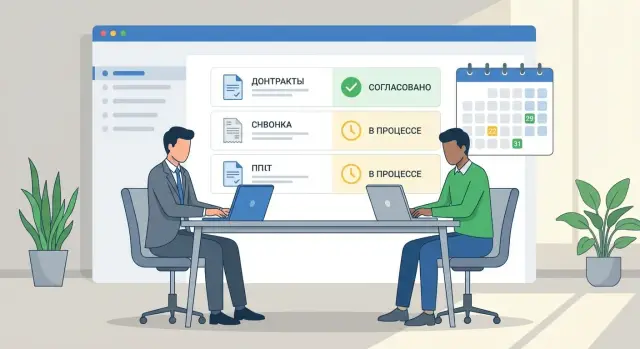
Why working without a contractors portal creates chaos in documents and deadlines
When work with contractors happens via email and messengers, documents spread across different threads. One employee has "final_3", another has "final_3_lawyer_edits", and the contractor signed an older version. Attachments get lost, and important comments remain in conversations that are later hard to find.
A common attempt to "fix" this is to give guest access to internal systems. But it's almost impossible to grant an external person exactly the rights they need without exposing extra information. Even with restrictions there's a risk: the contractor may see the wrong project, download a template with internal data, or send a file to the wrong location.
In the end you lose not just a document, but control over the process. Typically missing are:
- the current version and a clear history of edits
- a clear status: who currently has the document and what is expected from them
- deadlines for contracts, acts, invoices and deliveries
- accountability: who delayed and at which step
- a single archive that can be retrieved easily after a month
These risks quickly become real: commercial data leaks, mistakes in payment details and terms, extra payments due to incorrect acts, overdue deliveries and penalties. And the most unpleasant part is the dispute "we sent it" versus "we didn't receive it".
A contractors and suppliers portal addresses exactly this everyday chaos: it provides a single clear entry point for external users, while keeping order inside with documents, statuses and deadlines without risky access to your internal network.
What a contractors and suppliers portal is in simple terms
A contractors and suppliers portal is an external website or access window where counterparties upload documents, see tasks and get responses without entering the company's internal systems. Essentially it's a separate "reception" for contracts, invoices and acts: with rules, statuses and a fixed history of actions.
The key difference from internal document flow is simple: the portal does not open your corporate network, email and work folders to the supplier. Inside the company a document may follow approval routes among legal, finance and procurement. From the outside the supplier sees only what relates to their deal: which files are needed, where to attach them and what happens next.
Typically you expose repetitive processes that involve many similar files and deadlines: exchanging contract drafts and disagreement protocols, uploading acts and invoices, requests for corrections, tracking statuses and deadlines.
Business expectations are pragmatic: transparency (see where it got stuck), control (deadlines and accountability), less manual work (no need to search emails and versions). Supplier expectations are equally practical: a clear list of requirements, a single transfer channel, quick responses and an understandable status.
Example: a company buys equipment and services from dozens of contractors and instead of email threads gives each counterparty a personal account. The supplier uploads an invoice and an act, sees "under review by accounting", and the internal manager immediately gets a task and a deadline — no forwarding or confusion.
Roles and access: how to give external access without risking the internal network
An external user should work only with what relates to their contract and not see anything extra. Then the portal becomes a convenient window for document exchange, not a security hole.
Usually a small set of roles is enough, where the important question is not "who the person is" but "what they can do":
- supplier: sees only their contracts, requests and files; uploads documents; responds to comments
- manager: creates requests, attaches templates, controls deadlines and communication
- approver: reviews, comments, approves or rejects
- accounting: checks closing documents, correctness of details, and marks payment status
Then apply the principle of least privilege. Limit visibility on two levels: by organization (each counterparty sees only their card) and by object (only specific contracts, requests, acts, invoices and correspondence). Even if two contractors work on the same project, shared access is rarely needed.
Action rights should also be explicit: upload, sign, comment, view status, download the final version. For example, a supplier can upload an act and see that it is "under accounting review", but should not see internal discussions between the manager and the lawyer.
In practice simple rules work well: an individual account for each user, no shared logins, binding a user to a specific counterparty and checking rights each time a document is opened. This is especially important in companies with high procurement volume where dozens of approvals run in parallel with different suppliers.
Document exchange: how to set order instead of forwarding files
When documents travel via email and messengers, confusion quickly appears: which is the latest version, who should edit, what is already approved. The portal solves this with a simple principle: each document has one place (a card), one current version and clear statuses.
First determine what you actually exchange most often: TOR, commercial proposals, contracts and attachments, specifications, invoices and acts. For each type create a short card to store managed information: details, responsible persons and deadlines.
A good card usually needs five things: type and number (or internal ID), counterparty and project/contract, responsible people from both sides, response or signing deadline, and a version history.
To avoid "Final_2_definitely_final", set a simple rule: edits must go through a new version in the portal, not as a separate file in a message. Naming should also be standardized, for example: date + type + counterparty + contract number.
Don't complicate signatures. Choose one clear scenario and fix it in the procedure: either approval in the portal and signing on paper with a scan in the card, or signing in your e-sign system with the portal recording the fact and date, or recording the decision (who, when, what approved) for stages where a signature isn't required. One thing is important: the final version, decision date and responsible person must remain in the card.
Approval statuses: so it's clear where the document is and who is delaying
When a document "wanders" through email and messengers, the main question is always the same: where is it now and what to do next. In the portal a status replaces dozens of clarifying messages.
The simpler the statuses, the fewer disputes. A basic set is usually enough:
- under review
- pending approval
- edits required
- rejected (with reason)
- approved
It's important that the status changes only on a clear event: the document was taken into work, a decision was made, or it was returned for edits. Then excuses like "I didn't see it" or "it wasn't sent to me" disappear.
Define approval routes with rules, not manually for each document. For example, contracts below a certain amount require one set of approvers; above that amount add the CFO or security service. Acts and invoices can follow a different route. This way small tasks aren't delayed while critical ones don't pass without control.
Comments should live next to the document, not in conversation threads. One short remark in the card, attached to a specific version, saves hours: the contractor sees a note, uploads a corrected file, and everyone knows what changed.
For reviews and audits you need a transparent history: who and when changed the status, what decision was made and why, which file versions were sent, and where a delay occurred.
Deadline control: reminders and overdue handling without manual follow-up
The portal helps manage not only documents but also time. First agree which deadlines are mandatory and make them visible to both parties.
Commonly monitored deadlines are response time to requests (quotes, clarifications), contract signing, shipment or stage completion, submission of closing documents and payment.
To prevent deadlines from turning into manual emails and calls, set a date for each step and enable reminders. Usually two are enough: an advance reminder (e.g., 3 days before) and one on the due date.
Handle overdue items calmly but consistently. The portal should record the delay and notify the responsible people in sequence: first the performer, then the process owner. Escalation is useful when a delay blocks the next step — for example, payment cannot be closed without an act.
Managers typically don't need dozens of spreadsheets. They need simple reports: what's overdue and why, which counterparties delay more often, where approvals get stuck, and a payment and closing-doc forecast for the next two weeks. This is most noticeable in projects with tight schedules where a delay in one document shouldn't shift the whole delivery.
How to implement the portal step by step: from pilot to steady operation
Implement the portal with short, manageable steps rather than a "big bang". This way you see value faster, catch issues and keep current procurements on track.
-
Fix which processes will be moved to the external contour: contracts, specifications, invoices, acts, closing documents, change requests.
-
Define mandatory fields in cards: contract number, amount, project, responsible person, deadline.
-
Configure access and responsibilities: who checks completeness, who approves, who signs. This answers "who to contact?".
-
Set statuses and notifications. A practical minimum:
- draft
- under review
- pending approval
- edits required
- accepted/signed
Run the pilot on 1–2 categories and one typical document. With regular equipment deliveries or integration work you quickly see where the approval route breaks and which fields are missing.
After the pilot fix the procedure: reaction times, status owners, how edits are formalized. Only then scale to all counterparties so the portal works consistently, not "as agreed in chat".
Common mistakes and pitfalls when launching a portal
Usually the problem isn't technology but launching the portal as "another channel" without changing working rules. As a result decisions are still made in email and messengers and the portal stays empty.
Mistake 1: overly complex roles and permissions
When there are too many roles the contractor doesn't know where to upload a document and employees fear pressing the wrong button. Start simple: "supplier uploads", "responsible person checks", "approver approves". Add others only when necessary.
Mistake 2: no templates and unified requirements
If everyone sends acts and invoices in their own format, verification takes much longer. Provide unified requirements: how to name the file, which fields are mandatory, what to attach (scan, signature, stamp if needed).
Mistake 3: statuses exist but no one is responsible for changing them
Statuses work only when each step has an owner and a deadline. Otherwise a document "hangs in approval" for weeks and the system is blamed.
Mistake 4: notifications are on but there are no rules about deadlines
Reminders don't help if it's not defined what counts as a deadline and what to do when it's missed. For example: review - 2 working days, approval - 3, after overdue the task goes to the process owner.
Mistake 5: the portal lives separately from the process
If employees keep asking "send it by email, it's faster", the portal will inevitably be abandoned. A strict but clear rule helps: a document is considered received only after uploading to the portal.
How to tell the portal is actually working
The portal is successful not when it's "launched" but when emails like "where's the latest version?" and calls "who is approving now?" disappear.
Check these signs:
- every document has an owner, a next step and a deadline (e.g., "awaiting signature by Thursday", not "in progress")
- statuses are equally clear to all participants, including the supplier
- the supplier sees only their contracts, acts and invoices, without "shared folders"
- there is an activity log: who uploaded a file, who approved, who returned for revision, with date and time
- overdue items are visible at a glance: in a minute you can get a list of "due today" tasks
A quick practical check: supplier uploaded an act, you returned it with a comment, they uploaded version 2, the manager signed. If no one forwarded files by email or asked "which version is final" during that cycle, the portal works as intended.
Example scenario: approving a contract and acts with a contractor
A company hires a contractor for installation and commissioning of equipment. The contractor must submit a package of contract documents and, after the work, the acts and closing documents. Without a portal this quickly becomes email chains, "final_version_3" and daily questions to the manager.
With a portal the process follows a single route. The contractor uploads the contract and attachments into the deal card, specifies details and the required response date. The document then follows review and approval steps: completeness check, comments and return for edits if needed, legal and finance approvals, and recording the final version that went into execution.
The main benefits are elimination of duplicate files and disputed comments. Edits are linked to a specific version and the history is preserved: who asked to change a clause, what changed, when the document was sent for approval again.
Deadlines also become transparent: each step has an owner and a deadline. The portal sends reminders as the date approaches, and overdue items appear in statuses and reports.
Security and control: what to consider before inviting suppliers
The portal should enable exchange and approval without opening access to your internal network. The best rule is simple: expose externally only what the counterparty needs to work here and now.
It's convenient to store contract versions and attachments, acts, invoices, comment threads, deadlines and statuses in the portal. Internal budgets, purchase price breakdowns, unnecessary personal data, network diagrams, ERP/CRM access and operational analytics should remain in internal systems.
A minimal set of measures that usually gives peace of mind:
- principle of least privilege
- separated contours (portal isolated from the corporate network and critical systems)
- action logging
- file controls (including scanning attachments and forbidding dangerous file types)
- backups and clear retention periods
Provide contractors with named accounts, not shared logins like "company". An account should have an expiration date, be tied to a contract or project and have a clear deactivation process. If a counterparty employee leaves, revoke access the same day.
Before launch consult with security and legal: where files are stored, encryption and log requirements, what counts as a legally significant action (upload, confirmation, signing), and how to produce exports for audits.
Next steps: how to plan the project and who should lead implementation
Start with specifics: which processes you want to move externally. For some this is only contracts and acts; for others it includes invoices, access requests, closing documents and comment threads. The more precise the list, the easier it is to build a portal without unnecessary features.
Decide what should be pulled automatically: accounting and procurement data (counterparties, contracts, amounts), integration with an e-document system (if used), notifications to email or messengers. If integrations aren't needed, that's fine — but define in advance who will manually create and update records.
To keep the pilot from turning into endless tweaks, set success criteria up front: how average approval time should change, whether there are fewer lost versions and overdue acts and payments, and fewer questions "where is the document".
Typical roles: a process owner (often procurement or legal), an IT responsible for security and access, and a pilot coordinator who manages 5–10 contractors and gathers feedback.
If you need an external team, GSE.kz (gse.kz) can act as a systems integrator: perform assessment, configure the solution, provide 24/7 support and, if needed, deploy infrastructure on locally manufactured servers and workstations in Kazakhstan.
Frequently asked questions
How is the contractors portal different from exchanging documents by email?
It's a separate external entry point for counterparties where they upload and receive documents, see tasks and statuses without entering the company's internal network. As a result, you keep order and control, and the contractor works through a clear personal account.
How does the portal prevent "final_3_last_for_real" and version confusion?
Because in the portal each document has one card, one current version and a fixed action history. Edits are attached to a specific version instead of being lost in email chains and forwarded attachments.
How to safely give a contractor access so they don't see extra information?
Grant access by the principle of least privilege: the counterparty sees only their organization and only objects related to their contract or request. Internal discussions, budgets and data about other projects stay inside the company and are not shown in the portal.
What roles are usually needed in the portal to keep it simple?
Start with a small set of roles and actions so neither employees nor counterparties get confused. Usually enough are: a supplier role for uploads and replies, a manager role for creating tasks and control, and roles for approvers and accounting to review and decide on documents.
Which approval statuses should be configured first?
Use short, unambiguous statuses that change only on an event: document accepted for work, sent for approval, returned for edits or approved. Then it's always clear where the document is and who is next, without constant clarifications in messages.
How does the portal help meet deadlines without manual reminders and calls?
Set a deadline for each step and enable automatic reminders before the deadline and on the due date. On overdue items the portal should record the delay and notify the responsible person so the process doesn't stall because someone "didn't see the email".
Can the portal be used for legally correct exchange of contracts, invoices and acts?
Yes, if each file has format requirements, mandatory fields and upload rules, and the final version and the fact of decision are recorded. For legally significant actions, decide in advance where signing occurs and how the portal reflects the date and responsible person.
Why does the portal often "not take off" after launch and how to avoid that?
The most common mistake is keeping the portal as an "additional channel" while continuing to make decisions by email and messengers. The portal starts working when a simple rule is enforced: a document is considered received and accepted only after uploading to the card, and all comments remain there.
Where to start implementation: pilot or launch to all suppliers at once?
Run a pilot on one typical process and 5–10 counterparties, for example on contracts and closing documents. In a pilot you quickly see what fields are missing, where the approval route breaks and which notifications are actually needed, then it's easier to fix rules and scale.
How to tell that the portal really brings value and isn't just installed?
Track practical metrics: are there fewer questions about "where is the document", has approval time decreased, are there fewer overdue acts and payments, and is there a clear action history for each card. If the cycle "uploaded — checked — returned for edits — uploaded version 2 — approved" happens without email exchanges, the portal is doing its job.
