8 min read
Container and Image Security: Checks Without Blocking Releases
Container and image security: how to set up scanning, policies, and runtime protection in Aqua, Prisma Cloud, and Sysdig without blocking releases and with clear exceptions.
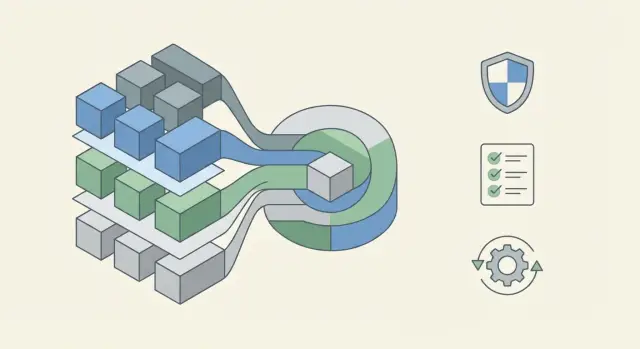
Why this matters and why releases start to stall
Container and image security isn't a checkbox. It closes very practical risks: vulnerabilities in the base image, accidentally embedded secrets, unsafe settings (for example running as root), and image tampering in the supply chain.
Runtime protection complements this by catching issues during operation: unexpected network connections, suspicious processes starting, attempts to access files the service doesn't need.
Releases usually start to slow when checks are turned on suddenly without clear rules. CI/CD suddenly shows dozens of critical findings, builds fail, teams argue over what is a blocker and what can wait. There's no proper exceptions mechanism: who approves them, for how long, and what happens when the time is up. Security becomes a "kill switch" instead of risk management.
This breakdown most often happens for three reasons:
- thresholds are set too strictly from day one (all Critical block, even if a vulnerability isn't exploitable in your context)
- there's no split between new and "inherited" problems (what's lived in the image for years starts blocking today)
- there's no transparent exceptions process with an owner and an expiry date
Success here is simple to measure: fewer incidents and fewer surprises in production, and the release queue doesn't grow. A good sign is when teams know in advance what will break the build and how to fix it in hours—not weeks.
Example: a team updated a base image and saw 40 vulnerabilities. If the policy just says "forbidden," the release will stop. If the policy distinguishes new vulnerabilities from old ones, allows a temporary exception for 14 days and requires a package update plan, the release goes out and the risk remains controlled.
Core concepts: what exactly we check
To set checks without blocking releases, agree on terms. Otherwise one person means CVE, another container privileges, a third runtime events.
Image — a template for the application: filesystem, dependencies, and startup settings. Container — a running instance of an image executing code and performing real network and system actions. Registry — where images are stored and pulled by CI/CD and the cluster.
Typically three different things are checked, each at its own point in the pipeline:
- Image scanning: what packages and libraries are inside, their CVEs, and known malicious components.
- Configuration checks: how the image is built and how it will be run (Dockerfile, Kubernetes manifests, privileges, networking, secrets).
- Runtime events: what the container does after starting (unexpected processes, privilege escalation attempts, unusual network connections).
Breakdowns happen in small details. Teams use an old base image that has accumulated critical vulnerabilities. A secret is copied into the image via Dockerfile and sits in the registry for a long time. Containers run as root with extra capabilities because "it starts faster."
For policies to be workable, you need scanner data plus context. Minimum:
- who owns the service (who will get the task)
- how critical the service is (production for a bank vs a training sandbox—different rules)
- acceptable timelines to fix issues
Then thresholds and exceptions look like agreements, not random bans.
Aqua, Prisma Cloud, and Sysdig: how to approach the choice
Aqua, Prisma Cloud, and Sysdig share the basic tasks: find vulnerabilities and unsafe image settings, enforce clear policies (what can be released and what cannot), and protect containers during runtime. If you keep the trio (images, policies, runtime) in mind, comparing tools becomes easier.
Differences are often about emphasis and where a tool feels "native." Some solutions are stronger in supply chain control (image scanning, signing, base image and registry checks). Others have a broader cloud security and compliance angle, linking containers with cloud settings and IAM. A third group focuses on runtime protection and visibility in Kubernetes: who talks to whom over the network, what processes start, and what actions look suspicious.
How to choose for your context
Start with a simple question: where does production live and what real constraints exist—on-prem, cloud, or hybrid. For the public sector and large organizations, deployment in a private datacenter, environment isolation, and audit reporting are often important. In such cases your tool must support your policies rather than impose an alien model.
Check four things in advance that often break adoption:
- integrations with your image registry and support for your formats, tagging, and lifecycle
- CI/CD connection without constant failures (soft thresholds, reports, MR comments)
- Kubernetes integration (admission control, namespace policies, exceptions)
- event export to SIEM and clear alerts for SOC
A good test is a pilot on one service: enable scanning, set 2–3 policies and one exception with an expiry date, then observe runtime noise. If you need an on-prem or hybrid pilot, system integrators usually handle that—for example projects at the GSE.kz level.
Goals, roles, and thresholds: rules won't work without them
Container security fails not because of the scanner but because of expectations. If the team treats checks as "for reporting" while security expects "zero vulnerabilities before production," releases will stall in the first week. First agree on goals and what success looks like.
Practical division into three goal levels:
- Inform: surface vulnerabilities and bad practices without stopping anything;
- Restrict: set requirements for new changes (for example, no new critical vulnerabilities), while legacy debt doesn't block;
- Block: stop build or deploy when clear rules are violated.
Who is responsible for what
Assign roles upfront to avoid things falling "between teams." A common scheme works well:
- Dev owns dependencies, base image, and fixing vulnerabilities in code.
- DevOps owns the pipeline, the registry, CI/CD policies, and runtime parameters.
- Sec defines the methodology, requirements, approves exceptions, and monitors risks.
- Service Owner decides what matters more in conflicts: release deadline or risk reduction.
- Ops monitors production: alerts, runtime protection, and incidents.
Thresholds and timelines that don't block releases
Thresholds must be measurable and clear. Example: "Critical vulnerabilities—fix in 7 days; High—30 days; Medium—according to plan." And a separate release rule: "Do not release if the change introduces new critical vulnerabilities and there is no approved exception."
Keep rules in one place and write them in plain language to avoid endless debates:
- what we check
- where we check (build, merge, deploy)
- what happens on violation
- who can grant an exception and for how long
Then Aqua, Prisma Cloud, and Sysdig become execution tools, not argument starters.
Step-by-step scheme: CI/CD checks without a kill switch
A good scheme is several "gates" where early stages give quick feedback to the developer and later stages protect production. Checks become part of the process, not the reason for late-night rollbacks.
Four-gate scheme
The closer to production, the stricter the rules and the higher the confidence in results:
- Build: scan the image right after build—context is fresh and fixes are cheap.
- Registry push: re-check before push so only verified versions reach the registry.
- CI policies: quick checks for secrets, dangerous Dockerfile instructions, and critical CVEs (avoid trying to cover everything at once).
- Pre-deploy to cluster: admission checks against policies so violating images don't reach Kubernetes.
Separate "found" from "forbidden." For example, a High CVE may be a warning, while a Critical with a known exploit is a block.
How not to stop releases
To avoid turning CI/CD into a kill switch, start with observation and increase strictness over time:
- Alert mode: for the first 1–2 weeks do not block—collect statistics by team and service.
- Grace period: give time to fix (for example, 14 days) and display the date after which the rule becomes blocking.
- Feature flags: gate new rules with a switch so you can quickly roll back if false positives occur.
- Staged blocks: enable only the most critical rules first and only for new releases, then expand.
- Risk-based rollout: tighten rules earlier for public and payment services, later for internal ones.
This approach works in Aqua, Prisma Cloud, and Sysdig: start with visibility and clear thresholds, then apply careful blocking. For example, in a cluster on GSE S200 Series servers you can enable admission checks only for the internet-facing front-end, then onboard other services once teams are familiar with policies and exceptions.
Writing policies so they are actionable
A policy is not "forbid everything risky," but a rule that tells the team:
- what to change now
- what can be accepted as risk
- who approves that decision
A good test: a developer should understand in 2 minutes what to fix in the Dockerfile or manifest.
Framework for a clear rule
Record in each rule:
- purpose: what we protect
- scope: where it applies (branch, environment, namespace, service type)
- condition: "if X then Y" (concrete fields, tags, settings)
- threshold: what blocks vs what warns
- action: who fixes, and where to request an exception
Practical policies that live in real environments
For images start with checks that rarely break releases: allowed base image list, ban on latest, require immutable tags or digests, and image signing. Introduce SBOMs first for critical services.
For CVEs, split into fixable and unfixable categories.
Fixable (patch available) can be blocked by threshold, e.g., Critical and High in production. Unfixable should be allowed via exception with a clear reason (no update available, false positive, component not used) and a review date.
In Kubernetes begin with simple risks: ban privileged, ban hostPath without an explicit allowlist, limit capabilities, and deny running as root without justification.
Network policies often start with "deny by default" inside a namespace and explicit allows: who can talk to the database, who can access the internet, and which ports are allowed.
A minimal starter set that usually helps without too much pain:
- base image only from an allowlist and no
latest - image signing required for production
- CVE block: Critical with patch available
- in-cluster: deny
privilegedandrunAsRootby default - NetworkPolicy: deny ingress without an explicit allow
Exception rules: transparent and with expiration
Exceptions are inevitable. The question is whether they are manageable. A good exception lets a release proceed but doesn't pretend the risk doesn’t exist.
An exception is justified when: a vulnerability has no available fix in the base image, the fix depends on the vendor and timelines are unclear, or business deadlines outweigh immediate fixes and risk can be mitigated by other measures. "We’ll sort it out later" is not an acceptable reason.
To make exceptions work the same in Aqua, Prisma Cloud, or Sysdig, adopt a simple standard. An exception card should contain:
- reason and exact scope of the exception (CVE, package, image, tag)
- owner (team or individual)
- expiration date
- compensating controls (e.g., deny external access, reduce privileges, enable runtime controls)
- closure criterion (what must happen to remove the exception)
Things better banned immediately: exceptions without an expiry, mass whitelists "for the whole image", and exceptions for critical vulnerabilities without compensating controls.
Review exceptions regularly: a short weekly review of active exceptions and automated reminders 7–14 days before expiration. Teams then have time to update or consciously extend the exception.
Example: a production service needs an image with a library that will be patched in a month. The team creates an exception for the specific CVE, repository, and tag, sets an expiry date, enables restricted egress, and adds a runtime rule to detect shells and suspicious processes. In a month they either close the exception after updating the base image or extend it with new justification.
To prevent exceptions becoming holes, track simple metrics: active exceptions per service, average age of exceptions, share overdue, and how often the same exception is extended.
Runtime protection: how to enable it without a flood of false positives
Runtime protection is needed where scanning can’t help. An image can be "clean" at build time but behave strangely in runtime: unexpected processes start, traffic goes to unknown addresses, or writes appear in unusual paths.
How to start safely: observe first
Do not enable blocking on day one. First collect the service’s normal behavior: which processes run, which ports are listened on, where it connects, and which directories it writes. Usually several days of real traffic plus a couple of typical operations (deploy, cache warm-up, scheduled jobs) are enough.
Then switch rules to alert mode and focus on usefulness, not volume. If half of alerts have no owner and lead to no action, rules are too broad.
Minimal rule set that is almost always justified
Start with a short, understandable set for the ops team and service owners:
- forbid interactive shells in containers (bash, sh) for prod namespaces
- detect execution of unexpected binaries (for example curl, nc) if not required by the app
- deny writes to system paths (for example, /bin, /usr/bin, /etc) except for explicitly allowed cases
- alert on outbound connections to rare external addresses or non-standard ports
- control mounting of sensitive directories and privileged modes
To reduce noise, make exceptions per service with a justification and expiry—not cluster-wide. Good practice: limited expiry and an owner who acknowledges the risk.
Send events to places where they will be acted upon: critical alerts to SOC, technical and "grey" alerts to operations, and items requiring functional decisions to service owners.
Common mistakes during adoption and how to avoid them
The most common cause of conflicts with releases is turning on maximum strictness on day one. Teams get dozens of blocks, don’t know what to fix, and start bypassing rules.
Five common mistakes:
- Immediately block everything critical across all repositories and teams. Better to start with 1–2 services, gather stats, and enable blocking gradually.
- Mixing policies for dev, stage, and prod. Prod can use strict thresholds and image signing; dev needs speed and guidance.
- Ignoring base images. Pin versions, maintain an allowlist of base images, and update them on a schedule.
- Thinking the scanner will fix the problem. Scanning shows risk but doesn’t answer "who fixes it and when."
- Creating exceptions without expiry and ownership. These become permanent holes.
What helps:
- stage thresholds: first warnings, then blocks, starting with prod
- separate policies by environment and document it
- assign base image owners and a refresh calendar
- keep a simple flow: found -> ticket -> fix -> re-scan
- require exception with reason, owner, and expiry
Example: a team releases an internal portal service. Week one they enable notifications and gather top recurring issues. Week two they block only new critical vulnerabilities in prod and plan fixes for legacy items.
Quick pre-production checklist
Before release, run a short check that catches the most common problems. The goal is predictability, not a last-minute security push.
A minimal list you can get through in 10 minutes:
- Thresholds and timelines: are there unified rules for severity (what blocks prod and what is allowed) and fix timelines?
- Pipeline checkpoints: is the image scanned at build and rechecked before deploy?
- Base images and tags: are allowed base images pinned, are floating tags like
latestbanned, and is versioning clear? - Exceptions: is there a single template (reason, owner, service, ticket) and is an expiry required?
- Runtime observation: is detect-only mode enabled and is it clear where alerts are sent (channel, owners, response time)?
Rule of thumb: if a critical vulnerability is found during release, the resolution should already be documented. For example: "block prod, allow test with a 7-day exception and owner-confirmed patch plan."
If you’re unsure about any item, stop for 15 minutes and agree a rule. It’s almost always cheaper than resolving an incident after deployment.
Example scenario: how to roll out without stopping delivery
A team builds a service for a bank or government body. Releases are weekly and security requirements are strict: quick vulnerability reports are needed but stopping releases for every CVE is unacceptable.
After a few scans they find an unpleasant truth: the base image contains dozens of CVEs, some in packages the service doesn’t directly use. If they enable strict blocking on everything, delivery stops. So they roll out rules gradually with clear exceptions.
A practical 3–4 week plan:
- Week 1: image scanning in CI/CD in report-only mode. Developers and Sec see the reports; pipelines don’t fail.
- Week 2: block only Critical if a fix exists and affects used packages. High stays as warning.
- Week 3: agree on a "golden" base image and a refresh schedule so CVEs don’t accumulate.
- Week 4: runtime observation on the pilot in detect-only mode: collect events without automatic blocking.
If a critical base image vulnerability cannot be fixed quickly, create a 30-day exception: reason, affected images and services, compensating controls (no shell, limited egress, non-root run), owner, and expiry.
After a month track metrics:
- average pipeline time and share of releases without manual approvals
- number of active exceptions and share overdue
- how many Criticals were fixed via base image updates
- how many runtime events were real incidents versus noise
If metrics improve, raise strictness: expand blocks to some Highs and turn runtime detect-only rules into targeted blocks for the riskiest actions.
Next steps: 2–4 week plan and who to assign
To keep checks from becoming a kill switch, start with a brief inventory: where images live (registries and tags), how deployment happens (Helm, GitOps, manual), who owns services, and who decides on vulnerabilities. This quickly highlights contentious areas: who must fix and who can approve exceptions.
2–4 week plan
A pace that usually doesn't break releases and delivers quick wins:
- Week 1: inventory registries, CI jobs, clusters, and critical services. Choose a pilot service with a clear owner.
- Week 2: enable image scanning in CI/CD in report mode. Implement a realistic rule set (ban root run, base image labels, base image from allowlist).
- Week 3: move some rules to "soft gates" (warn but don't block), start the exception process with expiry and an owner.
- Week 4: minimal runtime protection on the pilot (observe or block the riskiest actions), and extend to 2–3 services.
Write rules so a developer knows the next step: "update base image," "rebuild with pinned version," or "remove package." Use a single exception template: reason, risk, compensating controls, owner, and expiry.
Who to assign
Divide responsibilities up front:
- Platform/DevOps: registries, CI agents, cluster policies.
- Service teams: fix Dockerfile and dependencies, rebuild images.
- Security: set thresholds, approve exceptions, monitor deadlines.
- Product owners: prioritize what to fix first.
If you need help selecting Aqua, Prisma Cloud, or Sysdig for your environment and deploying on-prem or hybrid, it’s convenient to work with a systems integrator. In GSE.kz-level projects this is often combined with infrastructure (including servers), integration with existing systems, and 24/7 support.
Frequently asked questions
How to introduce container checks so releases don't stop in the first week?
Start in observation mode: collect scan and check results but do not block builds for 1–2 weeks. Then add blocks only for new critical issues and only in production, keeping legacy debt on a remediation plan with deadlines.
What is the difference between an image and a container, and why does it matter for security?
An image is a template containing the filesystem, dependencies, and startup settings. A container is a running instance of that image that executes processes, writes files, and communicates over the network—so runtime events and behavior matter for containers.
What exactly should be checked: CVEs, configurations, or runtime behavior?
Typically you check three layers: the image contents for CVEs and malicious components, build and runtime configuration (Dockerfile and Kubernetes manifests), and runtime events. These layers complement each other: scans don’t see runtime behavior, and runtime monitoring doesn’t replace updating base packages.
What severity thresholds realistically work in CI/CD?
Set simple remediation timelines and a release rule. A practical approach: fix critical issues with available patches quickly, and block a release only if the current change introduces new critical issues and there is no approved exception.
How to distinguish new vulnerabilities from those that have long been in the base image?
Separate new findings from legacy issues. New vulnerabilities should only worsen the situation if introduced by the current change; legacy debt is better handled by a base image and dependency update plan so security doesn’t become a perpetual blockade.
How to avoid putting secrets into images and the registry?
Do not copy secrets into the image—the layers will keep them and they can leak via registries or caches. Keep secrets out of images and inject them at runtime via platform-native mechanisms. Add quick CI checks to catch leaks before publishing.
How to make an exception so it doesn't become a security hole?
A good exception is targeted and temporary: specify exactly what is allowed, who owns it, when it expires, and which compensating controls are in place. Exceptions without an expiry or broad whitelists for entire images quickly become permanent holes and are hard to control.
How to enable runtime protection without a flood of false positives?
Enable runtime protection in detect-only mode first to gather the service’s normal behavior: processes, listening ports, outbound connections, and file writes. Only after you tune rules and reduce false positives should you enable blocking. If alerts are too noisy, narrow rules to specific services and actions and assign an owner for the alerts.
What to look for when choosing Aqua, Prisma Cloud, or Sysdig for my environment?
Compare tools by the three tasks: image and supply-chain control, policy and Kubernetes runtime enforcement, and runtime visibility/protection. Immediately verify integrations with your registry, CI/CD, admission control, and event export to SIEM—these integration points are where pilots most often fail.
What to consider if production is on-prem or hybrid rather than solely cloud?
For on-prem or hybrid deployments, verify the solution can be deployed in your datacenter, supports isolation of environments, and meets audit requirements. A pilot on a real cluster service is useful to test policies, monitoring integration, and the exception process; these pilots are often done with a systems integrator, for example in projects with GSE.kz.
