8 min read
Comparing SolarWinds, PRTG and OpManager for a Distributed Network
Compare SolarWinds, PRTG and OpManager: how to evaluate maps, alerts, reports and operational usability in a distributed network using practical examples.
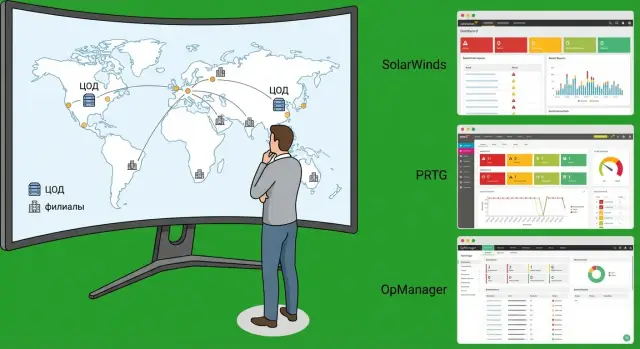
Why compare NMS solutions specifically for a distributed network
A distributed network is almost always more complex than what a diagram shows. Branches run over links of varying quality, there may be multiple ISPs, mixed hardware, and some devices may be end-of-life. The worst part: failures usually surface at the edge—where there’s no on-site engineer and where users notice outages first.
So an NMS must do more than “display data”; it must help people act. Many systems can collect metrics and draw graphs, but in real life teams get dozens of alerts, look for root causes manually and compile reports from different places. Monitoring then becomes a showcase: you can see what’s wrong, but not what to fix first.
When choosing, the priority is not what looks impressive in a demo but how the system behaves every day:
- How quickly can you identify where the problem is: link, router, switch, server or service?
- How much “noise” will be in alerts and can symptoms be separated from causes?
- Can you prove availability by branch and meet SLAs without manual aggregation?
- How easy is it to maintain the system when there are hundreds or thousands of objects and a small team?
A typical case for an organization with offices across regions: a branch reports “sluggishness,” but the cause could be a saturated link, a bad port, routing issues, or an application server in the data center. If the NMS doesn’t link events and show the “user – service – network” dependency, troubleshooting drags on.
Comparing SolarWinds, PRTG and ManageEngine OpManager for a distributed network makes sense around practical workflows rather than a feature checklist. Below we examine four areas: maps and topology, alert quality, availability and capacity reporting, and day-to-day operational usability.
First, fix your requirements: what exactly do you want to monitor
In a distributed network, NMS choice often breaks not on features but on expectations. Before a pilot, agree within the team what you consider “normal operation” and what should count as an incident.
Start by inventorying what you actually need to see in monitoring—not “everything,” but what affects users and downtime. Usually this includes sites and their links, network equipment, servers and virtualization, and key services (DNS, AD, mail, business systems). Typical metrics are branch availability, latency and loss, link and port utilization, power and temperature, disk space, CPU/RAM load.
Describe network boundaries in advance: how many sites, segmentation, NAT, separate security zones. Separately define roles: NOC, network and server admins, service desk, managers. The earlier you decide who should see what, the fewer issues you’ll have with permissions and reports.
Clarify criticality. A single “red light” for everything creates noise: many alerts, little value. Better to predefine 5–10 situations that truly require action.
Example: “the branch is reachable but users complain of slowness.” For that case you need not only pings but loss, jitter, link and port utilization, and response time of a key service. If you don’t capture this, you’ll later argue “why didn’t the NMS help” even though it wasn’t given that task.
Record constraints separately. For distributed networks, decisions are often driven by security: no direct access from HQ to certain segments, regulatory requirements, separate accounts, audit trails. These determine whether you can poll from a single center or need local collectors and a strict permission model.
Finally, define report formats: who needs them, how often and in what form. Managers usually want clear SLA metrics and availability trends, while engineers need detailed root-cause data and capacity trends to plan upgrades.
Quick compatibility and scale checks before comparing features
Before diving into maps, alerts and reports, run a short check: can the system handle your network and collect required data without hacks? This saves days during demos and prevents a pretty interface from becoming hard to deploy across branches.
Start with data sources. Some monitoring relies on SNMP, others need WMI for Windows servers, some require Syslog for network events or NetFlow to see who consumes bandwidth. Check API integrations (e.g., with ITSM or CMDB) so incidents don’t require manual reconciliation.
Next, evaluate discovery. Auto-discovery matters not for its own sake but for how much time it saves keeping inventory up to date. A good sign is when the system finds devices by subnet, applies templates, groups by site/type/criticality and doesn’t turn structure into chaos after the first hardware change.
Before judging by appearance, verify basics:
- Support for protocols and sources you need (SNMP, WMI, Syslog, NetFlow, API).
- How auto-discovery works: templates, grouping, re-discovery, duplicate handling.
- Licensing and growth model: per node, per sensor, per interface or per module (identify which model will get most expensive as you grow).
- Infrastructure requirements: server, database, backups, updates.
- Branch connectivity: VPN, proxy, distributed pollers and behavior during link outages.
Short example: you have 25 branches, each with 1 router, 2 switches, 3–5 servers and some critical apps. If licensing is per-sensor, every CPU, disk, interface and service multiplies costs fast. If licensing is per-node, clarify which metrics are included and whether modules must be purchased.
If you run a pilot with an integrator, agree on the distributed collector layout and server requirements in advance. In projects where infrastructure design and 24/7 support are needed, this topic usually appears first. For example, teams like GSE.kz typically lock these details before a pilot to avoid redesigning architecture later because of link or security limitations.
Maps and topology: what matters in SolarWinds, PRTG and OpManager
In a distributed network maps are not for aesthetics. They should quickly answer two questions: where is the issue and what is impacted. So focus less on widgets and more on whether the map helps you decide in 2–3 minutes.
How maps are built and how “live” they are
All three systems offer auto-discovery and manual drawing. The difference is usually how easy it is to keep maps current.
SolarWinds is often chosen when a more formal model is needed: inventory, dependencies and object-linked maps. For large networks this is convenient, but check how much manual work is required after changes.
PRTG is usually simpler for a quick start: discovery and clear dashboards, with maps built for different roles (NOC, branch admins, management). Consider how easy it is to keep a consistent map standard when there are dozens of maps.
OpManager is often selected for its multiple views: physical topology, site groupings and service-based views. Verify how easily you can merge network and service perspectives so you don’t end up with two different “truths.”
Impact and causal relationships
A key criterion is whether you can see the primary outage and secondary symptoms. If an inter-branch link fails, the map should highlight it as the root cause, not flood the branch with red indicators without explanation. On demos, ask to show scenarios like “uplink switch failed” or “VPN between sites dropped” and observe how the system highlights the cause.
Complex objects: virtualization, clusters, inter-site links
If you have clusters, virtual environments or redundant links, the map must show these without manual workarounds. Otherwise you’ll debate “what actually failed” instead of resolving the incident.
On the pilot, check:
- Clear relationships between key nodes (L2/L3 topology or similar).
- Ability to build service maps (e.g., “access to ERP/CRM/mail”) and see which node affects the service.
- Useful filters for NOC: site, criticality, owner, maintenance window.
- How quickly maps update after changes (re-cabling, new VLAN, router replacement).
If maps break after every change, they stop being a response tool and become an ongoing diagramming project in a distributed network.
Alerts: compare signal quality, not sheer volume
In distributed networks the main alert risk is not missing an outage but drowning in noise. Don’t count templates and notification channels—look at how quickly an operator understands what happened, where, and what to do next.
First, define which signals you actually need. Usually these are:
- Thresholds (CPU, memory, interface errors).
- Missing data (sensor/agent silent, SNMP unreachable).
- Event-based (traps, syslog, Windows events).
- Correlation (multiple symptoms reduced to one root cause).
How to reduce noise and highlight root cause
Check whether the system can suppress repetitive alerts and behave predictably during maintenance. You need deduplication, maintenance windows, dependencies and suppression.
A simple branch test: cut the branch–HQ connection. A good setup produces one critical alert “link down” and marks secondary alerts as suppressed/consequences. A poor setup floods you with dozens of alerts for each server, printer and camera.
Escalations and incident closure
Evaluate not only "where to send" but also "how to manage". Important rules: who gets notified, after how many minutes and under what conditions (business hours, geography, service importance). Check for acknowledgement (ack), automatic closure after recovery, and a clear action history.
Test notifications via integrations: email, messengers, ITSM, webhooks. The message should include object, cause, impact and a clear next step.
For a short pilot run the same checks on identical devices:
- Branch link outage and recovery.
- Disk full on a server and growth to threshold.
- Telemetry loss (no data for 10–15 minutes).
- Event storms (e.g., interface flapping).
- Maintenance window without false alarms.
If after these tests an operator spends minutes rather than hours, signal quality is adequate.
Reports: availability, SLA and capacity without manual assembly
Reports serve two audiences. An on-duty engineer needs to know what’s happening today: where are dips, what failed and what was restored. A manager needs a monthly or quarterly summary: were SLAs met, where are bottlenecks and where to allocate budget.
Operational and managerial reports
Agree on a common counting logic first. Otherwise you’ll end up with three pretty reports that can’t be compared.
For SLA and availability lock rules in advance: what counts as downtime (host, service, interface), minimum incident duration (e.g., more than 2–5 minutes) and how maintenance windows are treated. The NMS must exclude planned work from SLA and show it separately; otherwise every upgrade looks like a failure.
Capacity is similar: you need trends, not single charts—branch link usage, CPU/memory on key servers, disk-fill trends and a clear forecast answering: “When will we run out if nothing changes?”
Incident reports are useful when they’re not a log dump but a summary: recurring failures, time spent to detect and recover, and which devices generate most noise.
What to check on the pilot
Ask for the same set of reports from all three systems:
- Daily availability report for key nodes (24 hours).
- Monthly SLA by branch with maintenance windows applied.
- Channel capacity and growth forecast.
- Top problem devices and alert causes.
- Response and recovery time report according to your rules.
Then look at operational features: scheduling, permissioned report views (e.g., by site), and export formats. Managers usually need PDF, analysts need CSV/Excel and scheduled delivery.
Example: with 30 branches you must deliver a monthly SLA for links and critical services. If reports are manually assembled from graphs, you spend days and still argue about numbers. If they’re generated automatically and consistently, there’s little to dispute.
For pilots in Kazakhstan, it’s useful to pre-agree SLA methodology and metrics with the integrator. Teams like GSE.kz often assist with measurable criteria so reports serve both control and internal procedures.
Operational usability: how much time will NMS consume from your team
If an NMS is awkward day-to-day, it becomes another system to maintain. Assess not only features but how many actions an engineer must take to get a clear result.
Daily routine: where extra hours hide
Ask vendors to demonstrate the same workflow: add a new branch router, start collecting metrics, get alerts and produce a report the next day. Words make it sound simple, but small tasks add up.
Evaluate how quickly you can:
- Add a node and start data collection without manually setting dozens of parameters.
- Apply metric templates without editing them per device.
- Update inventory and see changes (firmware, link load, vanished ports).
- Bulk-change settings across groups of branches.
- Understand the UI without a single expert who knows everything.
If a dedicated person is required just to “click in the NMS,” that’s a warning.
Access and teamwork
For distributed networks permissions should not be “all or nothing.” A sensible scheme: operations sees everything, regional engineers only their sites, security gets audits, contractors get time-limited scoped access.
On the pilot, set up role-based access by site and check two things: flexibility of permission assignment (by groups, tags, devices) and a clear audit of who changed what.
Updates, maintenance and resilience
Ask not “how often are updates released” but how long a planned maintenance window takes and what must be checked afterward: agents, sensors, integrations, reports, mail notifications. Ideally an update is not a separate project.
High-availability doesn’t always require complex clustering. For mid-scale deployments a clear plan—backups, quick failover to another server and checks that data collection hasn’t lagged by hours—is often sufficient.
Observability of the NMS itself
If the NMS “is quiet,” you won’t know whether the network is fine or the collection stopped. Ask them to show how the product signals its own problems.
Minimum to see:
- Polling delays and task queues (can collection keep up with intervals?).
- Status of key components (collectors, web UI, database).
- Data loss by branch (VPN drops, unstable links).
- NMS server load and growth forecast.
- A clear “data stale” status instead of a green “all OK.”
Example: with 20 branches and a central data center, an effective NMS will quickly show that the issue is link availability to a site, not a failed switch. This saves hours of analysis and reduces false escalations.
If you implement with an integrator, agree in advance who owns post-launch operations: updates, backups, permissions and health checks. Fix this before the pilot so monitoring doesn’t become an organizational single point of failure.
Example pilot scenario for a distributed network: run a pilot in 2 weeks
Imagine: HQ, 12 branches, two ISPs at key sites and critical data center services (mail, ERP, file servers, terminal access). The pilot aim is to check how the NMS behaves under real failures and how quickly you can identify causes.
Agree on pilot scope. A practical setup: 1 HQ + 3 branches (different link qualities), one branch with two links, 1 rack/cluster in the data center and a typical access switch per site. This keeps comparisons fair: same device types and objectives.
Week 1: maps, signals and baseline “truth”
In week one the map should show meaning, not just icons: sites, links, key services and dependencies.
- Build the site map: HQ, selected branches, data center, links.
- Add dependencies: link -> router -> switch -> critical server/VM -> service.
- Configure minimal alerts: link down, degradation (loss/latency), router failure, critical server down, service check (HTTP/port/agent).
- Set maintenance windows and thresholds to avoid ping-pong alerts.
- Define who acknowledges incidents.
Then run controlled tests: cut a backup link, restart a service in a maintenance window. Check whether one clear incident appears rather than dozens of secondary alerts.
Week 2: reports and operational checks
Now validate reports needed by managers: weekly availability per branch, incident lists with causes (link, ISP, hardware, data center service) and reaction times (discovery, acknowledgement, recovery).
- Produce availability reports per branch and overall for the network.
- Add root-cause breakdown: what failed first.
- Check capacity: link and key interface utilization at peak hours.
- Measure noise: number of daily notifications and how many were useful.
- Track effort: setup time, template maintenance and map accuracy.
Pilot results should be measurable: less noise, faster reaction, clearer causality. If the system gives this without constant manual adjustment, it’s easier to roll out across the network.
Typical mistakes when choosing an NMS and how to avoid them
The most common mistake is judging NMS by a pretty dashboard in a demo. On a showcase almost every product looks great. In real distributed networks you care about data accuracy, time to find root cause, and the amount of unnecessary noise.
Check data quality simply: pick 10–20 critical devices from different branches (routers, switches, servers, key services) and compare statuses in the NMS with logs and real traffic. If the system often reports “all OK” when there are issues—or vice versa—that problem will persist regardless of product.
Second pain: hundreds of secondary alerts. This happens when dependencies are ignored. Typical case: a branch link or edge router fails and monitoring sends separate alerts for every downstream device. The fix is not just muting alerts but configuring correlation and suppression by cause rather than by symptom.
Third mistake: overrelying on auto-discovery. Discovery speeds startup, but order comes from templates, tags, name normalization and a single approach to metrics. Without this, reports and alerts will diverge: one branch monitors one set of metrics, another monitors different ones and comparison becomes impossible.
Fourth mistake: not planning branch connectivity and security beforehand. Decide where collectors/probes reside, how monitoring traffic flows, who can access the console and how credentials are stored. Otherwise the pilot will succeed but production will stall on network and security policies.
Without KPIs the comparison becomes a debate about “which looks better.” Define what “works better” for you:
- Reduces mean time to find root cause (MTTR).
- Lowers false positive rate.
- Produces SLA and availability reports without manual work.
- Doesn’t require daily manual edits after network changes.
- Fits into a clear process: who responds, who acknowledges, who closes.
If you have 20 branches and one overnight on-duty engineer, the key criterion is not metric count but whether they can determine in 5–10 minutes if the problem is the provider, branch equipment, or a central service.
Short comparison checklist and next steps
To avoid choosing based on “which is prettier,” keep a short checklist that weeds out options that will demand too much manual work in a distributed setup.
Five things that usually determine project outcome:
- Maps and topology: how quickly a clear site, link and service diagram is built.
- Dependencies: can you see the root cause (link failure yields one alert while services show as consequences).
- Alert noise: are deduplication, correlation and maintenance windows available for nights/weekends.
- SLA and availability reports: are they produced as-is without Excel formulas.
- Access control: can you separate responsibilities (NOC, network, servers, security) without overexposing systems.
Use a simple weighted criteria table, for example: alert quality 30%, SLA reports 25%, ease of operation 20%, maps & dependencies 15%, access & audit 10%. This grounds the choice in your priorities, not brochure text.
After selecting finalists fix an implementation plan before purchase: a short pilot (1–2 branches + one central node), then roll-out across typical site templates and time reserved for training and alert rule setup. Appoint a monitoring owner: who approves new alert rules, who changes thresholds and who handles quiet night incidents.
Next practical step: a meeting between network and server admins to sketch monitoring architecture: where to place collectors/probes, how to gather link metrics and how to store reporting data. If you need help designing and integrating into existing infrastructure, discuss it with GSE.kz (gse.kz) as a system integrator to account for branch scaling and post-launch operations.
Frequently asked questions
Why shouldn’t I choose an NMS for a distributed network based only on a “pretty demo”?
Compare systems by how quickly they help find the root cause at the network edge: the link, VPN, port, routing or a central service. In distributed environments, diagnostic speed and signal quality matter more than the number of charts and widgets.
What requirements should be fixed before an NMS pilot?
Start with a list of sites, links, network devices, servers and 5–10 critical services that actually affect users. Then fix which situations count as incidents and which metrics prove them (availability, packet loss, latency, interface utilization, disk space).
Which tests best show monitoring quality in branches?
Run canonical scenarios equally across all systems: branch-to-HQ link failure, degradation (loss/jitter), interface flapping, telemetry loss, disk filling up. The key is not just seeing an alert but measuring how many alerts are generated and how clearly they state the next action.
Which protocols and data sources are critical when choosing between SolarWinds, PRTG and OpManager?
Look for the data sources you actually need: SNMP for network devices, WMI/agents for Windows, Syslog/traps for events, NetFlow for who consumes bandwidth, and APIs for integrations. If some data requires roundabout methods, expect a lot of manual work later.
What should I check in maps and topology for a distributed network?
A good map answers two questions within a couple of minutes: where is the problem and what is affected. Check whether topology shows dependencies and highlights the primary failure so a link outage doesn’t just turn many devices red without explanation.
How to assess alert "noise" and find a system that shows the root cause?
Prefer systems that suppress secondary symptoms and leave one clear incident with cause and impact. Key mechanics are dependencies, maintenance windows, deduplication and predictable thresholds so an unstable link doesn’t create continuous noise.
What requirements should be set for notifications and escalations?
Notifications must include the object, the essence of the problem, the impact (which service/site is affected) and the next recommended step. Also important: incident acknowledgement, activity history, and automatic closure after recovery to avoid losing control over alerts.
How to get SLA and availability reports without manual Excel work?
Agree rules in advance: what counts as downtime, minimum incident duration and how maintenance windows are treated. A good report is generated on schedule and reproducibly month-to-month so SLA figures for branches aren’t assembled manually from disparate charts.
How to know an NMS won’t become a separate “project of maintaining itself”?
Test the common workflow: add a device, apply a metrics template, enable alerts and generate a report the next day. If bulk changes across branches require individual manual steps, the NMS will become a maintenance burden as the network grows.
How to properly set access controls and audit for a distributed team?
Divide access by sites and roles: NOC sees everything, regional engineers see only their branches, security gets audit views, contractors get temporary scoped access. On the pilot, verify how flexibly permissions can be set (by groups, tags, devices) and that there is a clear change audit.
